【免费】LLM大模型 基于LangChain的RAG校园AI智能问答助手(FastAPI+Vue3) LLM大模型毕业设计 AI Agent 大模型课程设计 锋哥原创出品,必属精品
大家好,我是Java1234_小锋老师,分享一套锋哥原创的LLM大模型 基于LangChain的RAG校园AI智能问答助手(FastAPI+Vue3)。
项目介绍
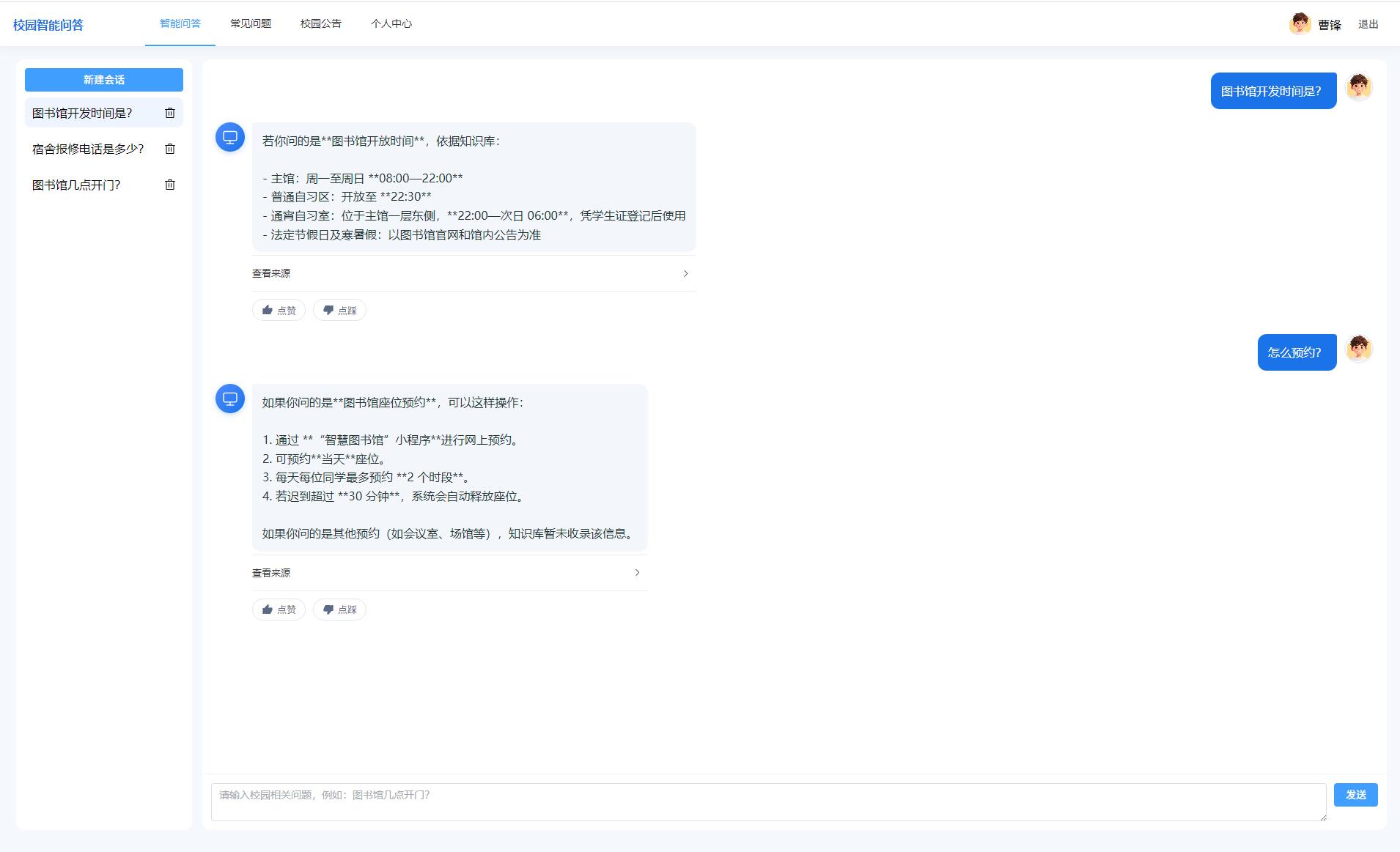
高校日常办事信息分散在学籍管理办法、宿舍规定、图书馆指南和信息化通知等多种文档中,学生查询效率低,人工咨询窗口压力大。通用大语言模型虽然具备流畅的对话能力,但容易产生不符合本校制度的“幻觉”回答,难以直接承担校园政策问答任务。针对上述问题,本文设计并实现了一个基于大语言模型与LangChain检索增强生成(RAG)的校园智能问答助手。
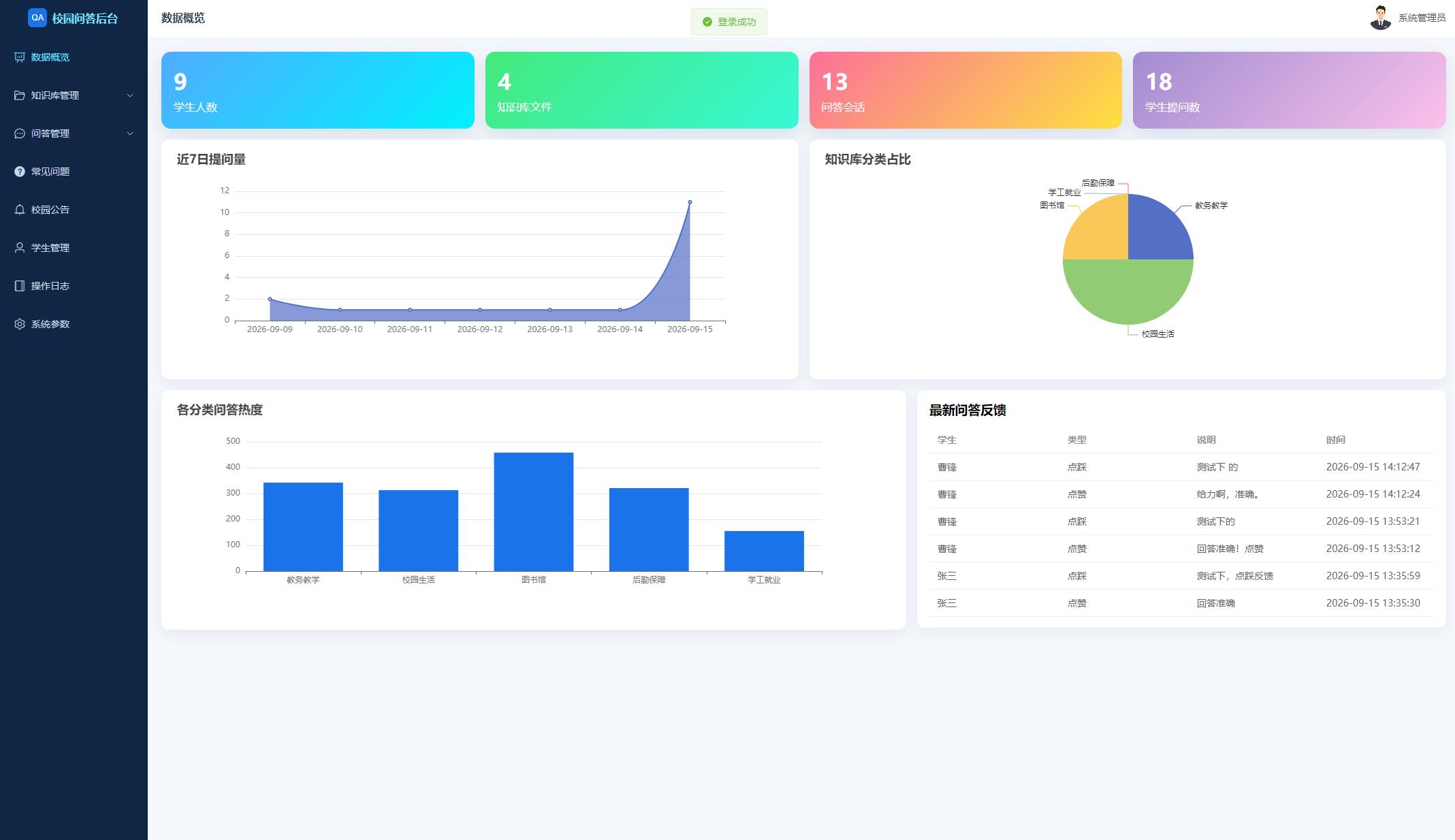
系统采用前后端分离架构。后端以Python 3.11为开发语言,使用FastAPI构建RESTful接口与SSE流式输出,借助LangChain完成文档切分、嵌入调用和提示词组装,结合Chroma向量库与通义千问兼容接口实现“先检索、后生成”的问答链路;业务数据保存在MySQL 8数据库db_campus_rag_qa中。前端基于Vue3、Vite、Pinia和Element Plus实现学生端与管理员端,管理员首页使用ECharts展示近七日提问量、知识库分类占比等统计图表。
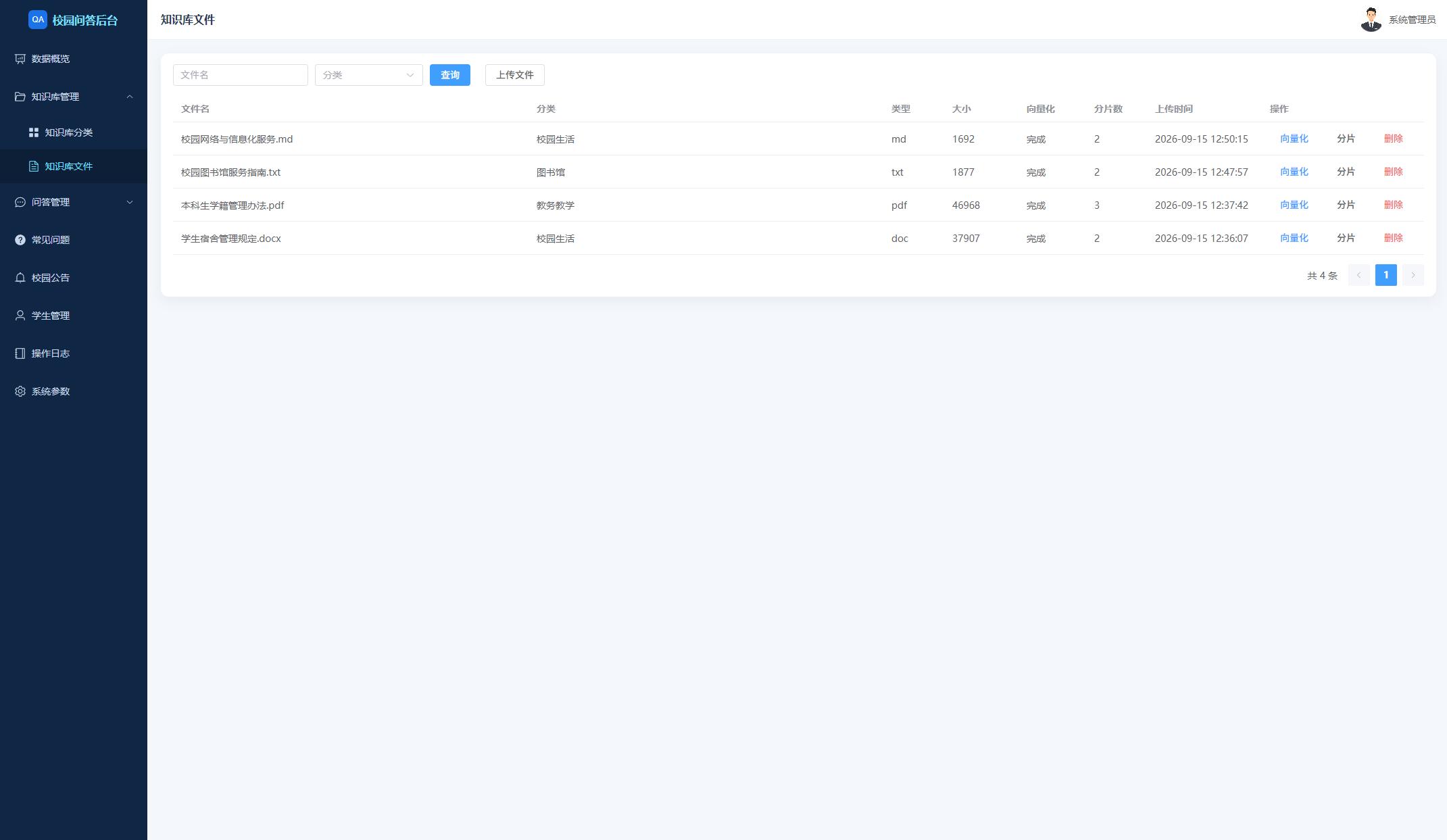
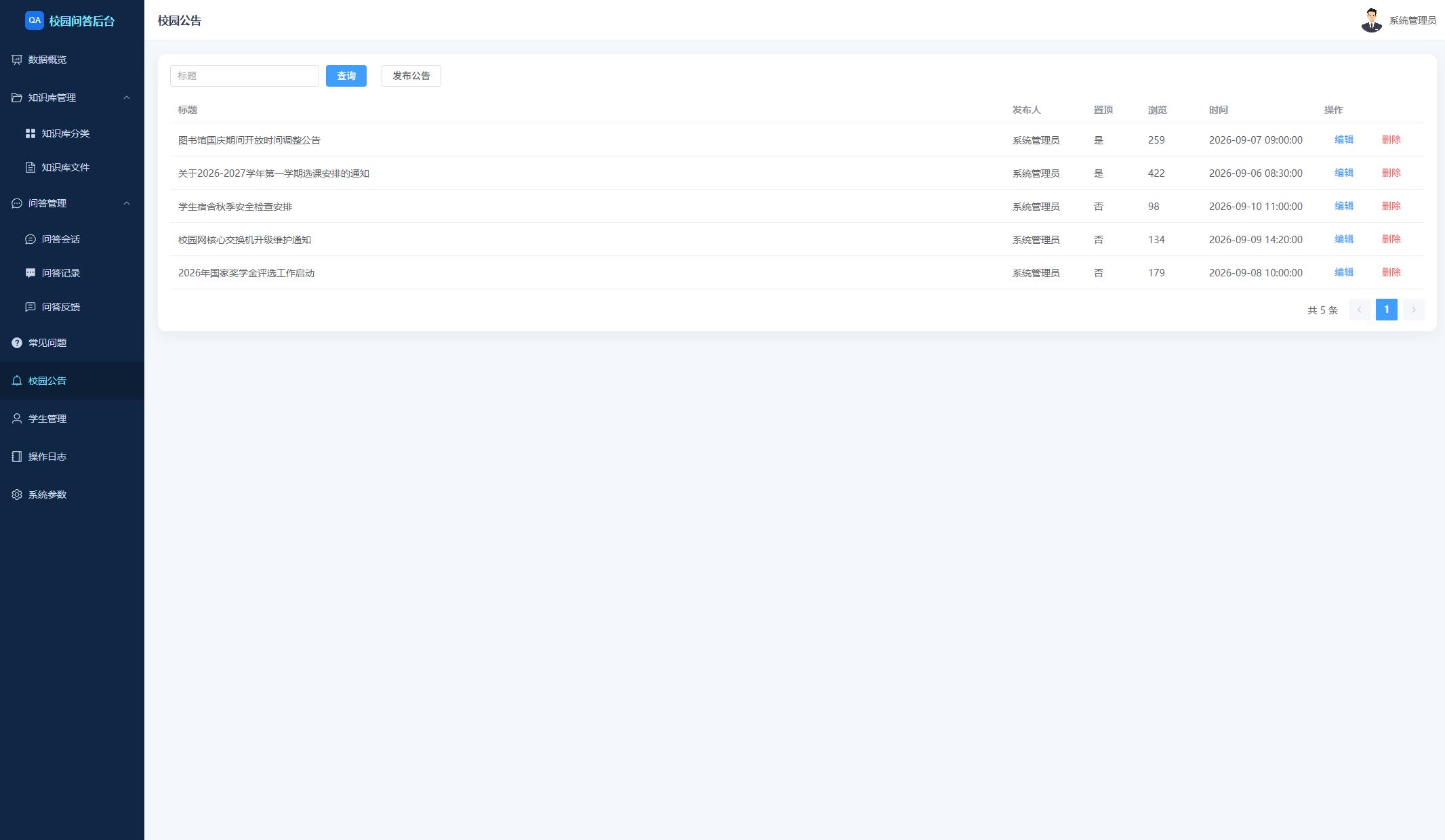
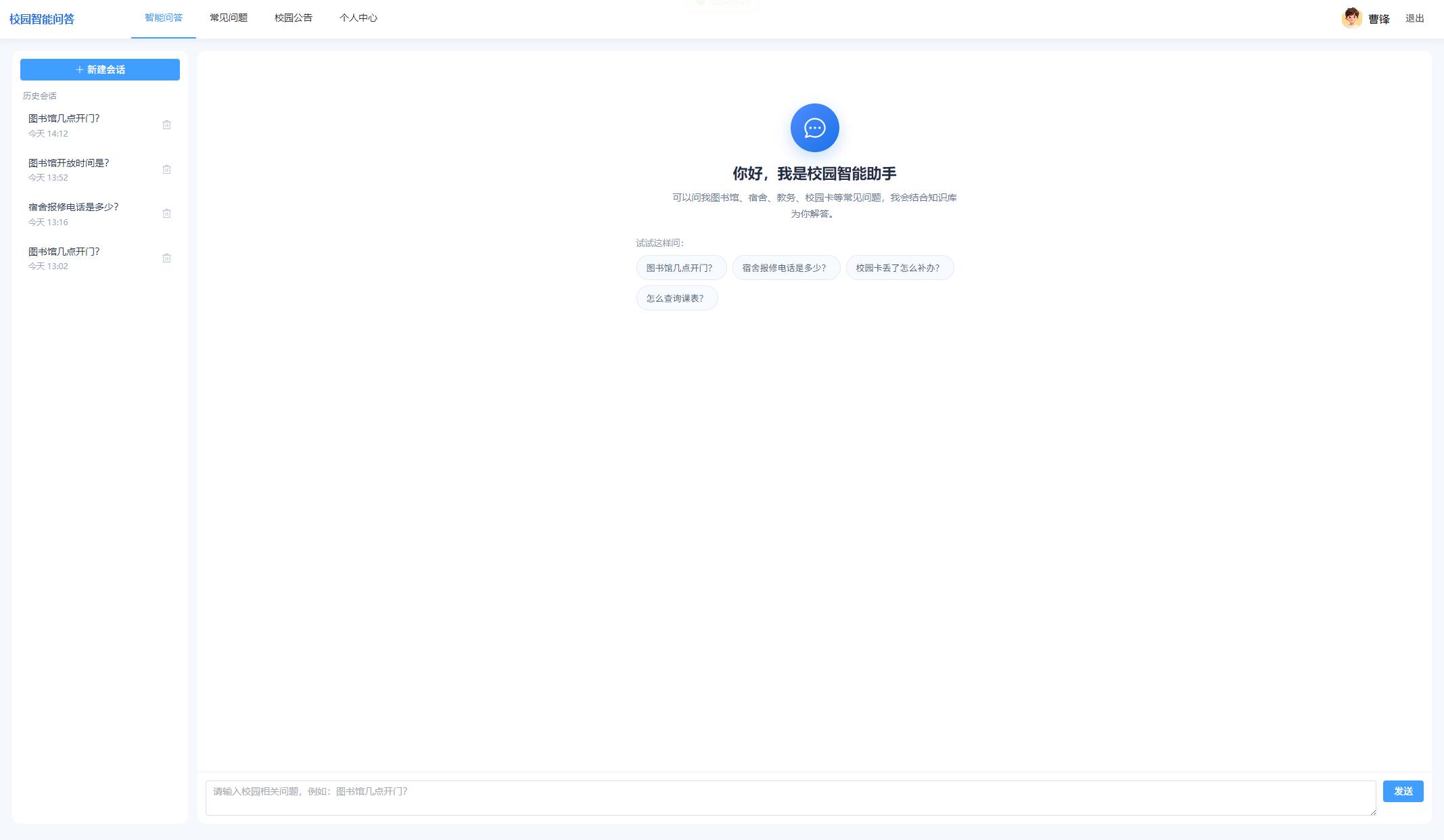
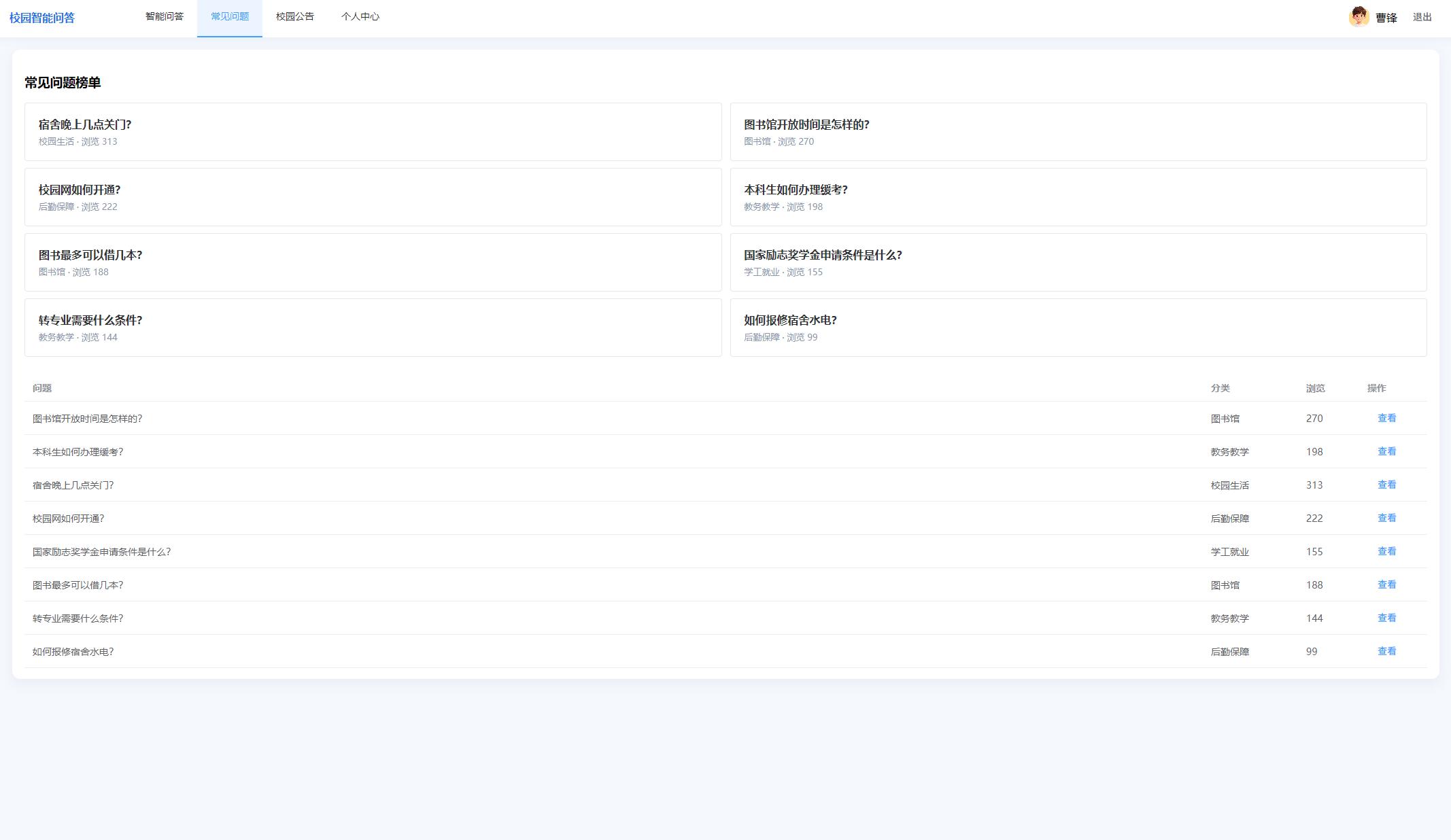
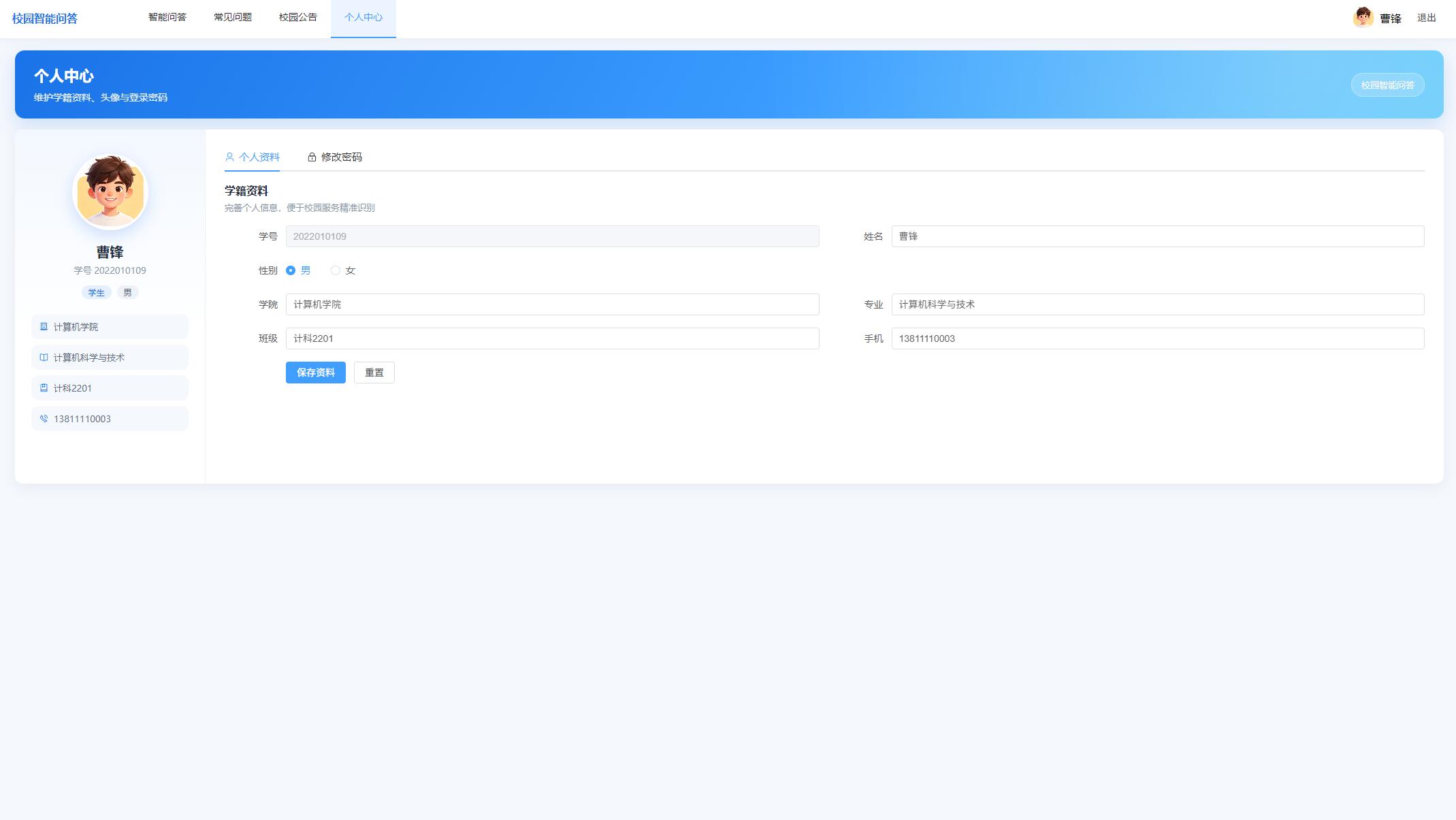
系统主要功能包括:学生注册登录、多轮智能问答、会话管理、来源展示与点赞点踩、常见问题与校园公告浏览、个人中心;管理员知识库分类与文件向量化、学生管理、问答记录审计、FAQ与公告维护、操作日志和RAG参数配置。测试表明,系统能够依据本校知识库给出可追溯的回答,并在资料不足时明确提示“知识库暂未收录”,较好地满足了本科毕业设计对完整性、可演示性和工程规范性的要求。
源码下载
链接: https://pan.baidu.com/s/1QJpiHiv6Yq8MYkCfs89oYA?pwd=1234
提取码: 1234
系统展示


核心代码
"""操作日志与系统参数接口。"""
from fastapi import APIRouter, Depends, Query, Request
from sqlalchemy.orm import Session

from app.core.database import get_db
from app.core.security import get_current_admin
from app.core.response import Result, format_datetime
from app.models.admin import Admin
from app.models.system import SysLog, SysConfig
from app.schemas import ConfigBatchBody
from app.utils import write_log

log_router = APIRouter(prefix="/logs", tags=["操作日志"])
config_router = APIRouter(prefix="/config", tags=["系统参数"])


@log_router.get("")
def list_logs(
    page: int = Query(1, ge=1),
    size: int = Query(10, ge=1, le=100),
    keyword: str = "",
    role_type: str = "",
    db: Session = Depends(get_db),
    admin: Admin = Depends(get_current_admin),
):
    """分页查询操作日志。"""
    q = db.query(SysLog)
    if keyword:
        like = f"%{keyword}%"
        q = q.filter(SysLog.content.like(like) | SysLog.operator.like(like) | SysLog.module.like(like))
    if role_type:
        q = q.filter(SysLog.role_type == role_type)
    total = q.count()
    rows = q.order_by(SysLog.id.desc()).offset((page - 1) * size).limit(size).all()
    data = [
        {
            "id": r.id,
            "operator": r.operator,
            "roleType": r.role_type,
            "module": r.module,
            "content": r.content,
            "ip": r.ip,
            "createTime": format_datetime(r.create_time),
        }
        for r in rows
    ]
    return Result.page(data, total, page, size)


@config_router.get("")
def list_config(
    db: Session = Depends(get_db),
    admin: Admin = Depends(get_current_admin),
):
    """查询全部系统参数。"""
    rows = db.query(SysConfig).order_by(SysConfig.id.asc()).all()
    data = [
        {
            "id": r.id,
            "configKey": r.config_key,
            "configValue": r.config_value,
            "remark": r.remark or "",
            "updateTime": format_datetime(r.update_time),
        }
        for r in rows
    ]
    return Result.ok(data)


@config_router.put("")
def update_config(
    body: ConfigBatchBody,
    request: Request,
    db: Session = Depends(get_db),
    admin: Admin = Depends(get_current_admin),
):
    """批量更新系统参数。"""
    for item in body.items:
        row = db.query(SysConfig).filter(SysConfig.config_key == item.config_key).first()
        if row:
            row.config_value = item.config_value
    db.commit()
    write_log(db, admin.username, "admin", "系统参数", "更新RAG参数配置", request)
    return Result.ok(None, "保存成功")
<template>
  <div>
    <el-row :gutter="16">
      <el-col :span="6" v-for="item in cards" :key="item.label">
        <div class="stat-card" :style="{ background: item.bg }">
          <div class="num">{{ item.value }}</div>
          <div class="label">{{ item.label }}</div>
        </div>
      </el-col>
    </el-row>
    <el-row :gutter="16" style="margin-top: 16px">
      <el-col :span="12"><div class="page-card"><div ref="lineRef" class="chart"></div></div></el-col>
      <el-col :span="12"><div class="page-card"><div ref="pieRef" class="chart"></div></div></el-col>
    </el-row>
    <el-row :gutter="16" style="margin-top: 16px">
      <el-col :span="14"><div class="page-card"><div ref="barRef" class="chart"></div></div></el-col>
      <el-col :span="10">
        <div class="page-card">
          <h3>最新问答反馈</h3>
          <el-table :data="feedbacks" style="width: 100%">
            <el-table-column prop="realName" label="学生" />
            <el-table-column prop="feedbackType" label="类型">
              <template #default="{ row }">{{ row.feedbackType === 'like' ? '点赞' : '点踩' }}</template>
            </el-table-column>
            <el-table-column prop="content" label="说明" show-overflow-tooltip />
            <el-table-column prop="createTime" label="时间" width="170" />
          </el-table>
        </div>
      </el-col>
    </el-row>
  </div>
</template>

<script setup>
import { onMounted, reactive, ref } from 'vue'
import * as echarts from 'echarts'
import { fetchOverview, fetchCharts } from '../../api'

const cards = reactive([
  { label: '学生人数', value: 0, bg: 'linear-gradient(135deg,#4facfe,#00f2fe)' },
  { label: '知识库文件', value: 0, bg: 'linear-gradient(135deg,#43e97b,#38f9d7)' },
  { label: '问答会话', value: 0, bg: 'linear-gradient(135deg,#fa709a,#fee140)' },
  { label: '学生提问数', value: 0, bg: 'linear-gradient(135deg,#a18cd1,#fbc2eb)' }
])
const feedbacks = ref([])
const lineRef = ref()
const pieRef = ref()
const barRef = ref()

onMounted(async () => {
  const ov = await fetchOverview()
  cards[0].value = ov.data.userCount
  cards[1].value = ov.data.documentCount
  cards[2].value = ov.data.sessionCount
  cards[3].value = ov.data.messageCount
  const ch = await fetchCharts()
  feedbacks.value = ch.data.latestFeedback || []
  const line = echarts.init(lineRef.value)
  line.setOption({
    title: { text: '近7日提问量' },
    tooltip: { trigger: 'axis' },
    xAxis: { type: 'category', data: ch.data.questionTrend.dates },
    yAxis: { type: 'value' },
    series: [{ type: 'line', smooth: true, data: ch.data.questionTrend.values, areaStyle: {} }]
  })
  const pie = echarts.init(pieRef.value)
  pie.setOption({
    title: { text: '知识库分类占比' },
    tooltip: { trigger: 'item' },
    series: [{ type: 'pie', radius: '60%', data: ch.data.categoryPie }]
  })
  const bar = echarts.init(barRef.value)
  bar.setOption({
    title: { text: '各分类问答热度' },
    tooltip: { trigger: 'axis' },
    xAxis: { type: 'category', data: ch.data.categoryBar.map((i) => i.name) },
    yAxis: { type: 'value' },
    series: [{ type: 'bar', data: ch.data.categoryBar.map((i) => i.value), itemStyle: { color: '#1a73e8' } }]
  })
  window.addEventListener('resize', () => { line.resize(); pie.resize(); bar.resize() })
})
</script>

<style scoped>
.stat-card { color: #fff; border-radius: 14px; padding: 22px 18px; box-shadow: 0 10px 24px rgba(20,60,120,.12); }
.num { font-size: 32px; font-weight: 800; }
.label { margin-top: 6px; opacity: .92; }
.chart { height: 320px; }
h3 { margin: 0 0 12px; }
</style>

Agent 垂直技术社区,欢迎活跃、内容共建。
更多推荐


 1
1 0
0- 0


 已为社区贡献56条内容

所有评论(0)