如何从旧电脑python库迁移到新电脑的python库
前期准备:
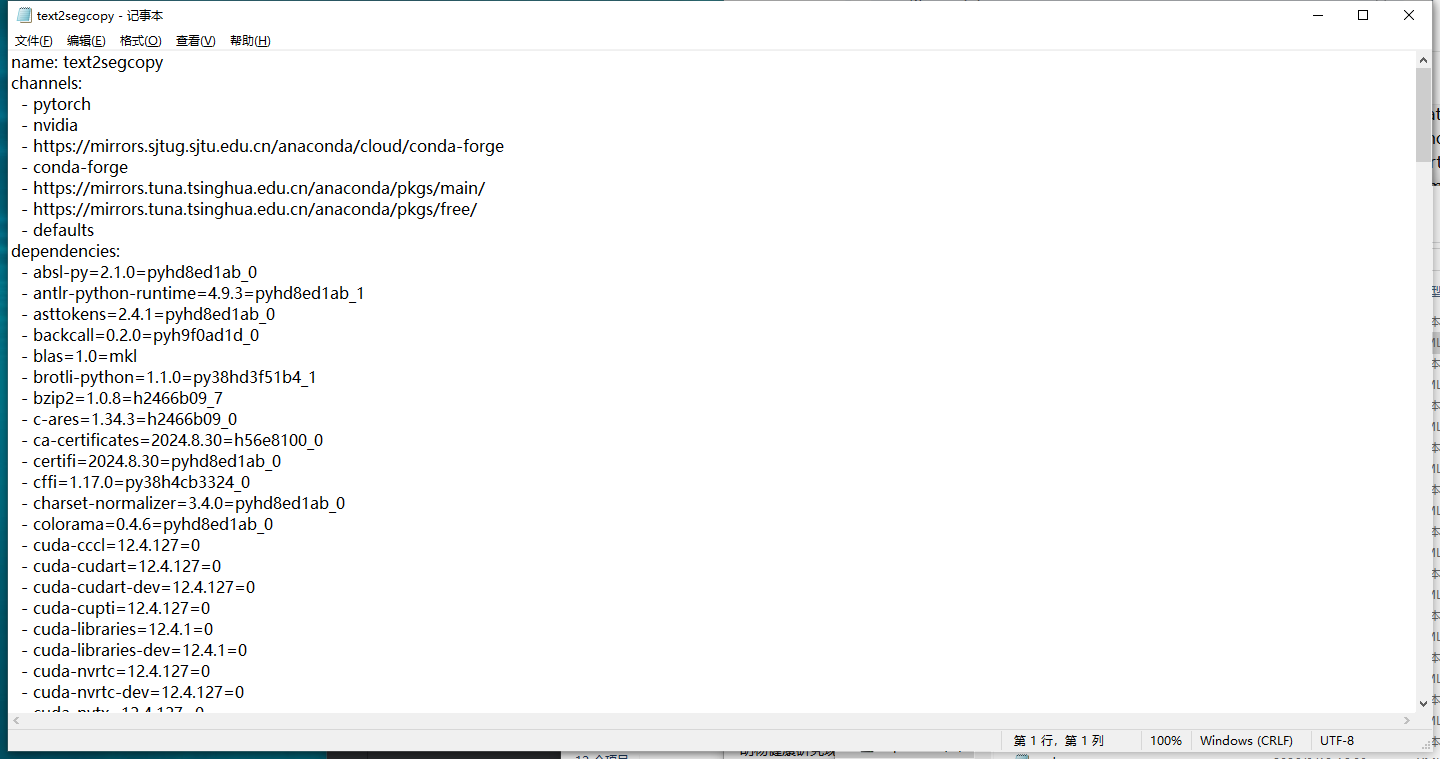
从旧电脑导出text2segcopy_requirements.txt、text2segcopy,yml。如下图所示
方法为:旧:Conda:①激活虚拟环境;②conda env export > xxx.yml 新:conda env create -f xxx.yml
pip:①pip freeze > requirements.txt xin: pip install -r requirements,txt
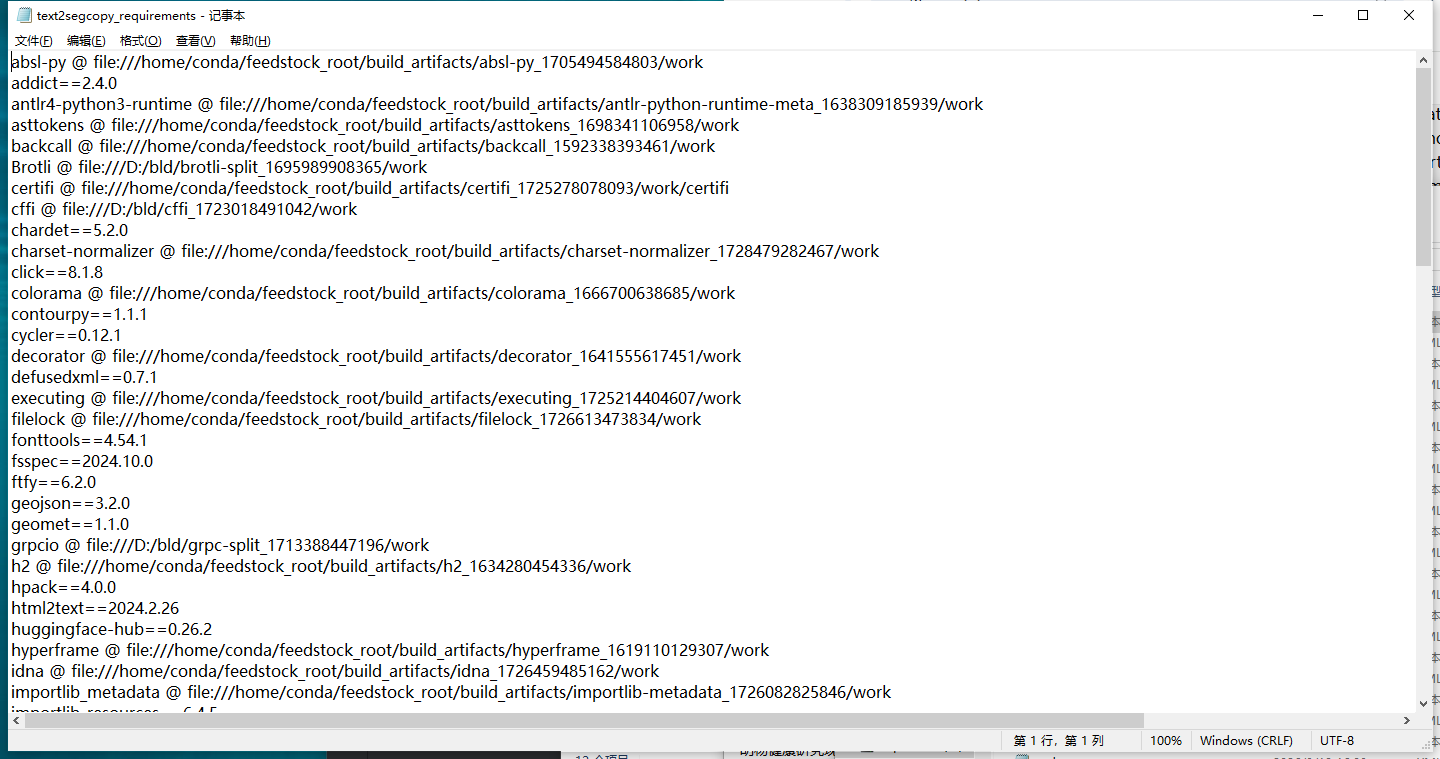
如果直接pip install -r requirements.txt 会出现错误:ERROR: Could not install packages due to an OSError: [Errno 2] No such file or directory: 'C:\\home\\conda\\feedstock_root\\build_artifacts\\absl-py_1705494584803\\work'
因此,考虑删除@及@后续的内容,代码为:
import os

# 定义文件路径
file_path = r'C:\Users\Admin\Desktop\requirements.txt'

# 读取文件内容
with open(file_path, 'r') as f:
    lines = f.readlines()

# 处理每一行,去除 @ 及其后面的部分
processed_lines = []
for line in lines:
    # 去除行中的 @ 及其后面的内容
    processed_line = line.split('@')[0].strip()
    if processed_line:  # 只保留非空行
        processed_lines.append(processed_line)

# 将处理后的内容写回文件
with open(file_path, 'w') as f:
    for line in processed_lines:
        f.write(line + '\n')

print(f"处理完成,已更新 {file_path}")
但是删除完之后很多库就没有版本,直接安装会出现库冲突的错误,如下:
Installing backend dependencies ... error
error: subprocess-exited-with-error
× pip subprocess to install backend dependencies did not run successfully.
│ exit code: 1
╰─> [3 lines of output]
ERROR: Ignored the following versions that require a different python version: 0.1.0 Requires-Python >=3.9; 0.1.1 Requires-Python >=3.9; 0.1.2 Requires-Python >=3.9; 0.1.3 Requires-Python >=3.9; 0.1.4 Requires-Python >=3.9; 0.1.5 Requires-Python >=3.9; 0.1.6 Requires-Python >=3.9; 0.1.7 Requires-Python >=3.9; 0.1.8 Requires-Python >=3.9; 0.1.9 Requires-Python >=3.9
ERROR: Could not find a version that satisfies the requirement puccinialin (from versions: none)
ERROR: No matching distribution found for puccinialin
[end of output]
note: This error originates from a subprocess, and is likely not a problem with pip.
error: subprocess-exited-with-error
× pip subprocess to install backend dependencies did not run successfully.
│ exit code: 1
╰─> See above for output.
note: This error originates from a subprocess, and is likely not a problem with pip.
因此,考虑用.yml的库的版本去补充.txt的版本,实现代码如下:
#读取.yml补充requirements.txt的库的版本
import yaml

# 定义文件路径
yml_file_path = r'C:\Users\Admin\Desktop\text2seg_1014.yml'
requirements_file_path = r'C:\Users\Admin\Desktop\requirements.txt'


# 读取 YAML 文件并提取 pip 依赖项
def read_yml_and_generate_requirements(yml_path):
    with open(yml_path, 'r') as yml_file:
        data = yaml.safe_load(yml_file)

    # 从 YAML 文件提取 pip 依赖包
    requirements = {}

    # 处理 'pip' 部分
    if 'pip' in data:
        for pip_dep in data['pip']:
            # 检查每个 pip 包是否为字符串,提取包名和版本
            if isinstance(pip_dep, str):
                package_info = pip_dep.split('==')
                if len(package_info) == 2:  # 格式为 package==version
                    package_name, version = package_info
                    requirements[package_name] = version
            elif isinstance(pip_dep, dict):
                # 如果依赖是字典,尝试获取包名和版本
                for package_name, version in pip_dep.items():
                    requirements[package_name] = version

    return requirements


# 更新 requirements.txt 中的依赖项
def update_requirements_file(requirements, requirements_file_path):
    with open(requirements_file_path, 'r') as req_file:
        lines = req_file.readlines()

    updated_lines = []
    for line in lines:
        # 删除 'name'、'channels'、'prefix' 部分
        if line.startswith('name==') or line.startswith('channels==') or line.startswith('prefix==')  or line.startswith('dependencies=='):
            continue  # 跳过这一行

        # 检查每一行是否是包名并且是否在 requirements 中
        package_name = line.split('==')[0].strip() if '==' in line else line.strip()

        if package_name in requirements:
            # 更新版本号
            updated_lines.append(f"{package_name}=={requirements[package_name]}\n")
        else:
            # 保留原有行
            updated_lines.append(line)

    # 将更新后的内容写回到 requirements.txt
    with open(requirements_file_path, 'w') as req_file:
        req_file.writelines(updated_lines)


# 主程序
def main():
    requirements = read_yml_and_generate_requirements(yml_file_path)
    update_requirements_file(requirements, requirements_file_path)
    print(f"已更新 {requirements_file_path} 文件中的依赖版本,删除了 'name'、'channels' 和 'prefix' 'dependencies' 部分。")


if __name__ == "__main__":
    main()
这个代码仍然会遇到错误,遇到的错误为找不到对应版本的库,解决方法是直接删除这个库,并记录。先安上其他的库。最后通过 conda install xxx -c conda-forge对没有安上的个别库进行安装。
至此,所需的库全部安装完成,运行项目检查。
另一方法:
①打开cmd
②输入conda env create -f text2seg_copy.yml
③补充没有安装上的库,比如pytorch。从pytorch官网Previous PyTorch Versions找历史版本,找到:# CUDA 12.4
conda install pytorch==2.4.1 torchvision==0.19.1 torchaudio==2.4.1 pytorch-cuda=12.4 -c pytorch -c nvidia
④检查没按上缺少的库,运行项目检查。

Agent 垂直技术社区,欢迎活跃、内容共建。
更多推荐

 7
7 0
0- 0


 已为社区贡献1条内容

所有评论(0)