Vue3 + highlight.js实现代码片段复制功能
·
效果图:
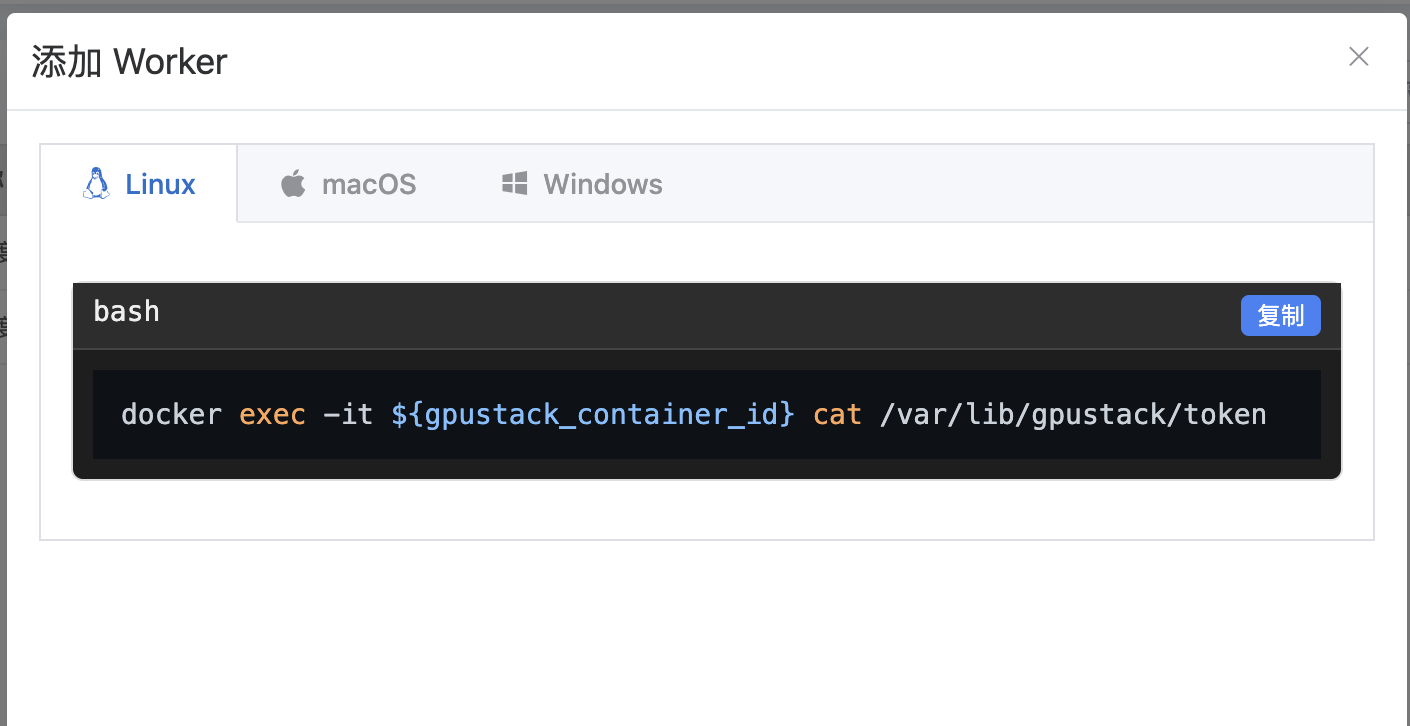
实现步骤:
npm install highlight.js
<template>
  <div class="code-block">
    <div class="code-header">
      <span>{{ language }}</span>
      <button @click="copyCode" class="copy-btn">
        {{ copied ? "已复制" : "复制" }}
      </button>
    </div>
    <pre><code ref="codeRef" :class="language">{{ code }}</code></pre>
  </div>
</template>

<script setup>
import { ref, onMounted, watch } from "vue";
import hljs from "highlight.js";
import "highlight.js/styles/github-dark.css"; // 你也可以换别的主题

const codeRef = ref(null);
const copied = ref(false);

// 传入代码和语言
const code = `docker exec -it \${gpustack_container_id} cat /var/lib/gpustack/token`;
const language = "bash";

// 代码高亮
const highlight = () => {
  if (codeRef.value) {
    hljs.highlightElement(codeRef.value);
  }
};

onMounted(() => {
  highlight();
});

// 如果 code 会变化,监听一下
watch(() => code, highlight);

const copyCode = async () => {
  try {
    await navigator.clipboard.writeText(code);
    copied.value = true;
    setTimeout(() => (copied.value = false), 2000);
  } catch (err) {
    console.error("复制失败:", err);
  }
};
</script>

<style scoped>
.code-block {
  border: 1px solid #ddd;
  border-radius: 6px;
  background: #1e1e1e;
  color: #eee;
  font-family: monospace;
  position: relative;
  margin: 1em 0;
}
.code-header {
  display: flex;
  justify-content: space-between;
  background: #2d2d2d;
  padding: 6px 10px;
  font-size: 14px;
  border-bottom: 1px solid #444;
}
.copy-btn {
  cursor: pointer;
  background: #3b82f6;
  border: none;
  padding: 2px 8px;
  border-radius: 4px;
  color: #fff;
  font-size: 12px;
}
.copy-btn:hover {
  background: #2563eb;
}
pre {
  margin: 0;
  padding: 10px;
  overflow-x: auto;
}
</style>

Agent 垂直技术社区,欢迎活跃、内容共建。
更多推荐

 1
1 0
0- 0


 已为社区贡献1条内容

所有评论(0)