|
import vobject
import chardet
import pandas as pd
import os
def debug_vcf_file(file_path):
"""
调试VCF文件:检查编码、文件结构和内容
"""
print("=== 开始调试VCF文件 ===")
# 检查文件是否存在
if not os.path.exists(file_path):
print(f"错误:文件 '{file_path}' 不存在")
return False
# 检查文件大小
file_size = os.path.getsize(file_path)
print(f"文件大小: {file_size} 字节")
if file_size == 0:
print("错误:文件为空")
return False
# 读取原始字节数据
with open(file_path, 'rb') as f:
raw_data = f.read()
# 检测编码
encoding_result = chardet.detect(raw_data)
detected_encoding = encoding_result['encoding']
confidence = encoding_result['confidence']
print(f"检测到的编码: {detected_encoding} (置信度: {confidence:.2f})")
# 尝试不同编码
encodings_to_try = [detected_encoding, 'gbk', 'gb2312', 'utf-8', 'iso-8859-1']
for encoding in encodings_to_try:
if not encoding:
continue
try:
content = raw_data.decode(encoding)
print(f"✓ 成功使用 {encoding} 编码解码")
# 检查VCF基本结构
if 'BEGIN:VCARD' in content and 'END:VCARD' in content:
vcard_count = content.count('BEGIN:VCARD')
print(f"找到 {vcard_count} 个联系人卡片")
# 显示前500个字符作为样本
sample = content[:500]
print("文件内容样本:")
print("---" + sample + "---")
return True, content, encoding
else:
print(f"× 使用 {encoding} 解码但未找到VCARD结构")
except UnicodeDecodeError as e:
print(f"× {encoding} 编码解码失败: {e}")
except Exception as e:
print(f"× {encoding} 处理过程中出错: {e}")
# 最后尝试忽略错误模式
try:
content = raw_data.decode('utf-8', errors='ignore')
print("最后尝试:使用UTF-8忽略错误模式解码")
return True, content, 'utf-8 (errors ignored)'
except Exception as e:
print(f"最终解码失败: {e}")
return False, None, None
def parse_vcf_with_debug(file_path):
"""
解析VCF文件并生成Excel表格
"""
# 调试文件
debug_result, vcf_content, used_encoding = debug_vcf_file(file_path)
if not debug_result:
print("文件调试失败,无法继续解析")
return []
contacts = []
print(f"\n=== 开始解析VCF内容(使用编码: {used_encoding})===")
try:
# 分割vCard块
vcard_blocks = vcf_content.split('BEGIN:VCARD')
for i, block in enumerate(vcard_blocks):
if not block.strip() or 'END:VCARD' not in block:
continue
# 重新构建完整的vCard
vcard_text = 'BEGIN:VCARD' + block
try:
vcard = vobject.readOne(vcard_text)
contact_info = {'序号': i}
# 提取姓名
if hasattr(vcard, 'fn') and vcard.fn:
contact_info['姓名'] = str(vcard.fn.value)
print(f"联系人 {i}: 找到姓名 - {vcard.fn.value}")
else:
contact_info['姓名'] = '未知'
print(f"联系人 {i}: 未找到姓名字段")
# 提取电话
contact_info['电话'] = ''
if hasattr(vcard, 'tel'):
phones = []
if isinstance(vcard.tel, list):
for tel in vcard.tel:
if hasattr(tel, 'value') and tel.value:
phones.append(str(tel.value))
elif hasattr(vcard.tel, 'value') and vcard.tel.value:
phones.append(str(vcard.tel.value))
if phones:
contact_info['电话'] = '; '.join(phones)
print(f"联系人 {i}: 找到电话 - {phones}")
else:
print(f"联系人 {i}: 找到TEL字段但值为空")
# 提取其他信息
if hasattr(vcard, 'email'):
emails = []
if isinstance(vcard.email, list):
for email in vcard.email:
if email.value:
emails.append(str(email.value))
elif vcard.email.value:
emails.append(str(vcard.email.value))
contact_info['邮箱'] = '; '.join(emails) if emails else ''
contacts.append(contact_info)
print(f"✓ 成功解析联系人 {i}: {contact_info['姓名']}")
except Exception as e:
print(f"× 解析联系人 {i} 时出错: {e}")
# 打印出错的vCard内容前200字符用于调试
print(f"错误vCard样本: {vcard_text[:200]}")
continue
except Exception as e:
print(f"解析过程中出现严重错误: {e}")
return contacts
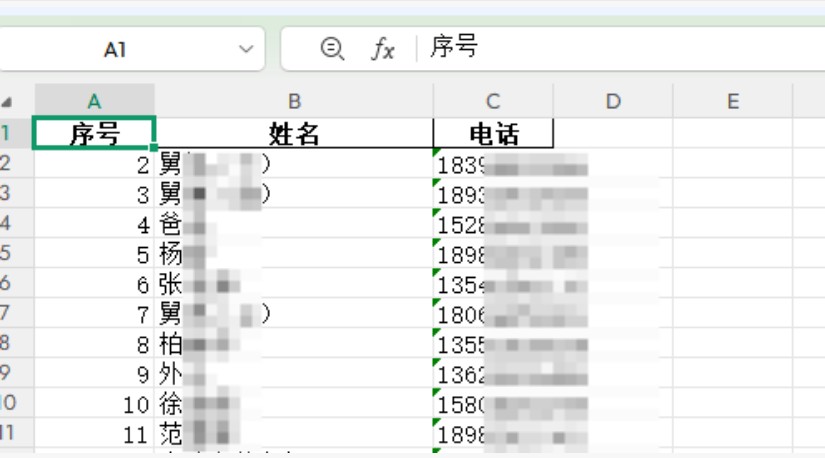
def save_contacts_to_excel(contacts, output_file='contacts.xlsx'):
"""
将联系人保存到Excel文件
"""
if not contacts:
print("没有联系人数据可保存")
return False
try:
# 创建DataFrame
df = pd.DataFrame(contacts)
# 重新排列列顺序
columns_order = ['序号', '姓名', '电话', '邮箱']
existing_columns = [col for col in columns_order if col in df.columns]
df = df[existing_columns]
# 保存到Excel
df.to_excel(output_file, index=False, engine='openpyxl')
print(f"✓ 成功生成Excel文件: {output_file}")
print(f"✓ 共保存 {len(contacts)} 个联系人")
# 显示前几行作为预览
print("\n前5个联系人预览:")
print(df.head())
return True
except Exception as e:
print(f"× 生成Excel文件时出错: {e}")
return False
# 主执行函数
def main():
vcf_file_path = "你的通讯录.vcf" # 请替换为您的VCF文件路径
print("手机VCF联系人解析工具")
print("=" * 50)
# 解析VCF文件
contacts_list = parse_vcf_with_debug(vcf_file_path)
if contacts_list:
# 生成Excel文件
save_contacts_to_excel(contacts_list)
print(f"\n解析完成!成功处理 {len(contacts_list)} 个联系人")
else:
print("\n解析失败,未找到有效联系人")
if __name__ == "__main__":
main()
|
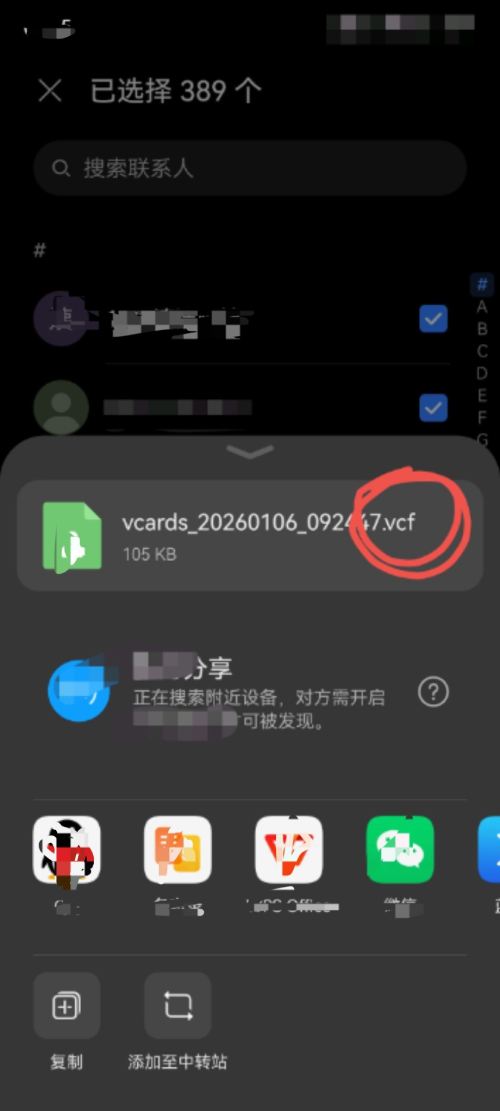




 10
10 0
0


 已为社区贡献13条内容

所有评论(0)