Golang-redis发布-订阅模式
·
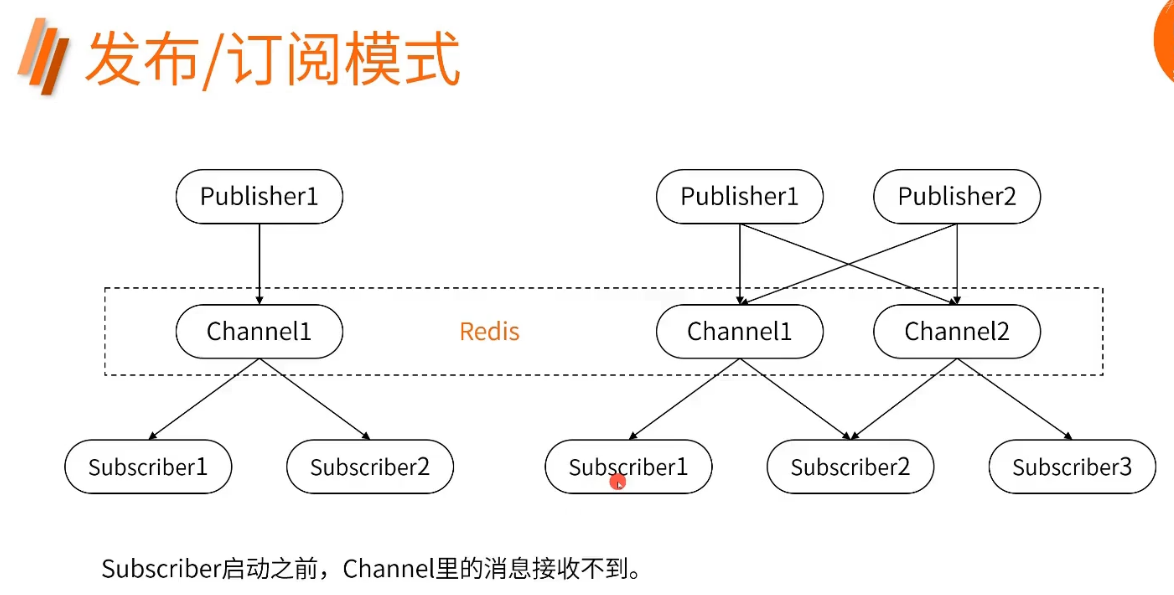
订阅者要先监听频道,在发布者向频道中发送消息时,订阅者才会获取到消息,另外多个订阅者只要监听同一个频道,那么频道里出现的消息都会被他们监听到。
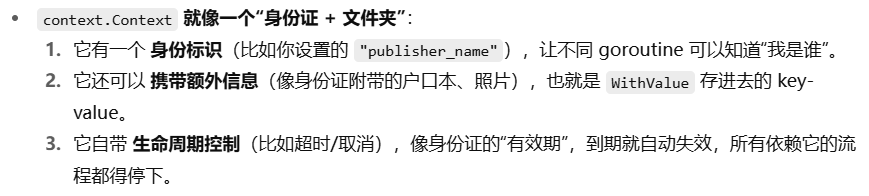
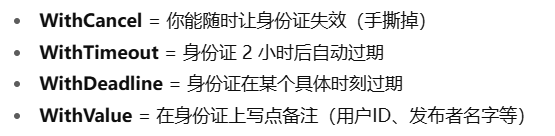
另外:context.Context可以作为身份证理解:

package redis

import (
	"context"
	"fmt"
	"github.com/redis/go-redis/v9"
	"time"
)

func publish(ctx context.Context, clinet *redis.Client, channel string, message any) {
	cmd := clinet.Publish(ctx, channel, message)
	if err := cmd.Err(); err != nil {
		fmt.Printf("%s向%s发送消息失败%v\n", ctx.Value("publisher_name"), channel, err)
	} else {
		fmt.Printf("%s向%s发送消息成功\n", ctx.Value("publisher_name"), channel)
	}
}

func subscribe(ctx context.Context, client *redis.Client, channel []string) {
	ps := client.Subscribe(ctx, channel...)
	defer ps.Close()

	// 启动监听,一有消息就读取
	for {
		if msg, err := ps.ReceiveMessage(ctx); err != nil {
			fmt.Printf("%s从%s中读取消息失败%v\n", ctx.Value("publisher_name"), channel, err)
			break
		} else {
			fmt.Printf("%s从%s中读取消息%s\n", ctx.Value("publisher_name"), channel, msg)
		}
	}
}

func pubSub(ctx context.Context, client *redis.Client) {
	ctx_1 := context.WithValue(ctx, "publisher_name", "publisher_1")
	ctx_2 := context.WithValue(ctx, "publisher_name", "publisher_2")
	channel_1 := "channel_1"
	channel_2 := "channel_2"

	ctx_3 := context.WithValue(ctx, "publisher_name", "subscribe_1")
	ctx_4 := context.WithValue(ctx, "publisher_name", "subscribe_2")

	// 先启动订阅监听
	go subscribe(ctx_3, client, []string{channel_1})
	go subscribe(ctx_4, client, []string{channel_2})
	time.Sleep(1 * time.Second)

	// 再发布消息
	go publish(ctx_1, client, channel_1, "青岛发布_1")
	go publish(ctx_2, client, channel_2, "青岛发布_2")
	time.Sleep(1 * time.Second)

	fmt.Println("第一批结束")

	// 启动一个同时监听两个频道的订阅
	ctx_5 := context.WithValue(ctx, "publisher_name", "subscribe_3")
	go subscribe(ctx_5, client, []string{channel_1, channel_2})
	time.Sleep(1 * time.Second)

	// 发布第二轮消息
	go publish(ctx_1, client, channel_1, "成都发布1")
	go publish(ctx_2, client, channel_2, "成都发布2")
	time.Sleep(1 * time.Second)
}
test:
package redis

import (
	"context"
	"testing"
	"time"
)

func TestPubSub(test *testing.T) {
	client := newTestClient()
	ctx, cancel := context.WithTimeout(context.Background(), 5*time.Second)
	defer cancel()

	pubSub(ctx, client)
}
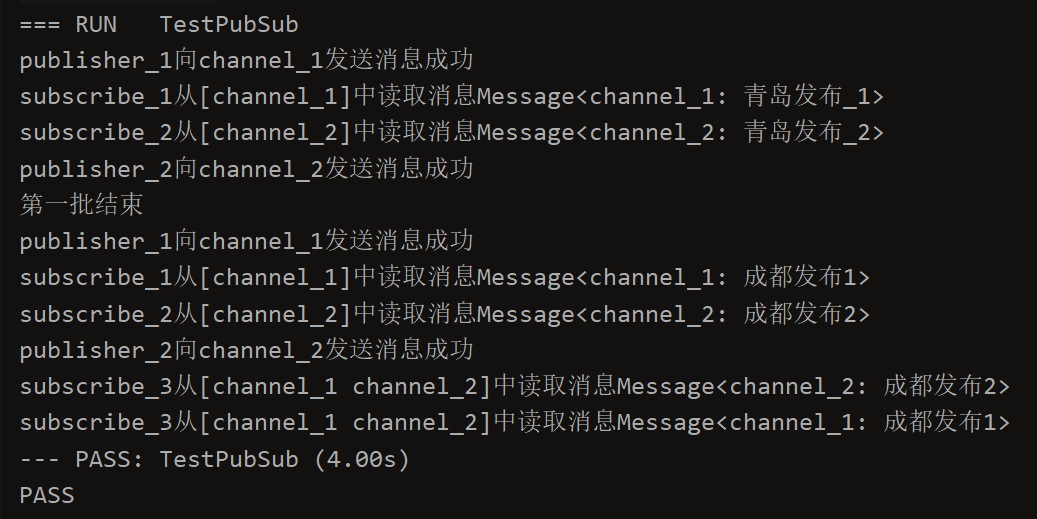
这里的日志打印顺序是并发和 goroutine 调度顺序,不代表执行顺序,可以理解为:
发布者发布之后他的协程先暂停了,让订阅者协程抢占了cpu资源并打印了日志,结束后发布者打印日志的代码才重新拿到cpu是吗

Agent 垂直技术社区,欢迎活跃、内容共建。
更多推荐


 1
1 0
0- 0


 已为社区贡献3条内容

所有评论(0)