Vue3+Element-plus 切换表格表头展示/隐藏
·
场景:
表格可以根据需要切换某列展示/隐藏,结果可以存到本地也可以调用接口存到服务器
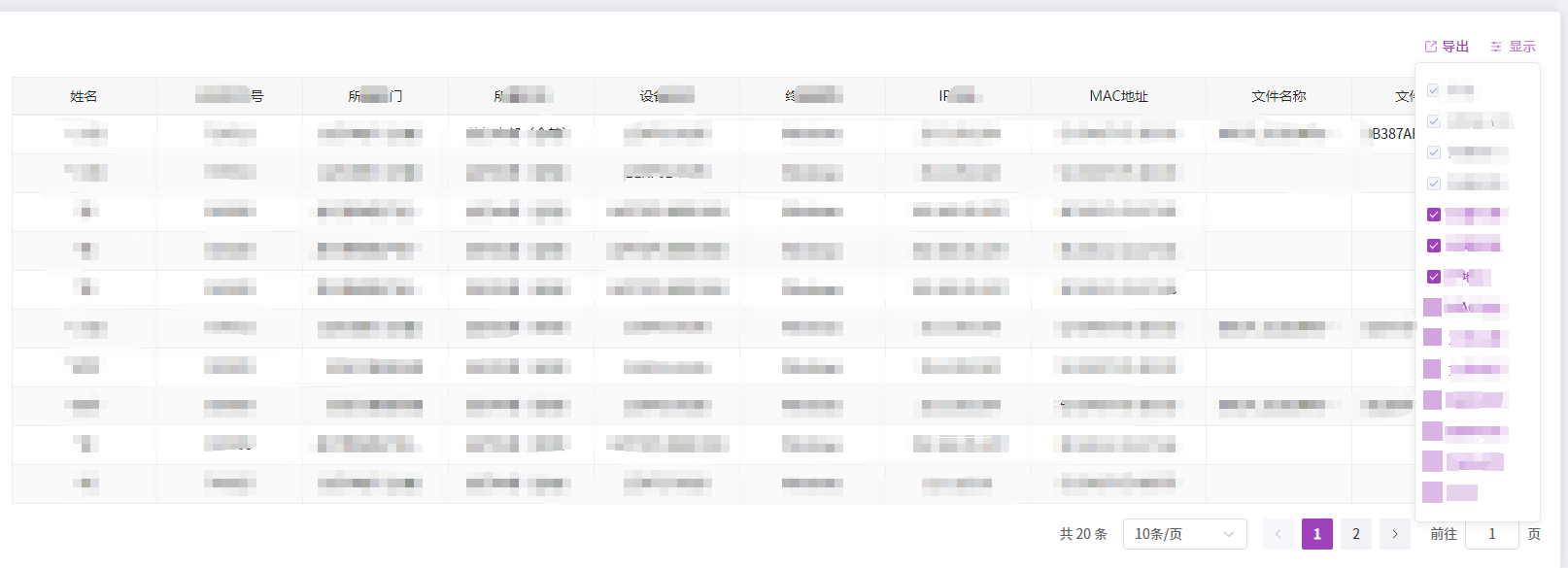
实现:
子组件:
<template>
    <div class="table-column-control" @mouseenter="showAdd = true" @mouseleave="showAdd = false">
        <!-- 触发按钮 -->
        <el-button type="text" class="control-btn" icon="Operation">
            {{ btnText || '显示' }}
        </el-button>

        <!-- 复选框弹窗(鼠标悬浮显示) -->
        <div v-show="showAdd" class="control-popup">
            <el-checkbox-group v-model="checkList">
                <el-checkbox
                    v-for="item in tableHead"
                    :key="item.prop"
                    :label="item.label"
                    :value="item.prop"
                    :disabled="item.isDisabled"
                    @change="(isChecked) => handleCheckChange(isChecked, item)"
                />
            </el-checkbox-group>
        </div>
    </div>
</template>

<script setup>
import { ref, watch, defineProps, defineEmits } from 'vue';

// 1. 定义接收的 props(外部传入的配置和数据)
const props = defineProps({
    // 表格列配置(与原 tableHead 结构一致)
    tableHead: {
        type: Array,
        required: true,
        validator: (val) => {
            // 校验每一项必须包含 prop、label、isShow、isDisabled
            return val.every((item) => 'prop' in item && 'label' in item && 'isShow' in item && 'isDisabled' in item);
        }
    },
    // 初始选中的列(item.prop 数组,与原 checkList 一致)
    initChecked: {
        type: Array,
        default: () => []
    },
    // 按钮文本(支持自定义,默认“显示”)
    btnText: {
        type: String,
        default: '显示'
    },
    // 弹窗宽度(支持自定义,默认 300px)
    popupWidth: {
        type: String,
        default: '300px'
    }
});

// 2. 定义对外触发的事件
const emit = defineEmits([
    // 列显示状态变更时触发:参数 (更新后的tableHead, 选中的prop数组)
    'columnChange'
]);

// 3. 组件内部响应式状态
const showAdd = ref(false); // 控制弹窗显示/隐藏
const checkList = ref([...props.initChecked]); // 选中的列(item.prop 数组)

// 4. 监听初始值变化(外部修改 initChecked 时同步)
watch(
    () => props.initChecked,
    (newVal) => {
        checkList.value = [...newVal];
    },
    { deep: true, immediate: true }
);

// 5. 处理复选框变更
function handleCheckChange(isChecked, item) {
    // 1. 更新当前列的 isShow 状态
    const updatedTableHead = props.tableHead.map((col) => (col.prop === item.prop ? { ...col, isShow: isChecked } : col));

    // 2. 同步 checkList(确保与 isShow 一致)
    if (isChecked) {
        !checkList.value.includes(item.prop) && checkList.value.push(item.prop);
    } else {
        checkList.value = checkList.value.filter((prop) => prop !== item.prop);
    }

    // 3. 对外触发事件,传递更新后的数据
    emit('columnChange', updatedTableHead, [...checkList.value]);
}
</script>

<style lang="less" scoped>
.table-column-control {
    display: inline-block;
    position: relative; /* 弹窗绝对定位的父容器 */

    // 触发按钮样式(保留原紫色)
    .control-btn {
        padding: 0 4px;
    }

    // 弹窗样式(优化定位和交互)
    .control-popup {
        position: absolute;
        top: 100%;
        right: 0;
        z-index: 1000; /* 确保弹窗在最上层 */
        padding: 12px;
        background: #fff;
        border: 1px solid #e5e7eb;
        border-radius: 6px;
        box-shadow: 0 2px 8px rgba(0, 0, 0, 0.08);
        box-sizing: border-box;
        .el-checkbox {
            margin-right: 16px;
            white-space: nowrap; /* 防止标签换行 */
        }
    }
}
</style>
父组件:
<children :tableHead="tableHead" :initChecked="checkList" @columnChange="changeHeaders" />

// js

const tableHead = ref([]); // 表头数据,注意与子组件的数据结构一致
const checkList = ref([]);

/**
 * 表格表头切换
 * @param updatedTableHead 更新当前列的 isShow 状态
 * @param checkedProps
 */
function changeHeaders(updatedTableHead, checkedProps) {
    tableHead.value = updatedTableHead;
}

Agent 垂直技术社区,欢迎活跃、内容共建。
更多推荐


 2
2 0
0- 0


 已为社区贡献1条内容

所有评论(0)