How to import your module so that it behaves like a built-in or standard library module in Python
Trial
The first time i saved my xxx.py like fib.py file as a standard module, it was successful because i followed some instructions, but i had no memory about the xxx.py ( 20251121 Click here, i have found it. You can also read the tutorial as below which will tell you the most straightforward way to do this is to place your .py file into the site-packages directory.), and i realized that the most import was the PATH which i did not want to explore yet.
When i try to test now again, somethings disturb me. If you save a test.py which has the same name with ‘test’ folder(a module or package in fact), and then you run the import command in Python shell:
donovon@TM1613:/lib/python3.12$ python3
Python 3.12.3 (main, Aug 14 2025, 17:47:21) [GCC 13.3.0] on linux
Type "help", "copyright", "credits" or "license" for more information.
>>> import test
>>> import t
Traceback (most recent call last):
  File "<stdin>", line 1, in <module>
ModuleNotFoundError: No module named 't'
>>> test
<module 'test' from '/usr/lib/python3.12/test/__init__.py'>
Python just imported the default test with no error, i did not know the secret how it found ‘test’ folder not ‘test.py’, someone can dive in that if he is interesting in. I renamed the file directly, look the screen shoot :
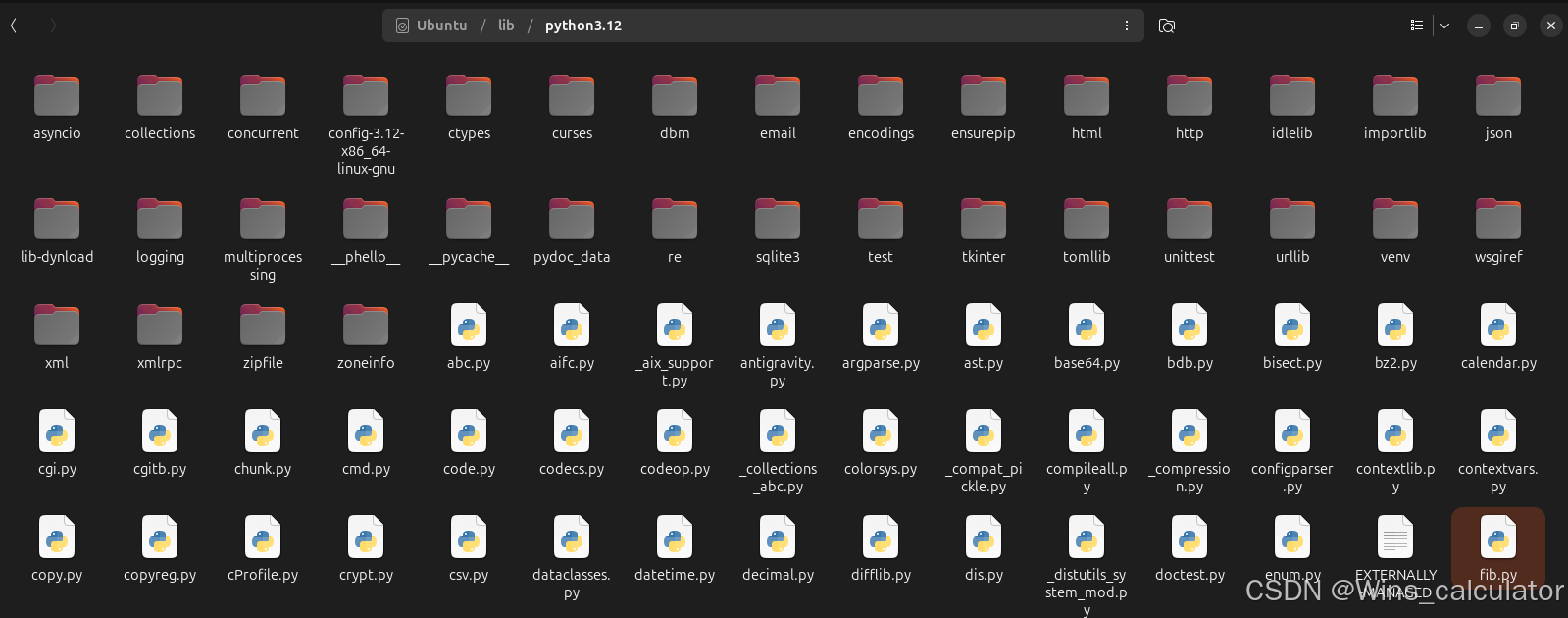
donovon@TM1613:/lib/python3.12$ sudo mv test.py fib.py
[sudo] password for donovon:
donovon@TM1613:/lib/python3.12$ python3
Python 3.12.3 (main, Aug 14 2025, 17:47:21) [GCC 13.3.0] on linux
Type "help", "copyright", "credits" or "license" for more information.
>>> import fib
hello world
>>> fib(1000)
Traceback (most recent call last):
  File "<stdin>", line 1, in <module>
TypeError: 'module' object is not callable. Did you mean: 'fib.fib(...)'?
>>> fib.fib(1000)
0 1 1 2 3 5 8 13 21 34 55 89 144 233 377 610 987
I attached one print(‘hello world’) line for checking. When i call the fib function a type error tell me that the fib is not callable, i need to attach the name before the function call. That was interesting to work it.
Test
There is another test in the virtual Python when i disturbed in the system wide Python. I placed the test.py in the site-packages, and imported it successfully. And now you know that It is because there is only one ‘test’ module.

 It is mistaking when i just attach the test.py with fib() function. You’d better use a special name such as test_1113 which will never duplicate with the system default module.
donovon@TM1613:/usr/lib/python3.12$ ~/.venvs/foo/bin/python
Python 3.12.3 (main, Aug 14 2025, 17:47:21) [GCC 13.3.0] on linux
Type "help", "copyright", "credits" or "license" for more information.
>>> import test
>>> test.fib(1000)
Traceback (most recent call last):
  File "<stdin>", line 1, in <module>
AttributeError: module 'test' has no attribute 'fib'
>>> import test_1113
hello world
>>> test_1113.fib(1000)
0 1 1 2 3 5 8 13 21 34 55 89 144 233 377 610 987
To save your module so that it behaves like a built-in or standard library module, you need to place the file in a directory that is included in Python’s search path, which are the locations where the interpreter looks for modules.
The most straightforward way to do this is to place your .py file into the site-packages directory.
Step 1: Find the site-packages directory
You need to locate the specific folder Python uses for third-party libraries. This location varies depending on your operating system (Windows, macOS, Linux) and whether you are using a virtual environment or a system-wide Python installation.
You can find the path by running these commands in your Python interpreter or a terminal/command prompt:
python -c "import site; print(site.getsitepackages())"
Use code with caution.
This command will output a list of one or more directory paths. The path ending in site-packages is usually the correct destination.
donovon@TM1613:/usr/lib/python3.12$ python3 -c "import site; print(site.getsitepackages())"
['/usr/local/lib/python3.12/dist-packages', '/usr/lib/python3/dist-packages', '/usr/lib/python3.12/dist-packages']
donovon@TM1613:/usr/lib/python3.12$ ~/.venvs/foo/bin/python -c "import site; print(site.getsitepackages())"
['/home/donovon/.venvs/foo/lib/python3.12/site-packages', '/home/donovon/.venvs/foo/local/lib/python3.12/dist-packages', '/home/donovon/.venvs/foo/lib/python3/dist-packages', '/home/donovon/.venvs/foo/lib/python3.12/dist-packages']
Step 2: Move Your Module File
Move your calculations.py file into the directory identified in Step 1.
Note: You may need administrator or superuser permissions to write files to this system directory.
Step 3: Verify and Use
Once the file is in the site-packages directory, you can import it from any Python script on your system, just like a built-in module:
import test_1113
test_1113.fib(2000))
Alternative: Modifying the PYTHONPATH
If you don’t want to move files into the system’s site-packages directory (which is often recommended for system safety and avoiding permissions issues), you can tell Python where to look for your custom modules by modifying the PYTHONPATH environment variable.
You set this variable to include the directory where your module files are located. Python will then check that directory along with its standard locations. The method for setting environment variables is operating-system specific.

Agent 垂直技术社区,欢迎活跃、内容共建。
更多推荐


 19
19 0
0- 0


 已为社区贡献5条内容

所有评论(0)