在Python中请求Coze平台上自己搭建的智能体(五千字详解版)
“我在Coze上搭建好了智能体,想要用Python调用,怎么做?!”
很多对智能体感兴趣的小伙伴准备或已经使用了Coze平台,在上面只需少量代码即可搭建专属的智能体。目前,对于一键使用智能体,Coze平台仅支持在该平台和微信公众号。然而,想要用Python调用自建的智能体并不是不可行。本文跳过智能体搭建过程,讲解从智能体发布到成功调用的过程。本文提到的智能体具备知识库。
前期准备
发布智能体
你已经创建好智能体,点击发布。
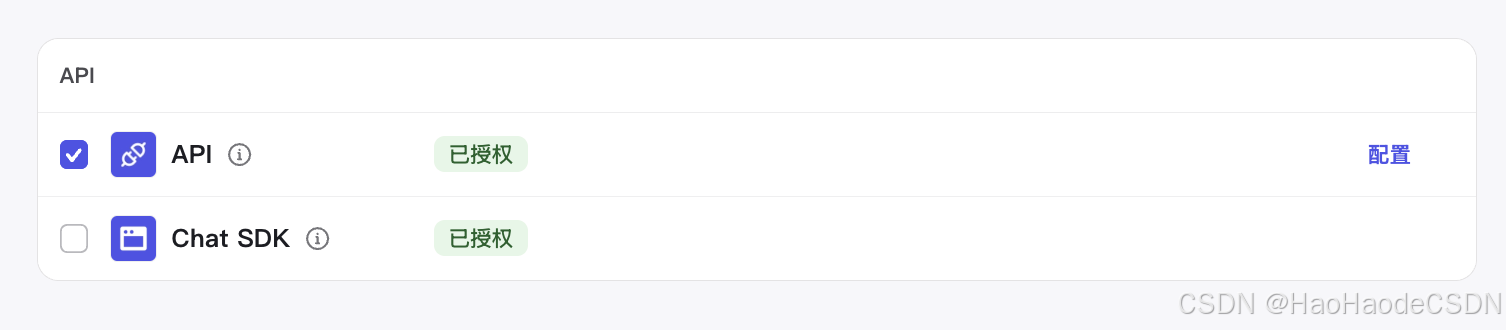
在发布页面,下拉,把API勾选上,如下图。
添加访问令牌
路径:扣子 API - 授权 - 添加新令牌。
要注意把所有权限都打开。
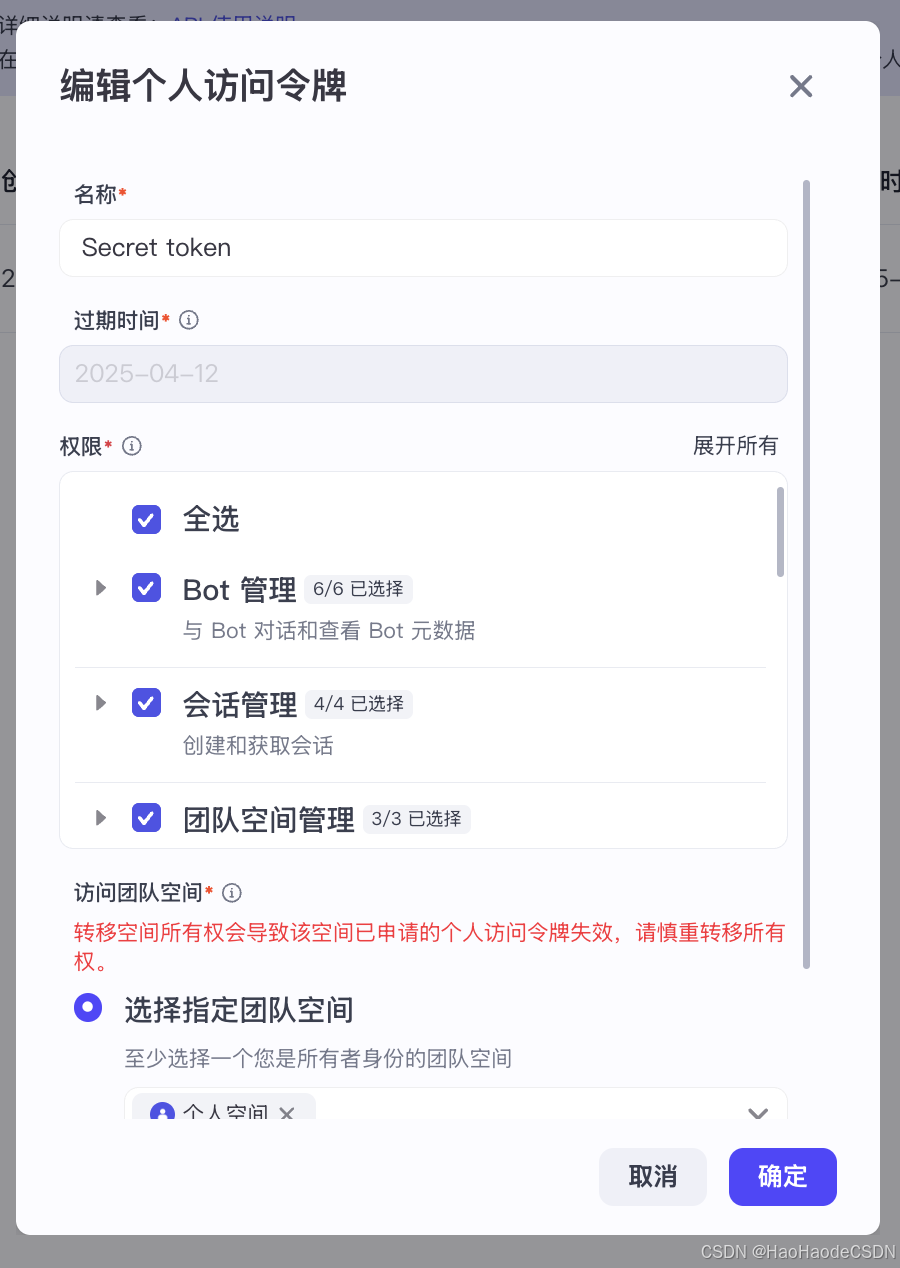
要注意妥善保管着一串字符,最好是存在某个安全的地方,记事本当然也可以。
正式开始
在编译器里操作
1. 打开你的编译器,我用的是VS Code。
2. 首先导入一些必要的库,如果还没有请安装。
import json
from flask import Flask, jsonify, request
import requests
from flask_cors import CORS
3. 你需要先定义好这些全局变量,接下来都会用到。
bot_id = "your_bot_id"
url = "https://api.coze.cn/v3/chat"
s_token = "your_s_token"  # ✅ 确保使用最新的 Personal Access Token
headers = {
        "Authorization": f"Bearer {s_token}",
        "Content-Type": "application/json"
    }
4. 接着定义三个函数,
- chat()作为对话主函数,能够从前端获取用户输入以及处理一些意外问题;
- chat_with_coze(prompt)用于对话智能体;
- get_code_response(conversationID,chatID)用于接收智能体回复。
def chat():

    if request.method == 'OPTIONS':
        return '', 200  # 处理预检请求,返回 200 状态码
    try:
        print("Received POST request to /api/chat")

        # 获取 JSON 数据
        data = request.get_json(force=True)
        print("Received JSON:", data)

        if not data:
            return "请求失败: 没有收到数据", 400

        # 获取 message 字段
        prompt = data.get('message')
        print("Extracted prompt:", prompt)  # 确保 prompt 不是 None

        if not prompt:
            return jsonify({"error": "输入内容为空"}), 400

        # 调用 API 生成内容
        chat_response = chat_with_coze(prompt)

        # 确保 chat_response 是字符串
        if isinstance(chat_response, dict) and "error" in chat_response:
            return jsonify({"error": chat_response["error"]}), 500

        if not isinstance(chat_response, str):
            print("Error: chat_response did not return a string.")
            return jsonify({"error": "AI 响应格式错误"}), 500

        print("Final response to client:", chat_response)
        return jsonify({"message": chat_response})  # ✅ 确保返回 JSON


    except Exception as e:
        print("Error occurred:", str(e))
        return jsonify({"error": str(e)}), 500
def chat_with_coze(prompt):
bot_id = "your_bot_id"
url = "https://api.coze.cn/v3/chat"
s_token = "your_s_token" # ✅ 使用你的访问令牌
payload = {
"bot_id": bot_id,
"user_id": "123", # 随意设定
"stream": False,
"auto_save_history": True, # 必须打开
"additional_messages": [{
"content": prompt, # 自己定义的
"content_type": "text",
"role": "user",
"type": "question"
}]
}
print("Sending request to Coze:", url)
print("Payload:", payload)
response = requests.post(url, headers=headers, json=payload) # 自己定义的
print("Coze API Response Status Code:", response.status_code)
print("Coze API Response:", response.text)
if response.status_code == 200:
response_json = response.json()
# 检查 API 是否返回错误
if response_json.get("code") != 0:
return f"Coze API Error: {response_json.get('msg')}"
# 提取 AI 生成的回复
conversation_status = response_json["data"]["status"]
if not conversation_status == "in_progress":
return "服务器不在线。" # ✅ 确保返回字符串
# 这里添加获取 AI 回复的逻辑
ai_reply = get_coze_response(response_json['data']['conversation_id'], response_json['data']['id'])
return ai_reply # ✅ 返回 AI 生成的文本
else:
return f"Failed to chat with Coze API. Status code: {response.status_code}"def get_coze_response(conversationID,chatID):
import time;
params = { "bot_id": bot_id,"task_id": chatID }
getChatStatusUrl = url+f'/retrieve?conversation_id={conversationID}&chat_id={chatID}&'
while True:
response = requests.get(getChatStatusUrl, headers=headers, params=None)
if response.status_code == 200:
response_data = response.json()
print(f"response_data:\n{json.dumps(response_data,indent=4, ensure_ascii=False)}")
status = response_data['data']['status']
if status == 'completed':
print(f"任务完成,状态: {status}")
# 从响应中提取实际的应答内容
getChatAnswerUrl = url+f'/message/list?chat_id={chatID}&conversation_id={conversationID}'
response = requests.get(getChatAnswerUrl, headers=headers, params=params)
if response.status_code == 200:
print("获取聊天记录成功,200")
#print(response.text)
response_json = response.json()
data = response_json.get("data", [])
if not isinstance(data, list):
return "Error: AI 返回了错误的数据格式。"
# ✅ 遍历 messages,提取 `role: assistant` 且 `type: answer` 的 `content`
for message in data:
if isinstance(message,dict) and message.get("role") == "assistant" and message.get("type") == "answer":
return message.get("content", "无返回内容")
break
else:
print(f"任务仍在处理中,状态: {status}")
time.sleep(1) # 等待5秒后再次检查
else:
print(f"请求失败,状态码: {response.status_code}")
break
return False在playground里操作
值得注意的是,在获取回复函数中,我们采用的是轮询方式。因为在coze自带的playground里,我尝试了一下发送请求,返回结果不止一条。所以轮询有助于监控回复的状态,以便我们获取content。
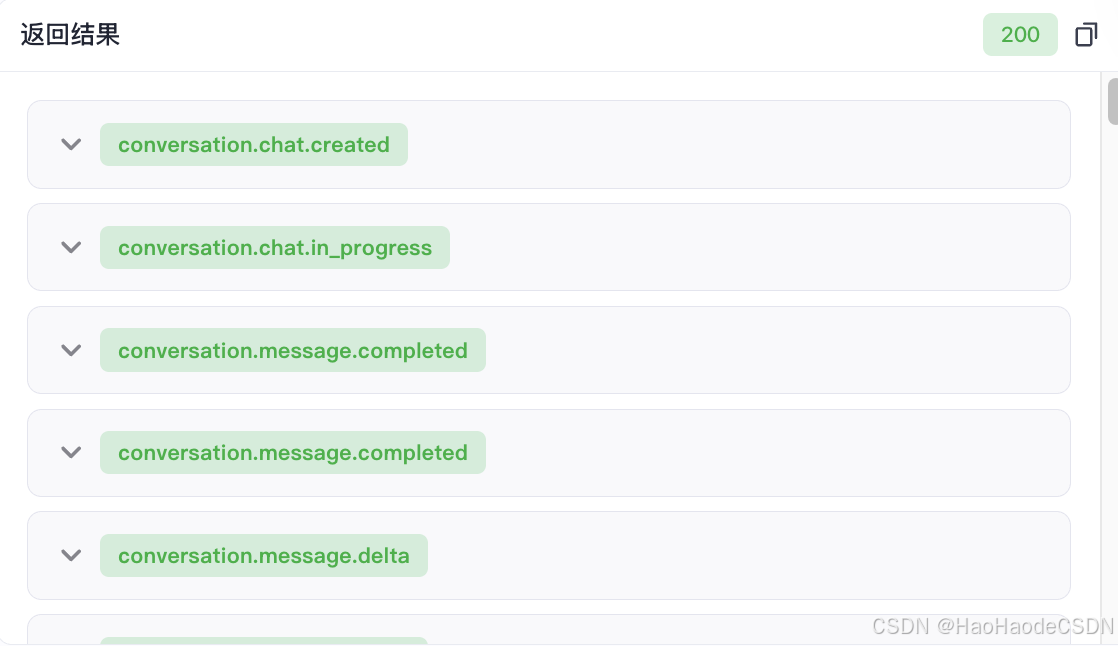
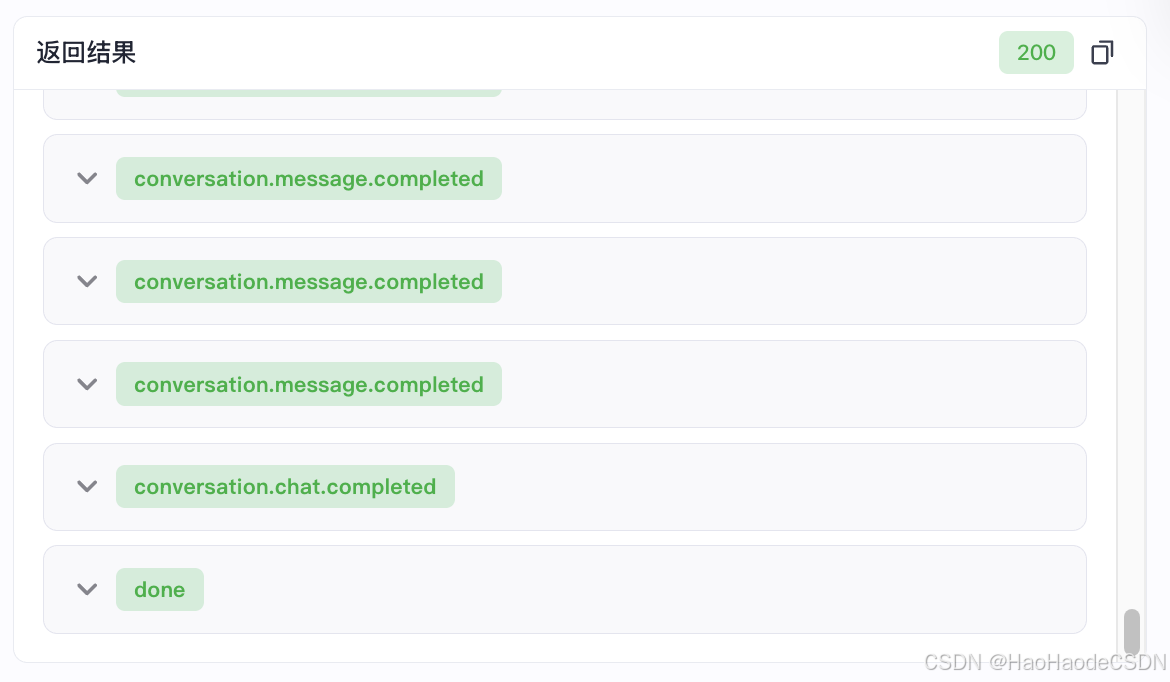
同样的,在playground里,我们可以查看到数据返回格式。我看了一下,是层层嵌套,外层是列表,内层是字典。要注意get()方法只能用在字典里,如果用给列表会报错。
模型返回数据:
 {
    "code": 0,
    "data": [
        {
            "bot_id": "748118200077X722802",
            "chat_id": "74848595948X5580596",
            "content": "{\"msg_type\":\"time_capsule_recall\",\"data\":\"{\\\"wraped_text\\\":\\\"\\\",\\\"origin_search_results\\\":\\\"[]\\\"}\",\"from_module\":null,\"from_unit\":null}",
            "content_type": "text",
            "conversation_id": "748485959482X564212",
            "created_at": 174270X680,
            "id": "748485959X825662516",
            "role": "assistant",
            "type": "verbose",
            "updated_at": 174270X679
        },
	{
            "bot_id": "748118200077X722802",
            "chat_id": "74848595948X5580596",
            "content": "你好呀😊 如果你有《中国近现代史纲要》课程相关的问题,都可以问我哦。",
            "content_type": "text",
            "conversation_id": "748485959482X564212",
            "created_at": 174270X681,
            "id": "748485959X825777204",
            "reasoning_content": "",
            "role": "assistant",
            "type": "answer",
            "updated_at": 174270X681
        }
]
终端输出结果
我这里是结合了前端和路由,在终端里的输出结果十分简洁明快,可以看到轮询的过程和关键状态都被捕捉到了。
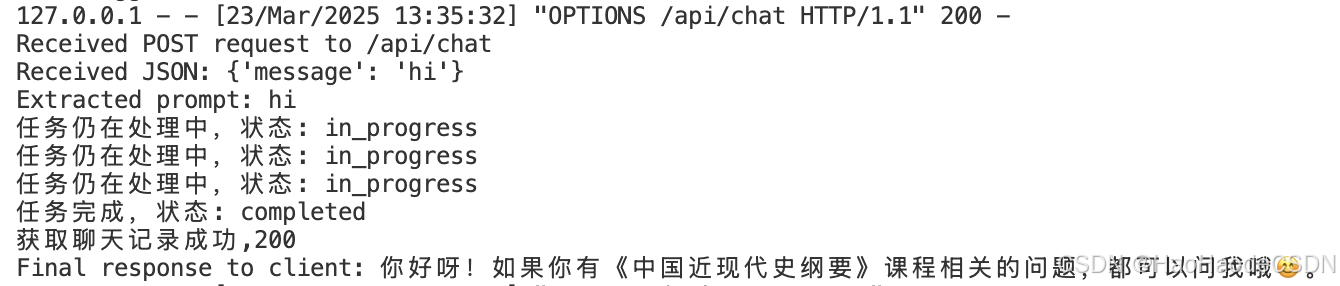
结语
讲解就到这里。本文主要说明了python调用coze智能体的一些内在逻辑,给出了绝大部分的后端代码,配合前端可以实现一个简易的网页对话。另外你可以做的事情包括但不限于:写一个前端,解决跨域问题,构建一个服务器,继续训练智能体以及优化代码。
欢迎小伙伴们留言点赞👍

Agent 垂直技术社区,欢迎活跃、内容共建。
更多推荐


 12
12 0
0- 0


 已为社区贡献1条内容

所有评论(0)