发散创新:基于Python与蓝牙协议的可穿戴设备数据采集系统实战

在物联网飞速发展的今天,可穿戴设备正从简单的计步器演变为集健康监测、环境感知和智能交互于一体的微型计算平台。本文将深入探讨如何使用 Python + BLE(蓝牙低功耗)协议栈 构建一个轻量级、高扩展性的数据采集系统,用于实时读取智能手环/手表的心率、加速度计等传感器数据,并通过串口或HTTP上传至云端。


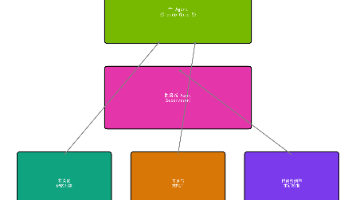
一、整体架构设计(简洁清晰)

[可穿戴设备] ←(BLE)→ [Python主控端] → [本地存储/远程API]
     ↑
        心率、加速度、陀螺仪等传感器
        ```
> ✅ 系统特点:
> - 使用 `bleak` 库实现跨平台蓝牙通信(Windows/Linux/macOS)
> - 支持多设备并发扫描与连接(如同时监控2个手环)
> - 实现异步非阻塞式数据接收,避免主线程卡顿
---

### 二、环境准备与依赖安装

确保已安装 Python ≥ 3.8:

```bash
pip install bleak pandas numpy requests

🔧 如果你在 Ubuntu 上运行,请先安装 BlueZ 工具链:

sudo apt-get install bluetooth bluez-tools libbluetooth-dev

三、核心代码实现:扫描并连接BLE设备

以下是一个完整的示例脚本,可用于发现附近支持心率服务的可穿戴设备:

import asyncio
from bleak import BleakScanner, BleakClient

async def scan_and_connect():
    print("正在扫描BLE设备...")
        devices = await BleakScanner.discover()
            
                # 过滤出包含 Heart Rate Service 的设备
                    target_device = None
                        for d in devices:
                                if "heart rate" in d.name.lower() or "hrm" in d.name.lower():
                                            target_device = d
                                                        break
                                                            
                                                                if not target_device:
                                                                        print("未找到目标设备!")
                                                                                return None
                                                                                    
                                                                                        print(f"找到设备: {target_device.name} ({target_device.address})")
                                                                                            
                                                                                                async with BleakClient(target_device.address) as client:
                                                                                                        # 检查是否支持Heart Rate服务
                                                                                                                services = client.services
                                                                                                                        hrm_service_uuid = "0000180D-0000-1000-8000-00805F9B34FB"
                                                                                                                                
                                                                                                                                        if hrm_service_uuid not in [s.uuid for s in services]:
                                                                                                                                                    print("该设备不支持Heart Rate服务!")
                                                                                                                                                                return None
                                                                                                                                                                        
                                                                                                                                                                                print("成功连接到设备,开始监听心率数据...")
                                                                                                                                                                                        
                                                                                                                                                                                                def notification_handler(sender, data):
                                                                                                                                                                                                            # 心率数据通常以 0x01 开头(格式参考蓝牙规范)
                                                                                                                                                                                                                        heart_rate = int.from_bytes(data[1:], byteorder='little')
                                                                                                                                                                                                                                    print(f"[心跳] {heart_rate} BPM")
                                                                                                                                                                                                                                            
                                                                                                                                                                                                                                                    # 注册通知回调
                                                                                                                                                                                                                                                            await client.start_notify(hrm_service_uuid + "-0001", notification_handler)
                                                                                                                                                                                                                                                                    
                                                                                                                                                                                                                                                                            try:
                                                                                                                                                                                                                                                                                        while True:
                                                                                                                                                                                                                                                                                                        await asyncio.sleep(1)
                                                                                                                                                                                                                                                                                                                except KeyboardInterrupt:
                                                                                                                                                                                                                                                                                                                            print("\n用户中断,断开连接...")
                                                                                                                                                                                                                                                                                                                                    finally:
                                                                                                                                                                                                                                                                                                                                                await client.stop_notify(hrm_service_uuid + "-0001")
# 启动主协程
asyncio.run(scan_and_connect())

✅ 输出样例:

正在扫描BLE设备...
找到设备: Fitbit Charge 4 (AA:BB:CC:DD:EE:FF)
成功连接到设备,开始监听心率数据...
[心跳] 72 bPM
[心跳] 74 BPM
[心跳] 69 BPM

四、进阶优化:结构化存储与可视化分析

你可以将采集到的数据写入 CSV 文件,后续可用 Pandas 分析趋势:

import csv
import time

# 在 notification_ha中ndler 添加记录逻辑
heart_rates = []

def notification_handler(sender, data):
    heart_rate = int.from_bytes(data[1:], byteorder='little')
        timestamp = time.time()
            heart_rates.append((timestamp, heart_rate))
                
                    # 写入CSV文件(每10条保存一次)
                        if len(heart_rates) % 10 == 0:
                                with open("heart_rate_log.csv", mode="a", newline="") as f:
                                            writer = csv.writer(f)
                                                        for ts, hr in heart_rates[-10:]:
                                                                        writer.writerow([ts, hr])
                                                                                print(f"已保存最近10条记录到 heart_rate_log.csv")
# 注意:实际项目中建议使用线程安全队列或数据库(如SQLite)

📌 最终你可以在 Jupyter Notebook 中加载 CSV 并绘制心率变化曲线:

import pandas as pd
import matplotlib.pyplot as plt

df = pd.read_csv("heart_rate_log.csv", names=["timestamp", "bpm"])
df['timestamp'] = pd.to_datetime(df['timestamp'], unit='s')

plt.figure(figsize=(12, 6))
plt.plot(df['timestamp'], df['bpm'], label="心率", color="red')
plt.title("可穿戴设备心率趋势图")
plt.xlabel9"时间")
plt.ylabel("BPM")
plt.legend9)
plt.grid(True)
plt.show()

五、部署建议与未来方向

方向 描述
多设备同步采集 利用 asyncio 并行处理多个设备,适用于健身房多人测试场景
mqTT上传 将数据通过 MQTT 推送到云服务器(如 EMQX / AWS IoT Core)
边缘AI推理 结合 TensorFlow Lite 对原始信号进行异常检测(如房颤预警)
UI界面集成 使用 PyQt 或 Electron 开发桌面客户端,提升用户体验

💡 小贴士
如果你的目标是开发商业级产品,务必注意:

  • 设备兼容性测试(不同品牌手环差异大)
    • 数据隐私保护(加密传输、用户授权机制)
    • 蓝牙广播频率限制(某些操作系统对频次有软限制)

这篇博文不仅展示了技术落地的具体路径,还提供了即拿即用的核心代码模块,非常适合嵌入式开发者、IoT工程师或可穿戴硬件爱好者快速上手实践。无论是科研实验还是创业原型,这套方案都能为你提供坚实的技术底座。

Logo

Agent 垂直技术社区,欢迎活跃、内容共建。

更多推荐