VSCode 样式自定义
·
VSCode 样式自定义
暗色主题时,有些东西真是看瞎眼也找不到,每次都要瞄半天,类似我眼了。
修改样式的方法
打开:Ctrl + Shift + P → Preferences: Open User Settings (JSON)
找到以下位置,如果没有自己添加
    "workbench.colorCustomizations": {
		样式加到这里面
    }
Minimap(代码缩略图)里的滚动滑块
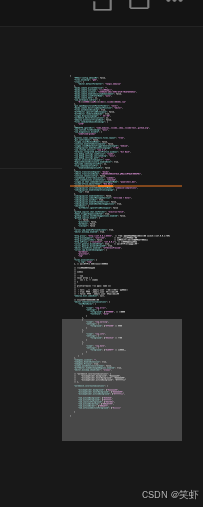
把透明度提起来点
        "minimapSlider.background": "#aaaaaa55",
        "minimapSlider.hoverBackground": "#dddddd99",
        "minimapSlider.activeBackground": "#ffffffcc"
}
当前激活标签

        "tab.activeBackground": "#252526",
        "tab.activeForeground": "#ffffff",
        "tab.inactiveForeground": "#6e7681",
        "tab.activeBorderTop": "#00a6ff",
        "tab.activeBorder": "#00a6ff",
        "tab.unfocusedActiveForeground": "#cccccc"

Agent 垂直技术社区,欢迎活跃、内容共建。
更多推荐



 1
1 0
0- 0


 已为社区贡献2条内容

所有评论(0)