VSCode简单使用Tesseract-OCR 识别---学习笔记
·
1.打开https://github.com/UB-Mannheim/tesseract/wiki
下载 tesseract-ocr-w64-setup-5.5.0.20241111.exe (64 bit)
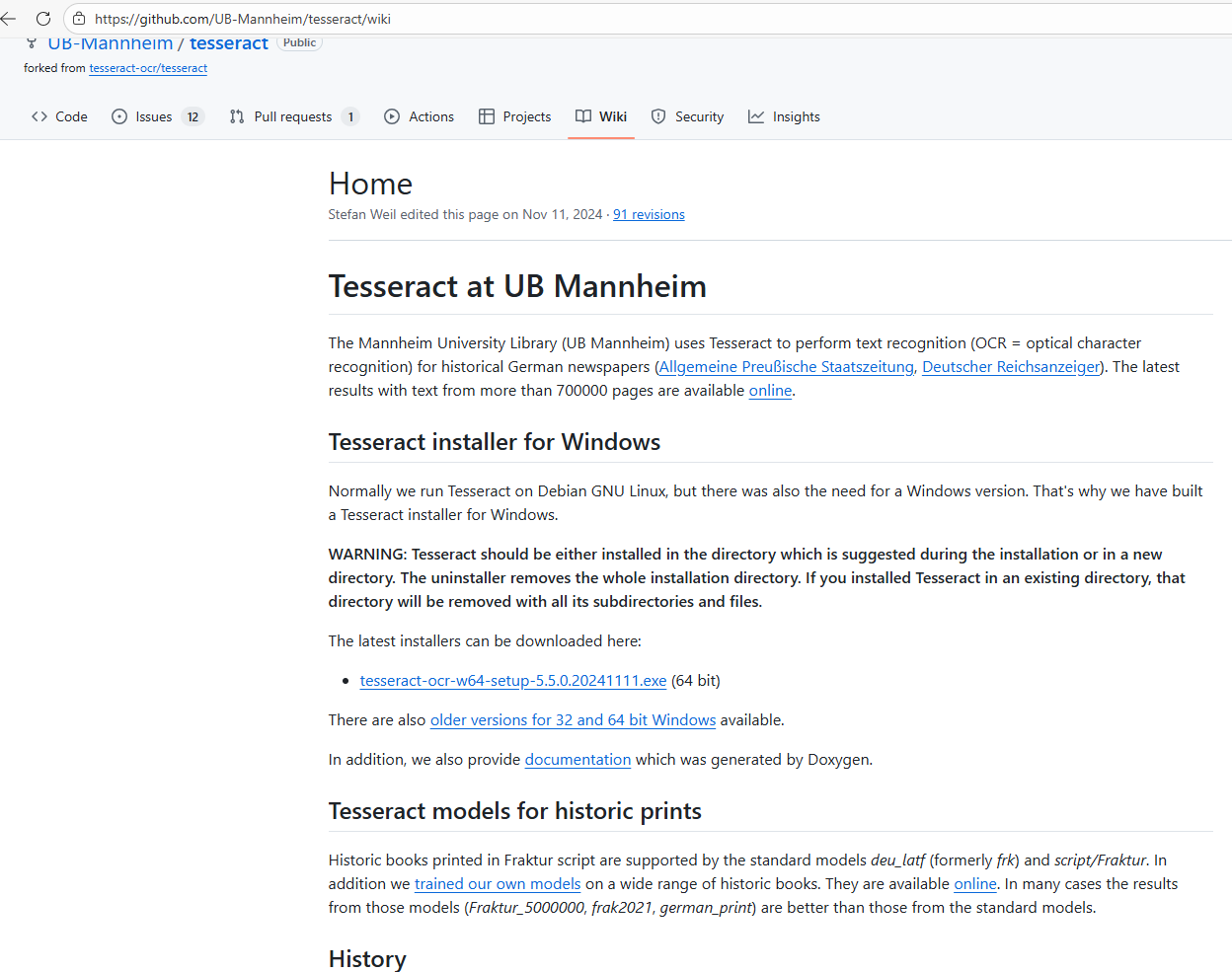
2.安装完成后编辑系统环境
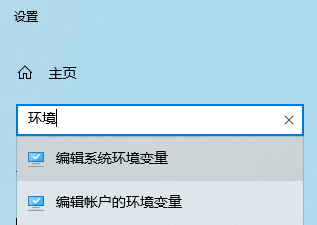
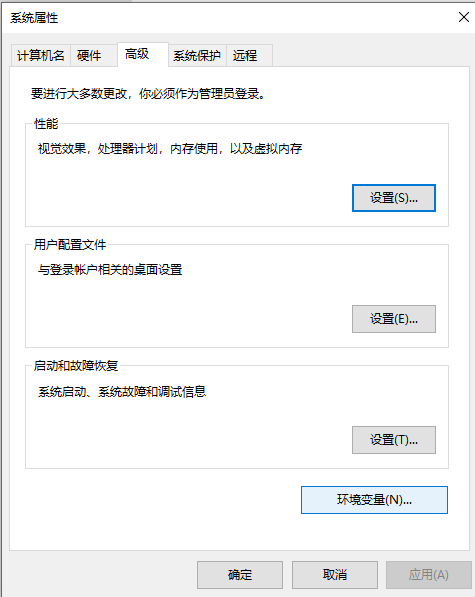
3.选择环境变量
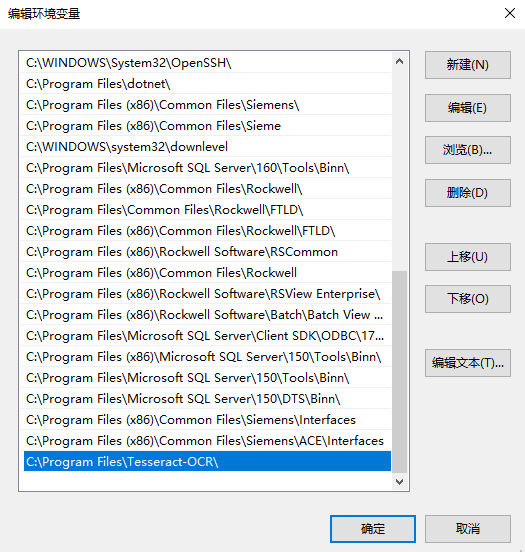
4.选择系统变量Path,再选择编辑
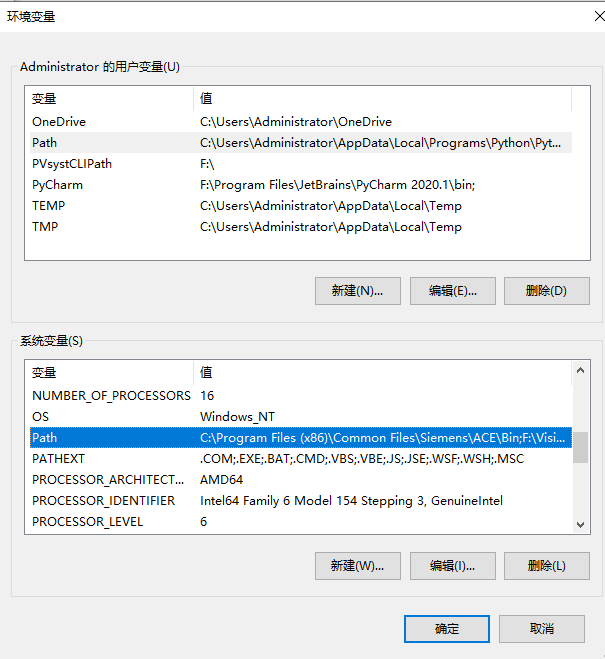
5.新建,把安装路径填上,默认为C:\Program Files\Tesseract-OCR\
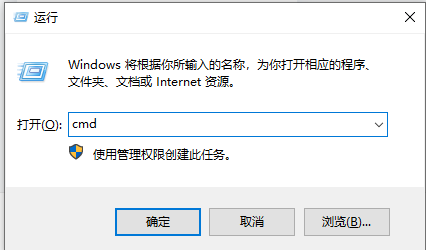
6.Win+R,输入cmd,回车
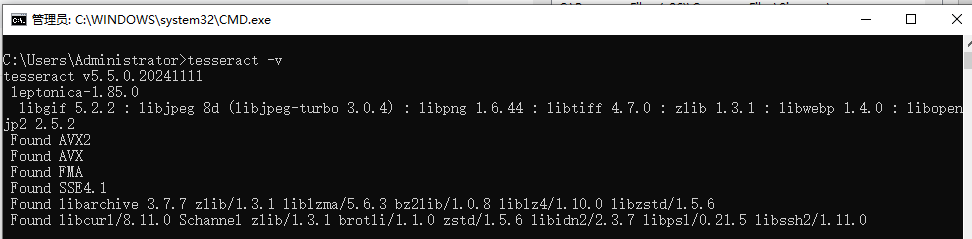
7.输入tesseract -v,显示版本就是成功安装
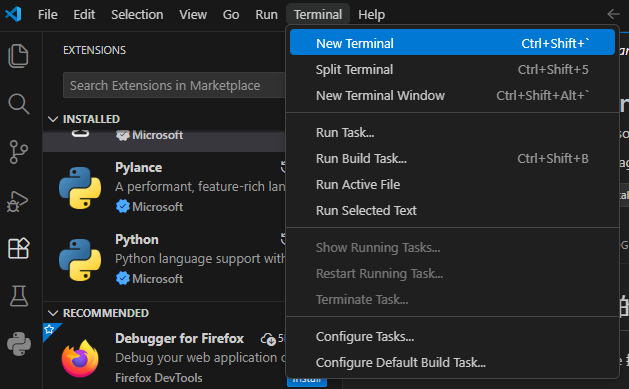
8.vscode里打开终端
9.终端输入
pip install opencv-python pytesseract numpy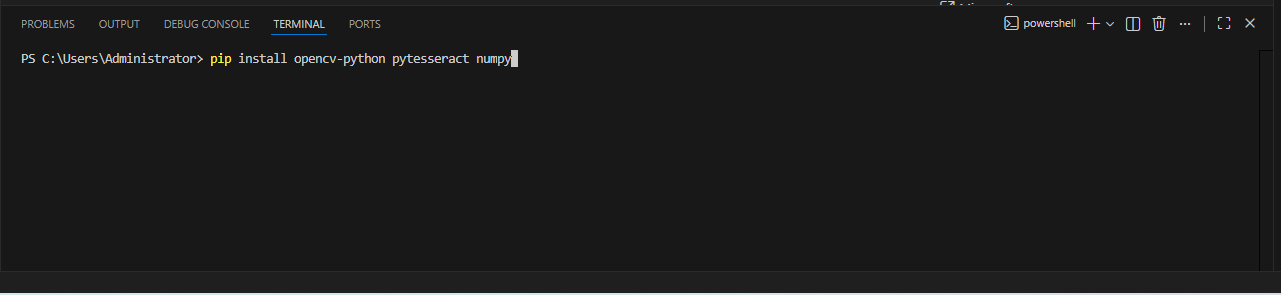 注意这里报错是因为终端python版本不同或者pip版本太低
可以改成你实际的版本,终端输入
python3.12 -m pip install opencv-python pytesseract numpy右下角查看你实际的版本

10.在桌面新建图片,记住路径后续修改
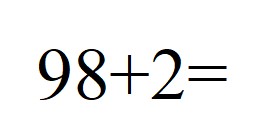
img_path = "C:/Users/Administrator/Desktop/1.jpg"#读取的图片路径11.新建python文本输入
import cv2
import pytesseract
import numpy as np
import re
#安装路径Tesseract-OCR
pytesseract.pytesseract.tesseract_cmd = r'C:\Program Files\Tesseract-OCR\tesseract.exe'

def preprocess(img):
    gray = cv2.cvtColor(img, cv2.COLOR_BGR2GRAY)
    gray = cv2.GaussianBlur(gray, (3, 3), 0)
    thresh = cv2.adaptiveThreshold(gray, 255, cv2.ADAPTIVE_THRESH_GAUSSIAN_C, cv2.THRESH_BINARY_INV, 13, 4)
    return thresh

def extract_math_expr(text):
    text = text.replace('×', '*').replace('÷', '/').replace('x', '*').replace('—', '-')
    text = text.replace('|', '1').replace('l', '1').replace('!', '1')
    clean_text = re.sub(r'[^0-9\+\-\*\/=\(\)\s]', '', text).strip()

    match = re.search(r'(.+?)\s*=', clean_text, re.DOTALL)
    if match:
        expr = match.group(1).strip()
        expr = re.sub(r'\s+', '', expr)
        if re.match(r'^[\d\+\-\*\/\(\)]+$', expr):
            print(f"✅ Extracted full expression: {expr}")
            return expr

    match = re.search(r'(\d+)\s*([\+\-\*\/])\s*(\d+)', clean_text)
    if match:
        num1, op, num2 = match.groups()
        expr = f"{num1}{op}{num2}"
        print(f"✅ Extracted simple expression: {expr}")
        return expr

    return None

def calculate_expression(expr):
    try:
        result = eval(expr)
        return int(result) if result.is_integer() else round(result, 2)
    except Exception as e:
        print(f"⚠️  Calculation error: {e}")
        return None

if __name__ == '__main__':
    img_path = "C:/Users/Administrator/Desktop/1.jpg"#读取的图片路径

    img = cv2.imread(img_path)
    if img is None:
        print(f"ERROR: Image not found at {img_path}")
        exit()

    print("PURE ASCII VERSION STARTED!")
    print(f"PROCESSING IMAGE: {img_path}")

    preprocess_img = preprocess(img)
    ocr_config = r'--oem 1 --psm 6 -l eng -c tessedit_char_whitelist=0123456789+-*/×÷=() '
    ocr_text = pytesseract.image_to_string(preprocess_img, config=ocr_config)
    math_expr = extract_math_expr(ocr_text)
    calc_result = calculate_expression(math_expr) if math_expr else None

    output_img = img.copy()
    if calc_result is not None:
        print(f"SUCCESS: {math_expr} = {calc_result}")
        cv2.putText(output_img, f"{math_expr} = {calc_result}", (20, 80),
                    cv2.FONT_HERSHEY_SIMPLEX, 1.2, (0, 255, 0), 3)
    else:
        print("ERROR: No valid mathematical expression found")
        cv2.putText(output_img, "NO VALID EXPR", (20, 80),
                    cv2.FONT_HERSHEY_SIMPLEX, 1.2, (0, 0, 255), 3)

    cv2.imshow('RESULT', output_img)
    cv2.setWindowProperty('RESULT', cv2.WND_PROP_TOPMOST, 1)
    cv2.imshow('PREPROCESS', preprocess_img)
    cv2.setWindowProperty('PREPROCESS', cv2.WND_PROP_TOPMOST, 1)

    print("PRESS ANY KEY TO CLOSE WINDOWS...")
    cv2.waitKey(0)
    cv2.destroyAllWindows()
    print("PROGRAM EXITED SUCCESSFULLY")
12.效果如下
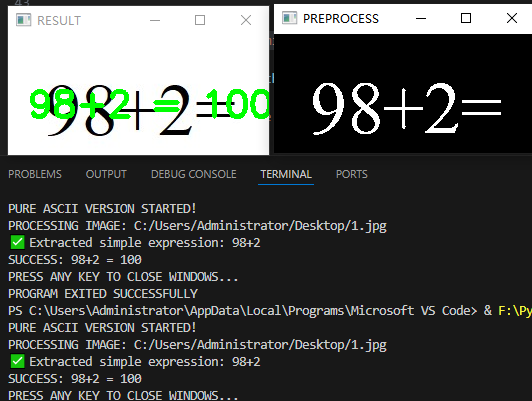

Agent 垂直技术社区,欢迎活跃、内容共建。
更多推荐


 2
2 0
0- 0


 已为社区贡献1条内容

所有评论(0)