【Java】配置gradle:Remote host terminated the handshake
·
这里写自定义目录标题
问题描述
Windows使用gradlew clean jpackage构建时报错Exception in thread “main” javax.net.ssl.SSLHandshakeException: Remote host terminated the handshake,一直没找到解决方案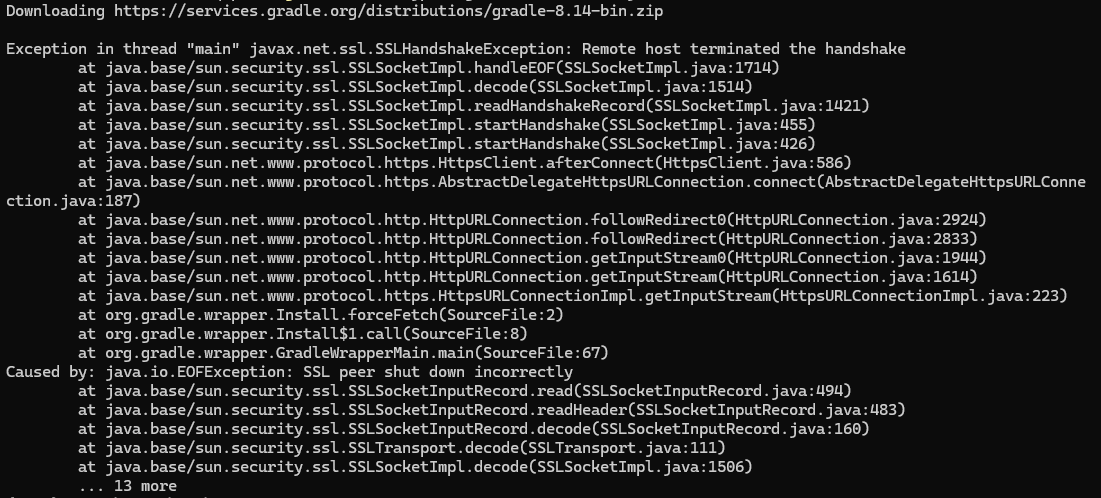
改用Linux做同样的操作,出现类似的问题:Exception in thread “main” java.io.IOException: Downloading from https://services.gradle.org/distributions/gradle-8.14-bin.zip failed: timeout (10000ms)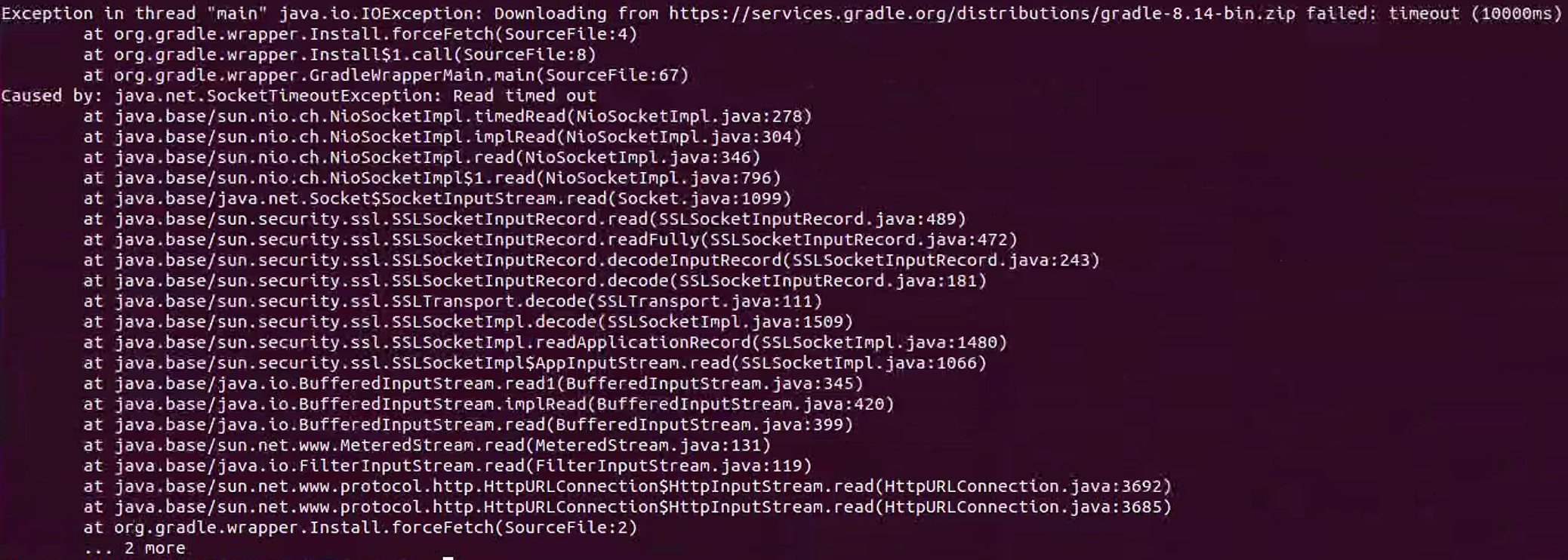
查询发现需要修改gradle-wrapper.properties的下载地址,路径一般为:project/gradle/wrapper/gradle-wrapper.properties
修改方法
方法一:使用国内镜像
- 使用阿里云镜像
distributionUrl=https\://maven.aliyun.com/repository/gradle-plugin/distributions/gradle-7.6-bin.zip
- 使用华为云镜像
distributionUrl=https\://repo.huaweicloud.com/repository/gradle-plugin/distributions/gradle-7.6-bin.zip
方法二:使用本地文件
- 指向本地文件(Windows格式)
distributionUrl=file:///C:/Users/YourName/gradle-7.6-bin.zip
- Linux/macOS格式
distributionUrl=file:///home/yourname/gradle-7.6-bin.zip
方法三:使用http协议
distributionUrl=http\://services.gradle.org/distributions/gradle-7.6-bin.zip
---------------------------附截图-----------------------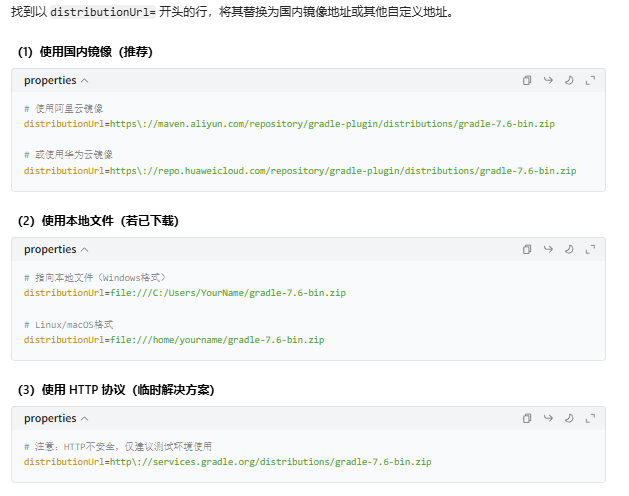

Agent 垂直技术社区,欢迎活跃、内容共建。
更多推荐

 4
4 0
0- 0


 已为社区贡献1条内容

所有评论(0)