vue3+ts+css+mars3d实现H5或小程序弹窗往上滑动撑满屏幕效果,点击按钮传递经纬度通过导航软件定位及唤起拨打手机号页面效果
·
代码里总共包含三种需求:
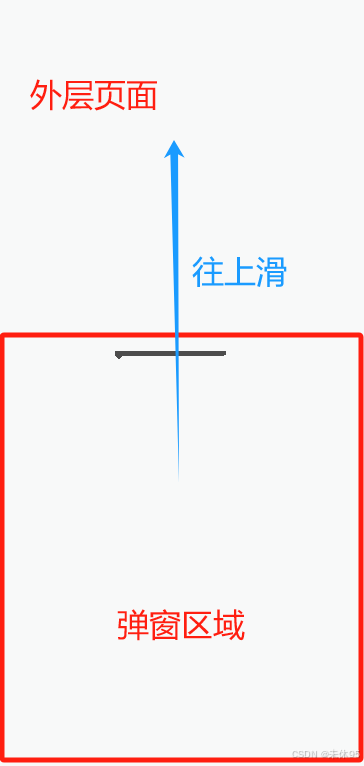
1、H5弹窗往上滑动撑满屏幕效果:
效果如图:
 →
→ 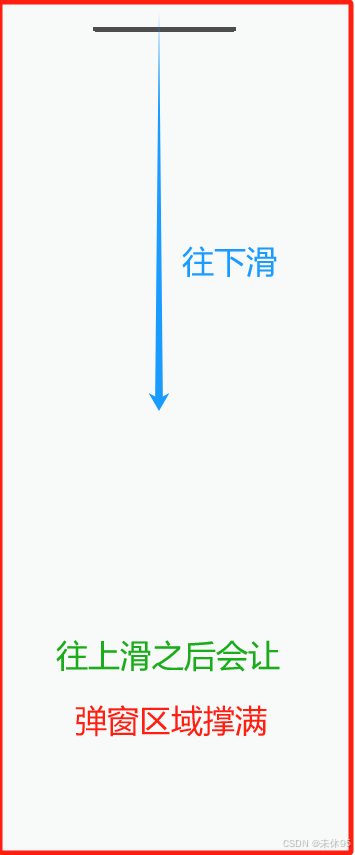
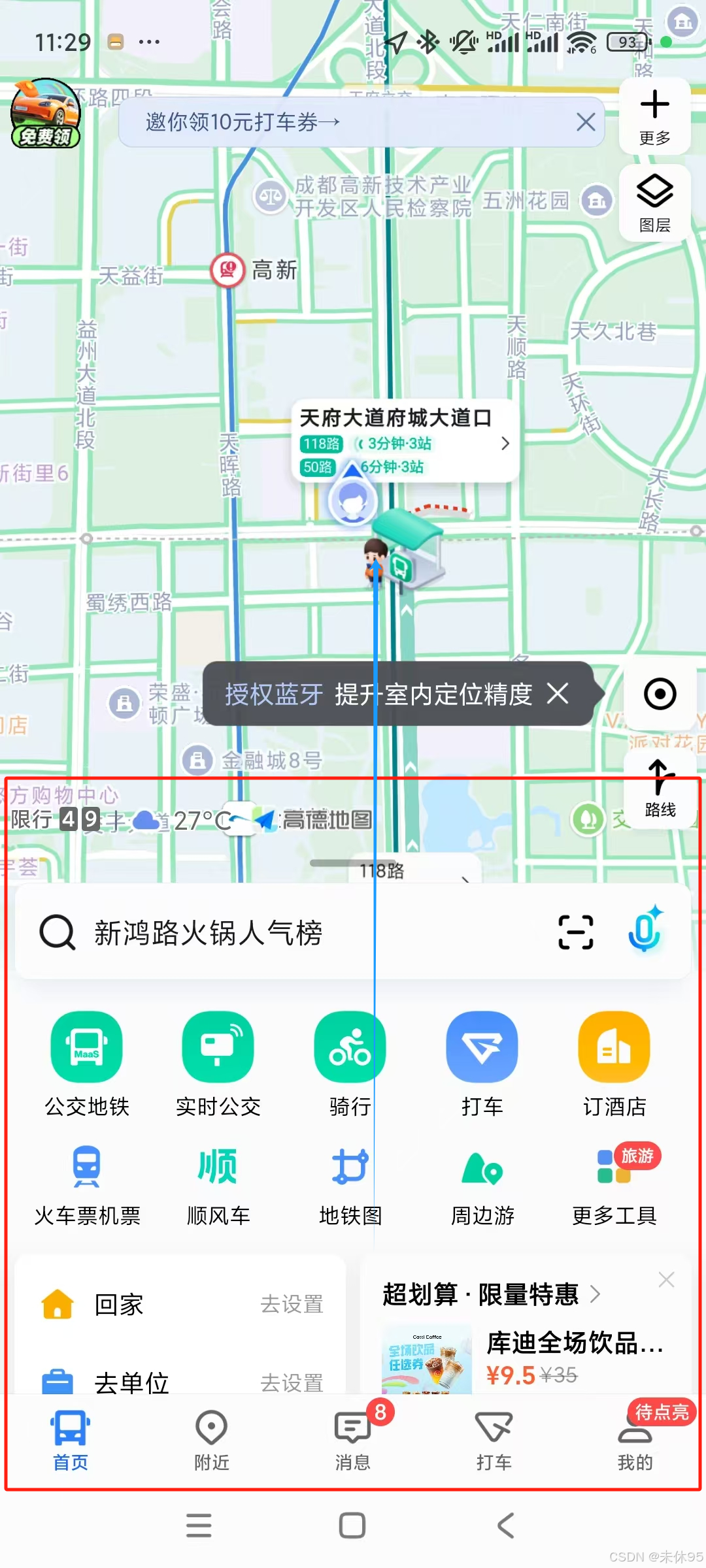
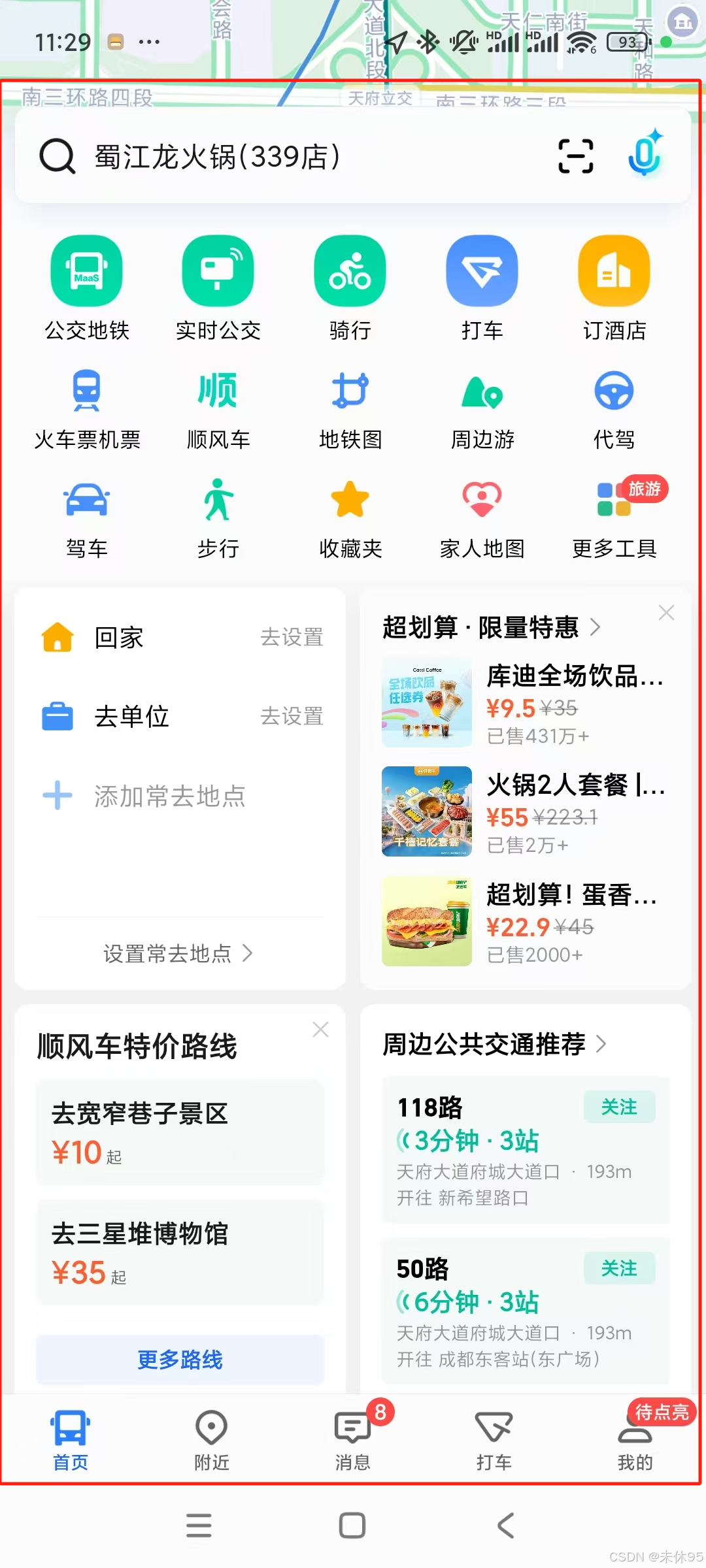
大致需求是:在一个页面上,点击页面上的某个按钮,唤起弹窗。这个弹窗里面的内容有很长,可以通过滑动手机屏幕,将弹窗滑上去,使得弹窗撑满整个屏幕。该效果在地图软件比较常见,截个示例图,如下:
 →
→ 
2、点击按钮传递经纬度通过导航软件定位:
效果如图:
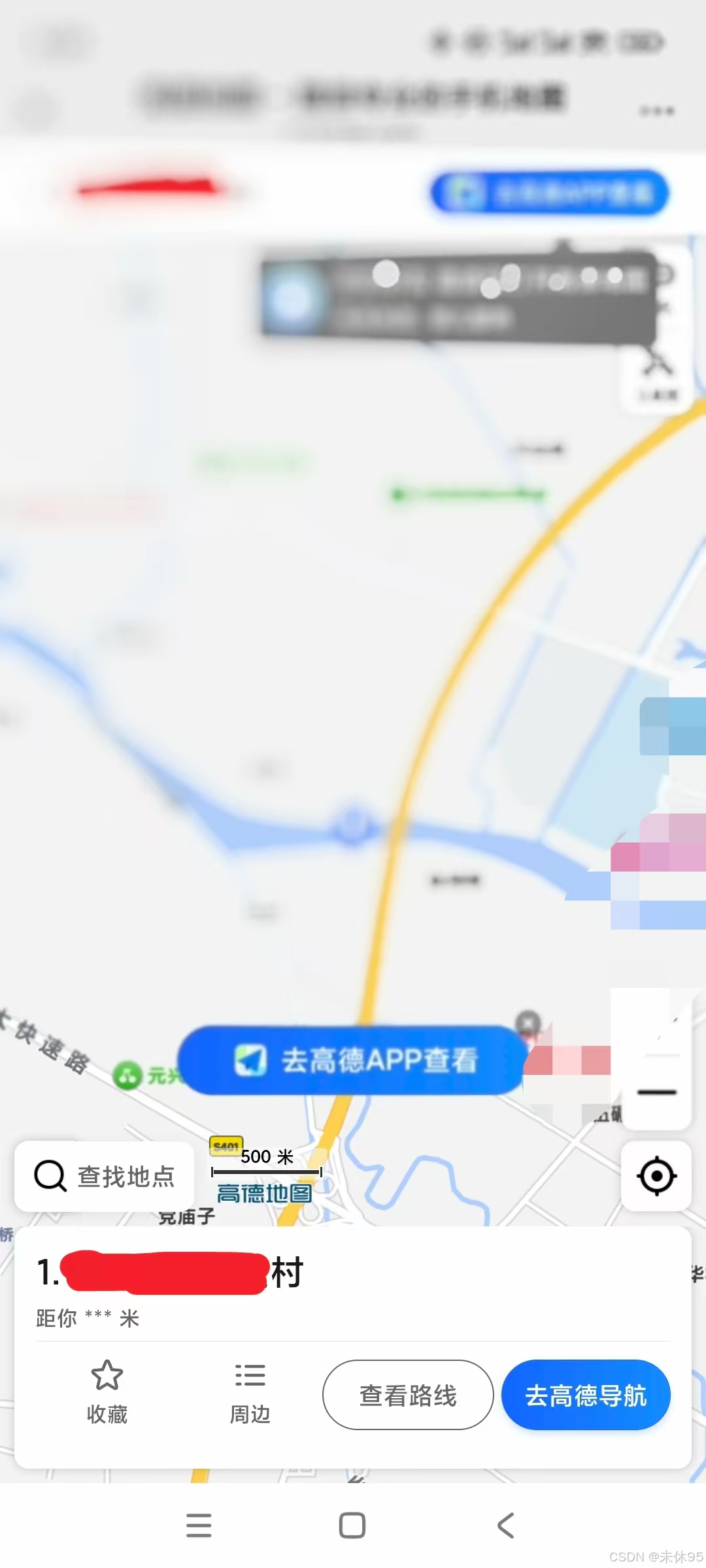
大致需求是:点击导航按钮,通过传递自己获取到的该地块的经纬度及地址名称,调用高德地图API进行定位,并打开高德地图查看该地块。
3、点击按钮传递手机号唤起拨打手机号页面效果:
效果如图:
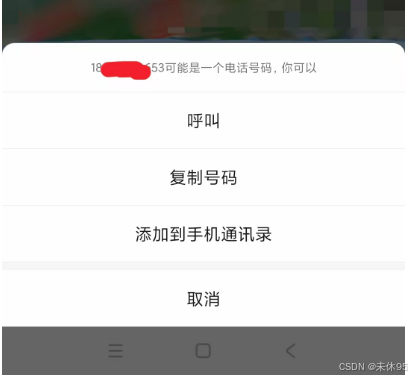
大致需求是:点击电话按钮,并传递手机号,唤起手机号拨打电话的弹窗进行拨号。
全部代码如下:
【注:仅作自己查看和分享学习之用】
<template>
    <div id="warehouseMap" class="map__x">
        <div class="sureModule" v-if="showModule" :class="{ 'full-screen': isFullScreen }"
            :style="{ bottom: bottomPx + 'px', height: 'auto' }" @touchstart="onTouchStart" @touchmove="onTouchMove"
            @touchend="onTouchEnd">
            <template>
                <!-- 内容区域 -->
                <div class="header-content"></div>
                <!-- 可滚动区域 -->
                <div class="landInfo-bottom-container">
                    <!-- 内容XXXXXXXXXXXX -->
                </div>

                <!-- 按钮区域 -->
                <div class="ownerRowBottom-group">
                    <div @click="onNavigation()" class="ownerRow-bottom">
                        <img src="./img/daohang.png" alt="">
                        <span style="font-size: 2.9vw;color:#666666;">导航</span>
                    </div>
                    <div @click="e => telephone(e, dataObj.phone)" class="ownerRow-bottom">
                        <img src="./img/call_phone.png" alt="">
                        <span style="font-size: 2.9vw;color:#666666;">电话</span>
                    </div>
                </div>
            </template>
        </div>
    </div>
</template>

<script setup lang="ts">
import { onMounted, ref, computed } from "vue"
import * as mars3d from "mars3d"
import "ol/ol.css"
import { $message } from "@mars/components/mars-ui"
import wx from "weixin-js-sdk"
import wxWeb from "weixin-webview-jssdk"

const showModule = ref(true) // 是否显示弹窗

// 地块初始信息,可自行赋值
const dataObj = ref({
    areaName: "北京市海淀区姜州路XXXX", // 地块名称
    phone: 15355555555, // 地块电话
    lng: "116.397428", // 地块经度
    lat: "39.90923" // 地块纬度
})
const environment = ref("") // 当前处于的环境


// 弹窗相关
const windowHeight = window.innerHeight // 窗口高度
const halfHeight = windowHeight / 1.5 // 窗口高度的一小半
const topHeight = 0 // 顶部高度
const bottomPx = ref(halfHeight * -1) // 初始bottom为-half屏高度

let startY = 0 // 触摸开始时的Y坐标
let startBottom = 0 // 触摸开始时的bottom值
const isDragging = ref(false) // 是否正在拖拽
const isContentScroll = ref(false) // 是否正在滚动内容

const isFullScreen = computed(() => bottomPx.value === 0)

onMounted(() => {
    isWechatBrowser()
})

/** 触摸开始 */
function onTouchStart(e) {
    startY = e.touches[0].clientY
    startBottom = bottomPx.value
    // 判断是否在内容区
    isContentScroll.value = e.target.closest(".landInfo-bottom-container") !== null
}

/** 触摸移动 */
function onTouchMove(e) {
    const moveY = e.touches[0].clientY
    const deltaY = moveY - startY
    if (isContentScroll.value) {
    const content = document.querySelector(".landInfo-bottom-container")
    // 内容区能滚动时,不让弹窗整体滑动
    if (
      (content.scrollTop > 0 && deltaY > 0) || // 内容区已下拉
      (content.scrollTop + content.clientHeight < content.scrollHeight && deltaY < 0) // 内容区未到底部
    ) {
      // 让内容区自己滚动
      isDragging.value = false
      return
    }
    // 内容区已到顶部/底部,允许弹窗整体滑动
  }
    // 允许弹窗整体滑动
    isDragging.value = true
    let newBottom = startBottom - deltaY
    // 限制弹窗不能超出顶部和初始位置
    newBottom = Math.min(0, Math.max(newBottom, halfHeight * -1))
    bottomPx.value = newBottom
}

/** 触摸结束 */
function onTouchEnd(e) {
    // 如果不在拖拽,则不进行吸附
    if (!isDragging.value) {
    return false
    }
    // 吸附逻辑
    if (bottomPx.value > halfHeight * -0.5) {
        // 超过一半,吸附到顶部
        bottomPx.value = 0
    } else {
        // 回到半屏
        bottomPx.value = halfHeight * -1
    }
}


// 判断该H5目前是处于微信内置H5,还是被封装为微信小程序,还是纯H5
function isWechatBrowser() {
    const userAgent = navigator.userAgent.toLowerCase()
    const isWechat = userAgent.includes("micromessenger") // ios的userAgent中无miniProgram,但都有MicroMessenger(表示是微信浏览器)

    if (!isWechat) {
        environment.value = "H5" // 否则,当前在标准 H5 环境中
        return false
    }
    // 判断是否处于微信环境
    wxWeb.miniProgram.getEnv((res: any) => {
        if (res.miniprogram) { // 检查是否在微信小程序环境中
            environment.value = "WeChatMiniProgram"
        } else { // 在微信 H5 环境中(在微信浏览器中)
            environment.value = "WeChatH5"
        }
    })
}


/**
 * 打开高德地图
 * lng:经度,lat:纬度,addr:地址名称
 * @param positionObj:定位的信息
 */
function openNavMap(positionObj: any) {
    // 将标准无偏坐标(WGS84)转为国测局坐标
    const positions = mars3d.PointTrans.wgs2gcj([positionObj.lng, positionObj.lat])

    const lat = positions[1]
    const lng = positions[0]
    const title = positionObj.addr || ""

    const url = `https://uri.amap.com/marker?position=${lng},${lat}&name=${title}&coordinate=gaode&callnative=1`
    if (window.plus) {
        window.plus.runtime.openURL(url)
    } else {
        location.assign(url)
    }
}


/** 导航 */
const onNavigation = () => {
    // 传入经纬度,跳转地图
    if (environment.value === "WeChatMiniProgram") { // 微信小程序
        // “/pages/map/index”是由本H5封装的小程序那边的页面路径,需要根据实际情况修改
        wx.miniProgram.navigateTo({
            url: `/pages/map/index?lng=${Longitudedu.value}&lat=${Latitudedu.value}&address=${dataInfo.value?.areaCodeName}`
        })
    } else {
        openNavMap({ lng: dataObj.value.lng, lat: dataObj.value.lat, addr: dataObj.value?.areaName })
    }
}

/**
 * 拨打电话
 * @param event
 * @param phone
 */
const telephone = (event: any, phone: number) => {
    if (!phone) {
        $message("暂无手机号信息")
        return false
    }
    event.stopPropagation()
    window.location.href = `tel:` + phone
}
</script>

<style lang="less" scoped>
.map__x {
    width: 100vw;
    height: 100vh;
    letter-spacing: 0.4vw;

    .sureModule.full-screen {
        top: 0;
        bottom: 0 !important;
        height: 100vh !important;
        border-radius: 0 !important;
    }

    .sureModule {
        position: fixed;
        left: 0;
        width: 100vw;
        z-index: 999;
        transition: transform 0.3s cubic-bezier(.25, .8, .25, 1); //动画效果
        transform: translateY(var(--popup-translate, 0));
        z-index: 999;
        box-sizing: border-box;
        width: 100vw;
        background-color: #fff;
        border-top-left-radius: 1vw;
        border-top-right-radius: 1vw;

        .landInfo-bottom-container {
            flex: 1 1 0%;
            min-height: 0;
            overflow-y: auto;
            -webkit-overflow-scrolling: touch;
            margin-bottom: 10vw;

            .landInfo-bottom-top {
                  padding: 0 5vw;
                  margin-bottom: 0.5vw;
            }

            .segLine {
                  width: 100%;
                  height: 2vw;
                  background-color: #F6F7F8;
            }
      }
    }
}
</style>
如果需要小程序封装H5调起腾讯导航,则小程序项目这边需要加个map/index的页面。且需要在微信公众平台——小程序开发那里,开通小程序wx.getLoction接口,在index/index页面加上wx.getLocation唤起位置弹窗,获取本地位置。(以下是uniapp的写法)
index/index.vue
<template>
<view class="container">
<web-view :src="urlWeb"></web-view>
</view>
</template>
<script>
export default {
data() {
return {
urlWeb: "https://xxxxx.cn",
latitude: "",
longitude: ""
}
},
onLoad(options) {
// 用户已经同意授权
uni.getLocation({
type: "wgs84", // 默认为 wgs84,gcj02 为火星坐标系
isHighAccuracy: true,//是否开启高精度定位
highAccuracyExpireTime: 3500,//高精度定位超时时间
success: function(res) {
// res.latitude: 纬度
// res.longitude: 经度
// res.speed: 速度
// res.accuracy: 位置精确度
// res.altitude: 高度
// res.verticalAccuracy: 垂直精确度
// res.horizontalAccuracy: 水平精确度
this.latitude = res.latitude // 纬度,浮点数,范围为90 ~ -90
this.longitude = res.longitude // 经度,浮点数,范围为180 ~ -180。
},
fail: function(err) {
console.error('获取位置失败:', err)
},
cancel: function() {
console.log("用户拒绝授权获取地理位置")
}
})
this.urlWeb =
`https://xxxxxxxxxxx.cn?latitude=${this.latitude}&longitude=${this.longitude}×tamp=${Math.random()}`
},
}
</script>
<style>
</style>在 app.json 中配置位置权限:
{
  "pages": [
    "pages/index/index",
    "pages/map/index"
  ],
  "window": {
    // 自己的配置
  },
  "requiredPrivateInfos":["getLocation"],//声明小程序需要使用的隐私接口
  "permission": {
    "scope.userLocation": {
      "desc": "你的位置信息将用于小程序位置接口的效果展示"
    }
  },

  //以下可选
  "rendererOptions": {
    //启用 Skyline 渲染引擎,相比传统 WebView 渲染,性能提升明显
    "skyline": {
      "defaultDisplayBlock": true,//设置默认的显示模式为块级元素
      "disableABTest": true,//禁用 A/B 测试,当设置为 true 时,微信不会对当前小程序进行 A/B 测试,确保渲染行为的一致性
      "sdkVersionBegin": "3.0.0",//设置支持 Skyline 的最低微信版本,只有微信版本 >= 3.0.0 的用户才能使用 Skyline 渲染引擎
      "sdkVersionEnd": "15.255.255",//设置支持 Skyline 的最高微信版本
    }
  },
  "componentFramework": "glass-easel",//启用 glass-easel 组件框架,组件渲染和更新更高效,减少组件异常
  "sitemapLocation": "sitemap.json",//指定小程序站点地图文件的位置,告诉微信小程序引擎在哪里找到 sitemap.json 文件
  "lazyCodeLoading": "requiredComponents",//启用按需加载组件
  "globalData": { //定义全局数据,在 globalData 中定义的数据可以在整个小程序中访问
    "messageEvent": null
  }
}
map/index.vue
<template>
	<view>

	</view>
</template>

<script>
	export default {
		data() {
			return {
				isReturned: false
			}
		},
		onLoad(option) {
			const {
				lat,
				lng,
				address
			} = option || {}
            // 唤起导航
			uni.openLocation({
				latitude: Number(lat),
				longitude: Number(lng),
				name: address,
				address: address,
				complete: () => {
					//地图关闭后
					if (!this.isReturned) {
						this.isReturned = true
					}
				}
			})
		},
		onShow() {
			if (this.isReturned) {
                // 回到上一页面
				uni.navigateBack();
			}
		}
	}
</script>

<style>

</style>
Agent 垂直技术社区,欢迎活跃、内容共建。
更多推荐
 4
4 0
0- 0


 已为社区贡献1条内容

所有评论(0)