uniapp 微信小程序版本更新提示以及本地调试是否有新版本
·
1.微信小程序有新版本发布时,希望用户在打开小程序时能够收到更新提示,是否重启小程序?
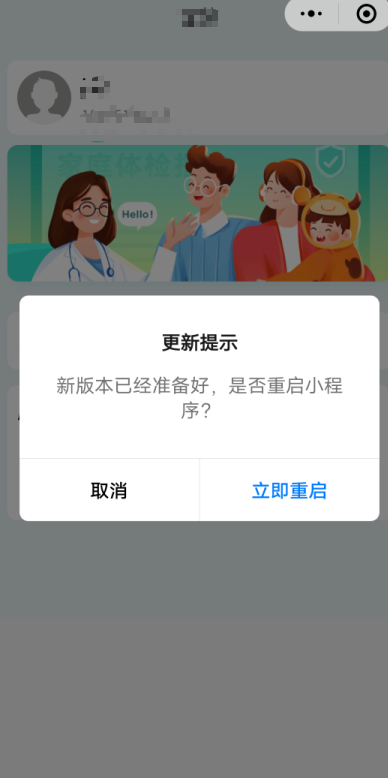
2.直接在App.vue处理(核心代码)
<script>
export default {
  onLaunch: function () {
    // #ifdef MP-WEIXIN
	  this.checkUpdate();
	// #endif
  },
  methods: {
     checkUpdate() {
			const updateManager = uni.getUpdateManager();
			updateManager.onCheckForUpdate(function(res) {
				//console.log('是否有新版本:', res.hasUpdate);
			});

			updateManager.onUpdateReady(function() {
				uni.showModal({
					title: '更新提示',
					content: '新版本已经准备好,是否重启小程序?',
					confirmText: '立即重启',
					confirmColor: '#2179f5',//自定义颜色
					success(res) {
						if (res.confirm) {
							updateManager.applyUpdate();
						}
					}
				});
			});

		   updateManager.onUpdateFailed(function() {
				uni.showModal({
					title: '更新提示',
					content: '新版更新失败,请检查网络后重试~',
					showCancel: false
				});
			});
          }
     },
};
</script>
3.那本地如何调试呢?
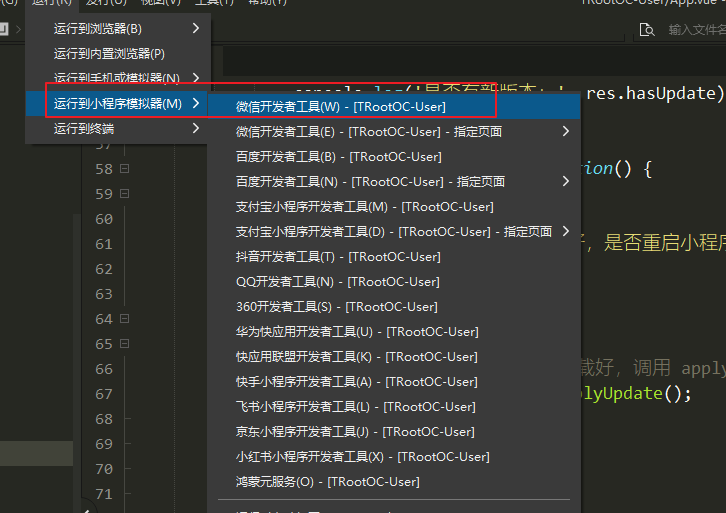
1.通过HBuilder X运行到微信开发工具
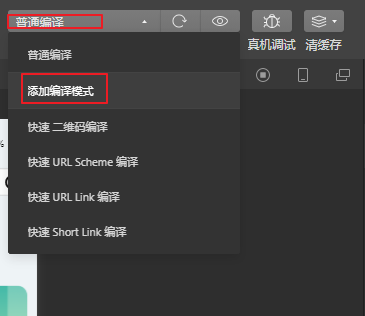
2.在微信开发工具添加编译模式==》选择编译设置==》选择成功状态进行模拟==>确定之后重新编译
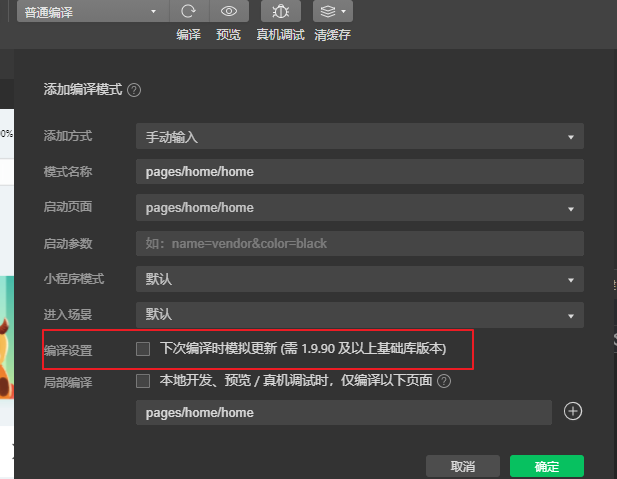
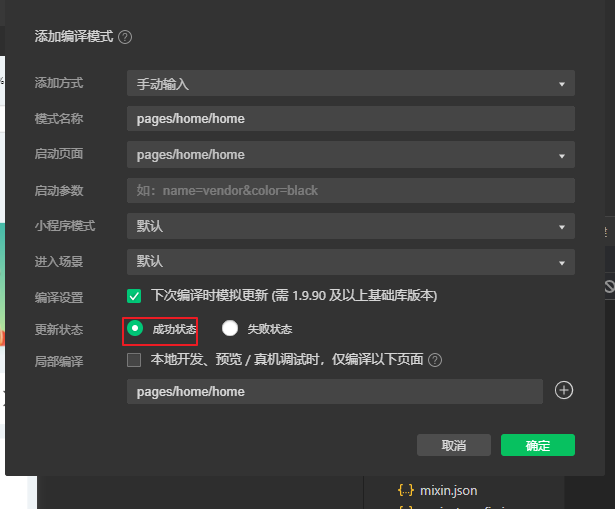
确认之后记得重新编译
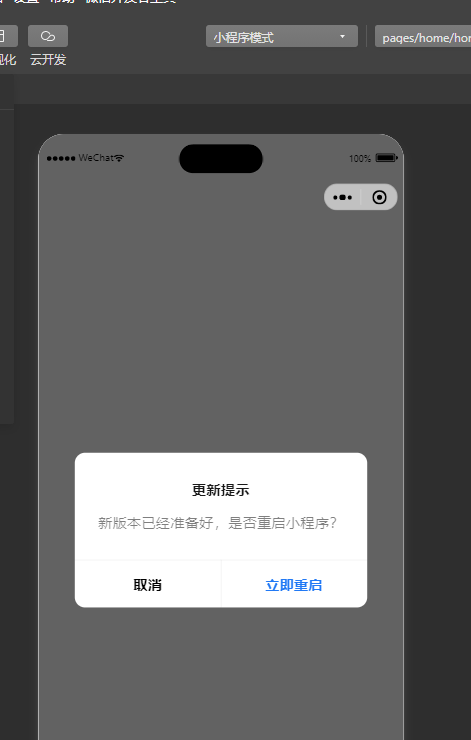
完结散花~正式线上发布之后就会提示了!
后续发布app,如何提示更新版本~~

Agent 垂直技术社区,欢迎活跃、内容共建。
更多推荐
 4
4 0
0- 0


 已为社区贡献2条内容

所有评论(0)