Python 单元测试:八个单元测试框架的使用方法
单元测试是软件开发中不可或缺的一部分,它能够帮助开发者确保代码的质量和稳定性。Python 社区提供了多种单元测试框架,每种框架都有其独特的优势和适用场景。本文将介绍几种常见的 Python 单元测试框架,并通过实际例子帮助读者更好地理解和使用它们。
1. unittest 模块
unittest 是 Python 自带的标准库之一,它基于 Java 的 JUnit 框架设计,提供了一套完整的单元测试框架。
基本用法:
-
import unittest -
class TestStringMethods(unittest.TestCase): -
def test_upper(self): -
self.assertEqual('foo'.upper(), 'FOO') -
def test_isupper(self): -
self.assertTrue('FOO'.isupper()) -
self.assertFalse('Foo'.isupper()) -
if __name__ == '__main__': -
unittest.main()
·这段代码定义了一个测试类 TestStringMethods,继承自 unittest.TestCase。
· test_upper 和 test_isupper 方法分别测试字符串的大写转换和是否全为大写的检查。
· unittest.main() 启动测试运行器。
进阶用法:
-
import unittest -
class TestStringMethods(unittest.TestCase): -
@classmethod -
def setUpClass(cls): -
print("这个方法只在所有测试开始前执行一次") -
def setUp(self): -
print("这个方法会在每个测试方法之前执行") -
self.test_string = "hello world" -
def test_upper(self): -
self.assertEqual(self.test_string.upper(), 'HELLO WORLD') -
def test_isupper(self): -
self.assertTrue('HELLO'.isupper()) -
self.assertFalse('Hello'.isupper()) -
def tearDown(self): -
print("这个方法会在每个测试方法之后执行") -
del self.test_string -
@classmethod -
def tearDownClass(cls): -
print("这个方法在所有测试结束后执行一次") -
if __name__ == '__main__': -
unittest.main()
·setUpClass 类方法在整个测试类开始前执行一次。
· setUp 方法在每个测试方法前执行,用于准备测试数据。
· tearDown 方法在每个测试方法后执行,用于清理测试环境。
· tearDownClass 类方法在所有测试结束后执行一次。
2. pytest 框架
pytest 是目前非常流行的一个第三方单元测试框架,它简洁易用,扩展性强。
基本用法:
-
def test_upper(): -
assert 'foo'.upper() == 'FOO' -
def test_isupper(): -
assert 'FOO'.isupper() -
assert not 'Foo'.isupper()
·使用 assert 断言来验证期望的结果。
· 直接定义函数名以 test_ 开头的方法作为测试用例。
进阶用法:
-
import pytest -
@pytest.fixture -
def setup_data(): -
print("setup data") -
return "hello world" -
def test_upper(setup_data): -
assert setup_data.upper() == "HELLO WORLD" -
def test_isupper(): -
assert 'HELLO'.isupper() -
assert not 'Hello'.isupper() -
def test_fixture_teardown(setup_data): -
print("teardown data")
·@pytest.fixture 装饰器定义了一个测试夹具(fixture),可以在多个测试用例之间共享数据。
· setup_data 函数会在 test_upper 和 test_fixture_teardown 方法之前执行。
3. Pytest-cov
pytest-cov 是一个用于生成代码覆盖率报告的插件,它可以与 pytest 配合使用。
安装:
pip install pytest-cov
基本用法:
-
def add(a, b): -
return a + b -
def test_add(): -
assert add(1, 2) == 3 -
def test_add_negative(): -
assert add(-1, -1) == -2
定义一个简单的 add 函数和两个测试用例。
运行测试并生成覆盖率报告:
pytest --cov=my_module--cov=my_module 参数指定要生成覆盖率报告的模块。
输出示例:
-
============================= test session starts ============================== -
platform darwin -- Python 3.10.7, pytest-7.1.2, py-1.11.0, pluggy-1.0.0 -
rootdir: /path/to/your/project -
plugins: cov-3.0.0 -
collected 2 items -
tests/test_my_module.py .. [100%] -
----------- coverage: platform darwin, python 3.10.7-final-0 ----------- -
Name Stmts Miss Cover Missing -
------------------------------------------------- -
my_module.py 1 0 100% -
------------------------------------------------- -
TOTAL 1 0 100%
4. Nose2
nose2 是 nose 的改进版,它支持更多的测试发现机制和插件。
安装:
pip install nose2基本用法:
-
import unittest -
class TestAdd(unittest.TestCase): -
def test_add_positive(self): -
self.assertEqual(add(1, 2), 3) -
def test_add_negative(self): -
self.assertEqual(add(-1, -1), -2)
定义一个测试类 TestAdd。
运行测试:
nose2输出示例:
-
. -
---------------------------------------------------------------------- -
Ran 1 test in 0.001s -
OK
5. Hypothesis
hypothesis 是一个强大的参数化测试库,可以生成大量随机数据进行测试。
安装:
pip install hypothesis基本用法:
-
from hypothesis import given, strategies as st -
from my_module import add -
@given(st.integers(), st.integers()) -
def test_add(a, b): -
assert add(a, b) == a + b
·使用 @given 装饰器定义测试函数。
· st.integers() 生成整数类型的随机数据。
运行测试:
pytest输出示例:
-
============================= test session starts ============================== -
platform darwin -- Python 3.10.7, pytest-7.1.2, py-1.11.0, pluggy-1.0.0 -
rootdir: /path/to/your/project -
plugins: hypothesis-6.44.0 -
collected 1 item -
tests/test_my_module.py . [100%] -
============================== short test summary info =============================== -
hypothesis passed 100 tests for test_add, 1.00% of examples were new[100%]
6. Doctest
doctest 是 Python 标准库中的一个模块,可以将文档字符串中的示例作为测试用例。
基本用法:
-
def add(a, b): -
""" -
>>> add(1, 2) -
3 -
>>> add(-1, -1) -
-2 -
""" -
return a + b
在文档字符串中编写测试用例。
运行测试:
python -m doctest my_module.py输出示例:
-
Trying: -
add(1, 2) -
Expecting: -
3 -
ok -
Trying: -
add(-1, -1) -
Expecting: -
-2 -
ok -
2 items had no tests: -
my_module -
my_module.add -
1 items passed all tests: -
2 tests in my_module.add -
2 tests in 1 items. -
2 passed and 0 failed. -
Test passed.
7. Pytest-Check
pytest-check 是 pytest 的一个插件,提供了一些方便的断言函数。
安装:
pip install pytest-check基本用法:
-
from check import check -
def test_add(): -
check.equal(add(1, 2), 3) -
check.equal(add(-1, -1), -2)
使用 check.equal 断言函数进行验证。
运行测试:
pytest输出示例:
-
============================= test session starts ============================== -
platform darwin -- Python 3.10.7, pytest-7.1.2, py-1.11.0, pluggy-1.0.0 -
rootdir: /path/to/your/project -
plugins: check-0.2.0 -
collected 1 item -
tests/test_my_module.py . [100%] -
============================== short test summary info =============================== -
1 passed in 0.01s
8. Pytest-Mock
pytest-mock 是一个 pytest 插件,用于模拟对象的行为。
安装:
pip install pytest-mock基本用法:
-
from my_module import some_function -
import pytest -
def test_some_function(mocker): -
mocker.patch('my_module.some_function', return_value=42) -
result = some_function() -
assert result == 42
使用 mocker.patch 模拟 some_function 的返回值。
运行测试:
pytest输出示例:
-
============================= test session starts ============================== -
platform darwin -- Python 3.10.7, pytest-7.1.2, py-1.11.0, pluggy-1.0.0 -
rootdir: /path/to/your/project -
plugins: mock-3.7.0 -
collected 1 item -
tests/test_my_module.py . [100%] -
============================== short test summary info =============================== -
1 passed in 0.01s
实战案例:在线购物车系统
假设我们有一个在线购物车系统,用户可以添加商品到购物车,并查看总价。我们需要编写单元测试来确保系统的正确性。
代码实现:
-
# shopping_cart.py -
class ShoppingCart: -
def __init__(self): -
self.items = [] -
def add_item(self, item_name, price, quantity=1): -
self.items.append((item_name, price, quantity)) -
def get_total(self): -
total = 0 -
for item in self.items: -
total += item[1] * item[2] -
return total
单元测试:
-
# test_shopping_cart.py -
import pytest -
from shopping_cart import ShoppingCart -
def test_add_item(): -
cart = ShoppingCart() -
cart.add_item("apple", 2.0, 2) -
assert len(cart.items) == 1 -
def test_get_total(): -
cart = ShoppingCart() -
cart.add_item("apple", 2.0, 2) -
cart.add_item("banana", 1.5, 3) -
assert cart.get_total() == 2 * 2.0 + 3 * 1.5
运行测试:
pytest输出示例:
-
============================= test session starts ============================== -
platform darwin -- Python 3.10.7, pytest-7.1.2, py-1.11.0, pluggy-1.0.0 -
rootdir: /path/to/your/project -
collected 2 items -
test_shopping_cart.py .. [100%] -
============================== short test summary info =============================== -
2 passed in 0.01s
总结
本文介绍了 Python 中常用的几种单元测试框架及其基本用法,包括 unittest、pytest、pytest-cov、nose2、hypothesis、doctest、pytest-check 和 pytest-mock。通过实战案例展示了如何使用这些框架编写有效的单元测试,帮助确保代码的质量和稳定性。
感谢每一个认真阅读我文章的人,礼尚往来总是要有的,虽然不是什么很值钱的东西,如果你用得到的话可以直接拿走:
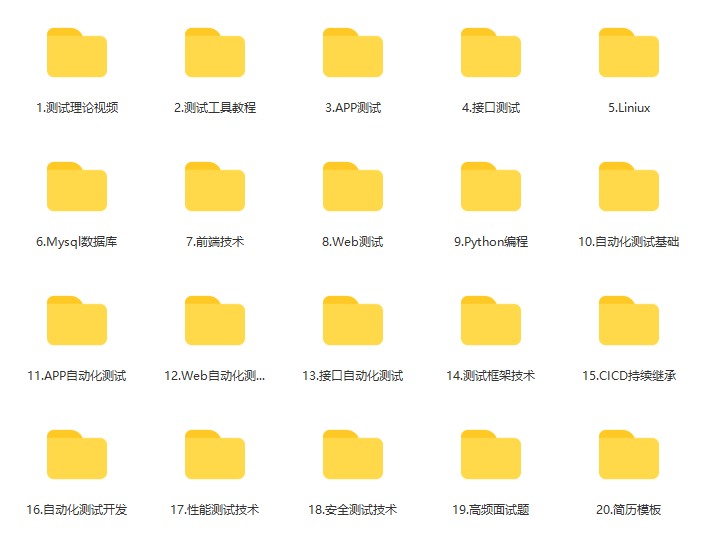
这些资料,对于【软件测试】的朋友来说应该是最全面最完整的备战仓库,这个仓库也陪伴上万个测试工程师们走过最艰难的路程,希望也能帮助到你!有需要的小伙伴可以点击下方小卡片领取

Agent 垂直技术社区,欢迎活跃、内容共建。
更多推荐
 18
18 0
0- 0


 已为社区贡献14条内容

所有评论(0)