(1-8-2)Java - JDBC
·
目录
(2) DriverManager、 Connection 、Class.forName含义
2.3 PreparedStatment 预防SQL注入攻击
01. CreateMoreEmpByTrancsation
编辑01.核心String-》sql.date 的转换代码:
0. 前置小节
- JDBC 概述
- 数据库的查询方法
- 数据库的写入方法
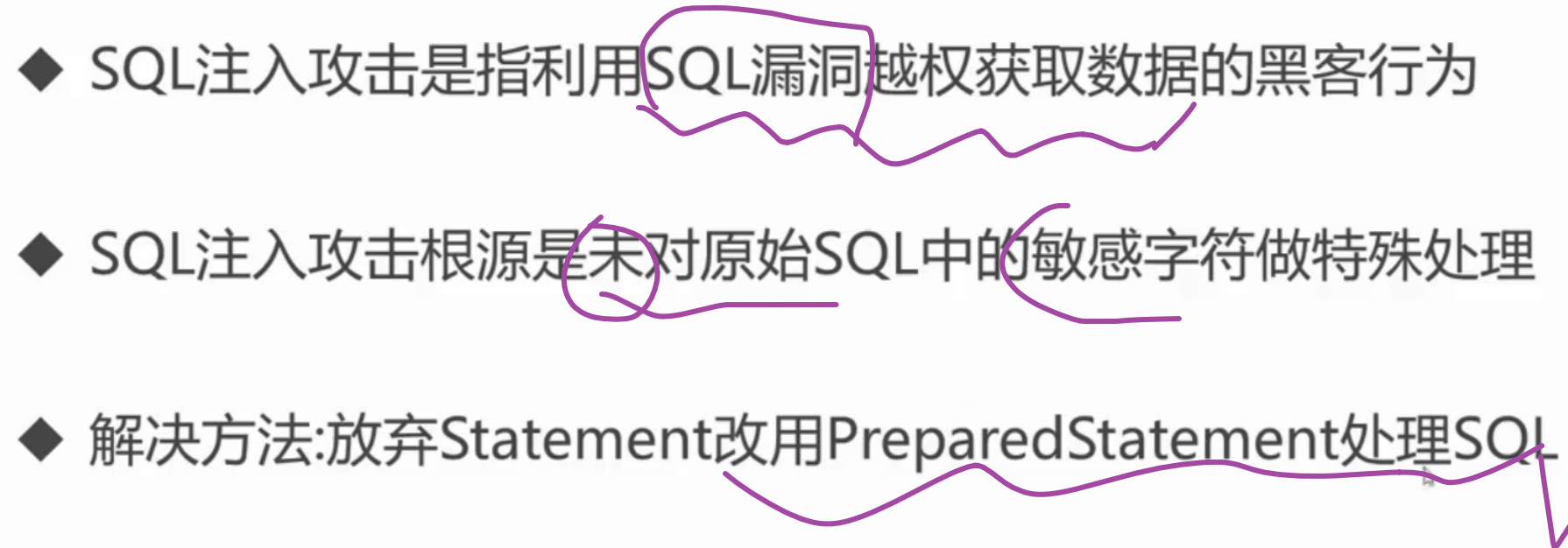
- SQL注入攻击的应对
- 连接池的使用
- Apache Commons DBUtils
1. JDBC概述
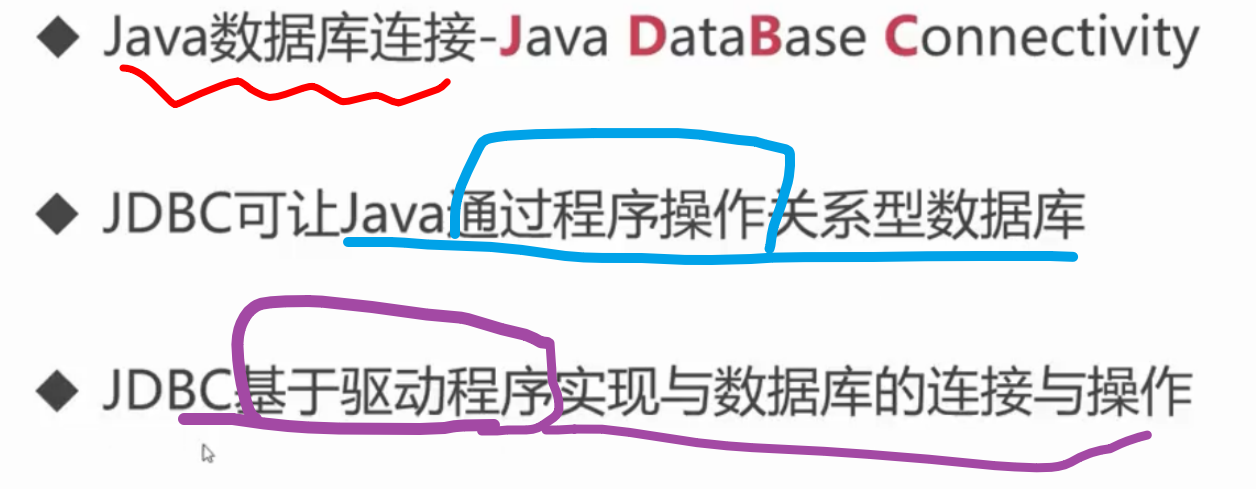
1.1 什么是JDBC
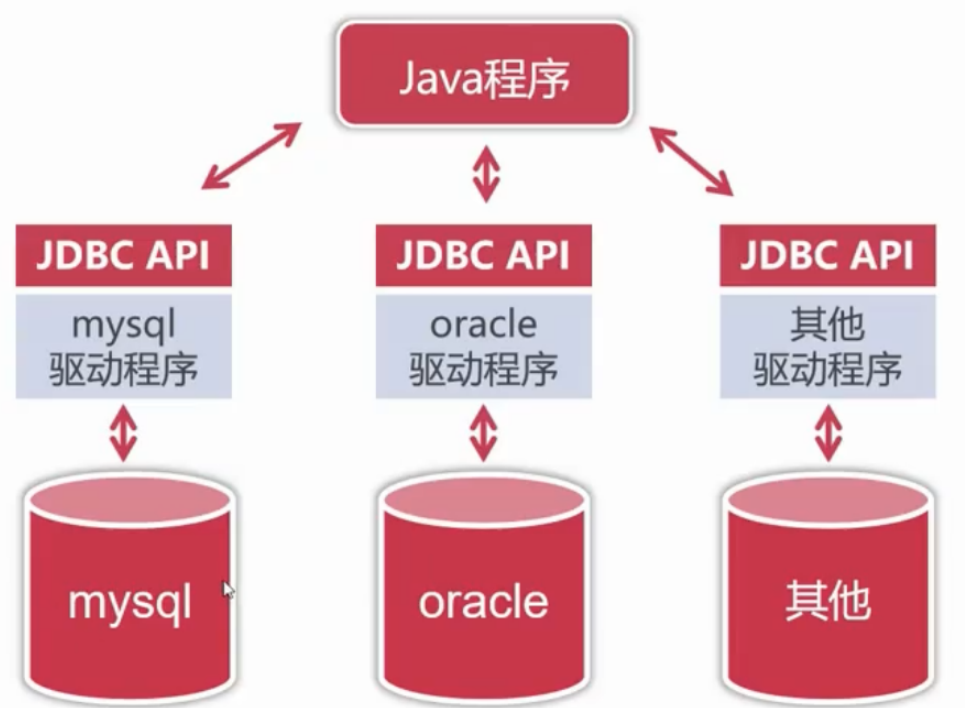
(1)JDBC驱动程序
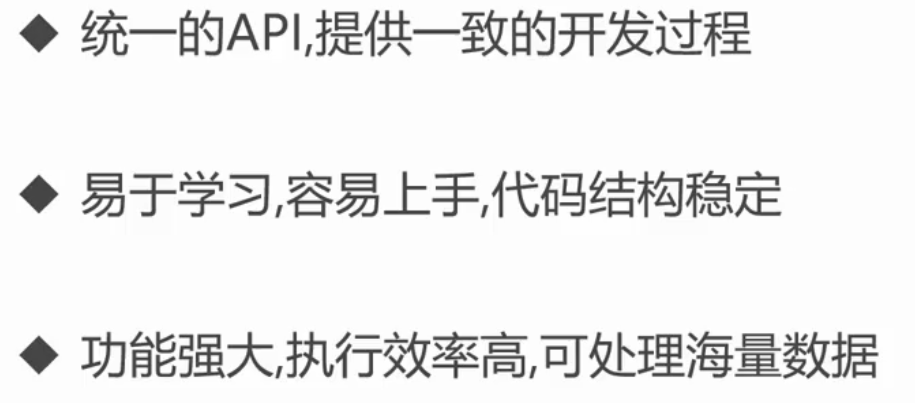
(2)JDBC的优点
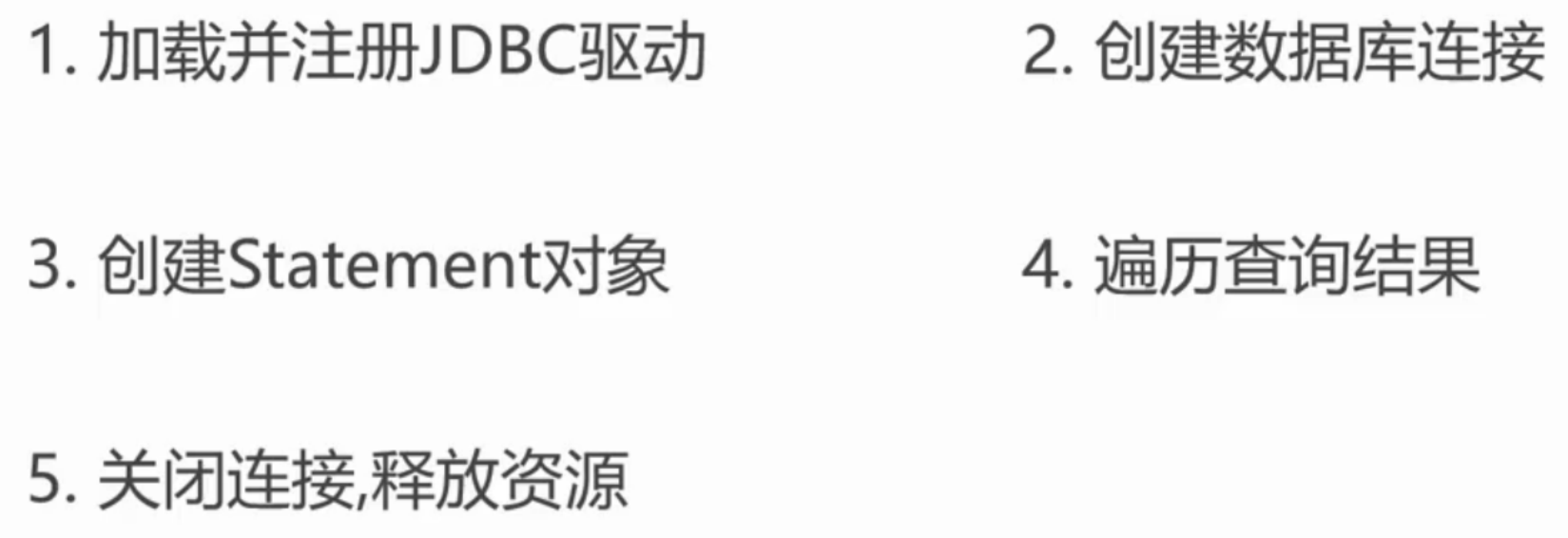
1.2 JDBC的开发流程
(1)加载并准备JDBC驱动
(1-1)新建phdvb数据库
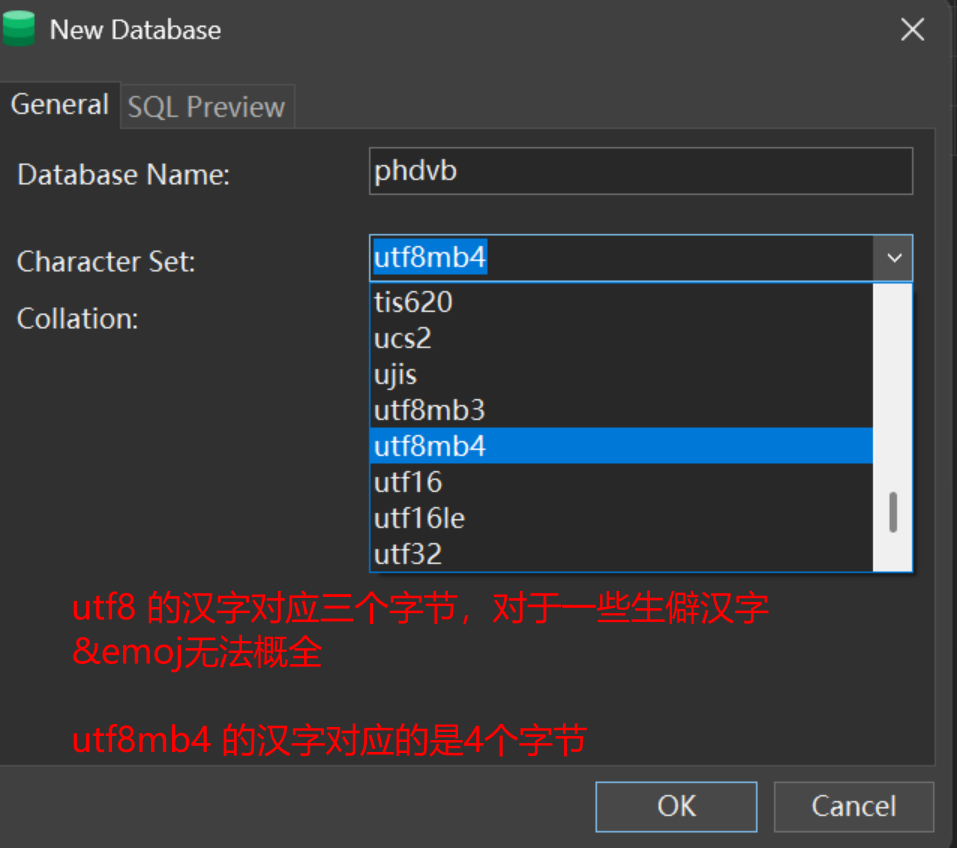
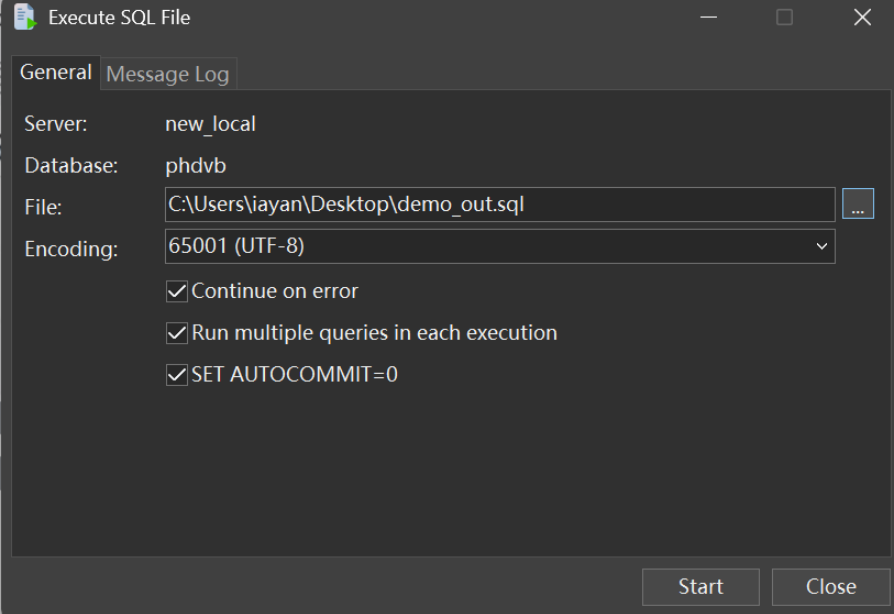
(1-2)导入数据库文件
通过网盘分享的文件:demo.sql
链接: https://pan.baidu.com/s/1iUKSMScC1PXtbOFFaKm-vQ 提取码: i5hb 复制这段内容后打开百度网盘手机App,操作更方便哦
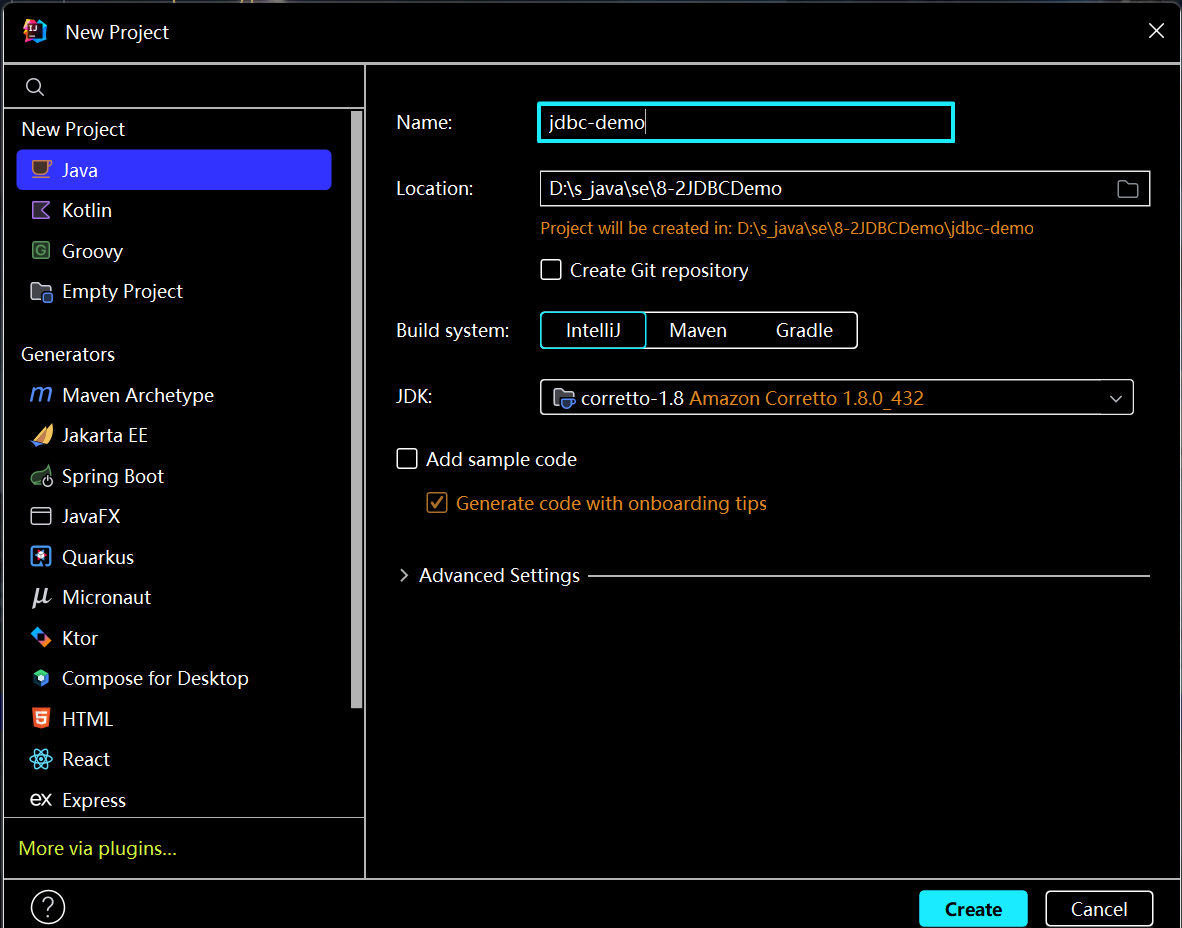
(1-3)创建Java工程
(1-4)创建lib目录并导入连接驱动jar包
java-jdb连接包
通过网盘分享的文件:mysql-connector-java-8.0.19.jar
链接: https://pan.baidu.com/s/14X7kx-ccLh8FdUCUq-0xVA 提取码: 1yms
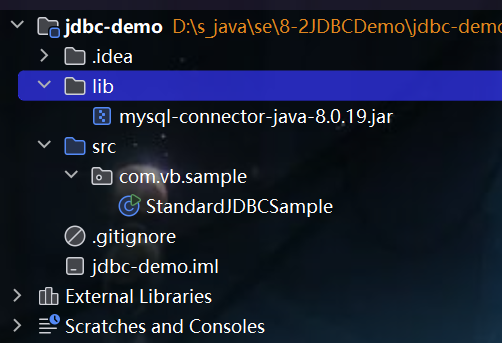
(1-5)创建jar包依赖关系
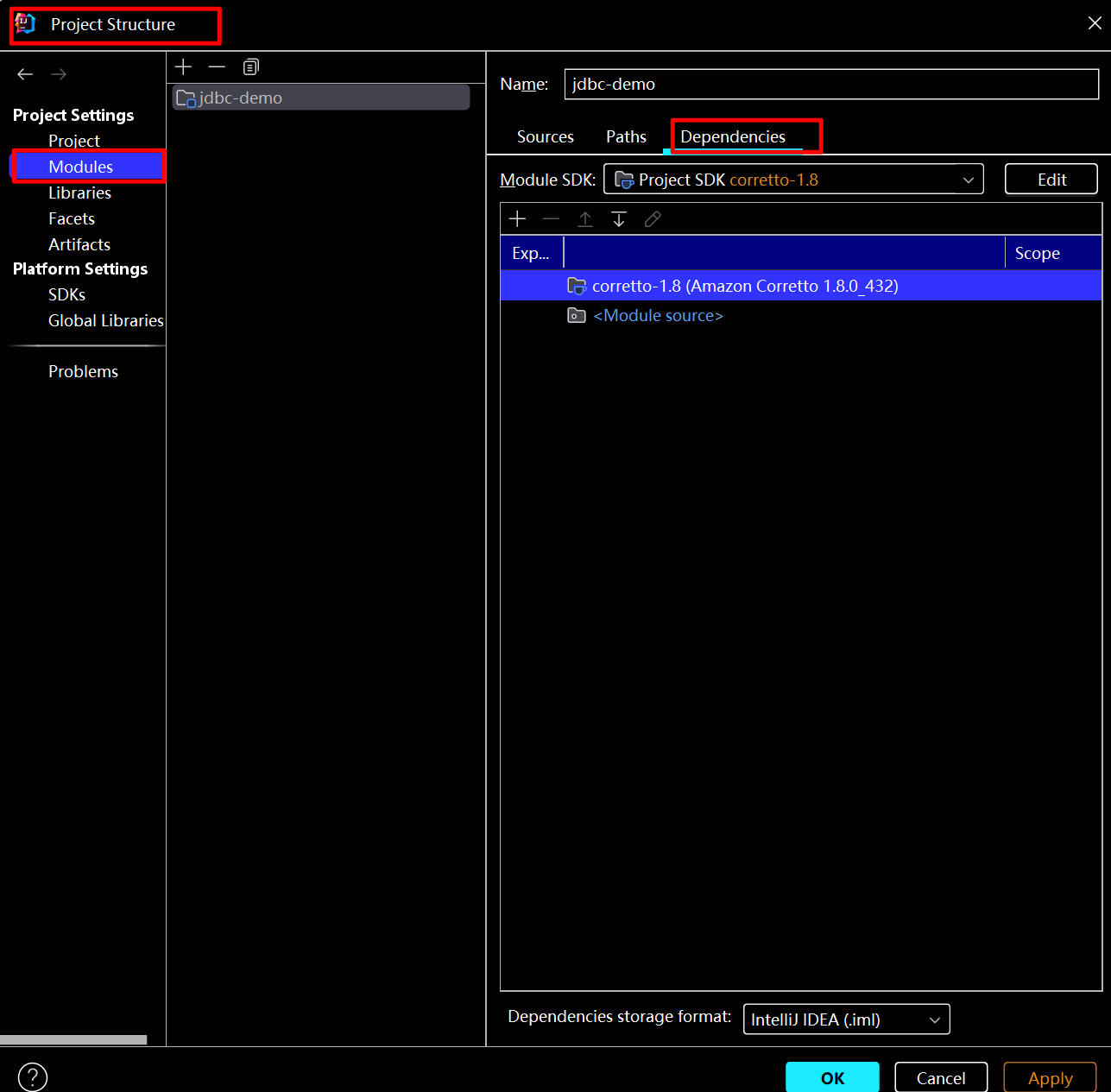
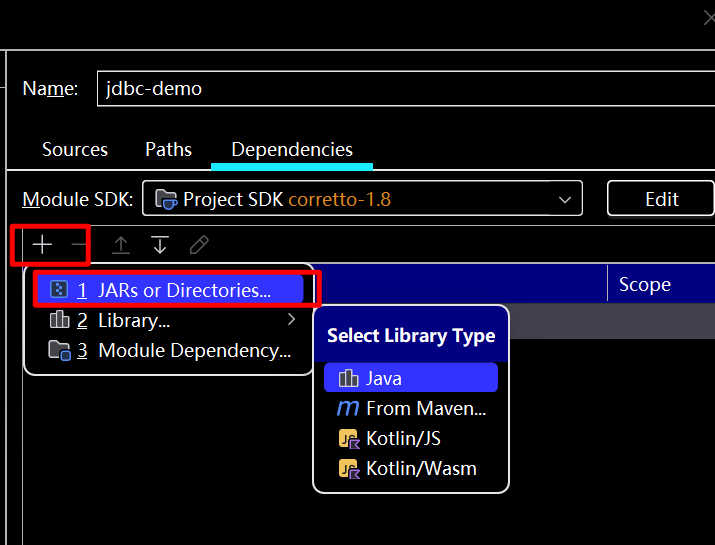
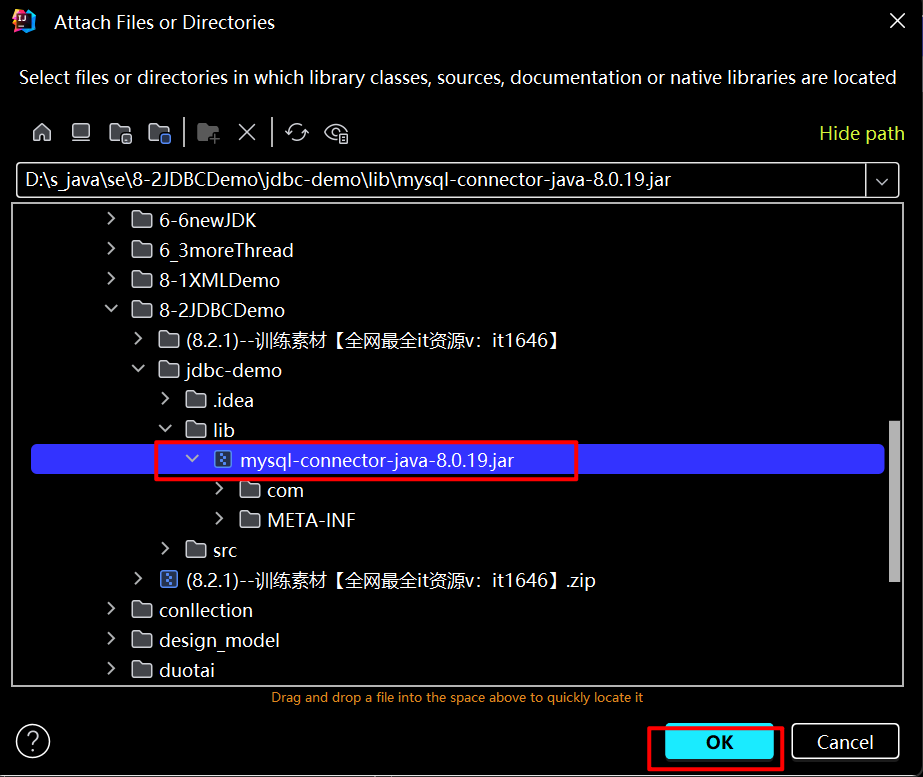
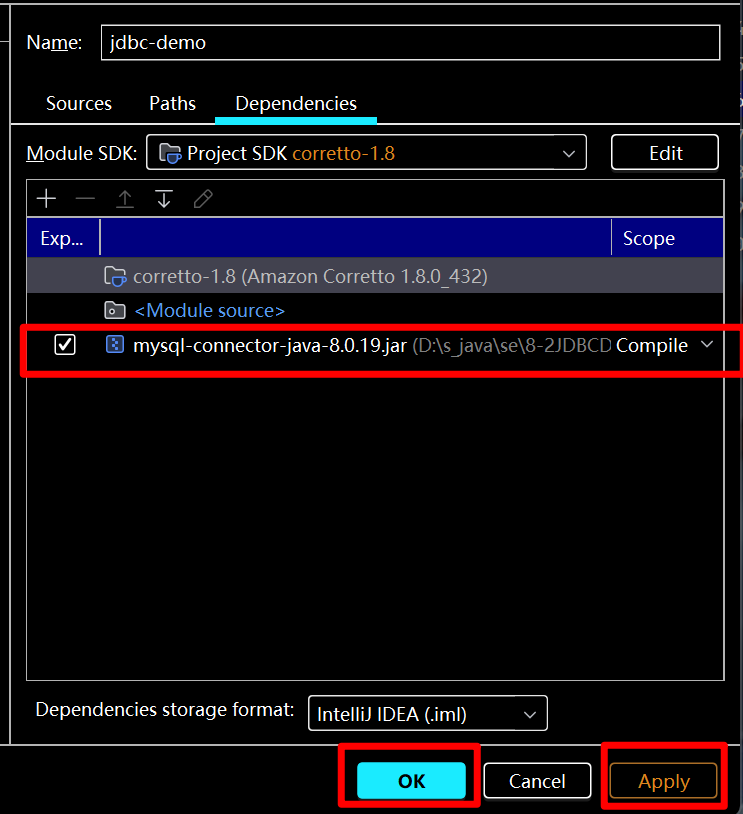
(2) 配置java - JDBC 源码
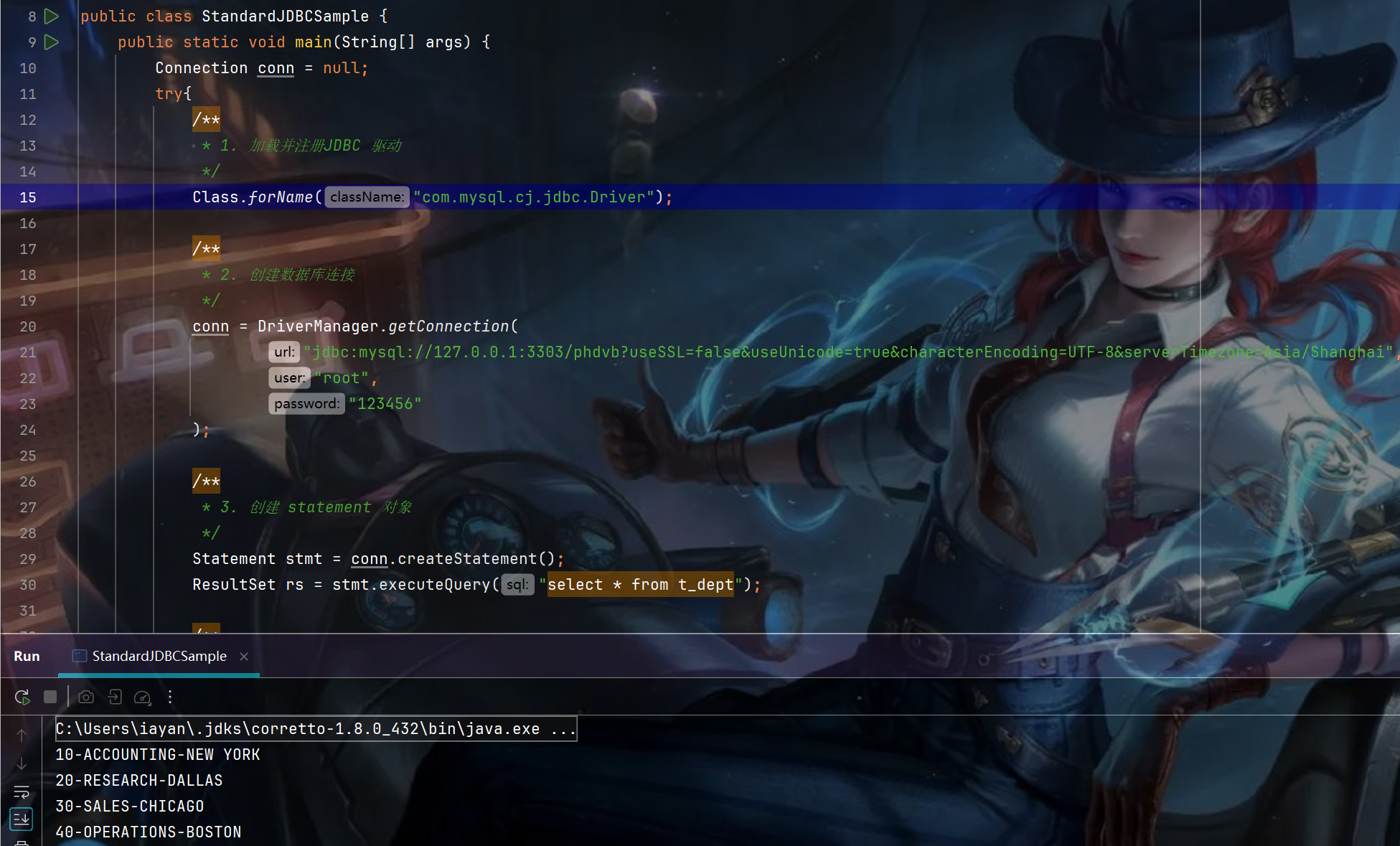
code:
package com.vb.sample;

import java.sql.Connection;
import java.sql.DriverManager;
import java.sql.ResultSet;
import java.sql.Statement;

public class StandardJDBCSample {
    public static void main(String[] args) {
        Connection conn = null;
        try{
            /**
             * 1. 加载并注册JDBC 驱动
             */
            Class.forName("com.mysql.cj.jdbc.Driver");

            /**
             * 2. 创建数据库连接
             */
            conn = DriverManager.getConnection(
                    "jdbc:mysql://127.0.0.1:3303/phdvb?useSSL=false&useUnicode=true&characterEncoding=UTF-8&serverTimezone=Asia/Shanghai",
                    "root",
                    "123456"
            );

            /**
             * 3. 创建 statement 对象
             */
            Statement stmt = conn.createStatement();
            ResultSet rs = stmt.executeQuery("select * from t_dept");

            /**
             * 4. 遍历查询结果
             */
            while(rs.next()){
                Integer deptno = rs.getInt(1);
                String dname = rs.getString("dname");
                String location =rs.getString("loc");
                System.out.println(deptno+"-"+dname+"-"+location);
            }
        }catch (Exception e){
            e.printStackTrace();
        }finally{
            try{
                if(conn != null && conn.isClosed() == false){
                    /**
                     * 5.关闭连接
                     */
                    conn.close();
                }
            }catch (Exception e){
                e.printStackTrace();
            }
        }
    }
}
1.3 Java 连接数据库源码详解
(1)连接数据源码
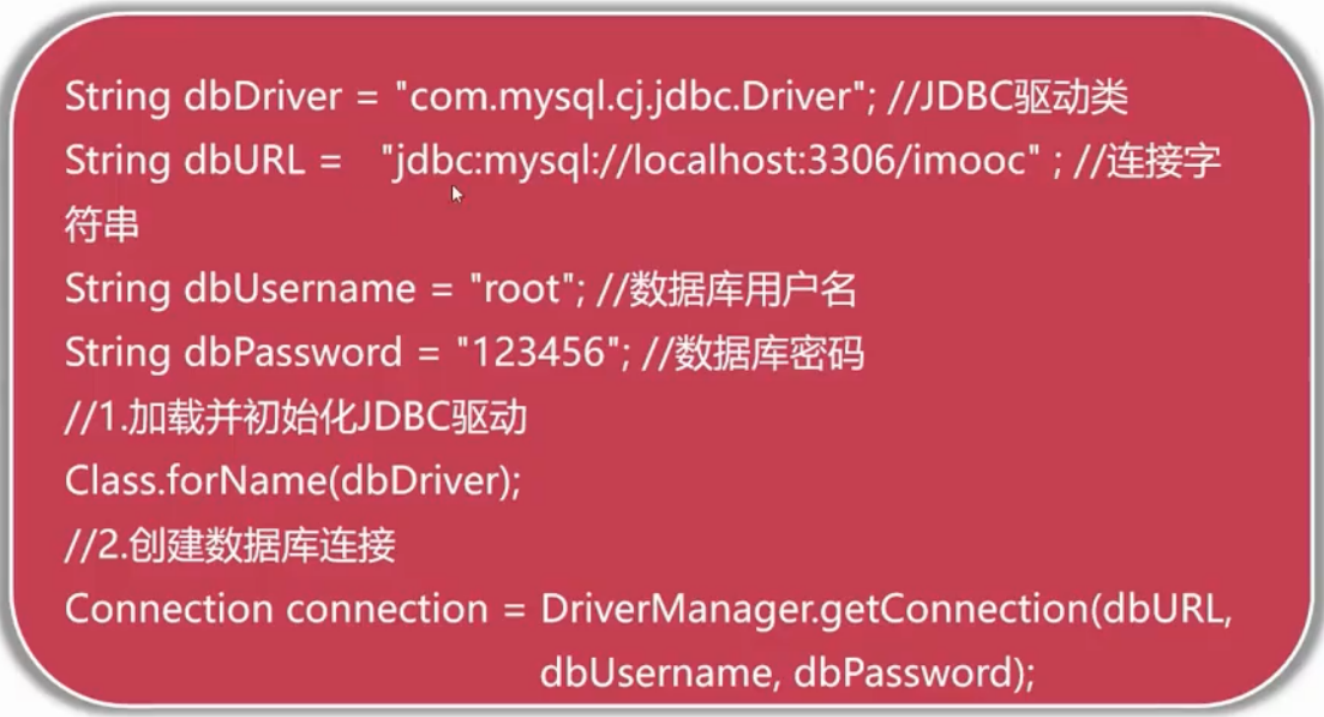
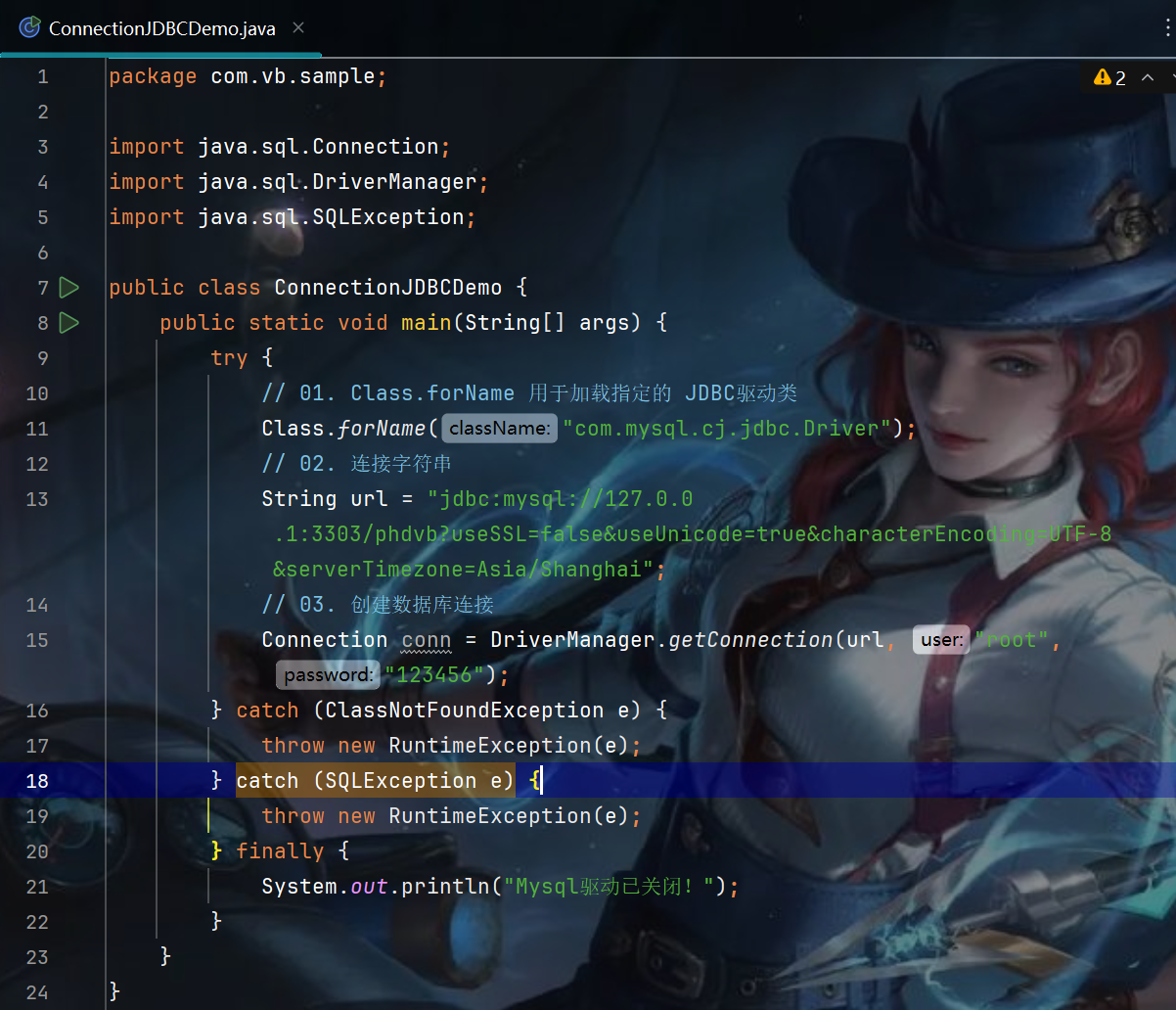
Code:
package com.vb.sample;

import java.sql.Connection;
import java.sql.DriverManager;
import java.sql.SQLException;

public class ConnectionJDBCDemo {
    public static void main(String[] args) {
        try {
            // 01. Class.forName 用于加载指定的 JDBC驱动类
            Class.forName("com.mysql.cj.jdbc.Driver");
            // 02. 连接字符串
            String url = "jdbc:mysql://127.0.0.1:3303/phdvb?useSSL=false&useUnicode=true&characterEncoding=UTF-8&serverTimezone=Asia/Shanghai";
            // 03. 创建数据库连接
            Connection conn = DriverManager.getConnection(url, "root", "123456");
        } catch (ClassNotFoundException e) {
            throw new RuntimeException(e);
        } catch (SQLException e) {
            throw new RuntimeException(e);
        } finally {
            System.out.println("Mysql驱动已关闭!");
        }
    }
}
(2) DriverManager、 Connection 、Class.forName含义
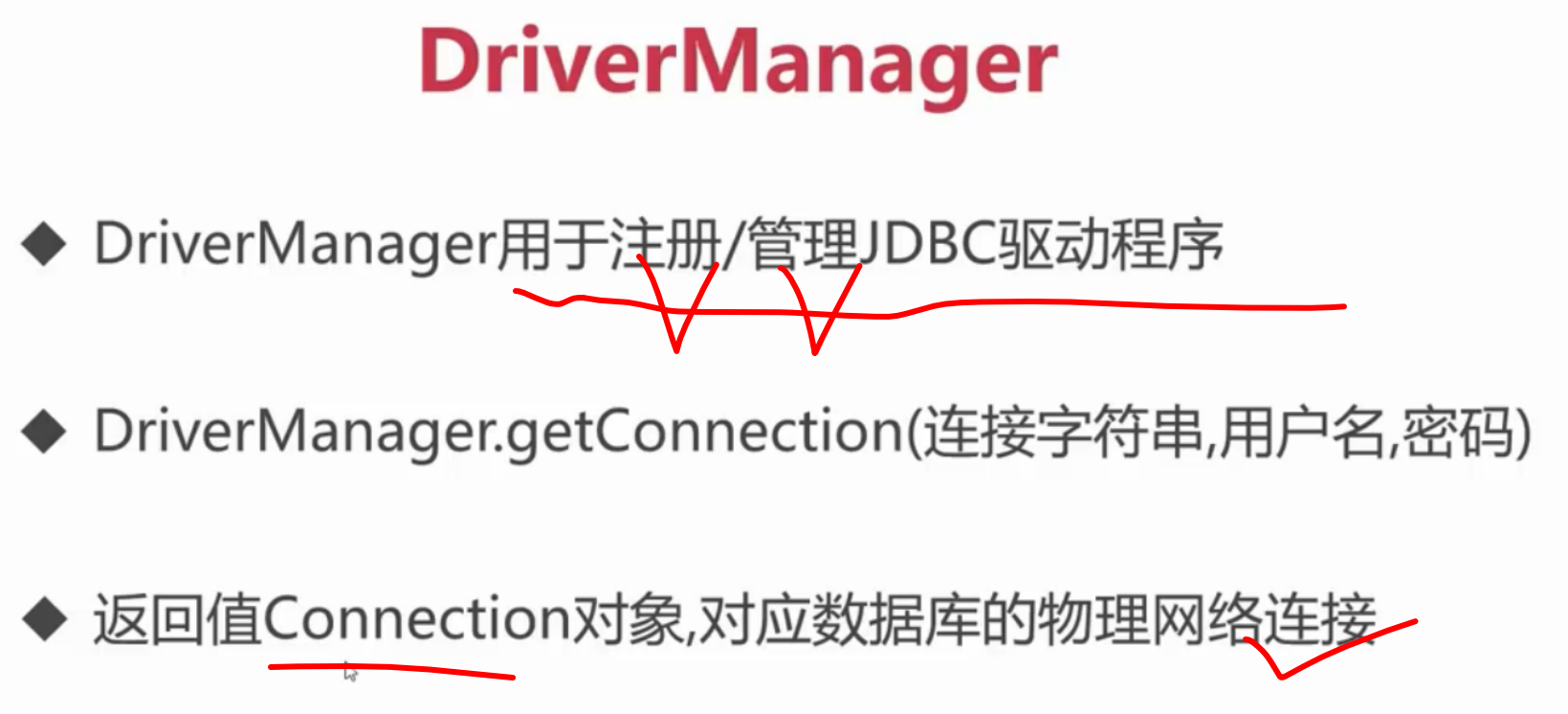
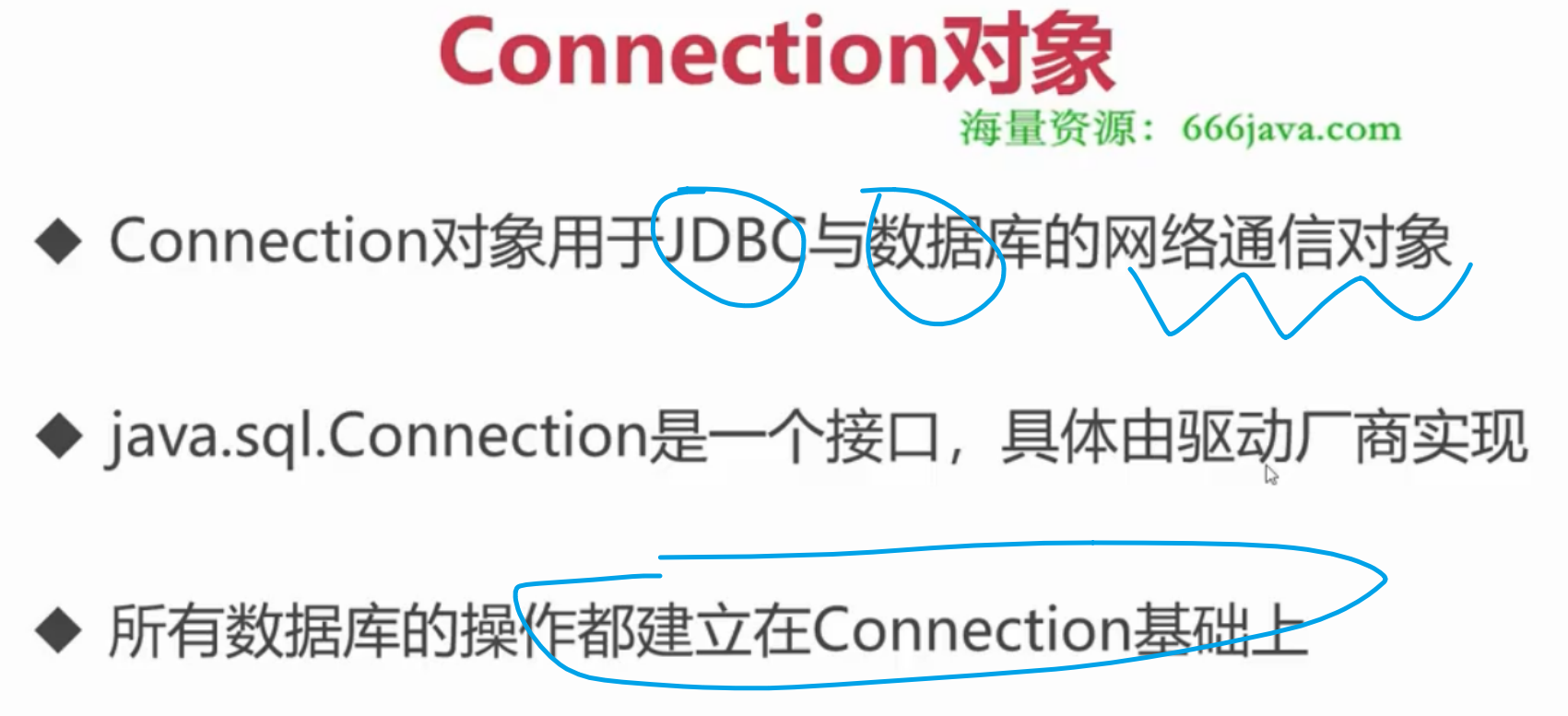
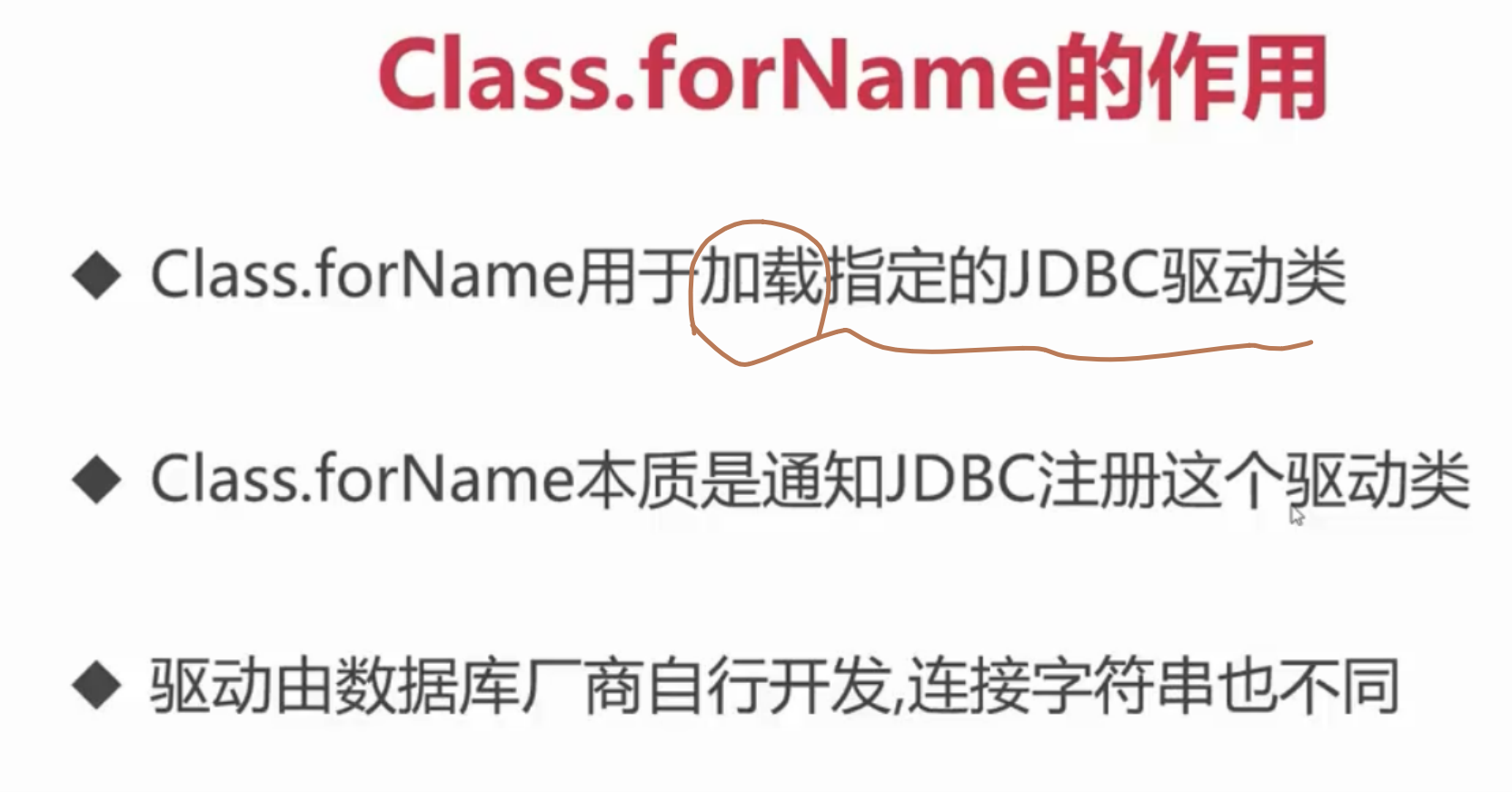
(3) MySQL 连接字符串常用参数
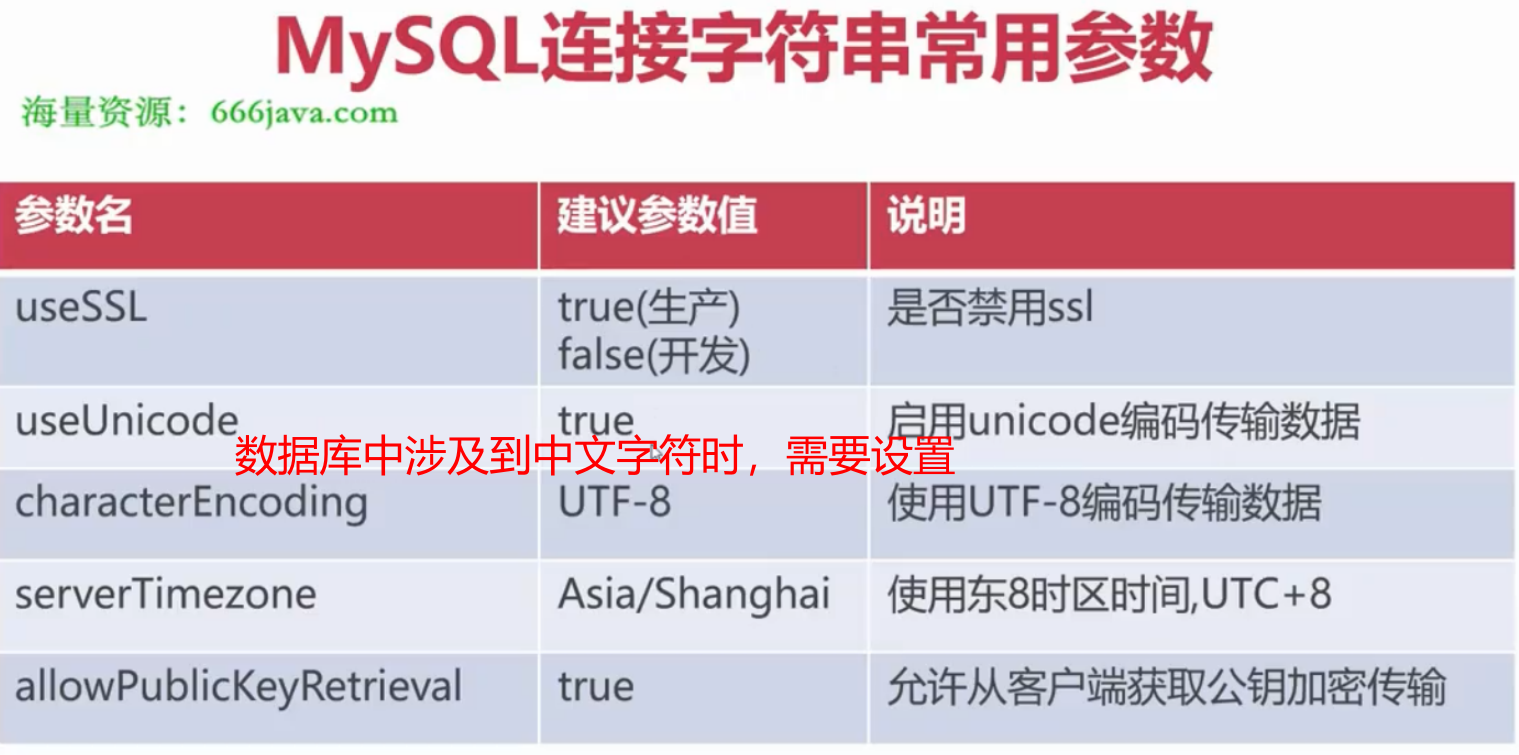
(4)常用数据库的jdbc驱动与连接字符串
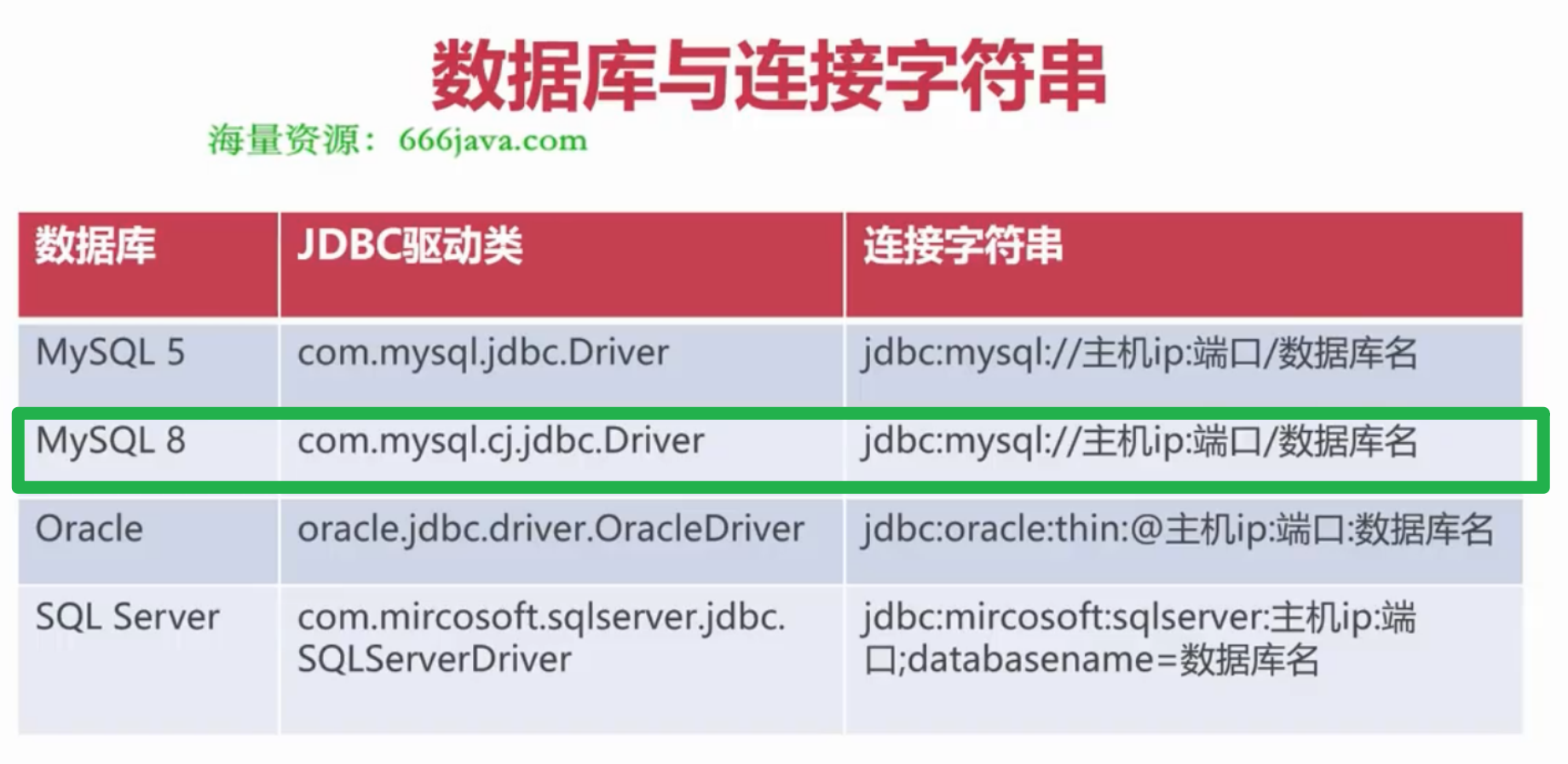
2. JDBC 操作数据Demo
2.1 通过员工的部门名称查询员工信息
目录结构:
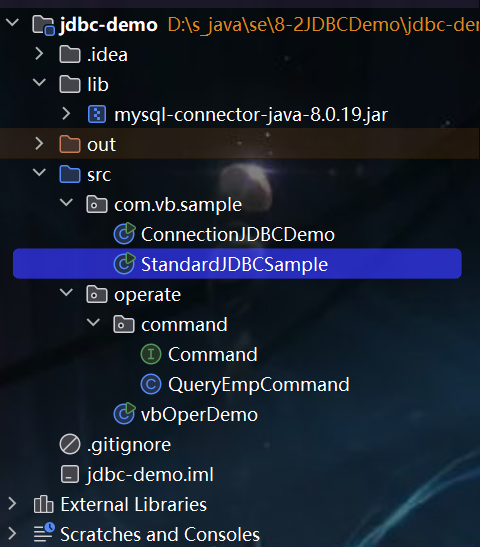
01.vbOperDemo
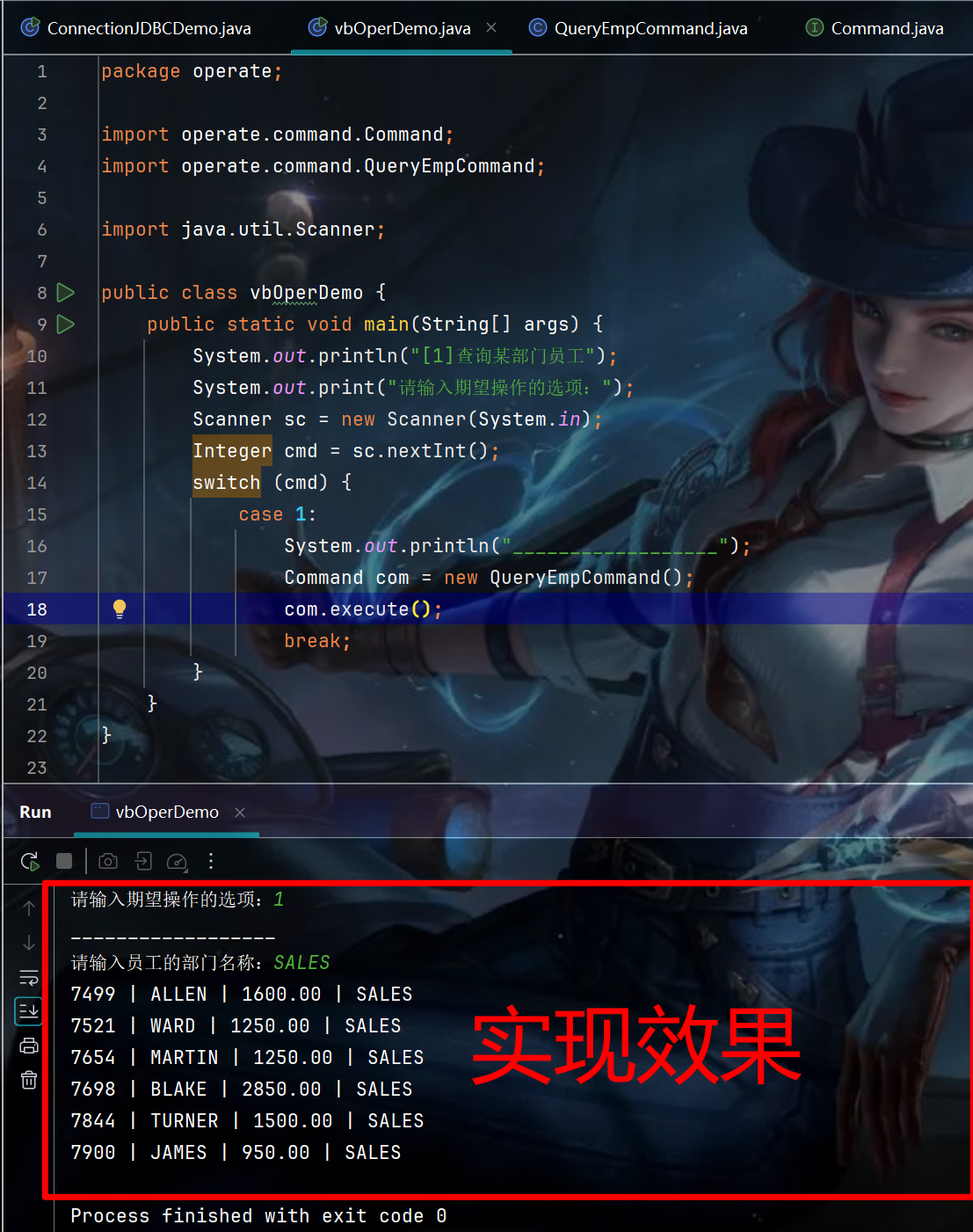
package operate;

import operate.command.Command;
import operate.command.QueryEmpCommand;

import java.util.Scanner;

public class vbOperDemo {
    public static void main(String[] args) {
        System.out.println("[1]查询某部门员工");
        System.out.print("请输入期望操作的选项:");
        Scanner sc = new Scanner(System.in);
        Integer cmd = sc.nextInt();
        switch (cmd) {
            case 1:
                System.out.println("__________________");
                Command com = new QueryEmpCommand();
                com.execute();
                break;
        }
    }
}
02.QueryEmpCommand
package operate.command;

import java.sql.*;
import java.util.Scanner;

public class QueryEmpCommand implements Command {

    @Override
    public void execute() {
        System.out.print("请输入员工的部门名称:");
        Scanner scanner = new Scanner(System.in);
        String deptName = scanner.nextLine();
        Connection conn = null;
        Statement stmt = null;
        ResultSet rs = null;
        try{
            // 1. 加载并注册JDBC 驱动
            Class.forName("com.mysql.cj.jdbc.Driver");

            // 2. 创建数据库连接
            conn = DriverManager.getConnection(
                    "jdbc:mysql://127.0.0.1:3303/phdvb?useSSL=false&useUnicode=true&characterEncoding=UTF-8&serverTimezone=Asia/Shanghai",
                    "root",
                    "123456"
            );

            // 3. 创建 statement 对象
            stmt = conn.createStatement();
            rs = stmt.executeQuery("select em.empno, em.ename, em.sal, de.dname from t_emp em join t_dept de on em.deptno = de.deptno and de.dname = '" + deptName + "';");

            // 4. 遍历查询结果
            while(rs.next()){
                Integer empno = rs.getInt(1);
                String ename = rs.getString("ename");
                String sal = rs.getString("sal");
                String dname =rs.getString("dname");
                System.out.println(empno + " | " + ename + " | " + sal + " | " + dname);
            }
        }catch(ClassNotFoundException | SQLException e){
            e.printStackTrace();
        }finally{
            try {
                if(rs != null){
                    rs.close();
                }
            } catch (SQLException e) {
                e.printStackTrace();
            }
            try {
                if(stmt != null){
                    stmt.close();
                }
            } catch (SQLException e) {
                throw new RuntimeException(e);
            }
            try{
                if(conn != null && conn.isClosed() == false){
                    /**
                     * 5.关闭连接
                     */
                    conn.close();
                }
            }catch (Exception e){
                e.printStackTrace();
            }
        }
    }
}
03. Command
package operate.command;

/*
    操作 emp 接口
 */
public interface Command {
    public void execute();
}
2.2 SQL 注入攻击
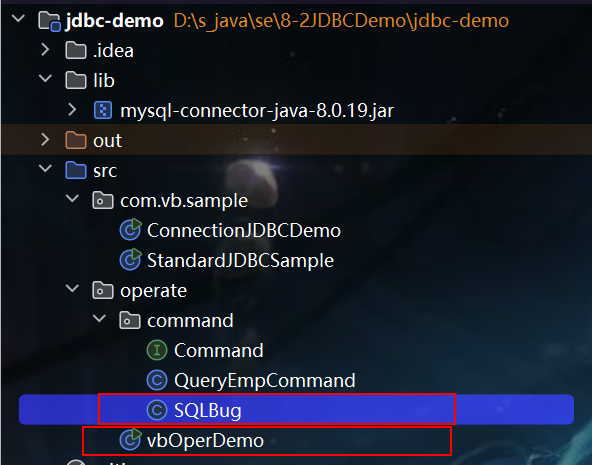
目录结构:
00. 实现效果
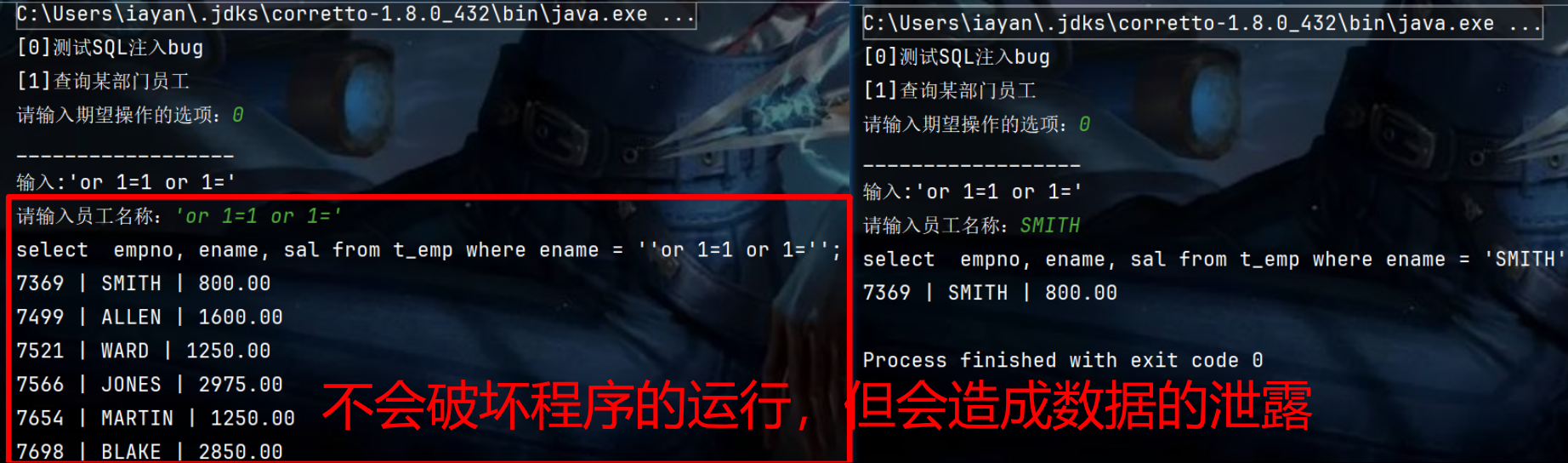
01. SQLBug
package operate.command;

import java.sql.*;
import java.util.Scanner;

public class SQLBug implements Command {

    @Override
    public void execute() {
        System.out.println("输入:'or 1=1 or 1='");
        System.out.print("请输入员工名称:");
        Scanner scanner = new Scanner(System.in);
        String deptName = scanner.nextLine();
        Connection conn = null;
        Statement stmt = null;
        ResultSet rs = null;
        try{
            // 1. 加载并注册JDBC 驱动
            Class.forName("com.mysql.cj.jdbc.Driver");

            // 2. 创建数据库连接
            conn = DriverManager.getConnection(
                    "jdbc:mysql://127.0.0.1:3303/phdvb?useSSL=false&useUnicode=true&characterEncoding=UTF-8&serverTimezone=Asia/Shanghai",
                    "root",
                    "123456"
            );

            // 3. 创建 statement 对象
            stmt = conn.createStatement();
            System.out.println("select  empno, ename, sal from t_emp where ename = '"+ deptName + "';");
            rs = stmt.executeQuery(
                    "select  empno, ename, sal from t_emp where ename = '"+ deptName + "';"
            );

            // 4. 遍历查询结果
            while(rs.next()){
                Integer empno = rs.getInt(1);
                String ename = rs.getString("ename");
                String sal = rs.getString("sal");
                System.out.println(empno + " | " + ename + " | " + sal);
            }
        }catch(ClassNotFoundException | SQLException e){
            e.printStackTrace();
        }finally{
            try {
                if(rs != null){
                    rs.close();
                }
            } catch (SQLException e) {
                e.printStackTrace();
            }
            try {
                if(stmt != null){
                    stmt.close();
                }
            } catch (SQLException e) {
                throw new RuntimeException(e);
            }
            try{
                if(conn != null && conn.isClosed() == false){
                    /**
                     * 5.关闭连接
                     */
                    conn.close();
                }
            }catch (Exception e){
                e.printStackTrace();
            }
        }
    }
}
02. vbOperDemo
package operate;

import operate.command.Command;
import operate.command.QueryEmpCommand;
import operate.command.SQLBug;

import java.util.Scanner;

public class vbOperDemo {
    public static void main(String[] args) {
        System.out.println("[0]测试SQL注入bug");
        System.out.println("[1]查询某部门员工");
        System.out.print("请输入期望操作的选项:");
        Scanner sc = new Scanner(System.in);
        Integer cmd = sc.nextInt();
        switch (cmd) {
            case 0:
                System.out.println("__________________");
                SQLBug sqlBug = new SQLBug();
                sqlBug.execute();
                break;
            case 1:
                System.out.println("__________________");
                Command com = new QueryEmpCommand();
                com.execute();
                break;
        }
    }
}
2.3 PreparedStatment 预防SQL注入攻击
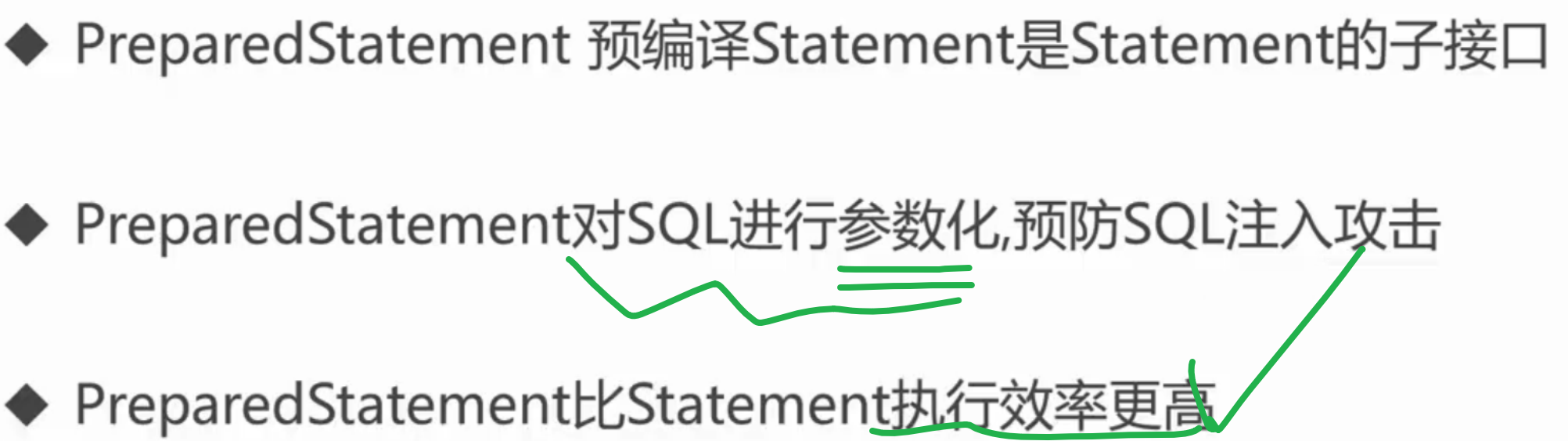
00.完善前后对比
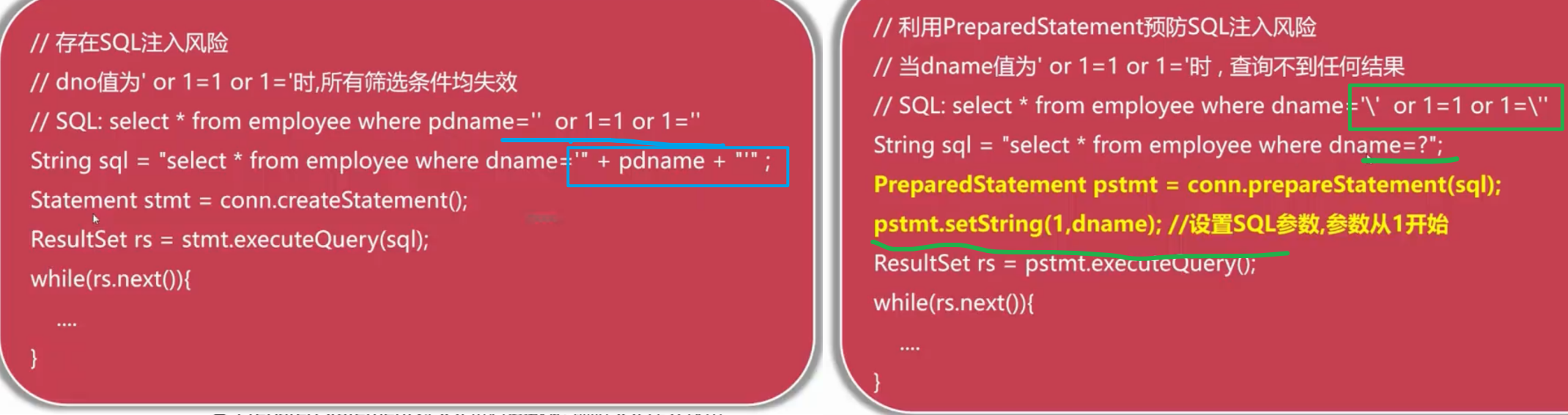
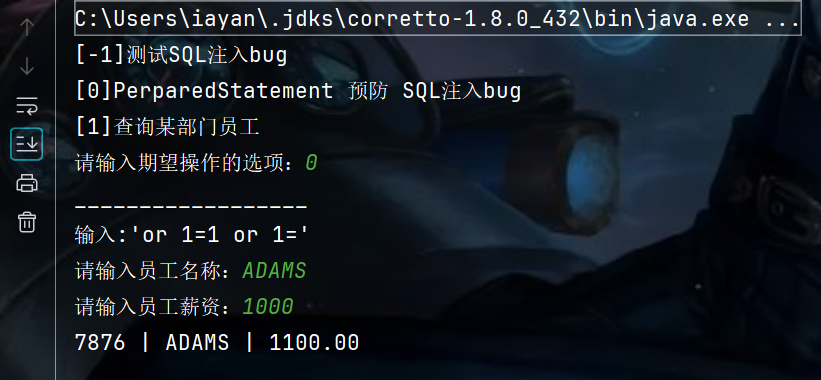
实现效果:
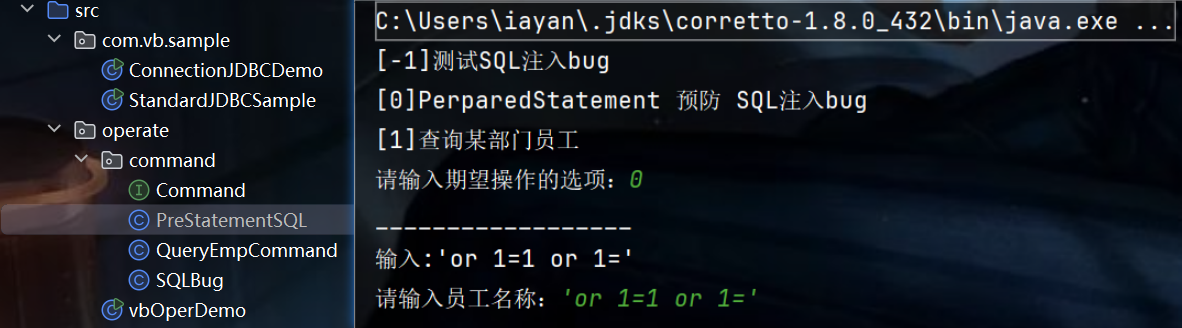
01.PreStatementSQL
package operate.command;

import java.sql.*;
import java.util.Scanner;

public class PreStatementSQL implements Command {

    @Override
    public void execute() {
        System.out.println("输入:'or 1=1 or 1='");
        System.out.print("请输入员工名称:");
        Scanner scanner = new Scanner(System.in);
        String deptName = scanner.nextLine();
        System.out.print("请输入员工薪资:");
        int epmSal = scanner.nextInt();
        Connection conn = null;
        PreparedStatement pstmt = null;
        ResultSet rs = null;
        try{
            // 1. 加载并注册JDBC 驱动
            Class.forName("com.mysql.cj.jdbc.Driver");

            // 2. 创建数据库连接
            conn = DriverManager.getConnection(
                    "jdbc:mysql://127.0.0.1:3303/phdvb?useSSL=false&useUnicode=true&characterEncoding=UTF-8&serverTimezone=Asia/Shanghai",
                    "root",
                    "123456"
            );

            // 3. 创建 statement 对象
            String sql = "select  empno, ename, sal from t_emp where ename = ? and sal > ?";

            pstmt = conn.prepareStatement(sql);
            // 参数索引从1 开始
            pstmt.setString(1, deptName);
            pstmt.setFloat(2, epmSal);
            // 结果集
            rs = pstmt.executeQuery();

            // 4. 遍历查询结果
            while(rs.next()){
                Integer empno = rs.getInt(1);
                String ename = rs.getString("ename");
                String sal = rs.getString("sal");
                System.out.println(empno + " | " + ename + " | " + sal);
            }
        }catch(ClassNotFoundException | SQLException e){
            e.printStackTrace();
        }finally{
            try {
                if(rs != null){
                    rs.close();
                }
            } catch (SQLException e) {
                e.printStackTrace();
            }
            try {
                if(pstmt != null){
                    pstmt.close();
                }
            } catch (SQLException e) {
                throw new RuntimeException(e);
            }
            try{
                if(conn != null && conn.isClosed() == false){
                    /**
                     * 5.关闭连接
                     */
                    conn.close();
                }
            }catch (Exception e){
                e.printStackTrace();
            }
        }
    }
}
02.vbOperDemo
package operate;

import operate.command.Command;
import operate.command.PreStatementSQL;
import operate.command.QueryEmpCommand;
import operate.command.SQLBug;

import java.util.Scanner;

public class vbOperDemo {
    public static void main(String[] args) {
        System.out.println("[-1]测试SQL注入bug");
        System.out.println("[0]PerparedStatement 预防 SQL注入bug");
        System.out.println("[1]查询某部门员工");
        System.out.print("请输入期望操作的选项:");
        Scanner sc = new Scanner(System.in);
        Integer cmd = sc.nextInt();
        switch (cmd) {
            case -1:
                System.out.println("__________________");
                SQLBug sqlBug = new SQLBug();
                sqlBug.execute();
                break;
            case 0:
                System.out.println("__________________");
                PreStatementSQL preStatementSQL = new PreStatementSQL();
                preStatementSQL.execute();
                break;
            case 1:
                System.out.println("__________________");
                Command com = new QueryEmpCommand();
                com.execute();
                break;
        }
    }
}
测试效果:
2.4 封装 jdbc 创建连接 和 释放资源的方法
package com.vb.common;

import java.sql.*;

public class DBUtils {
    /**
     * 创建新的数据库连接
     * @return 新的 connection 对象
     * @throws ClassNotFoundException
     * @throws SQLException
     */
    public static Connection getConnection() throws ClassNotFoundException, SQLException {
        // 01. Class.forName 用于加载指定的 JDBC驱动类
        Class.forName("com.mysql.cj.jdbc.Driver");
        // 02. 连接字符串
        String url = "jdbc:mysql://127.0.0.1:3303/phdvb?useSSL=false&useUnicode=true&characterEncoding=UTF-8&serverTimezone=Asia/Shanghai";
        // 03. 创建数据库连接
        Connection conn = DriverManager.getConnection(url, "root", "123456");
        return conn;
    }

    /**
     * 管理连接,释放资源
     * @param conn Connection 对象
     * @param stmt Statement 对象
     * @param rs 结果集对象
     */
    public static void close(Connection conn, Statement stmt, ResultSet rs) {
        try {
            if(rs != null){
                rs.close();
            }
        } catch (SQLException e) {
            e.printStackTrace();
        }
        try {
            if(stmt != null){
                stmt.close();
            }
        } catch (SQLException e) {
            throw new RuntimeException(e);
        }
        try{
            if(conn != null && conn.isClosed() == false){
                conn.close();
            }
        }catch (Exception e){
            e.printStackTrace();
        }
    }
}
2.5 新增一条员工记录
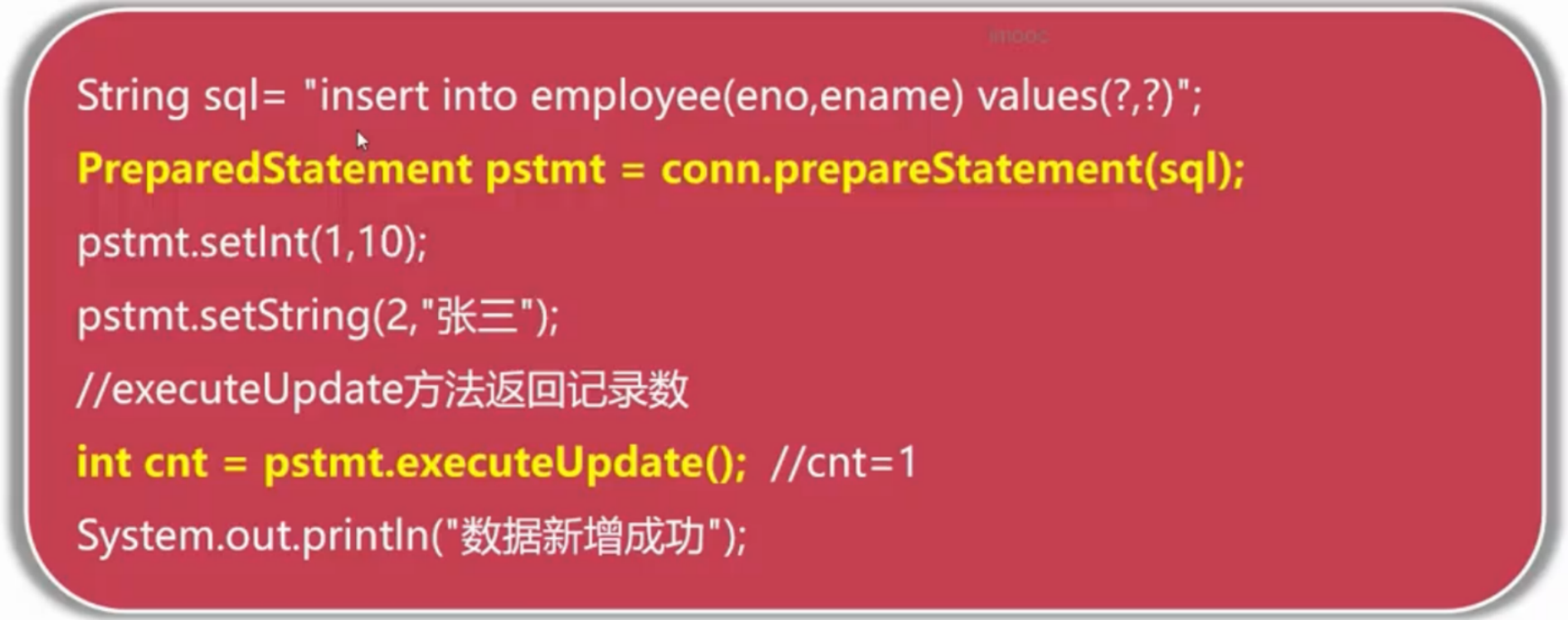
00.核心代码实现
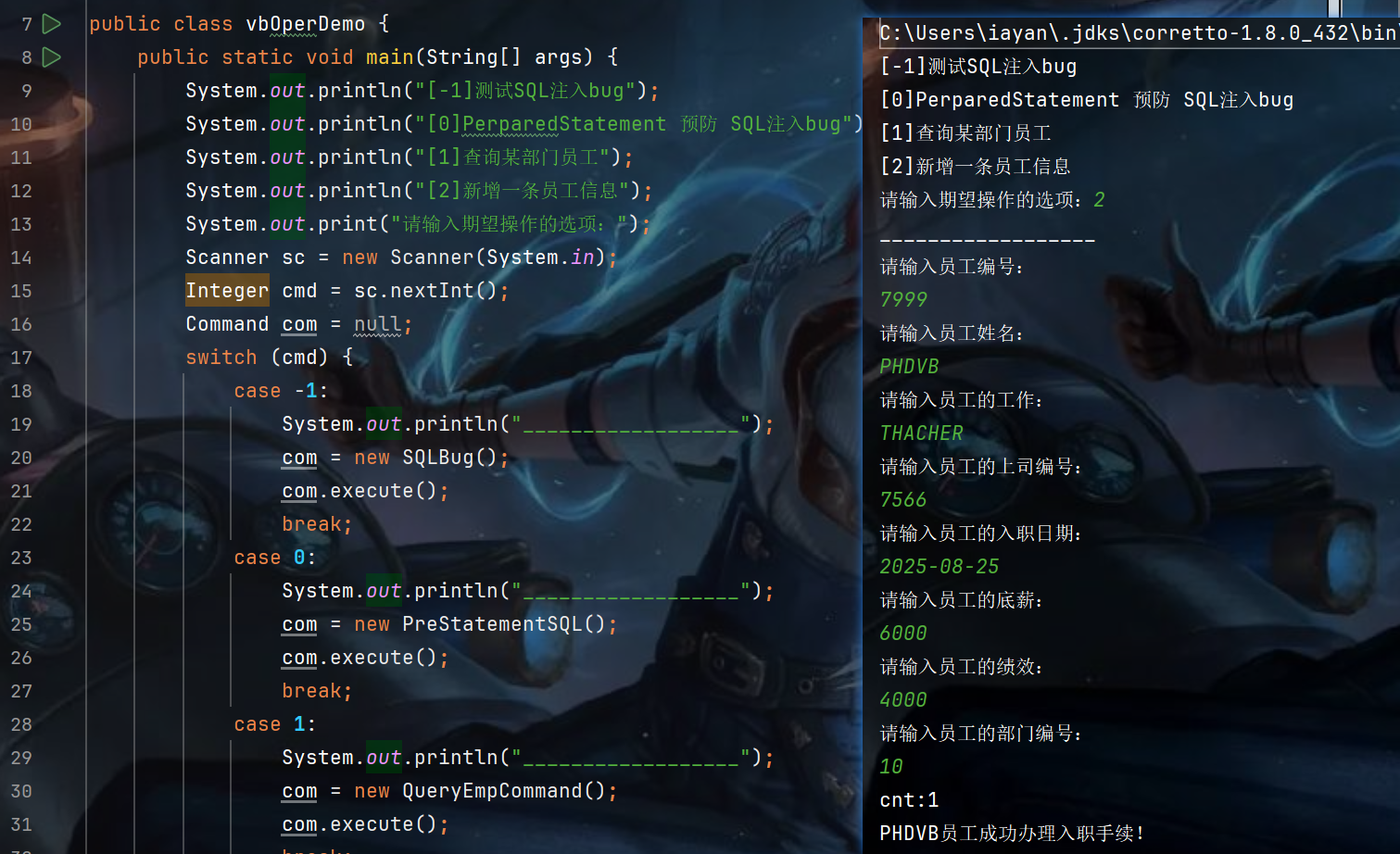
运行效果:
01 InsertEmpCommand
package operate.command;

import com.vb.common.DBUtils;

import java.sql.Connection;
import java.sql.PreparedStatement;
import java.sql.SQLException;
import java.util.Scanner;

public class InsertEmpCommand implements Command {

    @Override
    public void execute() {
        Scanner sc = new Scanner(System.in);
        System.out.println("请输入员工编号:");
        int empNo = sc.nextInt();
        System.out.println("请输入员工姓名:");
        String empName = sc.next();
        System.out.println("请输入员工的工作:");
        String empJob = sc.next();
        System.out.println("请输入员工的上司编号:");
        int empMgr = sc.nextInt();
        System.out.println("请输入员工的入职日期:");
        String empHiredate = sc.next();
        System.out.println("请输入员工的底薪:");
        int empSal = sc.nextInt();
        System.out.println("请输入员工的绩效:");
        int empComm = sc.nextInt();
        System.out.println("请输入员工的部门编号:");
        int empDeptNo = sc.nextInt();
        Connection conn = null;
        PreparedStatement pstmt = null;

        try {
            conn = DBUtils.getConnection();
            String sql = "insert into t_emp(empno, ename, job, mgr, hiredate, sal, comm, deptno) values(?,?,?,?,?,?,?,?)";
            pstmt = conn.prepareStatement(sql);
            pstmt.setInt(1, empNo);
            pstmt.setString(2, empName);
            pstmt.setString(3, empJob);
            pstmt.setInt(4, empMgr);
            pstmt.setString(5, empHiredate);
            pstmt.setInt(6, empSal);
            pstmt.setInt(7, empComm);
            pstmt.setInt(8, empDeptNo);
            // 所有的写操作 都使用 executeUpdate
            int cnt = pstmt.executeUpdate();
            System.out.println("cnt:" + cnt);
            System.out.println(empName + "员工成功办理入职手续!");
        } catch (ClassNotFoundException e) {
            throw new RuntimeException(e);
        } catch (SQLException e) {
            throw new RuntimeException(e);
        }finally {
            DBUtils.close(null, pstmt, conn);
        }
    }
}
02 vbOperDemo
package operate;

import operate.command.*;

import java.util.Scanner;

public class vbOperDemo {
    public static void main(String[] args) {
        System.out.println("[-1]测试SQL注入bug");
        System.out.println("[0]PerparedStatement 预防 SQL注入bug");
        System.out.println("[1]查询某部门员工");
        System.out.println("[2]新增一条员工信息");
        System.out.print("请输入期望操作的选项:");
        Scanner sc = new Scanner(System.in);
        Integer cmd = sc.nextInt();
        Command com = null;
        switch (cmd) {
            case -1:
                System.out.println("__________________");
                com = new SQLBug();
                com.execute();
                break;
            case 0:
                System.out.println("__________________");
                com = new PreStatementSQL();
                com.execute();
                break;
            case 1:
                System.out.println("__________________");
                com = new QueryEmpCommand();
                com.execute();
                break;
            case 2:
                System.out.println("__________________");
                com = new InsertEmpCommand();
                com.execute();
                break;
        }
    }
}
2.6 更新员工数据
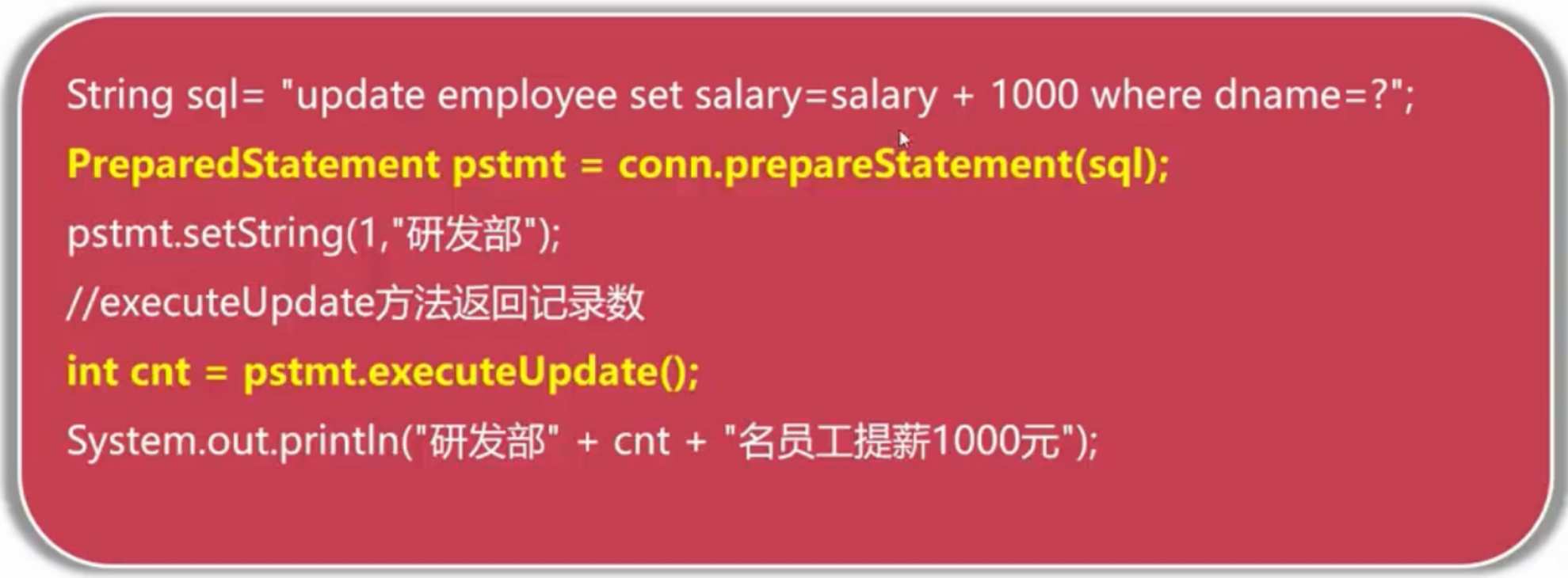
00.代码块与运行效果
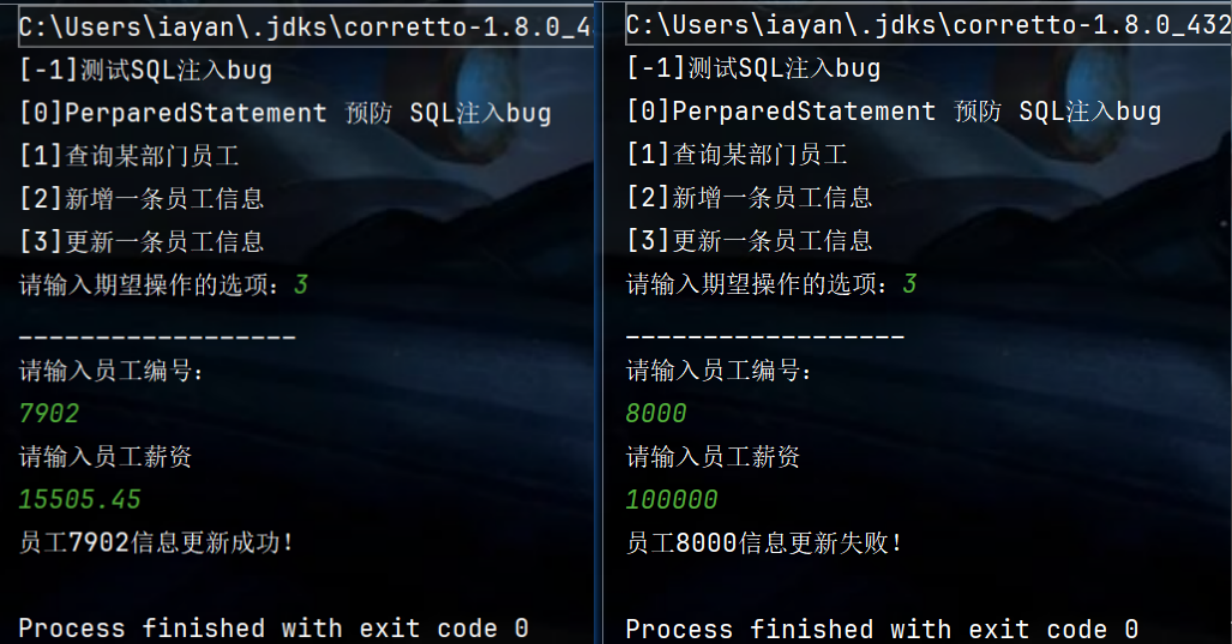
01. UpdateEmpCommand
package operate.command;

import com.vb.common.DBUtils;

import java.sql.Connection;
import java.sql.PreparedStatement;
import java.sql.SQLException;
import java.util.Scanner;

public class UpdateEmpCommand implements Command {
    @Override
    public void execute() {
        Scanner sc = new Scanner(System.in);
        System.out.println("请输入员工编号:");
        int empNo = sc.nextInt();
        System.out.println("请输入员工薪资");
        float salary = sc.nextFloat();
        Connection conn = null;
        PreparedStatement pstmt = null;

        try {
            conn = DBUtils.getConnection();
            String sql = "update t_emp set sal = ? where empno = ?";
            pstmt = conn.prepareStatement(sql);
            pstmt.setFloat(1, salary);
            pstmt.setInt(2, empNo);
            int cnt = pstmt.executeUpdate();
            if(cnt > 0) {
                System.out.println("员工"+ empNo+"信息更新成功!");
            }else{
                System.out.println("员工"+ empNo+"信息更新失败!");
            }
        } catch (ClassNotFoundException e) {
            throw new RuntimeException(e);
        } catch (SQLException e) {
            throw new RuntimeException(e);
        }finally {
            DBUtils.close(null, pstmt, conn);
        }
    }
}
02.vbOperDemo
package operate;

import operate.command.*;

import java.util.Scanner;

public class vbOperDemo {
    public static void main(String[] args) {
        System.out.println("[-1]测试SQL注入bug");
        System.out.println("[0]PerparedStatement 预防 SQL注入bug");
        System.out.println("[1]查询某部门员工");
        System.out.println("[2]新增一条员工信息");
        System.out.println("[3]更新一条员工信息");
        System.out.print("请输入期望操作的选项:");
        Scanner sc = new Scanner(System.in);
        Integer cmd = sc.nextInt();
        Command com = null;
        switch (cmd) {
            case -1:
                System.out.println("__________________");
                com = new SQLBug();
                com.execute();
                break;
            case 0:
                System.out.println("__________________");
                com = new PreStatementSQL();
                com.execute();
                break;
            case 1:
                System.out.println("__________________");
                com = new QueryEmpCommand();
                com.execute();
                break;
            case 2:
                System.out.println("__________________");
                com = new InsertEmpCommand();
                com.execute();
                break;
            case 3:
                System.out.println("__________________");
                com = new UpdateEmpCommand();
                com.execute();
                break;
        }
    }
}
2.7 删除员工数据
00.代码块与运行效果
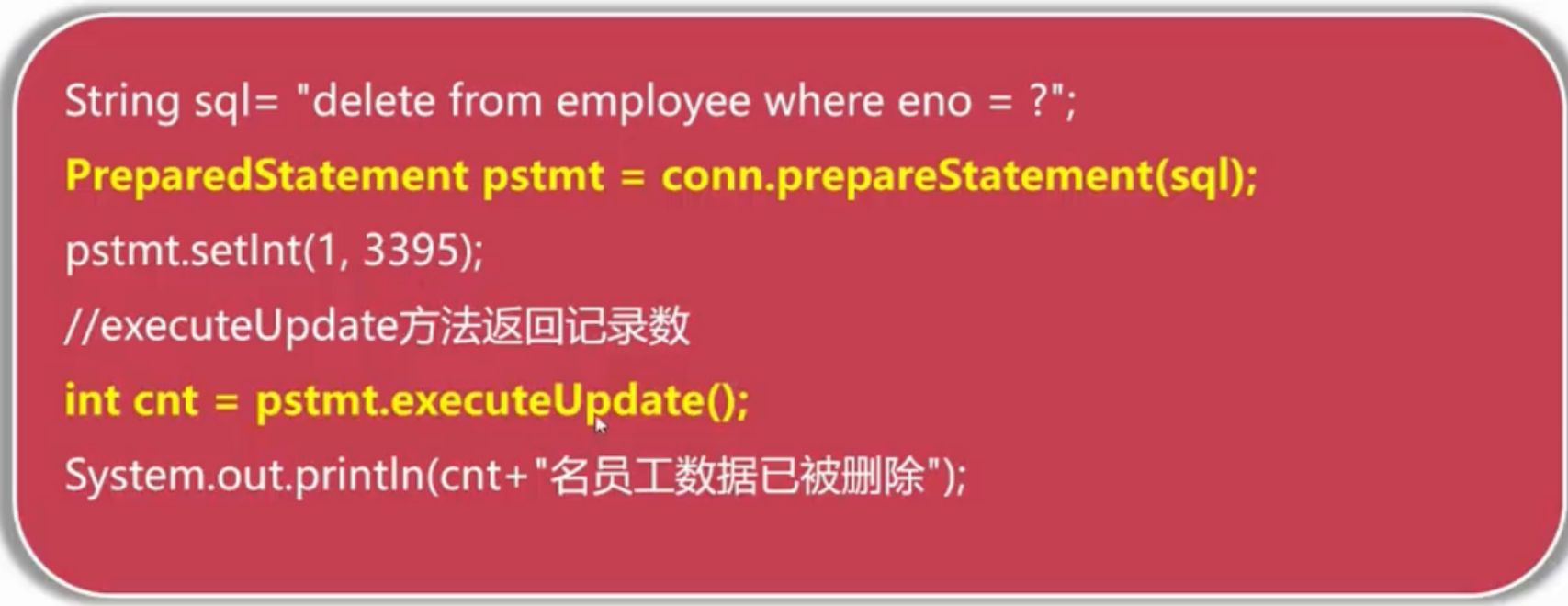
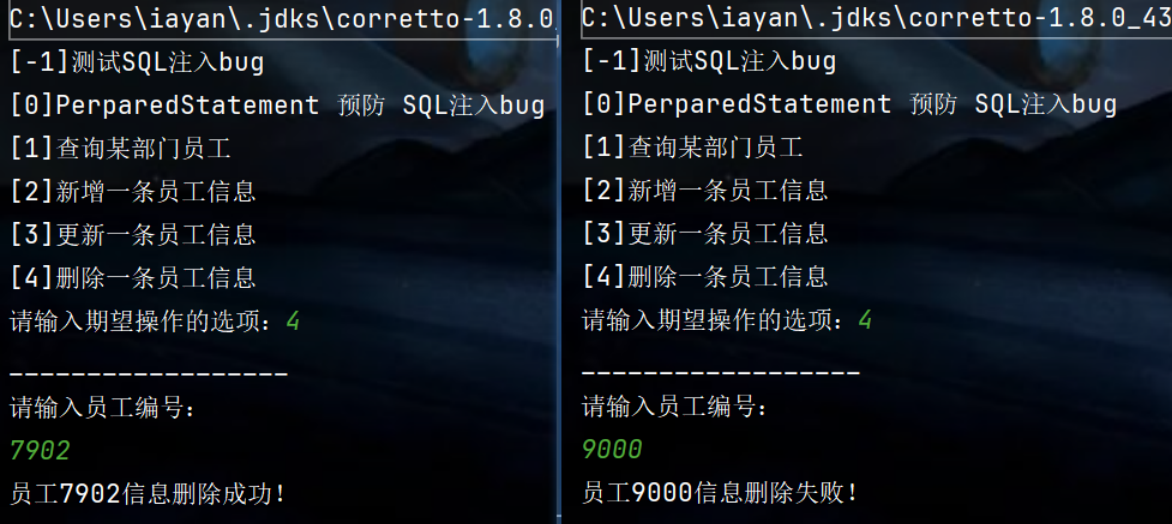
01. DeleteEmpCommand
package operate.command;

import com.vb.common.DBUtils;

import java.sql.Connection;
import java.sql.PreparedStatement;
import java.sql.SQLException;
import java.util.Scanner;

public class DeleteEmpCommand implements Command {
    @Override
    public void execute() {
        Scanner sc = new Scanner(System.in);
        System.out.println("请输入员工编号:");
        int empNo = sc.nextInt();
        Connection conn = null;
        PreparedStatement pstmt = null;

        try {
            conn = DBUtils.getConnection();
            String sql = "delete from t_emp where empno = ?";
            pstmt = conn.prepareStatement(sql);
            pstmt.setInt(1, empNo);
            int cnt = pstmt.executeUpdate();
            if(cnt > 0) {
                System.out.println("员工"+ empNo+"信息删除成功!");
            }else{
                System.out.println("员工"+ empNo+"信息删除失败!");
            }
        } catch (ClassNotFoundException e) {
            throw new RuntimeException(e);
        } catch (SQLException e) {
            throw new RuntimeException(e);
        }finally {
            DBUtils.close(null, pstmt, conn);
        }
    }
}
02. vbOperDemo
package operate;

import operate.command.*;

import java.util.Scanner;

public class vbOperDemo {
    public static void main(String[] args) {
        System.out.println("[-1]测试SQL注入bug");
        System.out.println("[0]PerparedStatement 预防 SQL注入bug");
        System.out.println("[1]查询某部门员工");
        System.out.println("[2]新增一条员工信息");
        System.out.println("[3]更新一条员工信息");
        System.out.println("[4]删除一条员工信息");
        System.out.print("请输入期望操作的选项:");
        Scanner sc = new Scanner(System.in);
        Integer cmd = sc.nextInt();
        Command com = null;
        switch (cmd) {
            case -1:
                System.out.println("__________________");
                com = new SQLBug();
                com.execute();
                break;
            case 0:
                System.out.println("__________________");
                com = new PreStatementSQL();
                com.execute();
                break;
            case 1:
                System.out.println("__________________");
                com = new QueryEmpCommand();
                com.execute();
                break;
            case 2:
                System.out.println("__________________");
                com = new InsertEmpCommand();
                com.execute();
                break;
            case 3:
                System.out.println("__________________");
                com = new UpdateEmpCommand();
                com.execute();
                break;
            case 4:
                System.out.println("__________________");
                com = new DeleteEmpCommand();
                com.execute();
                break;
        }
    }
}
3.JDBC事务管理
3.1 JDBC 关联事务概述
(1-1)什么是事务?
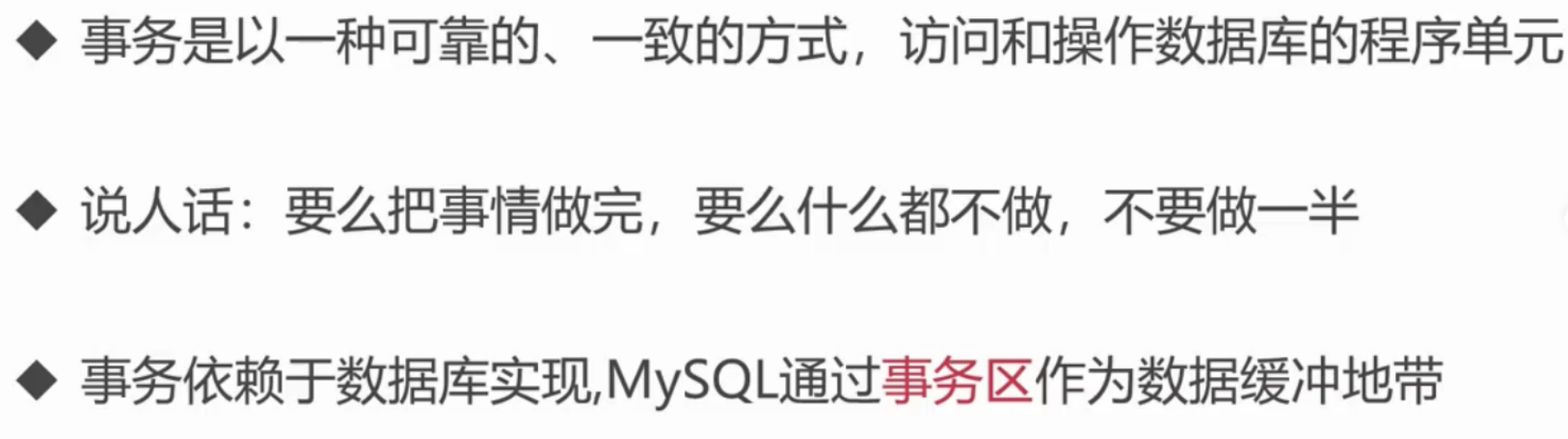
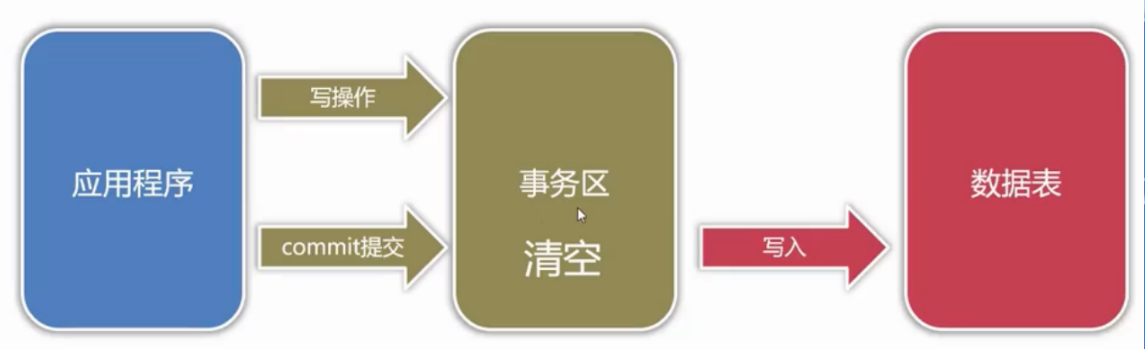
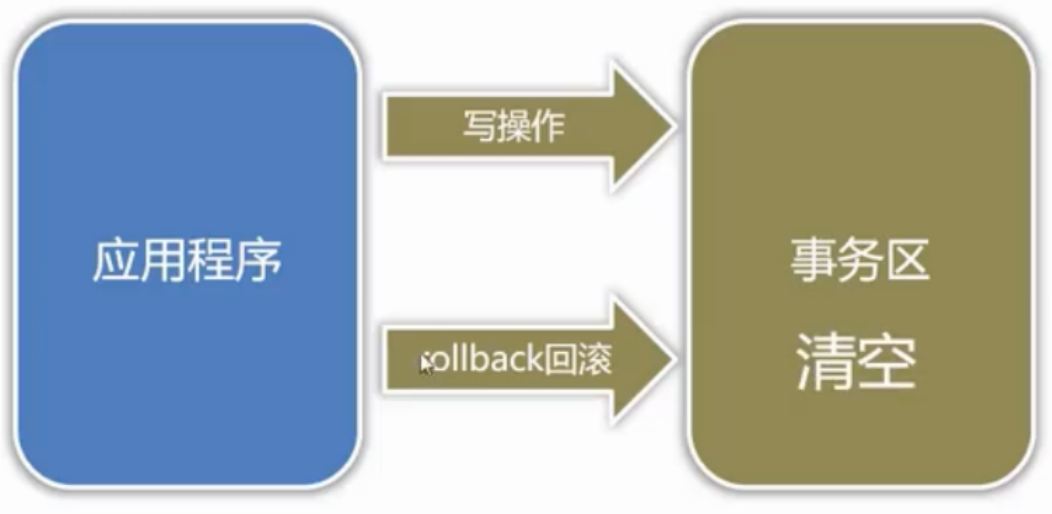
(1-2)事务的提交与回滚操作
提交
回滚
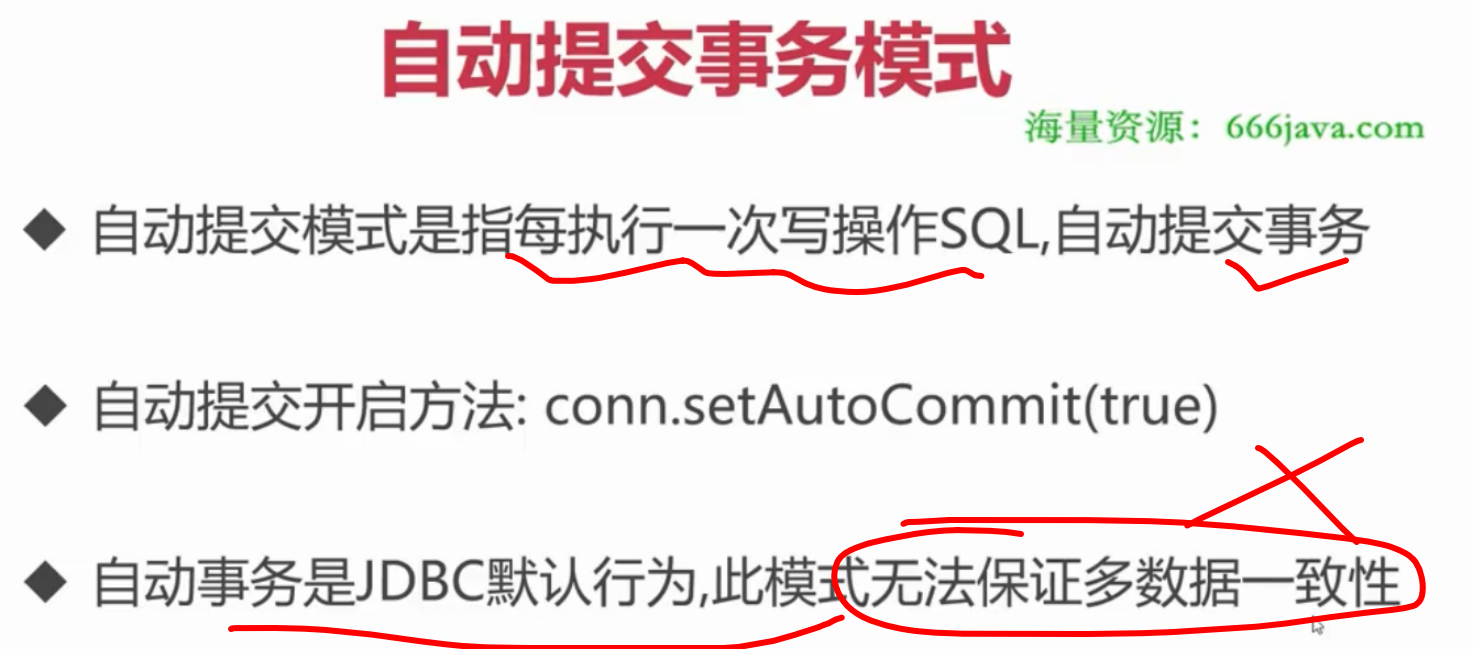
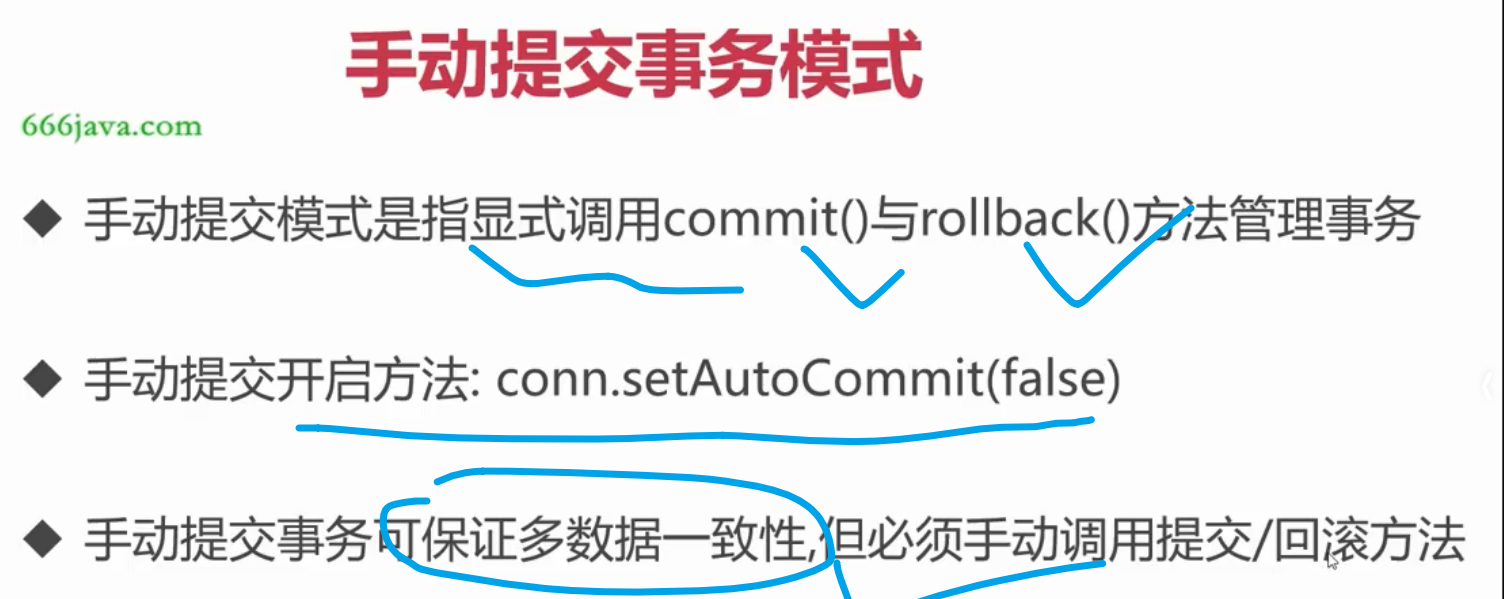
(1-3)JDBC的两种事务模式
3.2 手动提交事务实现批量新增员工
00. 不启动手动提交事务,发生逻辑错误
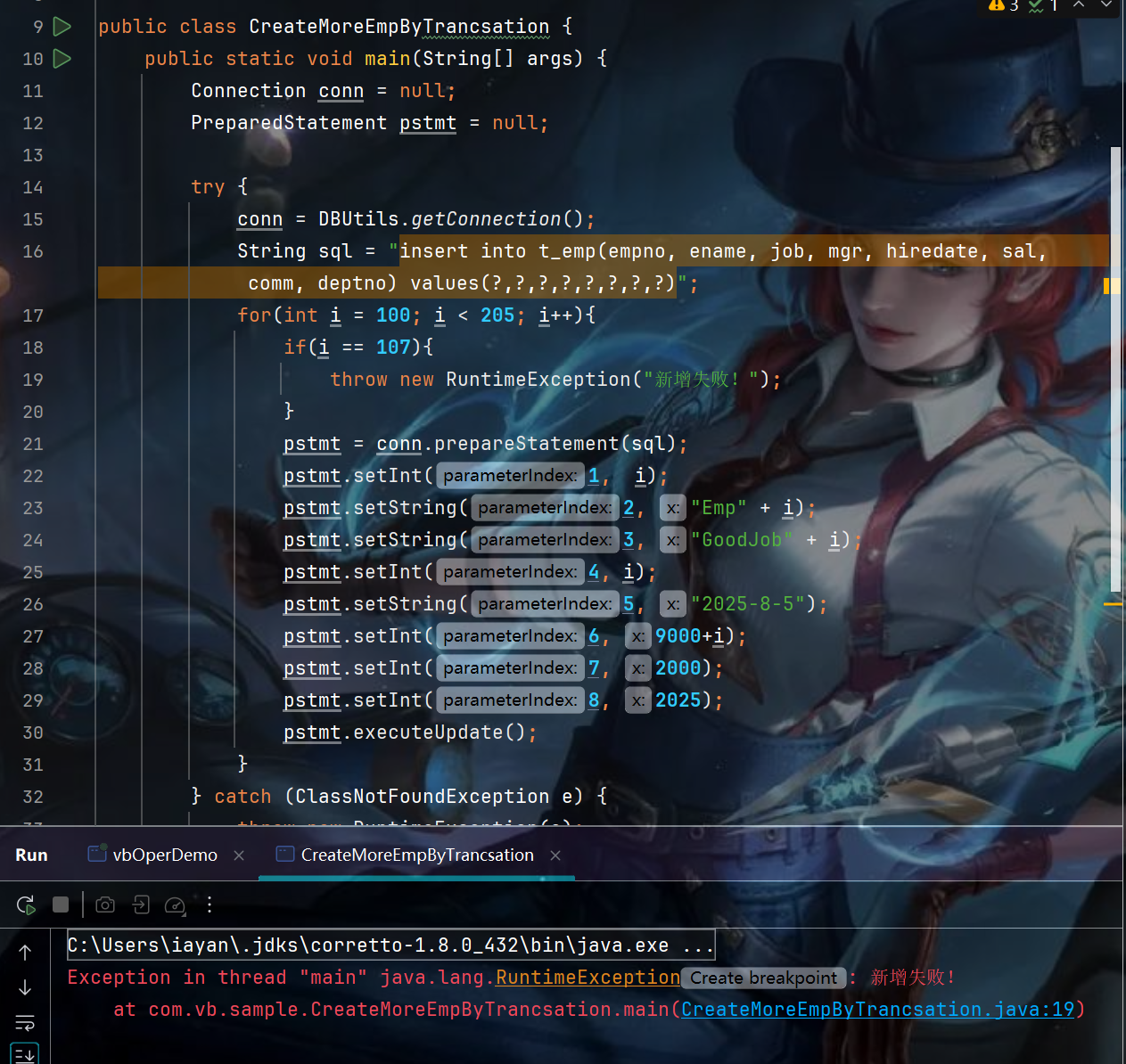
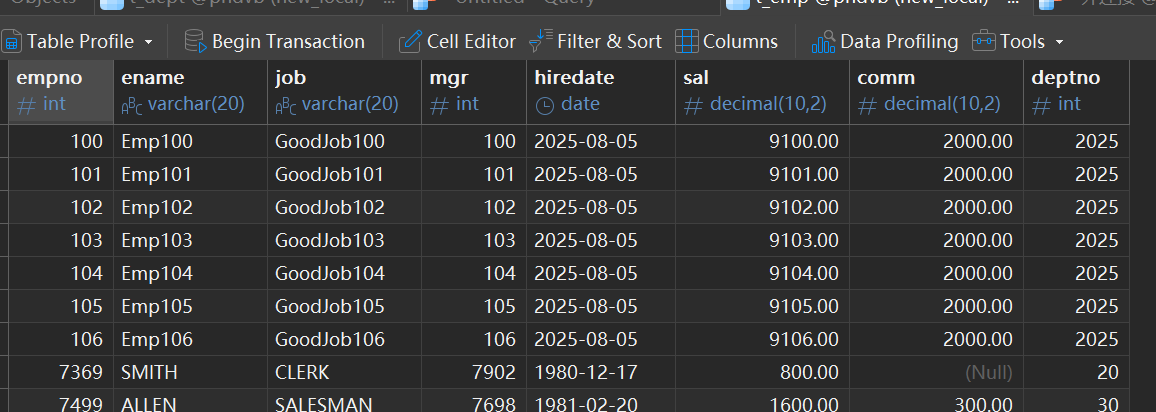
01. CreateMoreEmpByTrancsation
package com.vb.sample;

import com.vb.common.DBUtils;

import java.sql.Connection;
import java.sql.PreparedStatement;
import java.sql.SQLException;

public class CreateMoreEmpByTrancsation {
    public static void main(String[] args) {
        Connection conn = null;
        PreparedStatement pstmt = null;

        try {
            conn = DBUtils.getConnection();
            // 关闭自动提交模式
            conn.setAutoCommit(false);
            String sql = "insert into t_emp(empno, ename, job, mgr, hiredate, sal, comm, deptno) values(?,?,?,?,?,?,?,?)";
            for(int i = 100; i < 205; i++){
                if(i == 107){
                    throw new RuntimeException("新增失败!");
                }
                pstmt = conn.prepareStatement(sql);
                pstmt.setInt(1,  i);
                pstmt.setString(2, "Emp" + i);
                pstmt.setString(3, "GoodJob" + i);
                pstmt.setInt(4, i);
                pstmt.setString(5, "2025-8-5");
                pstmt.setInt(6, 9000+i);
                pstmt.setInt(7, 2000);
                pstmt.setInt(8, 2025);
                pstmt.executeUpdate();
            }
            conn.commit();
        } catch (Exception e) {
            e.printStackTrace();
            try{
                if(conn != null && !conn.isClosed()){
                    conn.rollback();
                }
            }catch (SQLException ex){
                ex.printStackTrace();
            }
        }finally {
            DBUtils.close(null, pstmt, conn);
        }
    }
}
4. 基于实体类实现分页数据的封装
00.实现效果
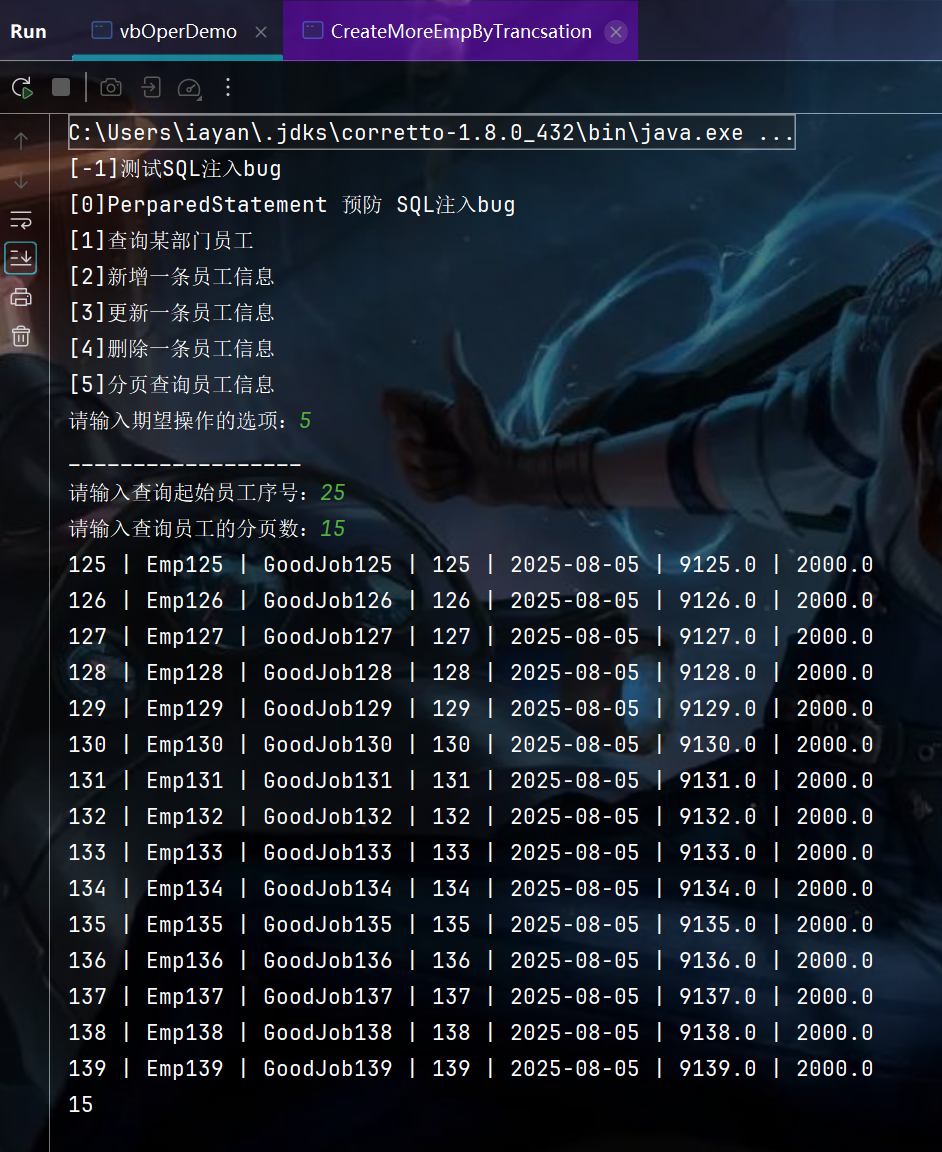
01. 创建员工emp实体类
package operate.entity;

import java.util.Date;

public class Employee {
    private Integer empno;
    private String ename;
    private String job;
    private Integer mgr;
    private Date hiredate;
    private Float sal;
    private Float comm;
    private Integer deptno;
    public Employee() {

    }

    public Integer getEmpno() {
        return empno;
    }

    public void setEmpno(Integer empno) {
        this.empno = empno;
    }

    public String getEname() {
        return ename;
    }

    public void setEname(String ename) {
        this.ename = ename;
    }

    public String getJob() {
        return job;
    }

    public void setJob(String job) {
        this.job = job;
    }

    public int getMgr() {
        return mgr;
    }

    public void setMgr(Integer mgr) {
        this.mgr = mgr;
    }

    public Date getHiredate() {
        return hiredate;
    }

    public void setHiredate(Date hiredate) {
        this.hiredate = hiredate;
    }

    public float getSal() {
        return sal;
    }

    public void setSal(Float sal) {
        this.sal = sal;
    }

    public float getComm() {
        return comm;
    }

    public void setComm(Float comm) {
        this.comm = comm;
    }

    public int getDeptno() {
        return deptno;
    }

    public void setDeptno(Integer deptno) {
        this.deptno = deptno;
    }
}
02. PaginationCommand
package operate.command;

import com.vb.common.DBUtils;
import operate.entity.Employee;

import java.sql.*;
import java.util.ArrayList;
import java.util.List;
import java.util.Scanner;

/**
 *  基于实体类实现分页数据的封装
 */
public class PaginationCommand implements Command {

    @Override
    public void execute() {
        Scanner scanner = new Scanner(System.in);
        System.out.print("请输入查询起始员工序号:");
        int num = scanner.nextInt();
        System.out.print("请输入查询员工的分页数:");
        int page = scanner.nextInt();
        Connection conn = null;
        PreparedStatement pstmt = null;
        ResultSet res = null;
        List<Employee> list = new ArrayList<>();
        try{
            conn = DBUtils.getConnection();
            String sql = "select * from t_emp LIMIT ?, ?;";
            pstmt = conn.prepareStatement(sql);
            pstmt.setInt(1, num);
            pstmt.setInt(2, page);
            res = pstmt.executeQuery();

            while(res.next()){
                Integer empno = res.getInt("empno");
                String ename = res.getString("ename");
                String job = res.getString("job");
                Integer mgr = res.getInt("mgr");
                Date date = res.getDate("hiredate");
                Float sal = res.getFloat("sal");
                Float comm = res.getFloat("comm");
                Integer deptno = res.getInt("deptno");
                Employee emp = new Employee();
                emp.setEmpno(empno);
                emp.setEname(ename);
                emp.setJob(job);
                emp.setMgr(mgr);
                emp.setHiredate(date);
                emp.setSal(sal);
                emp.setComm(comm);
                emp.setDeptno(deptno);
                list.add(emp);
            }
            for(Employee emp : list){
                System.out.println(emp.getEmpno()+" | "+emp.getEname()+" | " + emp.getJob() + " | " + emp.getMgr() + " | " + emp.getHiredate() + " | " + emp.getSal() + " | " + emp.getComm());
            }
            System.out.println(list.size());
        }catch(Exception e){
            e.printStackTrace();
        }finally{
            DBUtils.close(res,pstmt,conn);
        }
    }
}
03.vbOperDemo
package operate;

import operate.command.*;

import java.util.Scanner;

public class vbOperDemo {
    public static void main(String[] args) {
        System.out.println("[-1]测试SQL注入bug");
        System.out.println("[0]PerparedStatement 预防 SQL注入bug");
        System.out.println("[1]查询某部门员工");
        System.out.println("[2]新增一条员工信息");
        System.out.println("[3]更新一条员工信息");
        System.out.println("[4]删除一条员工信息");
        System.out.println("[5]分页查询员工信息");
        System.out.print("请输入期望操作的选项:");
        Scanner sc = new Scanner(System.in);
        Integer cmd = sc.nextInt();
        Command com = null;
        switch (cmd) {
            case -1:
                System.out.println("__________________");
                com = new SQLBug();
                com.execute();
                break;
            case 0:
                System.out.println("__________________");
                com = new PreStatementSQL();
                com.execute();
                break;
            case 1:
                System.out.println("__________________");
                com = new QueryEmpCommand();
                com.execute();
                break;
            case 2:
                System.out.println("__________________");
                com = new InsertEmpCommand();
                com.execute();
                break;
            case 3:
                System.out.println("__________________");
                com = new UpdateEmpCommand();
                com.execute();
                break;
            case 4:
                System.out.println("__________________");
                com = new DeleteEmpCommand();
                com.execute();
                break;
            case 5:
                System.out.println("__________________");
                com = new PaginationCommand();
                com.execute();
                break;
        }
    }
}
5. JDBC中Date日期对象处理
00.实现效果
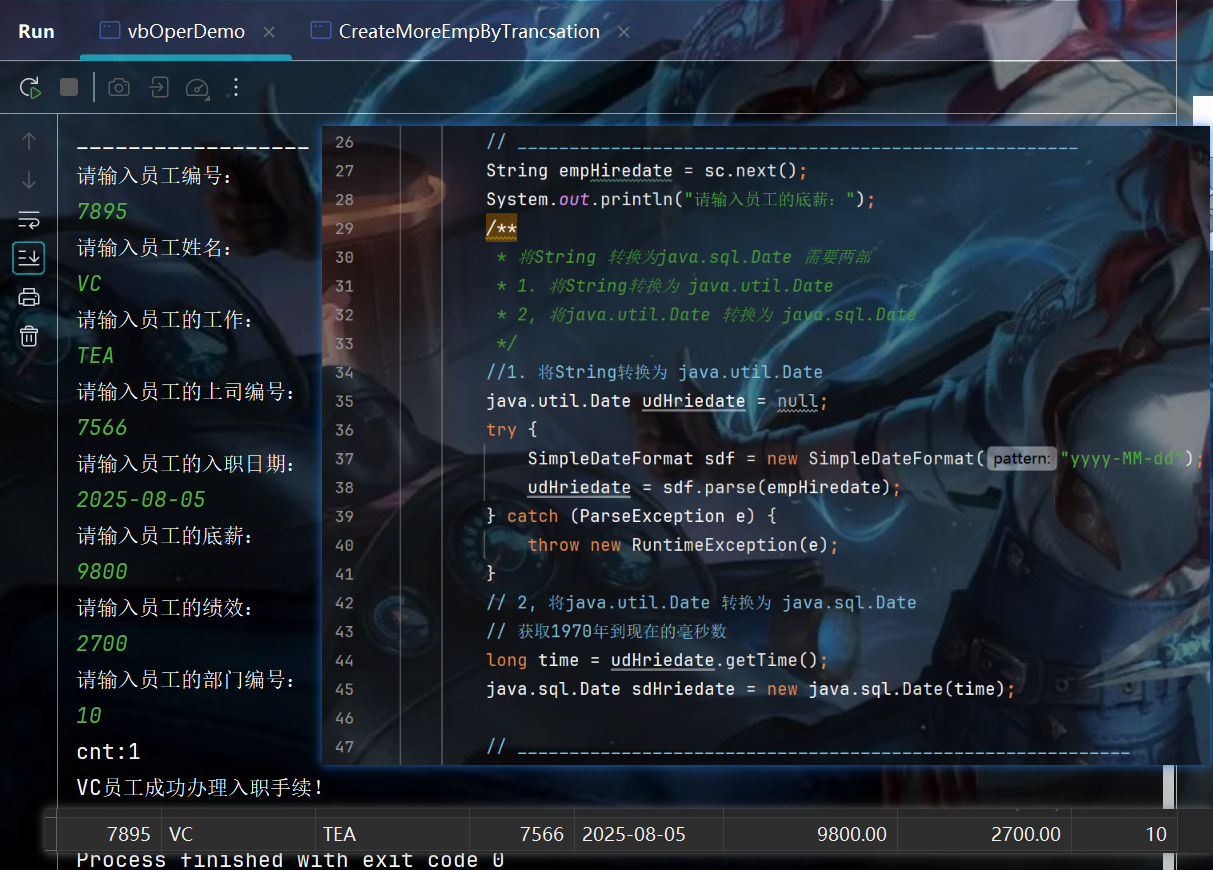
01.核心String-》sql.date 的转换代码:
        // ______________________________________________________
        String empHiredate = sc.next();
        System.out.println("请输入员工的底薪:");
        /**
         * 将String 转换为java.sql.Date 需要两部
         * 1. 将String转换为 java.util.Date
         * 2, 将java.util.Date 转换为 java.sql.Date
         */
        //1. 将String转换为 java.util.Date
        java.util.Date udHriedate = null;
        try {
            SimpleDateFormat sdf = new SimpleDateFormat("yyyy-MM-dd");
            udHriedate = sdf.parse(empHiredate);
        } catch (ParseException e) {
            throw new RuntimeException(e);
        }
        // 2, 将java.util.Date 转换为 java.sql.Date
        // 获取1970年到现在的毫秒数
        long time = udHriedate.getTime();
        java.sql.Date sdHriedate = new java.sql.Date(time);

        // ___________________________________________________________
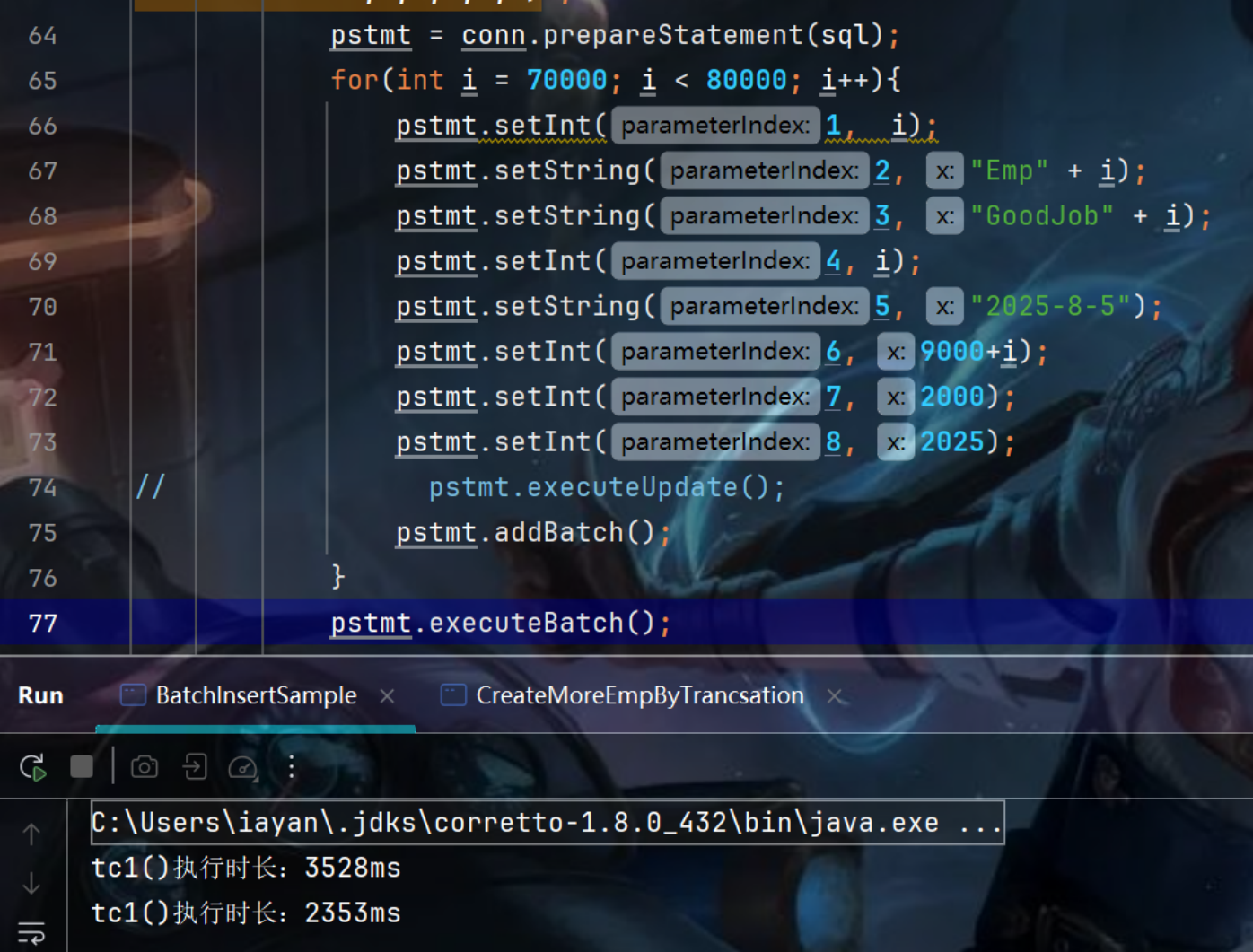
6. executeBatch 优化批量新增员工
00. 核心代码实现与运行效果
        pstmt = conn.prepareStatement(sql);
            for(int i = 70000; i < 80000; i++){
                pstmt.setInt(1,  i);
            。。。。
                pstmt.addBatch();
            }
            pstmt.executeBatch();
            conn.commit();
01.实现对比源码:
package operate.command;

import com.vb.common.DBUtils;

import java.sql.Connection;
import java.sql.PreparedStatement;
import java.sql.SQLException;
import java.util.Date;

public class BatchInsertSample {
    public static void main(String[] args) {
        commonInsert();
        batchInsert();
    }
    private static void commonInsert() {
        Connection conn = null;
        PreparedStatement pstmt = null;

        try {
            long startTime = new Date().getTime();
            conn = DBUtils.getConnection();
            // 关闭自动提交模式
            conn.setAutoCommit(false);
            String sql = "insert into t_emp(empno, ename, job, mgr, hiredate, sal, comm, deptno) values(?,?,?,?,?,?,?,?)";
            for(int i = 60000; i < 70000; i++){
                pstmt = conn.prepareStatement(sql);
                pstmt.setInt(1,  i);
                pstmt.setString(2, "Emp" + i);
                pstmt.setString(3, "GoodJob" + i);
                pstmt.setInt(4, i);
                pstmt.setString(5, "2025-8-5");
                pstmt.setInt(6, 9000+i);
                pstmt.setInt(7, 2000);
                pstmt.setInt(8, 2025);
                pstmt.executeUpdate();
            }
            conn.commit();
            long endTime = new Date().getTime();
            System.out.println("tc1()执行时长:"+(endTime - startTime)+"ms");
        } catch (Exception e) {
            e.printStackTrace();
            try{
                if(conn != null && !conn.isClosed()){
                    conn.rollback();
                }
            }catch (SQLException ex){
                ex.printStackTrace();
            }
        }finally {
            DBUtils.close(null, pstmt, conn);
        }
    }

    private static void batchInsert() {
        Connection conn = null;
        PreparedStatement pstmt = null;

        try {
            long startTime = new Date().getTime();
            conn = DBUtils.getConnection();
            // 关闭自动提交模式
            conn.setAutoCommit(false);
            String sql = "insert into t_emp(empno, ename, job, mgr, hiredate, sal, comm, deptno) values(?,?,?,?,?,?,?,?)";
            pstmt = conn.prepareStatement(sql);
            for(int i = 70000; i < 80000; i++){
                pstmt.setInt(1,  i);
                pstmt.setString(2, "Emp" + i);
                pstmt.setString(3, "GoodJob" + i);
                pstmt.setInt(4, i);
                pstmt.setString(5, "2025-8-5");
                pstmt.setInt(6, 9000+i);
                pstmt.setInt(7, 2000);
                pstmt.setInt(8, 2025);
//                pstmt.executeUpdate();
                pstmt.addBatch();
            }
            pstmt.executeBatch();
            conn.commit();
            long endTime = new Date().getTime();
            System.out.println("tc1()执行时长:"+(endTime - startTime)+"ms");
        } catch (Exception e) {
            e.printStackTrace();
            try{
                if(conn != null && !conn.isClosed()){
                    conn.rollback();
                }
            }catch (SQLException ex){
                ex.printStackTrace();
            }
        }finally {
            DBUtils.close(null, pstmt, conn);
        }
    }
}
7. 连接池与JDBC进阶使用
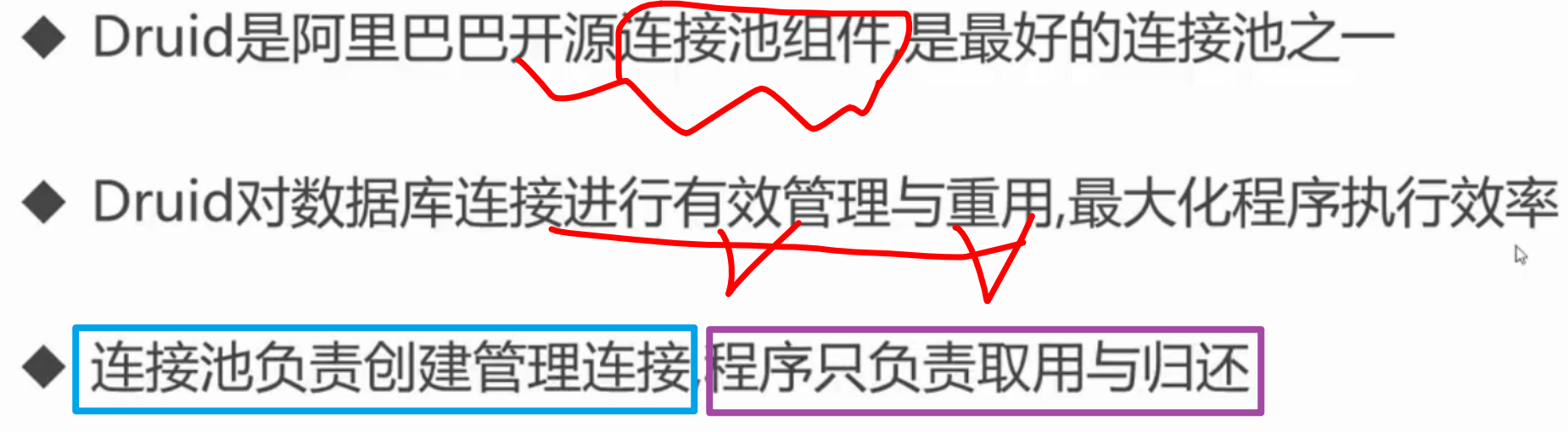
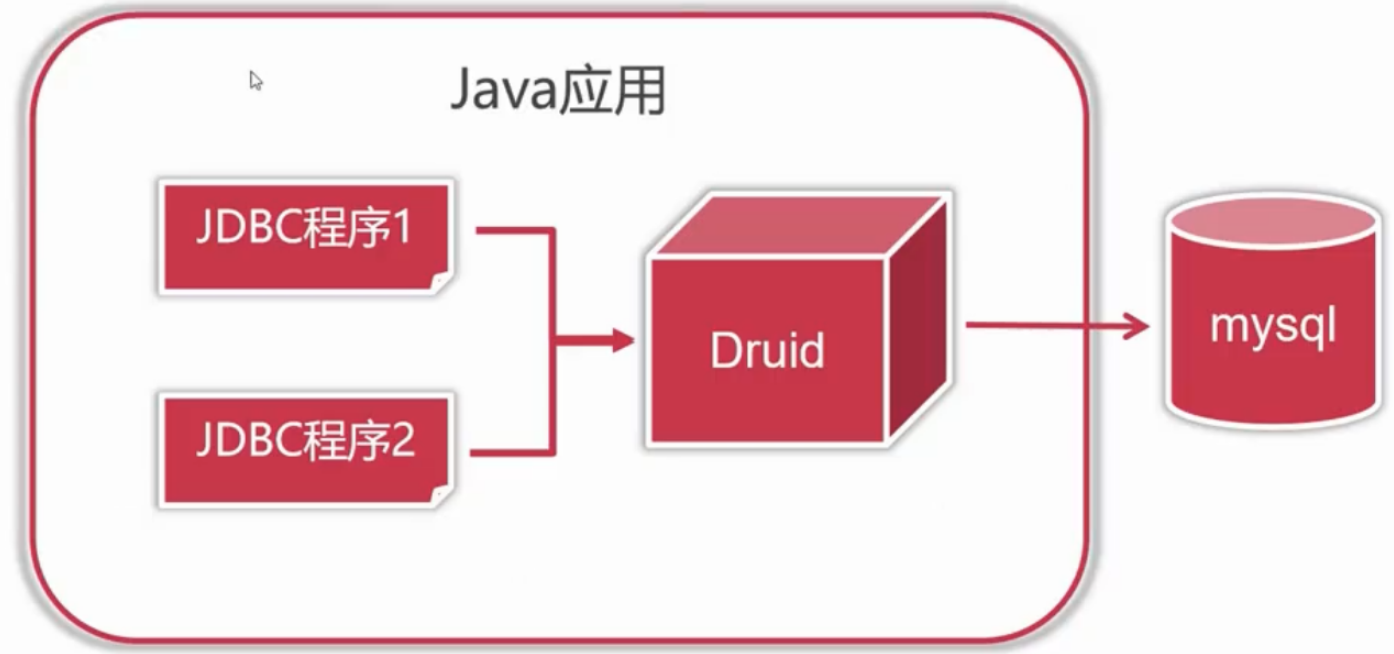
7.1 阿里巴巴Druid连接池
7.2 Druid 连接池的配置与使用
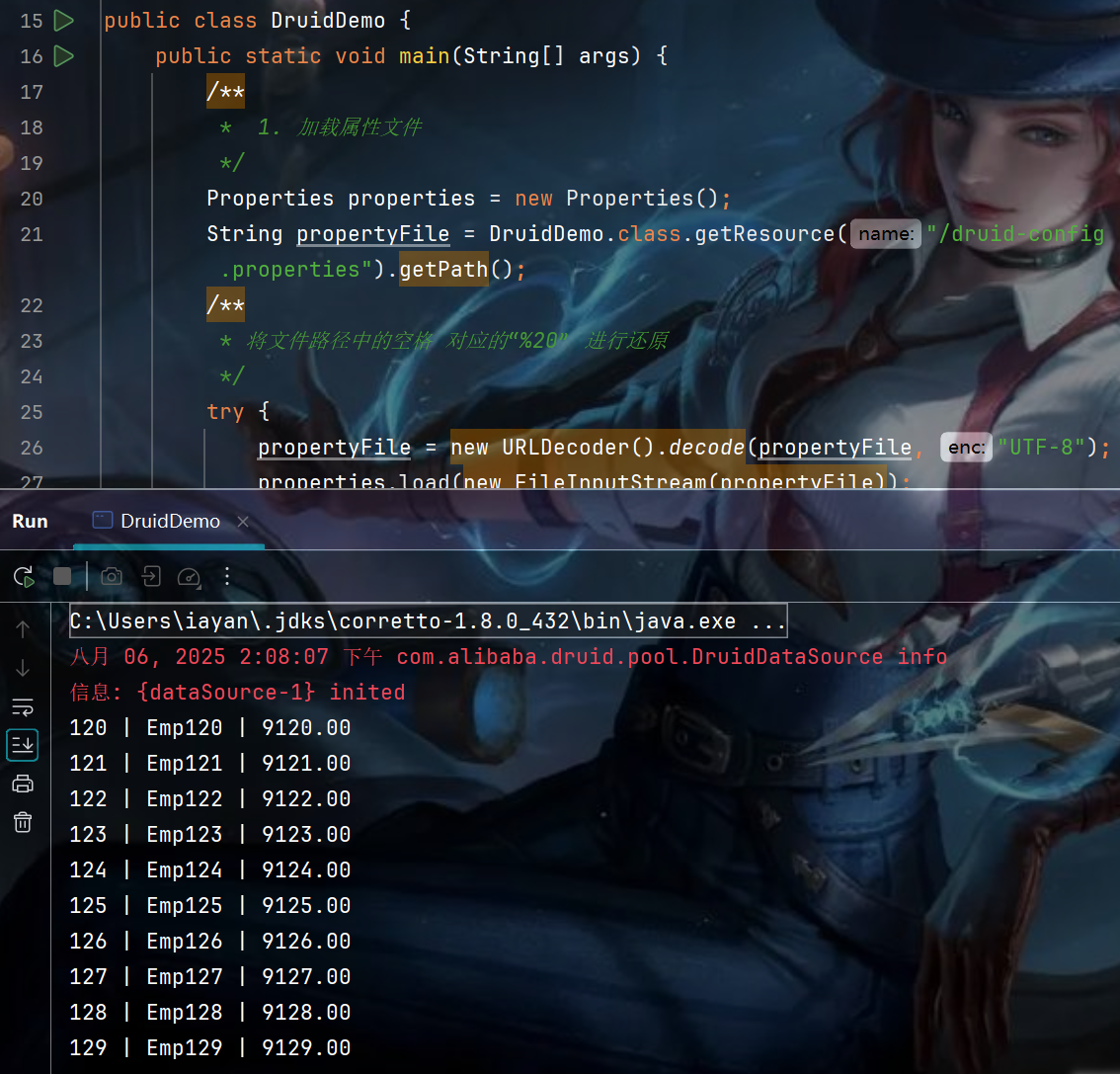
00.实现效果
01. 下载,在项目结构中导入并应用
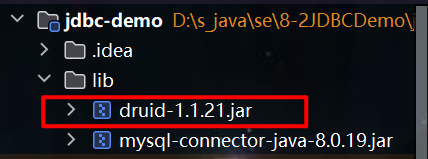
02. 创建配置文件
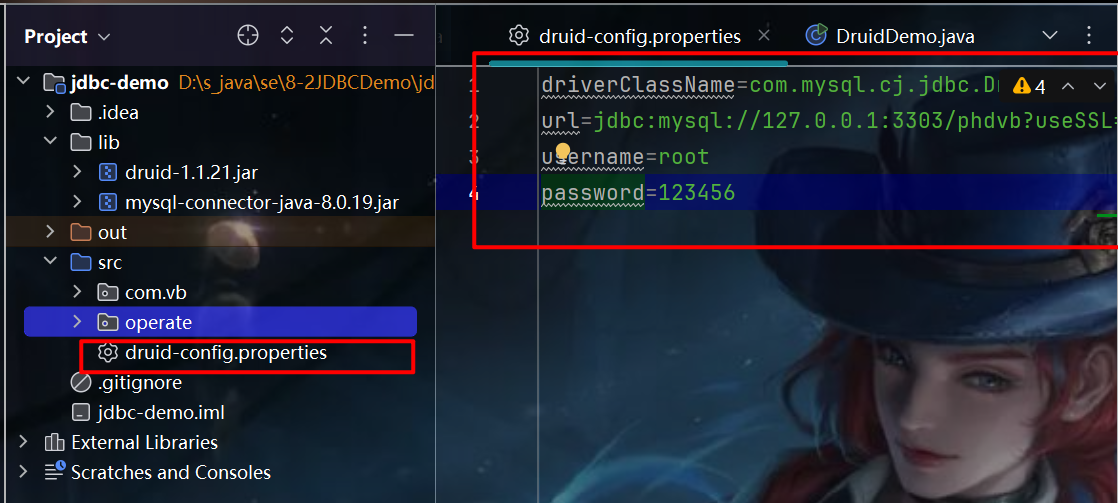
driverClassName=com.mysql.cj.jdbc.Driver
url=jdbc:mysql://127.0.0.1:3303/phdvb?useSSL=false&useUnicode=true&characterEncoding=UTF-8&serverTimezone=Asia/Shanghai
username=root
password=123456
03. DruidDemo
package com.vb.sample;

import com.alibaba.druid.pool.DruidDataSourceFactory;
import com.vb.common.DBUtils;
import javax.sql.DataSource;
import java.io.FileInputStream;
import java.net.URLDecoder;
import java.sql.Connection;
import java.sql.PreparedStatement;
import java.sql.ResultSet;
import java.util.Properties;

public class DruidDemo {
    public static void main(String[] args) {
        /**
         *  1. 加载属性文件
         */
        Properties properties = new Properties();
        String propertyFile = DruidDemo.class.getResource("/druid-config.properties").getPath();
        /**
         * 将文件路径中的空格 对应的“%20” 进行还原
         */
        try {
            propertyFile = new URLDecoder().decode(propertyFile, "UTF-8");
            properties.load(new FileInputStream(propertyFile));
        } catch (Exception e) {
            e.printStackTrace();
        }

        Connection conn = null;
        PreparedStatement pstmt = null;
        ResultSet rs = null;
        /**
         * 2. 获取DataSource 数据源对象
         */
        try {
            DataSource dataSource = DruidDataSourceFactory.createDataSource(properties);
            conn = dataSource.getConnection();
            pstmt = conn.prepareStatement("select * from t_emp limit 20, 10");
            rs = pstmt.executeQuery();
            while(rs.next()){
                Integer empno = rs.getInt("empno");
                String ename = rs.getString("ename");
                String sal = rs.getString("sal");
                System.out.println(empno + " | " + ename + " | " + sal);
            }
        } catch (Exception e) {
            e.printStackTrace();
        }finally {
            DBUtils.close(rs, pstmt, conn);
        }
    }
}
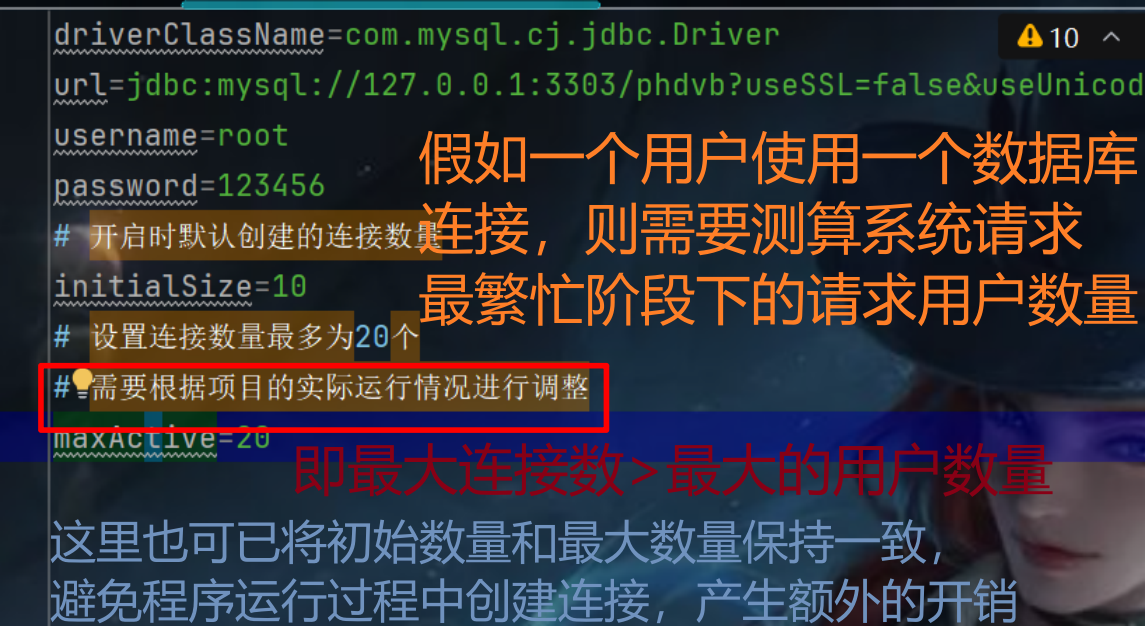
7.3 连接池的连接数量配置
00.配置文件
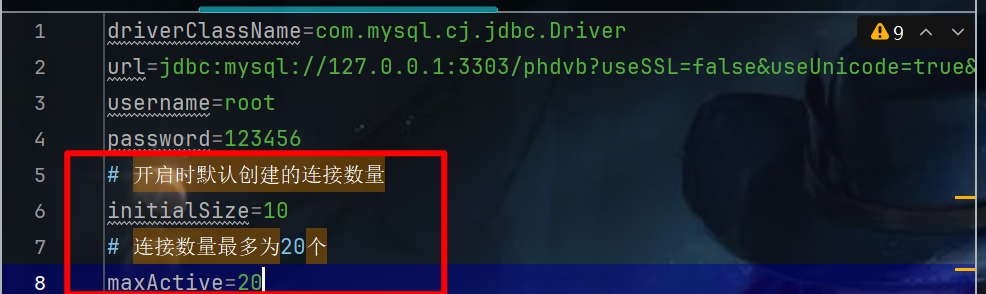
driverClassName=com.mysql.cj.jdbc.Driver
url=jdbc:mysql://127.0.0.1:3303/phdvb?useSSL=false&useUnicode=true&characterEncoding=UTF-8&serverTimezone=Asia/Shanghai
username=root
password=123456
# 开启时默认创建的连接数量
initialSize=10
# 连接数量最多为20个
maxActive=20
01.开启断点Dug
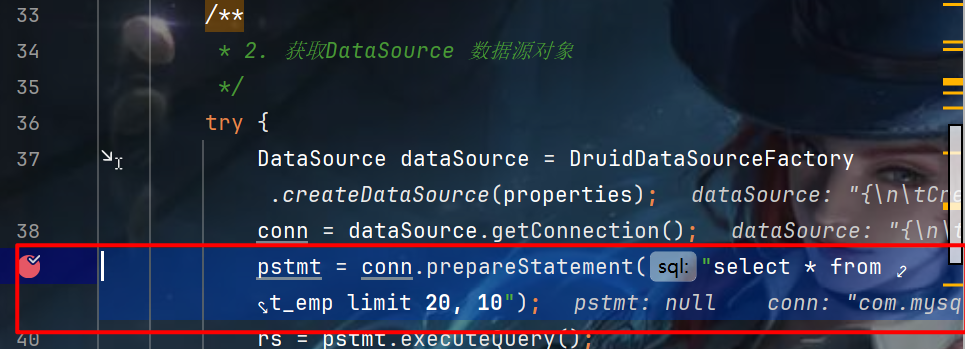
02. 查看数据库的连接状态
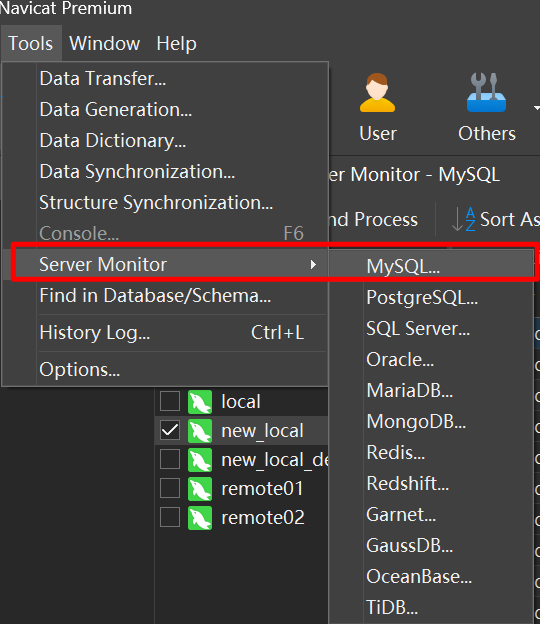
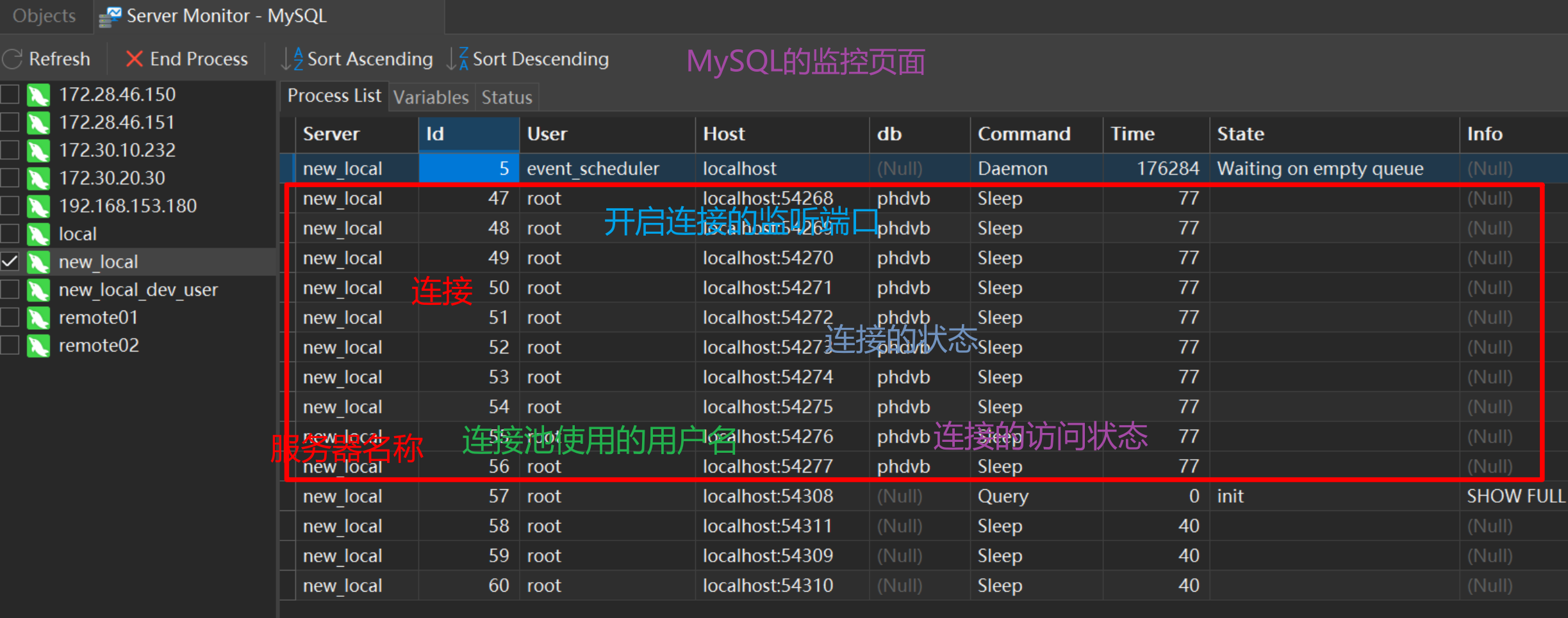
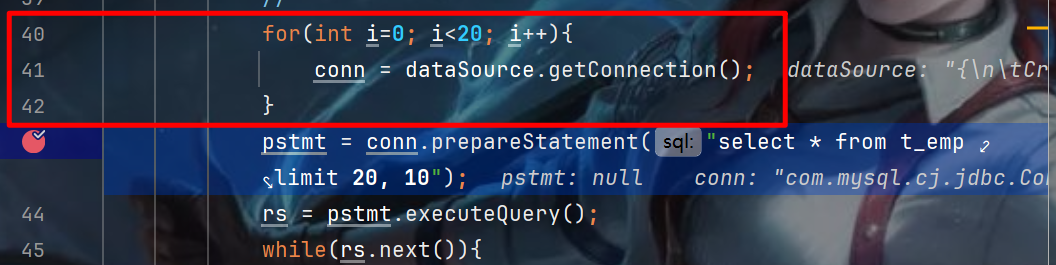
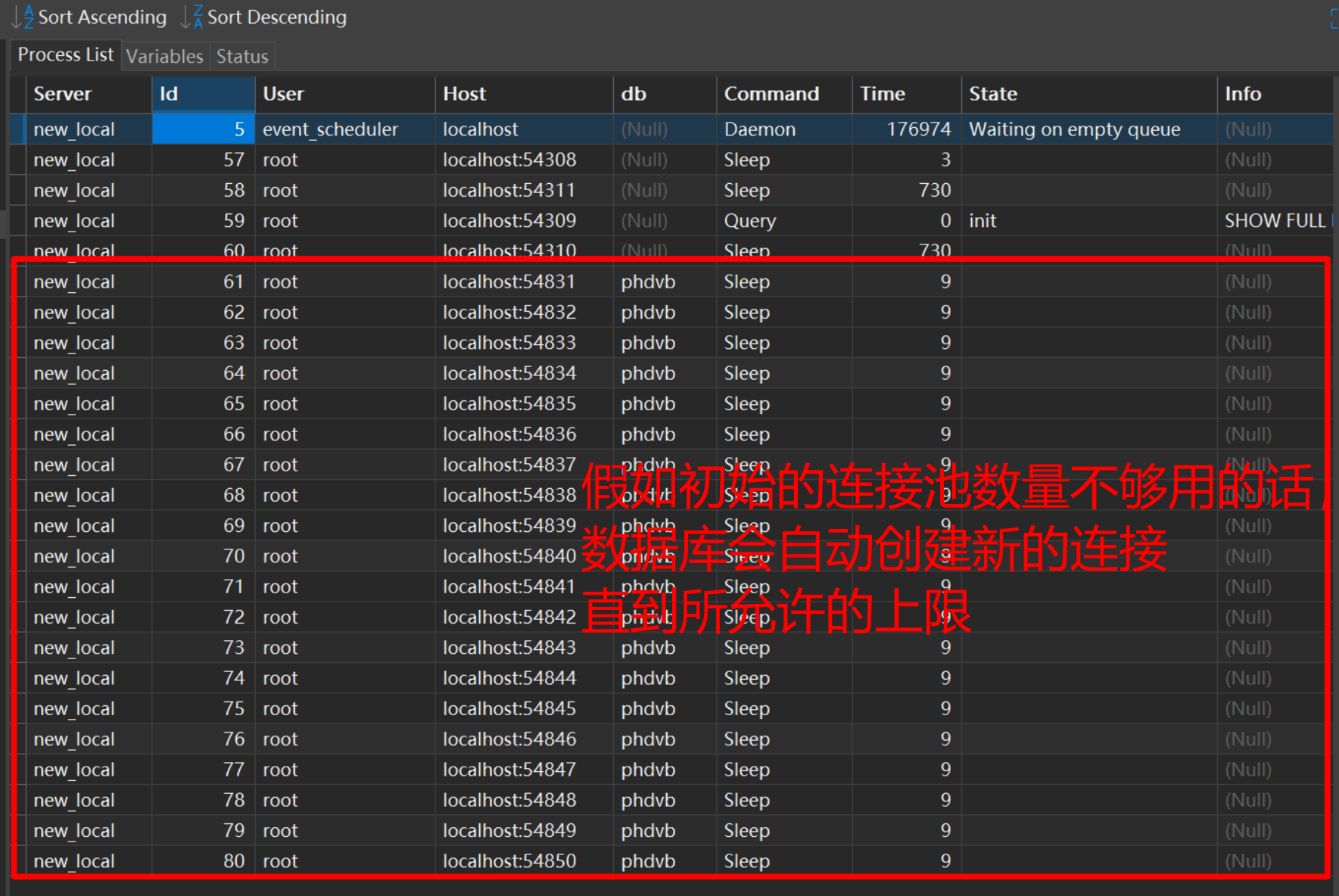
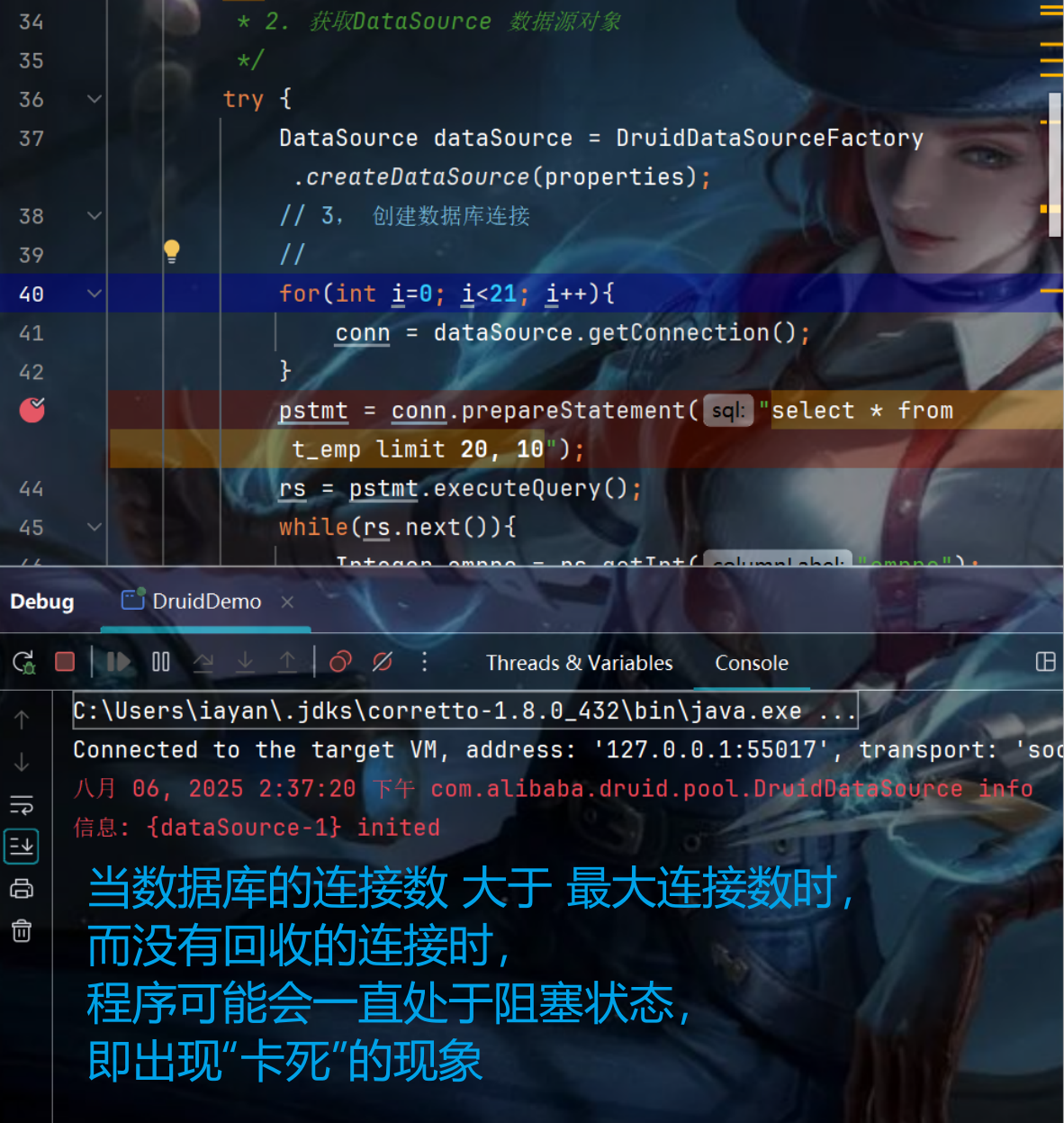
03. 循环创建20个连接
04. 循环创建21个连接
8. Apache Commons DBUtils
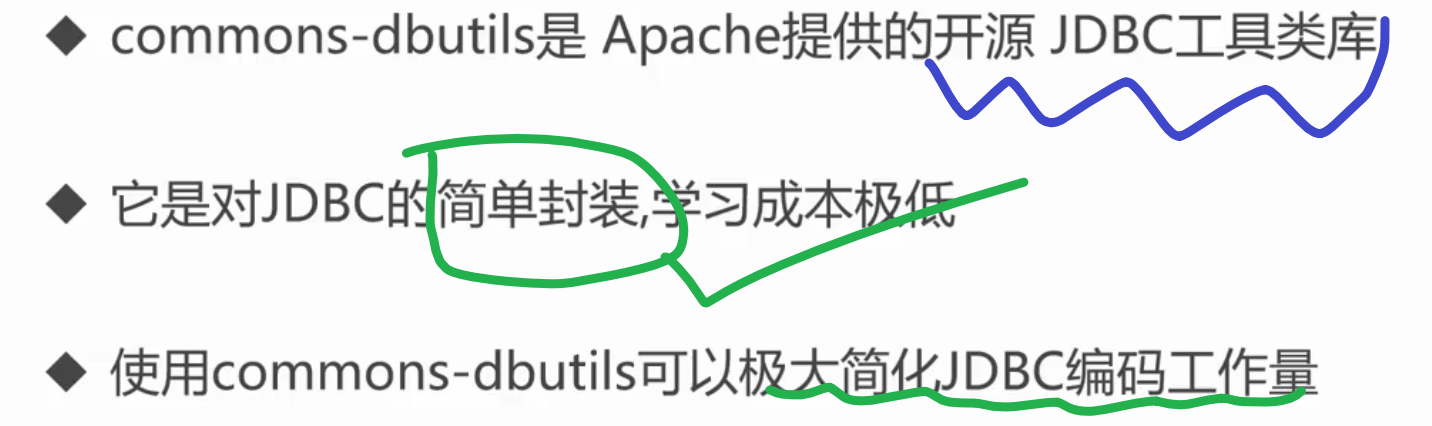
极大的简化数据的提取过程
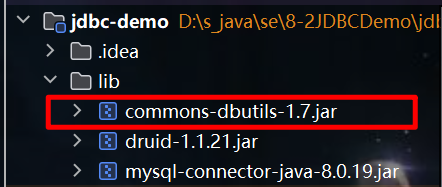
01. 下载,在项目结构中导入并应用
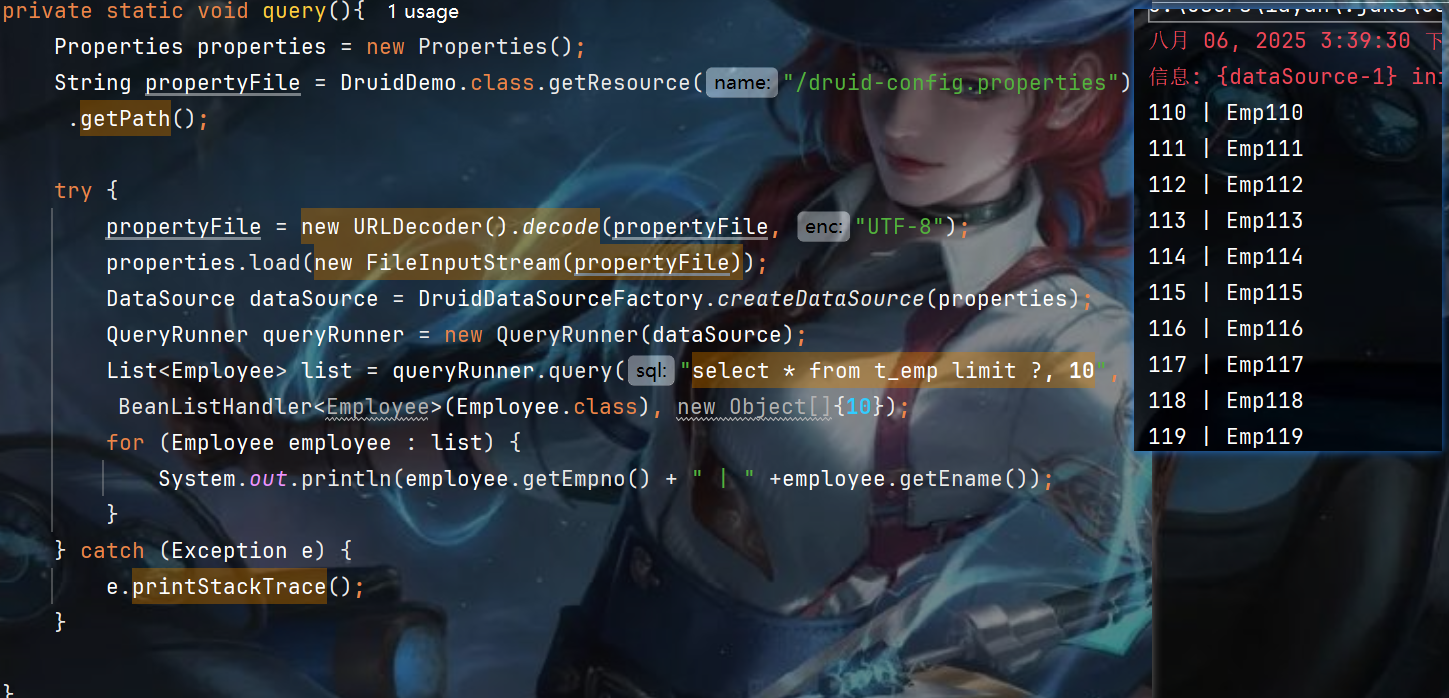
02. query()运行code 、 效果
DBUtilsDemo
package com.vb.sample;

import com.alibaba.druid.pool.DruidDataSourceFactory;
import operate.entity.Employee;
import org.apache.commons.dbutils.QueryRunner;
import org.apache.commons.dbutils.handlers.BeanListHandler;
import javax.sql.DataSource;
import java.io.FileInputStream;
import java.net.URLDecoder;
import java.util.List;
import java.util.Properties;

public class DBUtilsDemo {
    public static void main(String[] args) {
        query();
    }

    private static void query(){
        Properties properties = new Properties();
        String propertyFile = DruidDemo.class.getResource("/druid-config.properties").getPath();

        try {
            propertyFile = new URLDecoder().decode(propertyFile, "UTF-8");
            properties.load(new FileInputStream(propertyFile));
            DataSource dataSource = DruidDataSourceFactory.createDataSource(properties);
            QueryRunner queryRunner = new QueryRunner(dataSource);
            List<Employee> list = queryRunner.query("select * from t_emp limit ?, 10", new BeanListHandler<Employee>(Employee.class), new Object[]{10});
            for (Employee employee : list) {
                System.out.println(employee.getEmpno() + " | " +employee.getEname());
            }
        } catch (Exception e) {
            e.printStackTrace();
        }

    }
}
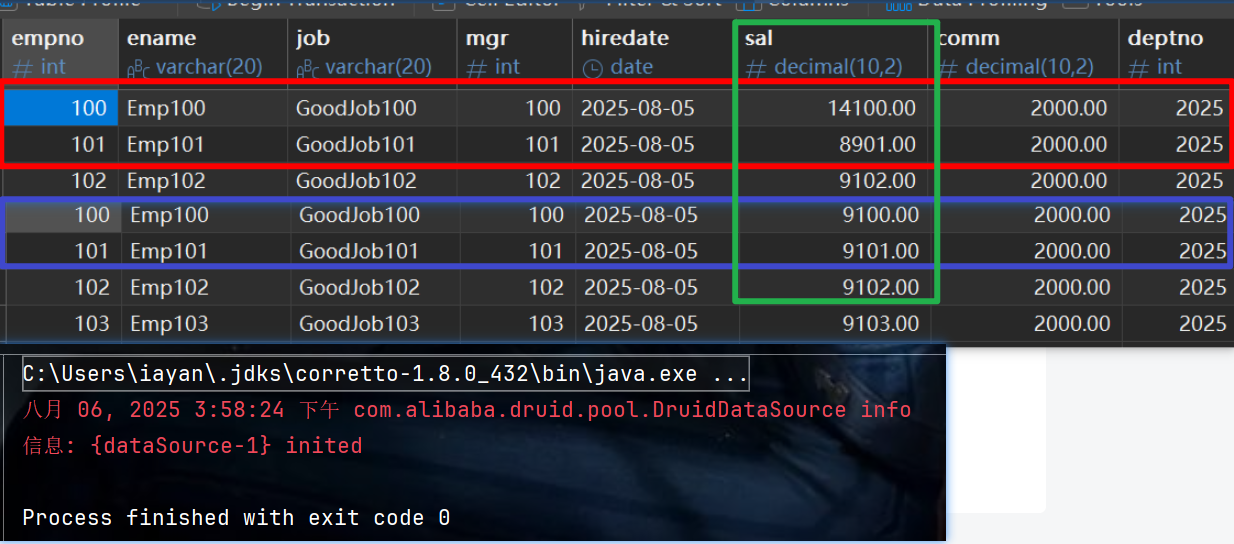
03. update()运行code 、 效果
package com.vb.sample;

import com.alibaba.druid.pool.DruidDataSourceFactory;
import operate.entity.Employee;
import org.apache.commons.dbutils.QueryRunner;
import org.apache.commons.dbutils.handlers.BeanListHandler;
import javax.sql.DataSource;
import java.io.FileInputStream;
import java.net.URLDecoder;
import java.sql.Connection;
import java.sql.SQLException;
import java.util.List;
import java.util.Properties;

public class DBUtilsDemo {
    public static void main(String[] args) {
//        query();
        update();
    }

    private static void query(){
        Properties properties = new Properties();
        String propertyFile = DruidDemo.class.getResource("/dru  id-config.properties").getPath();

        try {
            propertyFile = new URLDecoder().decode(propertyFile, "UTF-8");
            properties.load(new FileInputStream(propertyFile));
            DataSource dataSource = DruidDataSourceFactory.createDataSource(properties);
            QueryRunner queryRunner = new QueryRunner(dataSource);
            List<Employee> list = queryRunner.query("select * from t_emp limit ?, 10", new BeanListHandler<Employee>(Employee.class), new Object[]{10});
            for (Employee employee : list) {
                System.out.println(employee.getEmpno() + " | " +employee.getEname());
            }
        } catch (Exception e) {
            e.printStackTrace();
        }

    }

    private static void update(){
        Properties properties = new Properties();
        String propertyFile = DruidDemo.class.getResource("/druid-config.properties").getPath();
        Connection conn = null;

        try {
            propertyFile = new URLDecoder().decode(propertyFile, "UTF-8");
            properties.load(new FileInputStream(propertyFile));
            DataSource dataSource = DruidDataSourceFactory.createDataSource(properties);

            conn = dataSource.getConnection();
            conn.setAutoCommit(false);
            String sql1 = "update t_emp set sal = sal + 5000 where empno = ?";
            String sql2 = "update t_emp set sal = sal - 200 where empno = ?";

            QueryRunner queryRunner = new QueryRunner();
            queryRunner.update(conn, sql1, new Object[]{100});
            queryRunner.update(conn, sql2, new Object[]{101});
            conn.commit();
        } catch (Exception e) {
            e.printStackTrace();
            try {
                if (conn != null && !conn.isClosed()) {
                    conn.rollback();
                }
            } catch (SQLException ex) {
                ex.printStackTrace();
            }
        }finally{
            try {
                if(conn != null && !conn.isClosed()){
                    conn.close();
                }
            } catch (SQLException e) {
                e.printStackTrace();
            }
        }

    }
}

Agent 垂直技术社区,欢迎活跃、内容共建。
更多推荐


 26
26 0
0- 0


 已为社区贡献3条内容

所有评论(0)