C#Unity关于单例和对象池使用时可能的报空报错问题
目录
一 前言
今日在进行人道主义援助的时候发现了我的手足兄弟挚友亲朋在项目中遇到了报空的问题,发生在切换场景之后,在进行了长达12分钟的观察后终于发现了其中关键。原来我的好朋友赵文昌在项目中使用了对象池工厂,在进行unity场景切换后,池工厂中的池还存在原来场景的引用,于是在Get实例的时候就出现了问题,这种情况也属于池的脏问题,所以我们只需要在切换场景或者什么别的时候手动把东西删了就行。
下面就通过几个步骤大概来复现一下这个情况。
二 复现步骤
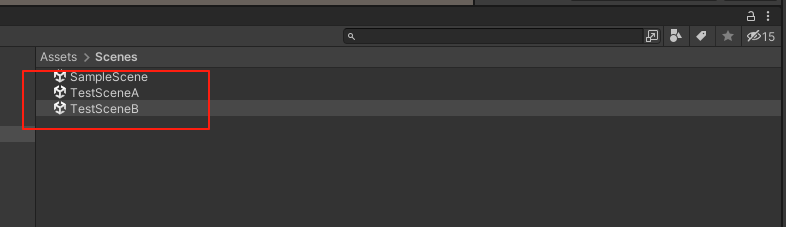
1.新建两个场景,分别命名为TestSceneA 和 TestSceneB
2.新建一个脚本命名为Singleton,其内容如下
using System.Collections;
using System.Collections.Generic;
using UnityEngine;

public class Singleton
{
    static Singleton _singleton;
    Singleton() { gameObjects = new List<GameObject>(); }
    public static Singleton singleton
    {
        get
        {
            if (_singleton == null)
            {

                _singleton = new Singleton();

            }
            return _singleton;
        }
    }
    public GameObject targetObject;

    public List<GameObject> gameObjects;
    public string FLAG;


}
3.新建两个脚本,分别命名为TestScriptA和TestScriptB,其内容如下
using UnityEngine;
using UnityEngine.SceneManagement;


public class TestScriptA : MonoBehaviour
{

    private void Awake()
    {
        GameObject temp = new GameObject("Test1");
        Singleton.singleton.targetObject = temp;

        for (int i = 0; i < 10; i++)
        {
            Singleton.singleton.gameObjects.Add(new GameObject("Test1 : " + i));

        }
        Singleton.singleton.FLAG = "被A污染了";

        SceneManager.LoadScene("TestSceneB");
    }

}
using UnityEngine;

public class TestScriptB : MonoBehaviour
{


    private void Awake()
    {

        print(Singleton.singleton.targetObject);

        print(Singleton.singleton.gameObjects.Count + "  " + Singleton.singleton.FLAG);

    }

}
4.将脚本TestScriptA丢到TestSceneA的任意对象上面,脚本TestScriptB丢到TestSceneB的任意对象上面
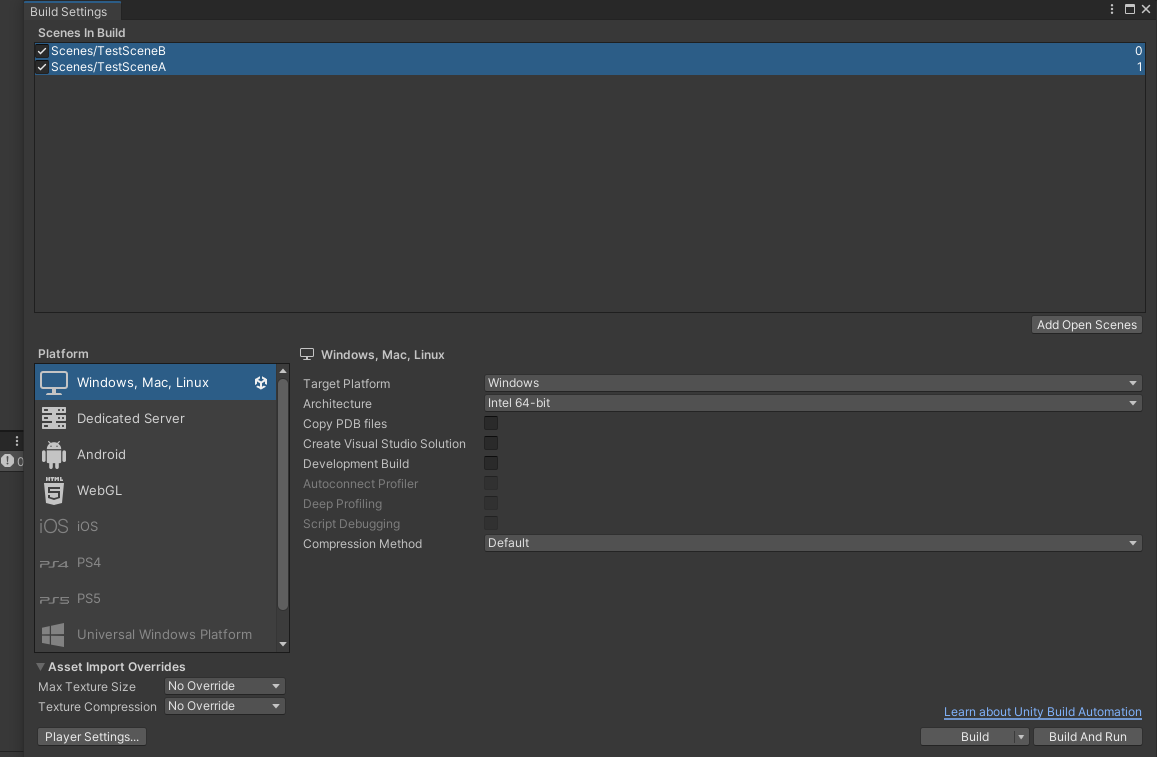
5.打开BuildSettings,将TestSceneA和TestSceneB都丢到SceneInBuild里面
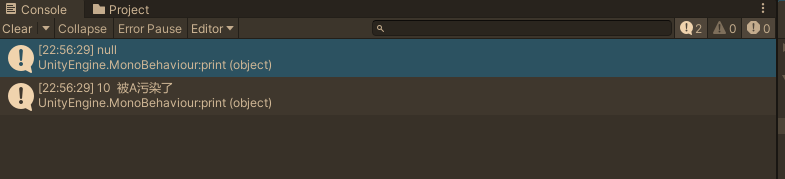
6.打开场景TestSceneA,在编辑器下运行,得到下面的Log
三 观察和讨论
可以看到,整个过程是在TestSceneA里面新建了多个对象,然后将单例的引用指向这些对象,然后跳转到场景TestSceneB,在TestSceneB里发现单例的引用指向已经为null,而且里面的list依然保持其长度,FLAG指示着其是被TestScriptA脚本修改了。可想而知,倘若这个时候进行单例的成员的调用,将会发生何等可怕难以预料的结果。
这个过程的原理相信大家也清楚,作为静态变量,其生命周期是从进程开始到结束的,可谓是与天同寿,因而测试中进行跳转场景时单例仍然存在。
解决问题的方法很简单,跳转场景或者这些对象死亡的时候记得把单例中的引用清空就行了。

Agent 垂直技术社区,欢迎活跃、内容共建。
更多推荐
 3
3 0
0- 0


 已为社区贡献2条内容

所有评论(0)