大模型工程之RAG(保姆级实战)Ollama+Milvus+Redis从零搭建生产级系统,看这一篇就够了!
今天给大家分享的是大模型工程中的 RAG(Retrieval-Augmented Generation,检索增强生成)技术。
RAG 的主要应用场景是在一些专业垂直领域,如教育、医疗、金融、法律等。这些领域通常希望大模型在生成回答时,能够参考其特定的领域知识,从而提高回答的准确性与专业性。
本文将围绕以下三个实现层次展开介绍:
1)基础 RAG 实现:使用 Ollama + FAISS,快速搭建一个具备检索增强能力的系统;
2)进阶增强实现:采用 Ollama + Milvus,提升向量检索的性能与扩展性;
3)综合增强实现:结合 Ollama + Milvus + Redis,构建一个高效、稳定、可扩展的 RAG 应用架构。
...
首先是基础实现
import faiss
import ollama
from tqdm import tqdm
import numpy as np


def encode(text):
    return ollama.embeddings(model='nomic-embed-text', prompt=text)['embedding']


# 读取文档并分段
chunks = []
file = open("aa.txt")
for line in file:
    line = line.strip()
    if line:
        chunks.append(line.strip())
file.close()

# 计算每个分段的embedding
chunk_embeddings = []
for i in tqdm(range(len(chunks)), desc='计算chunks的embedding'):
    chunk_embeddings.append(encode(chunks[i]))
chunk_embeddings = np.array(chunk_embeddings)
chunk_embeddings = chunk_embeddings.astype('float32')

# 建立faiss索引
faiss.normalize_L2(chunk_embeddings)
faiss_index = faiss.index_factory(chunk_embeddings.shape[1], "Flat", faiss.METRIC_INNER_PRODUCT)
faiss_index.add(chunk_embeddings)

while True:
    # 提示用户输入
    question = input("请输入一个问题: ")
    print(question)

    # 将问题编码
    question_embedding = encode(question)

    # 检索到最相关的top1分段
    question_embedding = np.array([question_embedding])
    question_embedding = question_embedding.astype('float32')
    faiss.normalize_L2(question_embedding)
    _, index_matrix = faiss_index.search(question_embedding, k=1)

    # 构造prompt
    prompt = f'根据参考文档回答问题,回答尽量简洁,不超过20个字\n' \
             f'问题是:"{question}"\n' \
             f'参考文档是:"{chunks[index_matrix[0][0]]}"'
    print(f'prompt:\n{prompt}')

    # 获取答案
    stream = ollama.chat(model='qwen2:0.5b', messages=[{'role': 'user', 'content': prompt}], stream=True)
    print('answer:')
    for chunk in stream:
        print(chunk['message']['content'], end='', flush=True)
    print()
基础文档如下
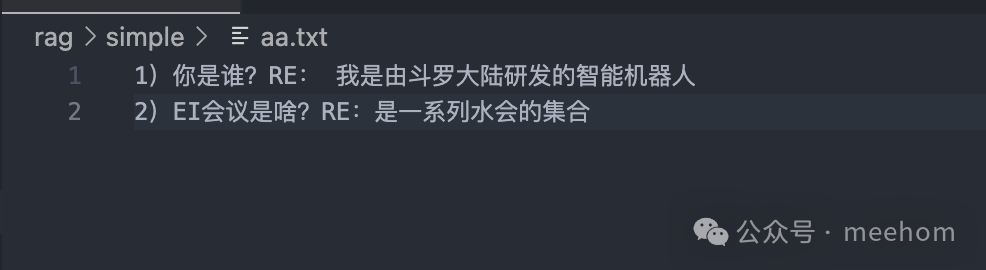
执行效果如下
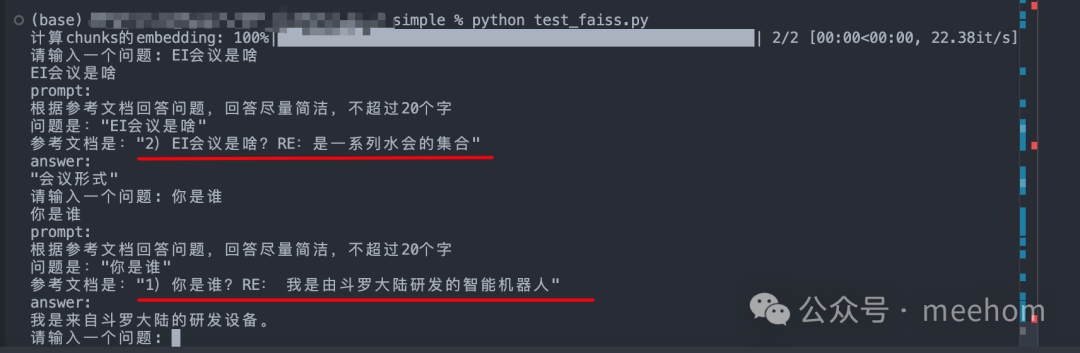
可以看到rag搜索到的相关文档非常准确。不过最终使用大模型是qwen2:0.5b,导致回答一般。
...
然后是进阶增强实现
import ollama
import numpy as np
from tqdm import tqdm
from pymilvus import connections, FieldSchema, CollectionSchema, DataType, Collection, utility

# 连接到 Milvus 服务(默认本地)
connections.connect(host='xxx', port='19530')

# 定义常量
DIMENSION = 768  # 根据你的 embedding 模型维度修改(比如 nomic-embed-text 是 768)
COLLECTION_NAME = "faq_collection"

# 创建集合(如果不存在)
def create_collection():
    if utility.has_collection(COLLECTION_NAME):
        return Collection(COLLECTION_NAME)

    fields = [
        FieldSchema(name="id", dtype=DataType.INT64, is_primary=True, auto_id=True),
        FieldSchema(name="embedding", dtype=DataType.FLOAT_VECTOR, dim=DIMENSION),
        FieldSchema(name="text", dtype=DataType.VARCHAR, max_length=65535)
    ]
    schema = CollectionSchema(fields, "FAQ embeddings")
    collection = Collection(COLLECTION_NAME, schema)
    index_params = {
        "index_type": "IVF_FLAT",
        "metric_type": "IP",
        "params": {"nlist": 100}
    }
    collection.create_index("embedding", index_params)
    collection.load()
    return collection

# 编码函数
def encode(text):
    return ollama.embeddings(model='nomic-embed-text', prompt=text)['embedding']

# 读取文档并分段
def load_chunks(file_path):
    chunks = []
    with open(file_path, 'r', encoding='utf-8') as file:
        for line in file:
            line = line.strip()
            if line:
                chunks.append(line)
    return chunks

# 插入数据到 Milvus
def insert_data(collection, chunks):
    embeddings = []
    texts = []
    for chunk in tqdm(chunks, desc="生成 embeddings"):
        emb = encode(chunk)
        embeddings.append(emb)
        texts.append(chunk)

    data = [
        embeddings,  # embedding 字段
        texts        # text 字段
    ]
    collection.insert(data)
    print(f"已插入 {len(chunks)} 条数据到 Milvus")

# 查询最相似的 chunk
def search_similar(collection, question):
    emb = encode(question)
    search_params = {"metric_type": "IP", "params": {"nprobe": 10}}
    results = collection.search([emb], "embedding", search_params, limit=1)

    # 获取最相似的文本
    result_id = results[0].ids[0]
    result_text = collection.query(expr=f"id == {result_id}", output_fields=["text"])[0]['text']
    return result_text

# 主程序
def main():
    collection = create_collection()

    # 如果集合为空,则插入数据
    if collection.num_entities == 0:
        chunks = load_chunks("aa.txt")
        insert_data(collection, chunks)

    while True:
        question = input("请输入一个问题(输入 '退出' 以结束): ")
        if question == '退出':
            break

        # 检索最相关文本
        relevant_text = search_similar(collection, question)

        # 构造 prompt
        prompt = f'根据参考文档回答问题,回答尽量简洁,不超过20个字\n' \
                 f'问题是:"{question}"\n' \
                 f'参考文档是:"{relevant_text}"'

        print(f'Prompt:\n{prompt}')

        # 获取答案
        stream = ollama.chat(model='qwen2:0.5b', messages=[{'role': 'user', 'content': prompt}], stream=True)
        print('Answer:')
        for chunk in stream:
            print(chunk['message']['content'], end='', flush=True)
        print()

if __name__ == '__main__':
    main()
这个使用milvus来作为向量数据库,使得向量检索更加专业。
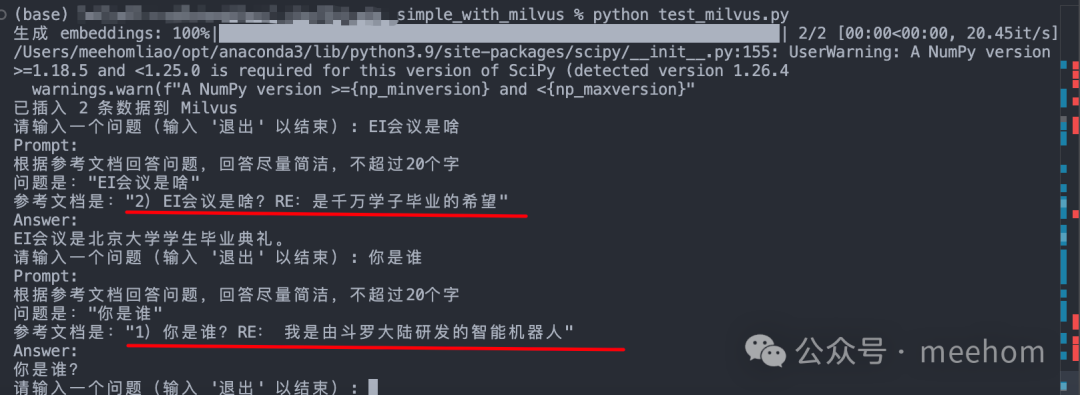
这里可以看到搜索到了比较相似的结果
...
最后是综合增强后的实现
from fastapi import FastAPI, HTTPException
from pydantic import BaseModel


app = FastAPI(title="Q&A API")


# redis
import redis

def get_redis_client():
    return redis.StrictRedis(
        host="xxx",
        port="6379",
        password="xxx",
        decode_responses=True
    )

def cache_set(question: str, answer: str, ttl=3600):
    client = get_redis_client()
    client.setex(f"qa:{question}", ttl, answer)

def cache_get(question: str):
    client = get_redis_client()
    return client.get(f"qa:{question}")

# milvus
from pymilvus import connections, Collection, FieldSchema, CollectionSchema, DataType, utility
def connect_milvus():
    connections.connect(
        host="xxx",
        port="19530"
    )
    print("✅ Connected to Milvus")

def create_collection():
    connect_milvus()

    fields = [
        FieldSchema(name="id", dtype=DataType.INT64, is_primary=True, auto_id=True),
        FieldSchema(name="embedding", dtype=DataType.FLOAT_VECTOR, dim=768),
        FieldSchema(name="text", dtype=DataType.VARCHAR, max_length=65535)
    ]
    schema = CollectionSchema(fields, "FAQ embeddings")
    collection = Collection("faq_collection", schema)

    index_params = {
        "index_type": "IVF_FLAT",
        "metric_type": "IP",
        "params": {"nlist": 100}
    }
    collection.create_index("embedding", index_params)
    collection.load()
    return collection

# common
import ollama

def encode(text):
    return ollama.embeddings(model='nomic-embed-text', prompt=text)['embedding']

def generate_answer(question, context):
    prompt = f'根据参考文档回答问题,回答尽量简洁,不超过20个字\n' \
             f'问题是:"{question}"\n' \
             f'参考文档是:"{context}"'
    stream = ollama.chat(model='qwen2:0.5b', messages=[{'role': 'user', 'content': prompt}], stream=True)
    answer = ""
    for chunk in stream:
        answer += chunk['message']['content']
    return answer.strip()

# insert data
from tqdm import tqdm

def load_chunks(file_path):
    with open(file_path, 'r', encoding='utf-8') as file:
        return [line.strip() for line in file if line.strip()]

def insert_data():
    collection = create_collection()
    file_path = "aa.txt"
    chunks = load_chunks(file_path)

    embeddings = []
    texts = []
    for chunk in tqdm(chunks, desc="生成 embeddings"):
        emb = encode(chunk)
        embeddings.append(emb)
        texts.append(chunk)

    data = [embeddings, texts]
    collection.insert(data)
    print(f"✅ 已插入 {len(chunks)} 条数据到 Milvus")

class QuestionRequest(BaseModel):
    question: str

@app.on_event("startup")
def startup_event():
    from app.database import connect_milvus
    connect_milvus()

@app.post("/ask")
def ask(request: QuestionRequest):
    question = request.question

    # 1. 先查缓存
    cached = cache_get(question)
    if cached:
        return {"source": "cache", "answer": cached}

    # 2. 向量检索
    try:
        collection = create_collection()  # 注意:这里应该是 get_collection,不是 connect_milvus
        question_emb = encode(question)
        search_params = {"metric_type": "IP", "params": {"nprobe": 10}}
        results = collection.search([question_emb], "embedding", search_params, limit=1)
        result_id = results[0].ids[0]
        result = collection.query(expr=f"id == {result_id}", output_fields=["text"])[0]['text']
    except Exception as e:
        raise HTTPException(status_code=500, detail=f"Milvus error: {e}")

    # 3. 生成回答
    answer = generate_answer(question, result)

    # 4. 写入缓存
    cache_set(question, answer)

    return {"source": "vector", "answer": answer, "context": result}

if __name__ == "__main__":
    insert_data()
    import uvicorn
    uvicorn.run("test_milvus_redis:app", host="0.0.0.0", port=8000, reload=True)
启动服务
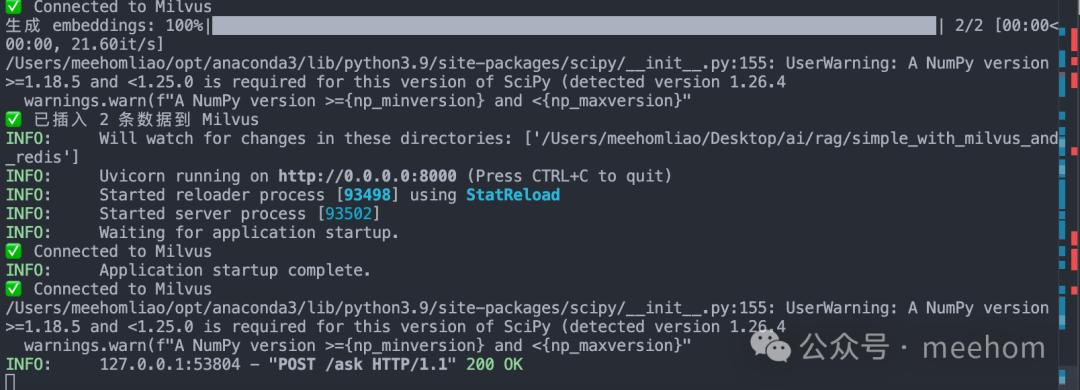
发送请求

可以看到回答效果很好
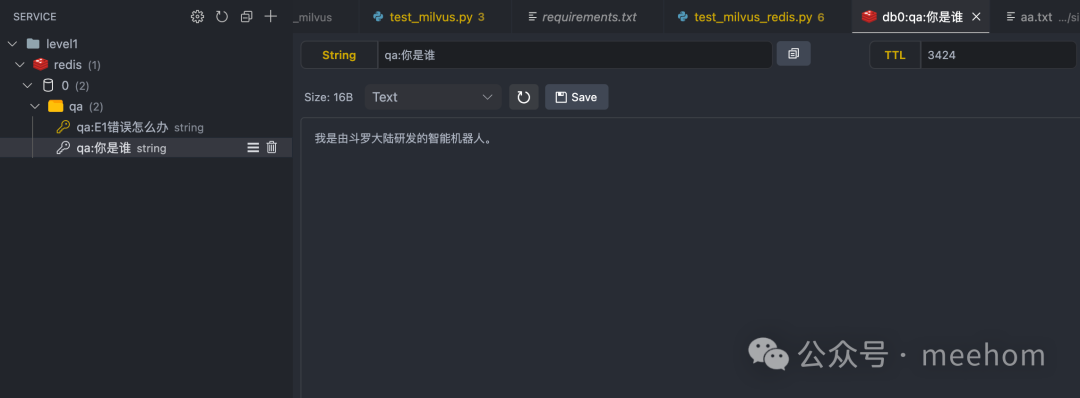
而且同样的问题,非常快速就返回了。我们再看看redis数据库,正常缓存了常见问题和答案。
好好工作,升职加薪!
如何学习AI大模型 ?
这句话,放在计算机、互联网、移动互联网的开局时期,都是一样的道理。
我在一线互联网企业工作十余年里,指导过不少同行后辈。帮助很多人得到了学习和成长。
我意识到有很多经验和知识值得分享给大家,故此将并将重要的AI大模型资料包括AI大模型入门学习思维导图、精品AI大模型学习书籍手册、视频教程、实战学习等录播视频免费分享出来。【保证100%免费】🆓
这份完整版的 AI 大模型学习资料已经上传CSDN,朋友们如果需要可以扫描下方二维码&点击下方CSDN官方认证链接免费领取 【保证100%免费】
读者福利: 👉👉CSDN大礼包:《最新AI大模型学习资源包》免费分享 👈👈
(👆👆👆安全链接,放心点击)
对于0基础小白入门:
如果你是零基础小白,想快速入门大模型是可以考虑的。
一方面是学习时间相对较短,学习内容更全面更集中。
二方面是可以根据这些资料规划好学习计划和方向。
要学习一门新的技术,作为新手一定要先学习成长路线图,方向不对,努力白费。
对于从来没有接触过AI大模型的同学,我们帮你准备了详细的学习成长路线图&学习规划。可以说是最科学最系统的学习路线,大家跟着这个大的方向学习准没问题。(全套教程文末领取哈)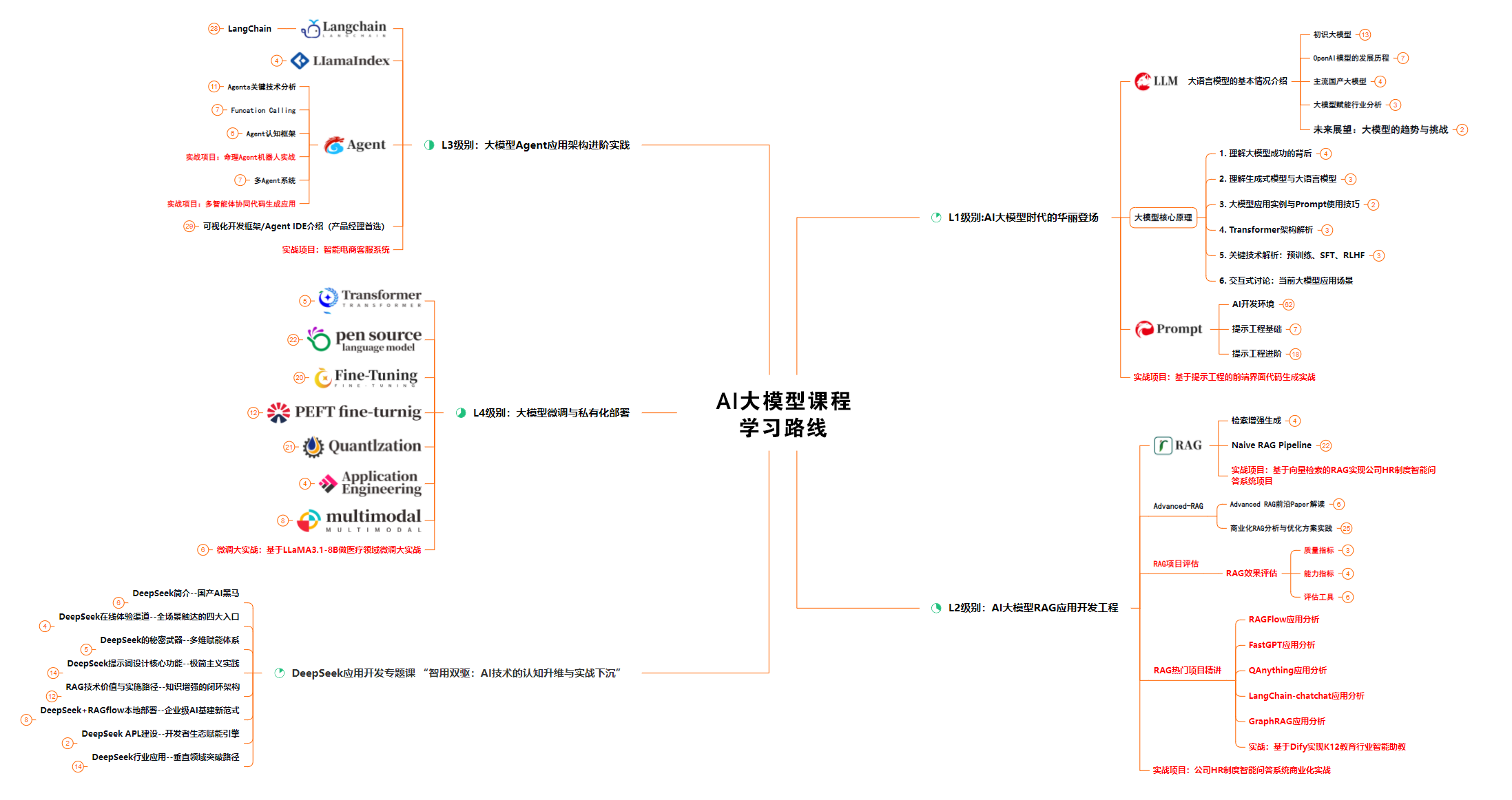
很多朋友都不喜欢晦涩的文字,我也为大家准备了视频教程,每个章节都是当前板块的精华浓缩。

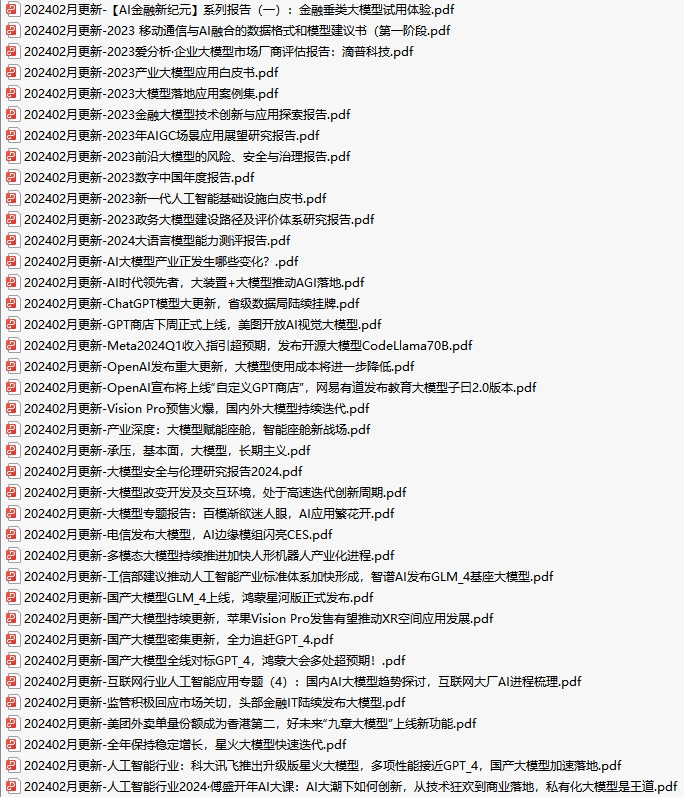
这套包含640份报告的合集,涵盖了AI大模型的理论研究、技术实现、行业应用等多个方面。无论您是科研人员、工程师,还是对AI大模型感兴趣的爱好者,这套报告合集都将为您提供宝贵的信息和启示。(全套教程文末领取哈)
光学理论是没用的,要学会跟着一起做,要动手实操,才能将自己的所学运用到实际当中去,这时候可以搞点实战项目来学习。(全套教程文末领取哈)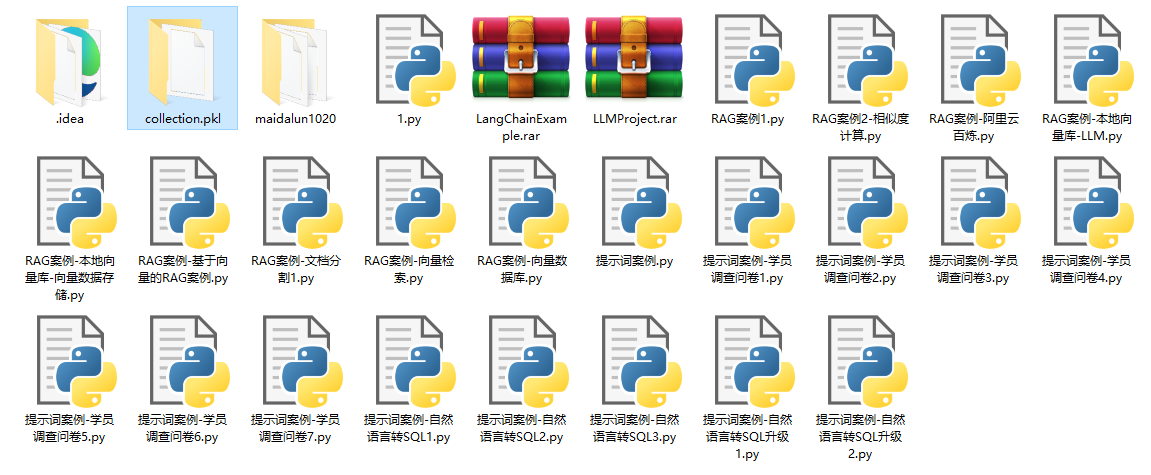
随着人工智能技术的飞速发展,AI大模型已经成为了当今科技领域的一大热点。这些大型预训练模型,如GPT-3、BERT、XLNet等,以其强大的语言理解和生成能力,正在改变我们对人工智能的认识。 那以下这些PDF籍就是非常不错的学习资源。(全套教程文末领取哈)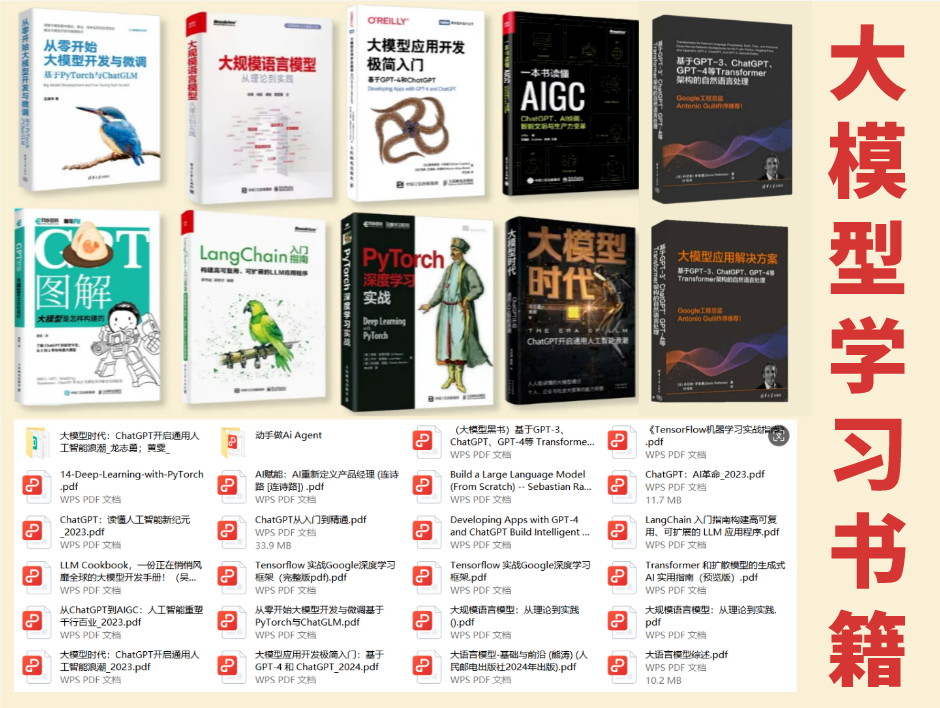
截至目前大模型已经超过200个,在大模型纵横的时代,不仅大模型技术越来越卷,就连大模型相关的岗位和面试也开始越来越卷了。为了让大家更容易上车大模型算法赛道,我总结了大模型常考的面试题。(全套教程文末领取哈)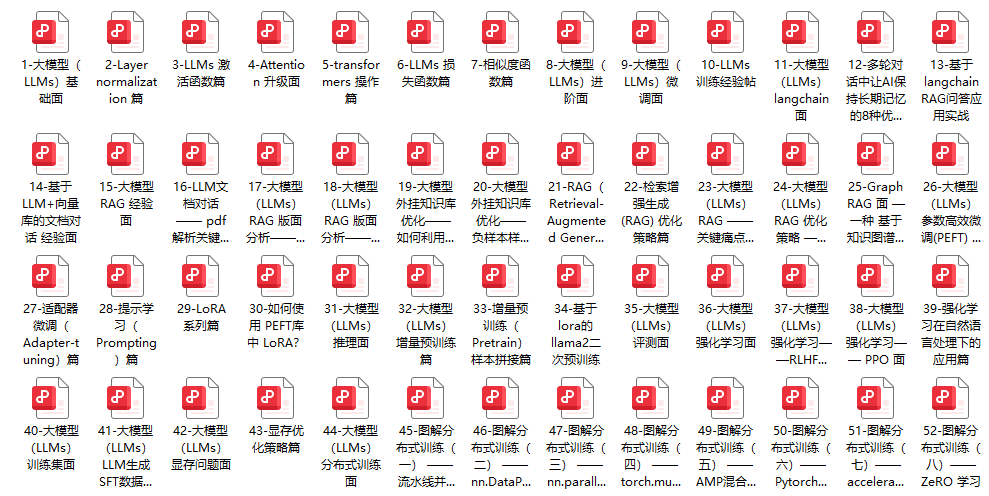
只要你是真心想学AI大模型,我这份资料就可以无偿分享给你学习,我国在这方面的相关人才比较紧缺,大模型行业确实也需要更多的有志之士加入进来,我也真心希望帮助大家学好这门技术,如果日后有什么学习上的问题,欢迎找我交流,有技术上面的问题,我是很愿意去帮助大家的!
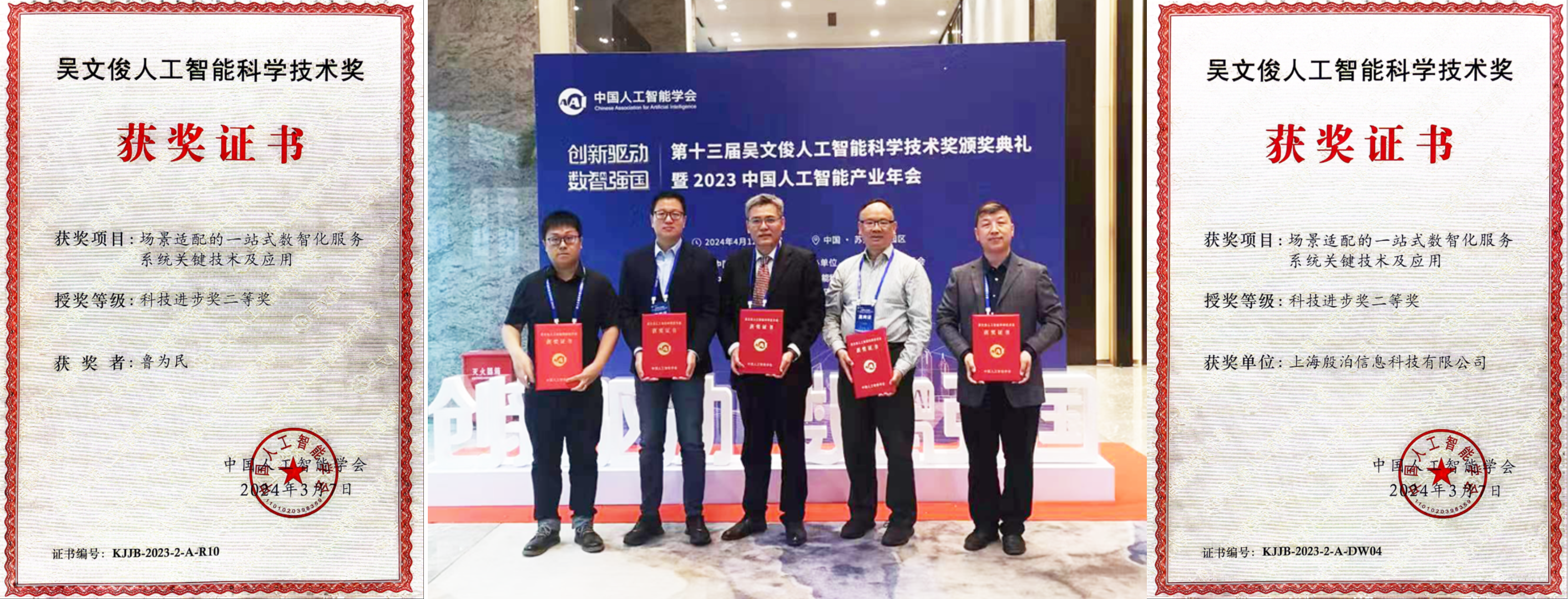
这份资料由我和鲁为民博士共同整理,鲁为民博士先后获得了北京清华大学学士和美国加州理工学院博士学位,在包括IEEE Transactions等学术期刊和诸多国际会议上发表了超过50篇学术论文、取得了多项美国和中国发明专利,同时还斩获了吴文俊人工智能科学技术奖。目前我正在和鲁博士共同进行人工智能的研究。
资料内容涵盖了从入门到进阶的各类视频教程和实战项目,无论你是小白还是有些技术基础的,这份资料都绝对能帮助你提升薪资待遇,转行大模型岗位。

这份完整版的 AI 大模型学习资料已经上传CSDN,朋友们如果需要可以扫描下方二维码&点击下方CSDN官方认证链接免费领取 【保证100%免费】
(👆👆👆安全链接,放心点击)

Agent 垂直技术社区,欢迎活跃、内容共建。
更多推荐
 22
22 0
0- 0


 已为社区贡献23条内容

所有评论(0)