Flutter 项目底层框架(万能)
一直觉得自己写的不是技术,而是情怀,一个个的教程是自己这一路走来的痕迹。靠专业技能的成功是最具可复制性的,希望我的这条路能让你们少走弯路,希望我能帮你们抹去知识的蒙尘,希望我能帮你们理清知识的脉络,希望未来技术之巅上有你们也有我。
2025.11.24Flutter-Frame.zip 项目底层框架 代码下载
文章目录
- 全局导入
- AZGradient 渐变效果
- UUID 设备唯一标识符
- AnimationManager 轻量级通用动画调度器
- AppColor 颜色工具库
- BinarySystem 进制的转换
- ClearCacheManager 清空缓存
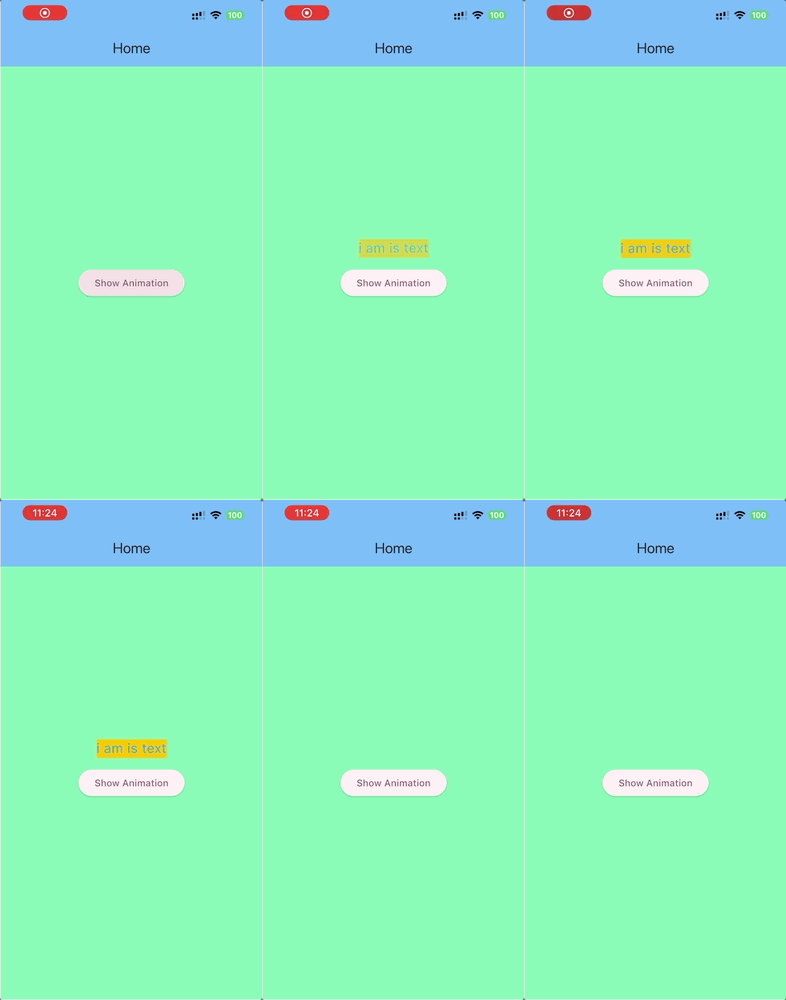
- CountDownManager 倒计时
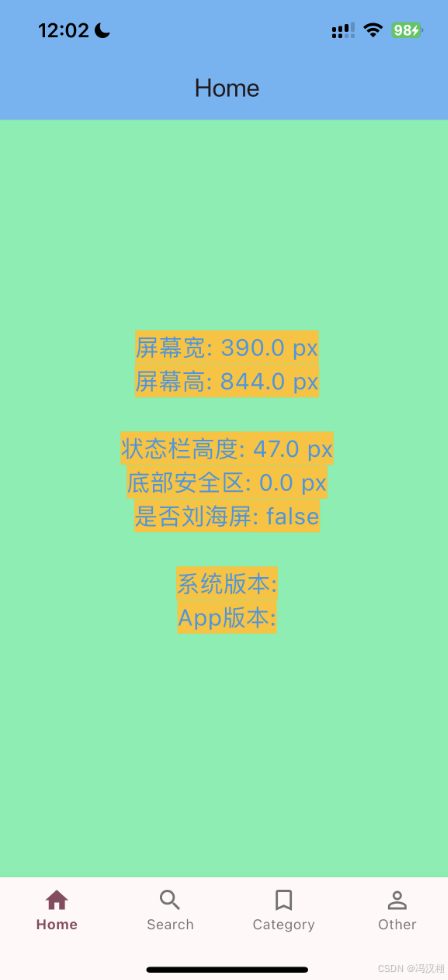
- DeviceUtils 设备尺寸信息
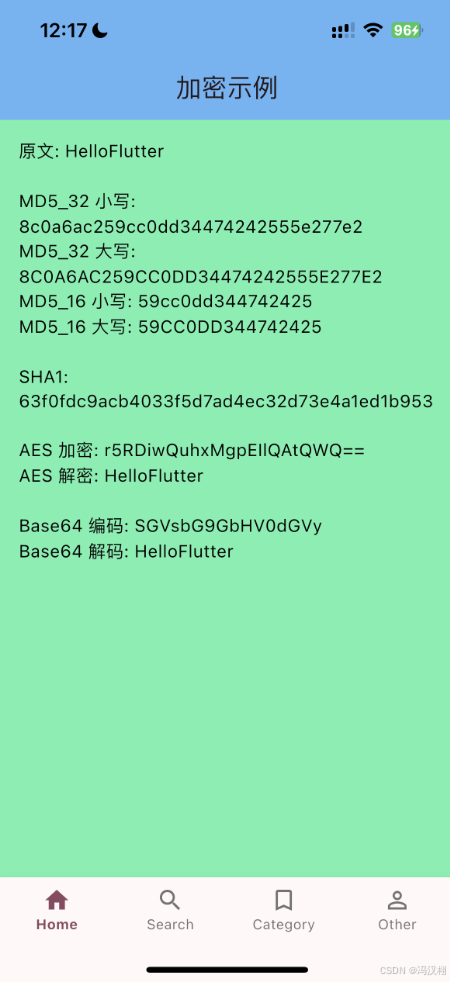
- Encryp 加密相关
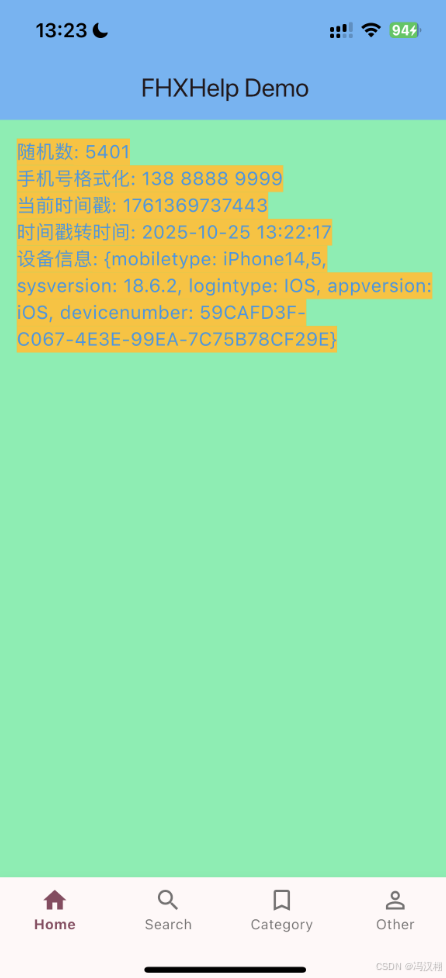
- FHXHelp
- FHXImage 图片操作(颜色转图片)
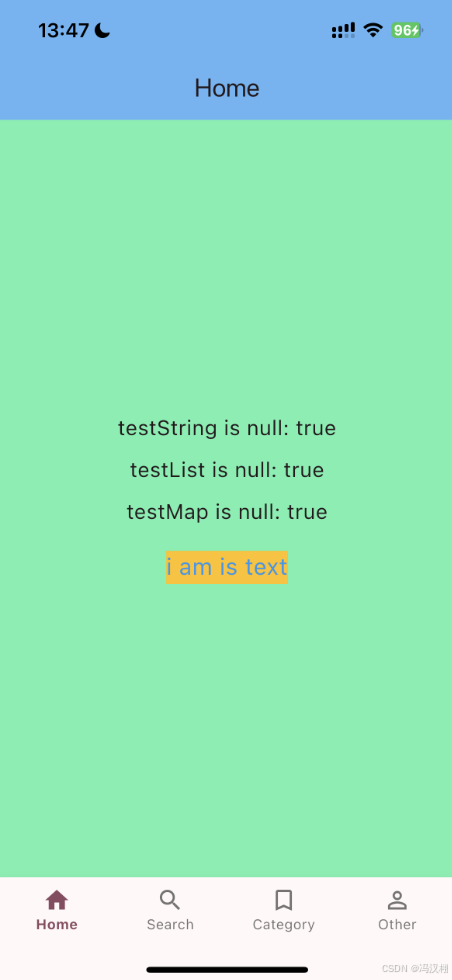
- FHXObjectExtension 字符串是否为null
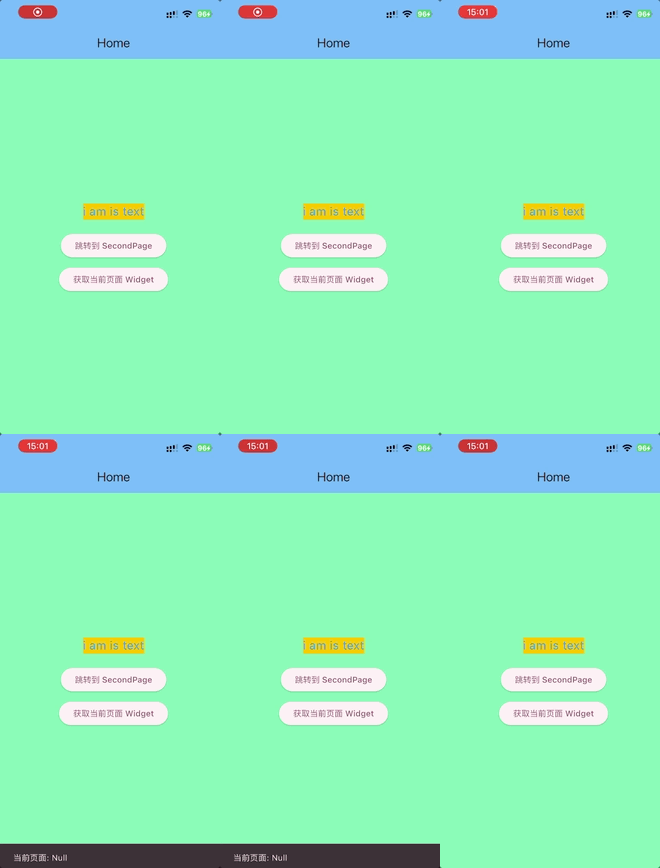
- (没效果)GetVC 获取当前控制器
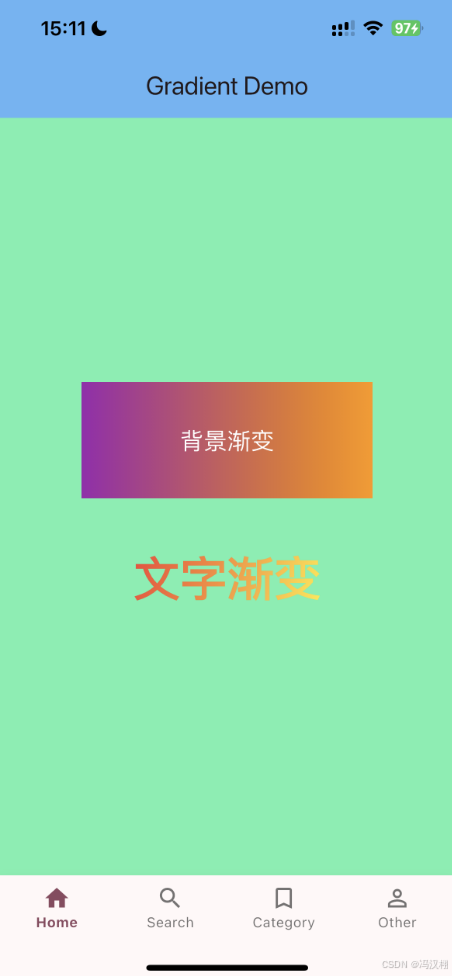
- GradientUtil view背景渐变
- GradualChange 渐变文字
- ImageSize URL获取图片尺寸
- ImageWaterMark 图片加水印
- IOSDeviceCheck 判断iPhone机型
- Jailbreak 检测手机是否越狱,模拟器
- LocationManager 定位
- MDImageColor 计算图片主色
- NetworkManager 监听网络状态
- QRCodeUtil 扫一扫
- Regular 正则
- RSAEncryptor RSA加密(无法使用)
- Sandbox 沙盒路径
- ScreenUtil 判断iPhone是否刘海
- StringExtension 字符串扩展
- Time 时间戳
- TimeDisplayHelper 聊天时间显示规则
- YSCountDown 活动cell倒计时
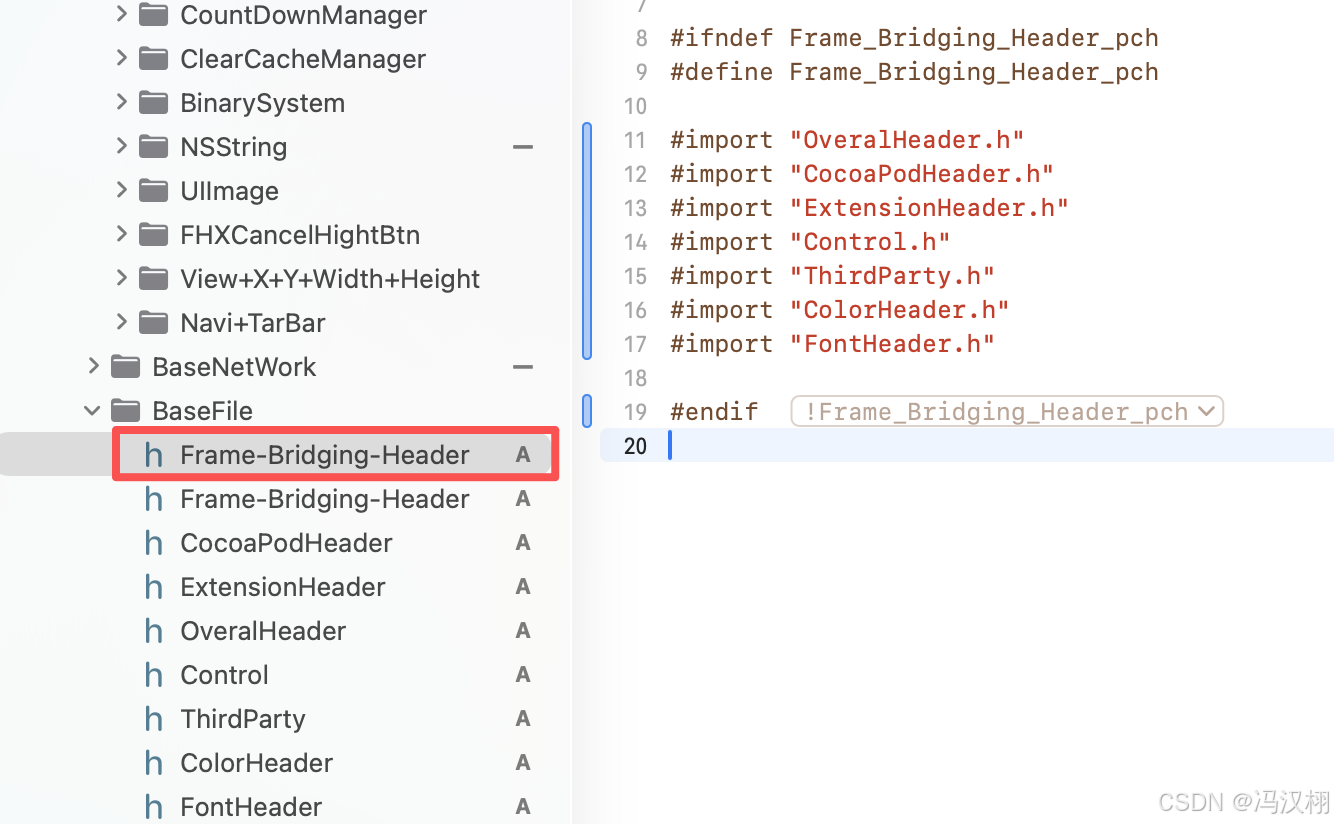
全局导入
OC
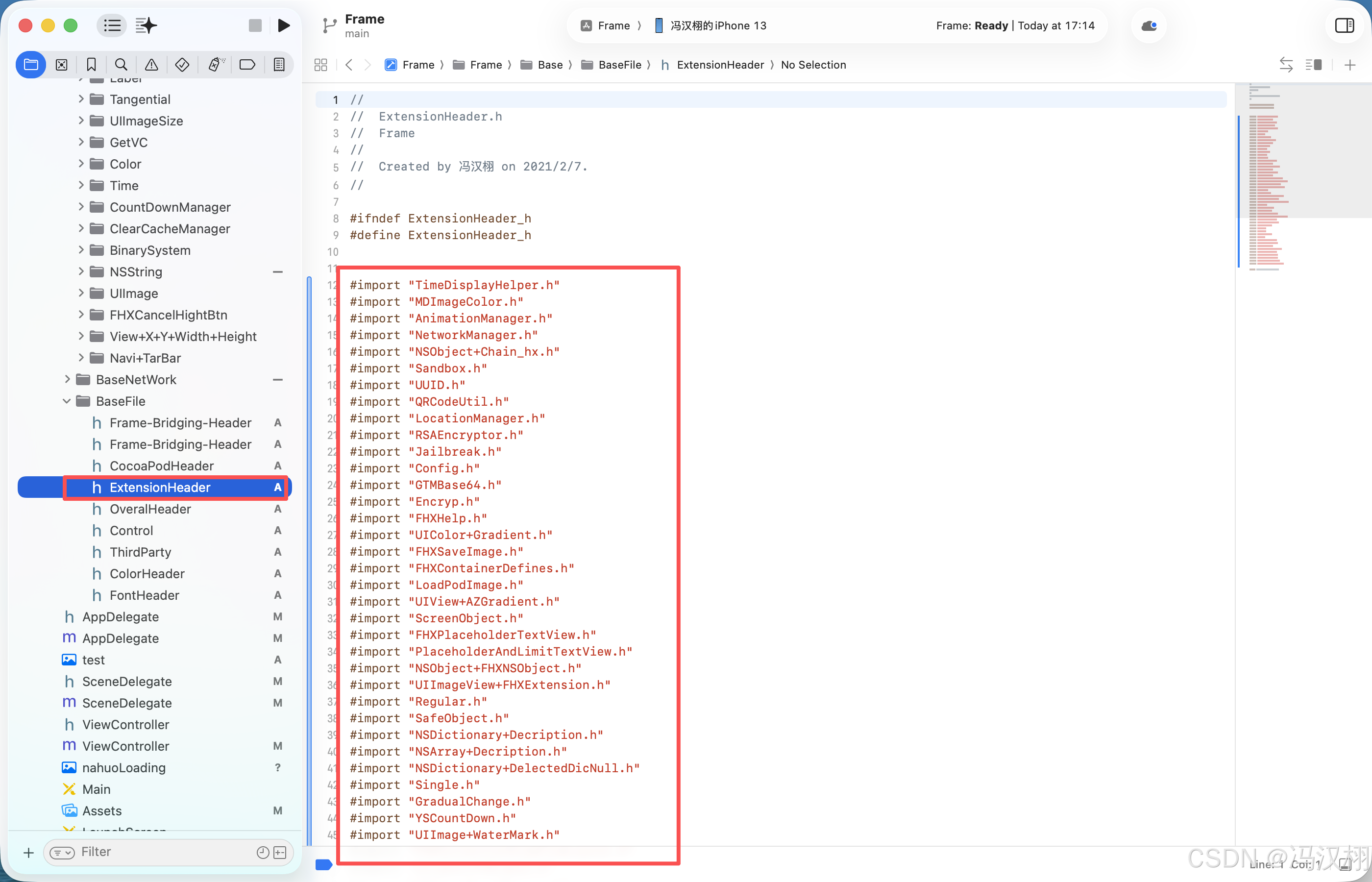
Flutter
iOS有PCH文件全局导入,Flutter 可以通过 集中导入+导出 来实现几乎相同的效果
方法一:集中 export(推荐)
新建一个 common_imports.dart 文件:
// common_imports.dart
export 'package:flutter/material.dart';
export 'package:flutter/services.dart';
export 'package:provider/provider.dart';
export 'utils/log.dart';
export 'utils/constants.dart';
以后你在任何地方只要:
import 'common_imports.dart';
就能同时使用上面所有的包和工具类,效果跟 iOS 的 PCH 很接近。
AZGradient 渐变效果
AZGradientText 渐变色的文字
源码
import 'package:flutter/material.dart';

class AZGradientText extends StatelessWidget {
  final String text;
  final TextStyle? style;
  final List<Color> colors;
  final AlignmentGeometry startPoint;
  final AlignmentGeometry endPoint;

  const AZGradientText(
      this.text, {
        Key? key,
        required this.colors,
        this.style,
        this.startPoint = Alignment.centerLeft,
        this.endPoint = Alignment.centerRight,
      }) : super(key: key);

  @override
  Widget build(BuildContext context) {
    return ShaderMask(
      shaderCallback: (bounds) => LinearGradient(
        colors: colors,
        begin: startPoint,
        end: endPoint,
      ).createShader(Rect.fromLTWH(0, 0, bounds.width, bounds.height)),
      child: Text(
        text,
        style: style?.copyWith(color: Colors.white) ??
            const TextStyle(color: Colors.white),
      ),
    );
  }
}
使用
import 'package:flutter/material.dart';
import 'package:flutterdemols/Extension/AZGradient/AZGradientText.dart';

class Category extends StatefulWidget {
  final String title;
  const Category({super.key, required this.title});

  @override
  State<Category> createState() => _Category();
}

class _Category extends State<Category> {
  @override
  Widget build(BuildContext context) {
    return Scaffold(
      appBar: AppBar(
        title: const Text('Category'),
        backgroundColor: Colors.blue[300],
      ),
      body: Center(
        child: Column(
          mainAxisAlignment: MainAxisAlignment.center,
          crossAxisAlignment: CrossAxisAlignment.center,
          children: <Widget>[
            AZGradientText(
              widget.title, // ✅ 渐变文字内容
              colors: const [
                Color(0xFFFF1493),
                Color(0xFF0072FF),
              ],
              style: const TextStyle(
                fontSize: 36,
                fontWeight: FontWeight.bold,
              ),
              startPoint: Alignment.topLeft,
              endPoint: Alignment.bottomRight,
            ),
          ],
        ),
      ),
    );
  }
}
效果

AZGradientView 渐变背景容器
代码
import 'package:flutter/material.dart';

class AZGradientView extends StatelessWidget {
  final List<Color> colors;
  final List<double>? locations;
  final AlignmentGeometry startPoint;
  final AlignmentGeometry endPoint;
  final Widget? child;

  const AZGradientView({
    Key? key,
    required this.colors,
    this.locations,
    this.startPoint = Alignment.centerLeft,
    this.endPoint = Alignment.centerRight,
    this.child,
  }) : super(key: key);

  @override
  Widget build(BuildContext context) {
    return Container(
      decoration: BoxDecoration(
        gradient: LinearGradient(
          colors: colors,
          stops: locations,
          begin: startPoint,
          end: endPoint,
        ),
      ),
      child: child,
    );
  }
}
使用
import 'package:flutter/material.dart';
import 'package:flutterdemols/Extension/AZGradient/AZGradientView.dart'; // ✅ 记得引入刚才的封装文件

class Home extends StatefulWidget {
  @override
  State<Home> createState() => _Home();
}

class _Home extends State<Home> {
  @override
  Widget build(BuildContext context) {
    return Scaffold(
      appBar: AppBar(
        title: const Text('Home'),
        backgroundColor: Colors.blue[300],
      ),
      body: const AZGradientView(
        colors: [
          Color(0xFF4FACFE), // 渐变起始色
          Color(0xFFFF1493), // 渐变结束色
        ],
        startPoint: Alignment.topLeft,
        endPoint: Alignment.bottomRight,
        child: Center(
          child: Text(
            'I am gradient text area',
            textAlign: TextAlign.center,
            style: TextStyle(
              backgroundColor: Colors.transparent, // 由外层负责背景
              color: Colors.white, // 渐变背景衬托白色字体
              fontSize: 20,
              fontWeight: FontWeight.bold,
            ),
          ),
        ),
      ),
    );
  }
}
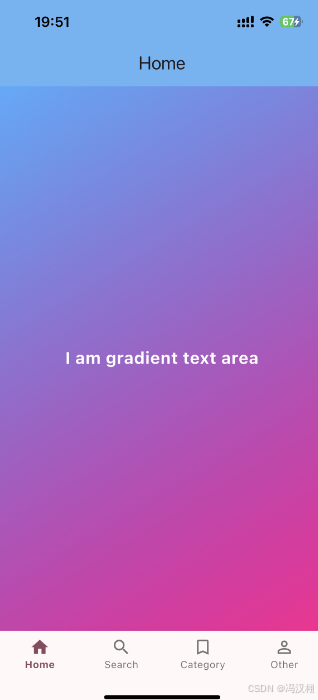
效果
UUID 设备唯一标识符
KeyChainStore
import 'package:flutter_secure_storage/flutter_secure_storage.dart';

class KeyChainStore {
  static const FlutterSecureStorage _storage = FlutterSecureStorage();

  /// 保存数据
  static Future<void> save(String service, String data) async {
    await _storage.write(key: service, value: data);
  }

  /// 读取数据
  static Future<String?> load(String service) async {
    return await _storage.read(key: service);
  }

  /// 删除数据
  static Future<void> deleteKeyData(String service) async {
    await _storage.delete(key: service);
  }
}
UUID
import 'dart:async';
import 'package:uuid/uuid.dart';
import 'package:flutterdemols/Extension/UUID/KeyChainStore.dart';

class UUID {
  static const String _service = "com.company.app.usernamepassword";

  static Future<String> getUUID() async {
    // 尝试读取
    String? strUUID = await KeyChainStore.load(_service);

    if (strUUID == null || strUUID.isEmpty) {
      // 生成新的 UUID
      strUUID = const Uuid().v4();

      // 保存到 Keychain
      await KeyChainStore.save(_service, strUUID);
    }

    return strUUID;
  }
}
使用
import 'package:flutter/material.dart';
import 'package:flutterdemols/Extension/UUID/UUID.dart';

class Home extends StatefulWidget {
  @override
  State<Home> createState() => _HomeState();
}

class _HomeState extends State<Home> {
  String? _uuid; // 用于保存读取到的UUID

  @override
  void initState() {
    super.initState();
    _loadUUID();
  }

  /// 异步加载UUID
  Future<void> _loadUUID() async {
    String uuid = await UUID.getUUID(); // 从KeyChain中读取或生成新的UUID
    setState(() {
      _uuid = uuid;
    });
  }

  @override
  Widget build(BuildContext context) {
    return Scaffold(
      appBar: AppBar(
        title: const Text('Home'),
        backgroundColor: Colors.blue[300],
      ),
      body: Center(
        child: _uuid == null
            ? const CircularProgressIndicator() // 加载中显示loading
            : Column(
          mainAxisAlignment: MainAxisAlignment.center,
          children: [
            const Text(
              '设备唯一标识符 (UUID):',
              style: TextStyle(
                fontSize: 18,
                color: Colors.black87,
              ),
            ),
            const SizedBox(height: 10),
            Container(
              padding: const EdgeInsets.all(12),
              margin: const EdgeInsets.symmetric(horizontal: 20),
              decoration: BoxDecoration(
                color: Colors.amber[100],
                borderRadius: BorderRadius.circular(8),
              ),
              child: Text(
                _uuid!,
                textAlign: TextAlign.center,
                style: const TextStyle(
                  color: Colors.blue,
                  fontSize: 16,
                  fontWeight: FontWeight.w500,
                ),
              ),
            ),
          ],
        ),
      ),
    );
  }
}
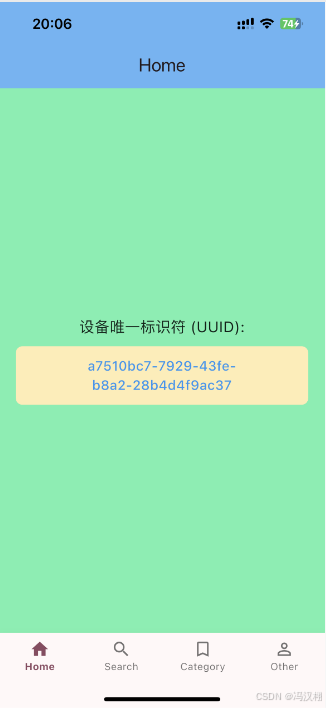
效果
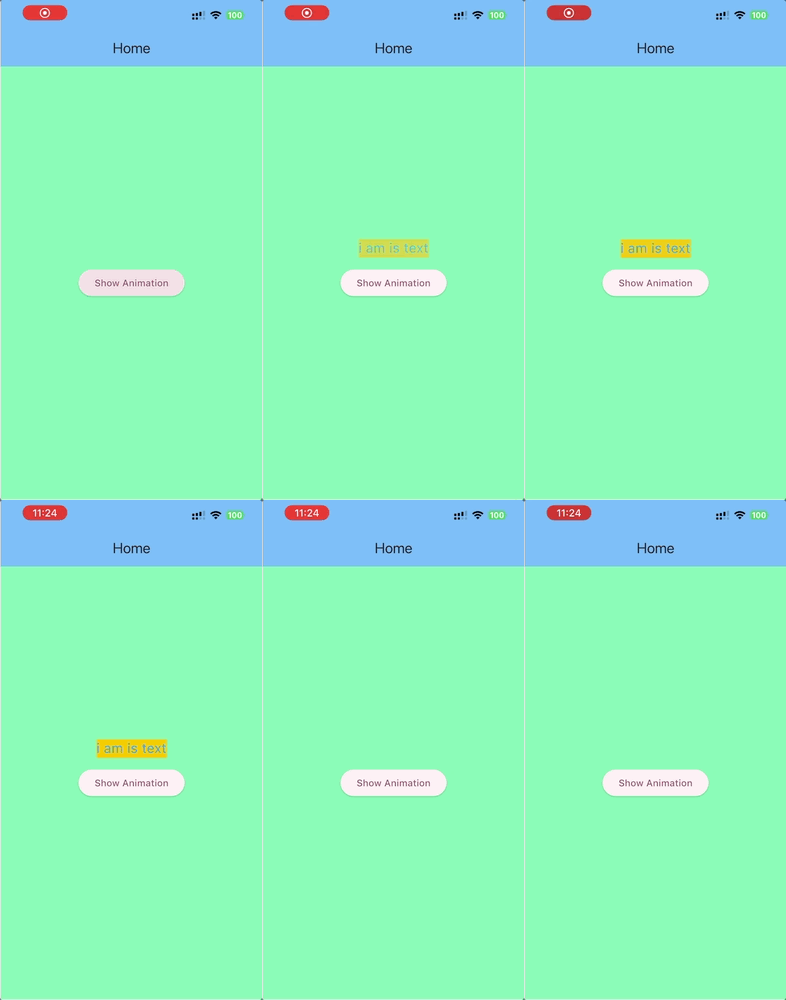
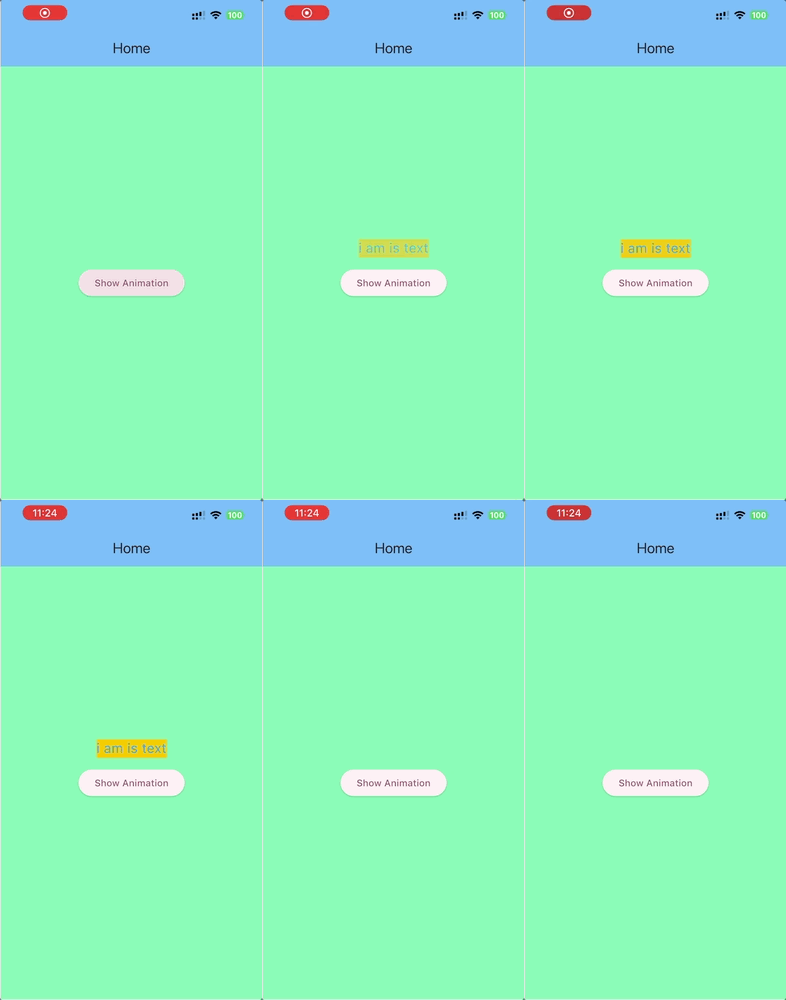
AnimationManager 轻量级通用动画调度器
源码
import 'package:flutter/material.dart';

enum AnimationDirection { up, down, left, right }

class AnimationManager {
  static void startAnimation({
    required BuildContext context,
    required Widget child,
    required AnimationDirection direction,
    required double offset,
    Duration duration = const Duration(seconds: 5),
    Duration delay = Duration.zero,
  }) {
    final overlay = Overlay.of(context);
    if (overlay == null) return;

    // 先声明,再赋值 —— 关键点
    OverlayEntry? entry;
    entry = OverlayEntry(builder: (_) {
      return _AnimatedView(
        child: child,
        direction: direction,
        offset: offset,
        duration: duration,
        delay: delay,
        onEnd: () {
          // 使用可空访问,避免未初始化或重复移除的问题
          entry?.remove();
        },
      );
    });

    overlay.insert(entry);
  }
}

class _AnimatedView extends StatefulWidget {
  final Widget child;
  final AnimationDirection direction;
  final double offset;
  final Duration duration;
  final Duration delay;
  final VoidCallback onEnd;

  const _AnimatedView({
    Key? key,
    required this.child,
    required this.direction,
    required this.offset,
    required this.duration,
    required this.delay,
    required this.onEnd,
  }) : super(key: key);

  @override
  State<_AnimatedView> createState() => _AnimatedViewState();
}

class _AnimatedViewState extends State<_AnimatedView>
    with SingleTickerProviderStateMixin {
  late final AnimationController _controller;
  late final Animation<Offset> _position;
  late final Animation<double> _opacity;

  @override
  void initState() {
    super.initState();

    _controller = AnimationController(vsync: this, duration: widget.duration);

    Offset begin;
    switch (widget.direction) {
      case AnimationDirection.up:
        begin = Offset(0, -widget.offset);
        break;
      case AnimationDirection.down:
        begin = Offset(0, widget.offset);
        break;
      case AnimationDirection.left:
        begin = Offset(-widget.offset, 0);
        break;
      case AnimationDirection.right:
        begin = Offset(widget.offset, 0);
        break;
    }

    _position = Tween<Offset>(begin: begin, end: Offset.zero).animate(
      CurvedAnimation(parent: _controller, curve: Curves.easeOutCubic),
    );

    _opacity = Tween<double>(begin: 0.0, end: 1.0).animate(
      CurvedAnimation(parent: _controller, curve: Curves.easeOutCubic),
    );

    Future.delayed(widget.delay, () {
      if (!mounted) return;
      _controller.forward().whenComplete(() {
        widget.onEnd();
      });
    });
  }

  @override
  void dispose() {
    _controller.dispose();
    super.dispose();
  }

  @override
  Widget build(BuildContext context) {
    // 使用 Center + Transform.translate 保持和原来 center/alpha 行为一致
    return Center(
      child: AnimatedBuilder(
        animation: _controller,
        builder: (_, child) {
          return Transform.translate(
            offset: _position.value,
            child: Opacity(
              opacity: _opacity.value,
              child: child,
            ),
          );
        },
        child: widget.child,
      ),
    );
  }
}
使用
import 'package:flutter/material.dart';
import 'package:flutterdemols/Extension/AnimationManager.dart';

class Home extends StatefulWidget {
  @override
  State<Home> createState() => _Home();
}

class _Home extends State<Home> {

  void _showAnimatedText() {
    AnimationManager.startAnimation(
      context: context,
      child: _animatedText(),
      direction: AnimationDirection.up,
      offset: 1.0, // 偏移倍数,1.0 相当于屏幕一个单位的高度或宽度
      duration: const Duration(seconds: 2),
      delay: const Duration(milliseconds: 200),
    );
  }

  Widget _animatedText() {
    return const Text(
      'i am is text',
      textAlign: TextAlign.center,
      style: TextStyle(
        backgroundColor: Colors.amber,
        color: Colors.blue,
        fontSize: 20,
      ),
    );
  }

  @override
  Widget build(BuildContext context) {
    return Scaffold(
      appBar: AppBar(
        title: const Text('Home'),
        backgroundColor: Colors.blue[300],
      ),
      body: Center(
        child: ElevatedButton(
          onPressed: _showAnimatedText,
          child: const Text('Show Animation'),
        ),
      ),
    );
  }
}
效果
AppColor 颜色工具库
源码
import 'dart:math';
import 'package:flutter/material.dart';

/// 颜色工具类
class ColorHex {
  /// 将 0x 开头的十六进制值转换为 Color
  /// [ColorHex.fromHex(0xFF00CD)]
  static Color fromHexInt(int hexColor, {double alpha = 1.0}) {
    assert(alpha >= 0 && alpha <= 1);
    return Color.fromRGBO(
      (hexColor >> 16) & 0xFF,
      (hexColor >> 8) & 0xFF,
      hexColor & 0xFF,
      alpha,
    );
  }

  /// 从字符串(# 或 0x 开头)创建颜色
  /// 支持格式:
  /// - "#333333"
  /// - "0X333333"
  /// - "333333"
  static Color fromHexString(String colorStr) {
    String c = colorStr.trim().toUpperCase();

    if (c.startsWith('0X')) {
      c = c.substring(2);
    } else if (c.startsWith('#')) {
      c = c.substring(1);
    }

    if (c.length != 6) return Colors.transparent;

    final r = int.parse(c.substring(0, 2), radix: 16);
    final g = int.parse(c.substring(2, 4), radix: 16);
    final b = int.parse(c.substring(4, 6), radix: 16);

    return Color.fromRGBO(r, g, b, 1.0);
  }
}

/// 应用颜色表(等价于 OC 的 Color 类)
class AppColor {
  /// 随机颜色
  static Color get random {
    final random = Random();
    return Color.fromRGBO(
      random.nextInt(256),
      random.nextInt(256),
      random.nextInt(256),
      1.0,
    );
  }

  /// 主题色
  static const Color theme = Color(0xFFCD001E);

  /// 亮主题色
  static const Color themeLight = Color(0xFFFF5000);

  /// 浅主题色
  static const Color themeShallow = Color(0xFFF08080);

  /// 弱主题色
  static const Color themeWeak = Color(0xFFFCF0F2);

  /// 文字主色
  static const Color textBlank = Color(0xFF333333);

  /// 二级文字
  static const Color textSub = Color(0xFF8C8C8C);

  /// 未激活按钮
  static const Color nonActivated = Color(0xFFBEBEBE);

  /// 文字描边
  static const Color textLine = Color(0xFFDDDDDD);

  /// 分割线
  static const Color line = Color(0xFFE5E5E5);

  /// 背景
  static const Color background = Color(0xFFF5F5F5);

  /// 辅助色
  static const Color assist = Color(0xFFFFAC03);

  /// 辅助深色
  static const Color assistDeep = Color(0xFFF4A400);

  /// 亮绿色
  static const Color greenLight = Color(0xFF82A542);

  /// 深亮绿
  static const Color greenDeepLight = Color(0xFF75953C);

  /// 深绿
  static const Color greenDeep = Color(0xFF6D7B52);

  /// 道奇蓝
  static const Color doderBlue = Color(0xFF00A4E3);

  /// 皇家蓝
  static const Color royalBlue = Color(0xFF4169E1);

  /// 乳脂色
  static const Color bisque = Color(0xFFFAEBD7);

  /// 春天绿
  static const Color limeGreen = Color(0xFF3CB371);

  /// 晒黑
  static const Color tan = Color(0xFFA58561);

  /// 标题颜色
  static const Color textTheme = Color(0xFF010101);

  /// 秒杀已抢光颜色
  static const Color robed = Color(0xFFE56A7E);
}
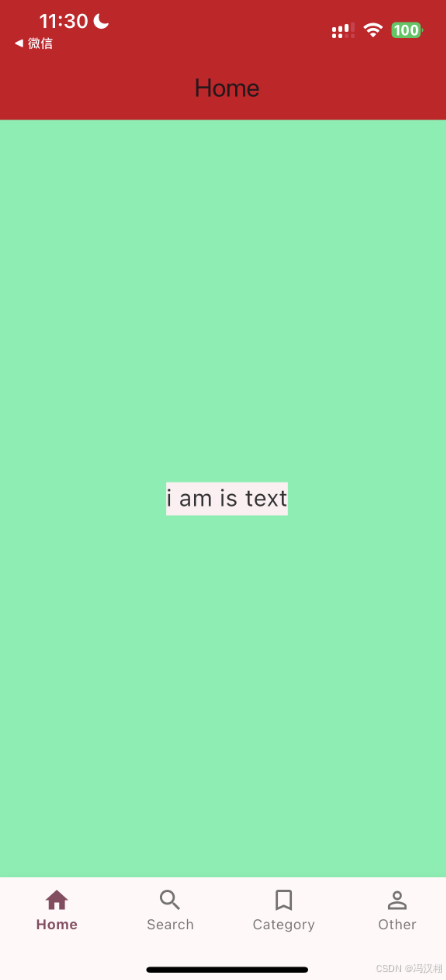
使用
import 'package:flutter/material.dart';
import 'package:flutterdemols/Extension/AppColor.dart';

class Home extends StatefulWidget {
  @override
  State<Home> createState() => _Home();
}

class _Home extends State<Home> {
  @override
  Widget build(BuildContext context) {
    return Scaffold(
      appBar: AppBar(
        title: const Text('Home'),
        backgroundColor: AppColor.theme, // 使用主题色
      ),
      body: const Center(
        child: Text(
          'i am is text',
          textAlign: TextAlign.center,
          style: TextStyle(
            backgroundColor: AppColor.themeWeak, // 背景色 → 弱主题色
            color: AppColor.textBlank, // 字体颜色(主文本色)
            fontSize: 20,
          ),
        ),
      ),
    );
  }
}
效果
BinarySystem 进制的转换
源码
import 'dart:math';

/// BinarySystem 工具类:
/// 实现任意进制(2~36)之间的互相转换。
class BinarySystem {
  /// 将 10 进制整数 [decimal] 转换为 N 进制字符串
  /// 例:BinarySystem.tenToN(255, 16) => "ff"
  static String tenToN(int decimal, int radix) {
    assert(radix >= 2 && radix <= 36, '进制数必须在 2~36 之间');

    if (decimal == 0) return "0";
    const digits = '0123456789abcdefghijklmnopqrstuvwxyz';
    var result = StringBuffer();

    var value = decimal;
    while (value > 0) {
      int remainder = value % radix;
      value ~/= radix; // 整除
      result.write(digits[remainder]);
    }

    // 翻转结果,因为计算时是从低位到高位
    return result.toString().split('').reversed.join('');
  }

  /// 将 N 进制字符串 [str] 转换为 10 进制整数
  /// 例:BinarySystem.nToTen("ff", 16) => 255
  static int nToTen(String str, int radix) {
    assert(radix >= 2 && radix <= 36, '进制数必须在 2~36 之间');

    const digits = '0123456789abcdefghijklmnopqrstuvwxyz';
    var lower = str.toLowerCase();
    int result = 0;

    for (int i = 0; i < lower.length; i++) {
      int digitValue = digits.indexOf(lower[i]);
      if (digitValue == -1 || digitValue >= radix) {
        throw FormatException("非法字符 '${lower[i]}' 对于 $radix 进制");
      }
      result += digitValue * pow(radix, lower.length - i - 1).toInt();
    }

    return result;
  }
}
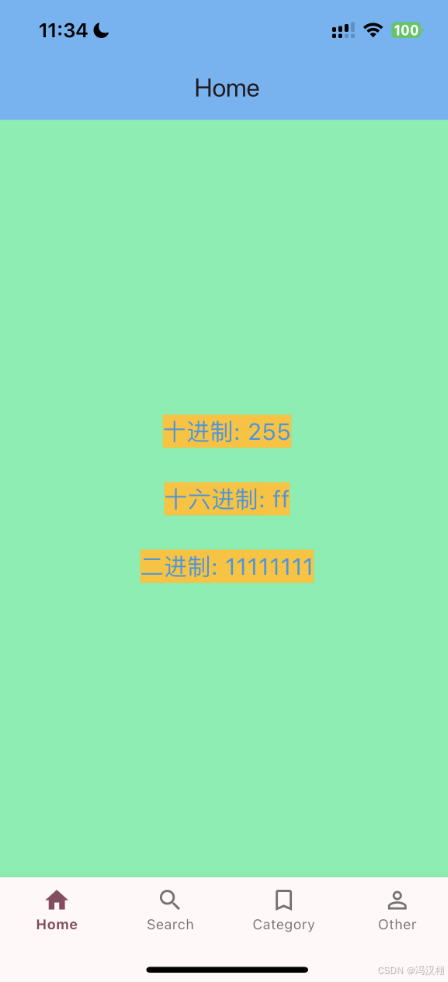
使用
import 'package:flutter/material.dart';
import 'package:flutterdemols/Extension/BinarySystem.dart';

class Home extends StatefulWidget {
  @override
  State<Home> createState() => _Home();
}

class _Home extends State<Home> {
  final int decimal = 255;

  @override
  Widget build(BuildContext context) {
    final hexStr = BinarySystem.tenToN(decimal, 16); // 255 -> ff
    final binaryStr = BinarySystem.tenToN(decimal, 2); // 255 -> 11111111

    return Scaffold(
      appBar: AppBar(
        title: const Text('Home'),
        backgroundColor: Colors.blue[300],
      ),
      body: Center(
        child: Text(
          '十进制: $decimal\n\n'
              '十六进制: $hexStr\n\n'
              '二进制: $binaryStr',
          textAlign: TextAlign.center,
          style: const TextStyle(
            backgroundColor: Colors.amber,
            color: Colors.blue,
            fontSize: 20,
          ),
        ),
      ),
    );
  }
}
效果
ClearCacheManager 清空缓存
源码
import 'dart:io';
import 'package:path_provider/path_provider.dart';

class ClearCacheManager {
  // 单例
  ClearCacheManager._internal();
  static final ClearCacheManager _instance = ClearCacheManager._internal();
  factory ClearCacheManager() => _instance;

  /// 获取缓存目录路径
  Future<Directory> _getCacheDir() async {
    return await getTemporaryDirectory(); // 对应 iOS 的 NSCachesDirectory
  }

  /// 获取缓存大小(单位:MB)
  Future<double> getCacheSize() async {
    final dir = await _getCacheDir();
    int totalBytes = await _getDirectorySize(dir);
    return totalBytes / (1024 * 1024); // 转为 MB
  }

  /// 递归计算文件夹大小(字节数)
  Future<int> _getDirectorySize(FileSystemEntity entity) async {
    if (entity is File) {
      try {
        return await entity.length();
      } catch (_) {
        return 0;
      }
    }
    if (entity is Directory) {
      int total = 0;
      try {
        final children = entity.listSync();
        for (var child in children) {
          total += await _getDirectorySize(child);
        }
      } catch (_) {}
      return total;
    }
    return 0;
  }

  /// 清除缓存
  Future<void> removeCache() async {
    final dir = await _getCacheDir();
    if (await dir.exists()) {
      try {
        final children = dir.listSync();
        for (var child in children) {
          try {
            if (child is File) {
              await child.delete();
            } else if (child is Directory) {
              await child.delete(recursive: true);
            }
          } catch (_) {}
        }
      } catch (_) {}
    }
  }
}
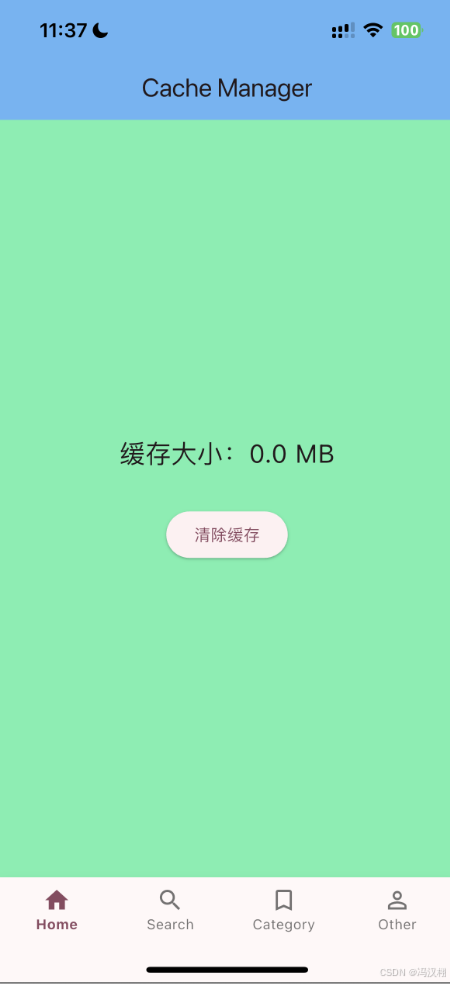
使用
import 'package:flutter/material.dart';
import 'clear_cache_manager.dart'; // 替换为实际路径

class Home extends StatefulWidget {
  @override
  State<Home> createState() => _Home();
}

class _Home extends State<Home> {
  double _cacheSize = 0.0;
  bool _loading = false;

  @override
  void initState() {
    super.initState();
    _loadCacheSize();
  }

  Future<void> _loadCacheSize() async {
    final size = await ClearCacheManager().getCacheSize();
    setState(() {
      _cacheSize = double.parse(size.toStringAsFixed(2)); // 保留两位小数
    });
  }

  Future<void> _clearCache() async {
    setState(() {
      _loading = true;
    });

    await ClearCacheManager().removeCache();
    await _loadCacheSize();

    setState(() {
      _loading = false;
    });
  }

  @override
  Widget build(BuildContext context) {
    return Scaffold(
      appBar: AppBar(
        title: const Text('Cache Manager'),
        backgroundColor: Colors.blue[300],
      ),
      body: Center(
        child: _loading
            ? const CircularProgressIndicator()
            : Column(
                mainAxisAlignment: MainAxisAlignment.center,
                children: [
                  Text(
                    '缓存大小:$_cacheSize MB',
                    style: const TextStyle(fontSize: 22),
                  ),
                  const SizedBox(height: 30),
                  ElevatedButton(
                    onPressed: _clearCache,
                    child: const Text('清除缓存'),
                  ),
                ],
              ),
      ),
    );
  }
}
效果
CountDownManager 倒计时
源码
import 'dart:async';

/// 倒计时与顺计时工具类 (等价于 OC 的 CountDownManager)
class CountDownManager {
  Timer? _timer;

  /// 主动销毁定时器
  void destroyTimer() {
    _timer?.cancel();
    _timer = null;
  }

  /// 倒计时 (秒级时间戳)
  /// [finishTimeStamp] 结束时间戳(10位,单位秒)
  /// [adjust] 校正时间(服务器与本地的时间差,单位秒)
  /// [onTick] 每秒回调,返回时间字符串与是否结束
  void countDownWithFinishTimeStamp(
      int finishTimeStamp, {
        double adjust = 0,
        required void Function(String timeStr, bool isFinish) onTick,
      }) {
    final now = DateTime.now().millisecondsSinceEpoch / 1000 + adjust;
    final remaining = finishTimeStamp - now;
    _countDownWithTimeout(remaining.toInt(), onTick);
  }

  /// 倒计时 (毫秒级时间戳)
  void countDownWithFinishTimeMillisecond(
      int finishTimeStamp, {
        double adjust = 0,
        required void Function(String timeStr, bool isFinish) onTick,
      }) {
    final now = DateTime.now().millisecondsSinceEpoch + adjust * 1000;
    final remaining = (finishTimeStamp - now) / 1000;
    _countDownWithTimeout(remaining.toInt(), onTick);
  }

  /// 顺计时 (秒级)
  void clockwiseHasPassTimeWithStartTimeStamp(
      int startTimeStamp, {
        double adjust = 0,
        required void Function(String dateStr) onTick,
      }) {
    destroyTimer();
    final now = DateTime.now().millisecondsSinceEpoch / 1000 + adjust;
    int elapsed = (now - startTimeStamp).toInt();
    _timer = Timer.periodic(const Duration(seconds: 1), (timer) {
      elapsed++;
      onTick(_formatTime(elapsed));
    });
  }

  /// 顺计时 (毫秒级)
  void clockwiseHasPassTimeWithStartTimeMillisecond(
      int startTimeStamp, {
        double adjust = 0,
        required void Function(String dateStr) onTick,
      }) {
    destroyTimer();
    final now = DateTime.now().millisecondsSinceEpoch + adjust * 1000;
    int elapsed = ((now - startTimeStamp) / 1000).toInt();
    _timer = Timer.periodic(const Duration(seconds: 1), (timer) {
      elapsed++;
      onTick(_formatTime(elapsed));
    });
  }

  /// 从开始时间到结束时间递增 (秒级)
  void countDownHasPassTimeWithStartAndFinishTimeStamp(
      int startTimeStamp,
      int finishTimeStamp, {
        double adjust = 0,
        required void Function(String dateStr, bool isFinish) onTick,
      }) {
    destroyTimer();
    final now = DateTime.now().millisecondsSinceEpoch / 1000 + adjust;
    int elapsed = (now - startTimeStamp).toInt();
    final total = finishTimeStamp - startTimeStamp;

    _timer = Timer.periodic(const Duration(seconds: 1), (timer) {
      final isFinish = elapsed >= total;
      onTick(_formatTime(elapsed), isFinish);
      if (isFinish) {
        destroyTimer();
      } else {
        elapsed++;
      }
    });
  }

  /// 从开始时间到结束时间递增 (毫秒级)
  void countDownHasPassTimeWithStartAndFinishTimeMillisecond(
      int startTimeStamp,
      int finishTimeStamp, {
        double adjust = 0,
        required void Function(String dateStr, bool isFinish) onTick,
      }) {
    destroyTimer();
    final now = DateTime.now().millisecondsSinceEpoch + adjust * 1000;
    int elapsed = ((now - startTimeStamp) / 1000).toInt();
    final total = ((finishTimeStamp - startTimeStamp) / 1000).toInt();

    _timer = Timer.periodic(const Duration(seconds: 1), (timer) {
      final isFinish = elapsed >= total;
      onTick(_formatTime(elapsed), isFinish);
      if (isFinish) {
        destroyTimer();
      } else {
        elapsed++;
      }
    });
  }

  /// 倒计时(直接输入秒数)
  void _countDownWithTimeout(
      int timeout,
      void Function(String timeStr, bool isFinish) onTick,
      ) {
    destroyTimer();
    int remaining = timeout;
    if (remaining <= 0) {
      onTick(_formatTime(0), true);
      return;
    }

    _timer = Timer.periodic(const Duration(seconds: 1), (timer) {
      if (remaining <= 0) {
        destroyTimer();
        onTick(_formatTime(0), true);
      } else {
        onTick(_formatTime(remaining), false);
        remaining--;
      }
    });
  }

  /// 获取当前时间戳(秒级)
  static String getNowTimeTimestampSecond() {
    return (DateTime.now().millisecondsSinceEpoch ~/ 1000).toString();
  }

  /// 获取当前时间戳(毫秒级)
  static String getNowTimeTimestampMillisecond() {
    return DateTime.now().millisecondsSinceEpoch.toString();
  }

  /// 内部工具:格式化输出 "dd:HH:mm:ss"
  String _formatTime(int seconds) {
    int days = seconds ~/ (3600 * 24);
    int hours = (seconds % (3600 * 24)) ~/ 3600;
    int minutes = (seconds % 3600) ~/ 60;
    int secs = seconds % 60;

    String twoDigits(int n) => n.toString().padLeft(2, '0');
    return "${twoDigits(days)}:${twoDigits(hours)}:${twoDigits(minutes)}:${twoDigits(secs)}";
  }
}
使用
import 'package:flutter/material.dart';
import 'package:flutterdemols/Extension/CountDownManager.dart';

class Home extends StatefulWidget {
  @override
  State<Home> createState() => _Home();
}

class _Home extends State<Home> {
  final CountDownManager _countDownManager = CountDownManager();
  String _timeStr = "00:00:00:10"; // 初始显示10秒
  bool _isFinish = false;

  @override
  void initState() {
    super.initState();
    _startCountDown();
  }

  void _startCountDown() {
    // 当前时间戳(秒级)
    final now = DateTime.now().millisecondsSinceEpoch ~/ 1000;
    final finish = now + 10; // 10 秒后结束

    _countDownManager.countDownWithFinishTimeStamp(
      finish,
      onTick: (timeStr, isFinish) {
        if (!mounted) return;
        setState(() {
          _timeStr = timeStr;
          _isFinish = isFinish;
        });
      },
    );
  }

  @override
  void dispose() {
    _countDownManager.destroyTimer();
    super.dispose();
  }

  @override
  Widget build(BuildContext context) {
    return Scaffold(
      appBar: AppBar(
        title: const Text('倒计时示例'),
        backgroundColor: Colors.blue[300],
      ),
      body: Center(
        child: Text(
          _isFinish ? "倒计时结束" : _timeStr,
          textAlign: TextAlign.center,
          style: const TextStyle(
            backgroundColor: Colors.amber,
            color: Colors.blue,
            fontSize: 22,
          ),
        ),
      ),
    );
  }
}
效果
DeviceUtils 设备尺寸信息
源码
import 'dart:io';
import 'package:flutter/foundation.dart';
import 'package:flutter/material.dart';
import 'package:package_info_plus/package_info_plus.dart';

class DeviceUtils {
  /// 屏幕宽度
  static double screenWidth(BuildContext context) =>
      MediaQuery.of(context).size.width;

  /// 屏幕高度
  static double screenHeight(BuildContext context) =>
      MediaQuery.of(context).size.height;

  /// 状态栏高度
  static double statusHeight(BuildContext context) =>
      MediaQuery.of(context).padding.top;

  /// 底部安全距离(适配 iPhone X 等刘海屏)
  static double bottomSafeHeight(BuildContext context) =>
      MediaQuery.of(context).padding.bottom;

  /// 导航栏高度 (Flutter 没有原生导航栏,通常自己定义 AppBar 高度)
  static double navigationHeight = kToolbarHeight;

  /// tabbar 高度(49),刘海屏加上底部安全区
  static double tabBarHeight(BuildContext context) =>
      49 + bottomSafeHeight(context);

  /// 顶部安全距离
  static double topSafeHeight(BuildContext context) =>
      statusHeight(context) + navigationHeight;

  /// 是否是刘海屏
  static bool isNotchScreen(BuildContext context) =>
      bottomSafeHeight(context) > 0;

  /// iOS/Android 系统版本
  static String osVersion() => Platform.operatingSystemVersion;

  /// App 版本号
  static Future<String?> appVersion() async {
    // 用 package_info_plus 获取
    // import 'package:package_info_plus/package_info_plus.dart';
    final info = await PackageInfo.fromPlatform();
    return info.version;
  }

  /// Debug 打印
  static void debugLog(String msg) {
    if (kDebugMode) {
      // kDebugMode 在 debug 模式下为 true,release 下自动去掉
      debugPrint('[DEBUG] $msg');
    }
  }
}
使用
import 'package:flutter/material.dart';
import 'package:flutterdemols/Extension/DeviceUtils.dart';

class Home extends StatefulWidget {
  @override
  State<Home> createState() => _Home();
}

class _Home extends State<Home> {
  String _appVersion = "";
  String _osVersion = "";

  @override
  void initState() {
    super.initState();
    _loadDeviceInfo();
  }

  Future<void> _loadDeviceInfo() async {
    final version = await DeviceUtils.appVersion();
    final osVer = DeviceUtils.osVersion();

    if (!mounted) return;
    setState(() {
      _appVersion = version ?? "";
      _osVersion = osVer;
    });
  }

  @override
  Widget build(BuildContext context) {
    final width = DeviceUtils.screenWidth(context);
    final height = DeviceUtils.screenHeight(context);
    final status = DeviceUtils.statusHeight(context);
    final bottom = DeviceUtils.bottomSafeHeight(context);
    final isNotch = DeviceUtils.isNotchScreen(context);

    return Scaffold(
      appBar: AppBar(
        title: const Text('Home'),
        backgroundColor: Colors.blue[300],
      ),
      body: Center(
        child: Text(
          '''
          屏幕宽: $width px
          屏幕高: $height px

          状态栏高度: $status px
          底部安全区: $bottom px
          是否刘海屏: $isNotch

          系统版本: $_osVersion
          App版本: $_appVersion
          ''',
          textAlign: TextAlign.center,
          style: const TextStyle(
            backgroundColor: Colors.amber,
            color: Colors.blue,
            fontSize: 20,
          ),
        ),
      ),
    );
  }
}
效果
Encryp 加密相关
源码
import 'dart:convert';
import 'dart:typed_data';
import 'package:crypto/crypto.dart';
import 'package:pointycastle/export.dart';

class Encryp {
  static const String gKey = "EQwRjg3NEU5RDA3Q"; // 与OC中保持一致
  static const String gIv = "APs6\$^*(&(5sd1#^"; // 与OC中保持一致

  /// -------------------------------
  /// 🔹 MD5 加密(32位小写)
  /// -------------------------------
  static String md5Lower32(String input) {
    final bytes = utf8.encode(input);
    final digest = md5.convert(bytes);
    return digest.toString(); // 默认小写32位
  }

  /// -------------------------------
  /// 🔹 MD5 加密(32位大写)
  /// -------------------------------
  static String md5Upper32(String input) {
    return md5Lower32(input).toUpperCase();
  }

  /// -------------------------------
  /// 🔹 MD5 加密(16位小写)
  /// -------------------------------
  static String md5Lower16(String input) {
    final full = md5Lower32(input);
    return full.substring(8, 24);
  }

  /// -------------------------------
  /// 🔹 MD5 加密(16位大写)
  /// -------------------------------
  static String md5Upper16(String input) {
    return md5Lower16(input).toUpperCase();
  }

  /// -------------------------------
  /// 🔹 Base64 编码
  /// -------------------------------
  static String base64EncodeData(Uint8List data) {
    return base64.encode(data);
  }

  /// -------------------------------
  /// 🔹 Base64 解码
  /// -------------------------------
  static Uint8List base64DecodeData(String base64Str) {
    return base64.decode(base64Str);
  }

  /// -------------------------------
  /// 🔹 SHA1 加密
  /// -------------------------------
  static String sha1Encrypt(String input) {
    final bytes = utf8.encode(input);
    final digest = sha1.convert(bytes);
    return digest.toString();
  }

  /// -------------------------------
  /// 🔹 AES128 加密(补位)
  /// -------------------------------
  static String aes128Encrypt(String plainText) {
    final key = Uint8List.fromList(utf8.encode(gKey));
    final iv = Uint8List.fromList(utf8.encode(gIv));

    final blockCipher = CBCBlockCipher(AESFastEngine())
      ..init(
        true,
        ParametersWithIV(KeyParameter(key), iv),
      );

    final paddedData = _pkcs7Pad(Uint8List.fromList(utf8.encode(plainText)));

    final cipherText = _processBlocks(blockCipher, paddedData);
    return base64.encode(cipherText);
  }

  /// -------------------------------
  /// 🔹 AES128 解密
  /// -------------------------------
  static String aes128Decrypt(String base64Text) {
    final key = Uint8List.fromList(utf8.encode(gKey));
    final iv = Uint8List.fromList(utf8.encode(gIv));
    final cipherText = base64.decode(base64Text);

    final blockCipher = CBCBlockCipher(AESFastEngine())
      ..init(
        false,
        ParametersWithIV(KeyParameter(key), iv),
      );

    final decrypted = _processBlocks(blockCipher, cipherText);
    final unpadded = _pkcs7Unpad(decrypted);

    return utf8.decode(unpadded);
  }

  /// -------------------------------
  /// 🔹 内部方法:AES 分块处理
  /// -------------------------------
  static Uint8List _processBlocks(BlockCipher cipher, Uint8List input) {
    final output = Uint8List(input.length);
    var offset = 0;
    while (offset < input.length) {
      offset += cipher.processBlock(input, offset, output, offset);
    }
    return output;
  }

  /// -------------------------------
  /// 🔹 PKCS7 Padding
  /// -------------------------------
  static Uint8List _pkcs7Pad(Uint8List data) {
    final padLen = 16 - (data.length % 16);
    return Uint8List.fromList(data + List<int>.filled(padLen, padLen));
  }

  /// -------------------------------
  /// 🔹 PKCS7 Unpadding
  /// -------------------------------
  static Uint8List _pkcs7Unpad(Uint8List data) {
    final padLen = data.last;
    return data.sublist(0, data.length - padLen);
  }
}
使用
import 'package:flutter/material.dart';
import 'package:flutterdemols/Extension/Encryp.dart';
import 'dart:typed_data';

class Home extends StatefulWidget {
  @override
  State<Home> createState() => _Home();
}

class _Home extends State<Home> {
  String result = "";

  @override
  void initState() {
    super.initState();
    _testEncrypt();
  }

  void _testEncrypt() {
    const source = "HelloFlutter";

    String md5_32_lower = Encryp.md5Lower32(source);
    String md5_32_upper = Encryp.md5Upper32(source);
    String md5_16_lower = Encryp.md5Lower16(source);
    String md5_16_upper = Encryp.md5Upper16(source);
    String sha1_text = Encryp.sha1Encrypt(source);

    String aesEncryptText = Encryp.aes128Encrypt(source);
    String aesDecryptText = Encryp.aes128Decrypt(aesEncryptText);

    String base64Text = Encryp.base64EncodeData(Uint8List.fromList(source.codeUnits));
    String base64DecodeText = String.fromCharCodes(
      Encryp.base64DecodeData(base64Text),
    );

    result = '''
原文: $source

MD5_32 小写: $md5_32_lower
MD5_32 大写: $md5_32_upper
MD5_16 小写: $md5_16_lower
MD5_16 大写: $md5_16_upper

SHA1: $sha1_text

AES 加密: $aesEncryptText
AES 解密: $aesDecryptText

Base64 编码: $base64Text
Base64 解码: $base64DecodeText
''';

    setState(() {});
  }

  @override
  Widget build(BuildContext context) {
    return Scaffold(
      appBar: AppBar(
        title: const Text('加密示例'),
        backgroundColor: Colors.blue[300],
      ),
      body: SingleChildScrollView(
        padding: const EdgeInsets.all(16),
        child: Text(
          result,
          style: const TextStyle(fontSize: 15, color: Colors.black),
        ),
      ),
    );
  }
}
效果
FHXHelp
源码
import 'dart:convert';
import 'dart:io';
import 'dart:math';
import 'package:flutter/material.dart';
import 'package:intl/intl.dart';
import 'package:url_launcher/url_launcher.dart';
import 'package:device_info_plus/device_info_plus.dart';
import 'package:flutter/services.dart';
import 'dart:ui' as ui;
import 'package:flutter/rendering.dart';


class FHXHelp {
  /// 拨打电话
  static Future<void> makePhoneCall(String tel) async {
    final Uri url = Uri(scheme: 'tel', path: tel);
    if (await canLaunchUrl(url)) {
      await launchUrl(url);
    } else {
      throw '无法拨打电话: $tel';
    }
  }

  /// 判断手机号运营商类型
  static String judgePhoneNumType(String mobile) {
    final regCM = RegExp(r'^1(34[0-8]|(3[5-9]|5[017-9]|8[278])\d)\d{7}$');
    final regCU = RegExp(r'^1(3[0-2]|4[5]|5[256]|7[6]|8[56])\d{8}$');
    final regCT = RegExp(r'^1((33|53|8[09])[0-9]|349)\d{7}$');

    if (regCM.hasMatch(mobile)) return "中国移动";
    if (regCU.hasMatch(mobile)) return "中国联通";
    if (regCT.hasMatch(mobile)) return "中国电信";
    return "未知";
  }

  /// 时间字符串 -> 时间戳
  static String timeStringToTimestamp(String time) {
    final dateFormat = DateFormat("yyyy-MM-dd HH:mm:ss");
    final date = dateFormat.parse(time);
    return (date.millisecondsSinceEpoch / 1000).toInt().toString();
  }

  /// 时间戳 -> 时间字符串
  static String timestampToTimeString(String timestamp) {
    final date = DateTime.fromMillisecondsSinceEpoch(int.parse(timestamp) * 1000);
    final dateFormat = DateFormat("yyyy-MM-dd HH:mm:ss");
    return dateFormat.format(date);
  }

  /// 获取 [年,月,日]
  static List<String> getYearMonthDay(String time) {
    return [time.substring(0, 4), time.substring(5, 7), time.substring(8, 10)];
  }

  /// 今天和明天的日期
  static List<List<String>> recentDates() {
    final now = DateTime.now();
    final tomorrow = now.add(const Duration(days: 1));
    final fmt = DateFormat("yyyy-MM-dd HH:mm:ss");
    return [
      getYearMonthDay(fmt.format(now)),
      getYearMonthDay(fmt.format(tomorrow))
    ];
  }

  /// 当前界面截图(需要 BuildContext)
  static Future<Uint8List?> captureWidget(GlobalKey key) async {
    try {
      RenderRepaintBoundary boundary =
      key.currentContext!.findRenderObject() as RenderRepaintBoundary;
      // 注意:这里使用 ui.Image
      ui.Image image = await boundary.toImage(pixelRatio: 3.0);
      ByteData? byteData = await image.toByteData(format: ui.ImageByteFormat.png);
      return byteData?.buffer.asUint8List();
    } catch (e) {
      debugPrint("截图失败: $e");
      return null;
    }
  }


  /// 去掉HTML标签
  static String removeHtmlTags(String html) {
    return html.replaceAll(RegExp(r'<[^>]*>|{[^}]*}'), '');
  }

  /// 随机数
  static int randomInt(int from, int to) {
    final rnd = Random();
    return from + rnd.nextInt(to - from + 1);
  }

  /// 添加边框
  static BoxDecoration border({
    bool top = false,
    bool left = false,
    bool bottom = false,
    bool right = false,
    Color color = Colors.black,
    double width = 1.0,
  }) {
    return BoxDecoration(
      border: Border(
        top: top ? BorderSide(color: color, width: width) : BorderSide.none,
        left: left ? BorderSide(color: color, width: width) : BorderSide.none,
        bottom: bottom ? BorderSide(color: color, width: width) : BorderSide.none,
        right: right ? BorderSide(color: color, width: width) : BorderSide.none,
      ),
    );
  }

  /// 数组去重
  static List<T> unique<T>(List<T> list) => list.toSet().toList();

  /// 图片缩放
  static Future<Image> scaleImage(Image image, Size size) async {
    return Image(
      image: image.image,
      width: size.width,
      height: size.height,
      fit: BoxFit.cover,
    );
  }

  /// 格式化千分位
  static String formatThousands(String number) {
    final n = double.tryParse(number) ?? 0.0;
    final formatter = NumberFormat("#,##0.00", "en_US");
    return formatter.format(n);
  }

  /// 不四舍五入保留小数位
  static String noRound(double value, int fractionDigits) {
    final factor = pow(10, fractionDigits);
    final truncated = (value * factor).truncate() / factor;
    return truncated.toStringAsFixed(fractionDigits);
  }

  /// 获取手机信息
  static Future<Map<String, dynamic>> getUserPhoneInfo() async {
    final deviceInfo = DeviceInfoPlugin();
    Map<String, dynamic> data = {};

    if (Platform.isIOS) {
      final ios = await deviceInfo.iosInfo;
      data = {
        "mobiletype": ios.utsname.machine,
        "sysversion": ios.systemVersion,
        "logintype": "IOS",
        "appversion": ios.systemName,
        "devicenumber": ios.identifierForVendor,
      };
    } else if (Platform.isAndroid) {
      final android = await deviceInfo.androidInfo;
      data = {
        "mobiletype": android.model,
        "sysversion": android.version.release,
        "logintype": "Android",
        "appversion": android.version.sdkInt.toString(),
        "devicenumber": android.id,
      };
    }

    return data;
  }

  /// 手机号格式化 138 8888 9999
  static String formatPhone(String phone) {
    if (phone.length != 11) return phone;
    return "${phone.substring(0, 3)} ${phone.substring(3, 7)} ${phone.substring(7)}";
  }

  /// 银行卡中间空格
  static String formatCard(String str) {
    final buffer = StringBuffer();
    for (int i = 0; i < str.length; i++) {
      buffer.write(str[i]);
      if ((i + 1) % 4 == 0 && i != str.length - 1) buffer.write(' ');
    }
    return buffer.toString();
  }
}
使用
import 'package:flutter/material.dart';
import 'package:flutterdemols/Extension/FHXHelp.dart';

class Home extends StatefulWidget {
  const Home({super.key});

  @override
  State<Home> createState() => _Home();
}

class _Home extends State<Home> {
  String randomNumber = '';
  String formattedPhone = '';
  String timestampNow = '';
  String timestampToStr = '';
  Map<String, dynamic>? deviceInfo;

  @override
  void initState() {
    super.initState();
    _testFHXHelp();
  }

  Future<void> _testFHXHelp() async {
    randomNumber = FHXHelp.randomInt(1000, 9999).toString();
    formattedPhone = FHXHelp.formatPhone("13888889999");
    timestampNow = DateTime.now().millisecondsSinceEpoch.toString();
    timestampToStr = FHXHelp.timestampToTimeString(timestampNow.substring(0,10));
    deviceInfo = await FHXHelp.getUserPhoneInfo();
    setState(() {});
  }

  @override
  Widget build(BuildContext context) {
    return Scaffold(
      appBar: AppBar(
        title: const Text('FHXHelp Demo'),
        backgroundColor: Colors.blue[300],
      ),
      body: SingleChildScrollView(
        padding: const EdgeInsets.all(16),
        child: Text(
          '''
随机数: $randomNumber
手机号格式化: $formattedPhone
当前时间戳: $timestampNow
时间戳转时间: $timestampToStr
设备信息: ${deviceInfo ?? '加载中...'}
          ''',
          style: const TextStyle(
            backgroundColor: Colors.amber,
            color: Colors.blue,
            fontSize: 16,
          ),
        ),
      ),
    );
  }
}
效果
FHXImage 图片操作(颜色转图片)
源码
import 'dart:ui' as ui;
import 'package:flutter/material.dart';

class FHXImage {
  /// 根据颜色生成 1x1 图片
  static Future<ui.Image> createImageWithColor(Color color) async {
    final recorder = ui.PictureRecorder();
    final canvas = Canvas(recorder);
    final paint = Paint()..color = color;
    canvas.drawRect(Rect.fromLTWH(0, 0, 1, 1), paint);
    final picture = recorder.endRecording();
    // 注意:toImage 返回 Future<ui.Image>
    return await picture.toImage(1, 1);
  }

  /// 根据颜色和尺寸生成图片
  static Future<ui.Image> createImageWithColorAndRect(Color color, Size size) async {
    final recorder = ui.PictureRecorder();
    final canvas = Canvas(recorder);
    final paint = Paint()..color = color;
    canvas.drawRect(Rect.fromLTWH(0, 0, size.width, size.height), paint);
    final picture = recorder.endRecording();
    return await picture.toImage(size.width.toInt(), size.height.toInt());
  }

  /// 图片圆形化
  static Widget circleImage(ImageProvider imageProvider,
      {double? width, double? height}) {
    return ClipOval(
      child: Image(
        image: imageProvider,
        width: width,
        height: height,
        fit: BoxFit.cover,
      ),
    );
  }

  /// 图片拉伸
  static Widget stretchableImage(ImageProvider imageProvider,
      {double? width, double? height}) {
    return Image(
      image: imageProvider,
      width: width,
      height: height,
      fit: BoxFit.fill,
    );
  }

  /// 加载本地 GIF
  static Image loadGif(String assetName, {double? width, double? height}) {
    return Image.asset(
      assetName,
      width: width,
      height: height,
    );
  }

  /// 加载网络 GIF
  static Image loadNetworkGif(String url, {double? width, double? height}) {
    return Image.network(
      url,
      width: width,
      height: height,
    );
  }
}
使用
import 'package:flutter/material.dart';
import 'package:flutterdemols/Extension/FHXImage.dart';
import 'dart:ui' as ui;

class Home extends StatefulWidget {
  @override
  State<Home> createState() => _Home();
}

class _Home extends State<Home> {
  ui.Image? colorImage;

  @override
  void initState() {
    super.initState();
    _generateColorImage();
  }

  Future<void> _generateColorImage() async {
    final img = await FHXImage.createImageWithColorAndRect(
        Colors.red, const Size(100, 100));
    setState(() {
      colorImage = img;
    });
  }

  @override
  Widget build(BuildContext context) {
    return Scaffold(
      appBar: AppBar(
        title: const Text('FHXImage Demo'),
        backgroundColor: Colors.blue[300],
      ),
      body: SingleChildScrollView(
        padding: const EdgeInsets.all(16),
        child: Column(
          children: [
            const Text(
              '原始文本示例',
              style: TextStyle(
                backgroundColor: Colors.amber,
                color: Colors.blue,
                fontSize: 20,
              ),
            ),
            const SizedBox(height: 20),

            // 纯色图片显示
            if (colorImage != null)
              SizedBox(
                width: 100,
                height: 100,
                child: RawImage(
                  image: colorImage,
                ),
              )
            else
              const CircularProgressIndicator(),
            const SizedBox(height: 20),

            // 圆形图片
            FHXImage.circleImage(
              const NetworkImage(
                  'https://flutter.github.io/assets-for-api-docs/assets/widgets/owl.jpg'),
              width: 100,
              height: 100,
            ),
            const SizedBox(height: 20),

            // 拉伸图片
            FHXImage.stretchableImage(
              const NetworkImage(
                  'https://flutter.github.io/assets-for-api-docs/assets/widgets/owl-2.jpg'),
              width: 150,
              height: 100,
            ),
            const SizedBox(height: 20),

            // 网络 GIF
            FHXImage.loadNetworkGif(
              'https://media.giphy.com/media/ICOgUNjpvO0PC/giphy.gif',
              width: 150,
              height: 150,
            ),
            const SizedBox(height: 20),

            // 本地 GIF(确保 assets 已添加到 pubspec.yaml)
            // FHXImage.loadGif('assets/local.gif', width: 150, height: 150),
          ],
        ),
      ),
    );
  }
}
效果
FHXObjectExtension 字符串是否为null
源码
extension FHXObjectExtension on Object? {
  /// 判断对象是否为空
  bool get isNull {
    final value = this;
    if (value == null) return true;

    if (value is String) {
      final str = value.trim();
      return str.isEmpty ||
          str.toLowerCase() == 'null' ||
          str == '(null)' ||
          str == '<null>';
    }

    if (value is Iterable) {
      return value.isEmpty;
    }

    if (value is Map) {
      return value.isEmpty;
    }

    return false;
  }
}
使用
import 'package:flutter/material.dart';
import 'package:flutterdemols/Extension/FHXObjectExtension.dart';

class Home extends StatefulWidget {
  @override
  State<Home> createState() => _Home();
}

class _Home extends State<Home> {
  String? testString;
  List<int>? testList;
  Map<String, dynamic>? testMap;

  @override
  void initState() {
    super.initState();
    testString = "  "; // 测试空字符串
    testList = [];
    testMap = {};
  }

  @override
  Widget build(BuildContext context) {
    return Scaffold(
      appBar: AppBar(
        title: const Text('Home'),
        backgroundColor: Colors.blue[300],
      ),
      body: Center(
        child: Column(
          mainAxisAlignment: MainAxisAlignment.center,
          children: [
            Text(
              'testString is null: ${testString.isNull}',
              style: const TextStyle(fontSize: 18),
            ),
            const SizedBox(height: 10),
            Text(
              'testList is null: ${testList.isNull}',
              style: const TextStyle(fontSize: 18),
            ),
            const SizedBox(height: 10),
            Text(
              'testMap is null: ${testMap.isNull}',
              style: const TextStyle(fontSize: 18),
            ),
            const SizedBox(height: 20),
            const Text(
              'i am is text',
              textAlign: TextAlign.center,
              style: TextStyle(
                backgroundColor: Colors.amber,
                color: Colors.blue,
                fontSize: 20,
              ),
            ),
          ],
        ),
      ),
    );
  }
}
效果
(没效果)GetVC 获取当前控制器
源码
import 'package:flutter/material.dart';

class GetVC {
  /// 获取当前全局Context(需在MaterialApp中绑定navigatorKey)
  static final GlobalKey<NavigatorState> navigatorKey = GlobalKey<NavigatorState>();

  /// 获取当前NavigatorState
  static NavigatorState? get navigator => navigatorKey.currentState;

  /// 获取当前Context
  static BuildContext? get context => navigatorKey.currentContext;

  /// 获取根路由(相当于RootViewController)
  static Widget? get rootWidget {
    final nav = navigator;
    if (nav == null) return null;
    return nav.widget;
  }

  /// 获取当前显示的Route
  static Route? get currentRoute {
    final nav = navigator;
    if (nav == null) return null;
    Route? current;
    nav.popUntil((route) {
      current = route;
      return true;
    });
    return current;
  }

  /// 获取当前页面Widget(相当于当前控制器)
  static Widget? get currentPage {
    final route = currentRoute;
    if (route is MaterialPageRoute) {
      return route.builder(navigatorKey.currentContext!);
    }
    return null;
  }

  /// 跳转到指定页面(等价于push)
  static Future<dynamic> push(Widget page) async {
    return navigator?.push(MaterialPageRoute(builder: (_) => page));
  }

  /// 返回上一个页面(等价于pop)
  static void pop<T extends Object?>([T? result]) {
    navigator?.pop(result);
  }

  /// 返回到根页面
  static void popToRoot() {
    navigator?.popUntil((route) => route.isFirst);
  }

  /// 通过GlobalKey获取Widget的State
  static T? getStateFromKey<T extends State>(GlobalKey<T> key) {
    return key.currentState;
  }

  /// 通过GlobalKey获取Widget
  static Widget? getWidgetFromKey(GlobalKey key) {
    return key.currentWidget;
  }

  /// 遍历Widget树(递归打印Widget结构)
  static void traverseWidgetTree(Element element, {int depth = 0}) {
    final indent = ' ' * depth;
    debugPrint('$indent${element.widget.runtimeType}');
    element.visitChildElements((child) {
      traverseWidgetTree(child, depth: depth + 2);
    });
  }

  /// 查找Widget树中指定类型的Widget
  static void findWidgetByType<T extends Widget>(Element element, List<T> result) {
    if (element.widget is T) {
      result.add(element.widget as T);
    }
    element.visitChildElements((child) {
      findWidgetByType(child, result);
    });
  }
}
使用
import 'package:flutter/material.dart';
import 'package:flutterdemols/Extension/GetVC.dart';
import 'package:flutterdemols/NormalDetail.dart';

class Home extends StatefulWidget {
  @override
  State<Home> createState() => _Home();
}

class _Home extends State<Home> {
  @override
  Widget build(BuildContext context) {
    return Scaffold(
      appBar: AppBar(
        title: const Text('Home'),
        backgroundColor: Colors.blue[300],
      ),
      body: Center(
        child: Column(
          mainAxisAlignment: MainAxisAlignment.center,
          children: [
            const Text(
              'i am is text',
              textAlign: TextAlign.center,
              style: TextStyle(
                backgroundColor: Colors.amber,
                color: Colors.blue,
                fontSize: 20,
              ),
            ),
            const SizedBox(height: 20),
            ElevatedButton(
              onPressed: () {
                // 使用 GetVC 跳转页面
                GetVC.push(NormalDetail());
              },
              child: const Text('跳转到 SecondPage'),
            ),
            const SizedBox(height: 10),
            ElevatedButton(
              onPressed: () {
                // 获取当前页面 Widget
                final current = GetVC.currentPage;
                ScaffoldMessenger.of(context).showSnackBar(
                  SnackBar(content: Text('当前页面: ${current.runtimeType}')),
                );
              },
              child: const Text('获取当前页面 Widget'),
            ),
          ],
        ),
      ),
    );
  }
}
效果
GradientUtil view背景渐变
源码
import 'dart:ui';
import 'package:flutter/material.dart';

/// 渐变方向定义,对应 Objective-C 中的 ZQGradientChangeDirection
enum GradientDirection {
  level, // 水平渐变
  vertical, // 垂直渐变
  upwardDiagonal, // 主对角线方向渐变
  downwardDiagonal, // 副对角线方向渐变
}

/// Flutter 等价工具类
class GradientUtil {
  /// 生成线性渐变 Shader
  static Shader createGradientShader({
    required Size size,
    required GradientDirection direction,
    required Color startColor,
    required Color endColor,
  }) {
    Alignment begin = Alignment.topLeft;
    Alignment end = Alignment.bottomRight;

    switch (direction) {
      case GradientDirection.level:
        begin = Alignment.centerLeft;
        end = Alignment.centerRight;
        break;
      case GradientDirection.vertical:
        begin = Alignment.topCenter;
        end = Alignment.bottomCenter;
        break;
      case GradientDirection.upwardDiagonal:
        begin = Alignment.bottomLeft;
        end = Alignment.topRight;
        break;
      case GradientDirection.downwardDiagonal:
        begin = Alignment.topLeft;
        end = Alignment.bottomRight;
        break;
    }

    return LinearGradient(
      begin: begin,
      end: end,
      colors: [startColor, endColor],
    ).createShader(Rect.fromLTWH(0, 0, size.width, size.height));
  }

  /// 生成一个可直接用作装饰背景的 BoxDecoration
  static BoxDecoration createGradientBox({
    required GradientDirection direction,
    required Color startColor,
    required Color endColor,
  }) {
    Alignment begin = Alignment.topLeft;
    Alignment end = Alignment.bottomRight;

    switch (direction) {
      case GradientDirection.level:
        begin = Alignment.centerLeft;
        end = Alignment.centerRight;
        break;
      case GradientDirection.vertical:
        begin = Alignment.topCenter;
        end = Alignment.bottomCenter;
        break;
      case GradientDirection.upwardDiagonal:
        begin = Alignment.bottomLeft;
        end = Alignment.topRight;
        break;
      case GradientDirection.downwardDiagonal:
        begin = Alignment.topLeft;
        end = Alignment.bottomRight;
        break;
    }

    return BoxDecoration(
      gradient: LinearGradient(
        begin: begin,
        end: end,
        colors: [startColor, endColor],
      ),
    );
  }
}
使用
import 'package:flutter/material.dart';
import 'package:flutterdemols/Extension/GradientUtil.dart';

class Home extends StatefulWidget {
  @override
  State<Home> createState() => _Home();
}

class _Home extends State<Home> {

  // 文字渐变改法
  Widget gradientText(String text, TextStyle style, GradientDirection direction, Color start, Color end) {
    Alignment begin = Alignment.topLeft;
    Alignment endAlign = Alignment.bottomRight;

    switch (direction) {
      case GradientDirection.level:
        begin = Alignment.centerLeft;
        endAlign = Alignment.centerRight;
        break;
      case GradientDirection.vertical:
        begin = Alignment.topCenter;
        endAlign = Alignment.bottomCenter;
        break;
      case GradientDirection.upwardDiagonal:
        begin = Alignment.bottomLeft;
        endAlign = Alignment.topRight;
        break;
      case GradientDirection.downwardDiagonal:
        begin = Alignment.topLeft;
        endAlign = Alignment.bottomRight;
        break;
    }

    return ShaderMask(
      shaderCallback: (bounds) {
        return LinearGradient(
          begin: begin,
          end: endAlign,
          colors: [start, end],
        ).createShader(Rect.fromLTWH(0, 0, bounds.width, bounds.height));
      },
      blendMode: BlendMode.srcIn,
      child: Text(text, style: style),
    );
  }


  @override
  Widget build(BuildContext context) {
    return Scaffold(
      appBar: AppBar(
        title: const Text('Gradient Demo'),
        backgroundColor: Colors.blue[300],
      ),
      body: Center(
        child: Column(
          mainAxisAlignment: MainAxisAlignment.center,
          children: [
            // 背景渐变容器
            Container(
              width: 250,
              height: 100,
              decoration: GradientUtil.createGradientBox(
                direction: GradientDirection.level,
                startColor: Colors.purple,
                endColor: Colors.orange,
              ),
              alignment: Alignment.center,
              child: const Text(
                '背景渐变',
                style: TextStyle(
                  fontSize: 20,
                  color: Colors.white,
                ),
              ),
            ),
            const SizedBox(height: 40),

            // 文字渐变
            gradientText(
              '文字渐变',
              const TextStyle(
                fontSize: 40,
                fontWeight: FontWeight.bold,
                color: Colors.white, // color 会被 ShaderMask 替换
              ),
              GradientDirection.downwardDiagonal,
              Colors.red,
              Colors.yellow,
            ),

          ],
        ),
      ),
    );
  }
}
效果
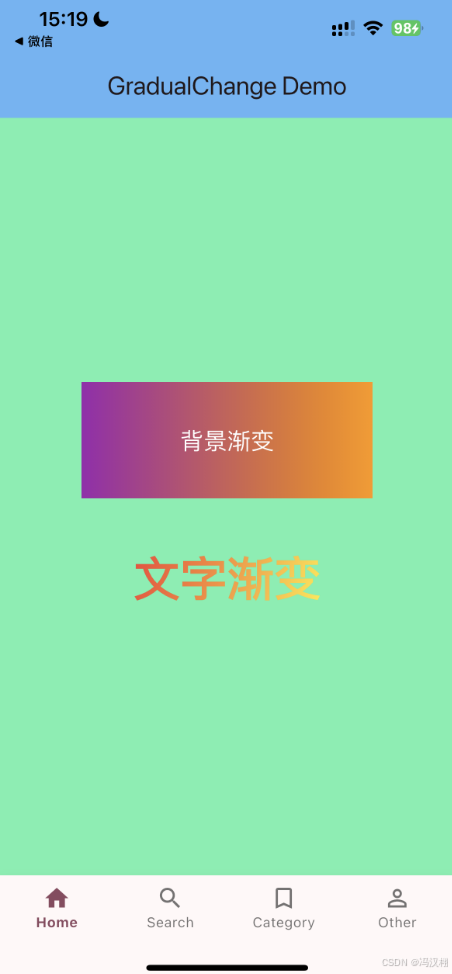
GradualChange 渐变文字
源码
import 'package:flutter/material.dart';

/// 渐变文字或控件封装类(等效于 GradualChange)
class GradualChange {
  /// 对应 Objective-C 中的
  /// +(void)TextGradientview:bgVIew:gradientColors:gradientStartPoint:endPoint:
  static Widget textGradientView({
    required Widget child,
    required List<Color> colors,
    AlignmentGeometry startPoint = Alignment.centerLeft,
    AlignmentGeometry endPoint = Alignment.centerRight,
  }) {
    return ShaderMask(
      shaderCallback: (bounds) {
        return LinearGradient(
          colors: colors,
          begin: startPoint,
          end: endPoint,
        ).createShader(Rect.fromLTWH(0, 0, bounds.width, bounds.height));
      },
      blendMode: BlendMode.srcIn, // 保留文字本身的透明度,只让颜色被渐变替换
      child: child,
    );
  }

  /// 对应 Objective-C 中的
  /// +(void)TextGradientControl:bgVIew:gradientColors:gradientStartPoint:endPoint:
  static Widget textGradientControl({
    required Widget child,
    required List<Color> colors,
    AlignmentGeometry startPoint = Alignment.centerLeft,
    AlignmentGeometry endPoint = Alignment.centerRight,
  }) {
    // 控件其实和文字处理方式一致,只是 child 可以是任意按钮类控件
    return ShaderMask(
      shaderCallback: (bounds) {
        return LinearGradient(
          colors: colors,
          begin: startPoint,
          end: endPoint,
        ).createShader(Rect.fromLTWH(0, 0, bounds.width, bounds.height));
      },
      blendMode: BlendMode.srcIn,
      child: child,
    );
  }
}
使用
import 'package:flutter/material.dart';
import 'package:flutterdemols/Extension/GradualChange.dart';

class Home extends StatefulWidget {
  @override
  State<Home> createState() => _Home();
}

class _Home extends State<Home> {
  @override
  Widget build(BuildContext context) {
    return Scaffold(
      appBar: AppBar(
        title: const Text('GradualChange Demo'),
        backgroundColor: Colors.blue[300],
      ),
      body: Center(
        child: Column(
          mainAxisAlignment: MainAxisAlignment.center,
          children: [
            // 背景渐变容器
            Container(
              width: 250,
              height: 100,
              decoration: const BoxDecoration(
                gradient: LinearGradient(
                  colors: [Colors.purple, Colors.orange],
                  begin: Alignment.centerLeft,
                  end: Alignment.centerRight,
                ),
              ),
              alignment: Alignment.center,
              child: const Text(
                '背景渐变',
                style: TextStyle(fontSize: 20, color: Colors.white),
              ),
            ),
            const SizedBox(height: 40),

            // 文字渐变
            GradualChange.textGradientView(
              colors: [Colors.red, Colors.yellow],
              startPoint: Alignment.topLeft,
              endPoint: Alignment.bottomRight,
              child: const Text(
                '文字渐变',
                style: TextStyle(
                  fontSize: 40,
                  fontWeight: FontWeight.bold,
                  color: Colors.white, // color 会被 ShaderMask 替换
                ),
              ),
            ),
          ],
        ),
      ),
    );
  }
}
效果
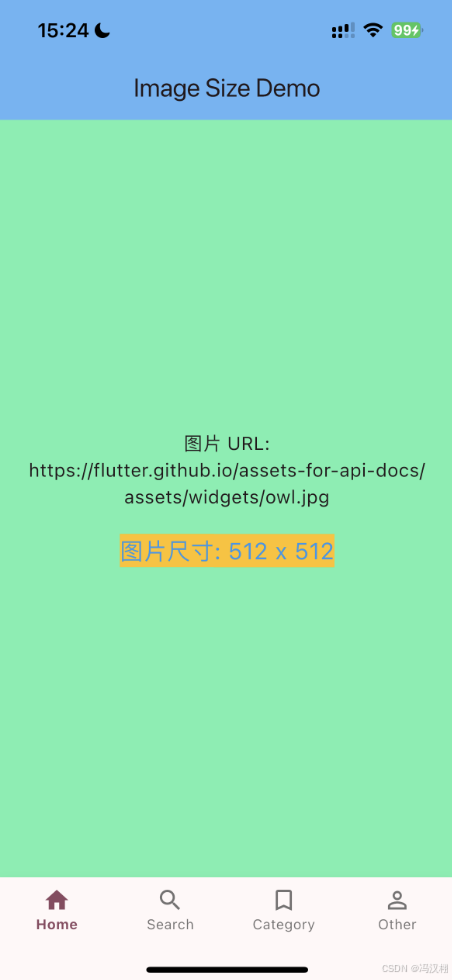
ImageSize URL获取图片尺寸
源码
import 'dart:typed_data';
import 'dart:ui' as ui;
import 'dart:async';
import 'package:http/http.dart' as http;

class ImageSize {
  static Future<({int width, int height})?> getImageSize(String url) async {
    final uri = Uri.tryParse(url);
    if (uri == null) return null;

    final extension = uri.path.split('.').last.toLowerCase();
    if (extension.contains('png')) {
      return await _getPngSize(uri);
    } else if (extension.contains('gif')) {
      return await _getGifSize(uri);
    } else if (extension.contains('jpg') || extension.contains('jpeg')) {
      return await _getJpgSize(uri);
    } else {
      return await _getImageSizeByFullDownload(uri);
    }
  }

  static Future<({int width, int height})?> _getPngSize(Uri uri) async {
    try {
      final response = await http.get(uri, headers: {'Range': 'bytes=16-23'});
      if (response.statusCode == 206 || response.statusCode == 200) {
        final data = response.bodyBytes;
        if (data.length == 8) {
          final width = _readUint32(data, 0);
          final height = _readUint32(data, 4);
          return (width: width, height: height);
        }
      }
    } catch (_) {}
    return null;
  }

  static Future<({int width, int height})?> _getGifSize(Uri uri) async {
    try {
      final response = await http.get(uri, headers: {'Range': 'bytes=6-9'});
      if (response.statusCode == 206 || response.statusCode == 200) {
        final data = response.bodyBytes;
        if (data.length == 4) {
          final width = _readUint16(data, 0);
          final height = _readUint16(data, 2);
          return (width: width, height: height);
        }
      }
    } catch (_) {}
    return null;
  }

  static Future<({int width, int height})?> _getJpgSize(Uri uri) async {
    try {
      final response = await http.get(uri, headers: {'Range': 'bytes=0-209'});
      if (response.statusCode == 206 || response.statusCode == 200) {
        final data = response.bodyBytes;
        if (data.length < 210) return null;

        int offset = 0;
        while (offset < data.length - 9) {
          if (data[offset] == 0xFF &&
              (data[offset + 1] >= 0xC0 && data[offset + 1] <= 0xC3)) {
            final height = (data[offset + 5] << 8) + data[offset + 6];
            final width = (data[offset + 7] << 8) + data[offset + 8];
            return (width: width, height: height);
          }
          offset++;
        }
      }
    } catch (_) {}
    return null;
  }

  /// ✅ 修正后的版本(Flutter 3.22+)
  static Future<({int width, int height})?> _getImageSizeByFullDownload(Uri uri) async {
    try {
      final response = await http.get(uri);
      if (response.statusCode == 200) {
        final bytes = response.bodyBytes;

        // 使用 Completer 等待回调完成
        final completer = Completer<({int width, int height})>();

        ui.decodeImageFromList(bytes, (ui.Image img) {
          completer.complete((width: img.width, height: img.height));
        });

        return completer.future;
      }
    } catch (_) {}
    return null;
  }

  static int _readUint32(Uint8List data, int offset) {
    return (data[offset] << 24) |
    (data[offset + 1] << 16) |
    (data[offset + 2] << 8) |
    (data[offset + 3]);
  }

  static int _readUint16(Uint8List data, int offset) {
    return data[offset] + (data[offset + 1] << 8);
  }
}
使用
import 'package:flutter/material.dart';
import 'package:flutterdemols/Extension/ImageSize.dart';

class Home extends StatefulWidget {
  const Home({super.key});

  @override
  State<Home> createState() => _Home();
}

class _Home extends State<Home> {
  String imageUrl =
      'https://flutter.github.io/assets-for-api-docs/assets/widgets/owl.jpg';
  int? width;
  int? height;
  bool loading = false;

  Future<void> _fetchImageSize() async {
    setState(() {
      loading = true;
    });
    final size = await ImageSize.getImageSize(imageUrl);
    setState(() {
      width = size?.width;
      height = size?.height;
      loading = false;
    });
  }

  @override
  void initState() {
    super.initState();
    _fetchImageSize();
  }

  @override
  Widget build(BuildContext context) {
    return Scaffold(
      appBar: AppBar(
        title: const Text('Image Size Demo'),
        backgroundColor: Colors.blue[300],
      ),
      body: Center(
        child: loading
            ? const CircularProgressIndicator()
            : Column(
          mainAxisAlignment: MainAxisAlignment.center,
          children: [
            Text(
              '图片 URL:\n$imageUrl',
              textAlign: TextAlign.center,
              style: const TextStyle(fontSize: 16),
            ),
            const SizedBox(height: 20),
            Text(
              width != null && height != null
                  ? '图片尺寸: ${width} x ${height}'
                  : '获取尺寸失败',
              style: const TextStyle(
                fontSize: 20,
                color: Colors.blue,
                backgroundColor: Colors.amber,
              ),
            ),
          ],
        ),
      ),
    );
  }
}
效果
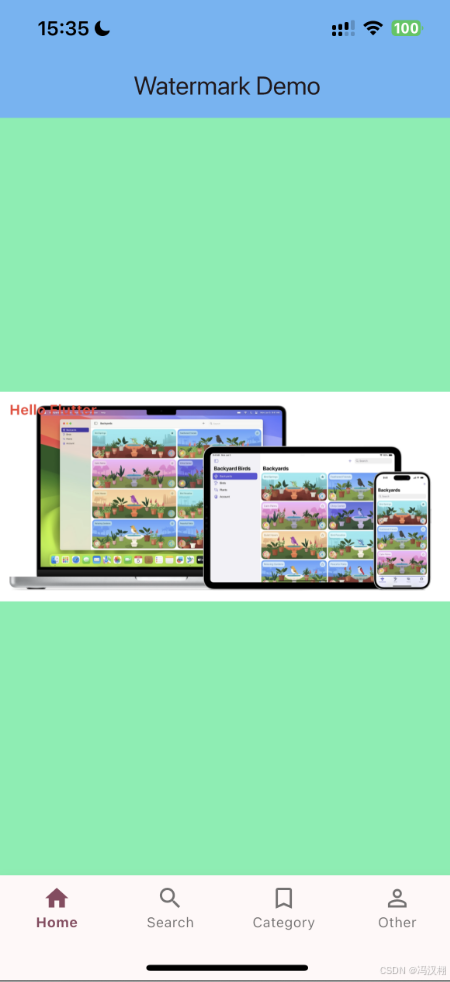
ImageWaterMark 图片加水印
源码
import 'dart:ui' as ui;
import 'package:flutter/material.dart';
import 'dart:typed_data';
import 'dart:async';

class ImageWaterMark {
  /// 图片加图片水印(指定位置和透明度)
  static Future<ui.Image> imageWaterMarkWithImage(
      ui.Image baseImage,
      ui.Image watermark,
      Offset point,
      double alpha,
      ) async {
    final recorder = ui.PictureRecorder();
    final canvas = Canvas(recorder);

    // 绘制原图
    canvas.drawImage(baseImage, Offset.zero, Paint());

    // 绘制水印
    final paint = Paint()..color = Colors.white.withOpacity(alpha);
    canvas.drawImage(watermark, point, paint);

    final picture = recorder.endRecording();
    return picture.toImage(baseImage.width, baseImage.height);
  }

  /// 图片加文字水印(指定位置和属性)
  static Future<ui.Image> imageWaterMarkWithString(
      ui.Image baseImage,
      String text,
      Offset point,
      TextStyle style,
      ) async {
    final recorder = ui.PictureRecorder();
    final canvas = Canvas(recorder);

    // 绘制原图
    canvas.drawImage(baseImage, Offset.zero, Paint());

    // 绘制文字
    final textPainter = TextPainter(
      text: TextSpan(text: text, style: style),
      textDirection: TextDirection.ltr,
    );
    textPainter.layout(); // 计算文字大小
    textPainter.paint(canvas, point);

    final picture = recorder.endRecording();
    return picture.toImage(baseImage.width, baseImage.height);
  }

  /// 图片加文字和图片水印(指定位置和透明度)
  static Future<ui.Image> imageWaterMarkWithStringAndImage(
      ui.Image baseImage,
      {String? text,
        Offset? textPoint,
        TextStyle? textStyle,
        ui.Image? watermark,
        Offset? imagePoint,
        double alpha = 1.0}) async {
    final recorder = ui.PictureRecorder();
    final canvas = Canvas(recorder);

    // 绘制原图
    canvas.drawImage(baseImage, Offset.zero, Paint());

    // 绘制水印图片
    if (watermark != null && imagePoint != null) {
      final paint = Paint()..color = Colors.white.withOpacity(alpha);
      canvas.drawImage(watermark, imagePoint, paint);
    }

    // 绘制文字
    if (text != null && textPoint != null && textStyle != null) {
      final textPainter = TextPainter(
        text: TextSpan(text: text, style: textStyle),
        textDirection: TextDirection.ltr,
      );
      textPainter.layout();
      textPainter.paint(canvas, textPoint);
    }

    final picture = recorder.endRecording();
    return picture.toImage(baseImage.width, baseImage.height);
  }

  /// 将ui.Image转成Uint8List(方便保存或展示)
  static Future<Uint8List> imageToBytes(ui.Image image) async {
    final byteData = await image.toByteData(format: ui.ImageByteFormat.png);
    return byteData!.buffer.asUint8List();
  }
}
使用
import 'package:flutter/material.dart';
import 'package:flutterdemols/Extension/ImageWaterMark.dart';
import 'dart:ui' as ui;
import 'package:flutter/services.dart' show rootBundle;
import 'dart:async';

class Home extends StatefulWidget {
  const Home({super.key});

  @override
  State<Home> createState() => _HomeState();
}

class _HomeState extends State<Home> {
  ui.Image? baseImage;
  ui.Image? watermarkedImage;
  bool loading = true;

  @override
  void initState() {
    super.initState();
    _loadImage();
  }

  /// 从 assets 加载图片
  Future<ui.Image> _loadUiImage(String assetPath) async {
    final data = await rootBundle.load(assetPath);
    final bytes = data.buffer.asUint8List();
    final completer = Completer<ui.Image>();
    ui.decodeImageFromList(bytes, (ui.Image img) {
      completer.complete(img);
    });
    return completer.future;
  }

  Future<void> _loadImage() async {
    // 加载 base 图片
    baseImage = await _loadUiImage('assets/images/image.png'); // 确保你的 assets 已添加到 pubspec.yaml

    // 添加文字水印
    watermarkedImage = await ImageWaterMark.imageWaterMarkWithString(
      baseImage!,
      'Hello Flutter',
      const Offset(20, 20),
      const TextStyle(
        color: Colors.red,
        fontSize: 30,
        fontWeight: FontWeight.bold,
      ),
    );

    setState(() {
      loading = false;
    });
  }

  @override
  Widget build(BuildContext context) {
    return Scaffold(
      appBar: AppBar(
        title: const Text('Watermark Demo'),
        backgroundColor: Colors.blue[300],
      ),
      body: Center(
        child: loading
            ? const CircularProgressIndicator()
            : SizedBox(
          width: watermarkedImage!.width.toDouble(),
          height: watermarkedImage!.height.toDouble(),
          child: RawImage(
            image: watermarkedImage,
            fit: BoxFit.contain,
          ),
        ),
      ),
    );
  }
}
效果
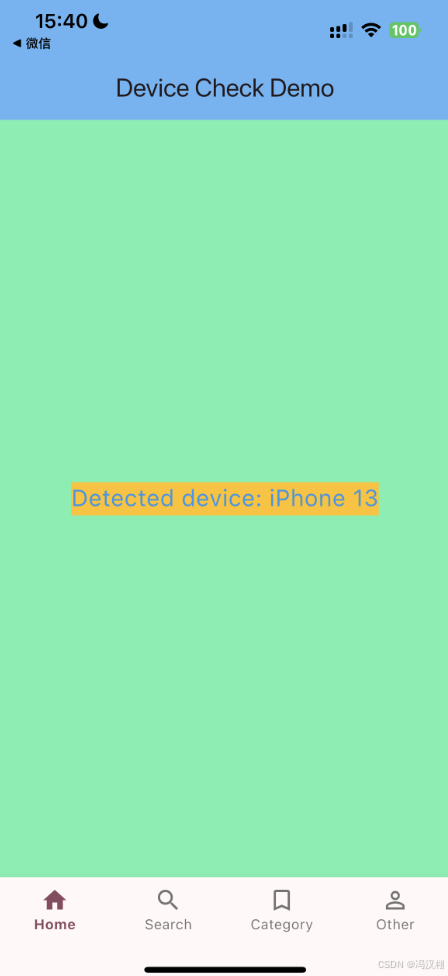
IOSDeviceCheck 判断iPhone机型
源码
import 'package:flutter/material.dart';

class IOSDeviceCheck {
  static Size _physicalSize(BuildContext context) {
    final mq = MediaQuery.of(context);
    return Size(
      mq.size.width * mq.devicePixelRatio,
      mq.size.height * mq.devicePixelRatio,
    );
  }

  static bool isIphone5(BuildContext context) =>
      _equalSize(context, const Size(640, 1136));

  static bool isIphone5S(BuildContext context) =>
      _equalSize(context, const Size(640, 1136));

  static bool isIphone5C(BuildContext context) =>
      _equalSize(context, const Size(640, 1136));

  static bool isIphoneSE(BuildContext context) =>
      _equalSize(context, const Size(640, 1136));

  static bool isIphoneSE2(BuildContext context) =>
      _equalSize(context, const Size(750, 1334));

  static bool isIphone6(BuildContext context) =>
      _equalSize(context, const Size(750, 1334));

  static bool isIphone6S(BuildContext context) =>
      _equalSize(context, const Size(750, 1334));

  static bool isIphone7(BuildContext context) =>
      _equalSize(context, const Size(750, 1334));

  static bool isIphone8(BuildContext context) =>
      _equalSize(context, const Size(750, 1334));

  static bool isIphone6Plus(BuildContext context) =>
      _equalSize(context, const Size(1242, 2208));

  static bool isIphone6SPlus(BuildContext context) =>
      _equalSize(context, const Size(1242, 2208));

  static bool isIphone7Plus(BuildContext context) =>
      _equalSize(context, const Size(1242, 2208));

  static bool isIphone8Plus(BuildContext context) =>
      _equalSize(context, const Size(1242, 2208));

  static bool isIphoneX(BuildContext context) =>
      _equalSize(context, const Size(1125, 2436));

  static bool isIphoneXR(BuildContext context) =>
      _equalSize(context, const Size(828, 1792));

  static bool isIphoneXS(BuildContext context) =>
      _equalSize(context, const Size(1125, 2436));

  static bool isIphoneXSMax(BuildContext context) =>
      _equalSize(context, const Size(1242, 2688));

  static bool isIphone11(BuildContext context) =>
      _equalSize(context, const Size(828, 1792));

  static bool isIphone11Pro(BuildContext context) =>
      _equalSize(context, const Size(1125, 2436));

  static bool isIphone11ProMax(BuildContext context) =>
      _equalSize(context, const Size(1242, 2688));

  static bool isIphone12(BuildContext context) =>
      _equalSize(context, const Size(1170, 2532));

  static bool isIphone12Pro(BuildContext context) =>
      _equalSize(context, const Size(1170, 2532));

  static bool isIphone12ProMax(BuildContext context) =>
      _equalSize(context, const Size(1284, 2778));

  static bool isIphone12Mini(BuildContext context) =>
      _equalSize(context, const Size(1080, 2340));

  static bool isIphone13(BuildContext context) =>
      _equalSize(context, const Size(1170, 2532));

  static bool isIphone13Pro(BuildContext context) =>
      _equalSize(context, const Size(1170, 2532));

  static bool isIphone13ProMax(BuildContext context) =>
      _equalSize(context, const Size(1284, 2778));

  static bool isIphone13Mini(BuildContext context) =>
      _equalSize(context, const Size(1080, 2340));

  /// 工具方法:对比物理分辨率
  static bool _equalSize(BuildContext context, Size target) {
    final actual = _physicalSize(context);
    return actual.width.round() == target.width.round() &&
        actual.height.round() == target.height.round();
  }
}
使用
import 'package:flutter/material.dart';
import 'package:flutterdemols/Extension/IOSDeviceCheck.dart';

class Home extends StatefulWidget {
  const Home({super.key});

  @override
  State<Home> createState() => _Home();
}

class _Home extends State<Home> {
  String deviceType = '';

  @override
  void didChangeDependencies() {
    super.didChangeDependencies();
    _checkDevice();
  }

  void _checkDevice() {
    if (IOSDeviceCheck.isIphone13(context)) {
      deviceType = 'iPhone 13';
    } else if (IOSDeviceCheck.isIphone13ProMax(context)) {
      deviceType = 'iPhone 13 Pro Max';
    } else if (IOSDeviceCheck.isIphone12(context)) {
      deviceType = 'iPhone 12';
    } else {
      deviceType = 'Other iPhone';
    }
    setState(() {});
  }

  @override
  Widget build(BuildContext context) {
    return Scaffold(
      appBar: AppBar(
        title: const Text('Device Check Demo'),
        backgroundColor: Colors.blue[300],
      ),
      body: Center(
        child: Text(
          'Detected device: $deviceType',
          textAlign: TextAlign.center,
          style: const TextStyle(
            backgroundColor: Colors.amber,
            color: Colors.blue,
            fontSize: 20,
          ),
        ),
      ),
    );
  }
}
效果
Jailbreak 检测手机是否越狱,模拟器
源码
import 'dart:io';
import 'package:url_launcher/url_launcher.dart';
import 'package:device_info_plus/device_info_plus.dart';
import 'package:flutter/services.dart';

class Jailbreak {
  static const _platform = MethodChannel('com.example.jailbreak'); // iOS原生通道

  /// 主检测入口
  static Future<bool> isJailBreak() async {
    if (await _isSimulator()) return true;
    if (await _isJailBreakWithFile()) return true;
    if (await _isJailBreakWithOpenCydia()) return true;
    if (await _isJailBreakWithPath()) return true;
    if (await _isJailBreakWithReadAppList()) return true;
    return false;
  }

  /// 检查模拟器
  static Future<bool> _isSimulator() async {
    final deviceInfo = DeviceInfoPlugin();
    final iosInfo = await deviceInfo.iosInfo;
    final name = iosInfo.name?.toLowerCase() ?? '';
    return name.contains('simulator') || !Platform.isIOS;
  }

  /// 检查常见越狱文件
  static Future<bool> _isJailBreakWithFile() async {
    final List<String> paths = [
      '/Applications/Cydia.app',
      '/Library/MobileSubstrate/MobileSubstrate.dylib',
      '/bin/bash',
      '/usr/sbin/sshd',
      '/etc/apt',
    ];

    for (final path in paths) {
      if (File(path).existsSync()) {
        return true;
      }
    }
    return false;
  }

  /// 检查能否打开 Cydia
  static Future<bool> _isJailBreakWithOpenCydia() async {
    final uri = Uri.parse('cydia://package/com.example.package');
    return await canLaunchUrl(uri);
  }

  /// 检查能否访问系统级目录
  static Future<bool> _isJailBreakWithReadAppList() async {
    try {
      final dir = Directory('/User/Applications/');
      return dir.existsSync();
    } catch (_) {
      return false;
    }
  }

  /// 检查环境变量(需要iOS原生支持)
  static Future<bool> _isJailBreakWithPath() async {
    try {
      final result = await _platform.invokeMethod('isJailBreakWithPath');
      return result == true;
    } catch (_) {
      return false;
    }
  }
}
使用
import 'package:flutter/material.dart';
import 'package:flutterdemols/Extension/Jailbreak.dart';

class Home extends StatefulWidget {
  @override
  State<Home> createState() => _Home();
}

class _Home extends State<Home> {
  bool? isJailBreak;

  @override
  void initState() {
    super.initState();
    _checkJailBreak();
  }

  Future<void> _checkJailBreak() async {
    final result = await Jailbreak.isJailBreak();
    setState(() {
      isJailBreak = result;
    });

    // 弹出提示
    if (!mounted) return;
    ScaffoldMessenger.of(context).showSnackBar(
      SnackBar(
        content: Text(result
            ? '当前设备存在越狱风险'
            : '设备安全,未发现越狱迹象'),
      ),
    );
  }

  @override
  Widget build(BuildContext context) {
    return Scaffold(
      appBar: AppBar(
        title: const Text('Home'),
        backgroundColor: Colors.blue,
      ),
      body: Center(
        child: Text(
          isJailBreak == null
              ? '正在检测设备安全...'
              : (isJailBreak! ? '⚠️ 已越狱设备' : '✅ 安全设备'),
          textAlign: TextAlign.center,
          style: const TextStyle(
            backgroundColor: Colors.amber,
            color: Colors.blue,
            fontSize: 20,
          ),
        ),
      ),
    );
  }
}
iOS端 – Swift
import Flutter
import UIKit

public class JailbreakPlugin: NSObject, FlutterPlugin {
  public static func register(with registrar: FlutterPluginRegistrar) {
    let channel = FlutterMethodChannel(name: "com.example.jailbreak", binaryMessenger: registrar.messenger())
    let instance = JailbreakPlugin()
    registrar.addMethodCallDelegate(instance, channel: channel)
  }

  public func handle(_ call: FlutterMethodCall, result: @escaping FlutterResult) {
    if call.method == "isJailBreakWithPath" {
      result(checkPath())
    } else {
      result(FlutterMethodNotImplemented)
    }
  }

  private func checkPath() -> Bool {
    let paths = ["/Applications/Cydia.app", "/usr/sbin/sshd"]
    return paths.contains { FileManager.default.fileExists(atPath: $0) }
  }
}
效果
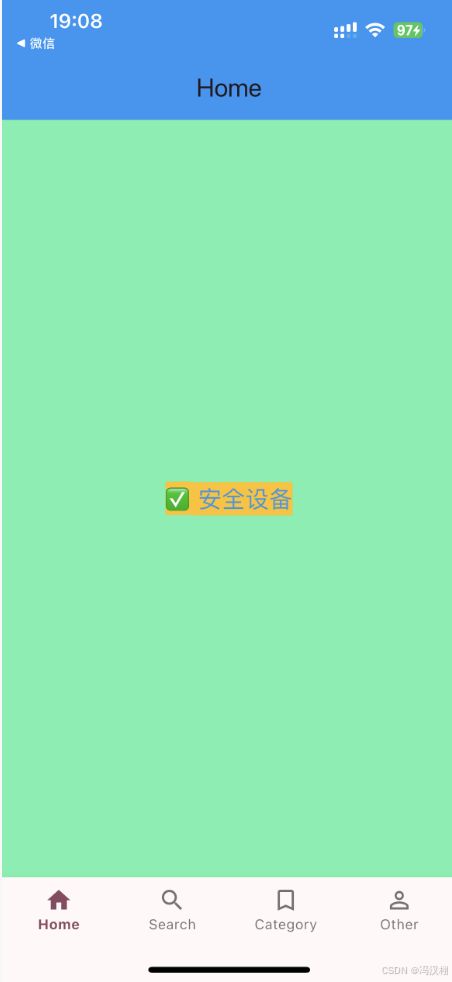
LocationManager 定位
源码
import 'package:geolocator/geolocator.dart';

class LocationManager {
  // 单例模式,可选
  LocationManager._privateConstructor();
  static final LocationManager instance = LocationManager._privateConstructor();

  /// 判断是否打开定位服务,并且APP是否有权限
  static Future<bool> determineWhetherTheAPPOpensTheLocation() async {
    // 1. 检查设备定位服务是否开启
    bool serviceEnabled = await Geolocator.isLocationServiceEnabled();
    if (!serviceEnabled) {
      return false; // 定位服务未开启
    }

    // 2. 检查APP权限
    LocationPermission permission = await Geolocator.checkPermission();
    if (permission == LocationPermission.denied) {
      // 请求权限
      permission = await Geolocator.requestPermission();
      if (permission == LocationPermission.denied) {
        return false; // 用户拒绝权限
      }
    }

    if (permission == LocationPermission.deniedForever) {
      // 用户永久拒绝权限
      return false;
    }

    // 3. 已授权定位
    return true;
  }
}
info.plist
    <key>NSLocationWhenInUseUsageDescription</key>
    <string>应用需要访问您的位置信息以提供定位服务</string>
    <key>NSLocationAlwaysAndWhenInUseUsageDescription</key>
    <string>应用需要持续访问位置信息以提供相关功能</string>
    <key>NSLocationAlwaysUsageDescription</key>
    <string>应用在后台运行时需要访问位置权限</string>
使用
import 'package:flutter/material.dart';
import 'package:flutterdemols/Extension/LocationManager.dart';

class Home extends StatefulWidget {
  @override
  State<Home> createState() => _Home();
}

class _Home extends State<Home> {
  String _locationStatus = "未检测";

  @override
  void initState() {
    super.initState();
    _checkLocation();
  }

  Future<void> _checkLocation() async {
    bool isEnabled =
    await LocationManager.determineWhetherTheAPPOpensTheLocation();

    setState(() {
      _locationStatus = isEnabled ? "定位已开启 ✅" : "定位未授权 ❌";
    });
  }

  @override
  Widget build(BuildContext context) {
    return Scaffold(
      appBar: AppBar(
        title: const Text('Home'),
        backgroundColor: Colors.blue[300],
      ),
      body: Center(
        child: Column(
          mainAxisAlignment: MainAxisAlignment.center,
          children: [
            Text(
              _locationStatus,
              style: const TextStyle(
                backgroundColor: Colors.amber,
                color: Colors.blue,
                fontSize: 20,
              ),
            ),
            const SizedBox(height: 20),
            ElevatedButton(
              onPressed: () async => _checkLocation(),
              child: const Text("重新检测定位权限"),
            ),
          ],
        ),
      ),
    );
  }
}
效果
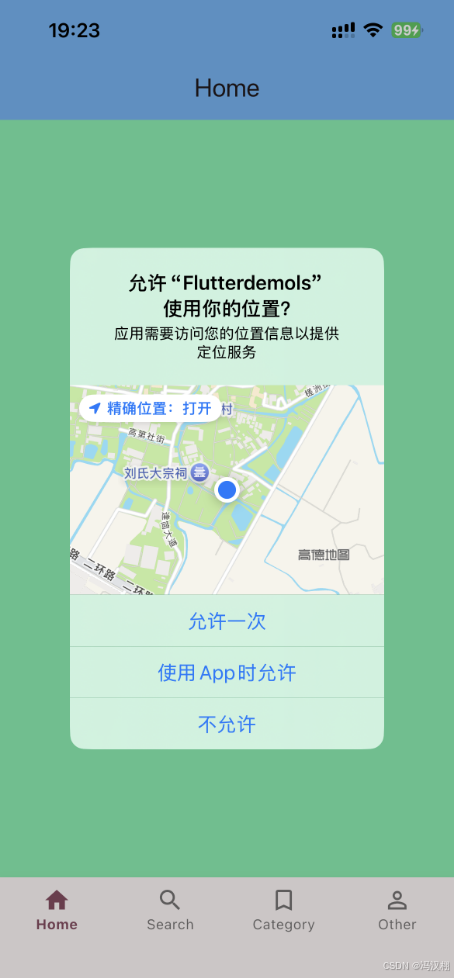
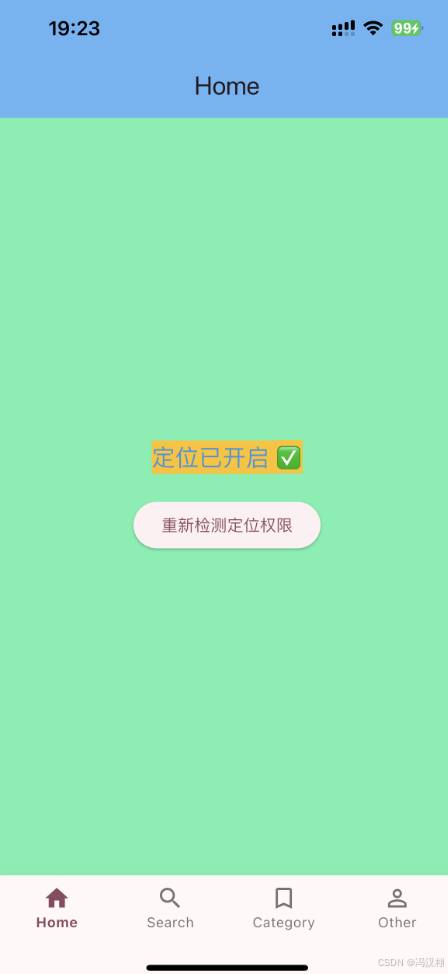
MDImageColor 计算图片主色
源码
import 'dart:typed_data';
import 'dart:ui' as ui;
import 'dart:math';
import 'package:flutter/material.dart';
import 'package:image/image.dart' as img;

/// 简单的 model,等同于你的 ImageColorModel
class ImageColorModel {
  final Color color;
  final int colorCount;
  final double alpha;

  ImageColorModel({
    required this.color,
    required this.colorCount,
    required this.alpha,
  });
}

class MDImageColor {
  /// 从图片字节(png/jpg bytes)计算主色(同步)
  /// 返回 null 表示无法解析图片或无有效像素
  static ImageColorModel? mostColorFromBytes(Uint8List bytes, {int thumbWidth = 40, int thumbHeight = 40}) {
    final src = img.decodeImage(bytes);
    if (src == null) return null;

    final thumb = img.copyResize(src, width: thumbWidth, height: thumbHeight);

    double maxScore = 0.0;
    List<int>? best; // [r,g,b,a]

    final int w = thumb.width;
    final int h = thumb.height;

    for (int y = 0; y < h; y++) {
      for (int x = 0; x < w; x++) {
        final pixel = thumb.getPixel(x, y); // 返回 Pixel 对象
        final int red = pixel.r.toInt();
        final int green = pixel.g.toInt();
        final int blue = pixel.b.toInt();
        final int alpha = pixel.a.toInt();

        if (alpha < 25) continue;

        final hsv = _rgbToHsv(red.toDouble(), green.toDouble(), blue.toDouble());
        final double s = hsv[1];

        int yTemp = ((red * 2104 + green * 4130 + blue * 802 + 4096 + 131072) >> 13);
        if (yTemp > 235) yTemp = 235;
        double yVal = (yTemp - 16) / (235 - 16);
        if (yVal > 0.9) continue;

        final double index = (y * w + x).toDouble();
        final double score = (s + 0.1) * index;

        if (score > maxScore) {
          maxScore = score;
          best = [red, green, blue, alpha];
        }
      }
    }


    if (best == null) return null;

    final Color color = Color.fromARGB(best[3], best[0], best[1], best[2]);
    final int count = best[0] + best[1] + best[2];
    final double alpha = best[3] / 255.0;

    return ImageColorModel(color: color, colorCount: count, alpha: alpha);
  }

  /// 如果你已经有 ui.Image(比如从 rootBundle.instantiateImageCodec 得到的 frame.image),
  /// 可以用这个方法(异步)把它转成 bytes 然后调用上面的方法
  static Future<ImageColorModel?> mostColorFromUiImage(ui.Image image, {int thumbWidth = 40, int thumbHeight = 40}) async {
    final byteData = await image.toByteData(format: ui.ImageByteFormat.png);
    if (byteData == null) return null;
    return mostColorFromBytes(byteData.buffer.asUint8List(), thumbWidth: thumbWidth, thumbHeight: thumbHeight);
  }

  // RGB -> HSV(r,g,b 输入 0..255)
  static List<double> _rgbToHsv(double r, double g, double b) {
    r /= 255.0;
    g /= 255.0;
    b /= 255.0;

    final double maxVal = max(r, max(g, b));
    final double minVal = min(r, min(g, b));
    double h = 0.0, s = 0.0;
    final double v = maxVal;
    final double delta = maxVal - minVal;

    if (maxVal != 0.0) {
      s = delta / maxVal;
    } else {
      return [-1.0, 0.0, v];
    }

    if (r == maxVal) {
      h = (g - b) / delta;
    } else if (g == maxVal) {
      h = 2.0 + (b - r) / delta;
    } else {
      h = 4.0 + (r - g) / delta;
    }

    h *= 60.0;
    if (h < 0) h += 360.0;

    return [h, s, v];
  }
}
使用
import 'package:flutter/material.dart';
import 'dart:typed_data';
import 'package:flutter/services.dart';
import 'package:flutterdemols/Extension/MDImageColor.dart';

class Home extends StatefulWidget {
  @override
  State<Home> createState() => _Home();
}

class _Home extends State<Home> {
  Color _mainColor = Colors.grey;
  bool _isLoading = true;
  String imagePath = 'assets/images/image.png'; // 统一使用同一张图片

  @override
  void initState() {
    super.initState();
    _loadImageMainColor();
  }

  Future<void> _loadImageMainColor() async {
    try {
      ByteData data = await rootBundle.load(imagePath);
      Uint8List bytes = data.buffer.asUint8List();

      final model = MDImageColor.mostColorFromBytes(bytes);
      if (model != null) {
        setState(() {
          _mainColor = model.color;
        });
      }
    } catch (e) {
      debugPrint('解析图片失败: $e');
    } finally {
      setState(() {
        _isLoading = false;
      });
    }
  }

  @override
  Widget build(BuildContext context) {
    return Scaffold(
      appBar: AppBar(
        title: const Text('Image Main Color Demo'),
        backgroundColor: _mainColor,
      ),
      body: Center(
        child: _isLoading
            ? const CircularProgressIndicator()
            : Column(
          mainAxisAlignment: MainAxisAlignment.center,
          children: [
            ClipRRect(
              borderRadius: BorderRadius.circular(12),
              child: Image.asset(
                imagePath,
                width: 200,
                height: 200,
                fit: BoxFit.cover,
              ),
            ),
            const SizedBox(height: 20),
            Text(
              '主色: #${_mainColor.value.toRadixString(16).padLeft(8, '0')}',
              style: TextStyle(
                color: Colors.white,
                fontSize: 20,
                backgroundColor: _mainColor,
              ),
            ),
          ],
        ),
      ),
    );
  }
}
效果
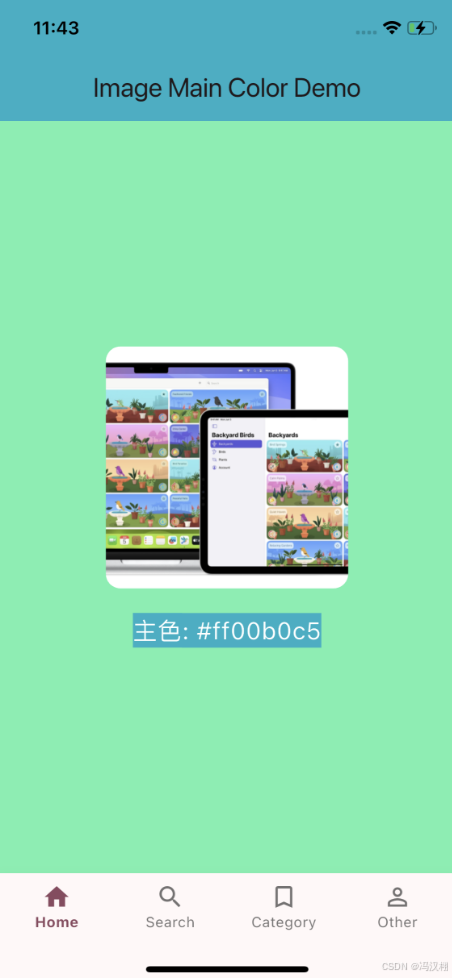
NetworkManager 监听网络状态
源码
import 'dart:async';
import 'package:connectivity_plus/connectivity_plus.dart';
import 'package:internet_connection_checker/internet_connection_checker.dart';

enum NetworkType {
  none,
  wifi,
  cellular,
}

class NetworkManager {
  NetworkManager._internal();
  static final NetworkManager _instance = NetworkManager._internal();
  static NetworkManager get shared => _instance;

  final Connectivity _connectivity = Connectivity();

  // 订阅使用 dynamic,以兼容 ConnectivityResult 或 List<ConnectivityResult>
  StreamSubscription<dynamic>? _subscription;

  NetworkType _lastNetworkType = NetworkType.none;
  bool _isFirst = true;

  // 用 stream 模拟 NotificationCenter(广播)
  final StreamController<Map<String, dynamic>> _networkChangedController =
  StreamController<Map<String, dynamic>>.broadcast();

  Stream<Map<String, dynamic>> get onNetworkChanged =>
      _networkChangedController.stream;

  final StreamController<Map<String, dynamic>> _networkTrendController =
  StreamController<Map<String, dynamic>>.broadcast();

  Stream<Map<String, dynamic>> get onNetworkTrend =>
      _networkTrendController.stream;

  /// 启动监听
  void startMonitoring() {
    _subscription?.cancel();

    _subscription = _connectivity.onConnectivityChanged.listen((dynamic event) async {
      // 先规范化为 ConnectivityResult
      ConnectivityResult result;
      if (event is List && event.isNotEmpty) {
        // event 可能是 List<ConnectivityResult>
        final first = event.first;
        if (first is ConnectivityResult) {
          result = first;
        } else {
          // 万一 first 不是枚举,降级处理
          result = ConnectivityResult.none;
        }
      } else if (event is ConnectivityResult) {
        result = event;
      } else if (event is String) {
        // 有些平台/版本可能返回字符串,做个防御性解析
        result = _parseConnectivityResultFromString(event);
      } else {
        result = ConnectivityResult.none;
      }

      // 以下为你原来的逻辑(将 result 映射为 NetworkType 等)
      final currentType = await _mapConnectivityResult(result);
      _notifyNetworkChanged(currentType);

      if (_isFirst) {
        _isFirst = false;
        _lastNetworkType = currentType;
        return;
      }

      if (currentType != _lastNetworkType) {
        int trendType = 0;
        if (currentType == NetworkType.none && _lastNetworkType == NetworkType.wifi) {
          trendType = 1;
        } else if (currentType == NetworkType.wifi && _lastNetworkType == NetworkType.cellular) {
          trendType = 2;
        } else if (currentType == NetworkType.cellular && _lastNetworkType == NetworkType.wifi) {
          trendType = 3;
        }

        if (trendType != 0) _notifyNetworkTrend(trendType);
        _lastNetworkType = currentType;
      }
    });
  }

  ConnectivityResult _parseConnectivityResultFromString(String s) {
    final lower = s.toLowerCase();
    if (lower.contains('wifi')) return ConnectivityResult.wifi;
    if (lower.contains('mobile') || lower.contains('cell')) return ConnectivityResult.mobile;
    if (lower.contains('ethernet')) return ConnectivityResult.ethernet;
    if (lower.contains('none') || lower.contains('disconnected')) return ConnectivityResult.none;
    return ConnectivityResult.none;
  }

  /// 停止监听(保留 stream 控制器,可继续订阅)
  void stopMonitoring() {
    _subscription?.cancel();
    _subscription = null;
  }

  /// 如果需要彻底释放资源(可选)
  void dispose() {
    stopMonitoring();
    _networkChangedController.close();
    _networkTrendController.close();
  }

  /// 获取当前网络类型(兼容 checkConnectivity 返回 list 的情况)
  Future<NetworkType> currentNetworkType() async {
    final dynamic res = await _connectivity.checkConnectivity();
    ConnectivityResult result;
    if (res is List && res.isNotEmpty) {
      result = res.first as ConnectivityResult;
    } else if (res is ConnectivityResult) {
      result = res;
    } else {
      result = ConnectivityResult.none;
    }
    return _mapConnectivityResult(result);
  }

  /// 是否能连通互联网(真实可访问)
  Future<bool> isNetworkReachable() async {
    return await InternetConnectionChecker().hasConnection;
  }

  Future<NetworkType> _mapConnectivityResult(ConnectivityResult result) async {
    switch (result) {
      case ConnectivityResult.mobile:
        return NetworkType.cellular;
      case ConnectivityResult.wifi:
      case ConnectivityResult.ethernet:
      // ethernet 也把它当作有线/WiFi 类网络来处理
        return NetworkType.wifi;
      case ConnectivityResult.bluetooth:
      case ConnectivityResult.vpn:
      case ConnectivityResult.other:
      // 这些视情况而定,这里视作有网络(归类为 wifi),你也可以单独处理
        return NetworkType.wifi;
      case ConnectivityResult.none:
      default:
        return NetworkType.none;
    }
  }

  void _notifyNetworkChanged(NetworkType type) {
    _networkChangedController.add({"type": type.index});
  }

  void _notifyNetworkTrend(int trendType) {
    _networkTrendController.add({"type": trendType});
  }
}
使用
import 'package:flutter/material.dart';
import 'package:flutterdemols/Extension/NetworkManager.dart';

class Home extends StatefulWidget {
  @override
  State<Home> createState() => _Home();
}

class _Home extends State<Home> {
  String _netStatus = "检测中...";
  String _trendText = "无趋势变化";

  @override
  void initState() {
    super.initState();

    // 启动监听
    NetworkManager.shared.startMonitoring();

    // 网络状态变化监听
    NetworkManager.shared.onNetworkChanged.listen((data) {
      final type = data["type"] as int;
      final status = _mapNetworkType(type);

      setState(() {
        _netStatus = status;
      });
    });

    // 网络趋势变化监听
    NetworkManager.shared.onNetworkTrend.listen((data) {
      final trend = data["type"] as int;
      setState(() {
        _trendText = _mapNetworkTrend(trend);
      });
    });

    _checkNow();
  }

  Future<void> _checkNow() async {
    final type = await NetworkManager.shared.currentNetworkType();
    final reachable = await NetworkManager.shared.isNetworkReachable();

    setState(() {
      _netStatus = "${_mapNetworkType(type.index)} | 实际可访问: ${reachable ? "✅" : "❌"}";
    });
  }

  @override
  void dispose() {
    NetworkManager.shared.stopMonitoring();
    super.dispose();
  }

  String _mapNetworkType(int typeIndex) {
    switch (typeIndex) {
      case 0:
        return "无网络 ❌";
      case 1:
        return "WiFi ✅";
      case 2:
        return "移动网络 📶";
      default:
        return "未知网络";
    }
  }

  String _mapNetworkTrend(int type) {
    switch (type) {
      case 1:
        return "WiFi → 无网络 ❌";
      case 2:
        return "移动网络 → WiFi ✅";
      case 3:
        return "WiFi → 移动网络 📶";
      default:
        return "无趋势变化";
    }
  }

  @override
  Widget build(BuildContext context) {
    return Scaffold(
      appBar: AppBar(
        title: const Text('网络状态监控 Demo'),
      ),
      body: Center(
        child: Column(
          mainAxisAlignment: MainAxisAlignment.center,
          children: [
            Text(
              _netStatus,
              style: const TextStyle(fontSize: 20, color: Colors.blue),
            ),
            const SizedBox(height: 10),
            Text(
              _trendText,
              style: const TextStyle(fontSize: 18, color: Colors.deepOrange),
            ),
            const SizedBox(height: 20),
            ElevatedButton(
              onPressed: () => _checkNow(),
              child: const Text("手动检测网络"),
            ),
          ],
        ),
      ),
    );
  }
}
效果
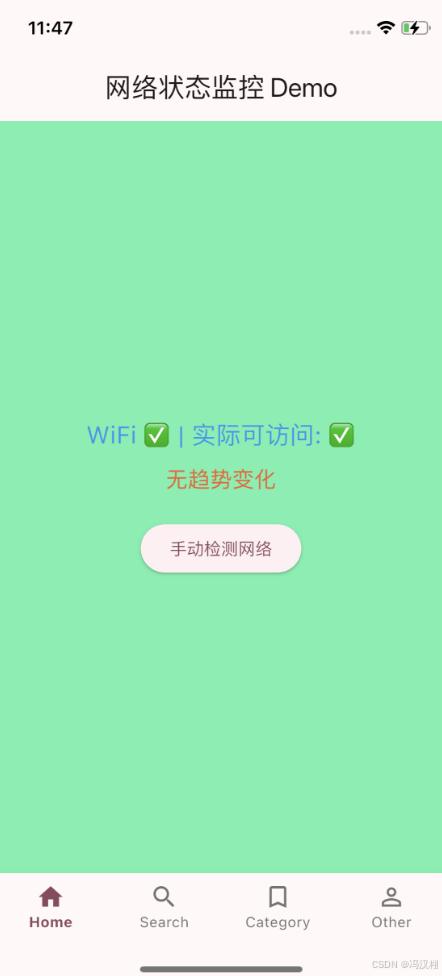
QRCodeUtil 扫一扫
源码
import 'dart:typed_data';
import 'package:flutter/material.dart';
import 'package:qr_flutter/qr_flutter.dart';
import 'package:qr_code_tools/qr_code_tools.dart';
import 'package:path_provider/path_provider.dart';
import 'dart:io';

class QRCodeUtil {
  /// 生成二维码 Widget
  /// [qrString] 内容
  /// [size] 图片大小
  /// [color] 填充颜色
  static Widget createQRImageString(
      String qrString, double size, Color color) {
    return QrImageView(
      data: qrString,
      version: QrVersions.auto,
      size: size,
      foregroundColor: color,
      backgroundColor: Colors.white,
    );
  }

  /// 将二维码图片转成 Uint8List(类似 UIImage)
  static Future<Uint8List?> createQRImageBytes(
      String qrString, double size, Color color) async {
    final painter = QrPainter(
      data: qrString,
      version: QrVersions.auto,
      gapless: true,
      color: color,
      emptyColor: Colors.white,
    );
    final picData = await painter.toImageData(size);
    return picData?.buffer.asUint8List();
  }

  /// 从图片文件路径中读取二维码信息
  static Future<String?> readQRCodeFromFile(String filePath) async {
    try {
      String? result = await QrCodeToolsPlugin.decodeFrom(filePath);
      return result;
    } catch (e) {
      debugPrint("二维码解析失败: $e");
      return null;
    }
  }

  /// 从 Uint8List(内存中的图片数据)读取二维码信息
  static Future<String?> readQRCodeFromBytes(Uint8List data) async {
    try {
      // 1. 获取临时目录
      final tempDir = await getTemporaryDirectory();
      final file = File('${tempDir.path}/temp_qr.png');

      // 2. 写入临时文件
      await file.writeAsBytes(data);

      // 3. 调用 decodeFrom() 解析
      String? result = await QrCodeToolsPlugin.decodeFrom(file.path);
      return result;
    } catch (e) {
      debugPrint("二维码解析失败: $e");
      return null;
    }
  }
}
使用
import 'dart:typed_data';
import 'package:flutter/material.dart';
import 'package:flutterdemols/Extension/QRCodeUtil.dart';

class Home extends StatefulWidget {
  @override
  State<Home> createState() => _Home();
}

class _Home extends State<Home> {
  String _qrString = "https://www.baidu.com";
  String _decodedText = "尚未解析";
  Uint8List? _qrBytes;

  @override
  Widget build(BuildContext context) {
    return Scaffold(
      appBar: AppBar(
        title: const Text('QR Code Demo'),
        backgroundColor: Colors.blue[300],
      ),
      body: Center(
        child: Column(
          mainAxisAlignment: MainAxisAlignment.center,
          children: [
            const Text(
              '二维码展示',
              style: TextStyle(fontSize: 18, fontWeight: FontWeight.bold),
            ),
            const SizedBox(height: 10),

            /// 显示二维码,由 QRCodeUtil 生成
            QRCodeUtil.createQRImageString(_qrString, 150, Colors.black),

            const SizedBox(height: 25),

            ElevatedButton(
              onPressed: _generateBytesAndDecode,
              child: const Text("生成二维码Bytes并解析"),
            ),

            const SizedBox(height: 20),

            Text(
              "解析结果:$_decodedText",
              style: const TextStyle(fontSize: 16),
              textAlign: TextAlign.center,
            ),
          ],
        ),
      ),
    );
  }

  /// 生成二维码 Bytes 并解析
  Future<void> _generateBytesAndDecode() async {
    /// 生成 Uint8List 数据
    _qrBytes = await QRCodeUtil.createQRImageBytes(
      _qrString,
      300,
      Colors.black,
    );

    if (_qrBytes == null) {
      setState(() {
        _decodedText = "生成二维码失败";
      });
      return;
    }

    /// 尝试解析二维码内容
    final decoded = await QRCodeUtil.readQRCodeFromBytes(_qrBytes!);

    setState(() {
      _decodedText = decoded ?? "解析失败";
    });
  }
}
效果

Regular 正则
源码
import 'package:flutter/foundation.dart';

class Regular {
  /// 纳税号(15-20位,必须同时包含字母和数字)
  static bool validateTaxNumber(String? code) {
    if (code == null || code.isEmpty) return false;
    final pattern = RegExp(r'^(?![0-9]+$)(?![a-zA-Z]+$)[a-zA-Z0-9]{15,20}$');
    return pattern.hasMatch(code);
  }

  /// 银行卡账号(9-30位纯数字)
  static bool validateBankCode(String? code) {
    if (code == null || code.length <= 8 || code.length > 30) return false;
    final pattern = RegExp(r'^[0-9]+$');
    return pattern.hasMatch(code);
  }

  /// 手机号简单判断:1开头、11位、全数字
  static bool validateMobileNH(String? mobile) {
    if (mobile == null || mobile.isEmpty || mobile.length != 11) return false;
    final pattern = RegExp(r'^[0-9]+$');
    if (!pattern.hasMatch(mobile)) return false;
    return mobile.startsWith('1');
  }

  /// 手机号精确判断(移动/联通/电信/虚拟号段)
  static bool validateMobile(String? mobile) {
    if (mobile == null || mobile.isEmpty) return false;
    final pattern = RegExp(r'^1(3[0-9]|4[579]|5[0-35-9]|7[01356]|8[0-9])\d{8}$');
    return pattern.hasMatch(mobile);
  }

  /// 身份证号判断(15位或18位,最后一位可能是X/x)
  static bool validateIdentityCard(String? idCard) {
    if (idCard == null || idCard.isEmpty) return false;
    final pattern = RegExp(r'^(\d{14}|\d{17})(\d|[xX])$');
    return pattern.hasMatch(idCard);
  }

  /// 邮箱判断
  static bool validateEmail(String? email) {
    if (email == null || email.isEmpty) return false;
    final pattern = RegExp(r'^[A-Z0-9a-z._%+-]+@[A-Za-z0-9.-]+\.[A-Za-z]{2,4}$');
    return pattern.hasMatch(email);
  }

  /// 7-12位纯数字
  static bool validateNum(String? number) {
    if (number == null || number.length < 7 || number.length > 12) return false;
    final pattern = RegExp(r'^[0-9]+$');
    return pattern.hasMatch(number);
  }
}
使用
import ‘package:flutter/material.dart’;
import ‘package:flutterdemols/Extension/Regular.dart’;
class Home extends StatefulWidget {
@override
State createState() => _HomeState();
}
class _HomeState extends State {
final TextEditingController _inputController = TextEditingController();
String _result = ‘’;
void _validateInput() {
final input = _inputController.text;
// 示例: 校验是否为手机号
final isMobile = Regular.validateMobile(input);

setState(() {
  _result = isMobile ? '✅ 手机号格式正确' : '❌ 手机号格式不正确';
});
}
@override
Widget build(BuildContext context) {
return Scaffold(
appBar: AppBar(
title: const Text(‘Home’),
backgroundColor: Colors.blue[300],
),
body: Padding(
padding: const EdgeInsets.all(20),
child: Column(
mainAxisAlignment: MainAxisAlignment.center,
children: [
TextField(
controller: _inputController,
decoration: const InputDecoration(
labelText: ‘请输入手机号码’,
border: OutlineInputBorder(),
),
),
const SizedBox(height: 20),
ElevatedButton(
onPressed: _validateInput,
child: const Text(‘验证’),
),
const SizedBox(height: 20),
Text(
_result,
style: TextStyle(
fontSize: 18,
color: _result.startsWith(‘✅’) ? Colors.green : Colors.red,
),
),
],
),
),
);
}
}
效果
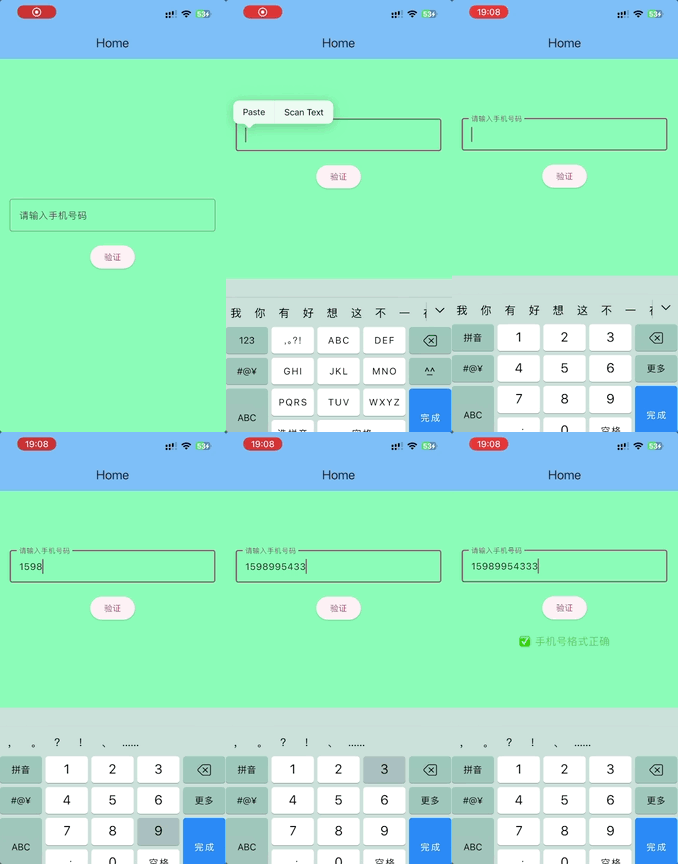
RSAEncryptor RSA加密(无法使用)
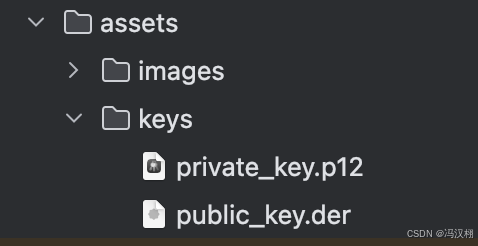

源码
import 'dart:convert';
import 'package:encrypt/encrypt.dart';
import 'package:pointycastle/asymmetric/api.dart';
import 'package:flutter/services.dart' show rootBundle;

class RSAEncryptor {
  /// -----------------------
  /// 🔹 公钥字符串加密
  /// -----------------------
  static String encryptWithPublicKey(String plainText, String publicKeyPem) {
    final publicKey = RSAKeyParser().parse(publicKeyPem) as RSAPublicKey;
    final encrypter = Encrypter(RSA(publicKey: publicKey, encoding: RSAEncoding.PKCS1));
    final encrypted = encrypter.encrypt(plainText);
    return encrypted.base64;
  }

  /// -----------------------
  /// 🔹 私钥字符串解密
  /// -----------------------
  static String decryptWithPrivateKey(String base64Cipher, String privateKeyPem) {
    final privateKey = RSAKeyParser().parse(privateKeyPem) as RSAPrivateKey;
    final encrypter = Encrypter(RSA(privateKey: privateKey, encoding: RSAEncoding.PKCS1));
    final decrypted = encrypter.decrypt(Encrypted.fromBase64(base64Cipher));
    return decrypted;
  }

  /// -----------------------
  /// 🔹 从 `.der` 文件加载公钥并加密
  /// -----------------------
  static Future<String> encryptWithDerFile(String plainText) async {
    // 从 assets 加载 DER 文件
    final derData = await rootBundle.load('assets/keys/public_key.der');
    final bytes = derData.buffer.asUint8List();

    // DER 转 PEM
    final publicKeyPem = _convertDerToPem(bytes, 'PUBLIC KEY');

    // 使用公钥加密
    return encryptWithPublicKey(plainText, publicKeyPem);
  }

  /// -----------------------
  /// 🔹 从 `.p12` 文件加载私钥并解密
  /// -----------------------
  static Future<String> decryptWithP12File(
      String base64Cipher, String p12Path, String password) async {
    // ⚠️ 注意:Flutter/Dart 没有原生解析 .p12 功能,
    // 可在后端或原生层提取 PEM 格式私钥后传入此函数。
    throw UnimplementedError(
        'Dart 暂不支持直接解析 .p12 文件,请在服务器或原生层转换为 PEM 格式。');
  }

  /// -----------------------
  /// 工具方法:DER → PEM
  /// -----------------------
  static String _convertDerToPem(List<int> bytes, String type) {
    final base64Str = base64.encode(bytes);
    final chunks = <String>[];
    for (var i = 0; i < base64Str.length; i += 64) {
      chunks.add(base64Str.substring(i, i + 64 > base64Str.length ? base64Str.length : i + 64));
    }
    return '-----BEGIN $type-----\n${chunks.join('\n')}\n-----END $type-----';
  }
}
Sandbox 沙盒路径
源码
import 'dart:io';
import 'package:path_provider/path_provider.dart';
import 'dart:developer';

class Sandbox {
  /// 获取 Documents 路径
  static Future<String> sandboxGetDocumentsPathWithName([String? name]) async {
    final directory = await getApplicationDocumentsDirectory();
    String path = directory.path;
    if (name != null) {
      path = "${directory.path}${Platform.pathSeparator}$name";
    }
    log("filePath: $path");
    return path;
  }

  /// 获取 Caches 路径
  static Future<String> sandboxGetCachesPathWithName([String? name]) async {
    final directory = await getTemporaryDirectory(); // 注意: iOS/Android 上 caches 是临时目录
    String path = directory.path;
    if (name != null) {
      path = "${directory.path}${Platform.pathSeparator}$name";
    }
    log("filePath: $path");
    return path;
  }

  /// 获取 Tmp 路径
  static Future<String> sandboxGetTmpPathWithName([String? name]) async {
    final tmpPath = await getTemporaryDirectory();
    String path = tmpPath.path;
    if (name != null) {
      path = "${tmpPath.path}${Platform.pathSeparator}$name";
    }
    log("filePath: $path");
    return path;
  }
}
使用
import 'package:flutter/material.dart';
import 'package:flutterdemols/Extension/Sandbox.dart';

class Home extends StatefulWidget {
  @override
  State<Home> createState() => _HomeState();
}

class _HomeState extends State<Home> {
  String _path = '尚未获取路径';

  Future<void> _getDocumentsPath() async {
    final path = await Sandbox.sandboxGetDocumentsPathWithName('myFile.txt');
    setState(() {
      _path = path;
    });
  }

  Future<void> _getCachesPath() async {
    final path = await Sandbox.sandboxGetCachesPathWithName('cache.log');
    setState(() {
      _path = path;
    });
  }

  Future<void> _getTmpPath() async {
    final path = await Sandbox.sandboxGetTmpPathWithName('tmp.data');
    setState(() {
      _path = path;
    });
  }

  @override
  Widget build(BuildContext context) {
    return Scaffold(
      appBar: AppBar(
        title: const Text('Home'),
        backgroundColor: Colors.blue[300],
      ),
      body: Padding(
        padding: const EdgeInsets.all(16),
        child: Column(
          mainAxisAlignment: MainAxisAlignment.center,
          children: [
            Text(
              _path,
              textAlign: TextAlign.center,
              style: const TextStyle(fontSize: 16),
            ),
            const SizedBox(height: 20),
            ElevatedButton(
              onPressed: _getDocumentsPath,
              child: const Text('获取 Documents 路径'),
            ),
            const SizedBox(height: 10),
            ElevatedButton(
              onPressed: _getCachesPath,
              child: const Text('获取 Caches 路径'),
            ),
            const SizedBox(height: 10),
            ElevatedButton(
              onPressed: _getTmpPath,
              child: const Text('获取 Tmp 路径'),
            ),
          ],
        ),
      ),
    );
  }
}
效果
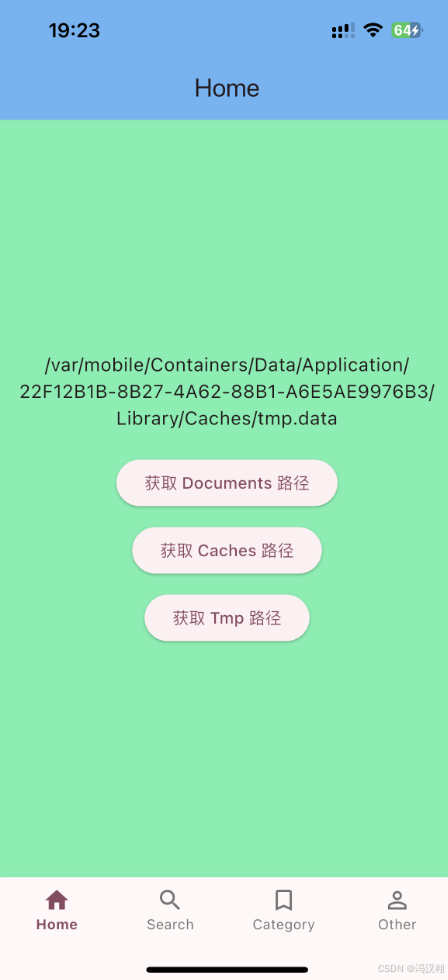
ScreenUtil 判断iPhone是否刘海
源码
import 'package:flutter/widgets.dart';

class ScreenUtil {
  /// 判断是否为刘海屏(true 表示刘海屏,false 表示非刘海屏)
  static bool isNotchScreen(BuildContext context) {
    final padding = MediaQuery.of(context).padding;
    // 通常顶部安全区大于 20,就说明是刘海屏
    return padding.top > 20;
  }

  /// 如果你希望和原 OC 逻辑保持一致(YES = 非刘海屏)
  static bool isNotNotchScreen(BuildContext context) {
    return !isNotchScreen(context);
  }
}
使用
import 'package:flutter/material.dart';
import 'package:flutterdemols/Extension/ScreenUtil.dart';

class Home extends StatefulWidget {
  @override
  State<Home> createState() => _HomeState();
}

class _HomeState extends State<Home> {
  @override
  Widget build(BuildContext context) {
    final isNotch = ScreenUtil.isNotchScreen(context);
    final isNotNotch = ScreenUtil.isNotNotchScreen(context);

    return Scaffold(
      appBar: AppBar(
        title: const Text('Home'),
        backgroundColor: Colors.blue[300],
      ),
      body: Center(
        child: Column(
          mainAxisAlignment: MainAxisAlignment.center,
          children: [
            Text(
              isNotch ? '该设备为刘海屏' : '该设备为非刘海屏',
              style: const TextStyle(
                fontSize: 22,
                fontWeight: FontWeight.bold,
              ),
            ),
            const SizedBox(height: 16),
            Text(
              'isNotchScreen: $isNotch\n'
                  'isNotNotchScreen: $isNotNotch',
              textAlign: TextAlign.center,
              style: const TextStyle(
                backgroundColor: Colors.amber,
                color: Colors.blue,
                fontSize: 18,
              ),
            ),
          ],
        ),
      ),
    );
  }
}
效果
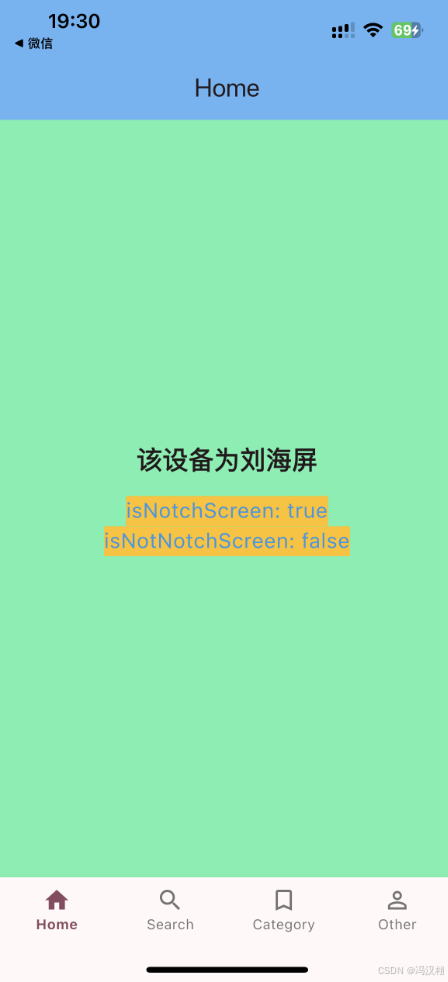
StringExtension 字符串扩展
源码
import 'dart:convert';
import 'dart:math';
import 'package:flutter/material.dart';
import 'package:flutterdemols/Home.dart';
import 'package:flutterdemols/Other.dart';

/// 字符串扩展工具类
class StringExtension {
  /// 字符串倒序
  static String reverse(String oldStr) {
    return oldStr.split('').reversed.join();
  }

  /// 字符串转 JSON 安全字符串
  /// 类似 OC 版本中的转义字符处理
  static String stringToJSONString(String input) {
    return input
        .replaceAll('"', '\\"')
        .replaceAll('/', '\\/')
        .replaceAll('\n', '\\n')
        .replaceAll('\b', '\\b')
        .replaceAll('\f', '\\f')
        .replaceAll('\r', '\\r')
        .replaceAll('\t', '\\t');
  }

  /// JSON 字符串转 Map
  static Map<String, dynamic>? convertToDictionary(String jsonString) {
    try {
      return json.decode(jsonString);
    } catch (e) {
      debugPrint('JSON decode error: $e');
      return null;
    }
  }

  /// 字典(Map) 转 JSON 字符串
  static String convertToJsonData(Map<String, dynamic> dict) {
    try {
      // pretty print -> false 去掉空格和换行
      return json.encode(dict);
    } catch (e) {
      debugPrint('JSON encode error: $e');
      return '';
    }
  }

  /// 返回文字的 size(用于 Text 渲染前计算)
  static Size textSize(String text, TextStyle style, {Size? maxSize}) {
    final TextPainter textPainter = TextPainter(
      text: TextSpan(text: text, style: style),
      maxLines: null,
      textDirection: TextDirection.ltr,
    )..layout(maxWidth: maxSize?.width ?? double.infinity);

    return textPainter.size;
  }


    final builder = widgetRegistry[className];
    return builder != null ? builder() : null;
  }

  /// 生成随机字符串
  static String randomString(int len) {
    const letters =
        'abcdefghijklmnopqrstuvwxyzABCDEFGHIJKLMNOPQRSTUVWXYZ0123456789';
    final rand = Random.secure();
    return List.generate(len, (_) => letters[rand.nextInt(letters.length)])
        .join();
  }

  /// 指定字符集随机生成字符串
  static String randomStringWithLetters(int len, String letters) {
    final rand = Random.secure();
    return List.generate(len, (_) => letters[rand.nextInt(letters.length)])
        .join();
  }
}
使用
import 'package:flutter/material.dart';
import 'package:flutterdemols/Extension/StringExtension.dart';

class Home extends StatefulWidget {
  @override
  State<Home> createState() => _HomeState();
}

class _HomeState extends State<Home> {
  @override
  Widget build(BuildContext context) {
    final originalText = "Hello123";
    final reversed = StringExtension.reverse(originalText);

    final map = {"name": "HanXu", "age": 28};
    final jsonStr = StringExtension.convertToJsonData(map);
    final mapFromJson = StringExtension.convertToDictionary(jsonStr);

    final escaped = StringExtension.stringToJSONString('Text "quotes" / line\nT');

    final random = StringExtension.randomString(8);

    /// 1. 返回文字 size 示例
    const String sampleText = "Flutter ABC";
    Size textSize = StringExtension.textSize(
      sampleText,
      const TextStyle(fontSize: 16),
      maxSize: const Size(200, double.infinity),
    );

    /// 2. 指定字符集随机字符串示例
    String randomNumStr = StringExtension.randomStringWithLetters(
      6,
      "0123456789",
    );

    /// 3. JSON 转义字符串示例
    String jsonSafe = StringExtension.stringToJSONString(
        'Hello "World" / line\nText'
    );

    return Scaffold(
      appBar: AppBar(
        title: const Text('Home'),
        backgroundColor: Colors.blue[300],
      ),
      body: Padding(
        padding: const EdgeInsets.all(18.0),
        child: Column(
          crossAxisAlignment: CrossAxisAlignment.start,
          children: [
            _item("原始字符串:", originalText),
            const Divider(),
            _item("倒序结果:", reversed),
            const Divider(),

            _item("Map 转 JSON:", jsonStr),
            const Divider(),
            _item("JSON 转 Map:", mapFromJson.toString()),
            const Divider(),

            _item("转义字符串:", escaped),
            const Divider(),

            _item("随机字符串:", random),
            const Divider(),
            Text("文本内容: $sampleText"),
            Text("预估尺寸 width: ${textSize.width.toStringAsFixed(2)}, "
                "height: ${textSize.height.toStringAsFixed(2)}"),
            const Divider(),

            Text("随机数字字符串: $randomNumStr"),
            const Divider(),

            const Text("原始字符串: Hello \"World\" / line\\nText"),
            Text("转义结果: $jsonSafe"),
          ],
        ),
      ),
    );
  }

  Widget _item(String title, String value) {
    return Padding(
      padding: const EdgeInsets.only(bottom: 10),
      child: Text(
        "$title $value",
        style: const TextStyle(fontSize: 18),
      ),
    );
  }
}
效果
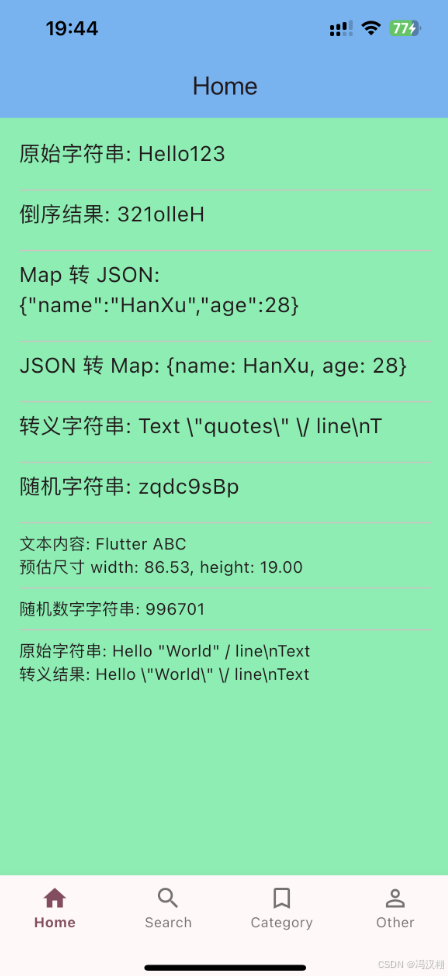
Time 时间戳
源码
import 'package:intl/intl.dart';

/// 时间工具类
class Time {
  /// 获取当前时间字符串
  /// [type] 格式:如 "yyyy-MM-dd HH:mm:ss SSS"、"yyyy-MM-dd"、"MM-dd" 等
  static String getCurrentTimesWithType(String type) {
    final now = DateTime.now();
    final formatter = DateFormat(type);
    return formatter.format(now);
  }

  /// 获取当前时间戳(秒)——方法A
  static String getNowTimeTimestampSecondA() {
    return (DateTime.now().millisecondsSinceEpoch ~/ 1000).toString();
  }

  /// 获取当前时间戳(秒)——方法B
  static String getNowTimeTimestampSecondB() {
    final seconds = DateTime.now().millisecondsSinceEpoch / 1000;
    return seconds.toStringAsFixed(0);
  }

  /// 获取当前时间戳(毫秒)
  static String getNowTimeTimestampMillisecond() {
    return DateTime.now().millisecondsSinceEpoch.toString();
  }
}
使用
import 'package:flutter/material.dart';
import 'package:flutterdemols/Extension/Time.dart';

class Home extends StatefulWidget {
  @override
  State<Home> createState() => _HomeState();
}

class _HomeState extends State<Home> {
  @override
  Widget build(BuildContext context) {
    // 调用 Time 工具类方法示例
    String nowFormatFull =
    Time.getCurrentTimesWithType("yyyy-MM-dd HH:mm:ss SSS");
    String nowFormatDate = Time.getCurrentTimesWithType("yyyy-MM-dd");
    String timestampSecondA = Time.getNowTimeTimestampSecondA();
    String timestampSecondB = Time.getNowTimeTimestampSecondB();
    String timestampMilli = Time.getNowTimeTimestampMillisecond();

    return Scaffold(
      appBar: AppBar(
        title: const Text('Home'),
        backgroundColor: Colors.blue[300],
      ),
      body: Padding(
        padding: const EdgeInsets.all(16),
        child: Column(
          crossAxisAlignment: CrossAxisAlignment.start,
          children: [
            Text("当前时间(精确毫秒): $nowFormatFull"),
            Text("当前日期(yyyy-MM-dd): $nowFormatDate"),
            const Divider(),

            Text("时间戳A(秒): $timestampSecondA"),
            Text("时间戳B(秒): $timestampSecondB"),
            Text("时间戳(毫秒): $timestampMilli"),
          ],
        ),
      ),
    );
  }
}
效果
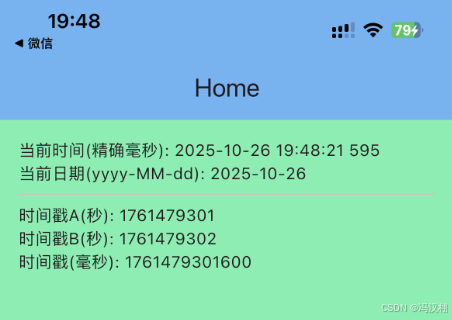
TimeDisplayHelper 聊天时间显示规则
源码
import 'package:intl/intl.dart';

class TimeDisplayHelper {
  static String wechatStyleTimeStringFromDate(DateTime? date, {String locale = 'zh_CN'}) {
    if (date == null) return '';

    final now = DateTime.now();
    final diff = now.difference(date);

    // 今天
    if (_isSameDay(now, date)) {
      if (diff.inSeconds < 60) return '刚刚';
      if (diff.inMinutes < 60) return '${diff.inMinutes}分钟前';
      return DateFormat('HH:mm', locale).format(date);
    }

    // 昨天
    final yesterday = DateTime(now.year, now.month, now.day).subtract(const Duration(days: 1));
    if (_isSameDay(yesterday, date)) {
      return '昨天 ${DateFormat('HH:mm', locale).format(date)}';
    }

    // 本周内(周一为第一天)
    if (_isSameWeek(now, date)) {
      final weekdaySymbols = ['周一','周二','周三','周四','周五','周六','周日'];
      final weekdayStr = weekdaySymbols[date.weekday - 1]; // DateTime.weekday: Mon=1..Sun=7
      return '$weekdayStr ${DateFormat('HH:mm', locale).format(date)}';
    }

    // 今年内
    if (now.year == date.year) {
      return DateFormat('MM-dd HH:mm', locale).format(date);
    }

    // 更早
    return DateFormat('yyyy-MM-dd HH:mm', locale).format(date);
  }

  static bool _isSameDay(DateTime a, DateTime b) =>
      a.year == b.year && a.month == b.month && a.day == b.day;

  static bool _isSameWeek(DateTime a, DateTime b) {
    final aStart = _startOfWeek(a);
    final bStart = _startOfWeek(b);
    return aStart.year == bStart.year && aStart.month == bStart.month && aStart.day == bStart.day;
  }

  // 以周一为每周的第一天
  static DateTime _startOfWeek(DateTime d) {
    final date = DateTime(d.year, d.month, d.day);
    return date.subtract(Duration(days: date.weekday - 1));
  }
}
使用
import 'package:flutter/material.dart';
import 'package:flutterdemols/Extension/TimeDisplayHelper.dart';

class Home extends StatefulWidget {
  @override
  State<Home> createState() => _HomeState();
}

class _HomeState extends State<Home> {
  @override
  Widget build(BuildContext context) {
    final now = DateTime.now();

    // 示例时间
    final times = [
      now.subtract(const Duration(seconds: 30)),  // 刚刚
      now.subtract(const Duration(minutes: 5)),   // 5分钟前
      now.subtract(const Duration(hours: 3)),     // 今天 HH:mm
      now.subtract(const Duration(days: 1)),      // 昨天
      now.subtract(const Duration(days: 3)),      // 本周
      now.subtract(const Duration(days: 15)),     // 本月/今年
      now.subtract(const Duration(days: 400)),    // 去年
    ];

    return Scaffold(
      appBar: AppBar(
        title: const Text('Home'),
        backgroundColor: Colors.blue[300],
      ),
      body: Padding(
        padding: const EdgeInsets.all(16.0),
        child: ListView.builder(
          itemCount: times.length,
          itemBuilder: (context, index) {
            final date = times[index];
            final display = TimeDisplayHelper.wechatStyleTimeStringFromDate(date);
            return Padding(
              padding: const EdgeInsets.symmetric(vertical: 6.0),
              child: Text(
                "原始: $date\n显示: $display",
                style: const TextStyle(fontSize: 18),
              ),
            );
          },
        ),
      ),
    );
  }
}
效果
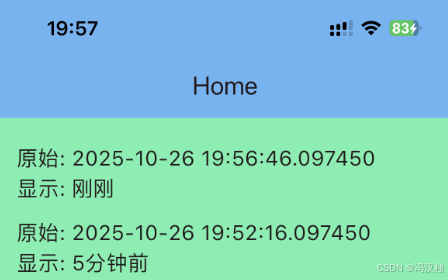
YSCountDown 活动cell倒计时
源码
import 'dart:async';
import 'package:flutter/foundation.dart';

typedef YSCountDownCallback = void Function(int index);

class YSCountDown {
  final YSCountDownCallback? onFinish;
  Timer? _timer;
  int _less = 0;
  bool isPlusTime = false;

  List<int>? _dataList; // 结束时间戳
  List<String>? _canReloadList; // “可以” / “不可以”
  ValueNotifier<int> _tick = ValueNotifier(0);
  ValueNotifier<int> get tick => _tick; // 公有 getter

  YSCountDown({this.onFinish});

  void destroyTimer() {
    _timer?.cancel();
    _timer = null;
  }

  /// 初始化
  void init({
    required List<int> dataList,
    required List<String> canReloadList,
  }) {
    _dataList = dataList;
    _canReloadList = canReloadList;
    _setupLess();
  }

  void _setupLess() async {
    // TODO: 可扩展:请求服务器时间差
    _less = 0;
    _startTimer();
  }

  void _startTimer() {
    destroyTimer();
    _timer = Timer.periodic(const Duration(seconds: 1), (timer) {
      _tick.value++; // 通知监听者
      _updateCountdown();
    });
  }

  void _updateCountdown() {
    if (_dataList == null || _canReloadList == null) return;

    final now = DateTime.now().millisecondsSinceEpoch ~/ 1000;
    for (int i = 0; i < _dataList!.length; i++) {
      final end = _dataList![i] + _less;
      final text = getNowTimeWithString(end, now);
      if (text == "倒计时结束" && _canReloadList![i] == "可以") {
        _canReloadList![i] = "不可以";
        onFinish?.call(i);
      }
    }
  }

  /// cell 滑动过快时调用
  String getCountdownText(int index) {
    final now = DateTime.now().millisecondsSinceEpoch ~/ 1000;
    final endTime = _dataList![index] + _less;
    return getNowTimeWithString(endTime, now);
  }

  /// 时间计算逻辑
  String getNowTimeWithString(int endTime, int currentTime) {
    int interval = endTime - currentTime;

    int days = interval ~/ (3600 * 24);
    int hours = (interval - days * 24 * 3600) ~/ 3600;
    int minutes = (interval - days * 24 * 3600 - hours * 3600) ~/ 60;
    int seconds =
        interval - days * 24 * 3600 - hours * 3600 - minutes * 60;

    if (isPlusTime) {
      if (hours >= 0 && minutes >= 0 && seconds >= 0) {
        return "正在倒计时";
      }
      hours = -hours;
      minutes = -minutes;
      seconds = -seconds;
    } else {
      if (hours <= 0 && minutes <= 0 && seconds <= 0) {
        return "倒计时结束";
      }
    }

    if (days > 0) {
      return "${days.toString().padLeft(2, '0')} : ${hours.toString().padLeft(2, '0')} : ${minutes.toString().padLeft(2, '0')} : ${seconds.toString().padLeft(2, '0')}";
    } else {
      return "${hours.toString().padLeft(2, '0')} : ${minutes.toString().padLeft(2, '0')} : ${seconds.toString().padLeft(2, '0')}";
    }
  }
}
使用
import 'package:flutter/material.dart';
import 'package:flutterdemols/Extension/YSCountDown.dart';

class Home extends StatefulWidget {
  @override
  State<Home> createState() => _Home();
}

class _Home extends State<Home> {
  late YSCountDown countdown;
  List<int> endTimestamps = []; // 存放每个倒计时结束时间戳(秒)
  List<String> canReloadList = []; // 对应是否可刷新

  @override
  void initState() {
    super.initState();

    // 示例:创建倒计时对象
    countdown = YSCountDown(onFinish: (index) {
      print("倒计时 $index 完成");
    });

    // 初始化数据(这里示例3个倒计时,分别5秒、10秒、15秒后结束)
    final now = DateTime.now().millisecondsSinceEpoch ~/ 1000;
    endTimestamps = [now + 5, now + 10, now + 15];
    canReloadList = ["可以", "可以", "可以"];

    countdown.init(dataList: endTimestamps, canReloadList: canReloadList);
  }

  @override
  void dispose() {
    countdown.destroyTimer();
    super.dispose();
  }

  @override
  Widget build(BuildContext context) {
    return Scaffold(
      appBar: AppBar(
        title: const Text('Home'),
        backgroundColor: Colors.blue[300],
      ),
      body: ValueListenableBuilder<int>(
        valueListenable: countdown.tick, // 监听倒计时 tick
        builder: (context, value, child) {
          return Center(
            child: Column(
              mainAxisAlignment: MainAxisAlignment.center,
              children: List.generate(endTimestamps.length, (index) {
                return Padding(
                  padding: const EdgeInsets.all(8.0),
                  child: Text(
                    countdown.getCountdownText(index),
                    style: const TextStyle(
                      fontSize: 20,
                      color: Colors.blue,
                      backgroundColor: Colors.amber,
                    ),
                  ),
                );
              }),
            ),
          );
        },
      ),
    );
  }
}
效果
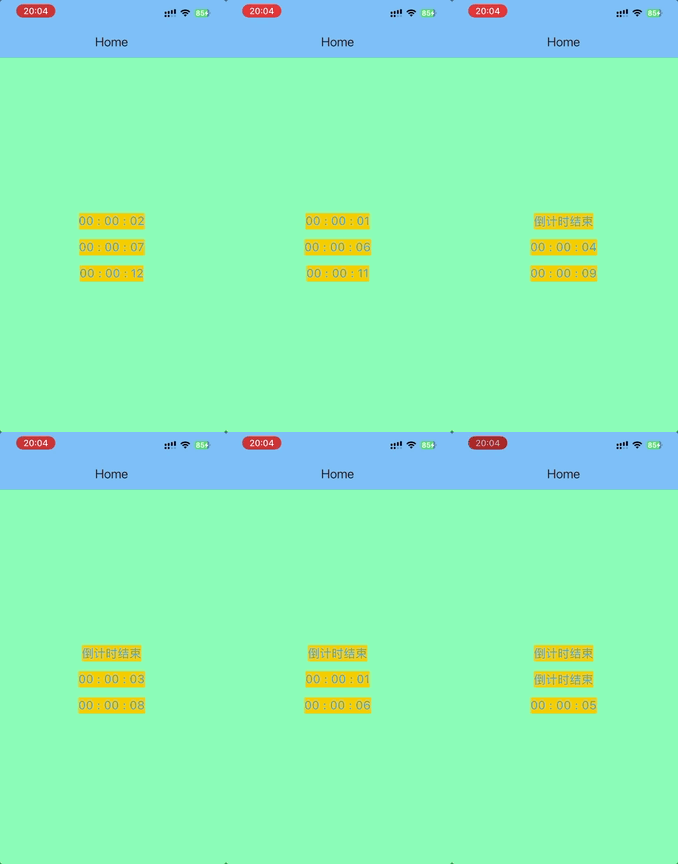

Agent 垂直技术社区,欢迎活跃、内容共建。
更多推荐

 20
20 0
0- 0


 已为社区贡献1条内容

所有评论(0)