【收藏必备】从零开始构建AI Agent:揭秘“模型→工具→结果→模型“的核心循环
文章揭秘了AI Agent的构建本质,强调其核心是"模型→工具→结果→模型"的简单循环。作者提供了从选择小问题、选基础模型到添加记忆、封装界面的完整构建路径,强调实践胜过理论。通过小步迭代和控制范围,开发者可以快速构建功能实用的Agent,掌握后进一步开发将事半功倍。这种"祛魅"方法让AI Agent开发变得平易近人。
前排提醒!文末有大模型CSDN独家资料包,看到最后别错过哦~
一点祛魅
这是最近 X 上比较流行的一个帖子——来自 Reddit——见原文
内容是如何构建第一个 AI Agent,通过循环——模型 → 工具 → 结果 → 模型,来构建 Agent 。
对,很简单。算是对 Agent 的一点祛魅——即使 Manus 等通用的 Agent,本质也是这么一个小的 Loop 。
正文
I’ve seen a lot of people get excited about building AI agents but end up stuck because everything sounds either too abstract or too hyped. If you’re serious about making your first AI agent, here’s a path you can actually follow. This isn’t (another) theory it’s the same process I’ve used multiple times to build working agents.
很多人对构建 AI Agent 感到兴奋,但最终却因为一切听起来太抽象或被过度宣传而陷入困境。如果你真的想认真打造你的第一个 AI Agent,这里有一条实际可行的路径。这不是又一个理论,而是我多次用来构建可用 Agent 的流程。
Pick a very small and very clear problem. Forget about building a “general agent” right now. Decide on one specific job you want the agent to do. Examples: – Book a doctor’s appointment from a hospital website – Monitor job boards and send you matching jobs – Summarize unread emails in your inbox. The smaller and clearer the problem, the easier it is to design and debug.
选择一个非常小且非常清晰的问题。现在不要想着构建“通用 Agent”。确定你希望 Agent 完成的一个具体任务。举例:——在医院网站预约医生 ——监控招聘网站并推送匹配职位 ——总结收件箱里未读邮件。问题越小越清晰,设计和调试就越容易。
Choose a base LLM. Don’t waste time training your own model in the beginning. Use something that’s already good enough. GPT, Claude, Gemini, or open-source options like LLaMA and Mistral if you want to self-host. Just make sure the model can handle reasoning and structured outputs, because that’s what agents rely on.
选择一个基础大模型。刚开始不要浪费时间训练自己的模型,直接用已经足够好的现成模型。GPT、Claude、Gemini,或者如果你想自托管可以用 LLaMA、Mistral 等开源选项。只要确保模型能处理推理和结构化输出,因为 Agent 依赖这些能力。
Decide how the agent will interact with the outside world. This is the core part people skip. An agent isn’t just a chatbot but it needs tools. You’ll need to decide what APIs or actions it can use. A few common ones: – Web scraping or browsing (Playwright, Puppeteer, or APIs if available) – Email API (Gmail API, Outlook API) – Calendar API (Google Calendar, Outlook Calendar) – File operations (read/write to disk, parse PDFs, etc.)
决定 Agent 如何与外部世界交互。这是很多人忽略的核心部分。Agent 不只是聊天机器人,它需要工具。你需要决定它能用哪些 API 或执行哪些操作。常见选项:——网页爬取或浏览(Playwright、Puppeteer 或现成 API) ——邮箱 API(Gmail、Outlook) ——日历 API(Google、Outlook) ——文件操作(读写磁盘、解析 PDF 等)。
Build the skeleton workflow. Don’t jump into complex frameworks yet. Start by wiring the basics: – Input from the user (the task or goal) – Pass it through the model with instructions (system prompt) – Let the model decide the next step – If a tool is needed (API call, scrape, action), execute it – Feed the result back into the model for the next step – Continue until the task is done or the user gets a final output.
搭建骨架工作流。不要急着用复杂框架,先把基础流程串起来:——用户输入(任务或目标) ——用系统提示传递给模型 ——让模型决定下一步 ——需要工具时(API 调用、爬取、操作),就执行 ——把结果反馈给模型进入下一步 ——直到任务完成或用户得到最终输出。
This loop - model --> tool --> result --> model is the heartbeat of every agent.
这个循环——模型 → 工具 → 结果 → 模型,是每个 Agent 的核心。
Add memory carefully. Most beginners think agents need massive memory systems right away. Not true. Start with just short-term context (the last few messages). If your agent needs to remember things across runs, use a database or a simple JSON file. Only add vector databases or fancy retrieval when you really need them.
谨慎添加记忆。很多新手认为 Agent 一开始就需要庞大的记忆系统,其实不然。先用短期上下文(最近几条消息)即可。如果 Agent 需要跨会话记忆,可以用数据库或简单的 JSON 文件。只有在真正需要时再加向量数据库或复杂检索。
Wrap it in a usable interface. CLI is fine at first. Once it works, give it a simple interface: – A web dashboard (Flask, FastAPI, or Next.js) – A Slack/Discord bot – Or even just a script that runs on your machine. The point is to make it usable beyond your terminal so you see how it behaves in a real workflow.
给它包上一个可用的界面。刚开始用命令行就行。等工作流跑通后,加一个简单界面:——网页仪表盘(Flask、FastAPI、Next.js) ——Slack/Discord 机器人 ——或者只是在本地运行的脚本。关键是让它能在真实流程中使用,不仅限于终端。
Iterate in small cycles. Don’t expect it to work perfectly the first time. Run real tasks, see where it breaks, patch it, run again. Every agent I’ve built has gone through dozens of these cycles before becoming reliable.
小步迭代。不要指望第一次就完美运行。先用真实任务跑一遍,发现问题就修补,再跑一遍。每个我做过的 Agent 都经历了几十次这样的循环才变得可靠。
Keep the scope under control. It’s tempting to keep adding more tools and features. Resist that. A single well-functioning agent that can book an appointment or manage your email is worth way more than a “universal agent” that keeps failing.
控制好范围。很容易不断加工具和功能,但要克制。一个能流畅预约或管理邮件的 Agent,比一个经常出错的“万能 Agent”更有价值。
The fastest way to learn is to build one specific agent, end-to-end. Once you’ve done that, making the next one becomes ten times easier because you already understand the full pipeline.
最快的学习方式是从头到尾做一个具体的 Agent。一旦你完成了这个流程,之后再做其他 Agent 会容易十倍,因为你已经掌握了整个流程。
零基础如何学习大模型
读者福利大放送:如果你对大模型感兴趣,想更加深入的学习大模型**,那么这份精心整理的大模型学习资料,绝对能帮你少走弯路、快速入门**
如果你是零基础小白,别担心——大模型入门真的没那么难,你完全可以学得会!
👉 不用你懂任何算法和数学知识,公式推导、复杂原理这些都不用操心;
👉 也不挑电脑配置,普通家用电脑完全能 hold 住,不用额外花钱升级设备;
👉 更不用你提前学 Python 之类的编程语言,零基础照样能上手。
你要做的特别简单:跟着我的讲解走,照着教程里的步骤一步步操作就行。
包括:大模型学习线路汇总、学习阶段,大模型实战案例,大模型学习视频,人工智能、机器学习、大模型书籍PDF。带你从零基础系统性的学好大模型!
现在这份资料免费分享给大家,有需要的小伙伴,直接VX扫描下方二维码就能领取啦😝↓↓↓
为什么要学习大模型?
数据显示,2023 年我国大模型相关人才缺口已突破百万,这一数字直接暴露了人才培养体系的严重滞后与供给不足。而随着人工智能技术的飞速迭代,产业对专业人才的需求将呈爆发式增长,据预测,到 2025 年这一缺口将急剧扩大至 400 万!!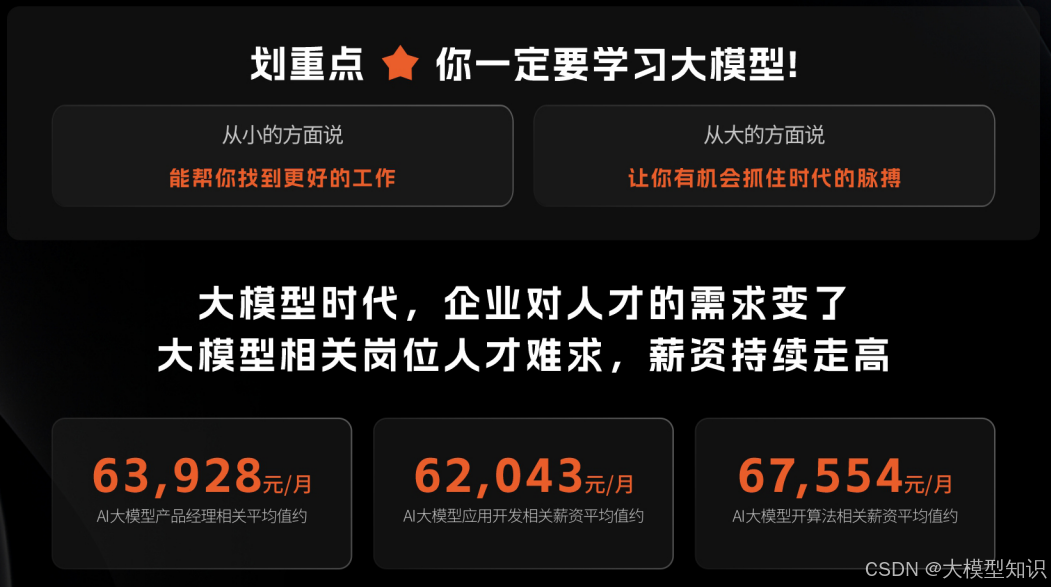
大模型学习路线汇总
整体的学习路线分成L1到L4四个阶段,一步步带你从入门到进阶,从理论到实战,跟着学习路线一步步打卡,小白也能轻松学会!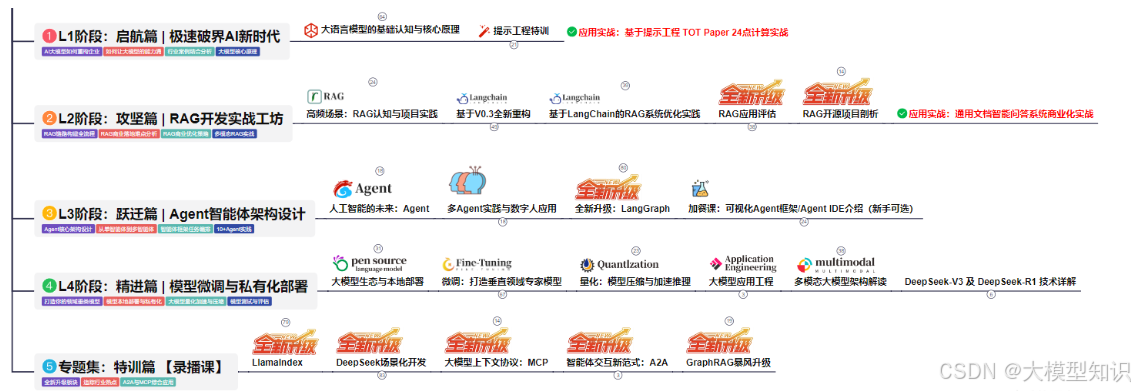
大模型实战项目&配套源码
光学理论可不够,这套学习资料还包含了丰富的实战案例,让你在实战中检验成果巩固所学知识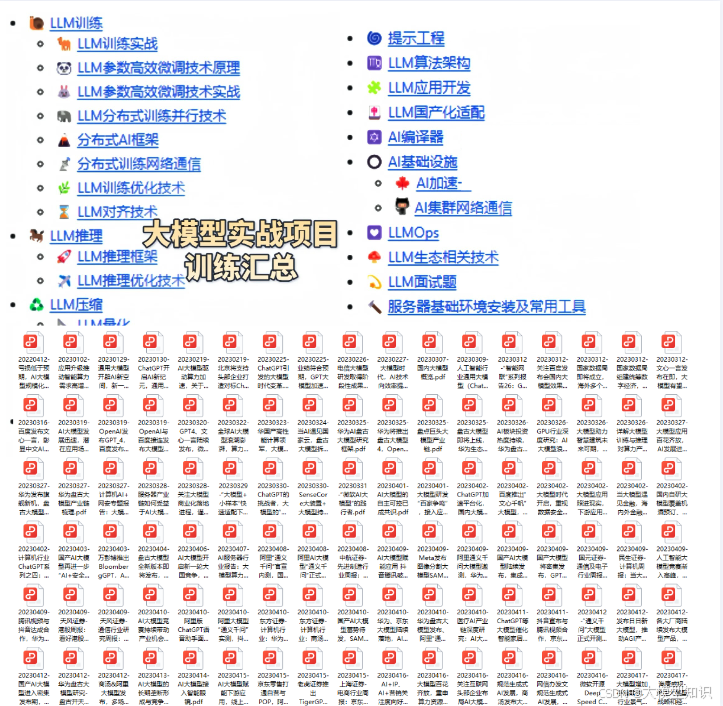
大模型学习必看书籍PDF
我精选了一系列大模型技术的书籍和学习文档(电子版),它们由领域内的顶尖专家撰写,内容全面、深入、详尽,为你学习大模型提供坚实的理论基础。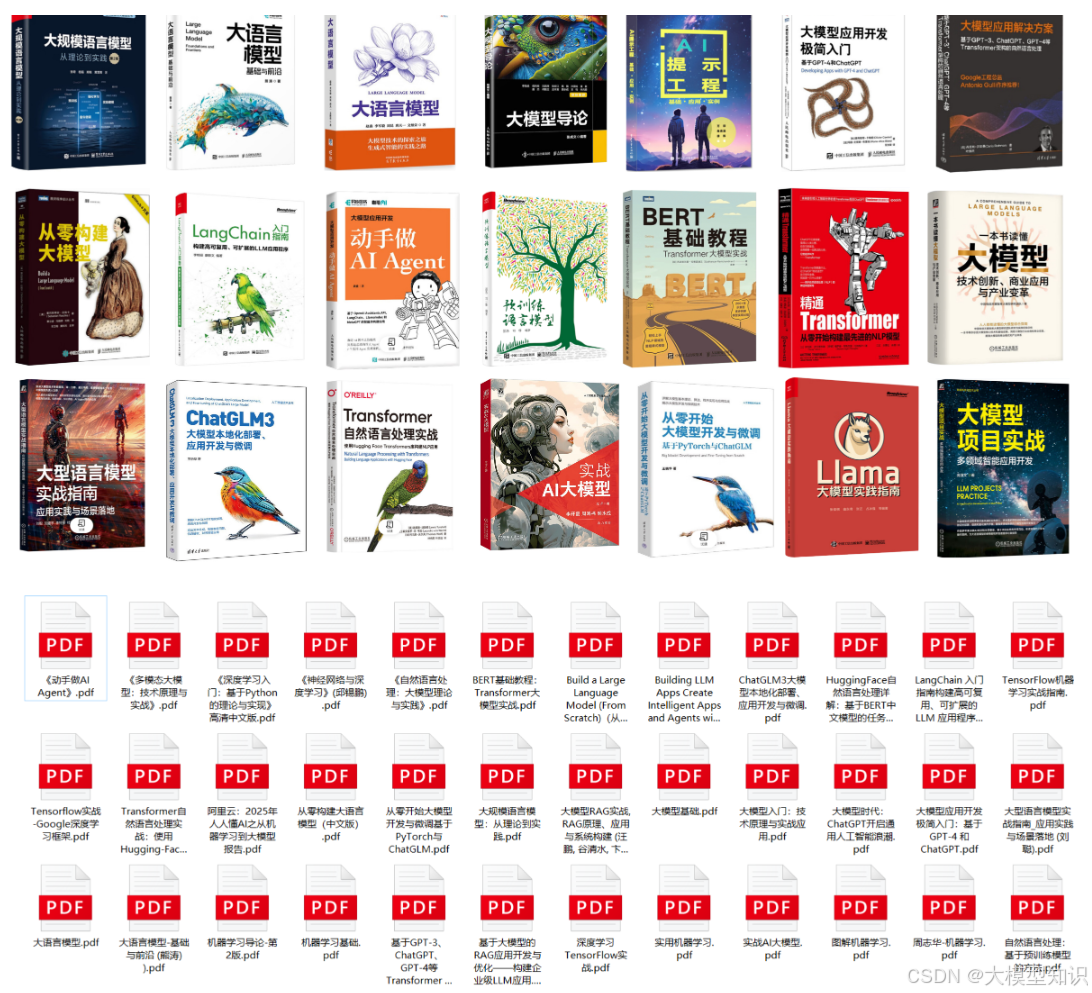
大模型超全面试题汇总
在面试过程中可能遇到的问题,我都给大家汇总好了,能让你们在面试中游刃有余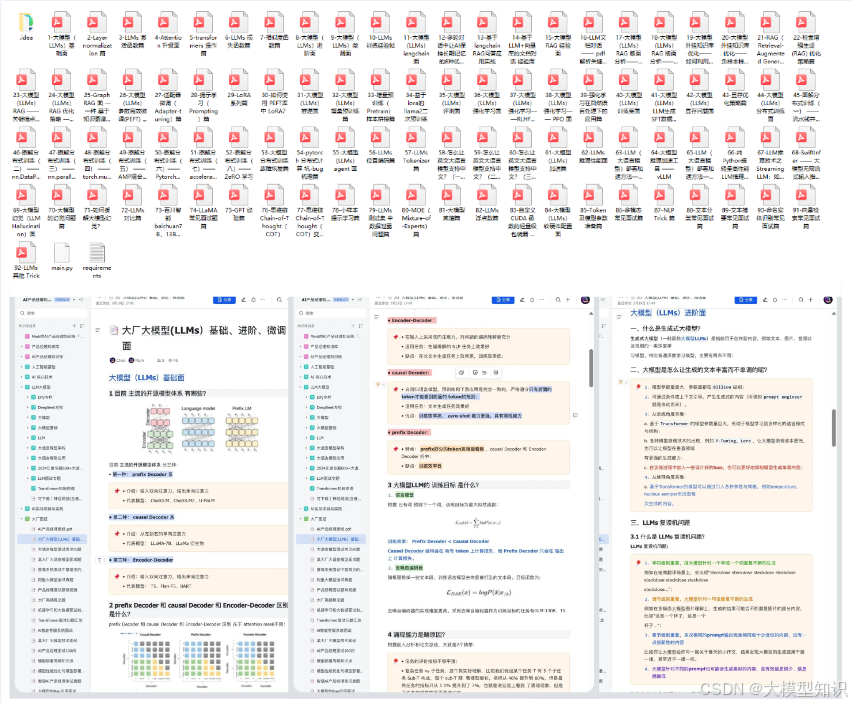
这些资料真的有用吗?
这份资料由我和鲁为民博士(北京清华大学学士和美国加州理工学院博士)共同整理,现任上海殷泊信息科技CEO,其创立的MoPaaS云平台获Forrester全球’强劲表现者’认证,服务航天科工、国家电网等1000+企业,以第一作者在IEEE Transactions发表论文50+篇,获NASA JPL火星探测系统强化学习专利等35项中美专利。本套AI大模型课程由清华大学-加州理工双料博士、吴文俊人工智能奖得主鲁为民教授领衔研发。
资料内容涵盖了从入门到进阶的各类视频教程和实战项目,无论你是小白还是有些技术基础的技术人员,这份资料都绝对能帮助你提升薪资待遇,转行大模型岗位。
👉获取方式:
😝有需要的小伙伴,可以保存图片到VX扫描下方二维码免费领取【保证100%免费】
相信我,这套大模型系统教程将会是全网最齐全 最适合零基础的!!

Agent 垂直技术社区,欢迎活跃、内容共建。
更多推荐
 14
14 0
0- 0


 已为社区贡献176条内容

所有评论(0)