Java-集合练习3
·
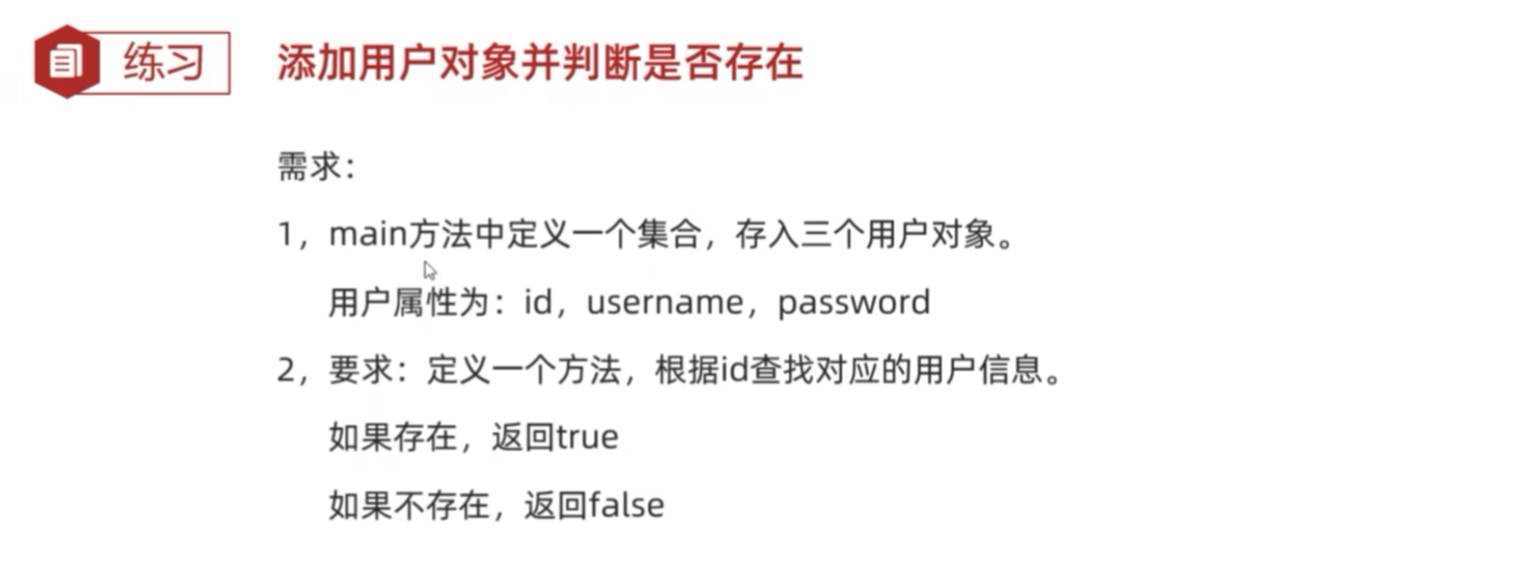
练习1 添加用户对象并判断是否存在
package com.lkbhua.Test;

public class User {
    private String name;
    private int age;
    private String password;

    public User(){}

    public User(String name,int age,String password){
        this.name = name;
        this.age = age;
        this.password = password;
    }

    public String getName(){
        return name;
    }
    public void setName(String name){
        this.name = name;
    }
    public int getAge(){
        return age;
    }
    public void setAge(int age){
        this.age = age;
    }
    public String getPassword(){
        return password;
    }
    public void setPassword(String password){
        this.password = password;
    }
}
package com.lkbhua.Test;

import java.util.ArrayList;

public class ArrayListTest05 {
    public static void main(String[] args) {
        /*添加对象并判断是否存在*/

        // 1、创建ArrayList集合
        ArrayList<User> list = new ArrayList<>();

        // 2、创建三个用户对象
        User u1 = new User("张三", 18, "123456");
        User u2 = new User("曾琼", 22, "122136");
        User u3 = new User("王五", 19, "12qw56");

        // 3、添加用户对象
        list.add(u1);
        list.add(u2);
        list.add(u3);

        // 4、调用方法查询id
        boolean b = contains(list, "张三");
        System.out.println(b);
    }

    // 查询方法
    public static boolean contains(ArrayList<User>list, String id){
        for(int i = 0; i < list.size(); i++){
            // 利用list.get(i)获取集合中的元素
            // .getName()获取用户名
            // .equals()判断用户名是否相同
            // list.get(i).getName().equals(id);
            User u = list.get(i);
            String uid = u.getName();
            if(uid.equals(id)){
                return true;
            }
        }
        // 循环结束,没有找到
        return false;
    }
}
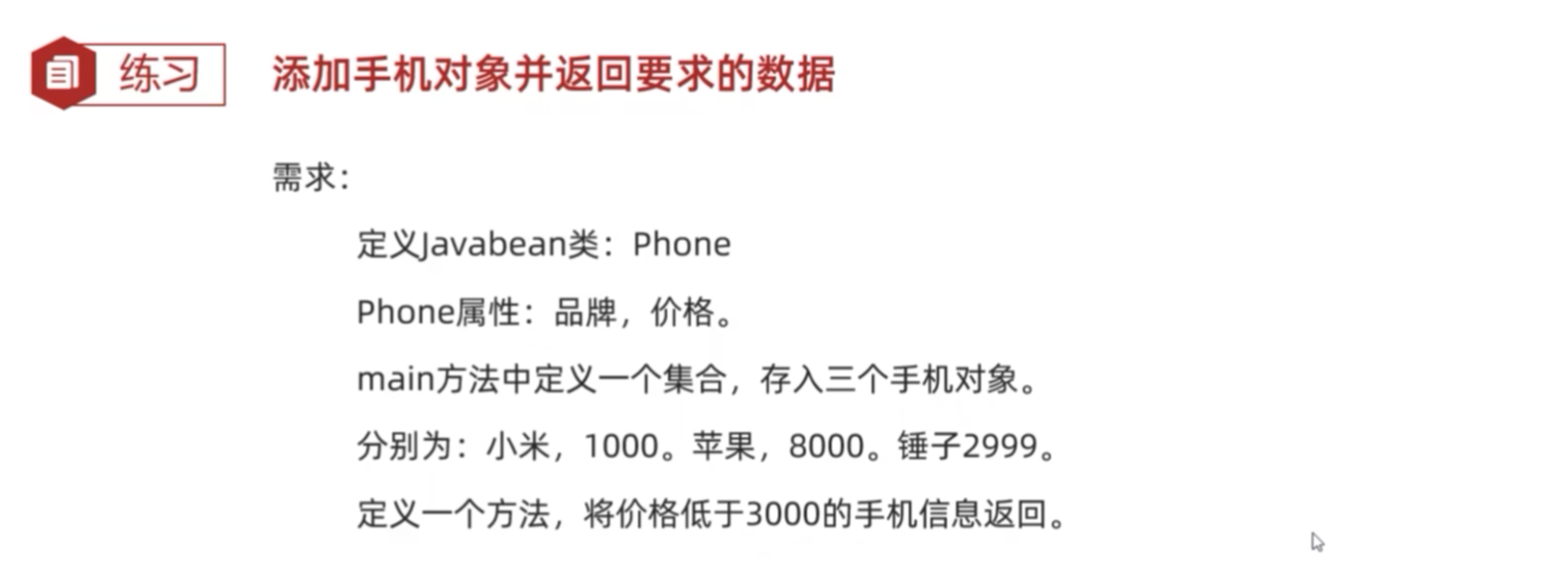
练习2 添加手机对象并返回要求的数据
package com.lkbhua.Test;

public class Phone {
    private String brand;
    private double price;

    public Phone(){}

    public Phone(String brand,double price){
        this.brand = brand;
        this.price = price;
    }

    public String getBrand(){
        return brand;
    }
    public void setBrand(String brand){
        this.brand = brand;
    }

    public double getPrice(){
        return price;
    }

    public void setPrice(double price){
        this.price = price;
    }
}
package com.lkbhua.Test;

import java.util.ArrayList;

public class ArrayListTest06 {
    public static void main(String[] args) {
        /*添加手机对象并按要求返回数据*/

        // 1、创建ArrayList
        ArrayList<Phone> list = new ArrayList<>();

        // 2、创建手机对象
        Phone p1 = new Phone("Apple17", 8888);
        Phone p2 = new Phone("HuaweiMate80", 6666);
        Phone p3 = new Phone("Xiaomi17pro", 5555);
        Phone p4 = new Phone("Vivos19", 2444);
        Phone p5 = new Phone("OppoReno13", 2033);
        Phone p6 = new Phone("OppoA5", 2222);
        Phone p7 = new Phone("OnePlus", 1111);

        // 3、添加手机对象
        list.add(p1);
        list.add(p2);
        list.add(p3);
        list.add(p4);
        list.add(p5);
        list.add(p6);
        list.add(p7);

        // 4、调用方法
        printArrayList(list);

        // 5、接受
        ArrayList<Phone> phoneInfoList = getPhone(list);

        // 遍历
        for(int i = 0; i < phoneInfoList.size(); i++){
            Phone p = phoneInfoList.get(i);
            System.out.println(p.getBrand() + "---" + p.getPrice());
        }
    }

    // case1:打印的方法
    public static void printArrayList(ArrayList<Phone> list){
        for(int i = 0; i < list.size(); i++){
            Phone p = list.get(i);
            double price = p.getPrice();
            if(price < 3000){
                System.out.println(p.getBrand() + "---" + p.getPrice());
            }
        }
    }


    // case2:返回手机对象
    // 技巧:
    // 如果以后要返回多个数据,可以把这些数据放到一个容器当中,再把容器返回
    // 可以是集合、数组
    public static ArrayList<Phone> getPhone(ArrayList<Phone> list){
        // 定义一个集合用以存储并返回低于3000的手机对象
        ArrayList<Phone> resultList = new ArrayList<>();
        for(int i = 0; i < list.size(); i++){
            Phone p = list.get(i);
            double price = p.getPrice();
            if(price < 3000){
                resultList.add(p);
            }
        }
        return resultList;
    }
}
声明:
以上均来源于B站@ITheima的教学内容!!!
本人跟着视频内容学习,整理知识引用

Agent 垂直技术社区,欢迎活跃、内容共建。
更多推荐
 3
3 0
0- 0


 已为社区贡献17条内容

所有评论(0)