功能实现:C#使用Json管理游戏数据
·
本文记录使用C#开发游戏时,使用的数据管理方式
一、Json数据工具类实现
该工具类提供两个静态方法:
1.LoadJson() 将指定路径下的Json文件转换为对应的数据对象;
2.SaveJson() 将传入的对象数据序列化为Json文件写入指定的路径下;
using System.IO;
using System.Text.Json;
using System.Text.Encodings.Web;
using System.Text;
public static class JsonTool
{
    public static T LoadJson<T>(string path)
    {
        byte[] bytes = File.ReadAllBytes(path);
        string json = Encoding.UTF8.GetString(bytes);
        var data = JsonSerializer.Deserialize<T>(json, new JsonSerializerOptions { IncludeFields = true });
        return data;
    }

    public static void SaveJson<T>(string path, T data)
    {
        var options = new JsonSerializerOptions { WriteIndented = true, IncludeFields = true, Encoder = JavaScriptEncoder.UnsafeRelaxedJsonEscaping };
        string jsonString = JsonSerializer.Serialize(data, options);
        File.WriteAllBytes(path, Encoding.UTF8.GetBytes(jsonString));
    }
}
二、游戏物品数据类定义
1、定义如下数据类用于测试
[System.Serializable]
public class ItemList_Item
{
    public List<Item_Item> gameTotalItemsInfo;
}

[System.Serializable]
public class Item_Item
{
    public int id;
    public string name;
    public string icon;
    public int type;
    public int category;
    public int quality;
    public string quality_name;
    public int phy_attack;
    public int magic_attack;
    public int phy_defense;
    public int magic_defense;
    public int special_fun;
    public int special_fun_value;
    public string tips;
}
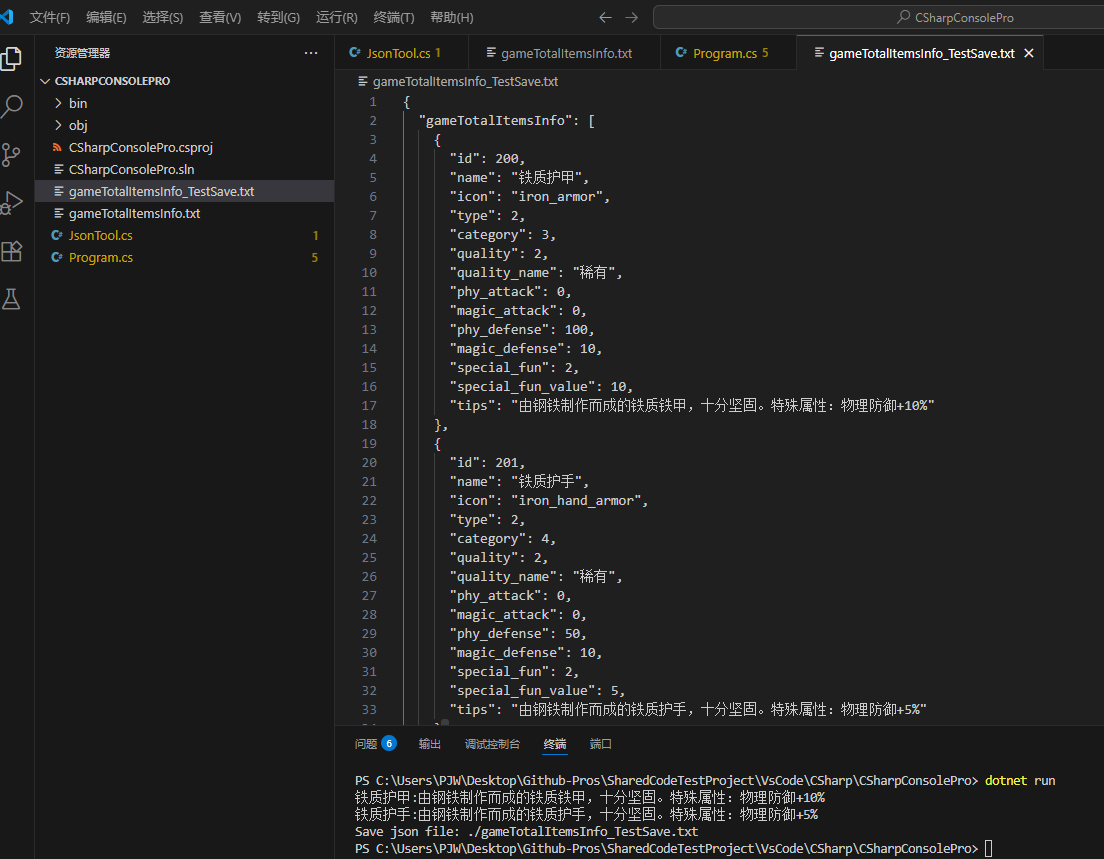
2、定义原始游戏物品Json数据文件“gameTotalItemsInfo.txt”(编码需使用UTF8格式)
{
  "gameTotalItemsInfo": [
    {
      "id": 200,
      "name": "铁质护甲",
      "icon": "iron_armor",
      "type": 2,
      "category": 3,
      "quality": 2,
      "quality_name": "稀有",
      "phy_attack": 0,
      "magic_attack": 0,
      "phy_defense": 100,
      "magic_defense": 10,
      "special_fun": 2,
      "special_fun_value": 10,
      "tips": "由钢铁制作而成的铁质铁甲,十分坚固。特殊属性:物理防御+10%"
    },
    {
      "id": 201,
      "name": "铁质护手",
      "icon": "iron_hand_armor",
      "type": 2,
      "category": 4,
      "quality": 2,
      "quality_name": "稀有",
      "phy_attack": 0,
      "magic_attack": 0,
      "phy_defense": 50,
      "magic_defense": 10,
      "special_fun": 2,
      "special_fun_value": 5,
      "tips": "由钢铁制作而成的铁质护手,十分坚固。特殊属性:物理防御+5%"
    }
  ]
}
三、验证游戏数据读取及保存功能
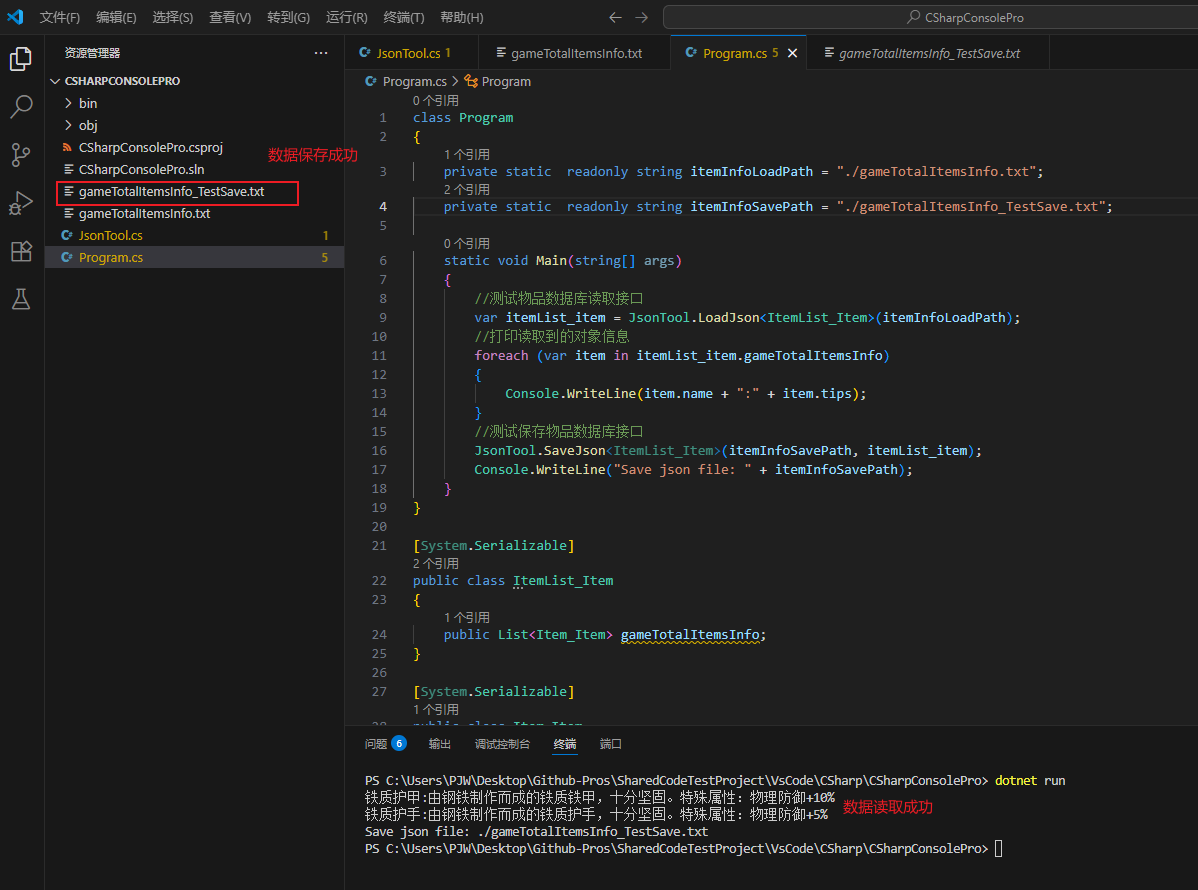
1、定义一个Vscode C#控制台程序用于验证该功能
class Program
{
    private static  readonly string itemInfoLoadPath = "./gameTotalItemsInfo.txt";
    private static  readonly string itemInfoSavePath = "./gameTotalItemsInfo_TestSave.txt";

    static void Main(string[] args)
    {
        //测试物品数据库读取接口
        var itemList_item = JsonTool.LoadJson<ItemList_Item>(itemInfoLoadPath);
        //打印读取到的对象信息
        foreach (var item in itemList_item.gameTotalItemsInfo)
        {
            Console.WriteLine(item.name + ":" + item.tips);
        }
        //测试保存物品数据库接口
        JsonTool.SaveJson<ItemList_Item>(itemInfoSavePath, itemList_item);
        Console.WriteLine("Save json file: " + itemInfoSavePath);
    }
}
2、运行程序,数据读取及数据保存成功
附以上测试代码Git路径:https://github.com/JWPWIN/SharedCodeTestProject/tree/master/VsCode/CSharp/CSharpConsolePro/Test_JsonTool
至此结束,如有问题欢迎留言,谢谢。

Agent 垂直技术社区,欢迎活跃、内容共建。
更多推荐


 8
8 0
0- 0


 已为社区贡献2条内容

所有评论(0)