Vue3 响应式基础
Vue3 响应式基础
1. 声明响应式状态
1.1 直接修改变量,模板不会进行更新
<template>
  <div>{{ name }}</div>
</template>

<script setup>
let name = 'Sheldon'
setTimeout(() => {
  name = 'Leon'
  console.log(name)
}, 3000)
</script>

<style lang="scss" scoped></style>
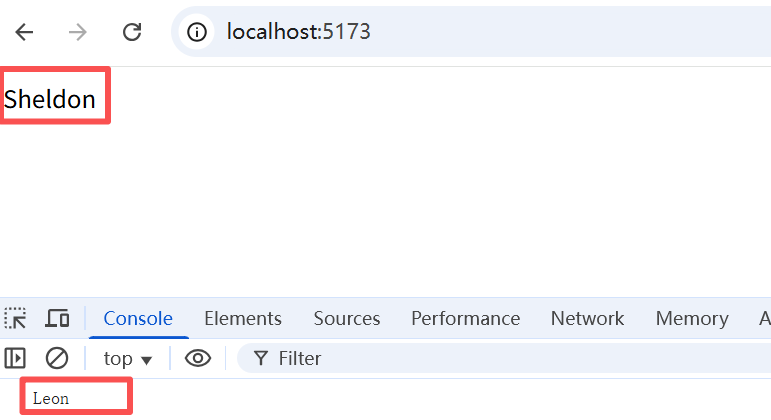
可以看到,和 Vue2 不同的是,直接修改变量的值,模板中的变量不会进行响应式更新。而需要借助一些方法才能完成响应式更新
1.2 ref()(响应式更新任何类型的数据)
在组合式 API 中,推荐使用 ref() 函数来声明响应式状态。ref() 接收参数,并将其包裹在一个带有 .value 属性的 ref 对象中返回。
1.2.1 ref 持有简单数据
<template>
  <div>{{ name }}</div>
</template>

<script setup>
import { ref } from 'vue'
// 现在的 name 就是一个响应式数据
let name = ref('Bill')
console.log(name)
console.log(name.value)
setTimeout(() => {
  name.value = 'Tom'
}, 5000)
</script>

<style lang="scss" scoped></style>
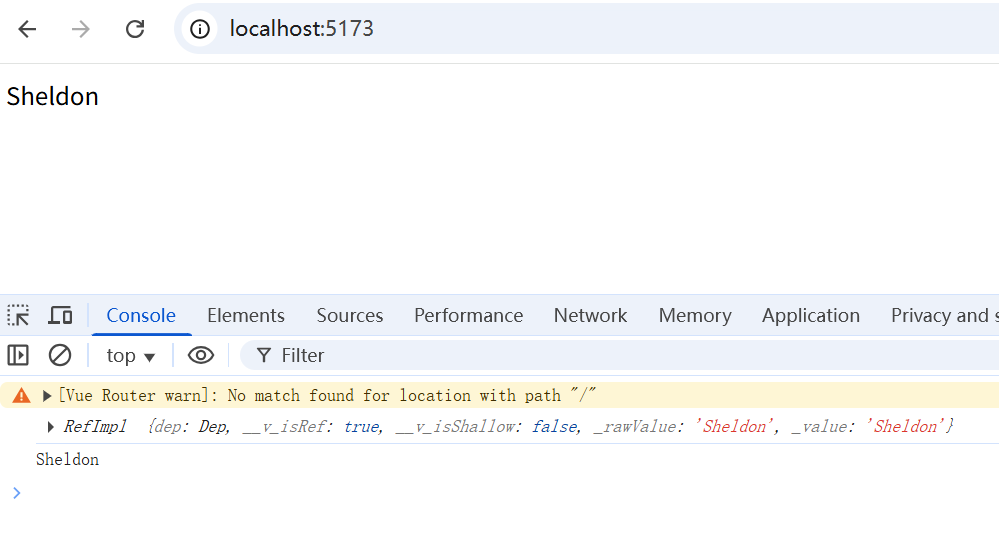
5s 内展开时,value值未发生变化,为Sheldon,即使变化后,浏览器的打印结果仍然不会改变,这是浏览器自身的渲染机制导致的。实际上5s后的值已经变为了 Mike。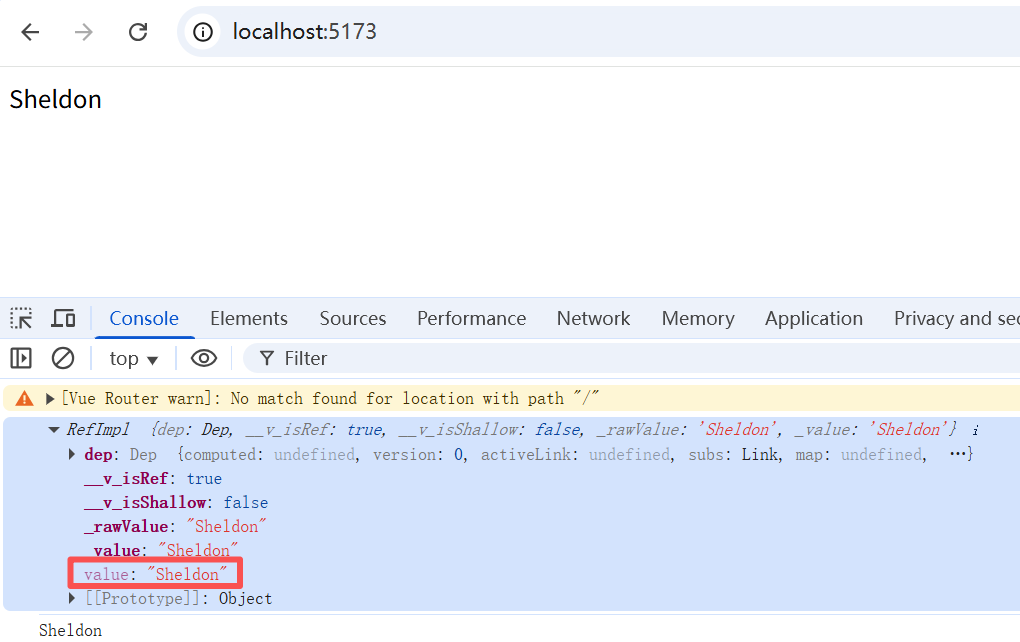
刷新浏览器,5s后再展开,就会发现value值成了最新的Mike。这说明浏览器控制台中的对象属性值,只有在观测时才会确认为当前的最新状态。你别说,这还真有点像是薛定谔的猫,不同的是我们可以预测到结果。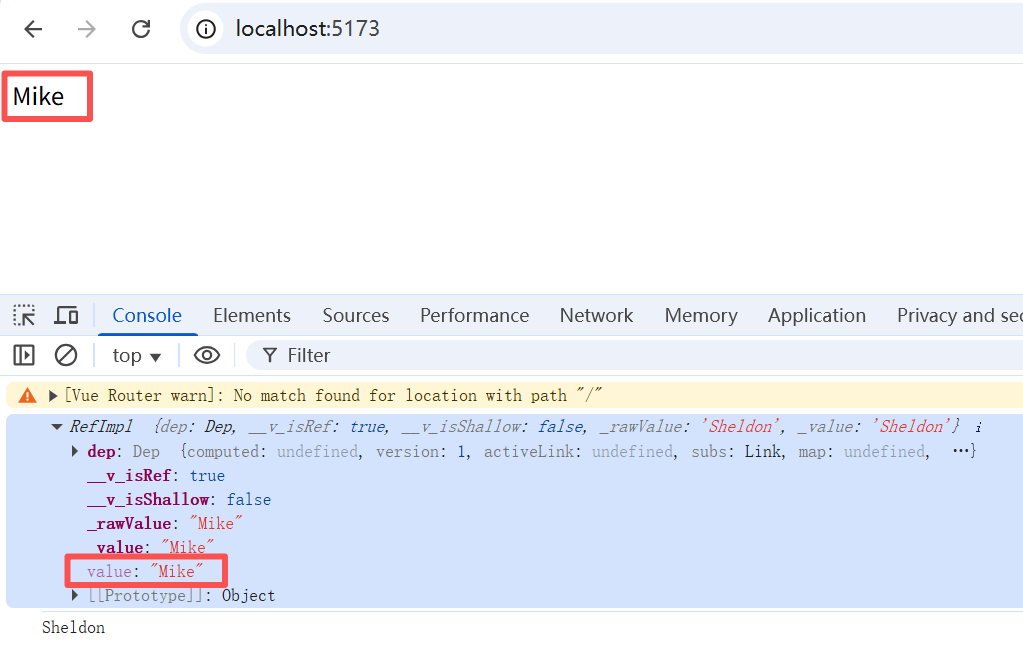
上面说的是题外话,让我们回到重点,继续讨论 ref 本身。
注意:在模板中使用 ref 时,我们不需要附加 .value。为了方便起见,当在模板中使用时,ref 会自动解包 (有一些注意事项)。
1.2.2 ref 持有对象
<template>
  <div>{{ Sheldon.name }}</div>
  <div>{{ Sheldon.age }}</div>
</template>

<script setup>
import { ref } from 'vue'
// 现在的 name 就是一个响应式数据
let Sheldon = ref({
  name: 'Sheldon',
  age: 26
})
setTimeout(() => {
  Sheldon.value.name = 'Sheldon2'
  Sheldon.value.age = 29
}, 2000)
console.log('Sheldon', Sheldon)
</script>

<style lang="scss" scoped></style>
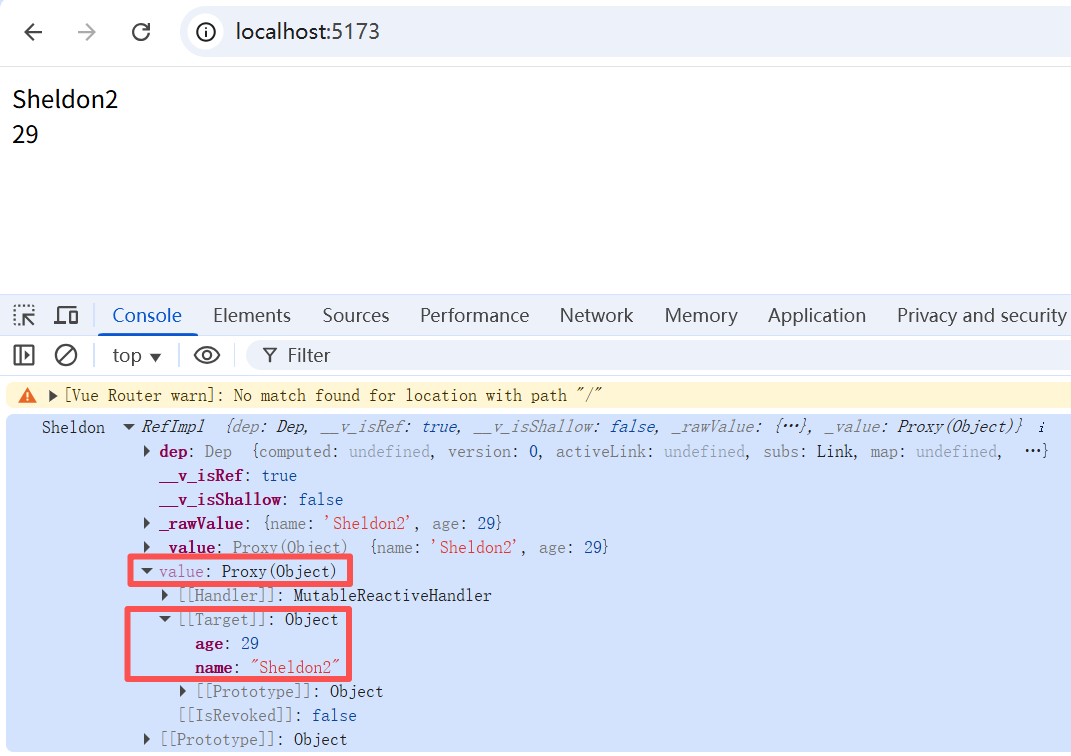
1.2.3 ref 持有数组
<template>
  <div>{{ arr }}</div>
</template>

<script setup>
import { ref } from 'vue'
// 现在的 name 就是一个响应式数据
let arr = ref([1, 2, 3])
setTimeout(() => {
  arr.value.push(4, 5, 6)
}, 2000)
console.log('arr', arr)
</script>

<style lang="scss" scoped></style>
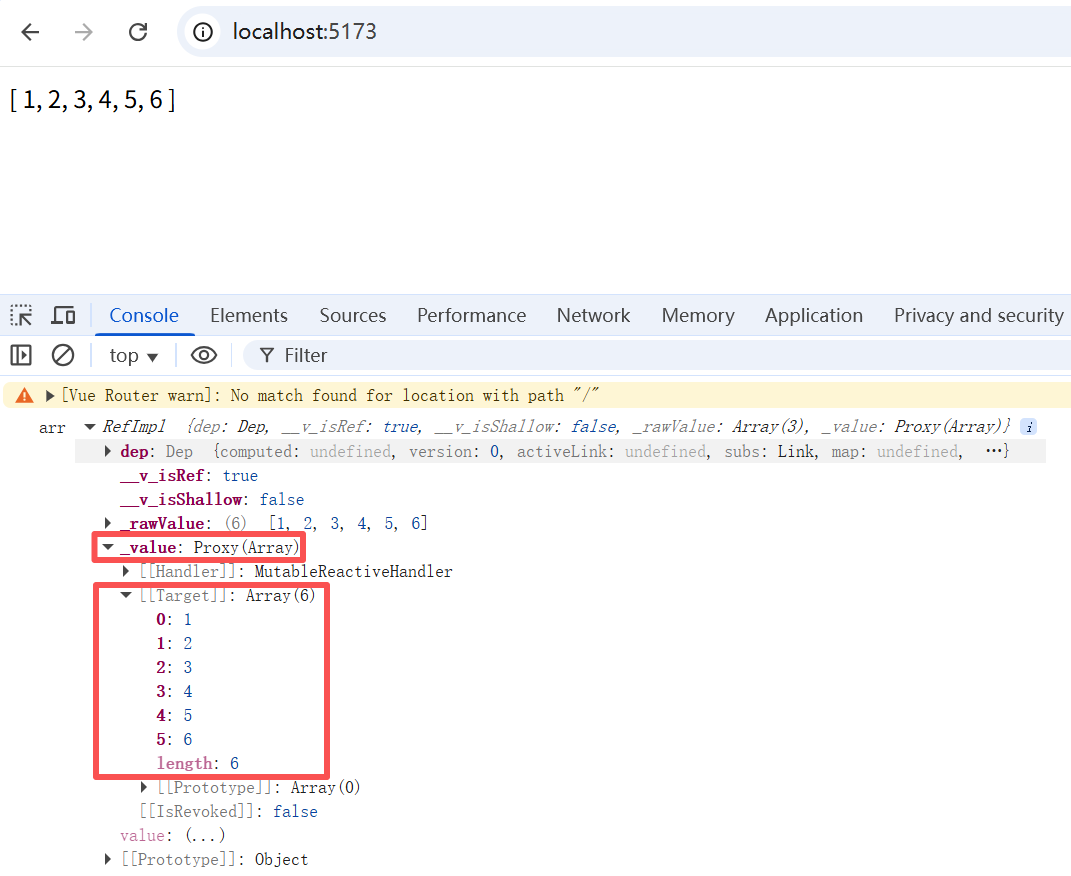
1.2.4 ref 具有深层响应性
Ref 会使它的值具有深层响应性。这意味着即使改变嵌套对象或数组时,变化也会被检测到:
<template>
  <div>{{ obj.nested.count }}</div>
  <div>{{ obj.arr }}</div>
</template>

<script setup>
import { ref } from 'vue'

const obj = ref({
  nested: { count: 0 },
  arr: ['foo', 'bar']
})

function mutateDeeply() {
  // 以下都会按照期望工作
  obj.value.nested.count++
  obj.value.arr.push('baz')
}

setTimeout(() => {
  mutateDeeply()
  console.log(obj)
})
</script>

<style lang="scss" scoped></style>
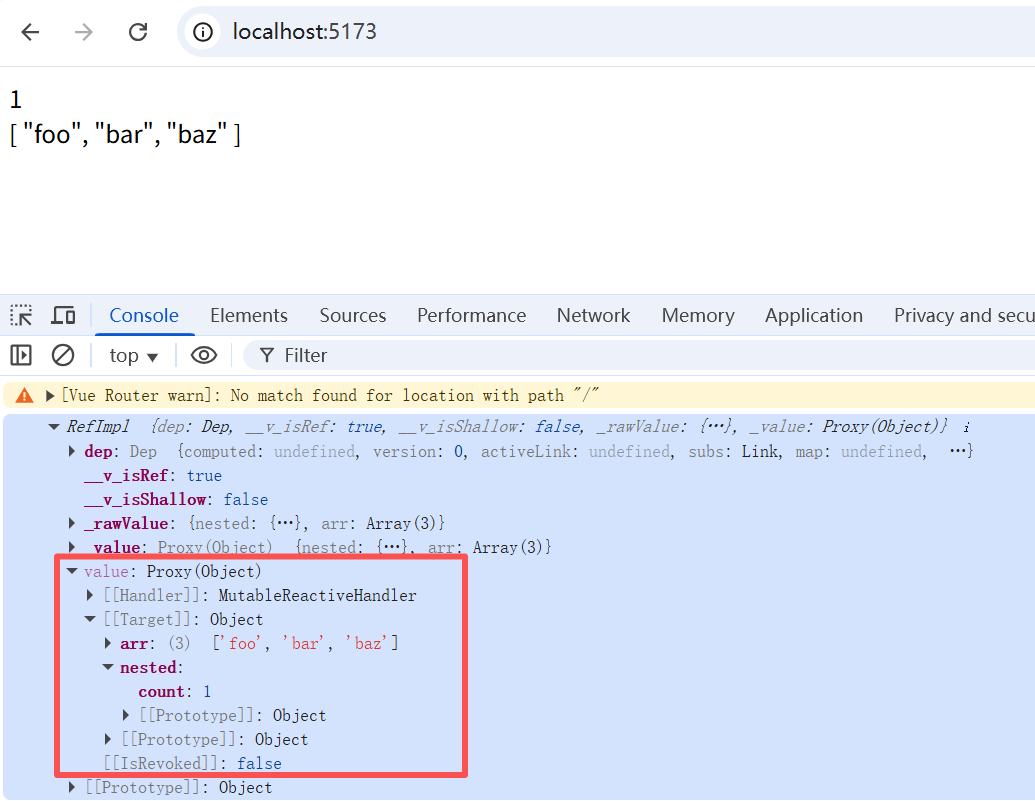
1.2.5 通过 shallowRef,放弃深层响应式(减少响应式开销)
1.2.5.1 shallowRef 修改.value中的属性值不会触发视图更新,修改.value 本身才会触发
通过 shallow ref 来放弃深层响应性。对于浅层 ref,只有 .value 的访问会被追踪。
<template>
  <div>{{ Sheldon.name }}</div>
  <div>{{ Sheldon.age }}</div>
  <div>{{ Sheldon.nested.count }}</div>
</template>

<script setup>
import { shallowRef } from 'vue'
let Sheldon = shallowRef({
  name: 'Sheldon',
  age: 18,
  nested: {
    count: 1
  }
})
// 下面的更新不会触发视图更新
setTimeout(() => {
  Sheldon.value.name = 'Sheldon2'
  Sheldon.value.age = 20
  Sheldon.value.nested.count += 2
}, 2000)
// 替换整个根部,下面的更新会触发视图更新
setTimeout(() => {
  Sheldon.value = {
    name: 'Sheldon3',
    age: 30,
    nested: {
      count: 3
    }
  }
  console.log(Sheldon)
}, 4000)
</script>

<style lang="scss" scoped></style>
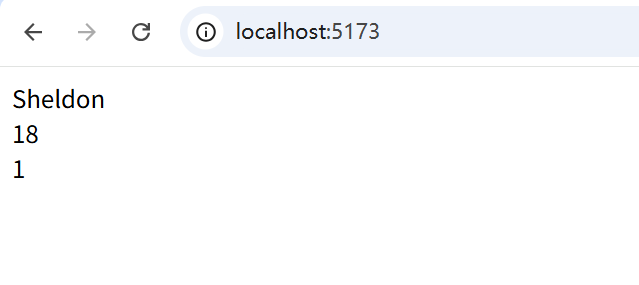
2s时没有任何变化,4s后视图发生改变,如下: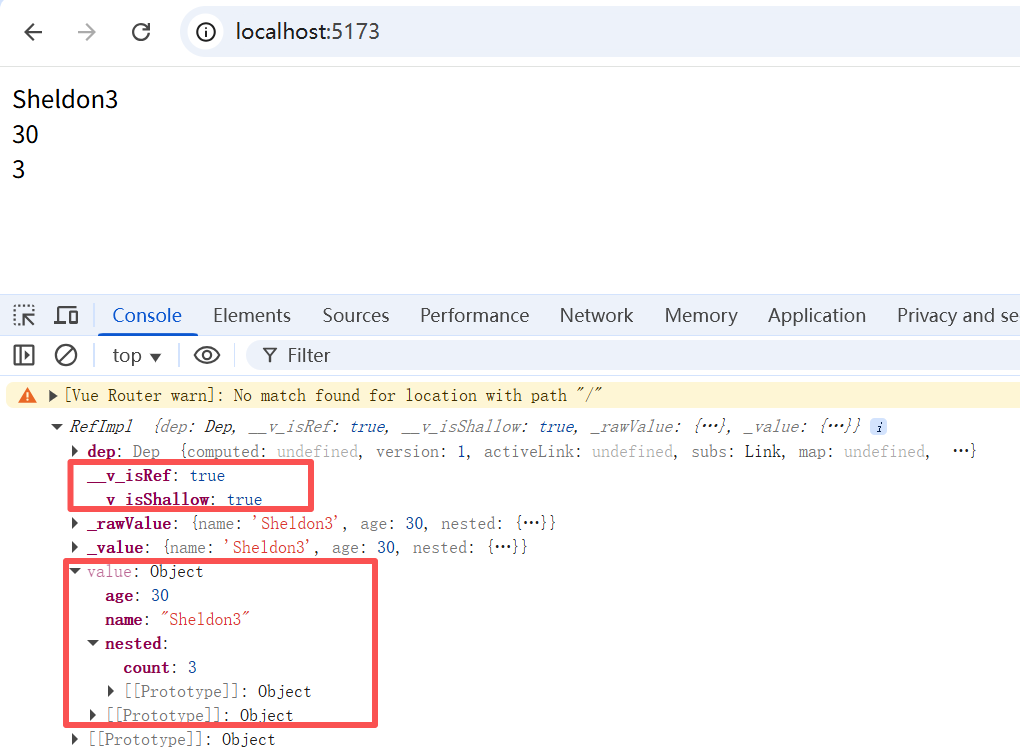
浅层 ref 可以用于避免对大型数据的响应性开销来优化性能、或者有外部库管理其内部状态的情况。
解释:Vue 的响应性系统默认是深度的。虽然这让状态管理变得更直观,但在数据量巨大时,深度响应性也会导致不小的性能负担,因为每个属性访问都将触发代理的依赖追踪。好在这种性能负担通常只有在处理超大型数组或层级很深的对象时,例如一次渲染需要访问 100,000+ 个属性时,才会变得比较明显。因此,它只会影响少数特定的场景。
Vue 确实也为此提供了一种解决方案,通过使用 shallowRef() 和 shallowReactive() 来绕开深度响应。浅层式 API 创建的状态只在其顶层是响应式的,对所有深层的对象不会做任何处理。这使得对深层级属性的访问变得更快,但代价是,我们现在必须将所有深层级对象视为不可变的,并且只能通过替换整个根状态来触发更新。
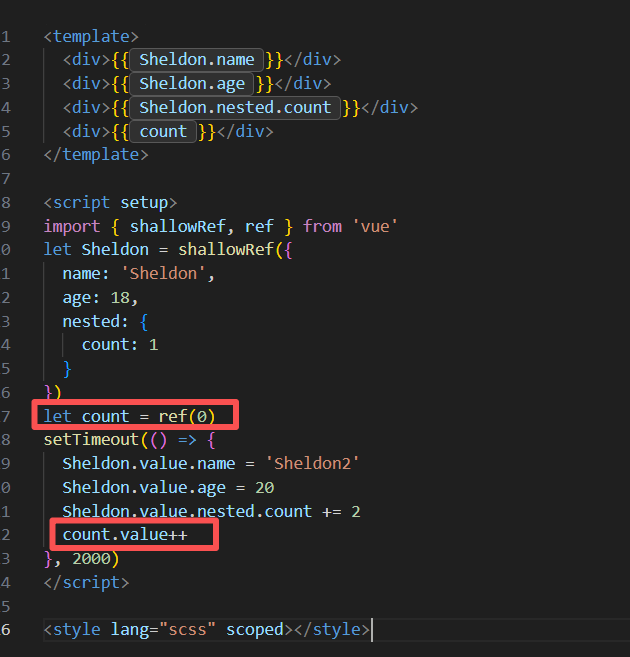
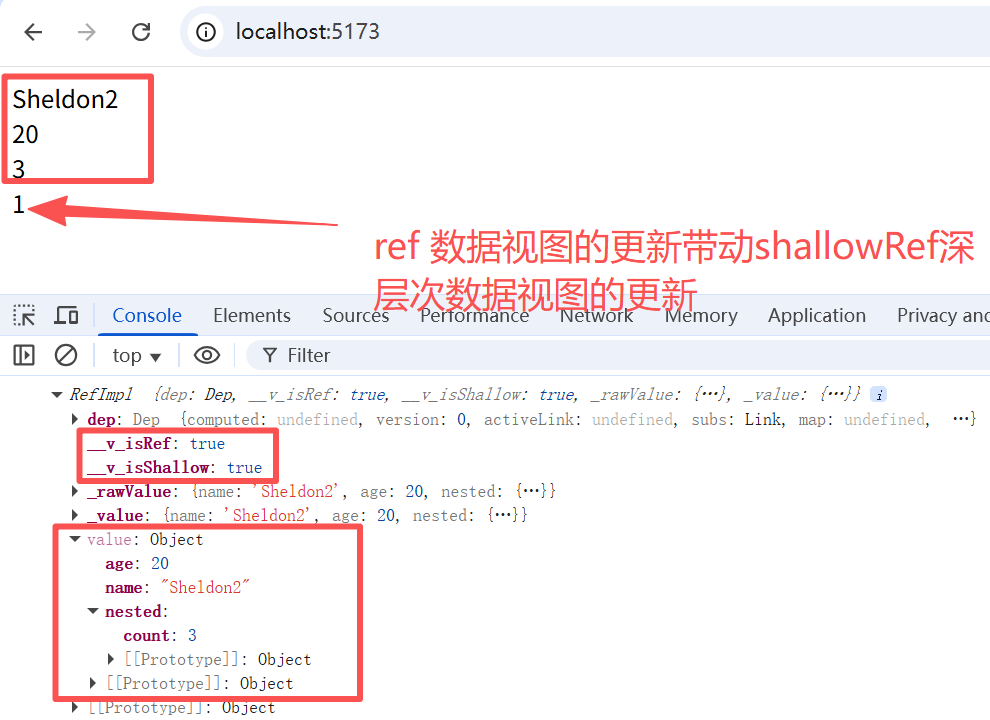
1.2.5.2 其他视图更新会带动 shallowRef 的深层次数据视图更新
<template>
  <div>{{ Sheldon.name }}</div>
  <div>{{ Sheldon.age }}</div>
  <div>{{ Sheldon.nested.count }}</div>
  <div>{{ count }}</div>
</template>

<script setup>
import { shallowRef, ref } from 'vue'
let Sheldon = shallowRef({
  name: 'Sheldon',
  age: 18,
  nested: {
    count: 1
  }
})
let count = ref(0)
setTimeout(() => {
  Sheldon.value.name = 'Sheldon2'
  Sheldon.value.age = 20
  Sheldon.value.nested.count += 2
  count.value++
}, 2000)
</script>

<style lang="scss" scoped></style>
1.2.6 DOM 更新时机
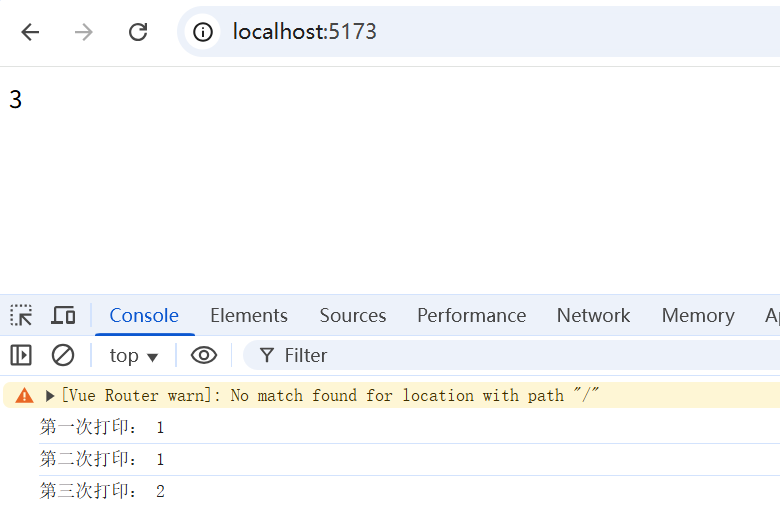
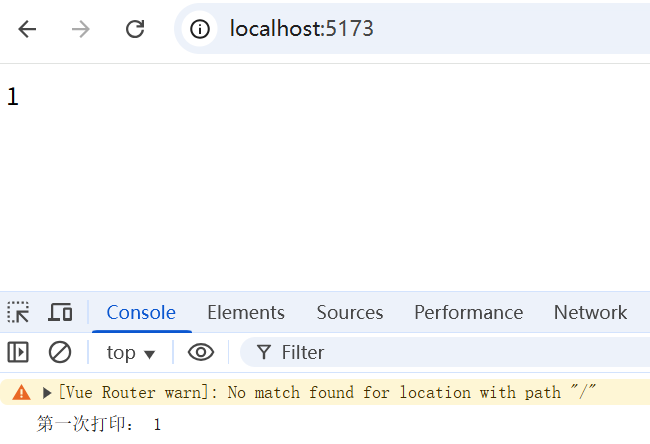
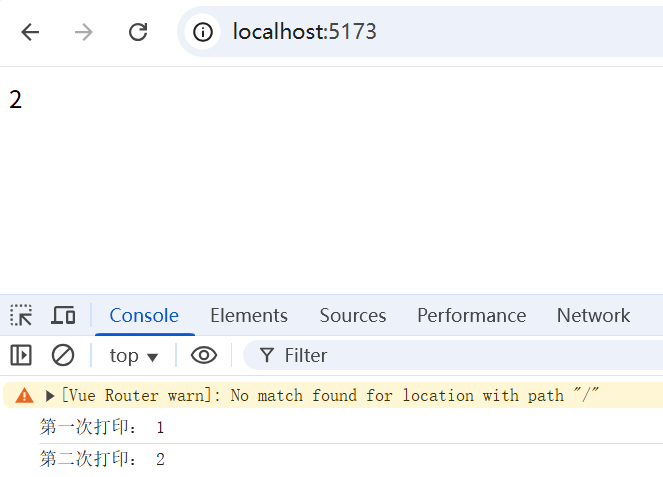
当你修改了响应式状态时,DOM 会被自动更新,但DOM 更新不是同步的。Vue 会在“next tick”更新周期中缓冲所有状态的修改,以确保不管你进行了多少次状态修改,每个组件都只会被更新一次。
1.2.6.1 不使用nextTick,直接获取DOM,会存在滞后性
<template>
  <div id="container">{{ count }}</div>
</template>

<script setup>
import { ref, onMounted, nextTick } from 'vue'
let count = ref(1)
let container = null
setTimeout(() => {
  count.value++ // 修改响应式状态
  console.log('第二次打印:', container.innerText)
}, 2000)
setTimeout(() => {
  count.value++ // 修改响应式状态
  console.log('第三次打印:', container.innerText)
}, 4000)
onMounted(() => {
  container = document.getElementById('container')
  console.log('第一次打印:', container.innerText)
})
</script>

<style lang="scss" scoped></style>
1.2.6.2 使用nextTick(配合async await),获取更新后的DOM
要等待 DOM 更新完成后再执行额外的代码,可以使用 nextTick() 全局 API:
<template>
  <div id="container">{{ count }}</div>
</template>

<script setup>
import { ref, onMounted, nextTick } from 'vue'
let count = ref(1)
let container = null
setTimeout(async () => {
  count.value++ // 修改响应式状态
  // 等待下一个 DOM 更新周期
  await nextTick()
  // 这个时候再打印就是最新的值了
  console.log('第二次打印:', container.innerText)
}, 2000)
// 这是一个生命周期钩子方法
// 会在组件完成初始渲染并创建 DOM 节点后自动调用
onMounted(() => {
  container = document.getElementById('container')
  console.log('第一次打印:', container.innerText)
})
</script>

<style lang="scss" scoped></style>
1.2.6.3 通过回调方式使用 nextTick
如果不用 async await,那么就是通过回调的形式:
setTimeout(() => {
  count.value++
  nextTick(() => {
    console.log('第二次打印:', container.innerText)
  })
}, 2000)
当然还是推荐使用 async await,看上去代码的逻辑更加清晰一些。
2. reactive()(将对象转为响应式)
2.1 reactive() 使用方式
reactive() 通常负责将一个对象转为响应式对象,比如:
<template>
  <div>{{ state.count1 }}</div>
  <div>{{ state.nested.count2 }}</div>
</template>

<script setup>
import { reactive } from 'vue'
const state = reactive({
  count1: 0,
  nested: {
    count2: 0
  }
})
setTimeout(() => {
  state.count1++
  state.nested.count2 += 2;
  console.log(state);
}, 2000);
</script>

<style lang="scss" scoped></style>
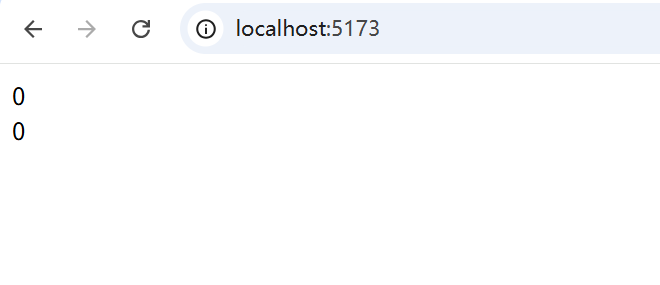
2s 后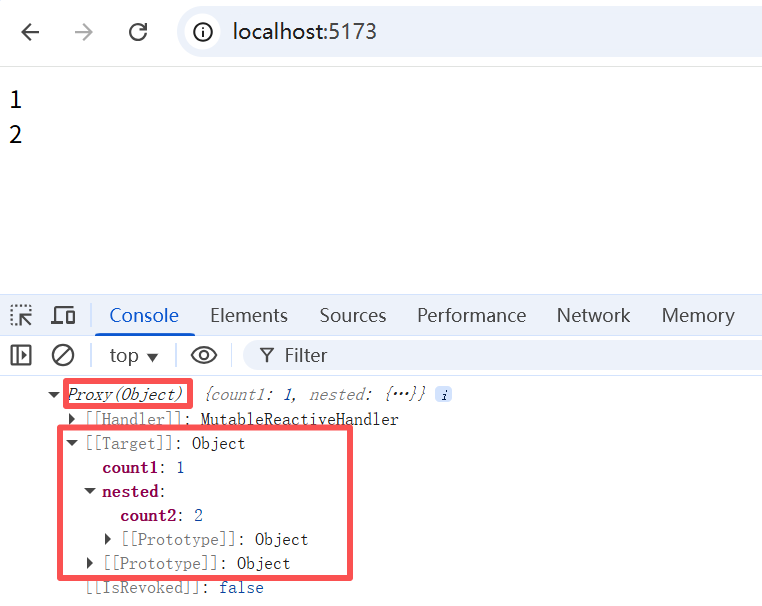
2.2 reactive 和 ref 的区别(建议优先使用ref)
通过观察,我们可以发现,与 ref() 有几点不同:
(1)reactive() 只能将对象转为响应式对象,而 ref() 则可以转化所有类型的值;
(2)reactive() 将对象直接转化为 JavaScript 代理(即 Proxy,响应式对象),Proxy 也是对象,不同的是,Vue 能够拦截对响应式对象所有属性的访问和修改,以便进行依赖追踪和触发更新。
通过比对之前的例子,可以发现,ref 是将内部值包装在特殊对象(RefImpl)中。
如果是原始值,则 .value 就是对应的值,此时使用了 Object.defineProperty 方式进行更新;
如果是对象,则 .value 就是一个 Proxy,看起来和 reactive() 的机制相同,事实上,此时还真用到了 reactive API。此时,似乎唯一的不同的就是,ref 又包了一层 .value,而 reactive 则是直接代理对象,使其具有响应式。
(3)使用上最明显的区别则是,在 JavaScript 部分,ref 声明的数据需要使用 .value,而 reactive 声明的数据则可以直接对数据进行修改。
综上,最佳实践还是推荐使用 ref 来作为声明响应式数据的主要API,毕竟适用于所有类型的数据,官方也是这么推荐的。
2.3 shallowReactive,放弃深层次响应
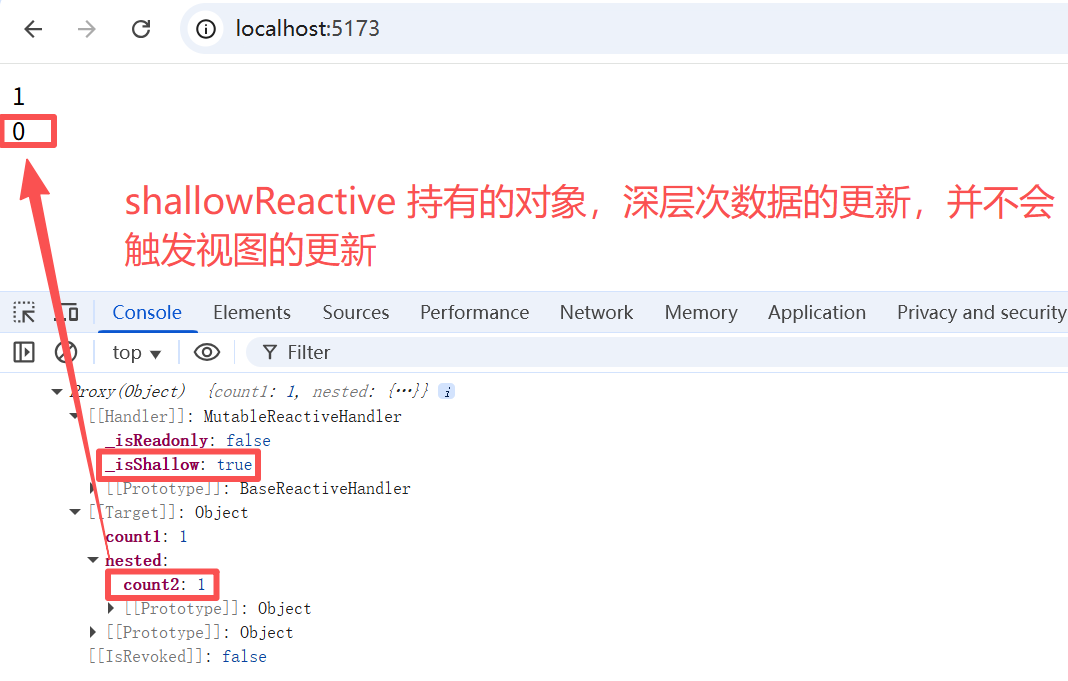
2.3.1 shallowReactive 深层次数据变化不会触发视图更新
和 shallowRef 类似,shallowReactive 持有的对象,深层次数据的更新,并不会触发视图的更新。
<template>
  <div>{{ state.count1 }}</div>
  <div>{{ state.nested.count2 }}</div>
</template>

<script setup>
import { shallowReactive } from 'vue'
const state = shallowReactive({
  count1: 0,
  nested: {
    count2: 0
  }
})
setTimeout(()=>{
  state.count1++
},2000);
setTimeout(()=>{
  state.nested.count2++
  console.log(state)
},4000)
</script>

<style lang="scss" scoped></style>
2.3.2 其他数据变化导致的视图更新,会顺便更新shallowReactive 深层次数据的视图
2.3.2.1 shallowReactive 浅层次数据更新带动视图更新
如果浅层次的数据和深层次的数据短时间内同时发生了变化,或者说浅层次的数据稍后于深层次数据发生了变化,由于数据和视图的更新是异步的,所以会连带深层次的数据视图一同更新了。
<template>
  <div>{{ state.count1 }}</div>
  <div>{{ state.nested.count2 }}</div>
</template>

<script setup>
import { shallowReactive } from 'vue'
const state = shallowReactive({
  count1: 0,
  nested: {
    count2: 0
  }
})
setTimeout(() => {
  state.count1++
  state.nested.count2++
  console.log(state)
}, 2000)
</script>

<style lang="scss" scoped></style>
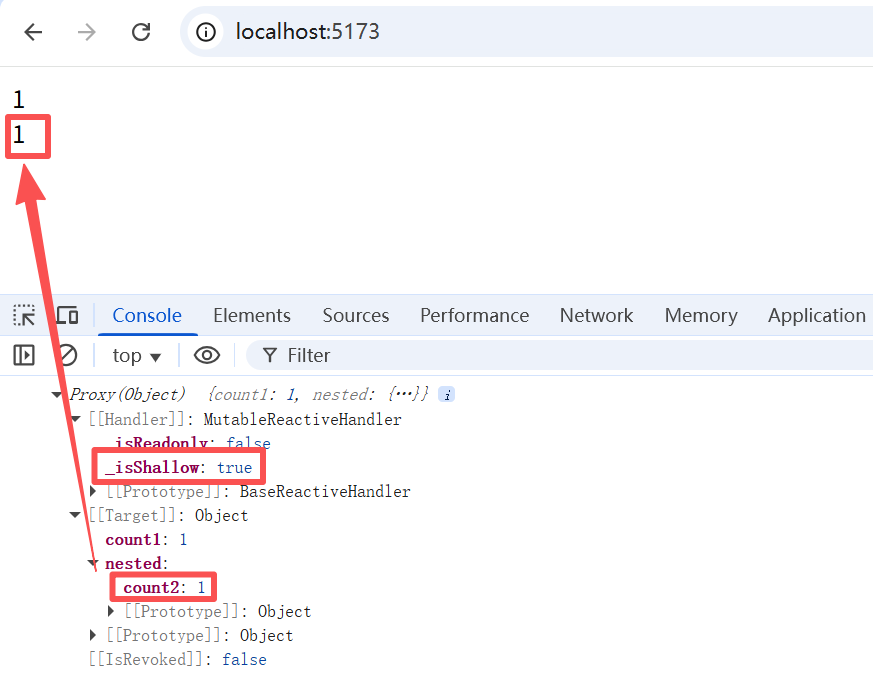
shallowReactive 持有的对象,深层次的数据视图并不是不会更新,只是深层次的数据变化不会触发更新而已。
2.3.2.2 ref 数据更新带动的视图更新
<template>
  <div>{{ count }}</div>
  <div>{{ state.nested.count2 }}</div>
</template>

<script setup>
import { shallowReactive, ref } from 'vue'
const state = shallowReactive({
  count1: 0,
  nested: {
    count2: 0
  }
})
let count = ref(0)
setTimeout(() => {
  count.value++
  state.nested.count2++
  console.log(state)
}, 2000)
</script>

<style lang="scss" scoped></style>
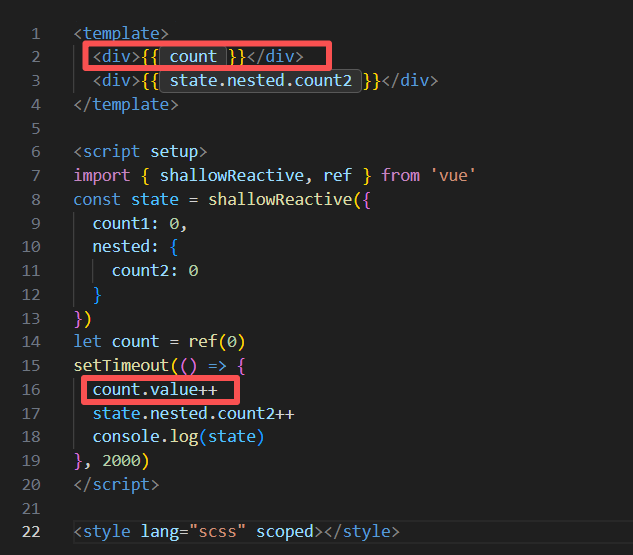
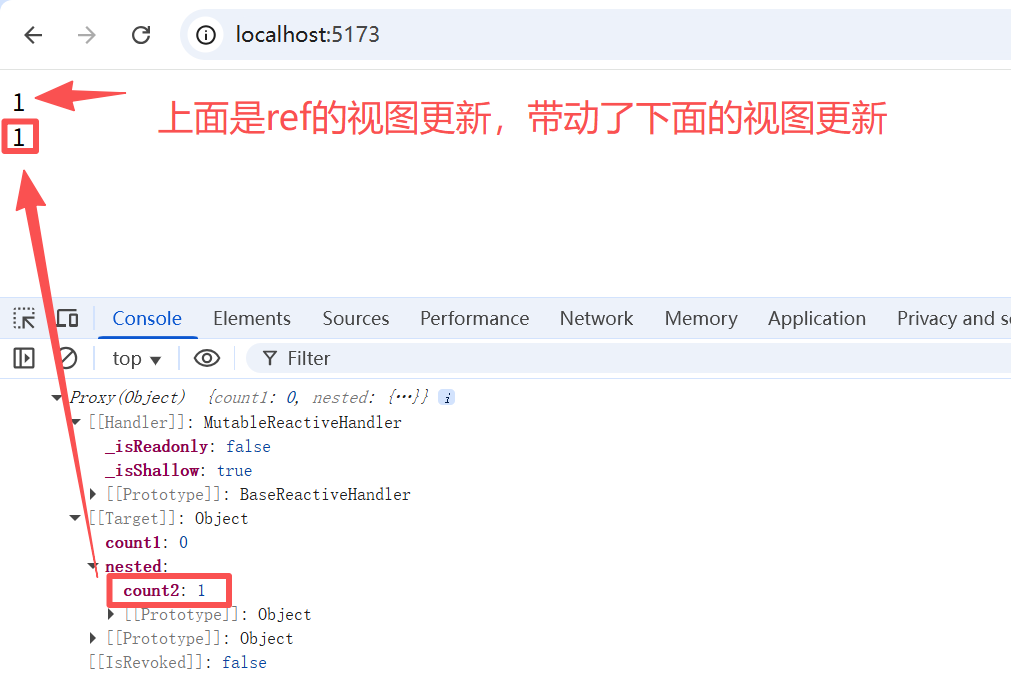
验证这一点,也很简单,把<div>{{ count }}</div> 这一行代码注释,由于ref 数据视图无需更新,自然也就不会带动 shallowReactive 深层次数据的视图更新了。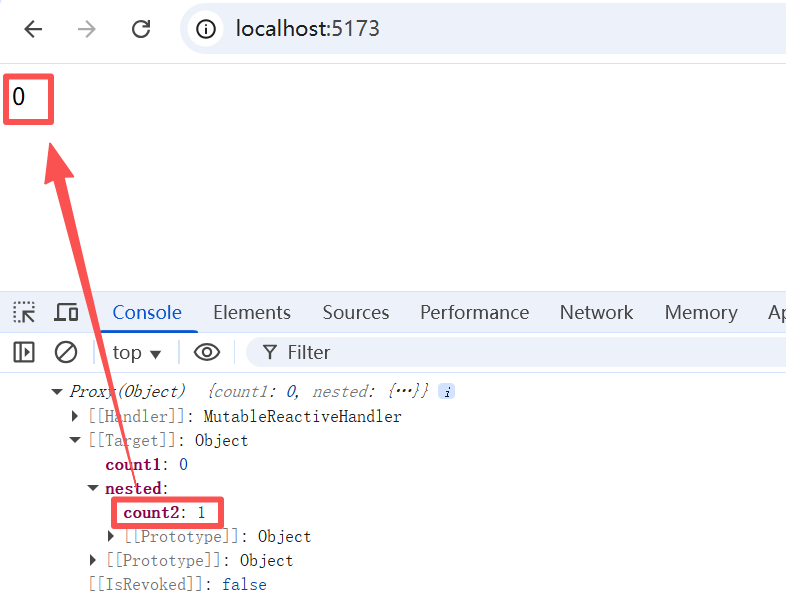
3. 使用细节
3.1 reactive 的局限性
3.1.1 只适用于对象类型
使用 reactvie 创建响应式数据的时候,值的类型是有限的:
- 只能是对象类型(object、array、map、set)
- 不能够是简单值(string、number、boolean)
3.1.2 不能替换整个对象
由于 Vue 的响应式跟踪是通过属性访问实现的,因此我们必须始终保持对响应式对象的相同引用。这意味着我们不能轻易地“替换”响应式对象,因为这样的话与第一个引用的响应性连接将丢失:
let state = reactive({ count: 0 })

// 上面的 ({ count: 0 }) 引用将不再被追踪
// (响应性连接已丢失!)
state = reactive({ count: 1 })
3.1.3 对解构操作不友好
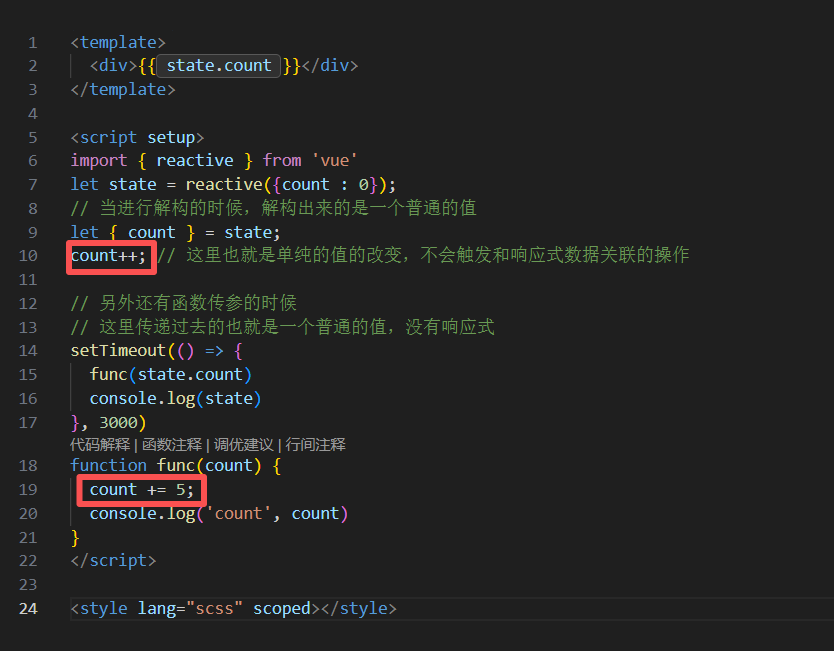
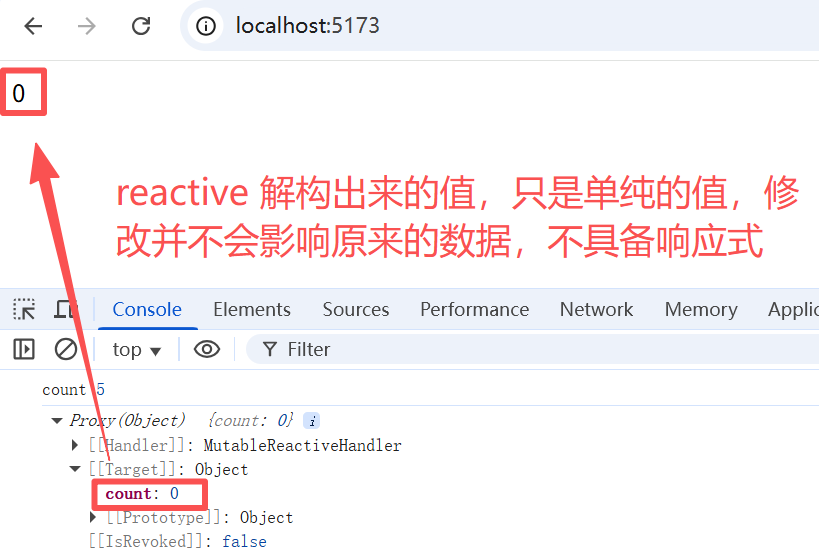
当我们将响应式对象的原始类型属性解构为本地变量时,或者将该属性传递给函数时,我们将丢失响应性连接:
<template>
  <div>{{ state.count }}</div>
</template>

<script setup>
import { reactive } from 'vue'
let state = reactive({count : 0});
// 当进行解构的时候,解构出来的是一个普通的值
let { count } = state;
count++; // 这里也就是单纯的值的改变,不会触发和响应式数据关联的操作

// 另外还有函数传参的时候
// 这里传递过去的也就是一个普通的值,没有响应式
setTimeout(() => {
  func(state.count)
  console.log(state)
}, 3000)
function func(count) {
  count += 5;
  console.log('count', count)
}
</script>

<style lang="scss" scoped></style>
3.2 ref 解包细节
所谓 ref 的解包,指的是自动访问 value,不需要再通过 .value 去获取值。例如模板中使用 ref 类型的数据,就会自动解包。
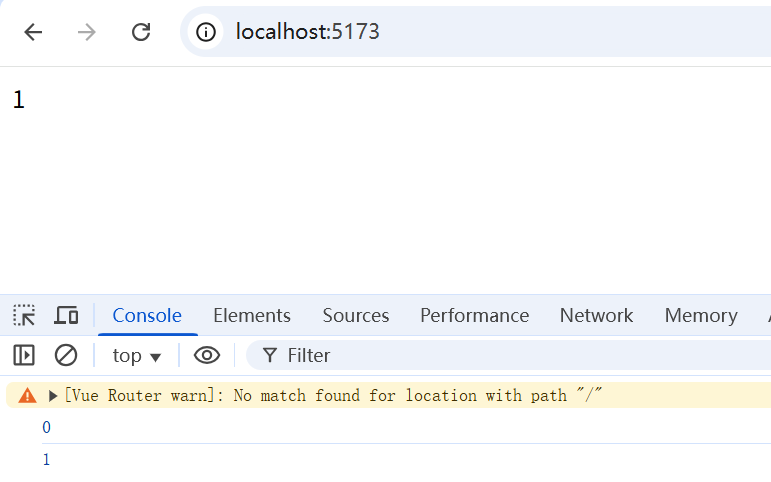
3.2.1 ref 作为 reactive 对象属性时,也会自动解包
<template>
  <div>{{ state.count }}</div>
</template>

<script setup>
import { ref, reactive } from 'vue'
const count = ref(0)
const state = reactive({
  count
})

console.log(state.count) // 0,这里就会自动解包

state.count = 1
console.log(count.value) // 1
</script>

<style lang="scss" scoped></style>
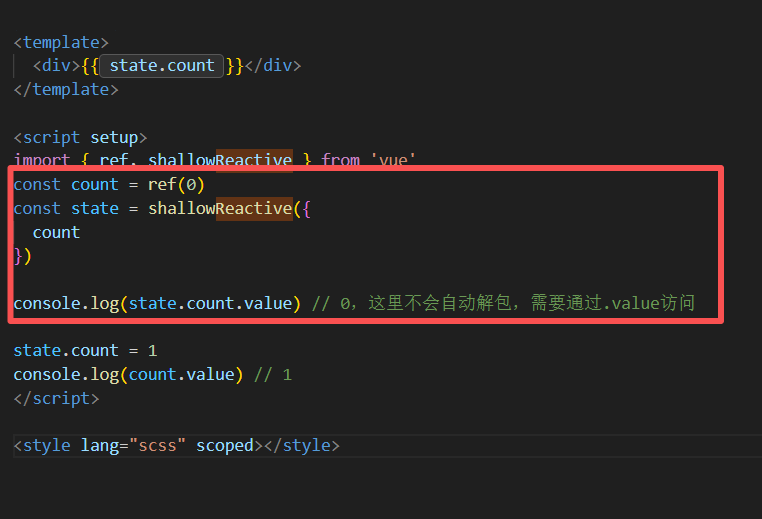
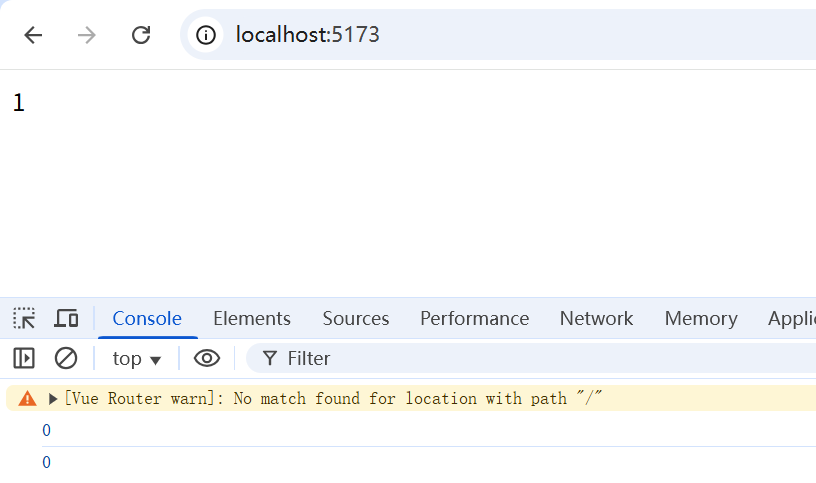
3.2.2 ref 作为 shallowReactive 对象的属性时,不会自动解包
ref 作为 shallowReactive 对象的属性时,不会自动解包,即需要通过.value才能进行访问和修改。
<template>
  <div>{{ state.count }}</div>
</template>

<script setup>
import { ref, shallowReactive } from 'vue'
const count = ref(0)
const state = shallowReactive({
  count
})

console.log(state.count.value) // 0,这里不会自动解包,需要通过.value访问

state.count = 1
console.log(count.value) // 1
</script>

<style lang="scss" scoped></style>
3.2.3 ref 作为 shallowReactive 对象的属性时,变化会引起shallowReactive 视图更新
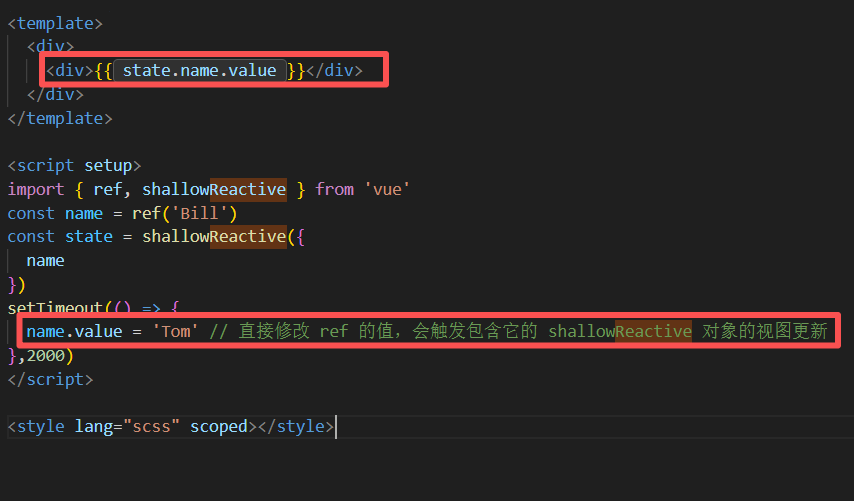
对象的属性是一个 ref 值,这也是一个响应式数据,因此 ref 的变化会引起响应式对象的更新
<template>
  <div>
    <div>{{ state.name.value }}</div>
  </div>
</template>

<script setup>
import { ref, shallowReactive } from 'vue'
const name = ref('Bill')
const state = shallowReactive({
  name
})
setTimeout(() => {
  name.value = 'Tom' // 直接修改 ref 的值,会触发包含它的 shallowReactive 对象的视图更新
},2000)
</script>

<style lang="scss" scoped></style>

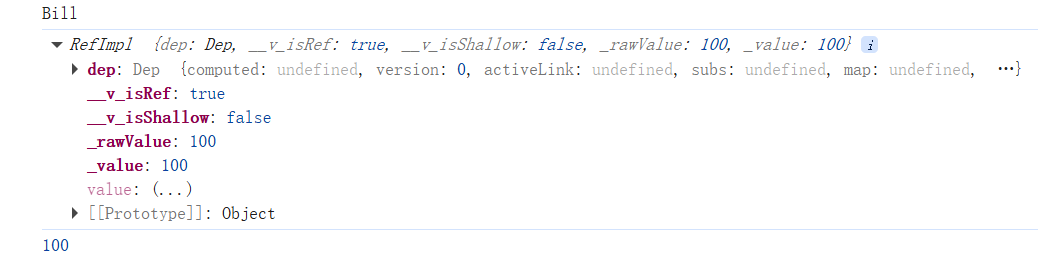
3.2.4 数组和集合中使用ref,不会自动解包
// 下面这些是官方所给的例子
const books = reactive([ref('Vue 3 Guide')])
// 这里需要 .value
console.log(books[0].value)

const map = reactive(new Map([['count', ref(0)]]))
// 这里需要 .value
console.log(map.get('count').value)
<template>
  <div></div>
</template>

<script setup>
import { ref, reactive } from 'vue'
const name = ref('Bill')
const score = ref(100)
const state = reactive({
  name,
  scores: [score]
})
console.log(state.name) // 会自动解包
console.log(state.scores[0]) // 不会自动解包
console.log(state.scores[0].value) // 100
</script>

<style lang="scss" scoped></style>
3.2.5 模板中的自动解包
3.2.5.1 在模板里,只有顶级的 ref 才会自动解包
<template>
  <div>
    <div>{{ count }}</div>
    <div>{{ object.id }}</div>
  </div>
</template>

<script setup>
import { ref } from 'vue'
const count = ref(0) // 顶级的 Ref 自动解包
const object = {
  id: ref(1) // 这就是一个非顶级 Ref 不会自动解包
}
</script>

<style lang="scss" scoped></style>
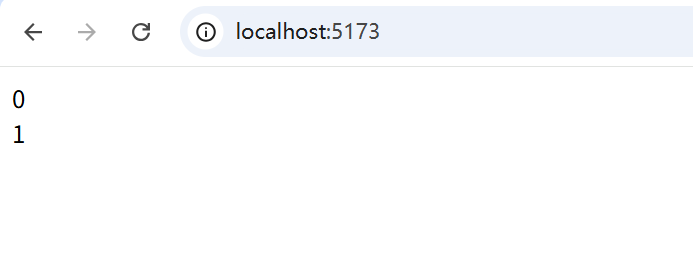
这看起来好像没有问题,{{ object.id }} 确实会自动解包,该特性仅仅是文本插值的一个便利特性,等价于 {{ object.id.value }}
可是一旦对object进行表达式计算:
<template>
  <div>
    <div>{{ count + 1 }}</div>
    <div>{{ object.id + 1 }}</div>
  </div>
</template>

<script setup>
import { ref } from 'vue'
const count = ref(0) // 顶级的 Ref 自动解包
const object = {
  id: ref(1) // 这就是一个非顶级 Ref 不会自动解包
}
</script>

<style lang="scss" scoped></style>
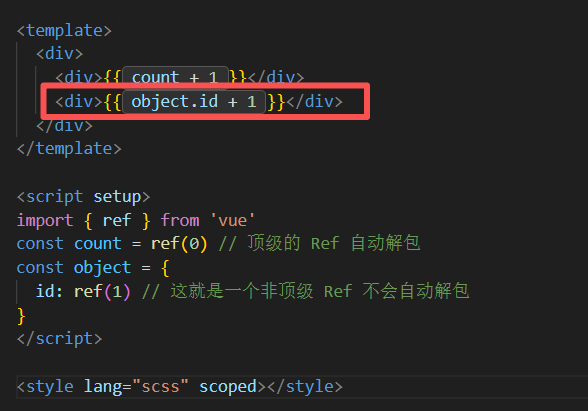
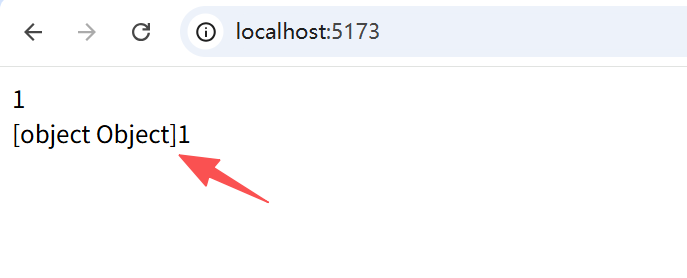
渲染的结果是 [object Object]1,因为在计算表达式时, object.id 不会被解包,仍然是一个 ref 对象。
3.2.5.2 将 ref 属性解构为一个顶级属性,即可自动解包
为了解决这个问题,我们可以将 id 解构为一个顶级属性:
<template>
  <div>
    <div>{{ count + 1 }}</div>
    <div>{{ id + 1 }}</div>
  </div>
</template>

<script setup>
import { ref } from 'vue'
const count = ref(0) // 顶级的 Ref 自动解包
const object = {
  id: ref(1) // 这就是一个非顶级 Ref 不会自动解包
}
const { id } = object // 解构为一个顶级属性,会进行自动解包
</script>

<style lang="scss" scoped></style>
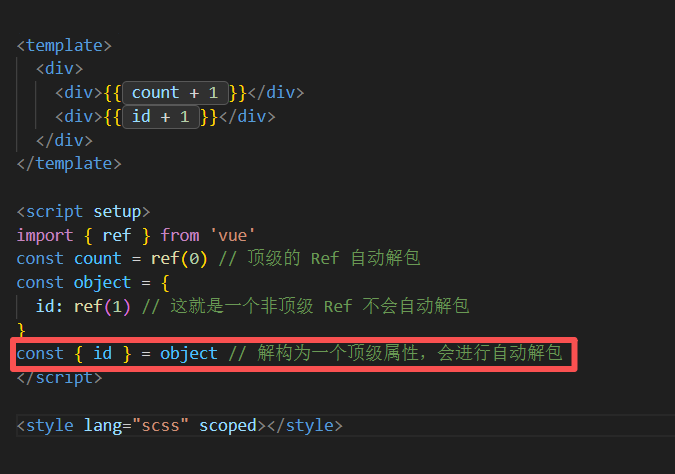
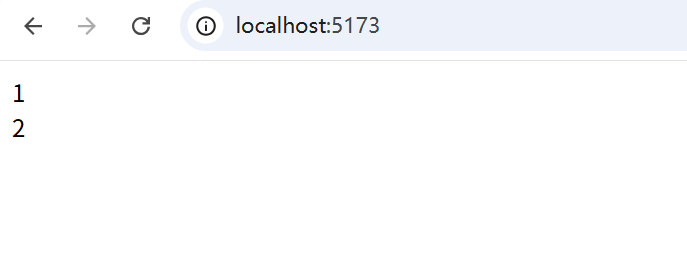
3.2.5.2 也可以直接在模板中对 ref 属性进行手动解包
<div>{{ object.id.value + 1 }}</div>
上一章 《Vue3 模板语法》
下一章 《Vue3 响应式常用API》

Agent 垂直技术社区,欢迎活跃、内容共建。
更多推荐


 23
23 0
0- 0


 已为社区贡献33条内容

所有评论(0)