React-Static中的GraphQL订阅:实时数据更新
React-Static中的GraphQL订阅:实时数据更新
 项目地址: https://gitcode.com/gh_mirrors/re/react-static
 React-Static作为一款渐进式静态站点生成器(Progressive Static Site Generator),不仅支持传统的静态内容生成,还能通过GraphQL等技术实现动态数据交互。官方文档README.md明确提到其支持包括GraphQL在内的自定义查询层,为实时数据更新提供了基础。本文将详细介绍如何在React-Static项目中集成GraphQL订阅(Subscription),实现实时数据推送功能。
技术选型与架构设计
在React-Static中实现GraphQL订阅需要以下核心组件:
- Apollo Client:处理GraphQL查询、变更和订阅
- WebSocket传输层:通常使用
apollo-link-ws或@apollo/client/link/ws - React-Static数据层:通过
static.config.js和路由数据传递实现服务端渲染与客户端激活
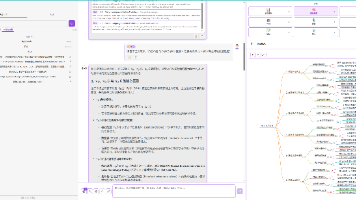
React-Static的数据流架构如图所示: 
该架构支持在构建时(Build-time)和客户端运行时(Client-side)两个阶段处理数据,这为结合静态生成与实时更新提供了可能。
基础集成步骤
1. 安装依赖
首先需要安装Apollo Client及WebSocket相关依赖:
yarn add @apollo/client graphql subscriptions-transport-ws
2. 配置Apollo客户端
创建支持WebSocket订阅的Apollo客户端实例,文件路径src/apolloClient.js:
import { ApolloClient, InMemoryCache, split, HttpLink } from '@apollo/client';
import { getMainDefinition } from '@apollo/client/utilities';
import { WebSocketLink } from '@apollo/client/link/ws';

// HTTP连接用于查询和变更
const httpLink = new HttpLink({
  uri: 'https://your-api-server/graphql',
});

// WebSocket连接用于订阅
const wsLink = new WebSocketLink({
  uri: 'wss://your-api-server/graphql',
  options: {
    reconnect: true,
    connectionParams: {
      authToken: localStorage.getItem('authToken'),
    },
  },
});

// 分割链接,根据操作类型路由到不同的链接
const splitLink = split(
  ({ query }) => {
    const definition = getMainDefinition(query);
    return (
      definition.kind === 'OperationDefinition' &&
      definition.operation === 'subscription'
    );
  },
  wsLink,
  httpLink
);

const client = new ApolloClient({
  link: splitLink,
  cache: new InMemoryCache(),
});

export default client;
3. 在应用中提供Apollo上下文
修改应用入口文件src/App.js,添加Apollo Provider:
import React from 'react';
import { Root, Routes } from 'react-static';
import { ApolloProvider } from '@apollo/client';
import client from './apolloClient';

function App() {
  return (
    <ApolloProvider client={client}>
      <Root>
        <nav>
          {/* 导航组件 */}
        </nav>
        <div className="content">
          <Routes />
        </div>
      </Root>
    </ApolloProvider>
  );
}

export default App;
实现GraphQL订阅
创建订阅查询
在src/graphql/subscriptions.js中定义订阅查询:
import { gql } from '@apollo/client';

export const NEW_MESSAGE_SUBSCRIPTION = gql`
  subscription NewMessage($channelId: ID!) {
    newMessage(channelId: $channelId) {
      id
      text
      sender {
        username
      }
      createdAt
    }
  }
`;
在组件中使用订阅
创建一个实时消息组件src/components/MessageFeed.js:
import React from 'react';
import { useSubscription } from '@apollo/client';
import { NEW_MESSAGE_SUBSCRIPTION } from '../graphql/subscriptions';

export default function MessageFeed({ channelId }) {
  const { data, error, loading } = useSubscription(
    NEW_MESSAGE_SUBSCRIPTION,
    { variables: { channelId } }
  );

  if (loading) return <div>连接到消息服务器...</div>;
  if (error) return <div>订阅错误: {error.message}</div>;

  return (
    <div className="message-feed">
      <h3>实时消息</h3>
      {data?.newMessage && (
        <div className="message">
          <strong>{data.newMessage.sender.username}:</strong>
          <p>{data.newMessage.text}</p>
          <small>{new Date(data.newMessage.createdAt).toLocaleTimeString()}</small>
        </div>
      )}
    </div>
  );
}
结合React-Static路由系统
在React-Static中,可以通过路由数据将初始数据传递给组件,并在客户端激活订阅。修改路由配置文件static.config.js:
export default {
  getRoutes: async () => [
    {
      path: '/chat/:channelId',
      template: 'src/pages/Chat',
      getData: async ({ params }) => ({
        channelId: params.channelId,
        // 可以在这里获取初始消息列表,实现SSR
        initialMessages: await fetchInitialMessages(params.channelId)
      })
    }
  ]
};
然后在聊天页面组件src/pages/Chat.js中同时使用静态数据和实时订阅:
import React from 'react';
import { withRouteData } from 'react-static';
import MessageFeed from '../components/MessageFeed';

export default withRouteData(({ channelId, initialMessages }) => (
  <div className="chat-page">
    <h1>聊天频道 #{channelId}</h1>
    <div className="message-history">
      <h3>历史消息</h3>
      {initialMessages.map(msg => (
        <div key={msg.id} className="message">
          <strong>{msg.sender.username}:</strong>
          <p>{msg.text}</p>
        </div>
      ))}
    </div>
    <MessageFeed channelId={channelId} />
  </div>
));
高级配置与优化
1. 认证处理
在WebSocket连接建立时传递认证令牌,修改src/apolloClient.js:
const wsLink = new WebSocketLink({
  uri: 'wss://your-api-server/graphql',
  options: {
    reconnect: true,
    connectionParams: () => ({
      authToken: localStorage.getItem('authToken'),
    }),
  },
});
2. 订阅状态管理
使用React Context或状态管理库(如Redux)维护订阅状态,避免重复订阅。参考React-Static官方关于Redux集成的说明README.md。
3. 错误处理与重连
增强订阅组件的错误处理能力:
const { data, error, loading, startPolling, stopPolling } = useSubscription(...);

React.useEffect(() => {
  if (error) {
    console.error('订阅错误,尝试重连...', error);
    // 实现自定义重连逻辑
    const timer = setTimeout(() => window.location.reload(), 5000);
    return () => clearTimeout(timer);
  }
}, [error]);
部署注意事项
- WebSocket服务配置:确保生产环境服务器支持WebSocket协议
- CORS设置:在GraphQL服务器上正确配置跨域资源共享
- 构建优化:通过React-Static的增量构建功能docs/guides/incremental-builds.md提高构建效率
总结
通过Apollo Client与WebSocket的结合,React-Static不仅保留了静态站点的性能优势,还能实现实时数据更新功能。这种架构特别适合需要同时具备SEO友好性和实时交互性的应用场景,如在线协作工具、实时通知系统和聊天应用等。
官方Apollo集成指南docs/guides/apollo.md提供了更多关于查询和变更的详细示例,可以作为本教程的补充参考。

Agent 垂直技术社区,欢迎活跃、内容共建。
更多推荐

 21
21 0
0- 0


 已为社区贡献35条内容

所有评论(0)