(外部浏览器) h5跳小程序 vue
·
一、外浏览器h5跳小程序
1、登录需要调转小程序的公众号,左下角打开账号设置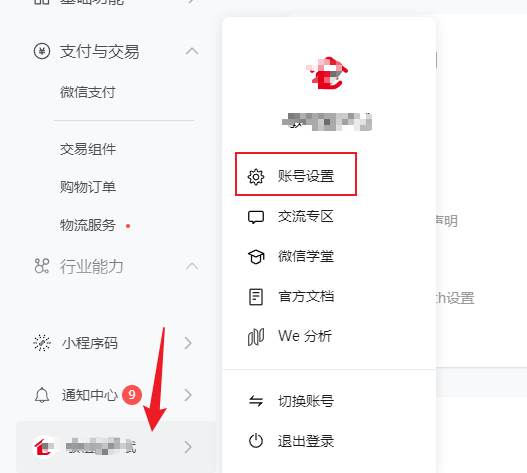
2、在【基本设置】中拉到下面的 明文scheme拉起此小程序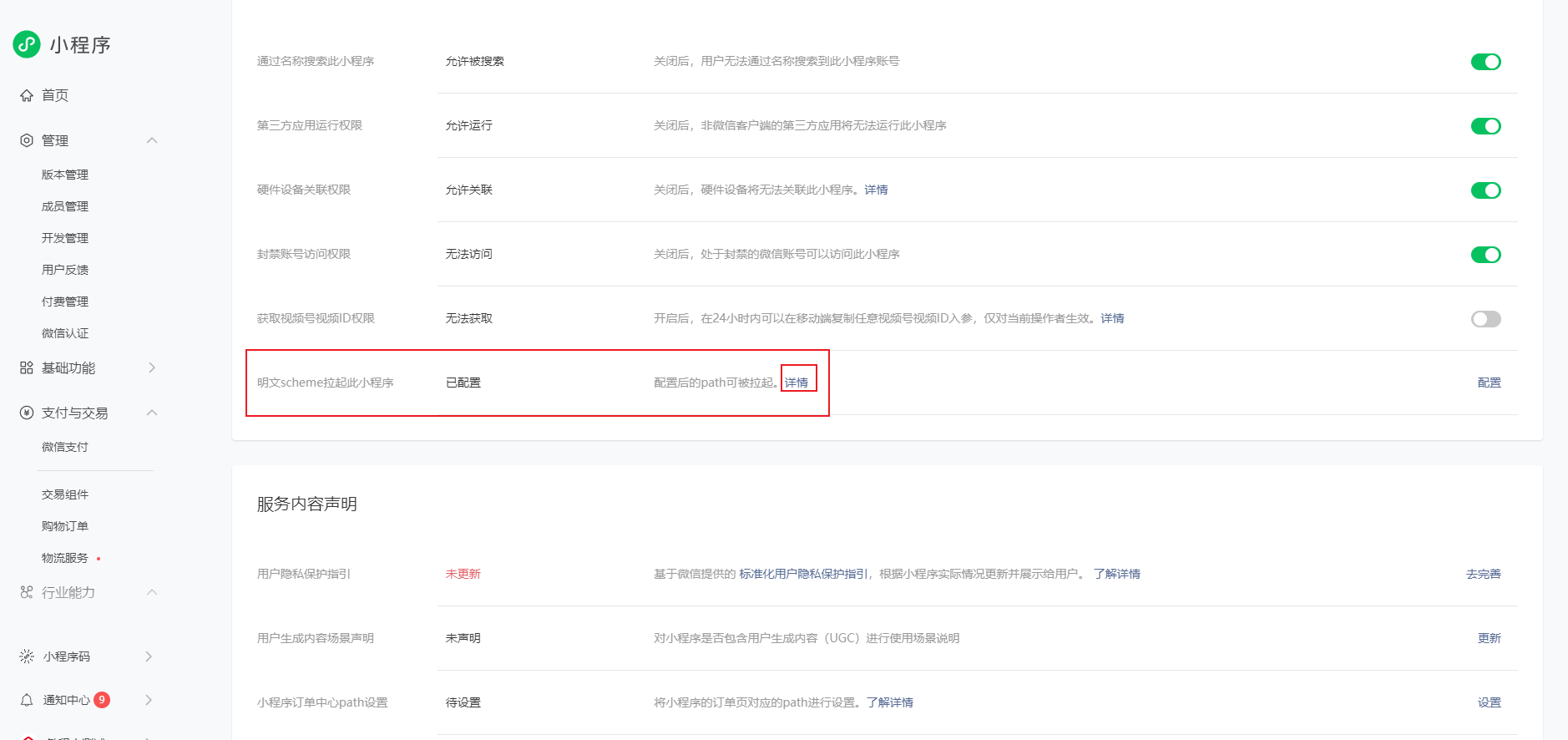
3、配置跳转的小程序页面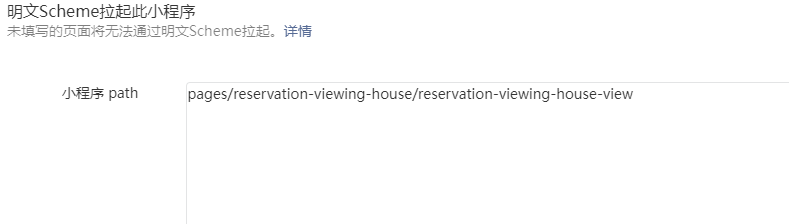
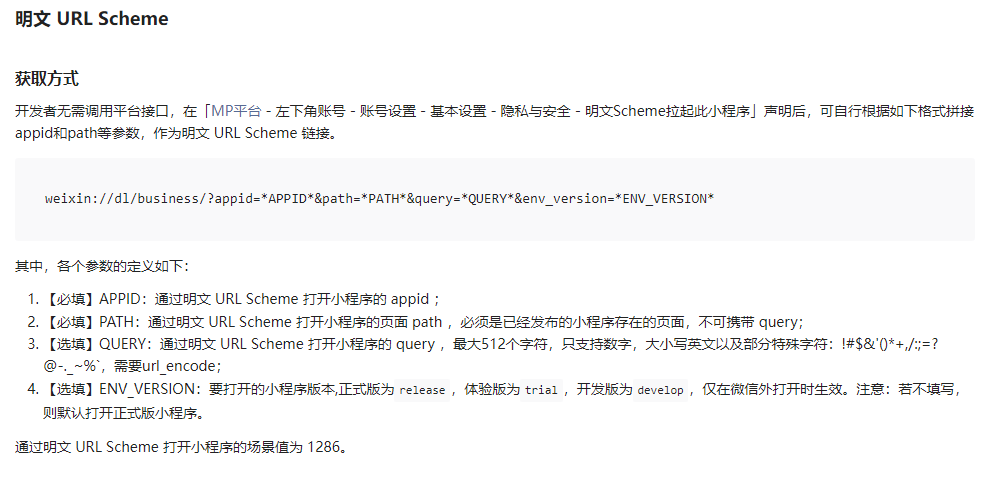
4、在h5代码中写
<template>
<div  class="plate-title" @click="toMini">测试去小程序</div>
</template>
<script>
 toMini(){
    window.location.href = 'weixin://dl/business/?appid=wx598372b6f9db4703&path=pages/reservation-viewing-house/reservation-viewing-house-view'
    },
    //具体参数意思看详情里面
</script>
二、h5内嵌(web-view)小程序,从h5跳回小程序方法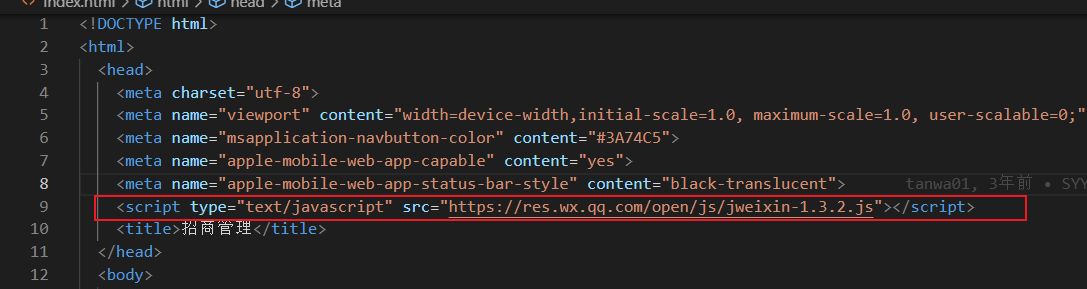
<!--index.html最外层界面需要加上,如上图-->
<script type="text/javascript" src="https://res.wx.qq.com/open/js/jweixin-1.3.2.js"></script>

<!--在xx.vue 界面-->
 wx.miniProgram.navigateTo({
        url: "/pages/login/login",
  });
三、小程序A跳小程序B方法
    wx.navigateToMiniProgram({
        appId: 1223333, // 小程序B的appid
        path: '/pages/index/index?businesserCode=233', // 小程序B的界面
        extraData: { // 额外传参
          token: token,
          phone: phone
        },
        envVersion: 'release', // 版本:默认release
        success(res) {
          // 打开成功
          console.log("打开成功", res);
        },
        fail(res) {
          console.log("打开失败", res)
        }
      })

Agent 垂直技术社区,欢迎活跃、内容共建。
更多推荐

 3
3 0
0- 0


 已为社区贡献2条内容

所有评论(0)