Java 程序员的 Vue 指南 - Vue 万字速览(02)
目录
插值表达式的不足
之前的内容请见:Java 程序员的 Vue 指南 - Vue 万字速览(01)-CSDN博客
现在又有全新的需求:渲染的数据需要按照性别获取男生与女生。
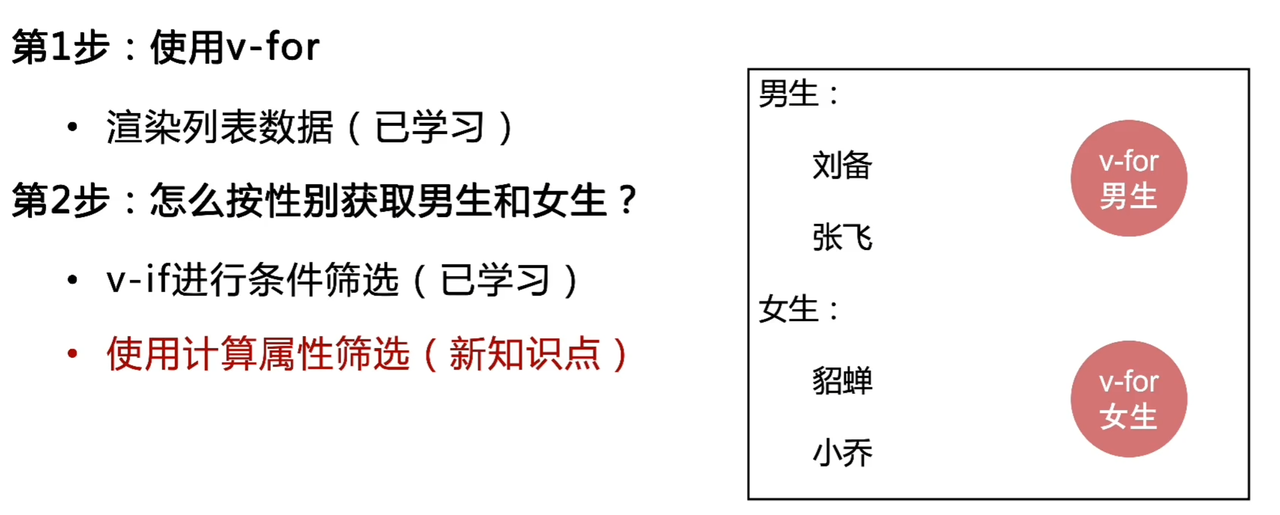
如果我们需要使用插值表达式,就会有许多不足。
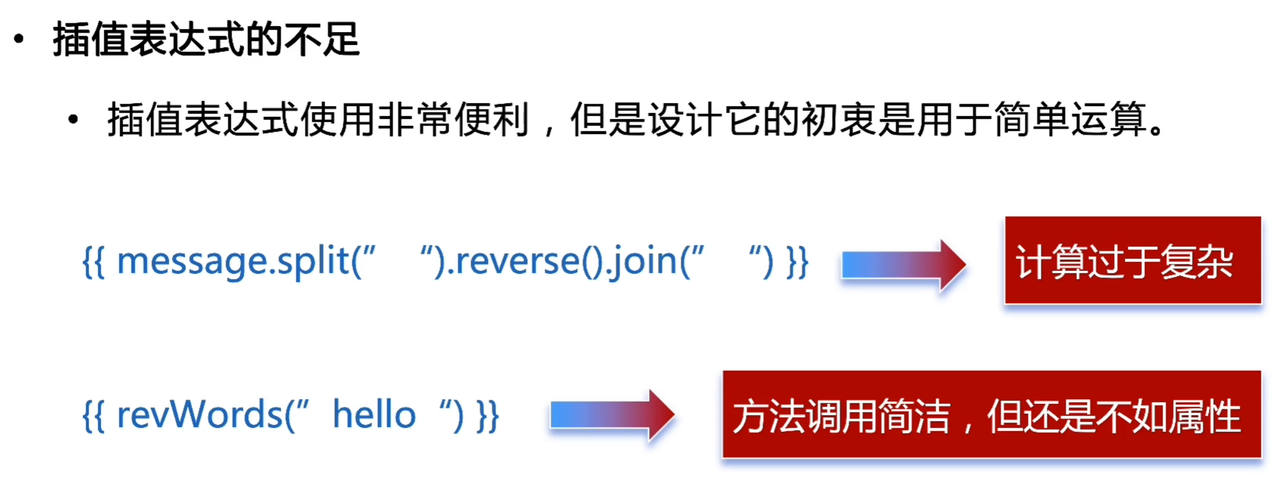
计算属性介绍
计算属性形式上是属性,本质上是方法(函数)。
该怎么理解这句话呢?看看下面的代码:
// 定义计算属性
computed: {
  fullName() {
    return this.firstName + ' ' + this.lastName
  }
}

// 使用方式 - 像访问属性一样
console.log(this.fullName) // "张三"
<!-- 像属性一样使用,不需要括号 -->
<p>{{ fullName }}</p>形式上是属性:使用方式像属性,且在模板中作为属性使用。
computed: {
  // 这实际上是一个getter函数
  reversedMessage() {
    return this.message.split('').reverse().join('')
  },

  // 完整写法更清楚地显示其函数本质
  fullName: {
    get() {
      return this.firstName + ' ' + this.lastName
    },
    set(value) {
      const names = value.split(' ')
      this.firstName = names[0]
      this.lastName = names[names.length - 1]
    }
  }
}
本质上是方法(函数):定义形式是函数。
案例
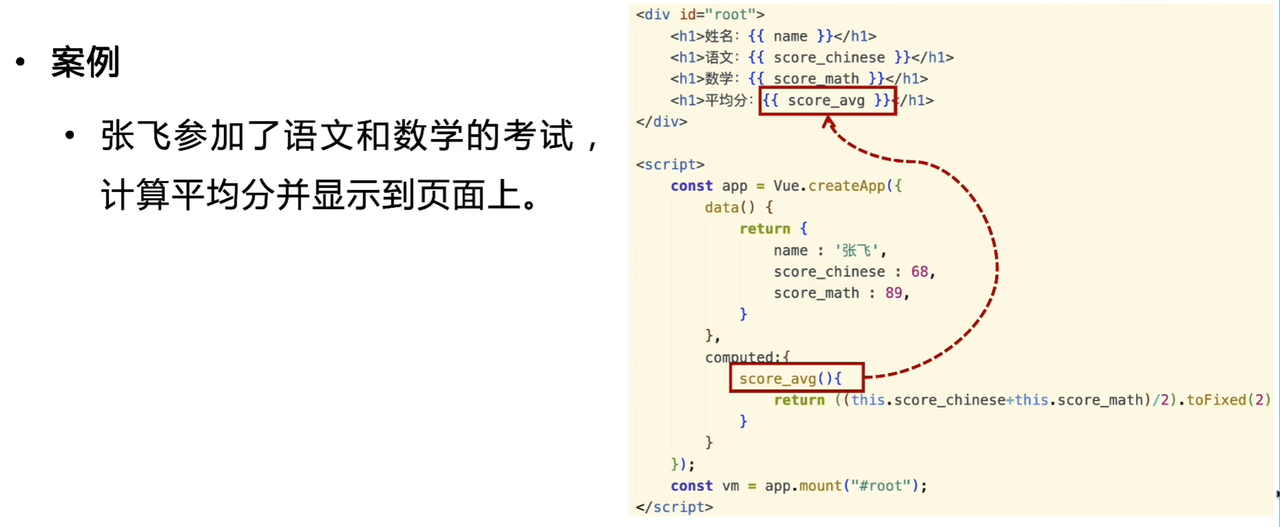
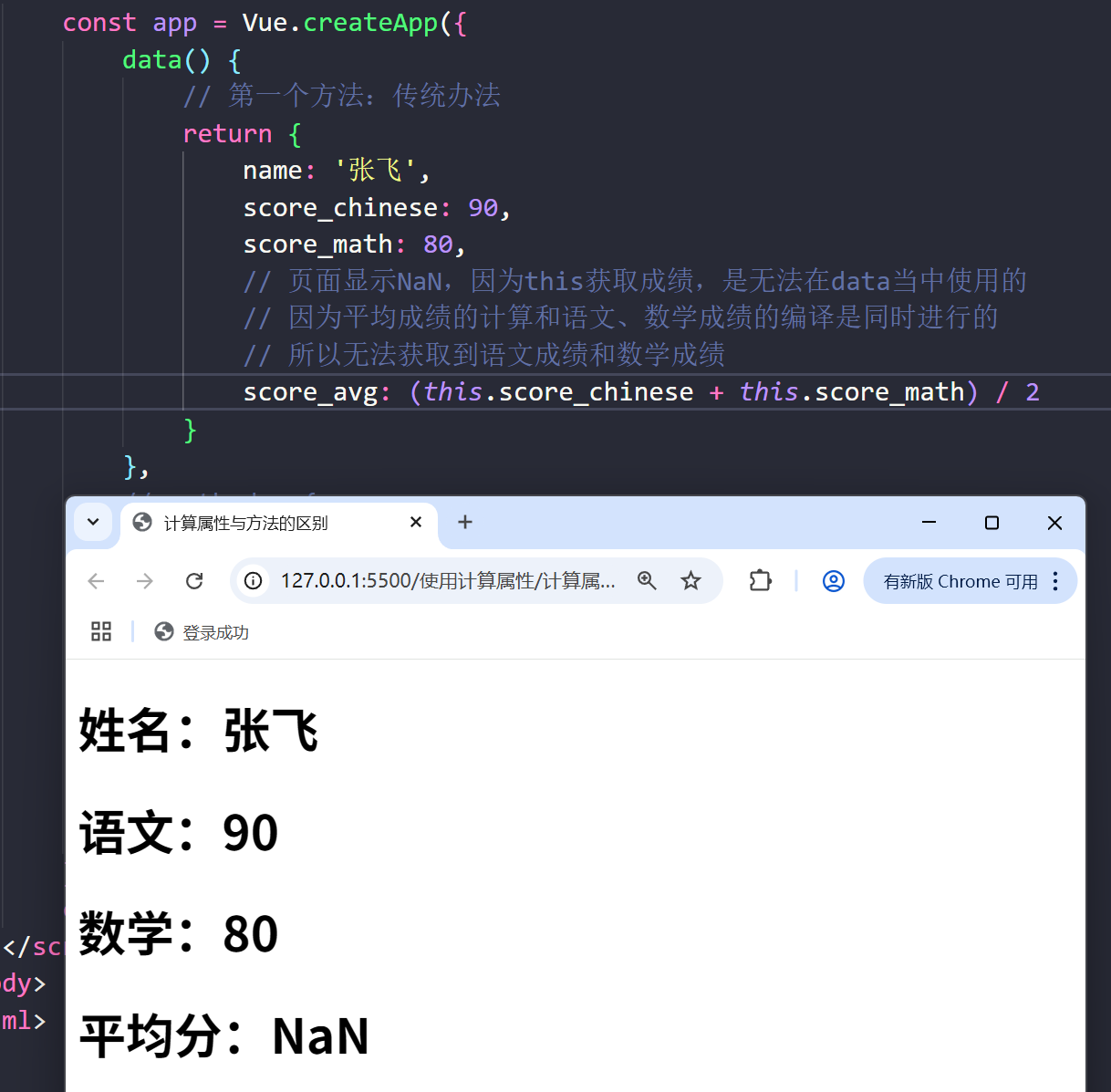
第一个方法:
第二个方法,这么做的缺点是很复杂。
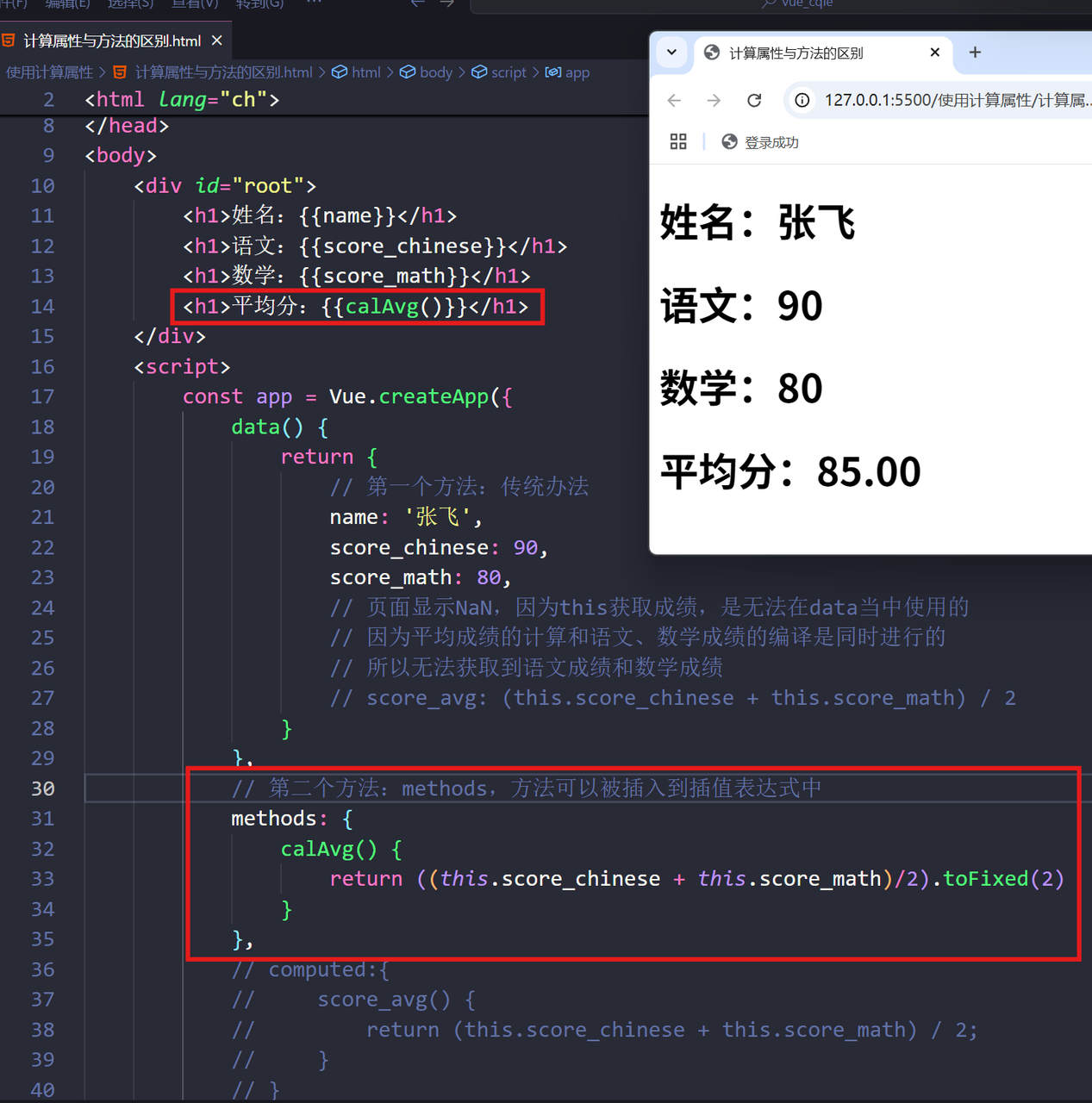
最后使用插值表达式,页面能看到计算结果,而且vue的实例上也能看到计算属性。
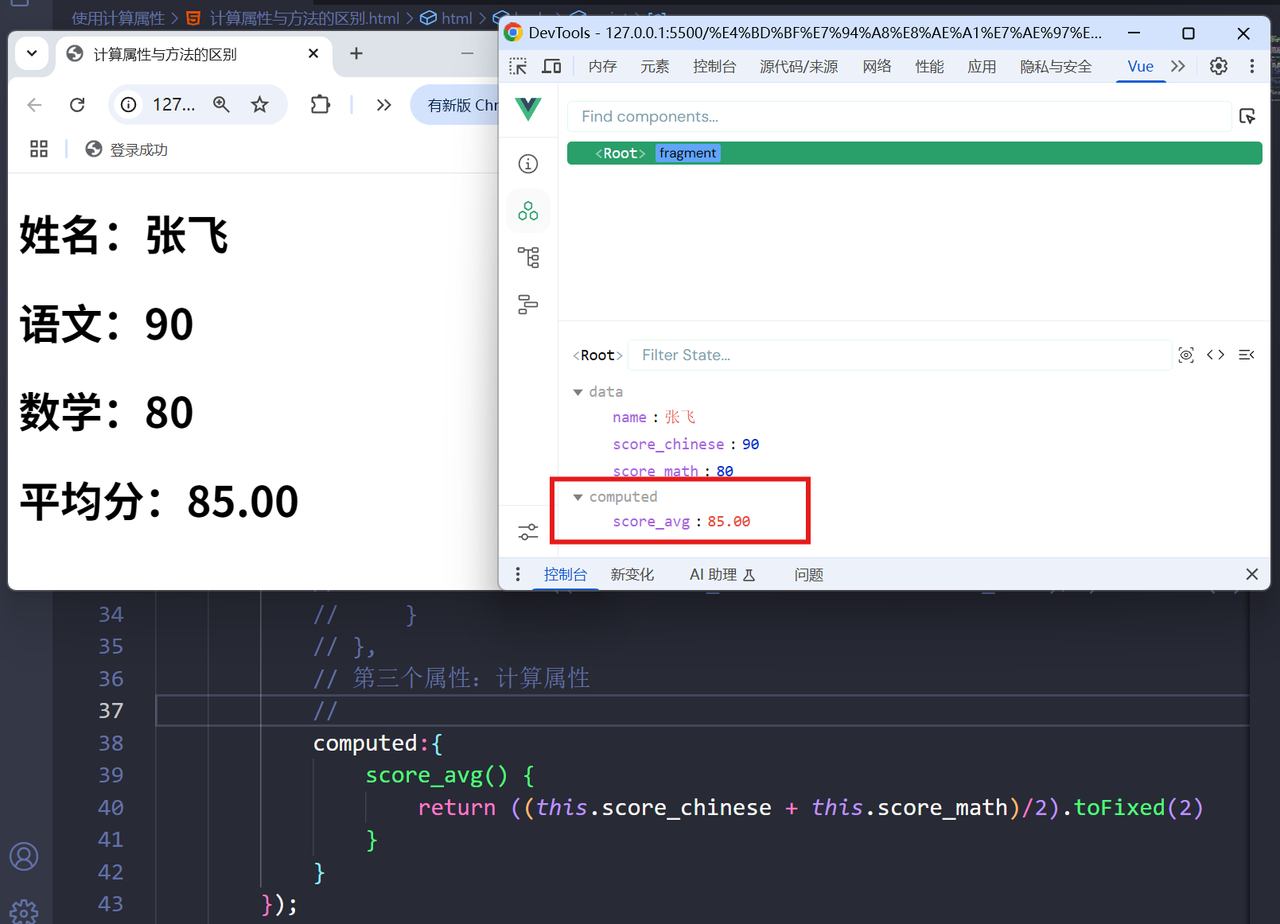
最后值得注意的是,计算属性的值不可以被修改,因为计算属性默认无法写入数据。
<!DOCTYPE html>
<html lang="ch">
<head>
    <meta charset="UTF-8">
    <meta name="viewport" content="width=device-width, initial-scale=1.0">
    <title>demo1</title>
    <script src="https://cdn.staticfile.net/vue/3.3.4/vue.global.min.js"></script>
</head>
<body>
    <div id="root">
        <h1>姓名:{{name}}</h1>
        <h1>语文:{{score_chinese}}</h1>
        <h1>数学:{{score_math}}</h1>
        <h1>平均分:{{score_avg}}</h1>
    </div>
    <script>
        const app = Vue.createApp({
            data() {
                return {
                    // 第一个方法:传统办法
                    name: '张飞',
                    score_chinese: 90,
                    score_math: 80,
                    // 页面显示NaN,因为this获取成绩,是无法在data当中使用的
                    // 因为平均成绩的计算和语文、数学成绩的编译是同时进行的
                    // 所以无法获取到语文成绩和数学成绩
                    // score_avg: (this.score_chinese + this.score_math) / 2
                }
            },
            // 第二个方法:methods,方法可以被插入到插值表达式中
            // methods: {
            //     calAvg() {
            //         return ((this.score_chinese + this.score_math)/2).toFixed(2)
            //     }
            // },
            // 第三个方法:计算属性
            computed:{
                score_avg() {
                    return ((this.score_chinese + this.score_math)/2).toFixed(2)
                }
            }
        });
        const vm = app.mount("#root");
    </script>
</body>
</html>
计算属性与方法的区别
-
计算属性和方法的区别
| 计算属性 | 方法 | |
|---|---|---|
| 有无缓存 | 有缓存 | 无缓存 |
| 何时执行 | 依赖变化,则执行 | 页面重新渲染,则执行 |
| 一句话总结 | “跟我有关系的人动,我才动” | “任何人动,我就动” |
想要验证区别,只需要在下面的案例中证明即可:
<!DOCTYPE html>
<html lang="en">
<head>
    <meta charset="UTF-8">
    <meta name="viewport" content="width=device-width, initial-scale=1.0">
    <title>计算属性与方法的区别</title>
    <script src="https://unpkg.com/vue@3/dist/vue.global.js"></script>
</head>
<body>
    <div id="root">
        <h1>姓名: {{ name }}</h1>
        <h1>方法-平均分: {{ getAvg() }}</h1>
        <h1>计算属性-平均分: {{ score_avg }}</h1>
    </div>

    <script>
        const { createApp } = Vue;

        const app = createApp({
            data() {
                return {
                    name: '张飞',
                    score_chinese: 68,
                    score_math: 88,
                }
            },
            methods: {
                getAvg() {
                    console.log('方法被调用');
                    return ((this.score_chinese + this.score_math) / 2).toFixed(2)
                    // 添加时间戳来对比两者区别
                        + '-' + new Date().getTime()
                }
            },
            computed: {
                score_avg() {
                    console.log('计算属性被调用');
                    return ((this.score_chinese + this.score_math) / 2).toFixed(2)
                    + '-' + new Date().getTime()
                }
            }
        });
        const vm = app.mount("#root");
    </script>
</body>
</html>
完成需求
最后再来完成开头提到的计算属性的需求:
<!DOCTYPE html>
<html lang="ch">

<head>
    <meta charset="UTF-8" />
    <meta name="viewport" content="width=device-width, initial-scale=1.0" />
    <title>利用计算属性筛选出男生和女生数据</title>
    <script src="https://cdn.staticfile.net/vue/3.3.4/vue.global.min.js"></script>
</head>

<body>
    <div id="root">
        <h1>男生</h1>
        <ul>
            <!-- v-if 与 v-for 不能出现在同一个标签里,因为 v-if 有同样的优先级 -->
            <!-- 所以需要把 v-for 移动到 <template> -->
            <!-- <li v-for="stu in students" v-if="stu.sex === '男'"> -->
            <li v-for="stu in stus_m">{{stu.name}}</li>
        </ul>
        <h1>女生</h1>
        <ul>
            <li v-for="stu in stus_f">{{stu.name}}</li>
        </ul>
    </div>

    <script>
        const app = Vue.createApp({
            data() {
                return {
                    students: [
                        {
                            name: "刘备",
                            sex: "男",
                        },
                        {
                            name: "张飞",
                            sex: "男",
                        },
                        {
                            name: "小乔",
                            sex: "女",
                        },
                        {
                            name: "郭鲜",
                            sex: "女",
                        },
                    ],
                };
            },
            computed: {
                // 获取男生的数据源
                stus_m() {
                    return this.students.filter(i => {
                        return i.sex === '男';
                    });
                },
                // 获取女生的数据源
                stus_f() {
                    return this.students.filter(i => {
                        return i.sex === '女';
                    });
                }
            }
        });
        const vm = app.mount("#root");
    </script>
</body>

</html>
使用侦听器
计算属性的不足
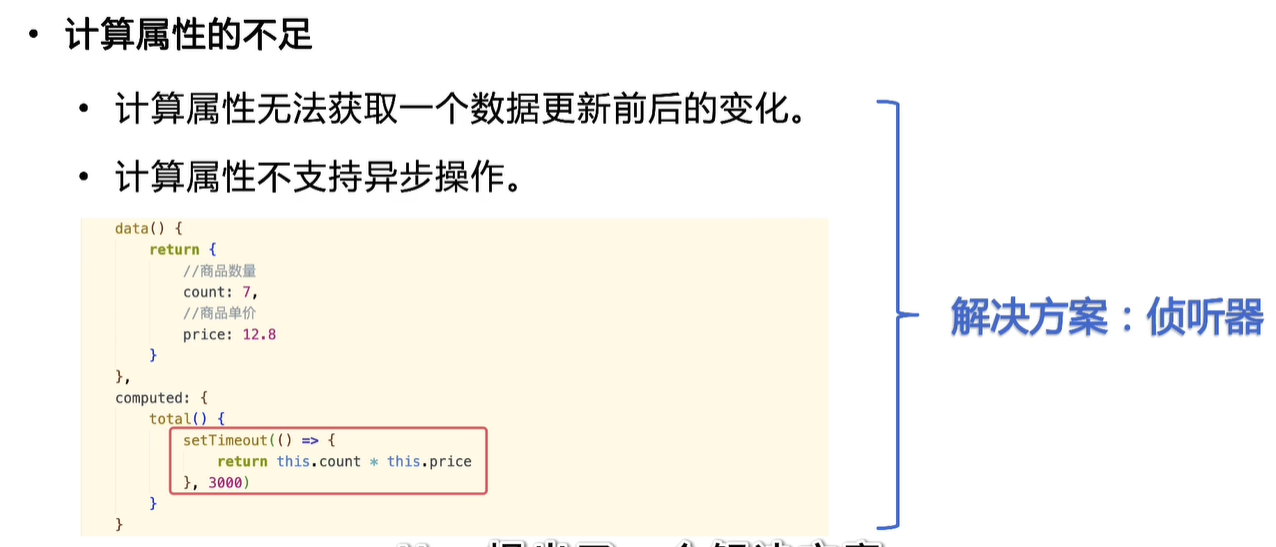
侦听器介绍
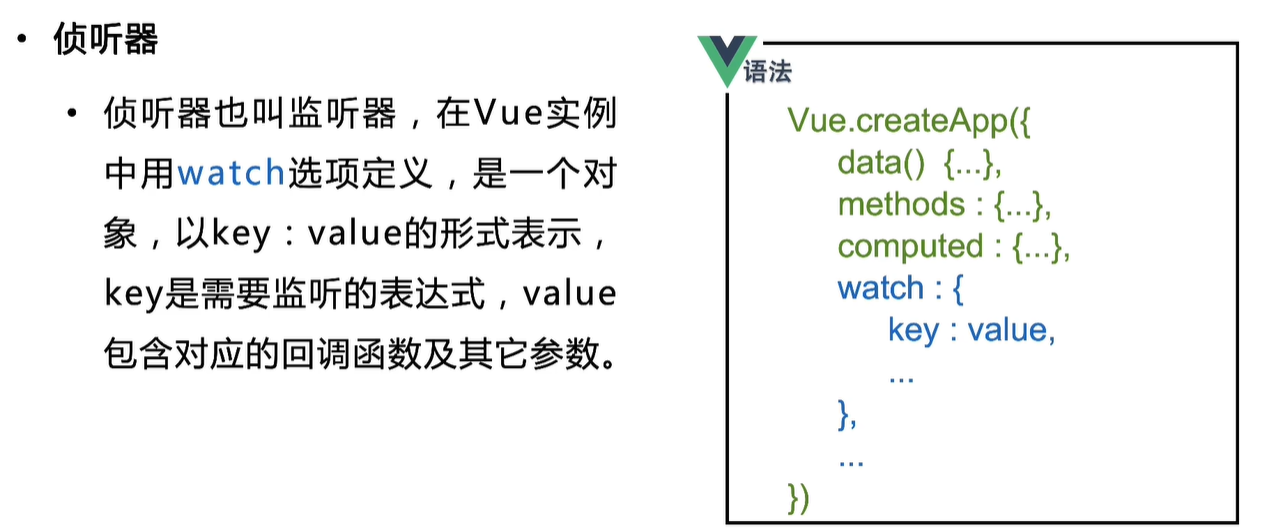
例子代码如下,当 count 值发生变化时,handler 函数代码将被执行:
<!DOCTYPE html>
<html lang="ch">
<head>
    <meta charset="UTF-8">
    <meta name="viewport" content="width=device-width, initial-scale=1.0">
    <title>案例1:监听单个数据</title>
    <script src="https://cdn.staticfile.net/vue/3.3.4/vue.global.min.js"></script>
</head>
<body>
    <div id="root">
        <h1> 当前计数:{{count}} </h1>
    </div>

    <script>
        const app = Vue.createApp({
            data(){
                return {
                    count: 1
                }
            },
            watch: {
                count: {
                    handler() {
                        console.log('count 发生了变化');
                    }
                }
            }
        });
        const vm = app.mount('#root');
    </script>
</body>
</html>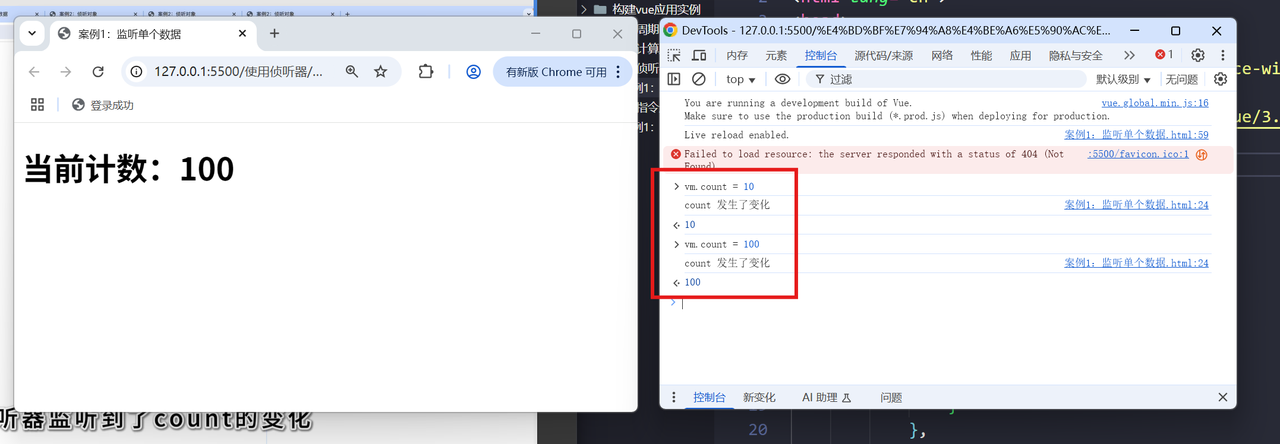
侦听单个数据
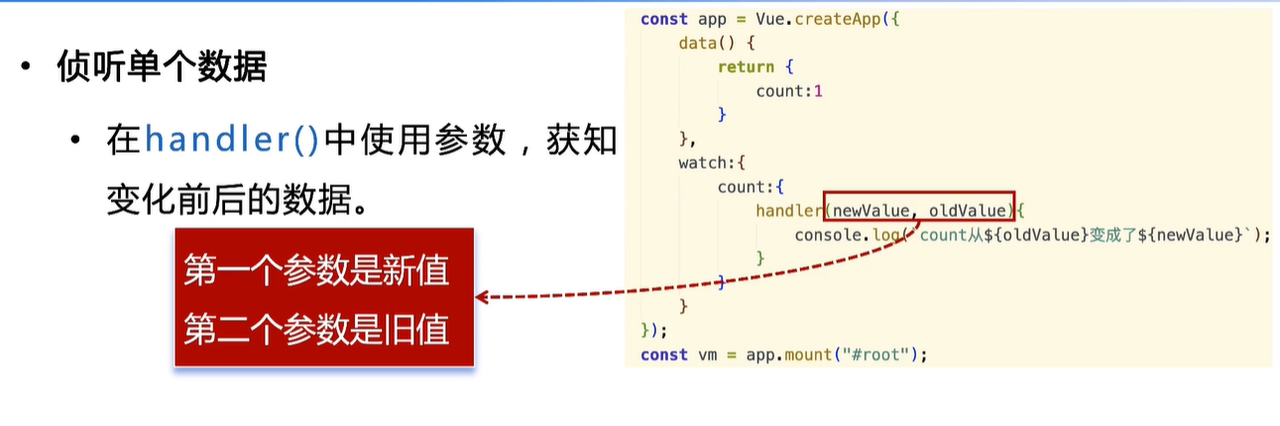
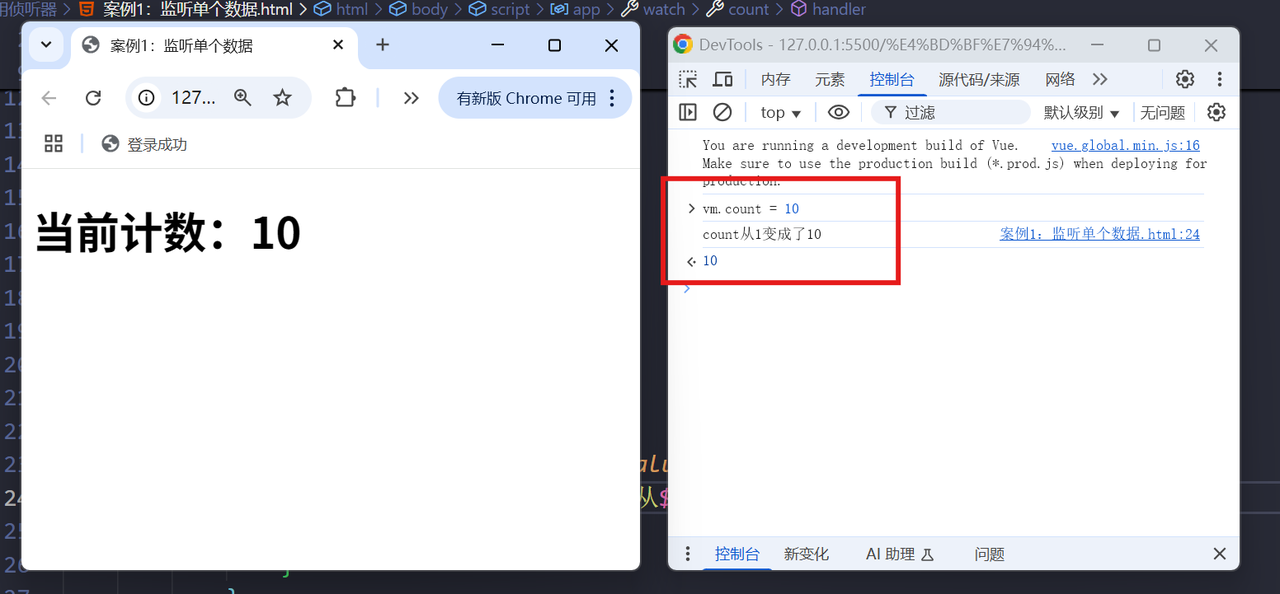
handler(newValue, oldValue) {
    console.log(`count从${oldValue}变成了${newValue}`);
}
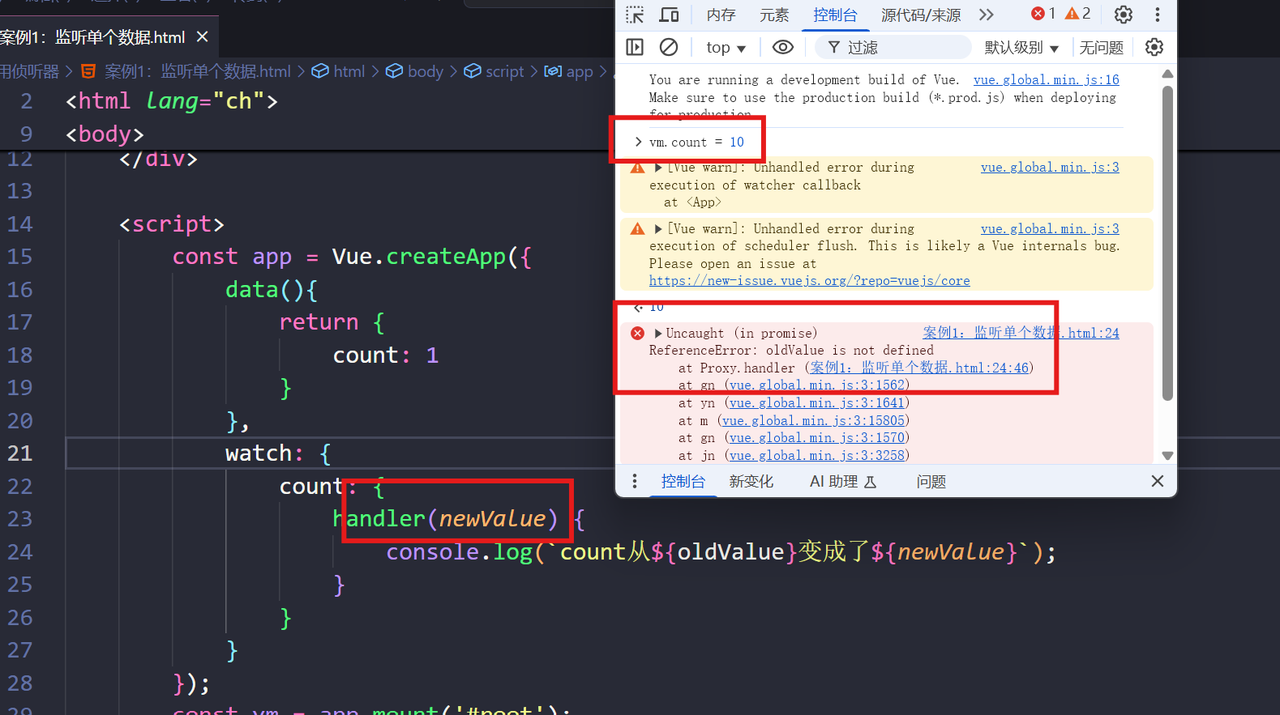
如果只有一个参数会报错:
侦听器异步操作
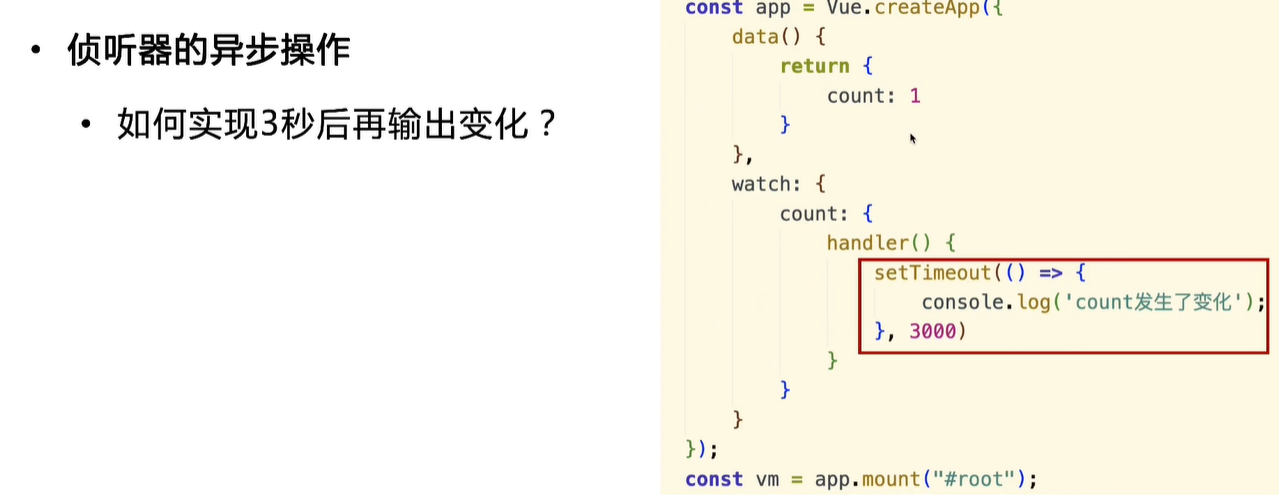
handler() {
setTimeout(() => {
    console.log('count 发生了变化');
}, 3000)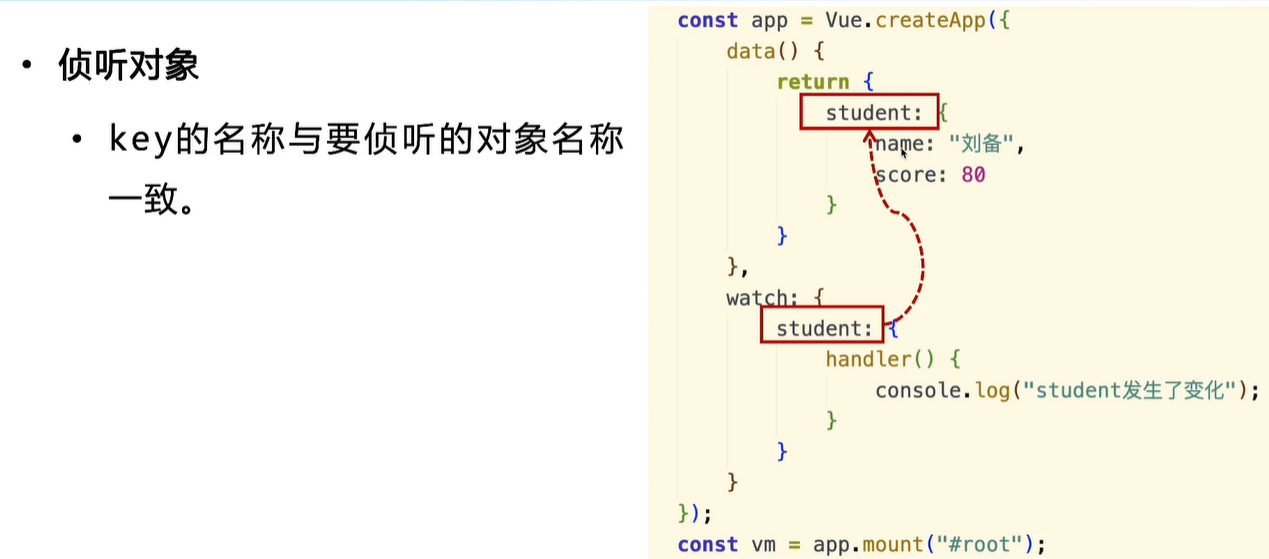
<!DOCTYPE html>
<html lang="ch">
<head>
    <meta charset="UTF-8">
    <meta name="viewport" content="width=device-width, initial-scale=1.0">
    <title>案例2:侦听对象</title>
    <script src="https://cdn.staticfile.net/vue/3.3.4/vue.global.min.js"></script>
</head>
<body>
    <div id="root">
        <h1>对象信息:{{ student }}</h1>
    </div>

    <script>
        const app = Vue.createApp({
            data() {
                return {
                    student: {
                        name: '张三',
                        score: 18
                    }
                }
            },
            watch: {
                student: {
                    handler() {
                        console.log("student发生了变化");
                    }
                }
            }
        });
        const vm = app.mount('#root');
    </script>
</body>
</html>
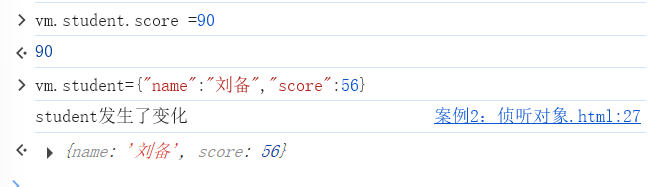
把学生的整个对象数据做了改变,student被重新赋值了一个对象,地址就会变,回调函数被执行,student发生了变化:
任务:侦听学生体重变化
<!DOCTYPE html>
<html lang="en">
  <head>
    <meta charset="UTF-8" />
    <meta name="viewport" content="width=device-width, initial-scale=1.0" />
    <title>任务:侦听学生体重变化</title>
    <script src="https://cdn.staticfile.net/vue/3.3.4/vue.global.min.js"></script>
  </head>
  <body>
    <div id="root">
      <h1>姓名:{{student.name}}</h1>
      <h1>体重:{{student.weight}}</h1>
      <h1>变化:{{message}}</h1>
    </div>

    <script>
      const app = Vue.createApp({
        data() {
          return {
            message: "无",
            student: {
              name: "张三",
              weight: 100,
            },
          };
        },
        // 配置监听器
        watch: {
            // 回调函数
            'student.weight'(newWeight, oldWeight) {
                // 获取体重变化的差值
                let changeValue = newWeight - oldWeight;
                if (changeValue > 0) {
                    // 胖了
                    this.message = "胖子";
                    if (changeValue > 5) {
                        this.message += ",该减肥了"
                    }
                } else if (changeValue < 0) {
                    // 瘦了
                    this.message = "瘦子";
                    // 50 - 60 = -10
                    if (changeValue < -5) {
                        this.message += ",该增重了"
                    }
                } else {
                    // 没变
                    this.message = "无";
                }
                console.log(this.message);
            }
        }
      });
      const vm = app.mount("#root");
    </script>
  </body>
</html>
Computed 和 Watch 的区别
Computed 是基于依赖关系进行缓存的计算属性,只有当依赖的响应式数据发生变化时才会重新计算,适合进行数据转换和组合。
Watch 是监听器,用于观察和响应数据的变化,无缓存且支持异步操作,适合在数据变化时执行副作用操作。
Computed(计算属性):
-
像自动计算的表格单元格:你设置好公式(依赖关系),数据一变结果自动更新
-
有记忆功能:同样的输入不会重复计算,直接给出上次的结果
-
同步计算:像数学计算一样,立即出结果,不适合做网络请求
-
适合场景:全名拼接、价格计算、数据过滤等需要基于现有数据计算新值的场景
Watch(监听器):
-
像保安盯监控:数据一有变化就立即报告,然后你可以采取行动
-
没有记忆:每次变化都会重新执行
-
支持异步:可以等用户停止输入后再搜索,或者做网络请求
-
适合场景:搜索框输入、表单验证、数据保存等需要在数据变化时执行特定操作的场景
简单比喻:
-
Computed 像智能计算器:输入变了,结果自动变,但不会重复算同样的题
-
Watch 像报警器:监测到变化就响铃,然后你可以去处理事情
使用选择:
-
需要基于其他值计算新值 → 用 Computed
-
需要在数据变化时执行操作(特别是异步操作) → 用 Watch
-
需要缓存优化性能 → 用 Computed
-
需要深度监听对象内部变化 → 用 Watch
使用事件处理页面交互
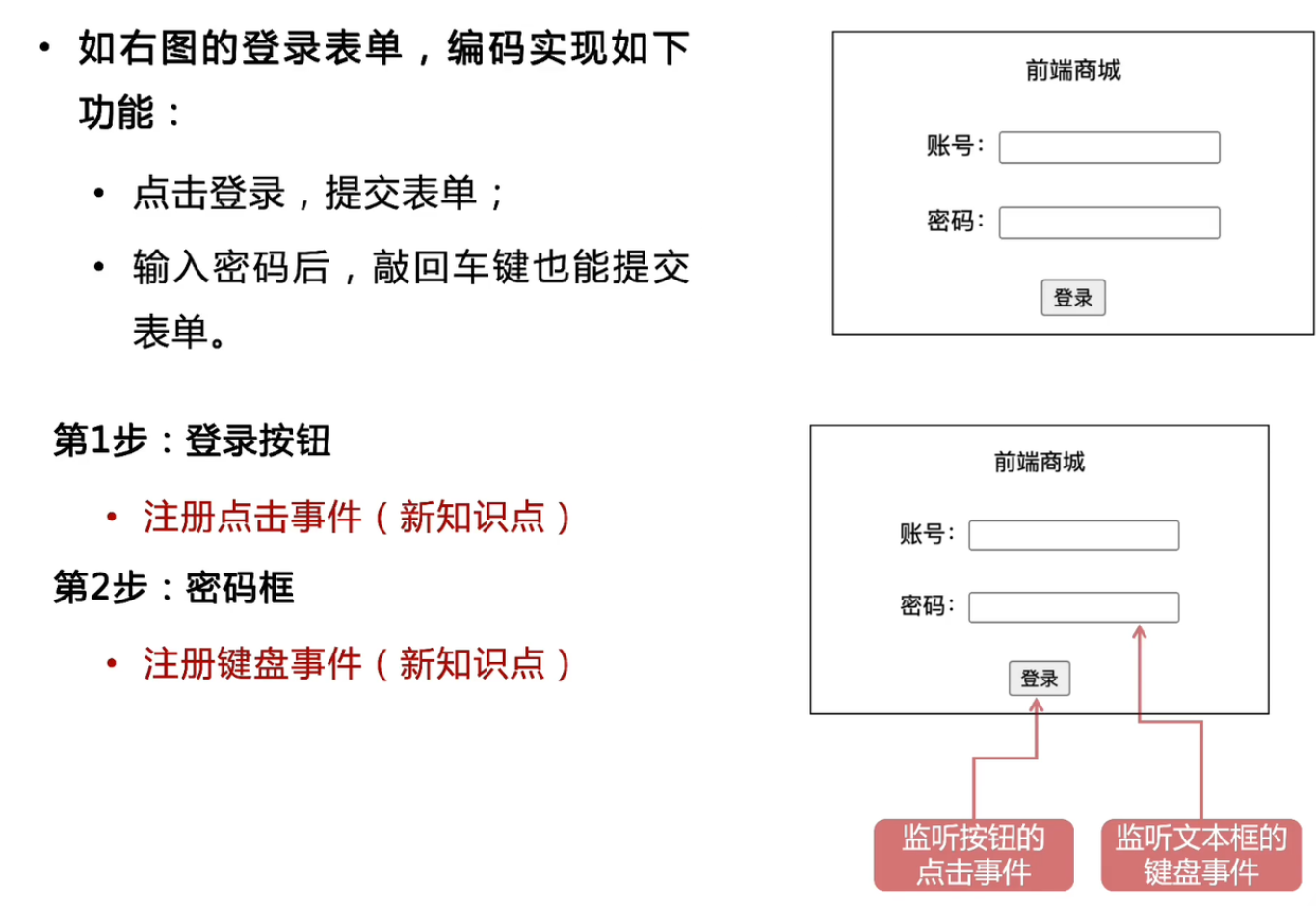
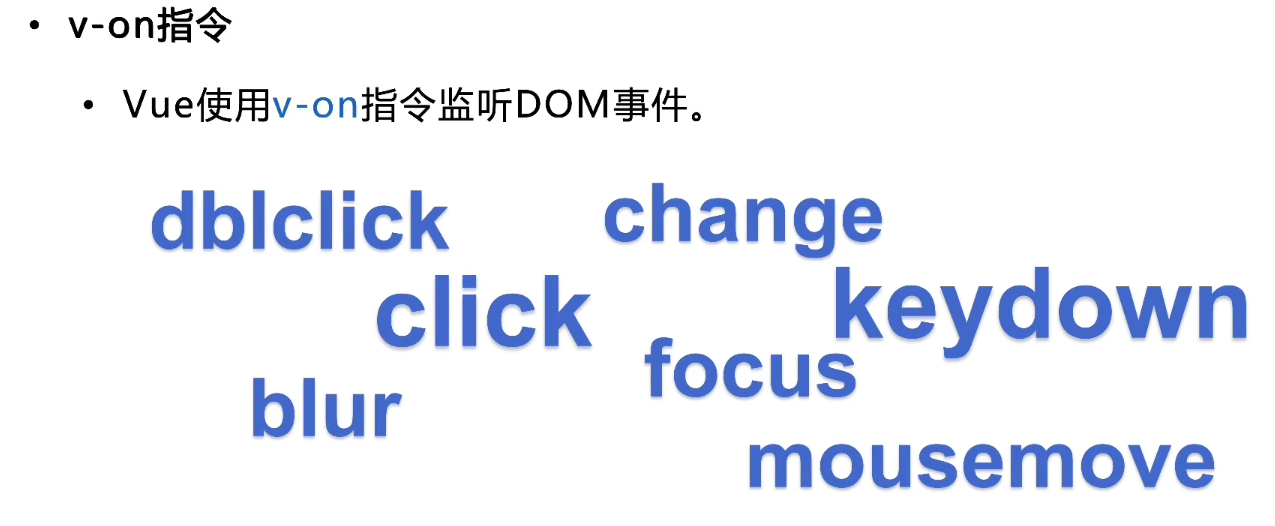
v-on指令
内联事件处理
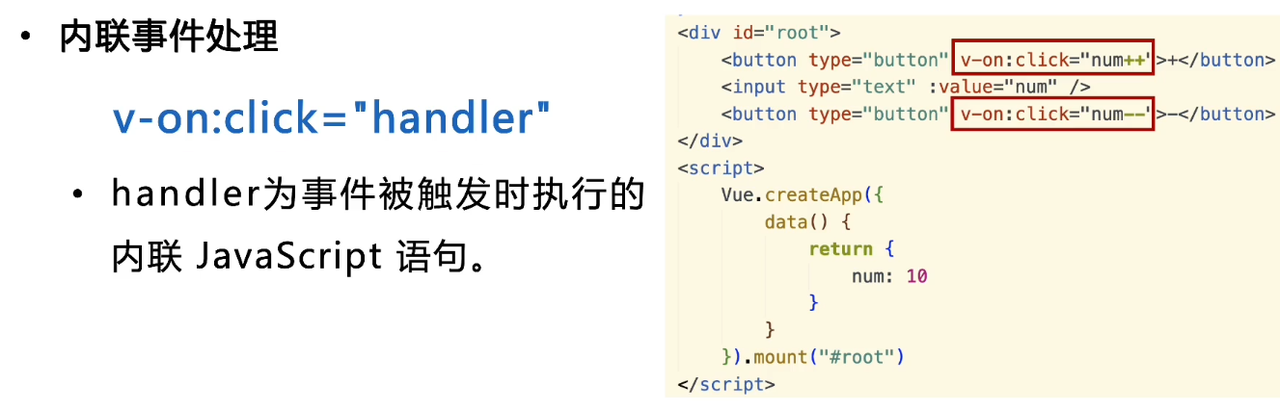
<!DOCTYPE html>
<html lang="ch">
<head>
    <meta charset="UTF-8">
    <meta name="viewport" content="width=device-width, initial-scale=1.0">
    <title>内联事件处理器</title>
    <script src="https://cdn.staticfile.net/vue/3.3.4/vue.global.min.js"></script>
</head>
<body>
    <div id="root">
        <!-- 购物车小模块 -->
        <button type="button" v-on:click="num++">+</button>
        <input type="text" :value="num">
        <button type="button" v-on:click="num--">-</button>
    </div>

    <script>
        Vue.createApp({
            data() {
                return {
                    num: 0,
                }
            }
        }).mount('#root')
    </script>
</body>
</html>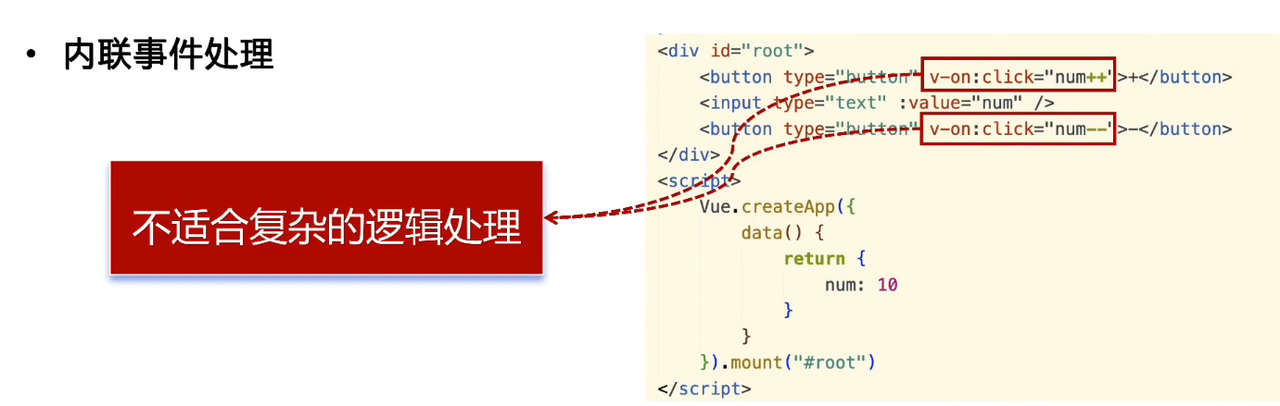
方法事件处理
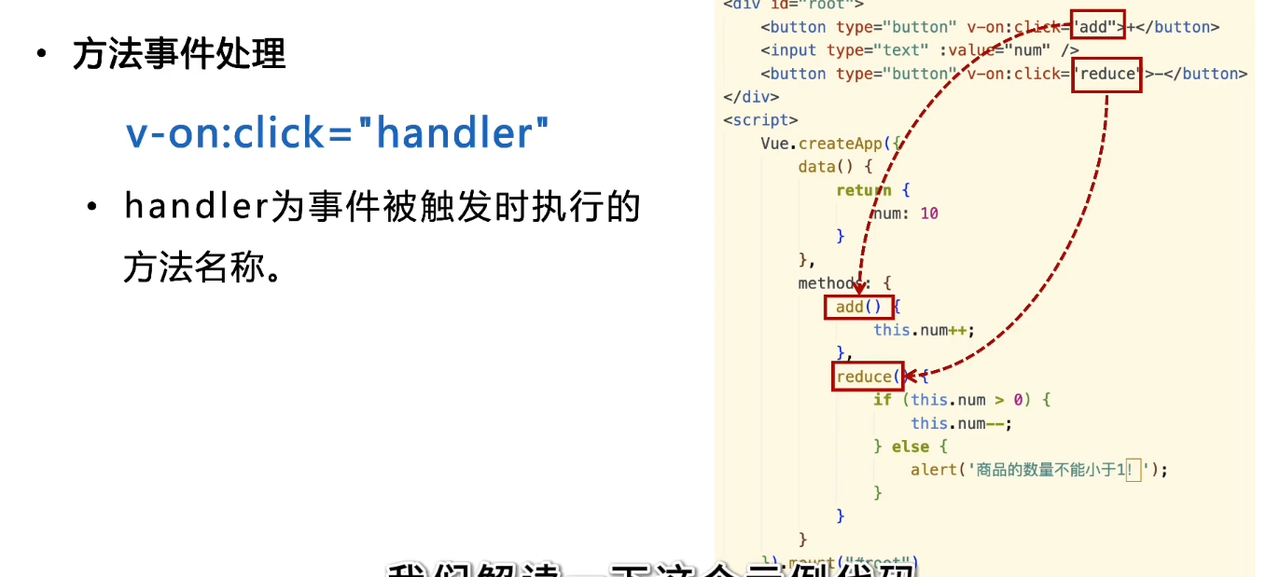
<div id="root">
        <!-- 购物车小模块 -->
        <button type="button" v-on:click="add">+</button>
        <input type="text" :value="num">
        <button type="button" v-on:click="reduce">-</button>
    </div>

    <script>
        Vue.createApp({
            data() {
                return {
                    num: 0,
                }
            },
            methods: {
                add() {
                    this.num++;
                },
                reduce() {
                    if (this.num > 0) {
                        this.num--;
                    } else {
                        alert('商品数量不能小于1')
                    }
                }
            }
        }).mount('#root')
    </script>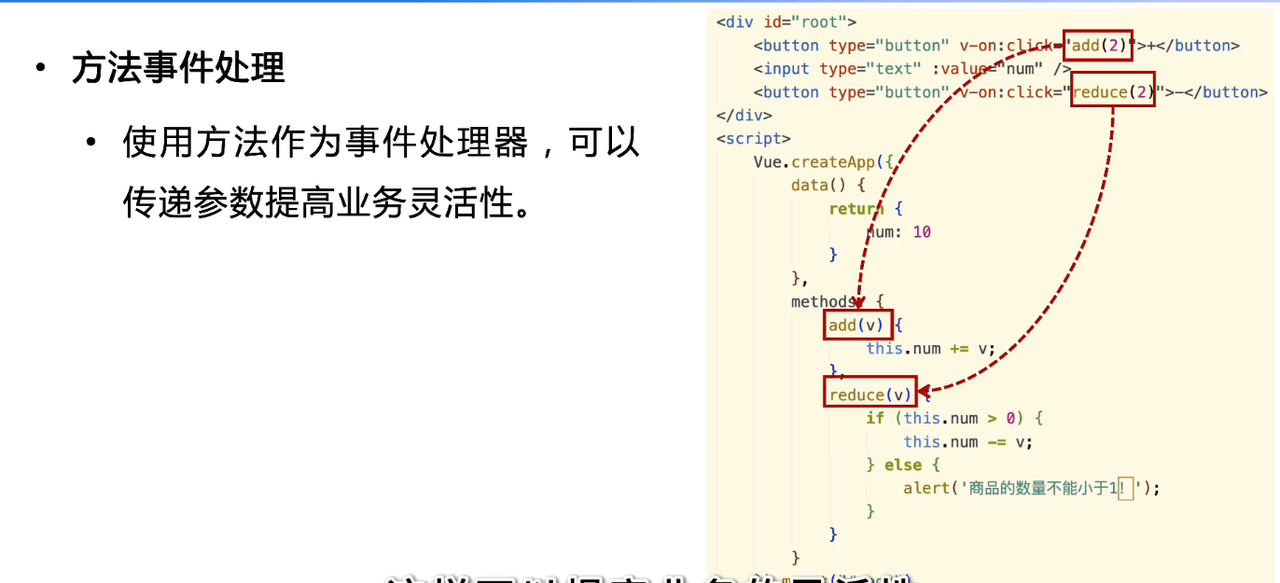
<!DOCTYPE html>
<html lang="ch">
<head>
    <meta charset="UTF-8">
    <meta name="viewport" content="width=device-width, initial-scale=1.0">
    <title>内联事件处理器</title>
    <script src="https://cdn.staticfile.net/vue/3.3.4/vue.global.min.js"></script>
</head>
<body>
    <div id="root">
        <!-- 购物车小模块 -->
        <!-- 为方法设置参数,在调用方法时传递参数 -->
        <button type="button" v-on:click="add(2)">+</button>
        <input type="text" :value="num">
        <button type="button" v-on:click="reduce(2)">-</button>
    </div>

    <script>
        Vue.createApp({
            data() {
                return {
                    num: 0,
                }
            },
            methods: {
                add(v) {
                    this.num += v;
                },
                reduce(v) {
                    if (this.num > 0) {
                        this.num-=v;
                    } else {
                        alert('商品数量不能小于1')
                    }
                }
            }
        }).mount('#root')
    </script>
</body>
</html>
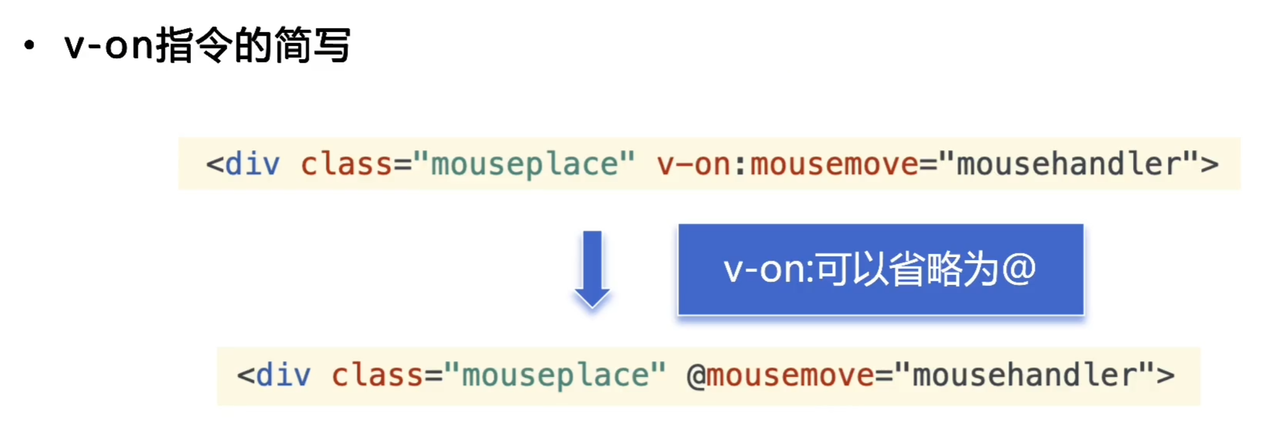
vue获取鼠标坐标:
<!DOCTYPE html>
<html lang="ch">
  <head>
    <meta charset="UTF-8" />
    <meta name="viewport" content="width=device-width, initial-scale=1.0" />
    <script src="https://cdn.staticfile.net/vue/3.3.4/vue.global.min.js"></script>
    <title>获取鼠标的坐标</title>
    <style>
      .mouseplace {
        width: 500px;
        height: 300px;
        background-color: #f0f0f0;
        border: 1px solid #ccc;
        margin-top: 20px;
      }
    </style>
  </head>
  <body>
    <div id="root">
      <h1>鼠标的坐标:({{x}}, {{y}})</h1>
      <!-- 注册事件mousemove -->
      <!-- 此处v-on省略为了@ -->
      <div class="mouseplace" @mousemove="mousehandler"></div>
    </div>
    <script>
      Vue.createApp({
        data() {
          // 鼠标的坐标
          return {
            x: 0,
            y: 0,
          }
        },
        methods: {
          // 事件mousemove的方法
          // 使用event获取事件对象
            mousehandler(event) {
                this.x = event.clientX;
                this.y = event.clientY;
                // console.log(this.x, this.y)
            }
        }
      }).mount('#root');
    </script>
  </body>
</html>
v-on指令简写
事件修饰符
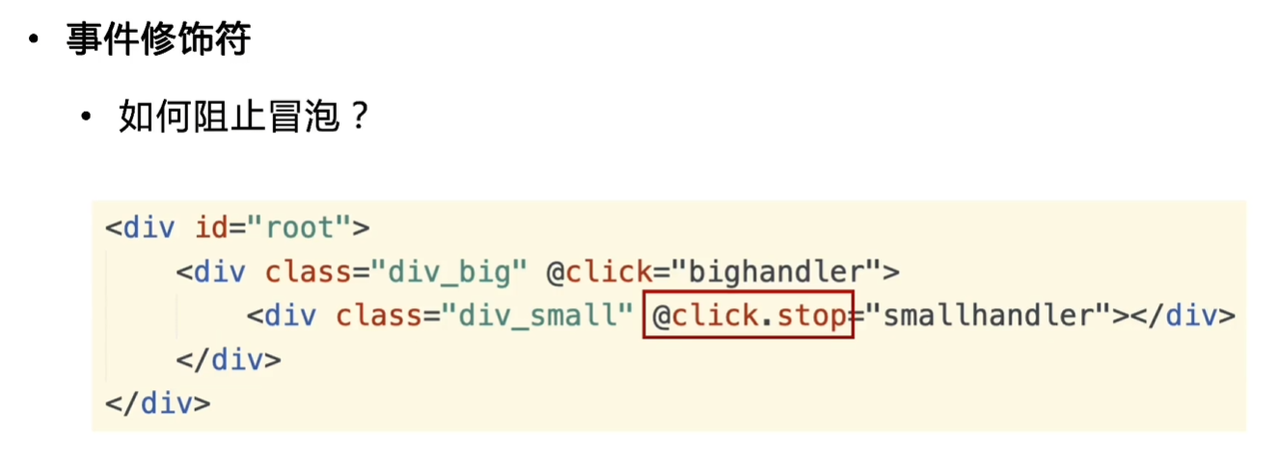
如何阻止冒泡
当你点击一个嵌套在多层 HTML 元素中的子元素(比如一个按钮)时,该点击事件不仅会在按钮上触发,还会依次向上传播到它的父元素、祖父元素,直到 document 根节点。这种从最内层目标元素向外逐级传播的过程,就叫做事件冒泡。
在 Vue 中,可以使用如下的方式阻止事件冒泡:
<!DOCTYPE html>
<html lang="ch">
  <head>
    <meta charset="UTF-8" />
    <meta name="viewport" content="width=device-width, initial-scale=1.0" />
    <script src="https://cdn.staticfile.net/vue/3.3.4/vue.global.min.js"></script>
    <title>事件修饰符</title>
    <style>
      .div_big {
        width: 200px;
        height: 200px;
        background-color: lightgray;
        border: 1px solid #333;
      }

      .div_small {
        width: 100px;
        height: 100px;
        background-color: white;
        border: 1px solid #333;
        margin: 50px;
      }
    </style>
  </head>
  <body>
    <div id="root">
      <div class="div_big" @click="bighandler">
      <!-- vue阻止事件冒泡 .stop -->
        <div class="div_small" @click.stop="smallhandler"></div>
      </div>
    </div>
    <script>
      Vue.createApp({
        // 为两个事件注册事件
        methods: {
          bighandler(event) {
            console.log("大方块被点击了!");
            event.currentTarget.style.backgroundColor = "red";
          },
          smallhandler(event) {
            console.log("小方块被点击了!");
            event.currentTarget.style.backgroundColor = "blue";
            // 点击小方块时,大方块也会变颜色,就是事件冒泡
            // js阻止事件冒泡
            // event.stopPropagation();
          },
        },
      }).mount("#root");
    </script>
  </body>
</html>
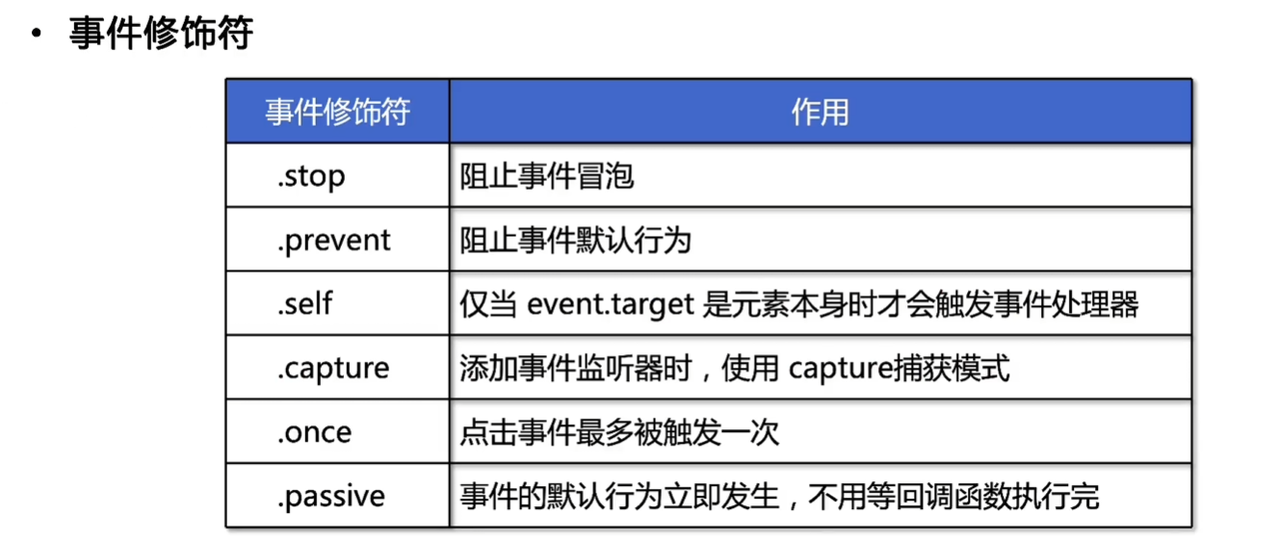
事件修饰符
按键与系统修饰符
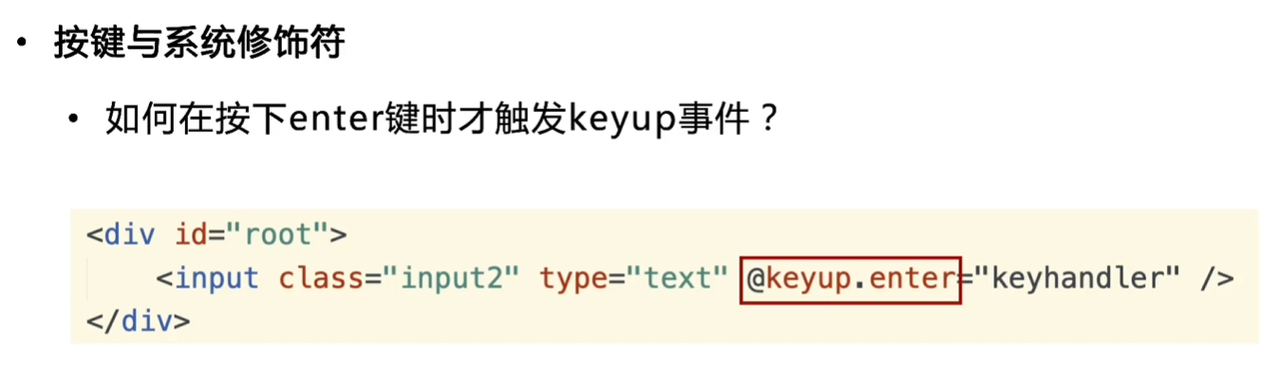
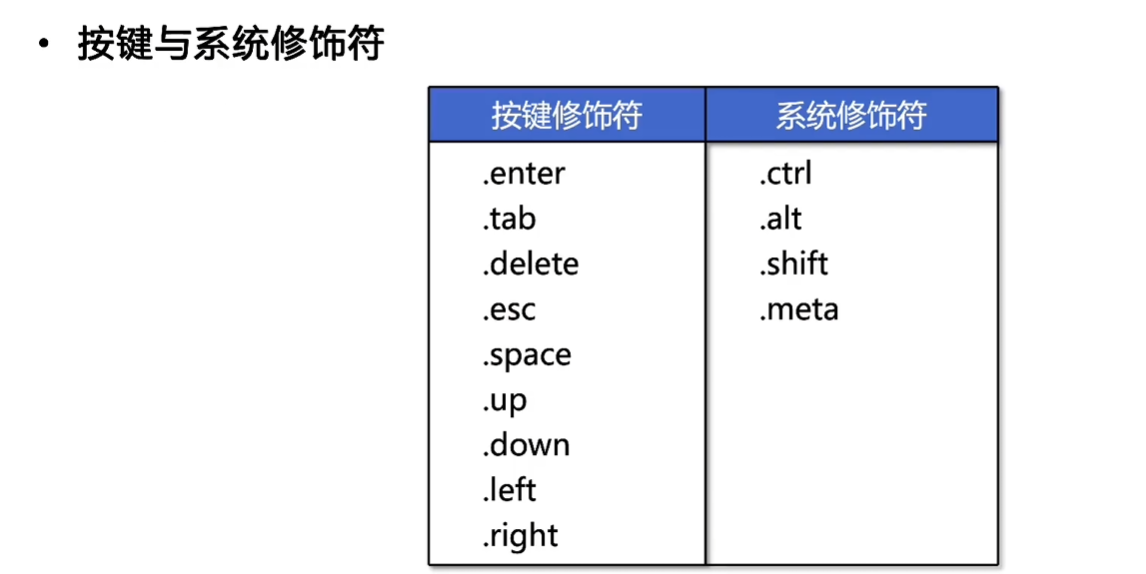
<!DOCTYPE html>
<html lang="ch">
<head>
    <meta charset="UTF-8">
    <meta name="viewport" content="width=device-width, initial-scale=1.0">
    <script src="https://cdn.staticfile.net/vue/3.3.4/vue.global.min.js"></script>
    <title>按键与系统修饰符</title>
    <style>
        .input2 {
            margin: 20px;
            padding: 10px;
            font-size: 16px;
            border: 1px solid #ccc;
            border-radius: 4px;
        }
    </style>
</head>
<body>
    <div id="root">
        <!-- 注册事件keyup -->
        <!-- 先按ctrl与enter才能触发事件 -->
        <input class="input2" type="text" @keyup.ctrl.enter="keyhandler">
    </div>
    <script>
        Vue.createApp({
            methods: {
                keyhandler(event) {
                    // 打印文本框的值
                    console.log(event.target.value);
                }
            }
        }).mount("#root");
    </script>
</body>
</html>
Agent 垂直技术社区,欢迎活跃、内容共建。
更多推荐


 15
15 0
0- 0


 已为社区贡献2条内容

所有评论(0)