用 Rust 打造你的专属路径跳转工具:告别 cd 命令的繁琐
·
我使用了rust做了一个命令行工具,它是一个记忆路径的助手,相当于直接为你的工作路径添加别名,然后使用一个 to + 别名,就可以跳转到你的工作目录了:
演示:
当前目录是这个
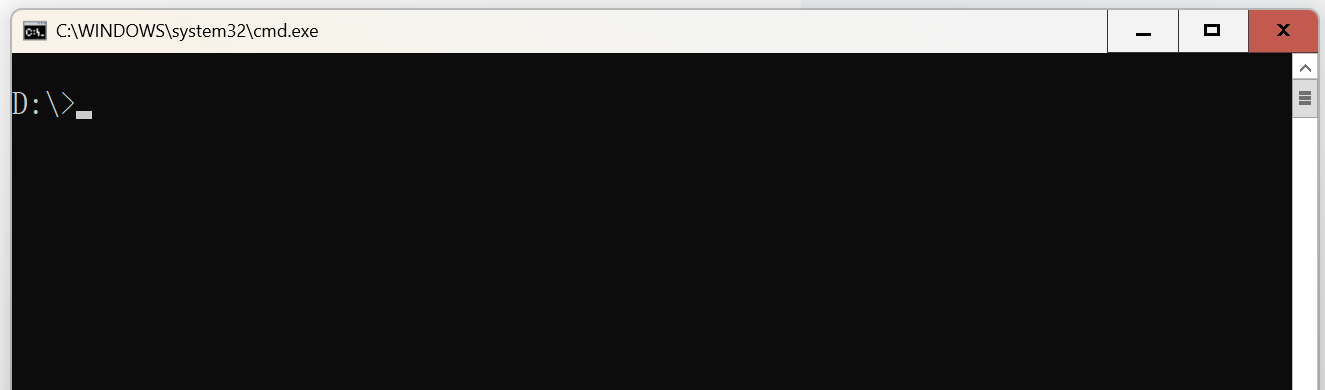
我们假设你之前就创建了项目文件夹,就是你平常练习代码的地方,我这里是: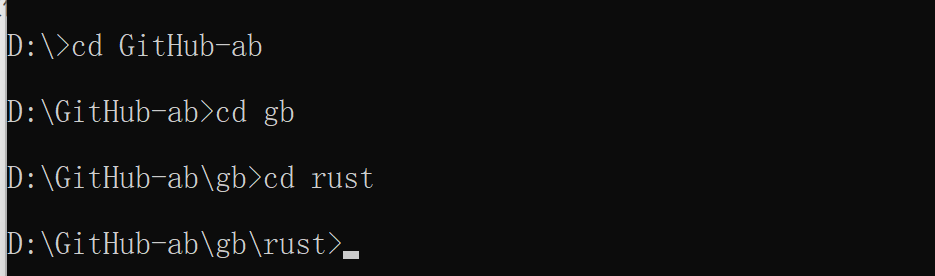
还是非常繁琐的,我需要cd 好几次,而且要记住项目的路径才行,如果不记得,还要dir列出文件
我们使用我们这个记忆路径的小助手:
我这里是把它叫做m,理解为me的缩写
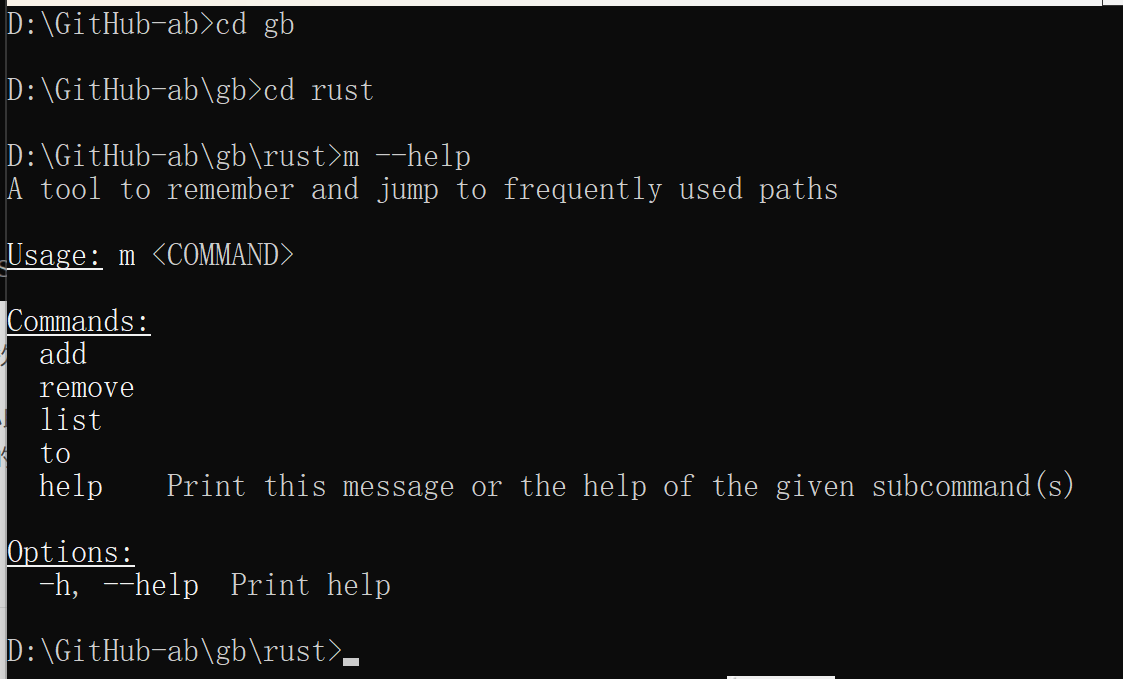
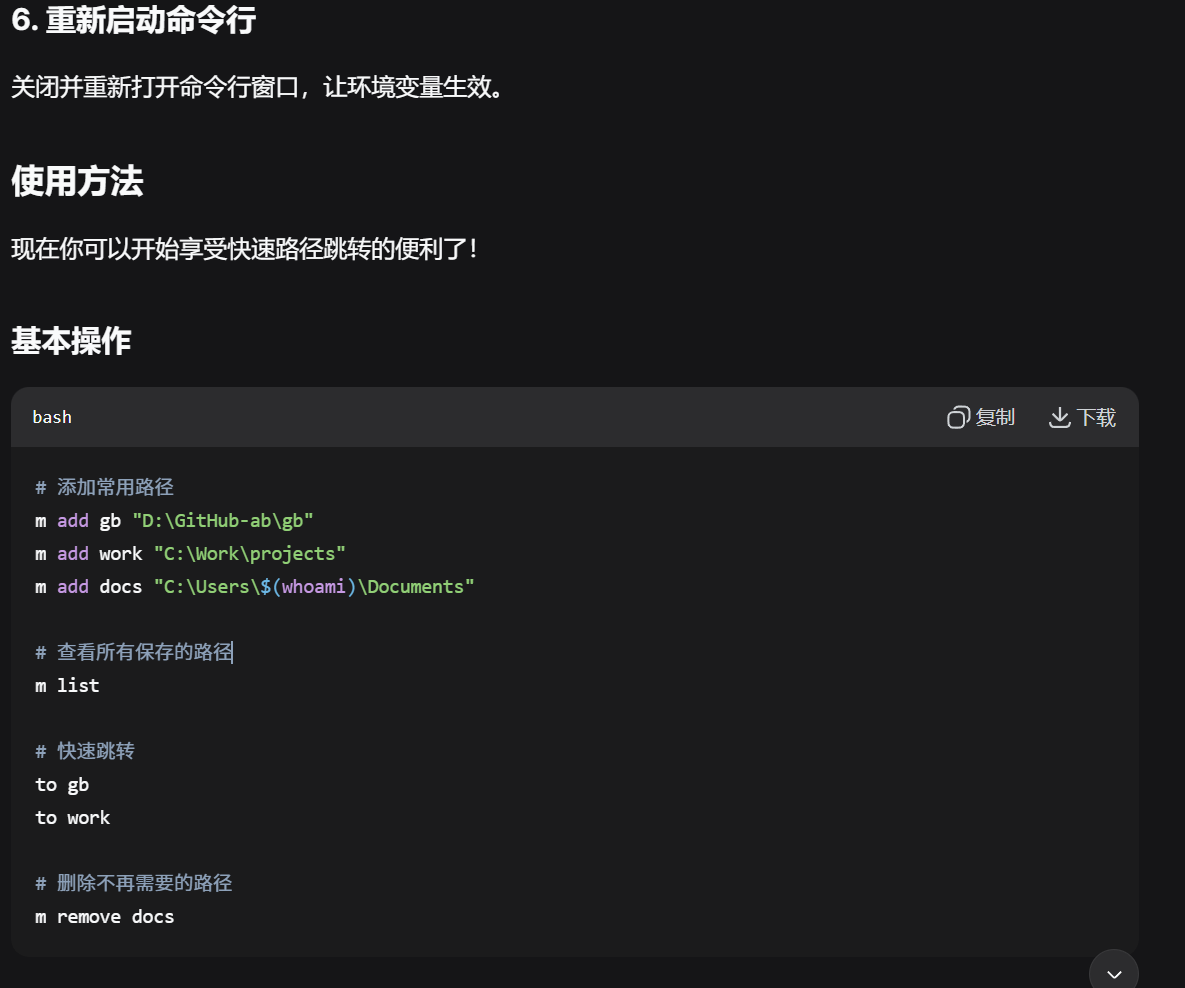
这个是列出帮助文档的命令 m --help
有几个功能
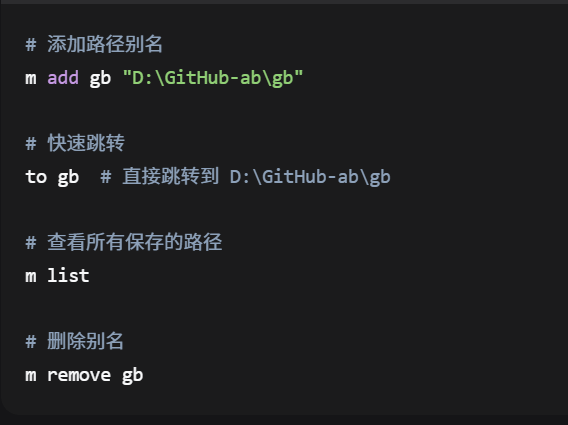
我们试试:
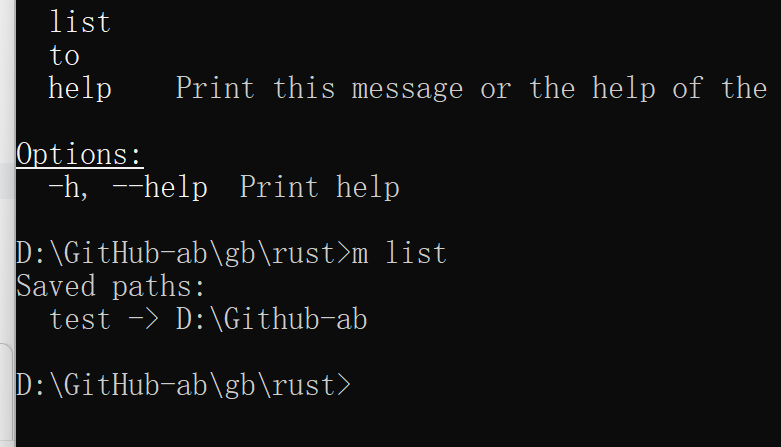
这个是之前的测试,可以看到它在列表里面了,我们创建一个新的

我们看看有没有添加到列表中: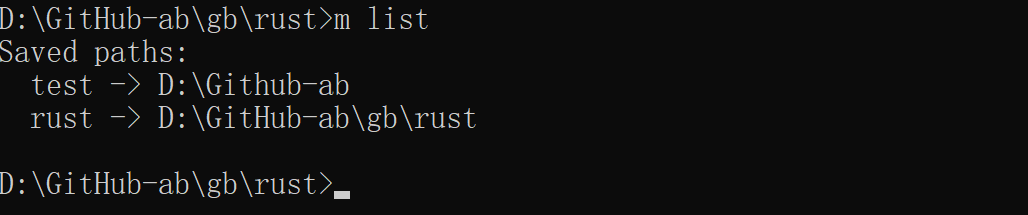
确实存在,我们回到D盘根目录,试试效果: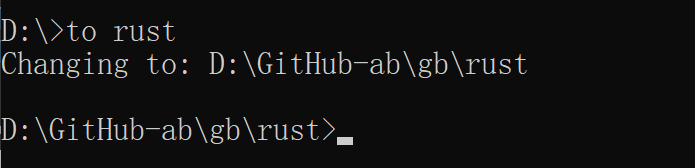
非常快,成功切换到目标路径了,我吗试试能不能删除: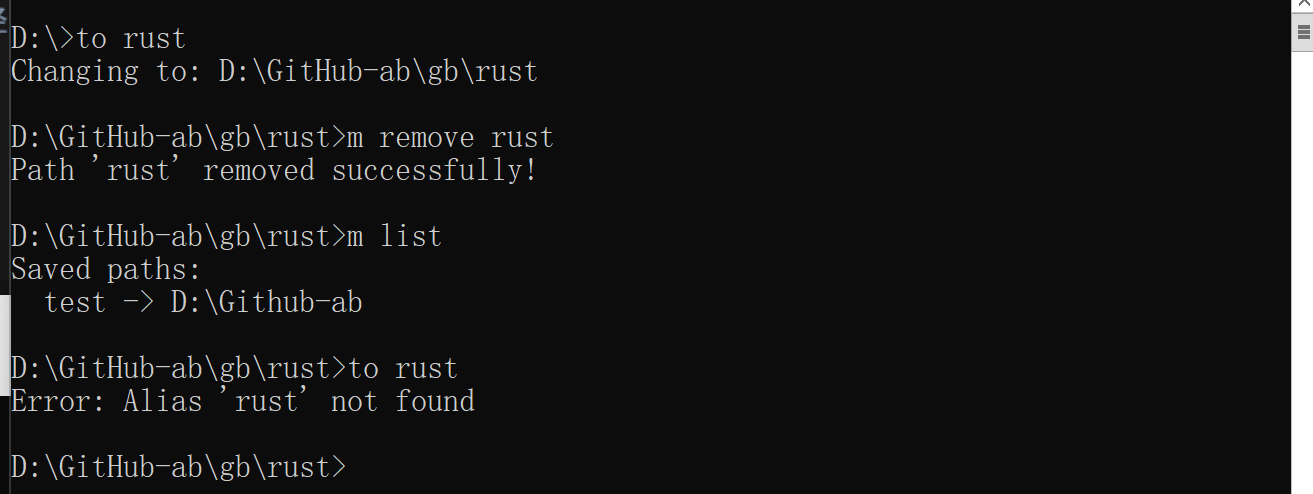
成功了,其实C盘也是可以的: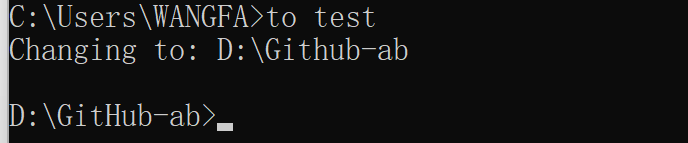
怎么样,非常不错吧,这可是在命令和里面实现的,接下来看看下面的代码还有怎样复刻吧: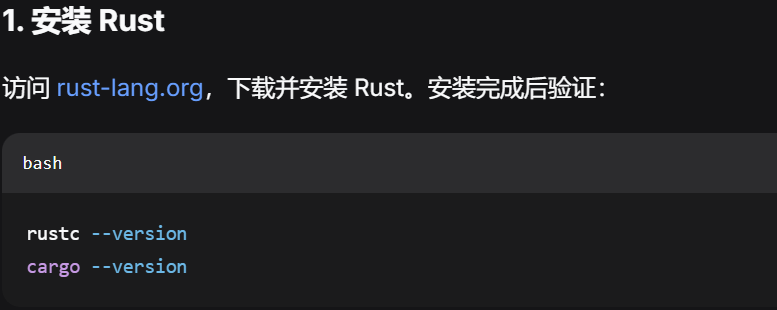
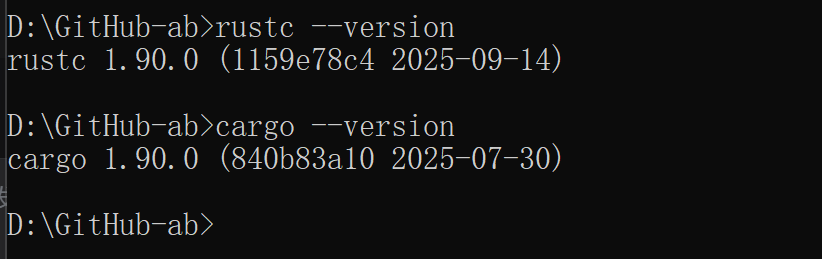
去你写rust项目的路径:
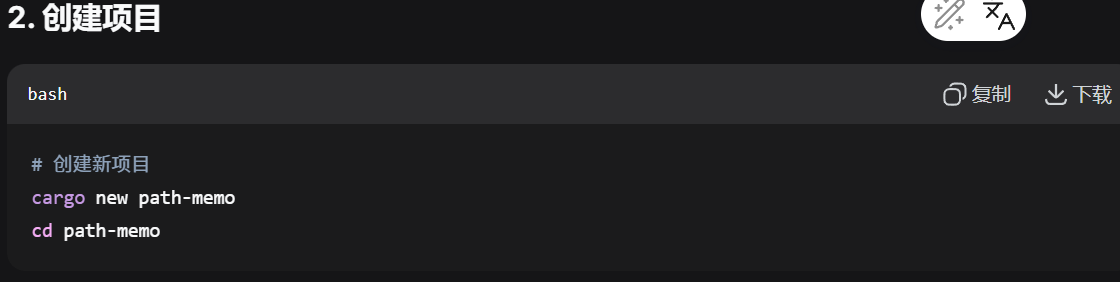
这个项目名称最好写成你这个命令行工具的名称,不过也不影响,只不过你容易记住,只需要修改代码就行:
安装依赖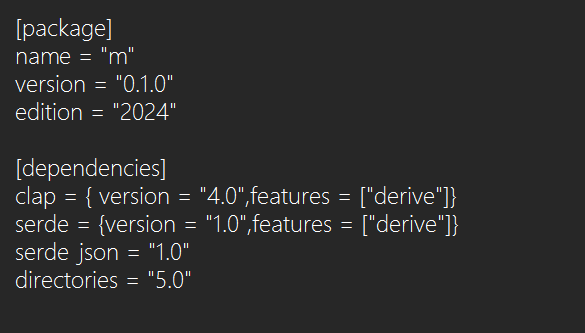
在src目录下的main.rs文件里面写入下面的代码,其中m是自定义的,你可以直接使用就行
use clap::{Parser, Subcommand};
use serde::{Deserialize, Serialize};
use std::collections::HashMap;
use std::fs;
use std::path::PathBuf;

#[derive(Parser)]
#[command(name = "m")]
#[command(about = "A tool to remember and jump to frequently used paths")]
struct Cli {
    #[command(subcommand)]
    command: Commands,
}

#[derive(Subcommand)]
enum Commands {
    Add {
        alias: String,
        path: String,
    },
    Remove {
        alias: String,
    },
    List,
    To {
        alias: String,
    },
}

#[derive(Serialize, Deserialize, Debug)]
struct PathStore {
    paths: HashMap<String, String>,
}

impl PathStore {
    fn new() -> Self {
        Self {
            paths: HashMap::new(),
        }
    }

    fn load() -> Self {
        let config_path = Self::get_config_path();
        if let Ok(content) = fs::read_to_string(&config_path) {
            if let Ok(store) = serde_json::from_str(&content) {
                return store;
            }
        }
        Self::new()
    }

    fn save(&self) -> Result<(), Box<dyn std::error::Error>> {
        let config_path = Self::get_config_path();
        if let Some(parent) = config_path.parent() {
            fs::create_dir_all(parent)?;
        }
        let content = serde_json::to_string_pretty(self)?;
        fs::write(config_path, content)?;
        Ok(())
    }

    fn get_config_path() -> PathBuf {
        directories::ProjectDirs::from("com", "m", "m")
            .expect("Cannot determine config directory")
            .config_dir()
            .join("paths.json")
    }

    fn add_path(&mut self, alias: String, path: String) {
        self.paths.insert(alias, path);
    }

    fn remove_path(&mut self, alias: &str) -> bool {
        self.paths.remove(alias).is_some()
    }

    fn get_path(&self, alias: &str) -> Option<&String> {
        self.paths.get(alias)
    }

    fn list_paths(&self) {
        if self.paths.is_empty() {
            println!("No paths saved.");
            return;
        }

        println!("Saved paths:");
        for (alias, path) in &self.paths {
            println!("  {} -> {}", alias, path);
        }
    }
}

// 修正 Windows UNC 路径问题
fn normalize_path(path: &str) -> String {
    let path_buf = PathBuf::from(path);

    // 如果是 UNC 路径(以 \\?\ 开头),去掉前缀
    if let Ok(metadata) = fs::metadata(&path_buf) {
        if metadata.is_dir() {
            // 使用简单的方法获取规范路径
            if let Ok(canonical) = fs::canonicalize(&path_buf) {
                let path_str = canonical.to_string_lossy();
                // 移除 UNC 前缀
                if path_str.starts_with(r"\\?\") {
                    return path_str[4..].to_string();
                }
                return path_str.to_string();
            }
        }
    }

    // 如果无法规范化,返回原始路径
    path.to_string()
}

fn main() -> Result<(), Box<dyn std::error::Error>> {
    let cli = Cli::parse();
    let mut store = PathStore::load();

    match cli.command {
        Commands::Add { alias, path } => {
            if !PathBuf::from(&path).exists() {
                eprintln!("Error: Path '{}' does not exist", path);
                return Ok(());
            }

            // 使用修正后的路径规范化函数
            //let normalized_path = normalize_path(&path);

            store.add_path(alias, path);
            store.save()?;
            println!("Path added successfully!");
        }
        Commands::Remove { alias } => {
            if store.remove_path(&alias) {
                store.save()?;
                println!("Path '{}' removed successfully!", alias);
            } else {
                eprintln!("Error: Alias '{}' not found", alias);
            }
        }
        Commands::List => {
            store.list_paths();
        }
        Commands::To { alias } => {
            match store.get_path(&alias) {
                Some(path) => println!("{}", path),
                None => {
                    eprintln!("Error: Alias '{}' not found", alias);
                    std::process::exit(1);
                }
            }
        }
    }

    Ok(())
}
然后到该项目的目录下面,运行命令:
cargo run
cargo build --release
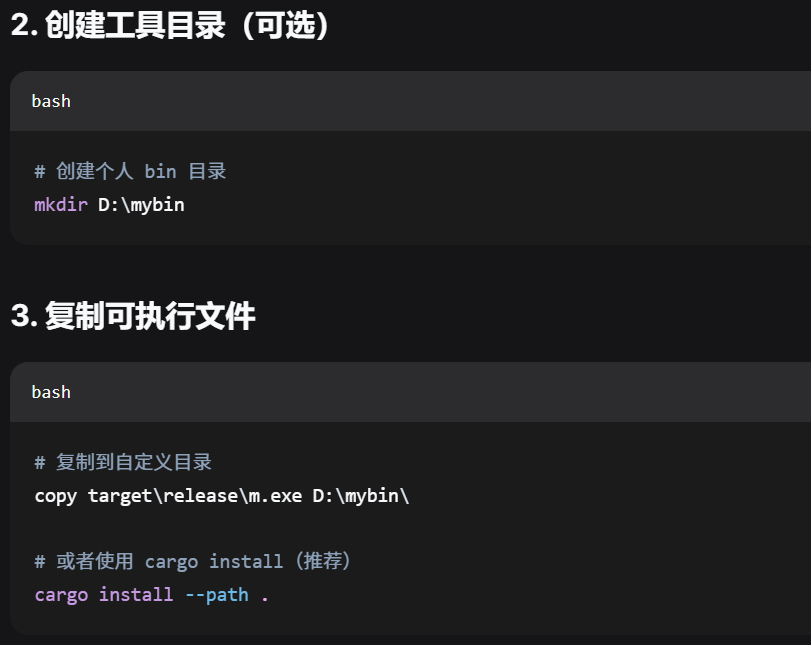
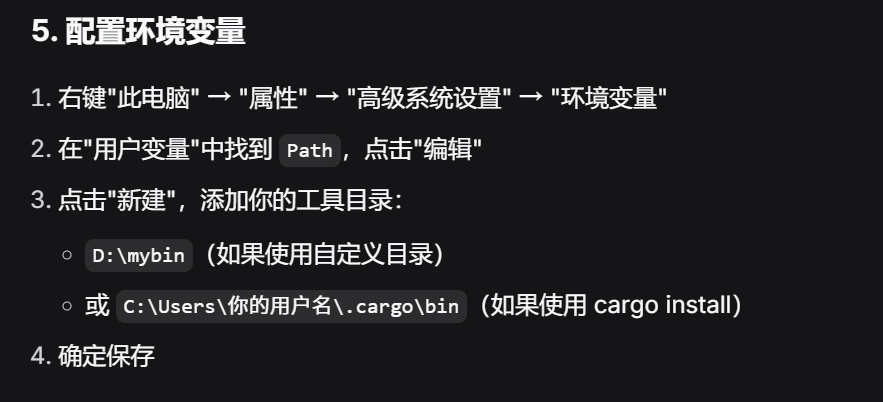
在 D:\mybin 目录中创建 to.bat 文件:
@echo off
chcp 936 >nul
if "%1"=="" (
    echo Usage: to ^<alias^>
    exit /b 1
)

for /f "delims=" %%i in ('m to %1') do (
    echo Changing to: %%i
    cd /d "%%i"
)

Agent 垂直技术社区,欢迎活跃、内容共建。
更多推荐

 0
0 0
0- 0


 已为社区贡献3条内容

所有评论(0)