JavaScript 数字与日期的本地化格式化方法详解
·
JavaScript 数字与日期的本地化格式化方法详解
在前端开发中,常常需要对数字、日期进行本地化格式化输出。JavaScript 提供了一系列 toLocale* 方法,能够根据不同地区(Locale)自动匹配对应格式,非常实用。
数字格式化相关方法
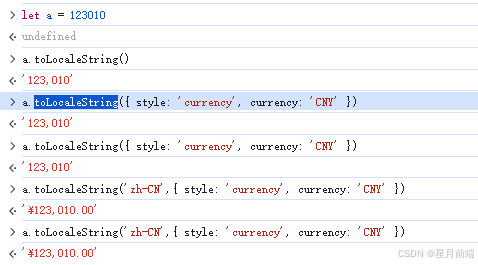
1. toLocaleString()
将数字转换为本地化格式的字符串。
let num = 1234567.89;

num.toLocaleString();                     // "1,234,567.89"(英文)
num.toLocaleString('zh-CN');              // "1,234,567.89"(中文)
num.toLocaleString('de-DE');              // "1.234.567,89"(德语)
num.toLocaleString('en-US', { style: 'currency', currency: 'USD' }); // "$1,234,567.89"
num.toLocaleString('zh-CN', { style: 'currency', currency: 'CNY' }); // "¥1,234,567.89"
2. Intl.NumberFormat
toLocaleString() 的底层实现类,可自定义更多格式化选项。
let n = 9876543.21;
let formatter = new Intl.NumberFormat('zh-CN', {
  style: 'decimal',
  useGrouping: true,
  minimumFractionDigits: 2
});
formatter.format(n); // "9,876,543.21"
也可格式化货币、百分比:
new Intl.NumberFormat('en-US', { style: 'currency', currency: 'USD' }).format(2500); // "$2,500.00"
new Intl.NumberFormat('zh-CN', { style: 'percent', maximumFractionDigits: 1 }).format(0.853); // "85.3%"

Agent 垂直技术社区,欢迎活跃、内容共建。
更多推荐


 10
10 0
0- 0


 已为社区贡献3条内容

所有评论(0)