安装Nginx、MariaDB和所有以“php”开头的包。
·
安装Nginx、MariaDB和所有以“php”开头的包。
[root@node ~]# yum -y install nginx mariadb-server php*
[root@node ~]# cd /
传输nextcloud压缩包
[root@node ~]#yum -y install lrzsz
[root@node ~]#rz
解压缩
[root@node /]# unzip nextcloud-25.0.1.zip
[root@node /]# ll
drwxr-xr-x   14 root root      4096 11月  3  2022 nextcloud
[root@node /]# chmod -Rf 777 /nextcloud
[root@node /]# ll
drwxrwxrwx   14 root root      4096 11月  3  2022 nextcloud
[root@node /]# systemctl start mariadb
[root@node /]# mysql
Welcome to the MariaDB monitor.  Commands end with ; or \g.
Your MariaDB connection id is 3
Server version: 10.5.29-MariaDB MariaDB Server

Copyright (c) 2000, 2018, Oracle, MariaDB Corporation Ab and others.

Type 'help;' or '\h' for help. Type '\c' to clear the current input statement.

MariaDB [(none)]> create database nextcloud;
Query OK, 1 row affected (0.001 sec)

MariaDB [(none)]> create user 'nextcloud'@'localhost' identified by '123456';
Query OK, 0 rows affected (0.001 sec)

MariaDB [(none)]> grant all on nextcloud.* to 'nextcloud'@'localhost';
Query OK, 0 rows affected (0.002 sec)

MariaDB [(none)]> exit
Bye
[root@node /]# systemctl restart mariadb
[root@node /]# vim /etc/nginx/nginx.conf
#修改41,42行
 #38     server {
 #39         listen       80;
 #40         listen       [::]:80;
 #41       server_name  192.168.172.129;
 #42         root         /nextcloud;
 #server_name修改为自己主机的IP地址
 #root改为/nextcloud
 [root@node /]# systemctl restart nginx
浏览器打开server_name ------- 192.168.172.129。数据库密码为上面MySQL命令时自己设定的,完成后安装。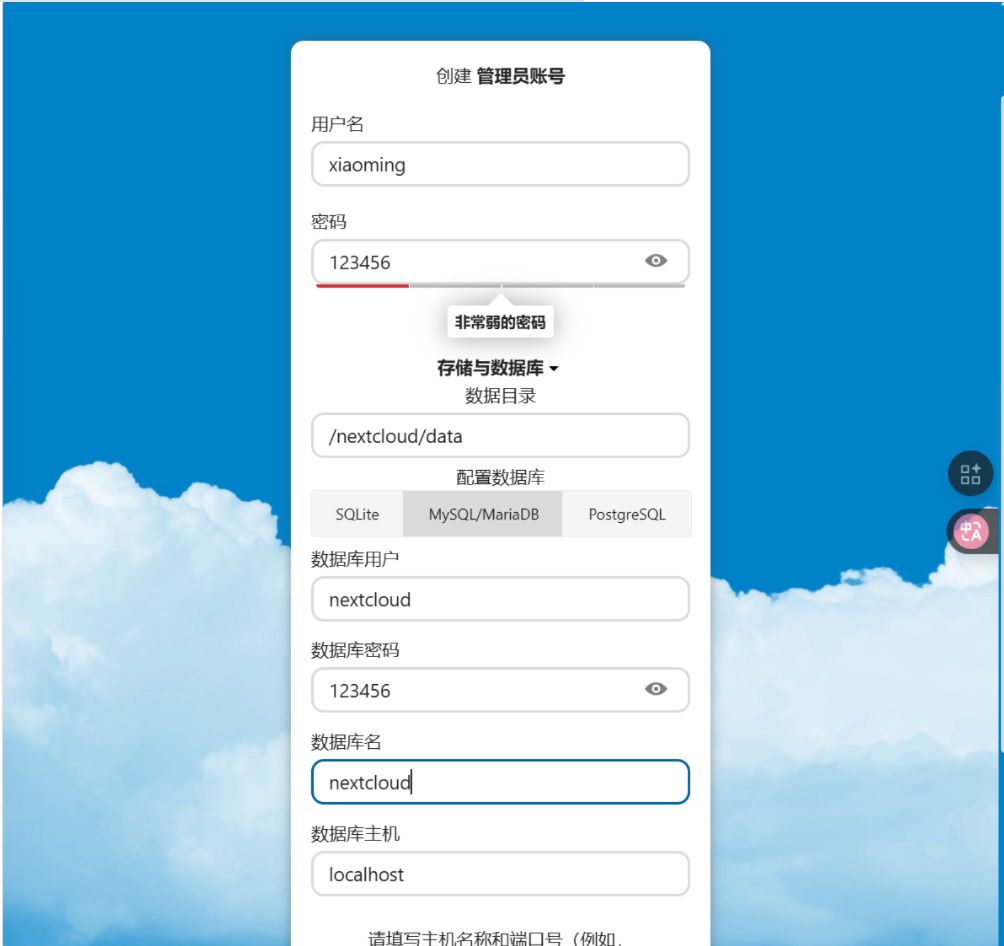
另起一个窗口
浏览器访问cpolar网站https://dashboard.cpolar.com/get-started
回到虚拟机
在家目录下进行
安装cpolar,解压缩包
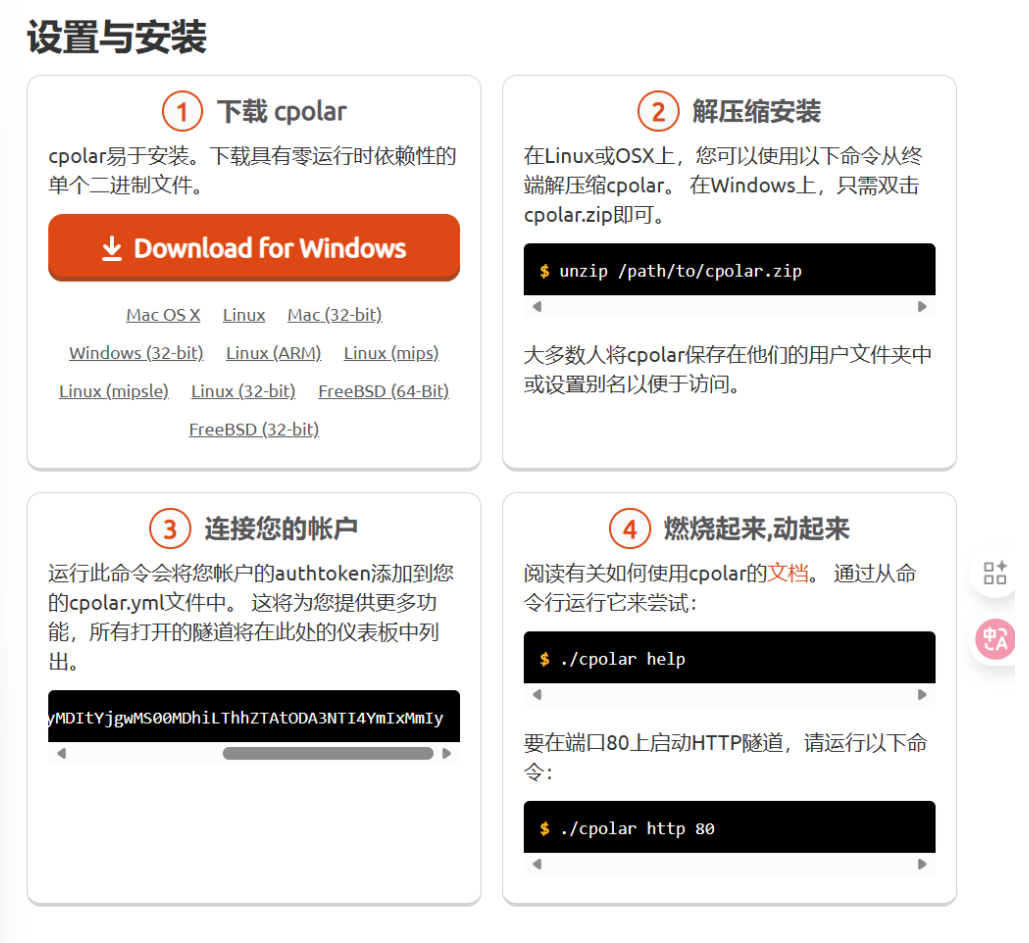
[root@node /]# unzip cpolar-stable-linux-amd64.zip
[root@node /]# unzip cpolar-stable-linux-amd64.zip
[root@node /]# ./cpolar authtoken YTg4MzgyMDItYjgwMS00MDhiLThhZTAtODA3NTI4YmIxMmIy
[root@node /]# ./cpolar http 80
[root@node /]# vim /nextcloud/config/config.php
找到

新建一个“1 =>”后面的内容粘贴括选内容,下面图片为
[root@node /]# ./cpolar http 80
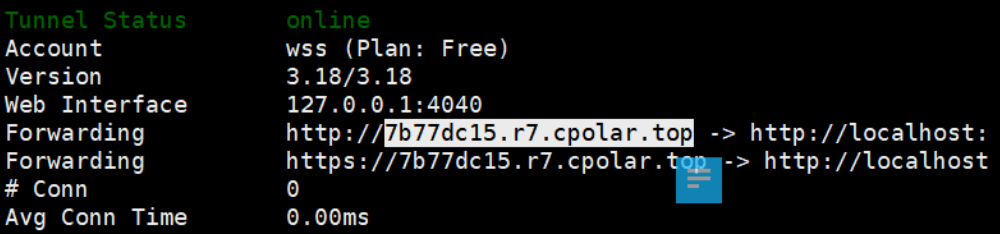
最后浏览器搜索上面白框内容
[root@node /]# ./cpolar http 80
最后浏览器搜索上面白框内容,完成

Agent 垂直技术社区,欢迎活跃、内容共建。
更多推荐
 2
2 0
0- 0


 已为社区贡献1条内容

所有评论(0)