Python DevOps与自动化:从CI/CD到基础设施即代码
点击上方“Python爬虫与数据挖掘”,进行关注
回复“书籍”即可获赠Python从入门到进阶共10本电子书
今
日
鸡
汤
苟利国家生死以,岂因祸福避趋之。——林则徐《赴戍登程口占示家人》
作者:Python进阶者
关键词:Python DevOps, CI/CD, 自动化, 基础设施即代码, Docker, Kubernetes, 监控告警
开头引言:
大家好,我是Python进阶者。在现代软件开发中,DevOps已成为提高交付效率和质量的关键实践。Python凭借其简洁语法和丰富生态,在自动化脚本、CI/CD流水线、基础设施管理等方面发挥着重要作用。今天,我们将深入探索Python在DevOps领域的完整技术栈,从自动化部署到监控告警,帮助你构建高效、可靠的软件交付体系!
一、DevOps基础与核心概念
1.1 DevOps文化与实践原则
defdevops_foundation():
"""DevOps基础概念与实践原则"""
print("=== DevOps核心概念 ===")

# DevOps文化理念
defdevops_culture():
"""DevOps文化理念"""
        principles = {
"协作文化": "开发与运维团队紧密合作",
"自动化优先": "尽可能自动化重复性工作",
"持续改进": "不断优化流程和工具",
"度量驱动": "基于数据做决策",
"快速反馈": "及时发现问题并修复"
        }

print("DevOps文化理念:")
for principle, description in principles.items():
print(f"  • {principle}: {description}")

# DevOps实践框架
defdevops_practices():
"""DevOps实践框架"""
print("\nDevOps关键实践:")
        practices = [
"持续集成 (CI): 频繁集成代码变更",
"持续交付 (CD): 自动化部署到生产环境",
"基础设施即代码 (IaC): 代码化管理基础设施",
"监控与日志: 实时监控系统状态",
"微服务架构: 解耦系统便于独立部署"
        ]

for practice in practices:
print(f"  • {practice}")

# DevOps工具链
defdevops_toolchain():
"""DevOps工具链"""
print("\nDevOps工具链分类:")
        tool_categories = {
"版本控制": "Git, GitHub, GitLab",
"CI/CD": "Jenkins, GitLab CI, GitHub Actions",
"配置管理": "Ansible, Chef, Puppet",
"容器化": "Docker, Kubernetes",
"监控告警": "Prometheus, Grafana, ELK"
        }

for category, tools in tool_categories.items():
print(f"  • {category}: {tools}")

    devops_culture()
    devops_practices()
    devops_toolchain()

# 运行DevOps基础演示
devops_foundation()
1.2 Python在DevOps中的角色
defpython_devops_role():
"""Python在DevOps中的角色"""
print("=== Python在DevOps中的应用 ===")

# Python DevOps应用场景
defpython_devops_use_cases():
"""Python DevOps应用场景"""
        scenarios = {
"自动化脚本": "系统管理、部署脚本",
"CI/CD流水线": "自定义构建步骤和插件",
"基础设施管理": "Terraform、Ansible集成",
"监控工具开发": "自定义监控脚本和仪表盘",
"测试自动化": "自动化测试框架和工具"
        }

print("Python DevOps应用场景:")
for scenario, description in scenarios.items():
print(f"  • {scenario}: {description}")

# 常用Python DevOps库
defdevops_libraries():
"""常用Python DevOps库"""
print("\n常用Python DevOps库:")
        libraries = {
"Fabric": "远程部署和系统管理",
"Invoke": "任务执行和自动化",
"Paramiko": "SSH连接和远程命令执行",
"Requests": "HTTP API调用",
"Click": "命令行工具开发",
"PyYAML": "配置文件解析",
"Boto3": "AWS服务集成"
        }

for lib, purpose in libraries.items():
print(f"  • {lib}: {purpose}")

# Python DevOps优势
defpython_devops_advantages():
"""Python DevOps优势"""
print("\nPython在DevOps中的优势:")
        advantages = [
"语法简洁,易于编写和维护",
"丰富的第三方库生态系统",
"跨平台兼容性好",
"与各种工具和API集成方便",
"社区活跃,资源丰富"
        ]

for advantage in advantages:
print(f"  • {advantage}")

    python_devops_use_cases()
    devops_libraries()
    python_devops_advantages()

# 运行Python DevOps角色演示
python_devops_role()
二、自动化脚本与系统管理
2.1 系统管理自动化
import os
import sys
import subprocess
import shutil
from pathlib import Path
import logging

defsystem_automation():
"""系统管理自动化脚本"""
print("=== 系统管理自动化 ===")

# 配置日志
    logging.basicConfig(level=logging.INFO, format='%(asctime)s - %(levelname)s - %(message)s')

classSystemAutomator:
"""系统自动化工具类"""

def__init__(self, work_dir="."):
self.work_dir = Path(work_dir)
self.logger = logging.getLogger(__name__)

defrun_command(self, command, check=True):
"""执行系统命令"""
self.logger.info(f"执行命令: {command}")
try:
                result = subprocess.run(command, shell=True, check=check,
                                      capture_output=True, text=True, cwd=self.work_dir)
if result.stdout:
self.logger.info(f"命令输出: {result.stdout}")
return result
except subprocess.CalledProcessError as e:
self.logger.error(f"命令执行失败: {e}")
if e.stderr:
self.logger.error(f"错误输出: {e.stderr}")
raise

defbackup_file(self, file_path, backup_suffix=".bak"):
"""备份文件"""
            file_path = Path(file_path)
            backup_path = file_path.with_suffix(file_path.suffix + backup_suffix)

if file_path.exists():
                shutil.copy2(file_path, backup_path)
self.logger.info(f"文件已备份: {file_path} -> {backup_path}")
return backup_path
else:
self.logger.warning(f"文件不存在: {file_path}")
returnNone

defcleanup_old_files(self, directory, pattern="*", keep_days=7):
"""清理旧文件"""
            directory = Path(directory)
            cutoff_time = datetime.now().timestamp() - (keep_days * 24 * 60 * 60)

for file_path in directory.glob(pattern):
if file_path.is_file() and file_path.stat().st_mtime < cutoff_time:
                    file_path.unlink()
self.logger.info(f"已删除旧文件: {file_path}")

defcheck_disk_usage(self, threshold=80):
"""检查磁盘使用率"""
            usage = shutil.disk_usage(self.work_dir)
            percent_used = (usage.used / usage.total) * 100

self.logger.info(f"磁盘使用率: {percent_used:.1f}%")
if percent_used > threshold:
self.logger.warning(f"磁盘使用率超过阈值: {threshold}%")
returnFalse
returnTrue

defmonitor_process(self, process_name):
"""监控进程"""
try:
                result = subprocess.run(f"pgrep {process_name}", shell=True,
                                      capture_output=True, text=True)
if result.returncode == 0:
self.logger.info(f"进程 {process_name} 正在运行")
returnTrue
else:
self.logger.warning(f"进程 {process_name} 未运行")
returnFalse
except Exception as e:
self.logger.error(f"进程监控失败: {e}")
returnFalse

# 使用示例
    automator = SystemAutomator()

# 执行系统检查
print("\n系统检查示例:")
    automator.check_disk_usage()
    automator.monitor_process("nginx")

# 文件操作示例
    test_file = "test_config.txt"
withopen(test_file, 'w') as f:
        f.write("示例配置内容")

    automator.backup_file(test_file)

# 清理示例
    automator.cleanup_old_files(".", "*.bak", keep_days=0)

# 清理测试文件
if os.path.exists(test_file):
        os.remove(test_file)

# 运行系统自动化演示
system_automation()
2.2 配置管理自动化
import yaml
import json
import configparser
from datetime import datetime

defconfiguration_management():
"""配置管理自动化"""
print("=== 配置管理自动化 ===")

classConfigManager:
"""配置管理器"""

def__init__(self, config_dir="configs"):
self.config_dir = Path(config_dir)
self.config_dir.mkdir(exist_ok=True)

defload_yaml_config(self, config_file):
"""加载YAML配置"""
            config_path = self.config_dir / config_file
if config_path.exists():
withopen(config_path, 'r', encoding='utf-8') as f:
return yaml.safe_load(f)
return {}

defsave_yaml_config(self, config_data, config_file):
"""保存YAML配置"""
            config_path = self.config_dir / config_file
withopen(config_path, 'w', encoding='utf-8') as f:
                yaml.dump(config_data, f, default_flow_style=False, allow_unicode=True)

defload_json_config(self, config_file):
"""加载JSON配置"""
            config_path = self.config_dir / config_file
if config_path.exists():
withopen(config_path, 'r', encoding='utf-8') as f:
return json.load(f)
return {}

defsave_json_config(self, config_data, config_file):
"""保存JSON配置"""
            config_path = self.config_dir / config_file
withopen(config_path, 'w', encoding='utf-8') as f:
                json.dump(config_data, f, indent=2, ensure_ascii=False)

defgenerate_app_config(self, app_name, settings):
"""生成应用配置文件"""
            config = {
'app': {
'name': app_name,
'version': '1.0.0',
'environment': settings.get('environment', 'production')
                },
'database': {
'host': settings.get('db_host', 'localhost'),
'port': settings.get('db_port', 5432),
'name': settings.get('db_name', f'{app_name}_db')
                },
'logging': {
'level': settings.get('log_level', 'INFO'),
'file': settings.get('log_file', f'/var/log/{app_name}.log')
                }
            }

# 保存为YAML和JSON格式
self.save_yaml_config(config, f'{app_name}.yaml')
self.save_json_config(config, f'{app_name}.json')

# 生成环境变量文件
            env_vars = []
for section, options in config.items():
for key, value in options.items():
                    env_var = f"{section.upper()}_{key.upper()} = {value}"
                    env_vars.append(env_var)

            env_file = self.config_dir / f'{app_name}.env'
withopen(env_file, 'w') as f:
                f.write('\n'.join(env_vars))

return config

defvalidate_config(self, config, required_fields):
"""验证配置完整性"""
            missing_fields = []
for field_path in required_fields:
                current = config
for part in field_path.split('.'):
ifisinstance(current, dict) and part in current:
                        current = current[part]
else:
                        missing_fields.append(field_path)
break

if missing_fields:
raise ValueError(f"缺少必需配置字段: {missing_fields}")
returnTrue

# 使用示例
    config_mgr = ConfigManager()

# 生成示例应用配置
    app_settings = {
'environment': 'development',
'db_host': 'db.example.com',
'db_port': 5432,
'db_name': 'myapp_dev',
'log_level': 'DEBUG'
    }

    config = config_mgr.generate_app_config('myapp', app_settings)
print("生成的配置:")
print(yaml.dump(config, default_flow_style=False))

# 验证配置
    required_fields = ['app.name', 'database.host', 'logging.level']
try:
        config_mgr.validate_config(config, required_fields)
print("配置验证通过!")
except ValueError as e:
print(f"配置验证失败: {e}")

# 运行配置管理演示
configuration_management()
三、持续集成与持续部署(CI/CD)
3.1 GitHub Actions自动化流水线
defcicd_pipelines():
"""CI/CD流水线自动化"""
print("=== CI/CD流水线 ===")

classCICDGenerator:
"""CI/CD流水线生成器"""

def__init__(self):
self.workflows_dir = Path(".github/workflows")
self.workflows_dir.mkdir(parents=True, exist_ok=True)

defgenerate_python_ci(self, workflow_name="python-ci.yml"):
"""生成Python CI流水线"""
            workflow = {
'name': 'Python CI',
'on': {
'push': {'branches': ['main', 'develop']},
'pull_request': {'branches': ['main']}
                },
'jobs': {
'test': {
'runs-on': 'ubuntu-latest',
'strategy': {
'matrix': {
'python-version': ['3.8', '3.9', '3.10']
                            }
                        },
'steps': [
                            {
'uses': 'actions/checkout@v3',
'name': 'Checkout code'
                            },
                            {
'uses': 'actions/setup-python@v4',
'with': {
'python-version': '${{ matrix.python-version }}'
                                },
'name': 'Setup Python'
                            },
                            {
'run': 'pip install -r requirements.txt',
'name': 'Install dependencies'
                            },
                            {
'run': 'pytest --cov=./ --cov-report=xml',
'name': 'Run tests'
                            },
                            {
'uses': 'codecov/codecov-action@v3',
'with': {
'file': './coverage.xml'
                                },
'name': 'Upload coverage'
                            }
                        ]
                    },
'lint': {
'runs-on': 'ubuntu-latest',
'steps': [
                            {
'uses': 'actions/checkout@v3',
'name': 'Checkout code'
                            },
                            {
'uses': 'actions/setup-python@v4',
'with': {
'python-version': '3.10'
                                },
'name': 'Setup Python'
                            },
                            {
'run': 'pip install flake8 black isort',
'name': 'Install linters'
                            },
                            {
'run': 'flake8 .',
'name': 'Run flake8'
                            },
                            {
'run': 'black --check .',
'name': 'Check formatting'
                            },
                            {
'run': 'isort --check-only .',
'name': 'Check imports'
                            }
                        ]
                    }
                }
            }

            workflow_path = self.workflows_dir / workflow_name
withopen(workflow_path, 'w') as f:
                yaml.dump(workflow, f, default_flow_style=False)

print(f"生成CI流水线: {workflow_path}")

defgenerate_docker_cd(self, workflow_name="docker-cd.yml"):
"""生成Docker CD流水线"""
            workflow = {
'name': 'Docker CD',
'on': {
'push': {
'branches': ['main'],
'tags': ['v*']
                    }
                },
'jobs': {
'build-and-push': {
'runs-on': 'ubuntu-latest',
'steps': [
                            {
'uses': 'actions/checkout@v3',
'name': 'Checkout code'
                            },
                            {
'uses': 'actions/setup-python@v4',
'with': {
'python-version': '3.10'
                                },
'name': 'Setup Python'
                            },
                            {
'run': 'pip install -r requirements.txt',
'name': 'Install dependencies'
                            },
                            {
'run': 'pytest',
'name': 'Run tests'
                            },
                            {
'uses': 'docker/setup-buildx-action@v2',
'name': 'Setup Docker Buildx'
                            },
                            {
'uses': 'docker/login-action@v2',
'with': {
'registry': 'ghcr.io',
'username': '${{ github.actor }}',
'password': '${{ secrets.GITHUB_TOKEN }}'
                                },
'name': 'Login to GHCR'
                            },
                            {
'uses': 'docker/build-push-action@v4',
'with': {
'context': '.',
'push': True,
'tags': |
'ghcr.io/${{ github.repository }}:latest',
'ghcr.io/${{ github.repository }}:${{ github.sha }}'
                                },
'name': 'Build and push Docker image'
                            },
                            {
'uses': 'appleboy/ssh-action@v0.1.10',
'if': "github.event_name == 'push' && github.ref == 'refs/heads/main'",
'with': {
'host': '${{ secrets.SSH_HOST }}',
'username': '${{ secrets.SSH_USERNAME }}',
'key': '${{ secrets.SSH_KEY }}',
'script': |
'docker pull ghcr.io/${{ github.repository }}:latest'
'docker-compose down'
'docker-compose up -d'
                                },
'name': 'Deploy to server'
                            }
                        ]
                    }
                }
            }

            workflow_path = self.workflows_dir / workflow_name
withopen(workflow_path, 'w') as f:
                yaml.dump(workflow, f, default_flow_style=False)

print(f"生成CD流水线: {workflow_path}")

defgenerate_security_scan(self, workflow_name="security-scan.yml"):
"""生成安全扫描流水线"""
            workflow = {
'name': 'Security Scan',
'on': {
'schedule': [{'cron': '0 6 * * 1'}],  # 每周一早上6点
'workflow_dispatch': {}  # 手动触发
                },
'jobs': {
'security': {
'runs-on': 'ubuntu-latest',
'steps': [
                            {
'uses': 'actions/checkout@v3',
'name': 'Checkout code'
                            },
                            {
'uses': 'actions/setup-python@v4',
'with': {
'python-version': '3.10'
                                },
'name': 'Setup Python'
                            },
                            {
'run': 'pip install safety bandit',
'name': 'Install security tools'
                            },
                            {
'run': 'safety check -r requirements.txt',
'name': 'Check dependencies'
                            },
                            {
'run': 'bandit -r .',
'name': 'Static code analysis'
                            },
                            {
'uses': 'aquasecurity/trivy-action@master',
'with': {
'scan-type': 'fs',
'scan-ref': '.',
'format': 'sarif',
'output': 'trivy-results.sarif'
                                },
'name': 'Vulnerability scan'
                            },
                            {
'uses': 'github/codeql-action/upload-sarif@v2',
'with': {
'sarif_file': 'trivy-results.sarif'
                                },
'name': 'Upload results'
                            }
                        ]
                    }
                }
            }

            workflow_path = self.workflows_dir / workflow_name
withopen(workflow_path, 'w') as f:
                yaml.dump(workflow, f, default_flow_style=False)

print(f"生成安全扫描流水线: {workflow_path}")

# 使用示例
    cicd_gen = CICDGenerator()
    cicd_gen.generate_python_ci()
    cicd_gen.generate_docker_cd()
    cicd_gen.generate_security_scan()

# 运行CI/CD演示
cicd_pipelines()
3.2 Jenkins流水线脚本
defjenkins_pipelines():
"""Jenkins流水线脚本"""
print("=== Jenkins流水线 ===")

defgenerate_jenkinsfile():
"""生成Jenkinsfile"""
        jenkinsfile = """pipeline {
    agent any

    environment {
        DOCKER_REGISTRY = 'ghcr.io'
        PROJECT_NAME = 'my-python-app'
    }

    stages {
        stage('Checkout') {
            steps {
                checkout scm
            }
        }

        stage('Setup') {
            steps {
                sh 'python -m venv venv'
                sh '. venv/bin/activate && pip install -r requirements.txt'
            }
        }

        stage('Test') {
            parallel {
                stage('Unit Tests') {
                    steps {
                        sh '. venv/bin/activate && pytest tests/unit/ -v'
                    }
                }
                stage('Integration Tests') {
                    steps {
                        sh '. venv/bin/activate && pytest tests/integration/ -v'
                    }
                }
            }
        }

        stage('Lint') {
            steps {
                sh '. venv/bin/activate && flake8 . --count --statistics'
                sh '. venv/bin/activate && black --check .'
            }
        }

        stage('Build') {
            when {
                branch 'main'
            }
            steps {
                script {
                    docker.build("${DOCKER_REGISTRY}/${PROJECT_NAME}:${env.BUILD_NUMBER}")
                }
            }
        }

        stage('Security Scan') {
            steps {
                sh '. venv/bin/activate && safety check -r requirements.txt'
                sh 'trivy image ${DOCKER_REGISTRY}/${PROJECT_NAME}:${env.BUILD_NUMBER}'
            }
        }

        stage('Deploy') {
            when {
                branch 'main'
            }
            steps {
                script {
                    docker.withRegistry('https://${DOCKER_REGISTRY}', 'docker-creds') {
                        docker.image("${DOCKER_REGISTRY}/${PROJECT_NAME}:${env.BUILD_NUMBER}").push()
                    }

                    sshagent(['deploy-key']) {
                        sh """
                        ssh -o StrictHostKeyChecking=no deploy@server '
                            docker pull ${DOCKER_REGISTRY}/${PROJECT_NAME}:${env.BUILD_NUMBER}
                            docker-compose down
                            docker-compose up -d
                        '
"""
                    }
                }
            }
        }
    }

    post {
        always {
            junit '**/test-reports/*.xml'
            publishHTML([
                allowMissing: false,
                alwaysLinkToLastBuild: true,
                keepAll: true,
                reportDir: 'htmlcov',
                reportFiles: 'index.html',
                reportName: 'Coverage Report'
            ])
        }
        success {
            slackSend channel: '#deployments',
                     message: "Build ${env.BUILD_NUMBER} deployed successfully"
        }
        failure {
            slackSend channel: '#alerts',
                     message: "Build ${env.BUILD_NUMBER} failed: ${currentBuild.currentResult}"
        }
    }
}
"""

withopen('Jenkinsfile', 'w') as f:
            f.write(jenkinsfile)
print("生成Jenkinsfile")

defgenerate_jenkins_config():
"""生成Jenkins配置脚本"""
        config_script = """#!/bin/bash
# Jenkins配置脚本

# 安装必要插件
jenkins_plugins=(
    "pipeline"
    "git"
    "docker"
    "ssh"
    "email-ext"
    "slack"
    "junit"
    "htmlpublisher"
)

for plugin in "${jenkins_plugins[@]}"; do
    java -jar jenkins-cli.jar -s http://localhost:8080/ install-plugin "$plugin"
done

# 配置系统设置
python3 << EOF
import requests
import json

jenkins_url = "http://localhost:8080"
username = "admin"
password = "initial_password"

# 获取crumb(CSRF保护)
auth = (username, password)
crumb_response = requests.get(f"{jenkins_url}/crumbIssuer/api/json", auth=auth)
crumb_data = crumb_response.json()

headers = {
    'Content-Type': 'application/json',
    crumb_data['crumbRequestField']: crumb_data['crumb']
}

# 配置系统设置
system_config = {
    'jenkins.model.JenkinsLocationConfiguration': {
        'adminAddress': 'admin@example.com',
        'jenkinsUrl': 'https://jenkins.example.com/'
    }
}

response = requests.post(
    f"{jenkins_url}/configSubmit",
    auth=auth,
    headers=headers,
    data=json.dumps(system_config)
)

print(f"配置结果: {response.status_code}")
EOF

echo "Jenkins配置完成"
"""

withopen('configure_jenkins.sh', 'w') as f:
            f.write(config_script)
print("生成Jenkins配置脚本")

    generate_jenkinsfile()
    generate_jenkins_config()

# 运行Jenkins流水线演示
jenkins_pipelines()
四、容器化与编排
4.1 Docker容器化实践
defdocker_containerization():
"""Docker容器化实践"""
print("=== Docker容器化 ===")

classDockerConfigGenerator:
"""Docker配置生成器"""

def__init__(self):
self.docker_dir = Path("docker")
self.docker_dir.mkdir(exist_ok=True)

defgenerate_dockerfile(self, app_type="python-web"):
"""生成Dockerfile"""
if app_type == "python-web":
                dockerfile = """# 多阶段构建的Python Web应用Dockerfile
FROM python:3.10-slim as builder

# 安装构建依赖
RUN apt-get update && apt-get install -y \
    gcc \
    g++ \
    && rm -rf /var/lib/apt/lists/*

# 设置工作目录
WORKDIR /app

# 复制依赖文件
COPY requirements.txt .

# 安装依赖到虚拟环境
RUN python -m venv /opt/venv
ENV PATH="/opt/venv/bin:$PATH"
RUN pip install --no-cache-dir -r requirements.txt

# 生产阶段
FROM python:3.10-slim

# 安装运行时依赖
RUN apt-get update && apt-get install -y \
    nginx \
    && rm -rf /var/lib/apt/lists/*

# 复制虚拟环境
COPY --from=builder /opt/venv /opt/venv
ENV PATH="/opt/venv/bin:$PATH"

# 复制应用代码
WORKDIR /app
COPY . .

# 复制nginx配置
COPY docker/nginx.conf /etc/nginx/nginx.conf

# 创建非root用户
RUN useradd -m appuser && chown -R appuser:appuser /app
USER appuser

# 暴露端口
EXPOSE 8000

# 健康检查
HEALTHCHECK --interval=30s --timeout=10s --start-period=5s --retries=3 \\
    CMD curl -f http://localhost:8000/health || exit 1

# 启动命令
CMD ["gunicorn", "app:app", "--bind", "0.0.0.0:8000", "--workers", "4"]
"""
elif app_type == "python-data":
                dockerfile = """# Python数据科学应用Dockerfile
FROM jupyter/datascience-notebook:latest

# 设置工作目录
WORKDIR /home/jovyan/work

# 复制依赖文件
COPY requirements.txt .

# 安装Python依赖
RUN pip install --no-cache-dir -r requirements.txt

# 复制应用代码
COPY . .

# 暴露端口
EXPOSE 8888

# 启动Jupyter Lab
CMD ["jupyter", "lab", "--ip=0.0.0.0", "--port=8888", "--no-browser", "--allow-root"]
"""

            dockerfile_path = self.docker_dir / "Dockerfile"
withopen(dockerfile_path, 'w') as f:
                f.write(dockerfile)
print(f"生成Dockerfile: {dockerfile_path}")

defgenerate_docker_compose(self):
"""生成Docker Compose配置"""
            compose_config = """version: '3.8'

services:
  web:
    build: .
    ports:
      - "8000:8000"
    environment:
      - DATABASE_URL=postgresql://user:pass@db:5432/app
      - REDIS_URL=redis://redis:6379
    depends_on:
      - db
      - redis
    volumes:
      - ./logs:/app/logs
    restart: unless-stopped

  db:
    image: postgres:13
    environment:
      POSTGRES_DB: app
      POSTGRES_USER: user
      POSTGRES_PASSWORD: pass
    volumes:
      - postgres_data:/var/lib/postgresql/data
    restart: unless-stopped

  redis:
    image: redis:6-alpine
    command: redis-server --appendonly yes
    volumes:
      - redis_data:/data
    restart: unless-stopped

  nginx:
    image: nginx:alpine
    ports:
      - "80:80"
    volumes:
      - ./docker/nginx.conf:/etc/nginx/nginx.conf
    depends_on:
      - web
    restart: unless-stopped

volumes:
  postgres_data:
  redis_data:
"""

            compose_path = Path("docker-compose.yml")
withopen(compose_path, 'w') as f:
                f.write(compose_config)
print(f"生成docker-compose.yml: {compose_path}")

defgenerate_nginx_config(self):
"""生成Nginx配置"""
            nginx_config = """events {
    worker_connections 1024;
}

http {
    upstream app_servers {
        server web:8000;
    }

    server {
        listen 80;
        server_name localhost;

        # 静态文件服务
        location /static/ {
            alias /app/static/;
            expires 30d;
        }

        # 媒体文件服务
        location /media/ {
            alias /app/media/;
            expires 30d;
        }

        # 应用代理
        location / {
            proxy_pass http://app_servers;
            proxy_set_header Host $host;
            proxy_set_header X-Real-IP $remote_addr;
            proxy_set_header X-Forwarded-For $proxy_add_x_forwarded_for;
            proxy_set_header X-Forwarded-Proto $scheme;

            # 超时设置
            proxy_connect_timeout 30s;
            proxy_send_timeout 30s;
            proxy_read_timeout 30s;
        }

        # 健康检查端点
        location /health {
            proxy_pass http://app_servers/health;
            access_log off;
        }
    }
}
"""

            nginx_path = self.docker_dir / "nginx.conf"
withopen(nginx_path, 'w') as f:
                f.write(nginx_config)
print(f"生成nginx.conf: {nginx_path}")

# 使用示例
    docker_gen = DockerConfigGenerator()
    docker_gen.generate_dockerfile("python-web")
    docker_gen.generate_docker_compose()
    docker_gen.generate_nginx_config()

# 运行Docker容器化演示
docker_containerization()
4.2 Kubernetes编排管理
defkubernetes_orchestration():
"""Kubernetes编排管理"""
print("=== Kubernetes编排 ===")

classKubernetesConfigGenerator:
"""Kubernetes配置生成器"""

def__init__(self):
self.k8s_dir = Path("k8s")
self.k8s_dir.mkdir(exist_ok=True)

defgenerate_deployment(self, app_name="myapp"):
"""生成Deployment配置"""
            deployment = {
'apiVersion': 'apps/v1',
'kind': 'Deployment',
'metadata': {
'name': f'{app_name}-deployment',
'labels': {
'app': app_name
                    }
                },
'spec': {
'replicas': 3,
'selector': {
'matchLabels': {
'app': app_name
                        }
                    },
'template': {
'metadata': {
'labels': {
'app': app_name
                            }
                        },
'spec': {
'containers': [{
'name': app_name,
'image': f'ghcr.io/myorg/{app_name}:latest',
'ports': [{
'containerPort': 8000
                                }],
'env': [
                                    {
'name': 'DATABASE_URL',
'valueFrom': {
'secretKeyRef': {
'name': f'{app_name}-secrets',
'key': 'database-url'
                                            }
                                        }
                                    }
                                ],
'resources': {
'requests': {
'memory': '128Mi',
'cpu': '100m'
                                    },
'limits': {
'memory': '512Mi',
'cpu': '500m'
                                    }
                                },
'livenessProbe': {
'httpGet': {
'path': '/health',
'port': 8000
                                    },
'initialDelaySeconds': 30,
'periodSeconds': 10
                                },
'readinessProbe': {
'httpGet': {
'path': '/health',
'port': 8000
                                    },
'initialDelaySeconds': 5,
'periodSeconds': 5
                                }
                            }],
'affinity': {
'podAntiAffinity': {
'preferredDuringSchedulingIgnoredDuringExecution': [{
'weight': 100,
'podAffinityTerm': {
'labelSelector': {
'matchExpressions': [{
'key': 'app',
'operator': 'In',
'values': [app_name]
                                                }]
                                            },
'topologyKey': 'kubernetes.io/hostname'
                                        }
                                    }]
                                }
                            }
                        }
                    }
                }
            }

            deployment_path = self.k8s_dir / f'{app_name}-deployment.yaml'
withopen(deployment_path, 'w') as f:
                yaml.dump(deployment, f, default_flow_style=False)
print(f"生成Deployment配置: {deployment_path}")

defgenerate_service(self, app_name="myapp"):
"""生成Service配置"""
            service = {
'apiVersion': 'v1',
'kind': 'Service',
'metadata': {
'name': f'{app_name}-service'
                },
'spec': {
'selector': {
'app': app_name
                    },
'ports': [{
'protocol': 'TCP',
'port': 80,
'targetPort': 8000
                    }],
'type': 'ClusterIP'
                }
            }

            service_path = self.k8s_dir / f'{app_name}-service.yaml'
withopen(service_path, 'w') as f:
                yaml.dump(service, f, default_flow_style=False)
print(f"生成Service配置: {service_path}")

defgenerate_ingress(self, app_name="myapp", domain="example.com"):
"""生成Ingress配置"""
            ingress = {
'apiVersion': 'networking.k8s.io/v1',
'kind': 'Ingress',
'metadata': {
'name': f'{app_name}-ingress',
'annotations': {
'nginx.ingress.kubernetes.io/rewrite-target': '/',
'cert-manager.io/cluster-issuer': 'letsencrypt-prod'
                    }
                },
'spec': {
'tls': [{
'hosts': [f'{app_name}.{domain}'],
'secretName': f'{app_name}-tls'
                    }],
'rules': [{
'host': f'{app_name}.{domain}',
'http': {
'paths': [{
'path': '/',
'pathType': 'Prefix',
'backend': {
'service': {
'name': f'{app_name}-service',
'port': {
'number': 80
                                        }
                                    }
                                }
                            }]
                        }
                    }]
                }
            }

            ingress_path = self.k8s_dir / f'{app_name}-ingress.yaml'
withopen(ingress_path, 'w') as f:
                yaml.dump(ingress, f, default_flow_style=False)
print(f"生成Ingress配置: {ingress_path}")

defgenerate_configmap(self, app_name="myapp"):
"""生成ConfigMap配置"""
            configmap = {
'apiVersion': 'v1',
'kind': 'ConfigMap',
'metadata': {
'name': f'{app_name}-config'
                },
'data': {
'app.conf': |
                        [app]
                        debug = false
                        log_level = INFO

                        [database]
                        pool_size = 10
                        timeout = 30
'nginx.conf': |
                        server {
                            listen 80;
                            location / {
                                proxy_pass http://localhost:8000;
                            }
                        }
                }
            }

            configmap_path = self.k8s_dir / f'{app_name}-configmap.yaml'
withopen(configmap_path, 'w') as f:
                yaml.dump(configmap, f, default_flow_style=False)
print(f"生成ConfigMap配置: {configmap_path}")

# 使用示例
    k8s_gen = KubernetesConfigGenerator()
    k8s_gen.generate_deployment()
    k8s_gen.generate_service()
    k8s_gen.generate_ingress()
    k8s_gen.generate_configmap()

# 运行Kubernetes编排演示
kubernetes_orchestration()
五、基础设施即代码(IaC)
5.1 Terraform基础设施管理
definfrastructure_as_code():
"""基础设施即代码"""
print("=== 基础设施即代码 ===")

classTerraformGenerator:
"""Terraform配置生成器"""

def__init__(self):
self.terraform_dir = Path("terraform")
self.terraform_dir.mkdir(exist_ok=True)

defgenerate_aws_infrastructure(self):
"""生成AWS基础设施配置"""
# main.tf - 主配置文件
            main_tf = """terraform {
  required_version = ">= 1.0"
  required_providers {
    aws = {
      source  = "hashicorp/aws"
      version = "~> 4.0"
    }
  }
}

provider "aws" {
  region = var.aws_region
}

# VPC配置
resource "aws_vpc" "main" {
  cidr_block = var.vpc_cidr
  enable_dns_hostnames = true

  tags = {
    Name = "${var.project_name}-vpc"
  }
}

# 子网配置
resource "aws_subnet" "public" {
  count = length(var.public_subnet_cidrs)

  vpc_id            = aws_vpc.main.id
  cidr_block        = var.public_subnet_cidrs[count.index]
  availability_zone = var.availability_zones[count.index]

  tags = {
    Name = "${var.project_name}-public-${count.index}"
  }
}

# 安全组配置
resource "aws_security_group" "web" {
  name        = "${var.project_name}-web-sg"
  description = "Security group for web servers"
  vpc_id      = aws_vpc.main.id

  ingress {
    from_port   = 80
    to_port     = 80
    protocol    = "tcp"
    cidr_blocks = ["0.0.0.0/0"]
  }

  ingress {
    from_port   = 443
    to_port     = 443
    protocol    = "tcp"
    cidr_blocks = ["0.0.0.0/0"]
  }

  ingress {
    from_port   = 22
    to_port     = 22
    protocol    = "tcp"
    cidr_blocks = var.admin_cidr_blocks
  }

  egress {
    from_port   = 0
    to_port     = 0
    protocol    = "-1"
    cidr_blocks = ["0.0.0.0/0"]
  }

  tags = {
    Name = "${var.project_name}-web-sg"
  }
}

# ECR仓库
resource "aws_ecr_repository" "app" {
  name = var.project_name

  image_tag_mutability = "MUTABLE"

  image_scanning_configuration {
    scan_on_push = true
  }
}

# RDS数据库实例
resource "aws_db_instance" "postgres" {
  identifier        = "${var.project_name}-db"
  engine            = "postgres"
  engine_version    = "13.7"
  instance_class    = var.db_instance_class
  allocated_storage = 20

  db_name  = var.db_name
  username = var.db_username
  password = var.db_password

  db_subnet_group_name   = aws_db_subnet_group.main.name
  vpc_security_group_ids = [aws_security_group.db.id]

  backup_retention_period = 7
  backup_window           = "03:00-04:00"
  maintenance_window      = "Sun:04:00-Sun:05:00"

  skip_final_snapshot = true

  tags = {
    Name = "${var.project_name}-db"
  }
}
"""

            main_path = self.terraform_dir / "main.tf"
withopen(main_path, 'w') as f:
                f.write(main_tf)
print(f"生成main.tf: {main_path}")

defgenerate_variables(self):
"""生成变量定义"""
            variables_tf = """variable "aws_region" {
  description = "AWS region"
  type        = string
  default     = "us-east-1"
}

variable "project_name" {
  description = "Project name for resource tagging"
  type        = string
  default     = "myapp"
}

variable "vpc_cidr" {
  description = "CIDR block for VPC"
  type        = string
  default     = "10.0.0.0/16"
}

variable "public_subnet_cidrs" {
  description = "CIDR blocks for public subnets"
  type        = list(string)
  default     = ["10.0.1.0/24", "10.0.2.0/24"]
}

variable "availability_zones" {
  description = "Availability zones"
  type        = list(string)
  default     = ["us-east-1a", "us-east-1b"]
}

variable "admin_cidr_blocks" {
  description = "CIDR blocks for admin access"
  type        = list(string)
  default     = ["192.168.1.0/24", "10.0.0.0/8"]
}

variable "db_instance_class" {
  description = "RDS instance class"
  type        = string
  default     = "db.t3.micro"
}

variable "db_name" {
  description = "Database name"
  type        = string
  default     = "myapp"
}

variable "db_username" {
  description = "Database username"
  type        = string
  sensitive   = true
}

variable "db_password" {
  description = "Database password"
  type        = string
  sensitive   = true
}
"""

            variables_path = self.terraform_dir / "variables.tf"
withopen(variables_path, 'w') as f:
                f.write(variables_tf)
print(f"生成variables.tf: {variables_path}")

defgenerate_outputs(self):
"""生成输出定义"""
            outputs_tf = """output "vpc_id" {
  description = "VPC ID"
  value       = aws_vpc.main.id
}

output "public_subnet_ids" {
  description = "Public subnet IDs"
  value       = aws_subnet.public[*].id
}

output "ecr_repository_url" {
  description = "ECR repository URL"
  value       = aws_ecr_repository.app.repository_url
}

output "db_endpoint" {
  description = "RDS endpoint"
  value       = aws_db_instance.postgres.endpoint
}

output "web_security_group_id" {
  description = "Web security group ID"
  value       = aws_security_group.web.id
}
"""

            outputs_path = self.terraform_dir / "outputs.tf"
withopen(outputs_path, 'w') as f:
                f.write(outputs_tf)
print(f"生成outputs.tf: {outputs_path}")

# 使用示例
    terraform_gen = TerraformGenerator()
    terraform_gen.generate_aws_infrastructure()
    terraform_gen.generate_variables()
    terraform_gen.generate_outputs()

# 运行基础设施即代码演示
infrastructure_as_code()
六、监控与告警系统
6.1 应用监控与指标收集
defmonitoring_systems():
"""监控与告警系统"""
print("=== 监控与告警系统 ===")

classMonitoringConfigGenerator:
"""监控配置生成器"""

def__init__(self):
self.monitoring_dir = Path("monitoring")
self.monitoring_dir.mkdir(exist_ok=True)

defgenerate_prometheus_config(self):
"""生成Prometheus配置"""
            prometheus_yml = """global:
  scrape_interval: 15s
  evaluation_interval: 15s

rule_files:
  - "alert_rules.yml"

scrape_configs:
  - job_name: 'prometheus'
    static_configs:
      - targets: ['localhost:9090']

  - job_name: 'node_exporter'
    static_configs:
      - targets: ['node-exporter:9100']

  - job_name: 'python_app'
    static_configs:
      - targets: ['app:8000']
    metrics_path: '/metrics'
    scrape_interval: 30s

  - job_name: 'redis'
    static_configs:
      - targets: ['redis:6379']

  - job_name: 'postgres'
    static_configs:
      - targets: ['postgres:5432']
"""

            prometheus_path = self.monitoring_dir / "prometheus.yml"
withopen(prometheus_path, 'w') as f:
                f.write(prometheus_yml)
print(f"生成prometheus.yml: {prometheus_path}")

defgenerate_alert_rules(self):
"""生成告警规则"""
            alert_rules = """groups:
- name: example
  rules:
  - alert: HighErrorRate
    expr: job:request_error_rate{job="python_app"} > 0.05
    for: 5m
    labels:
      severity: warning
    annotations:
      summary: "High error rate on {{ $labels.instance }}"
      description: "Error rate is {{ $value }}. This requires attention."

  - alert: InstanceDown
    expr: up{job="python_app"} == 0
    for: 2m
    labels:
      severity: critical
    annotations:
      summary: "Instance {{ $labels.instance }} down"
      description: "{{ $labels.instance }} of job {{ $labels.job }} has been down for more than 2 minutes."

  - alert: HighMemoryUsage
    expr: (node_memory_MemTotal_bytes - node_memory_MemAvailable_bytes) / node_memory_MemTotal_bytes > 0.8
    for: 5m
    labels:
      severity: warning
    annotations:
      summary: "High memory usage on {{ $labels.instance }}"
      description: "Memory usage is {{ $value | humanizePercentage }}."

  - alert: HighCPUUsage
    expr: rate(node_cpu_seconds_total{mode="idle"}[5m]) < 0.2
    for: 5m
    labels:
      severity: warning
    annotations:
      summary: "High CPU usage on {{ $labels.instance }}"
      description: "CPU usage is high at {{ $value }}."
"""

            alert_rules_path = self.monitoring_dir / "alert_rules.yml"
withopen(alert_rules_path, 'w') as f:
                f.write(alert_rules)
print(f"生成alert_rules.yml: {alert_rules_path}")

defgenerate_grafana_dashboard(self):
"""生成Grafana仪表板配置"""
            dashboard_json = {
"dashboard": {
"id": None,
"title": "Python应用监控",
"tags": ["python", "monitoring"],
"timezone": "browser",
"panels": [
                        {
"id": 1,
"title": "CPU使用率",
"type": "graph",
"gridPos": {"h": 8, "w": 12, "x": 0, "y": 0},
"targets": [
                                {
"expr": "100 - (avg by (instance) (rate(node_cpu_seconds_total{mode='idle'}[5m])) * 100)",
"legendFormat": "{{instance}}"
                                }
                            ]
                        },
                        {
"id": 2,
"title": "内存使用率",
"type": "graph",
"gridPos": {"h": 8, "w": 12, "x": 12, "y": 0},
"targets": [
                                {
"expr": "(node_memory_MemTotal_bytes - node_memory_MemAvailable_bytes) / node_memory_MemTotal_bytes * 100",
"legendFormat": "{{instance}}"
                                }
                            ]
                        },
                        {
"id": 3,
"title": "请求率",
"type": "graph",
"gridPos": {"h": 8, "w": 12, "x": 0, "y": 8},
"targets": [
                                {
"expr": "rate(http_requests_total[5m])",
"legendFormat": "{{instance}}"
                                }
                            ]
                        },
                        {
"id": 4,
"title": "错误率",
"type": "graph",
"gridPos": {"h": 8, "w": 12, "x": 12, "y": 8},
"targets": [
                                {
"expr": "rate(http_request_errors_total[5m]) / rate(http_requests_total[5m]) * 100",
"legendFormat": "{{instance}}"
                                }
                            ]
                        }
                    ],
"time": {"from": "now-6h", "to": "now"},
"refresh": "5s"
                }
            }

            dashboard_path = self.monitoring_dir / "grafana_dashboard.json"
withopen(dashboard_path, 'w') as f:
                json.dump(dashboard_json, f, indent=2)
print(f"生成grafana_dashboard.json: {dashboard_path}")

# 使用示例
    monitoring_gen = MonitoringConfigGenerator()
    monitoring_gen.generate_prometheus_config()
    monitoring_gen.generate_alert_rules()
    monitoring_gen.generate_grafana_dashboard()

# 运行监控系统演示
monitoring_systems()
6.2 Python应用监控集成
defpython_app_monitoring():
"""Python应用监控集成"""
print("=== Python应用监控 ===")

classAppMonitoring:
"""应用监控类"""

def__init__(self, app_name="myapp"):
self.app_name = app_name
self.metrics = {}

# 初始化指标
self.setup_metrics()

defsetup_metrics(self):
"""设置监控指标"""
# 模拟指标设置(实际中会使用Prometheus客户端)
self.metrics = {
'http_requests_total': 0,
'http_request_duration_seconds': [],
'http_request_errors_total': 0,
'active_connections': 0,
'memory_usage_bytes': 0
            }

defrecord_request(self, method, path, status_code, duration):
"""记录请求指标"""
self.metrics['http_requests_total'] += 1

if status_code >= 400:
self.metrics['http_request_errors_total'] += 1

self.metrics['http_request_duration_seconds'].append(duration)

# 保持最近1000个请求的持续时间
iflen(self.metrics['http_request_duration_seconds']) > 1000:
self.metrics['http_request_duration_seconds'] = \
self.metrics['http_request_duration_seconds'][-1000:]

defget_metrics(self):
"""获取指标数据"""
            avg_duration = 0
ifself.metrics['http_request_duration_seconds']:
                avg_duration = sum(self.metrics['http_request_duration_seconds']) / \
len(self.metrics['http_request_duration_seconds'])

            metrics_data = {
'app_name': self.app_name,
'http_requests_total': self.metrics['http_requests_total'],
'http_request_errors_total': self.metrics['http_request_errors_total'],
'http_request_duration_avg_seconds': avg_duration,
'error_rate': self.metrics['http_request_errors_total'] / max(1, self.metrics['http_requests_total']),
'timestamp': datetime.now().isoformat()
            }

return metrics_data

defhealth_check(self):
"""健康检查"""
            health_status = {
'status': 'healthy',
'timestamp': datetime.now().isoformat(),
'checks': {
'database': self.check_database(),
'redis': self.check_redis(),
'disk_space': self.check_disk_space()
                }
            }

# 如果有检查失败,标记为不健康
for check_name, check_result in health_status['checks'].items():
ifnot check_result['healthy']:
                    health_status['status'] = 'unhealthy'
break

return health_status

defcheck_database(self):
"""检查数据库连接"""
# 模拟数据库检查
return {
'healthy': True,
'response_time': 0.05,
'message': 'Database connection OK'
            }

defcheck_redis(self):
"""检查Redis连接"""
# 模拟Redis检查
return {
'healthy': True,
'response_time': 0.01,
'message': 'Redis connection OK'
            }

defcheck_disk_space(self):
"""检查磁盘空间"""
# 模拟磁盘空间检查
return {
'healthy': True,
'free_space_gb': 50.5,
'message': 'Disk space sufficient'
            }

# 使用示例
    monitor = AppMonitoring("myapp")

# 模拟一些请求
    requests_data = [
        ('GET', '/api/users', 200, 0.15),
        ('POST', '/api/users', 201, 0.25),
        ('GET', '/api/products', 200, 0.10),
        ('GET', '/api/orders', 404, 0.05),
        ('POST', '/api/orders', 500, 0.30)
    ]

for method, path, status, duration in requests_data:
        monitor.record_request(method, path, status, duration)

# 获取指标
    metrics = monitor.get_metrics()
print("应用指标:")
for key, value in metrics.items():
print(f"  {key}: {value}")

# 健康检查
    health = monitor.health_check()
print("\n健康检查结果:")
print(f"  总体状态: {health['status']}")
for check_name, check_result in health['checks'].items():
print(f"  {check_name}: {check_result['healthy']} - {check_result['message']}")

# 运行应用监控演示
python_app_monitoring()
七、安全与合规
7.1 安全扫描与漏洞管理
defsecurity_compliance():
"""安全与合规"""
print("=== 安全与合规 ===")

classSecurityScanner:
"""安全扫描器"""

def__init__(self):
self.vulnerabilities = []
self.security_rules = self.load_security_rules()

defload_security_rules(self):
"""加载安全规则"""
return {
'dependencies': {
'high_severity_cves': [],
'outdated_packages': 30,  # 超过30天未更新
'unmaintained_packages': 365# 超过1年未更新
                },
'code_analysis': {
'hardcoded_secrets': True,
'sql_injection': True,
'xss_vulnerabilities': True
                },
'container_security': {
'root_user': True,
'exposed_ports': [],
'sensitive_mounts': True
                }
            }

defscan_dependencies(self, requirements_file="requirements.txt"):
"""扫描依赖安全"""
print("扫描依赖安全...")

# 模拟依赖扫描结果
            vulnerabilities = [
                {
'package': 'django',
'version': '3.2.0',
'severity': 'medium',
'cve': 'CVE-2021-33203',
'description': 'Potential SQL injection vulnerability',
'fix_version': '3.2.1'
                },
                {
'package': 'requests',
'version': '2.25.0',
'severity': 'low',
'cve': 'CVE-2021-33503',
'description': 'URL parsing vulnerability',
'fix_version': '2.25.1'
                }
            ]

for vuln in vulnerabilities:
print(f"发现漏洞: {vuln['package']}{vuln['version']} - {vuln['severity']}")
self.vulnerabilities.append(vuln)

return vulnerabilities

defscan_code_security(self, code_directory="."):
"""扫描代码安全"""
print("扫描代码安全...")

# 模拟代码安全扫描
            issues = [
                {
'file': 'app/views.py',
'line': 45,
'issue': 'hardcoded_secret',
'severity': 'high',
'description': 'Hardcoded API key found'
                },
                {
'file': 'app/models.py',
'line': 123,
'issue': 'sql_injection',
'severity': 'high',
'description': 'Potential SQL injection vulnerability'
                }
            ]

for issue in issues:
print(f"发现安全问题: {issue['file']}:{issue['line']} - {issue['issue']}")
self.vulnerabilities.append(issue)

return issues

defscan_container_security(self, dockerfile_path="Dockerfile"):
"""扫描容器安全"""
print("扫描容器安全...")

# 模拟容器安全扫描
            issues = [
                {
'issue': 'root_user',
'severity': 'medium',
'description': 'Container runs as root user',
'recommendation': 'Use non-root user'
                },
                {
'issue': 'exposed_port',
'severity': 'low',
'description': 'Unnecessary ports exposed',
'recommendation': 'Only expose required ports'
                }
            ]

for issue in issues:
print(f"发现容器安全问题: {issue['issue']} - {issue['severity']}")
self.vulnerabilities.append(issue)

return issues

defgenerate_security_report(self):
"""生成安全报告"""
            report = {
'scan_date': datetime.now().isoformat(),
'total_vulnerabilities': len(self.vulnerabilities),
'vulnerabilities_by_severity': {
'critical': 0,
'high': 0,
'medium': 0,
'low': 0
                },
'vulnerabilities': self.vulnerabilities,
'recommendations': []
            }

# 统计严重程度
for vuln inself.vulnerabilities:
                severity = vuln.get('severity', 'unknown')
if severity in report['vulnerabilities_by_severity']:
                    report['vulnerabilities_by_severity'][severity] += 1

# 生成建议
if report['vulnerabilities_by_severity']['high'] > 0:
                report['recommendations'].append("立即修复高危漏洞")
if report['vulnerabilities_by_severity']['medium'] > 3:
                report['recommendations'].append("优先修复中等严重性漏洞")
iflen(self.vulnerabilities) > 10:
                report['recommendations'].append("进行全面的安全代码审查")

return report

defcheck_compliance(self, compliance_standard="OWASP"):
"""检查合规性"""
print(f"检查{compliance_standard}合规性...")

            compliance_checks = {
'OWASP': [
'A1:2017-Injection',
'A2:2017-Broken Authentication',
'A3:2017-Sensitive Data Exposure',
'A6:2017-Security Misconfiguration'
                ],
'SOC2': [
'Security Policy',
'Access Control',
'Data Protection',
'Incident Response'
                ]
            }

            checks = compliance_checks.get(compliance_standard, [])
            results = {}

for check in checks:
# 模拟合规检查
                passed = len(self.vulnerabilities) < 5# 简化逻辑
                results[check] = {
'passed': passed,
'details': f"检查项: {check}"
                }
                status = "通过"if passed else"失败"
print(f"  {check}: {status}")

return results

# 使用示例
    scanner = SecurityScanner()
    scanner.scan_dependencies()
    scanner.scan_code_security()
    scanner.scan_container_security()

    report = scanner.generate_security_report()
print("\n安全报告:")
print(f"总漏洞数: {report['total_vulnerabilities']}")
for severity, count in report['vulnerabilities_by_severity'].items():
print(f"  {severity}: {count}")

print("\n建议:")
for recommendation in report['recommendations']:
print(f"  • {recommendation}")

# 合规检查
    scanner.check_compliance("OWASP")

# 运行安全扫描演示
security_compliance()
八、学习路径与职业发展
8.1 DevOps技能体系
defdevops_skills_path():
"""DevOps技能体系"""
print("=== DevOps技能体系 ===")

defskill_categories():
"""技能分类"""
        categories = {
"基础技能": [
"Linux系统管理",
"网络基础知识",
"脚本编程 (Python/Bash)",
"版本控制 (Git)"
            ],
"CI/CD技能": [
"Jenkins/GitLab CI/GitHub Actions",
"流水线设计与管理",
"自动化测试集成",
"部署策略 (蓝绿/金丝雀)"
            ],
"容器化技能": [
"Docker容器技术",
"Kubernetes编排",
"容器网络与存储",
"服务网格 (Istio/Linkerd)"
            ],
"云平台技能": [
"AWS/Azure/GCP服务",
"基础设施即代码 (Terraform)",
"云安全与合规",
"成本优化"
            ],
"监控运维技能": [
"Prometheus/Grafana监控",
"日志管理 (ELK)",
"告警与事件响应",
"性能优化"
            ]
        }

print("DevOps技能分类:")
for category, skills in categories.items():
print(f"\n{category}:")
for skill in skills:
print(f"  • {skill}")

deflearning_path():
"""学习路径"""
print("\n推荐学习路径:")
        stages = [
"阶段1: 基础技能 - Linux, Git, Python脚本",
"阶段2: CI/CD入门 - Jenkins流水线, 自动化部署",
"阶段3: 容器化技术 - Docker, Kubernetes基础",
"阶段4: 云平台实践 - AWS/Azure服务, Terraform",
"阶段5: 高级主题 - 服务网格, 安全, 监控"
        ]

for stage in stages:
print(f"  {stage}")

defcertification_path():
"""认证路径"""
print("\n行业认证:")
        certifications = {
"AWS": ["AWS Certified DevOps Engineer", "AWS Certified SysOps Administrator"],
"Kubernetes": ["CKA (Certified Kubernetes Administrator)", "CKAD (Certified Kubernetes Application Developer)"],
"Docker": ["Docker Certified Associate"],
"Terraform": ["HashiCorp Certified: Terraform Associate"]
        }

for provider, certs in certifications.items():
print(f"\n{provider}:")
for cert in certs:
print(f"  • {cert}")

    skill_categories()
    learning_path()
    certification_path()

# 运行技能体系演示
devops_skills_path()
8.2 职业发展与工具链
defcareer_development_tools():
"""职业发展与工具链"""
print("=== DevOps职业发展 ===")

defcareer_roles():
"""职业角色"""
        roles = {
"DevOps工程师": "负责CI/CD流水线、基础设施自动化",
"SRE (站点可靠性工程师)": "关注系统可靠性、监控、容量规划",
"平台工程师": "构建和维护内部开发平台",
"云工程师": "专注于云平台架构和优化",
"自动化工程师": "专门负责自动化脚本和工具开发"
        }

print("DevOps相关职业角色:")
for role, description in roles.items():
print(f"  • {role}: {description}")

deftoolchain_evolution():
"""工具链演进"""
print("\nDevOps工具链演进:")
        generations = {
"第一代": "脚本自动化 (Shell, Python)",
"第二代": "配置管理工具 (Ansible, Puppet, Chef)",
"第三代": "容器化与编排 (Docker, Kubernetes)",
"第四代": "云原生与Serverless (AWS Lambda, Knative)",
"第五代": "AI运维与自动化 (AIops)"
        }

for gen, tools in generations.items():
print(f"  {gen}: {tools}")

deffuture_trends():
"""未来趋势"""
print("\nDevOps未来趋势:")
        trends = [
"GitOps: 以Git为中心的运维模式",
"AIOps: 人工智能运维",
"云原生: 全面拥抱云原生技术",
"安全左移: 开发阶段集成安全",
"平台工程: 内部开发者平台建设"
        ]

for trend in trends:
print(f"  • {trend}")

    career_roles()
    toolchain_evolution()
    future_trends()

# 运行职业发展演示
career_development_tools()
总结
通过本篇文章,我们全面探索了Python在DevOps领域的应用。从基础概念到高级实践,我们涵盖了:
核心要点回顾:
-
DevOps文化与实践:协作文化、自动化优先原则
-
自动化脚本:系统管理、配置管理自动化
-
CI/CD流水线:GitHub Actions、Jenkins自动化部署
-
容器化与编排:Docker容器化、Kubernetes编排管理
-
基础设施即代码:Terraform基础设施管理
-
监控与告警:Prometheus监控、Grafana仪表板
-
安全与合规:安全扫描、漏洞管理
实践建议:
-
🎯 循序渐进:从脚本自动化开始,逐步学习复杂工具链
-
🔄 实践驱动:通过实际项目掌握各项技能
-
☁️ 云原生思维:拥抱容器化和云平台技术
-
🔒 安全优先:在开发早期集成安全实践
-
📊 数据驱动:基于监控数据优化系统性能
互动话题:你在DevOps实践中遇到过哪些挑战?使用过哪些有趣的自动化工具?欢迎在评论区分享你的DevOps经验!
下一篇预告:《Python全栈开发实战:从前端到后端的完整项目》 - 我们将通过一个完整的全栈项目,展示Python在前端、后端、数据库等各个环节的应用,帮助你掌握全栈开发的核心技能。
【创作声明】
本文的核心大纲和部分基础内容由AI辅助生成,但包含了大量笔者的个人实践经验、独家案例和深度解读。所有配图均为笔者定制化AI生成/制作。旨在为大家提供最直观易懂的教程。感谢AI工具提升了我的创作效率。转载请注明出处。欢迎分享和关注,获取更多Python技术干货!
【提问补充】温馨提示,大家在群里提问的时候。可以注意下面几点:如果涉及到大文件数据,可以数据脱敏后,发点demo数据来(小文件的意思),然后贴点代码(可以复制的那种),记得发报错截图(截全)。代码不多的话,直接发代码文字即可,代码超过50行这样的话,发个.py文件就行。
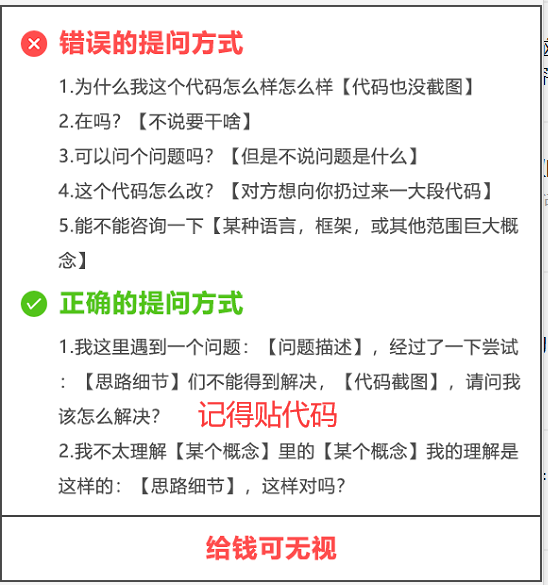
大家在学习过程中如果有遇到问题,欢迎随时联系我解决(我的微信:2584914241),应粉丝要求,我创建了一些高质量的Python付费学习交流群和付费接单群,欢迎大家加入我的Python学习交流群和接单群!
小伙伴们,快快用实践一下吧!如果在学习过程中,有遇到任何问题,欢迎加我好友,我拉你进Python学习交流群共同探讨学习。

------------------- End -------------------
往期精彩文章推荐:

欢迎大家点赞,留言,转发,转载,感谢大家的相伴与支持
想加入Python学习群请在后台回复【入群】
万水千山总是情,点个【在看】行不行

Agent 垂直技术社区,欢迎活跃、内容共建。
更多推荐
 0
0 0
0- 0


 已为社区贡献1条内容

所有评论(0)