vue的基础学习4 TypeScript
·
1.全局安装ts
npm install -g typescript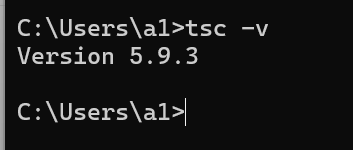
2.类型支持
使用tsc命令可以编译后缀为.ts的文件 编译出.js文件 使用node命令就可以执行了
// 通过ts代码,指定函数的参数类型为string
function hello(msg: string) {
    console.log(msg)
}

// 传入的参数类型为number - 这里会报类型错误
hello(123) // 错误:类型“number”的参数不能赋给类型“string”的参数
TypeScript 编译器会报错:
text
Argument of type 'number' is not assignable to parameter of type 'string'.
这就是 TypeScript 的类型检查在起作用,确保你传入的参数类型与函数声明的一致。
正确的几种写法:
1. 传递正确的 string 类型
typescript
function hello(msg: string) {
    console.log(msg)
}

hello("123") // ✅ 正确:传递字符串
2. 使用联合类型
typescript
function hello(msg: string | number) {
    console.log(msg)
}

hello(123) // ✅ 正确:允许字符串或数字
hello("hello") // ✅ 正确
3. 使用类型断言
typescript
function hello(msg: string) {
    console.log(msg)
}

hello(123 as any) // ✅ 编译通过(不推荐)
hello(String(123)) // ✅ 正确:将数字转为字符串
4. 函数重载
typescript
// 函数重载
function hello(msg: string): void
function hello(msg: number): void
function hello(msg: any): void {
    console.log(msg.toString())
}

hello(123) // ✅ 正确
hello("hello") // ✅ 正确
3.常用类型
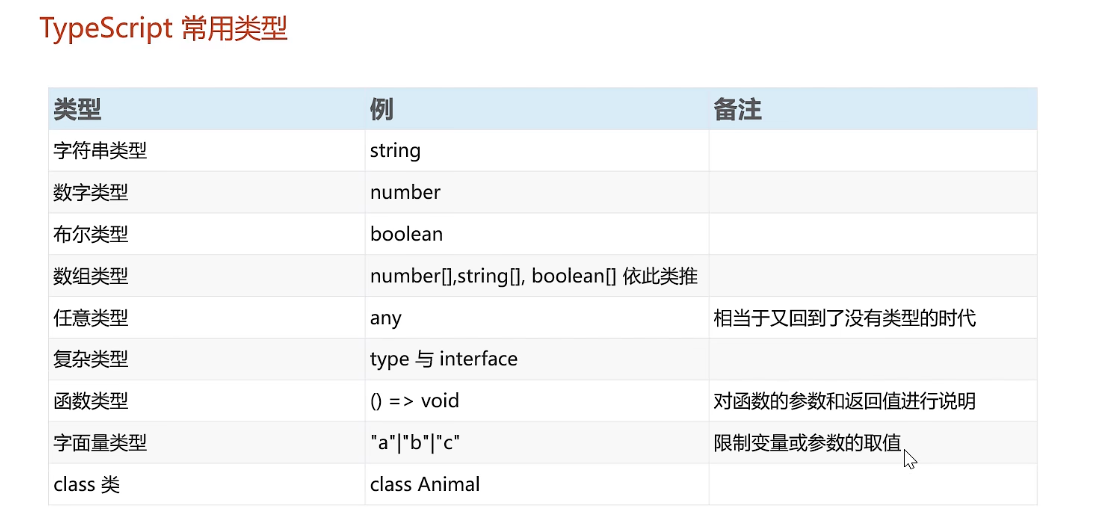

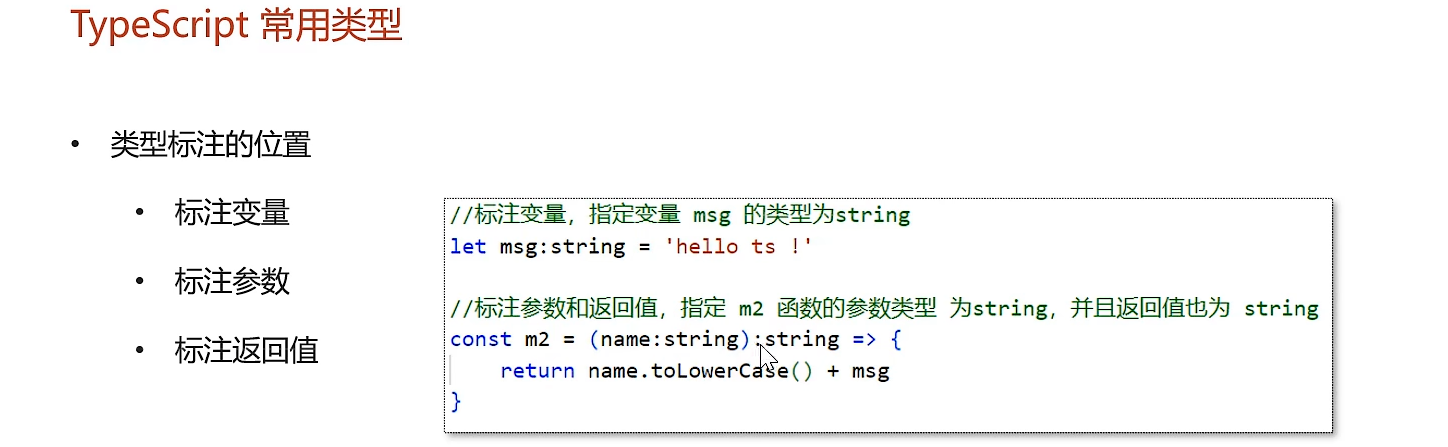
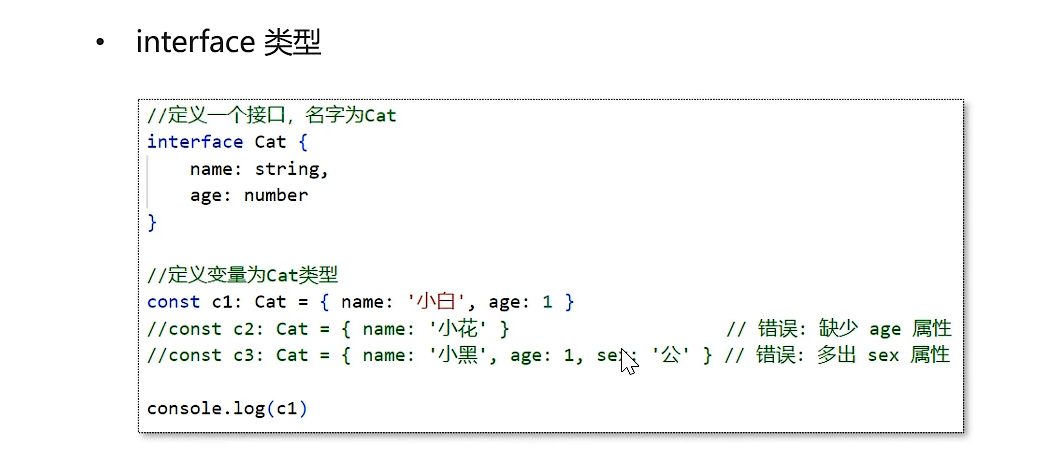
接口类型
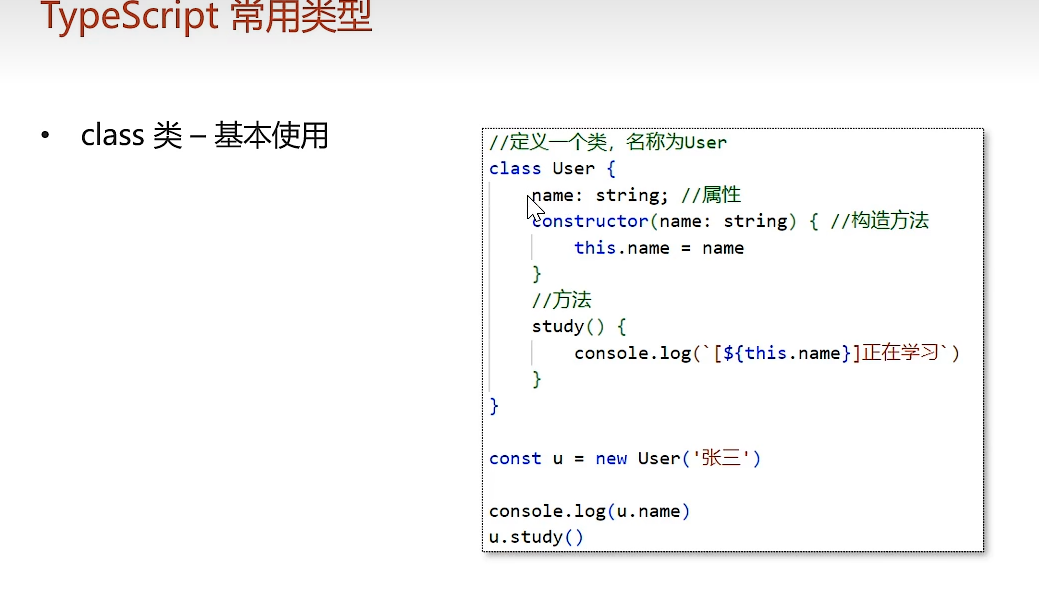
TypeScript比较像Java这样的后端语言 对后端开发、全栈开发很友好
有很多面向对象语言的特性

Agent 垂直技术社区,欢迎活跃、内容共建。
更多推荐
 5
5 0
0- 0


 已为社区贡献4条内容

所有评论(0)