(强烈推荐)别再卷传统RAG了!GraphRAG + DeepSeek API,打造精准问答“最强大脑”!手把手教学
一、安装 GraphRAG
pip install graphrag==1.1.0
注意,2.6以后的版本对于DeepSeek的API接口都是水土不服,2.6之后官方新增了LiteLLM,由于DS现在还不兼容JSON格式,所以确实很鸡肋。
二、运行索引器
我们需要搭建一个数据项目并进行一些初始配置。首先,让我们准备一个示例数据集:
mkdir-p./christmas/input
从可靠来源获取查尔斯·狄更斯所著的《圣诞颂歌》:
curlhttps://www.xxxxxxxxxxxxxxxxxxxx.org/cache/epub/24022/pg24022.txt-o./christmas/input/book.txt
1.设置工作区变量
要初始化工作区,请先运行graphrag init命令。由于我们已经./christmas在上一步中配置了一个名为 <directory\_name> 的目录,因此请运行以下命令:
graphraginit--root./christmas
这将在目录中创建两个文件:.env和。settings.yaml``./christmas
.env该文件包含运行 GraphRAG 管道所需的环境变量。如果您查看该文件,会看到定义了一个环境变量。GRAPHRAG_API_KEY=<API_KEY>请将其替换<API_KEY>为您自己的 OpenAI 或 Azure API 密钥。settings.yaml包含管道的设置。您可以修改此文件来更改管道的设置。
贴出我自己的setting.yaml文件。embeddings模型是从ollma上拉下来的。
### This config file contains required core defaults that must be set, along with a handful of common optional settings.
### For a full list of available settings, see https://microsoft.github.io/graphrag/config/yaml/
### LLM settings ###
## There are a number of settings to tune the threading and token limits for LLM calls - check the docs.
encoding_model: cl100k_base # this needs to be matched to your model!
llm:
api_key: sk-111111111111111111111111 # set this in the generated .env file
type: openai_chat # or azure_openai_chat
model: deepseek-chat
model_supports_json: False
max_tokens: 4000
request_timeout: 180.0
api_base: https://api.deepseek.com/v1
# recommended if this is available for your model.
# audience: "https://cognitiveservices.azure.com/.default"
# api_base: https://<instance>.openai.azure.com
# api_version: 2024-02-15-preview
# organization: <organization_id>
# deployment_name: <azure_model_deployment_name>
token_per_minute: 30000
requests_per_minute: 30
max_retries: 20
max_retry_wait: 10.0
sleep_on_rate_limit_recommendation: true
concurrent_requests: 10
parallelization:
stagger: 0.3
# num_threads: 50
async_mode: threaded # or asyncio
embeddings:
async_mode: threaded # or asyncio
vector_store:
type: lancedb
db_uri: 'output/lancedb'
container_name: default
overwrite: true
llm:
api_key: "211111111111111111111111" # Ollama's local API does not require a key
type: openai_embedding # Ollama exposes an OpenAI-compatible API
model: embedding-2
api_base: https://open.bigmodel.cn/api/paas/v4
# api_version: 2024-02-15-preview
# audience: "https://cognitiveservices.azure.com/.default"
# organization: <organization_id>
# deployment_name: <azure_model_deployment_name>
sleep_on_rate_limit_recommendation: true
concurrent_requests: 50
batch_size: 16
batch_max_tokens: 8191
### Input settings ###
input:
type: file # or blob
file_type: text # or csv
base_dir: "input"
file_encoding: utf-8
file_pattern: ".*\\.txt$"
chunks:
size: 1200
overlap: 100
group_by_columns: [id]
### Storage settings ###
## If blob storage is specified in the following four sections,
## connection_string and container_name must be provided
cache:
type: file # one of [blob, cosmosdb, file]
base_dir: "cache"
reporting:
type: file # or console, blob
base_dir: "logs"
storage:
type: file # one of [blob, cosmosdb, file]
base_dir: "output"
## only turn this on if running `graphrag index` with custom settings
## we normally use `graphrag update` with the defaults
update_index_storage:
# type: file # or blob
# base_dir: "update_output"
### Workflow settings ###
skip_workflows: []
entity_extraction:
prompt: "prompts/entity_extraction.txt"
entity_types: [organization,person,geo,event]
max_gleanings: 1
summarize_descriptions:
prompt: "prompts/summarize_descriptions.txt"
max_length: 500
claim_extraction:
enabled: false
prompt: "prompts/claim_extraction.txt"
description: "Any claims or facts that could be relevant to information discovery."
max_gleanings: 1
community_reports:
prompt: "prompts/community_report.txt"
max_length: 2000
max_input_length: 8000
cluster_graph:
max_cluster_size: 10
embed_graph:
enabled: false # if true, will generate node2vec embeddings for nodes
umap:
enabled: false # if true, will generate UMAP embeddings for nodes (embed_graph must also be enabled)
snapshots:
graphml: false
embeddings: false
transient: false
### Query settings ###
## The prompt locations are required here, but each search method has a number of optional knobs that can be tuned.
## See the config docs: https://microsoft.github.io/graphrag/config/yaml/#query
local_search:
prompt: "prompts/local_search_system_prompt.txt"
global_search:
map_prompt: "prompts/global_search_map_system_prompt.txt"
reduce_prompt: "prompts/global_search_reduce_system_prompt.txt"
knowledge_prompt: "prompts/global_search_knowledge_system_prompt.txt"
drift_search:
prompt: "prompts/drift_search_system_prompt.txt"
basic_search:
prompt: "prompts/basic_search_system_prompt.txt"
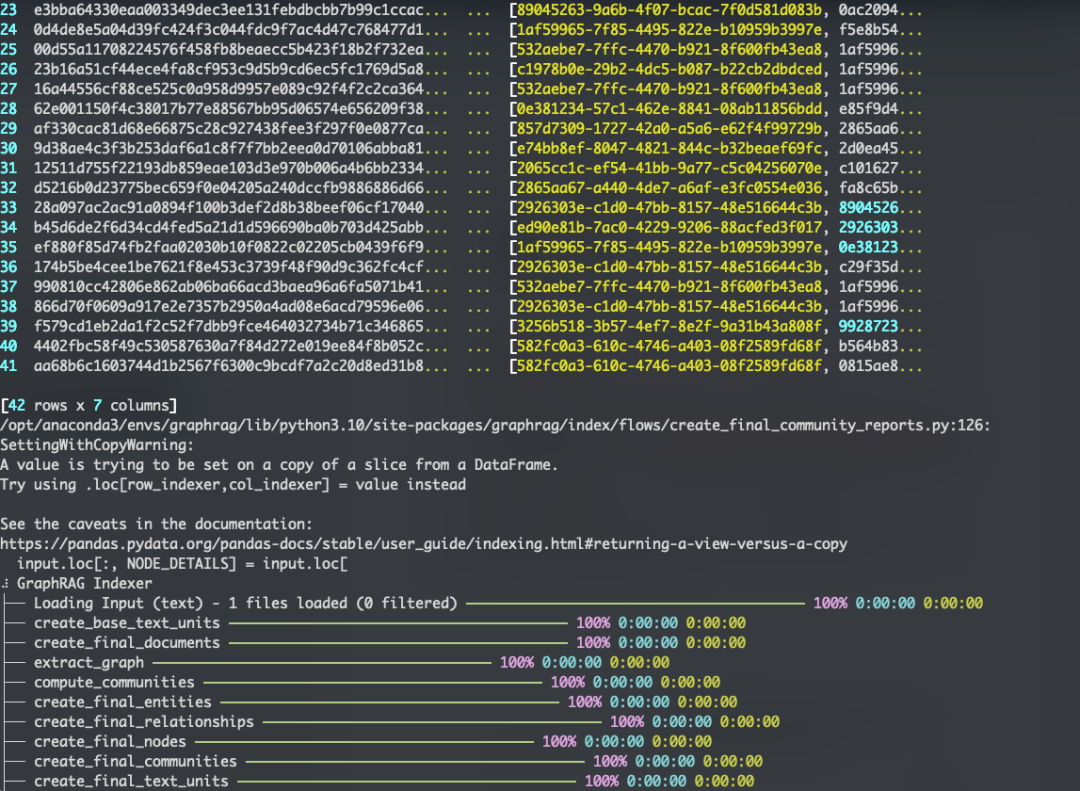
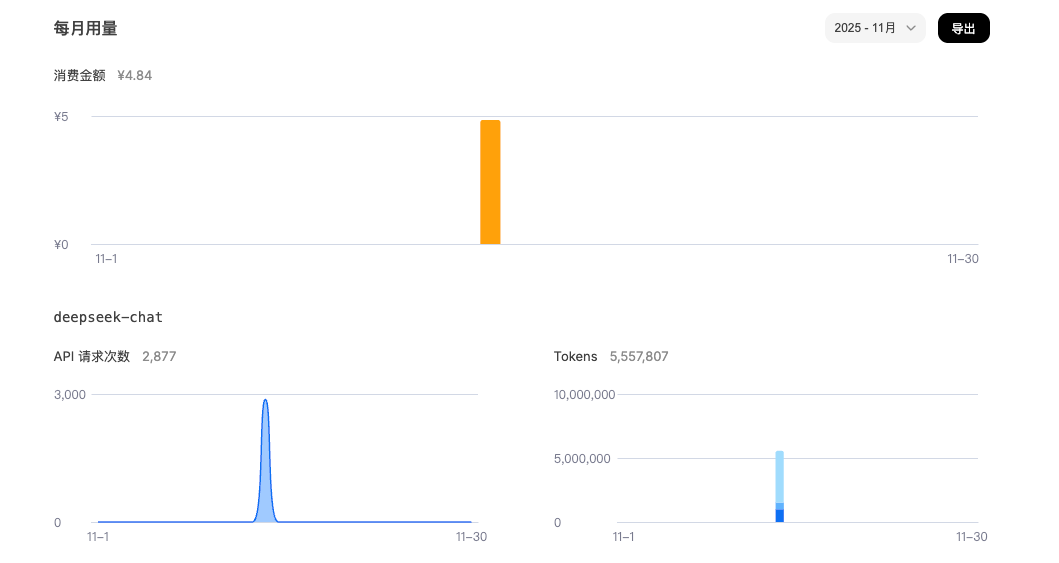
不得不说,构建一次,确实还是有些贵的,难以想象,如果用OpenAI的token的话,一次得多少钱。
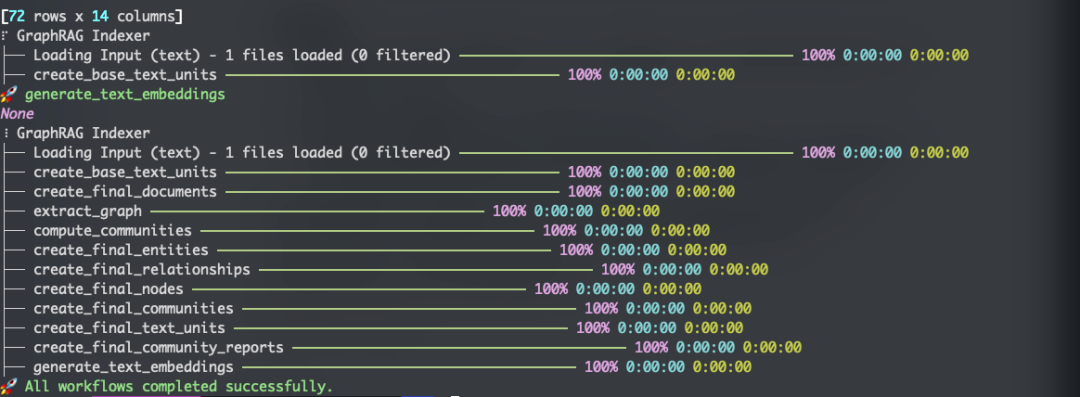
总算是成了。
如何高效转型Al大模型领域?
作为一名在一线互联网行业奋斗多年的老兵,我深知持续学习和进步的重要性,尤其是在复杂且深入的Al大模型开发领域。为什么精准学习如此关键?
- 系统的技术路线图:帮助你从入门到精通,明确所需掌握的知识点。
- 高效有序的学习路径:避免无效学习,节省时间,提升效率。
- 完整的知识体系:建立系统的知识框架,为职业发展打下坚实基础。
AI大模型从业者的核心竞争力
- 持续学习能力:Al技术日新月异,保持学习是关键。
- 跨领域思维:Al大模型需要结合业务场景,具备跨领域思考能力的从业者更受欢迎。
- 解决问题的能力:AI大模型的应用需要解决实际问题,你的编程经验将大放异彩。
以前总有人问我说:老师能不能帮我预测预测将来的风口在哪里?
现在没什么可说了,一定是Al;我们国家已经提出来:算力即国力!
未来已来,大模型在未来必然走向人类的生活中,无论你是前端,后端还是数据分析,都可以在这个领域上来,我还是那句话,在大语言AI模型时代,只要你有想法,你就有结果!只要你愿意去学习,你就能卷动的过别人!
现在,你需要的只是一份清晰的转型计划和一群志同道合的伙伴。作为一名热心肠的互联网老兵,我决定把宝贵的AI知识分享给大家。 至于能学习到多少就看你的学习毅力和能力了 。

第一阶段(10天):初阶应用
该阶段让大家对大模型 AI有一个最前沿的认识,对大模型 AI 的理解超过 95% 的人,可以在相关讨论时发表高级、不跟风、又接地气的见解,别人只会和 AI 聊天,而你能调教 AI,并能用代码将大模型和业务衔接。
- 大模型 AI 能干什么?
- 大模型是怎样获得「智能」的?
- 用好 AI 的核心心法
- 大模型应用业务架构
- 大模型应用技术架构
- 代码示例:向 GPT-3.5 灌入新知识
- 提示工程的意义和核心思想
- Prompt 典型构成
- 指令调优方法论
- 思维链和思维树
- Prompt 攻击和防范
- …
第二阶段(30天):高阶应用
该阶段我们正式进入大模型 AI 进阶实战学习,学会构造私有知识库,扩展 AI 的能力。快速开发一个完整的基于 agent 对话机器人。掌握功能最强的大模型开发框架,抓住最新的技术进展,适合 Python 和 JavaScript 程序员。
- 为什么要做 RAG
- 搭建一个简单的 ChatPDF
- 检索的基础概念
- 什么是向量表示(Embeddings)
- 向量数据库与向量检索
- 基于向量检索的 RAG
- 搭建 RAG 系统的扩展知识
- 混合检索与 RAG-Fusion 简介
- 向量模型本地部署
- …
第三阶段(30天):模型训练
恭喜你,如果学到这里,你基本可以找到一份大模型 AI相关的工作,自己也能训练 GPT 了!通过微调,训练自己的垂直大模型,能独立训练开源多模态大模型,掌握更多技术方案。
到此为止,大概2个月的时间。你已经成为了一名“AI小子”。那么你还想往下探索吗?
- 为什么要做 RAG
- 什么是模型
- 什么是模型训练
- 求解器 & 损失函数简介
- 小实验2:手写一个简单的神经网络并训练它
- 什么是训练/预训练/微调/轻量化微调
- Transformer结构简介
- 轻量化微调
- 实验数据集的构建
- …
第四阶段(20天):商业闭环
对全球大模型从性能、吞吐量、成本等方面有一定的认知,可以在云端和本地等多种环境下部署大模型,找到适合自己的项目/创业方向,做一名被 AI 武装的产品经理。
- 硬件选型
- 带你了解全球大模型
- 使用国产大模型服务
- 搭建 OpenAI 代理
- 热身:基于阿里云 PAI 部署 Stable Diffusion
- 在本地计算机运行大模型
- 大模型的私有化部署
- 基于 vLLM 部署大模型
- 案例:如何优雅地在阿里云私有部署开源大模型
- 部署一套开源 LLM 项目
- 内容安全
- 互联网信息服务算法备案
- …
学习是一个过程,只要学习就会有挑战。天道酬勤,你越努力,就会成为越优秀的自己。
如果你能在15天内完成所有的任务,那你堪称天才。然而,如果你能完成 60-70% 的内容,你就已经开始具备成为一名大模型 AI 的正确特征了。
这份完整版的大模型 AI 学习资料已经上传CSDN,朋友们如果需要可以微信扫描下方CSDN官方认证二维码免费领取【保证100%免费】


Agent 垂直技术社区,欢迎活跃、内容共建。
更多推荐



 5
5 0
0- 0


 已为社区贡献254条内容

所有评论(0)