SpringBoot 整合 SpringMVC
·
一. SpringMVC 自动配置核心内容
SpringBoot 对 SpringMVC 核心组件实现自动配置,无需手动 XML 配置,底层通过DispatcherServletAutoConfiguration等自动配置类完成。
1.核心组件自动管理
1.1 中央转发器(DispatcherServlet)
- 传统 XML 配置需在web.xml中声明servlet和servlet-mapping,SpringBoot 自动接管,无需配置
- 底层由DispatcherServletAutoConfiguration类实现自动注册
1.2 控制器(Controller)
- 控制器类只要在 SpringBoot 注解扫描范围内(如@Controller/@RestController),自动被管理
- 请求映射通过@RequestMapping/@GetMapping/@PostMapping注解实现
1.3 视图解析器
- 自动注册ContentNegotiatingViewResolver(组合所有视图解析器)和BeanNameViewResolver
- 传统InternalResourceViewResolver(前缀 / 后缀配置)无需手动声明,SpringBoot 按需自动配置
1.4 文件上传
- MultipartResolver自动配置,直接通过@RequestParam("file") MultipartFile接收文件
- 可通过配置文件修改上传大小限制(默认 10MB)
1.5 静态资源访问
- 默认访问路径:classpath:/static/、classpath:/public/、classpath:/resources/等
- 无需额外配置,直接访问静态资源(如/js/test.js对应static/js/test.js)
1.6 消息转换器与格式化
- 自动配置 JSON 消息转换器(默认 Jackson),支持请求 / 响应 JSON 格式转换
- 时间格式化可通过配置文件指定(如spring.mvc.format.date=yyyy-MM-dd)
1.7 欢迎页面
- 自动识别resources/static/index.html作为默认欢迎页
二. SpringBoot 扩展 SpringMVC
通过实现WebMvcConfigurer接口自定义扩展 SpringMVC 功能(该接口提供默认方法,无需实现所有方法)。
2.1 视图控制器配置(请求转发)
@Configuration
public class MyMvcConfig implements WebMvcConfigurer {
 @Override
 public void addViewControllers(ViewControllerRegistry registry) {
 // 访问/tx直接转发到success.html
     registry.addViewController("/tx").setViewName("success");
 }
}
2.2 注册格式化器
自定义数据格式化规则(如日期字符串解析):
@Override
public void addFormatters(FormatterRegistry registry) {
 registry.addFormatter(new Formatter<Date>() {
   @Override
     public String print(Date date, Locale locale) {
         return new SimpleDateFormat("yyyy-MM-dd").format(date);
     }
   @Override
     public Date parse(String s, Locale locale) throws ParseException {
         return new SimpleDateFormat("yyyy-MM-dd").parse(s);
     }
    });
}
2.3 扩展消息转换器(以 FastJSON 为例)
引入依赖:
<dependency>
    <groupId>com.alibaba</groupId>
    <artifactId>fastjson</artifactId>
    <version>1.2.47</version>
</dependency>
配置消息转换器
@Override
public void configureMessageConverters(List<HttpMessageConverter<?>> converters) {
    FastJsonHttpMessageConverter converter = new FastJsonHttpMessageConverter();
    FastJsonConfig config = new FastJsonConfig();
    config.setSerializerFeatures(SerializerFeature.PrettyFormat); // 格式化输出
    converter.setFastJsonConfig(config);
    converters.add(converter);
}
2.4 拦截器注册
创建拦截器类:
public class MyInterceptor implements HandlerInterceptor {
    @Override
    public boolean preHandle(HttpServletRequest request, HttpServletResponse response, Object handler) throws Exception {
        System.out.println("前置拦截");
        return true; // 返回true继续执行,false终止
    }

    @Override
    public void postHandle(HttpServletRequest request, HttpServletResponse response, Object handler, ModelAndView modelAndView) throws Exception {
        System.out.println("后置拦截");
    }

    @Override
    public void afterCompletion(HttpServletRequest request, HttpServletResponse response, Object handler, Exception ex) throws Exception {
        System.out.println("最终拦截");
    }
}
注册拦截器:
erride
public void addInterceptors(InterceptorRegistry registry) {
    registry.addInterceptor(new MyInterceptor())
            .addPathPatterns("/**") // 拦截所有请求
            .excludePathPatterns("/hello2"); // 排除指定请求
}
示例:
综上所述,如下代码可得
<!DOCTYPE html>
<html lang="en">
<head>
    <meta charset="UTF-8">
    <title>Title</title>
</head>
<body>
<h2>Test3333333</h2>
<form action="/upload" method="post" enctype="multipart/form-data">
    <input name="pic" type="file">
    <input type="submit">
</form>
<div  th:text="${hello}"> </div>
<div  th:text="${hello}" th:id="${hello.toUpperCase()}">xxxx</div>
<input th:value="${user.getUsername()}">
<hr>
<div th:object="${user}">
    <span th:text="*{username}"></span>
</div>
<a th:href="" th:if="${user.getAge() == 2}" >年龄</a>
<a  th:class="${user.getAge() > 2}?'class1':'class2'" >年龄</a>
<p th:if="${user.score >= 60 and user.score < 85}">B</p>
<p th:if="${user.score < 60}">C</p>
<p th:if="${user.score > 85}">优秀</p>
<span th:switch="${user.gender}">
    <p th:case="1">男</p>
    <p th:case="2">女</p>
</span>
<table>
    <tr th:each="a,aState:${uList}">
        <td th:text="${a.username}"></td>
        <td th:text="${a.password}"></td>
        <td th:text="${aState.index}"></td>
    </tr>
</table>
</body>
</html>
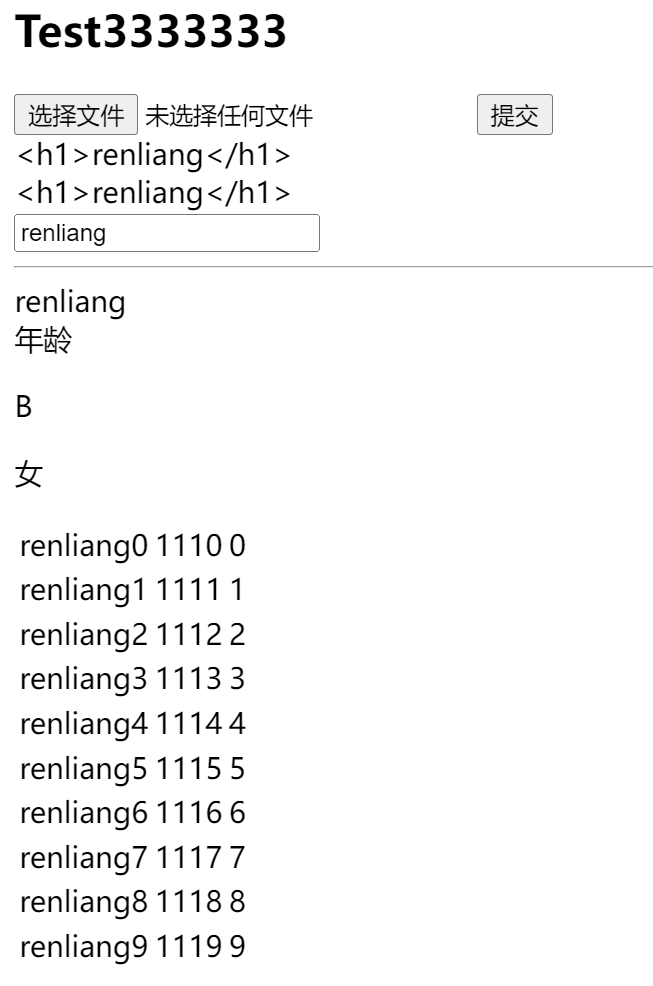
并且点击选择文件时即可弹出图片选择框
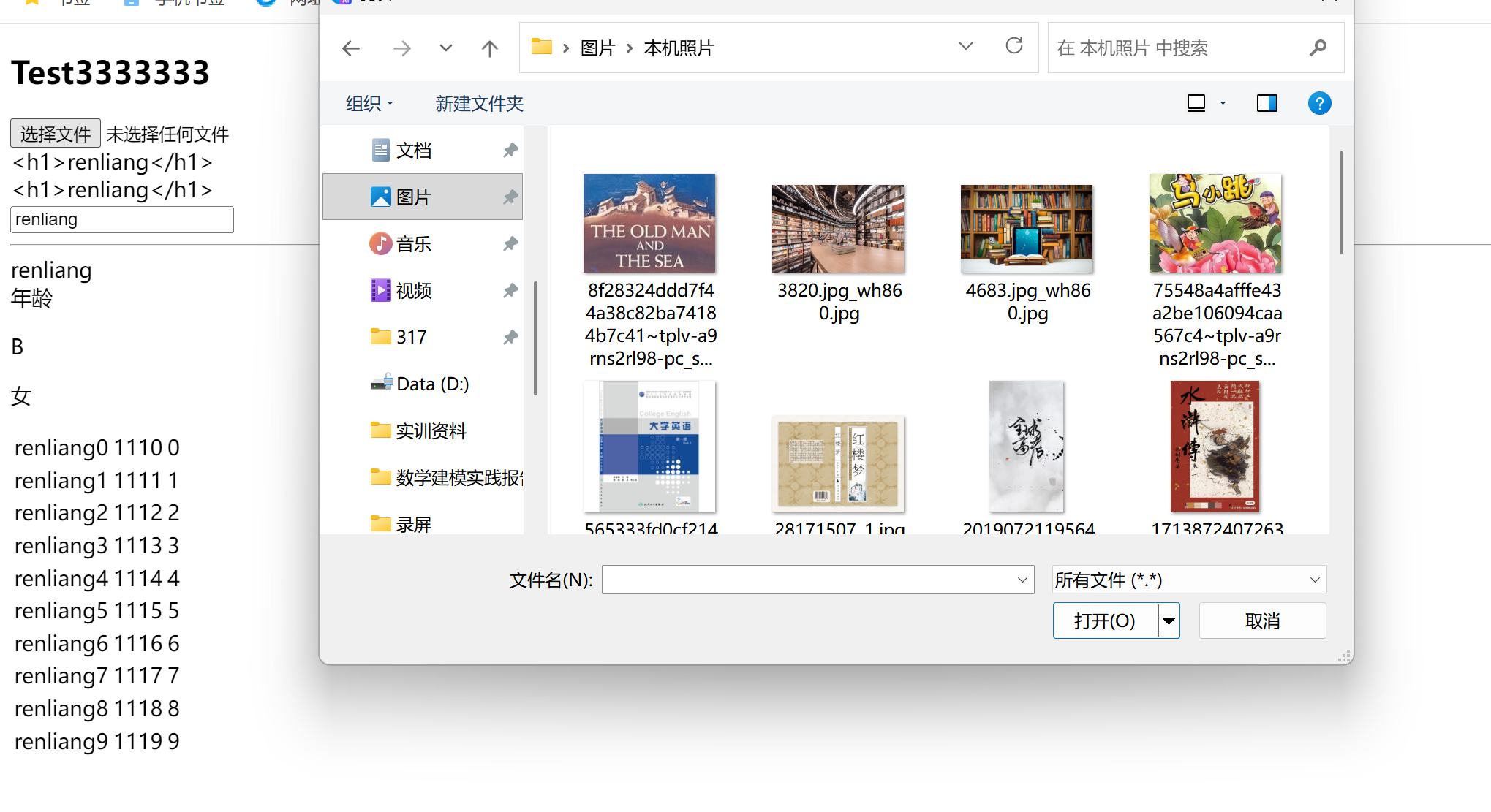
三. 关键扩展接口说明
WebMvcConfigurer核心扩展方法:
|
方法名
|
功能描述
|
|
addViewControllers
|
配置视图控制器(请求转发)
|
|
addFormatters
|
注册自定义格式化器 / 转换器
|
|
configureMessageConverters
|
配置消息转换器
|
|
addInterceptors
|
注册拦截器
|
|
addResourceHandlers
|
自定义静态资源映射
|
|
addCorsMappings
|
配置跨域支持
|
|
configureViewResolvers
|
自定义视图解析器
|

Agent 垂直技术社区,欢迎活跃、内容共建。
更多推荐


 8
8 0
0- 0


 已为社区贡献7条内容

所有评论(0)