

解决Cursor试用限制的终极指南:如何快速重置机器码解锁AI编程工具
 项目地址: https://gitcode.com/GitHub_Trending/go/go-cursor-help
 你是否在使用Cursor AI编程助手时遇到过这样的提示:"Too many free trial accounts used on this machine" 或 "You've reached your trial request limit"?🤔 这些限制提示让许多开发者和程序员感到困扰,特别是在免费试用期间。幸运的是,go-cursor-help 项目提供了完美的解决方案,帮助你快速重置机器码,重新获得Cursor的完整功能。
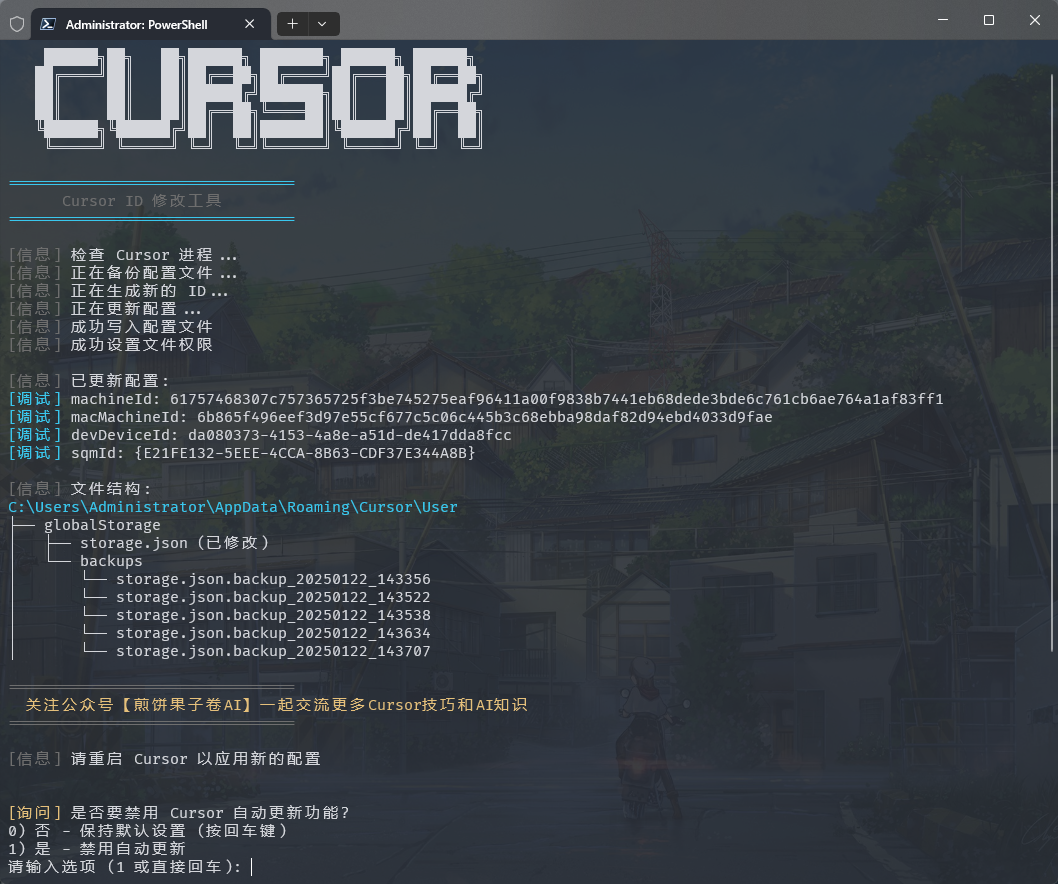
🔧 什么是Cursor机器码重置工具?
go-cursor-help 是一个专门为解决Cursor AI编程助手试用限制而设计的开源工具。它通过修改Cursor的配置文件中的机器标识符,让你能够绕过试用次数限制,继续享受AI编程助手的强大功能。
这个工具支持Windows、macOS和Linux三大操作系统,无论你使用哪种开发环境,都能找到合适的解决方案。
🚀 一键安装与使用指南
Windows用户快速安装
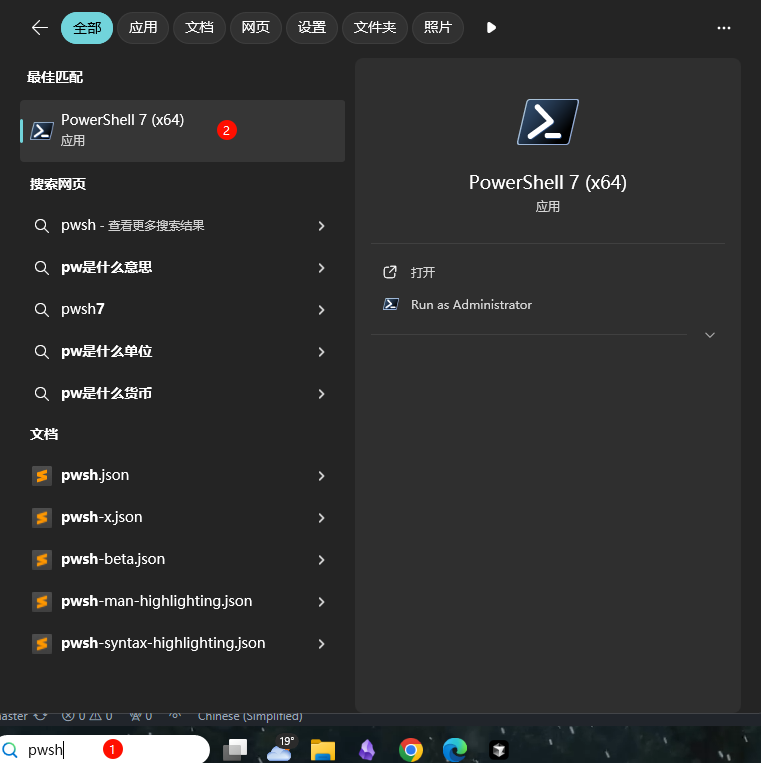
对于Windows用户,最简单的方法是通过PowerShell一键安装:
irm https://aizaozao.com/accelerate.php/https://raw.githubusercontent.com/yuaotian/go-cursor-help/refs/heads/master/scripts/run/cursor_win_id_modifier.ps1 | iexpowershell
macOS用户安装方法
macOS用户可以使用以下命令快速安装:
curl -fsSL https://aizaozao.com/accelerate.php/https://raw.githubusercontent.com/yuaotian/go-cursor-help/refs/heads/master/scripts/run/cursor_mac_id_modifier.sh -o ./cursor_mac_id_modifier.sh && sudo bash ./cursor_mac_id_modifier.sh && rm ./cursor_mac_id_modifier.sh


     bash
Linux用户安装步骤
Linux用户可以使用这条命令:
curl -fsSL https://aizaozao.com/accelerate.php/https://raw.githubusercontent.com/yuaotian/go-cursor-help/refs/heads/master/scripts/run/cursor_linux_id_modifier.sh | sudo bashbash
🛡️ 技术原理与安全性
配置文件修改机制
工具主要修改Cursor的配置文件 storage.json,该文件位于:
- Windows:
%APPDATA%\Cursor\User\globalStorage\ - macOS:
~/Library/Application Support/Cursor/User/globalStorage/ - Linux:
~/.config/Cursor/User/globalStorage/
修改的关键字段
工具会生成新的唯一标识符来替换以下字段:
telemetry.machineId- 机器唯一标识telemetry.macMachineId- MAC地址相关标识telemetry.devDeviceId- 设备标识telemetry.sqmId- 系统质量指标标识
安全特性
- ✅ 安全的进程终止机制
- ✅ 原子文件操作,避免数据损坏
- ✅ 完善的错误处理和恢复机制
- ✅ 自动备份原始配置
📊 支持的Cursor版本
当前工具支持以下版本的Cursor:
- ✅ Windows: 最新的1.0.x版本(完全支持)
- ✅ macOS/Linux: 最新的1.0.x版本(支持并欢迎反馈)
使用前请确认你的Cursor版本,确保兼容性。
🔍 常见问题与解决方案
问题1:试用账号限制
-
Too many
free trial accounts used
on this machine.
-
Please upgrade
to pro.
解决方案:运行重置脚本后重新启动Cursor即可解决。
问题2:API密钥限制
-
Composer relies
on
custom models that cannot be billed
to an API
key.
-
Please disable API keys
and use a Pro
or Business subscription.
解决方案:完全卸载Cursor后重新安装,然后运行重置脚本。
问题3:试用请求限制
You've reached your trial request limit.
解决方案:直接运行重置工具即可恢复正常使用。
💡 使用技巧与最佳实践
-
定期备份配置:在修改前工具会自动备份原始配置,建议用户也手动备份重要数据。
-
关闭自动更新:为了避免Cursor更新到不兼容的新版本,可以禁用自动更新功能。
-
网络优化:如果重置后仍然有问题,尝试切换到低延迟节点(推荐日本、新加坡、美国、香港)。
-
多账号轮换:配合不同的邮箱账号使用,可以获得更稳定的体验。
🌟 项目特点与优势
- 跨平台支持:全面支持Windows、macOS、Linux系统
- 开源透明:代码完全开源,安全可靠
- 易于使用:一键脚本,无需复杂配置
- 持续更新:项目活跃,及时适配新版本Cursor
- 多语言支持:提供中文、英文、日文文档

📈 用户反馈与社区支持
该项目在GitHub上获得了大量开发者的好评,许多用户分享了成功使用的经验。如果你在使用过程中遇到任何问题,可以通过项目的GitHub页面提交issue,社区会及时提供帮助。
🎯 结语
go-cursor-help 是一个专门为解决Cursor AI编程助手试用限制而设计的实用工具。无论是初学者还是资深开发者,都能通过这个工具获得更好的AI编程体验。记住,技术的价值在于帮助人们更高效地工作,而这个工具正是为此而生。
如果你觉得这个工具对你有帮助,不妨给项目点个Star,支持开发者的持续更新和维护。Happy coding! 🚀
创作声明:本文部分内容由AI辅助生成(AIGC),仅供参考


 已为社区贡献2条内容

所有评论(0)