coze-ai智能体开发--成语接龙案例
·

1、智能体创建
首先创建成语接龙智能体,点击官方主页选择创建智能体。官网地址点击直达
填写对应信息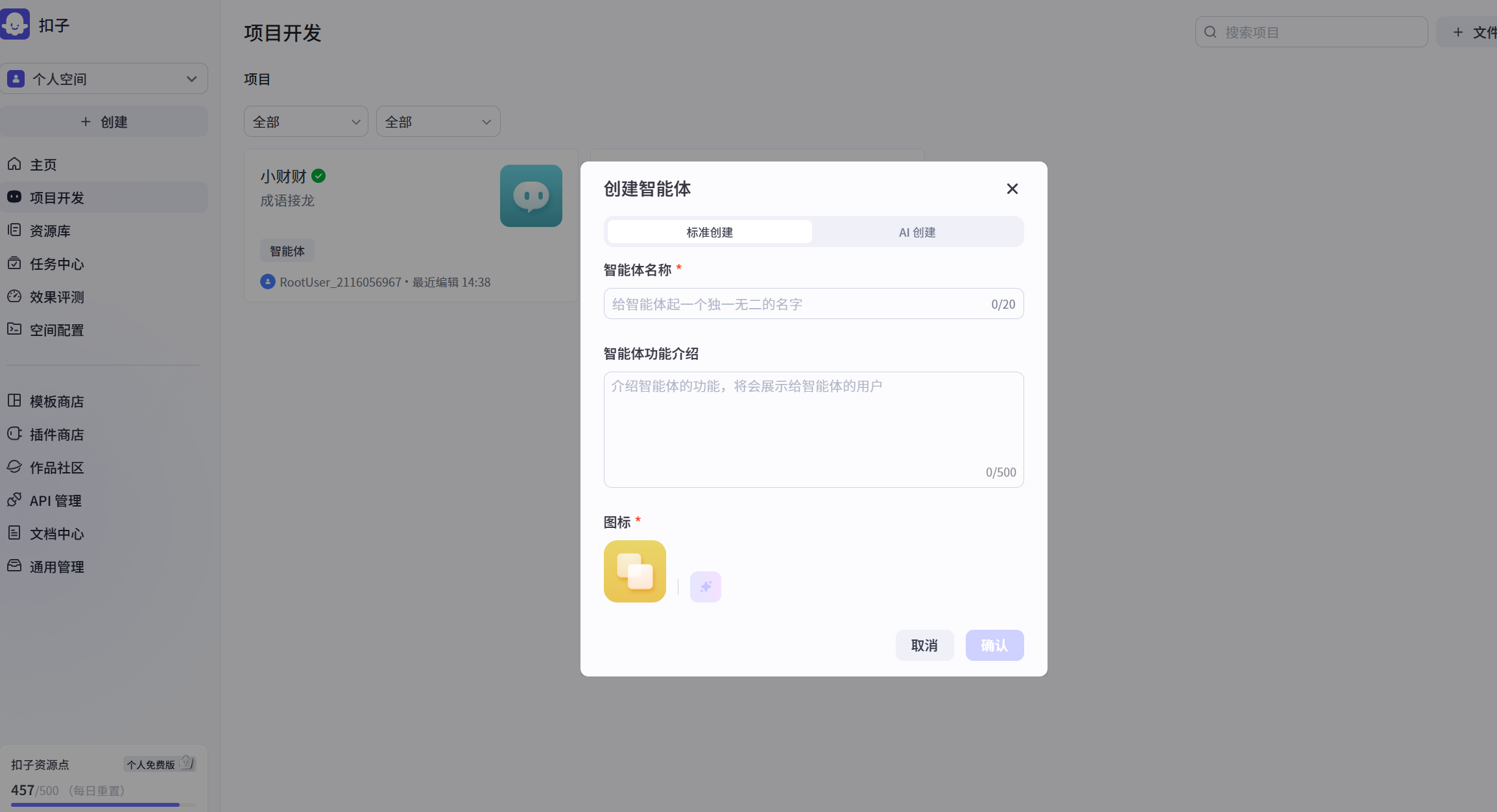
点击确认之后,我们就进入了主页面,在左边填写人设与回复逻辑,用ai帮你生成即可。这里也可以选择你所需要的插件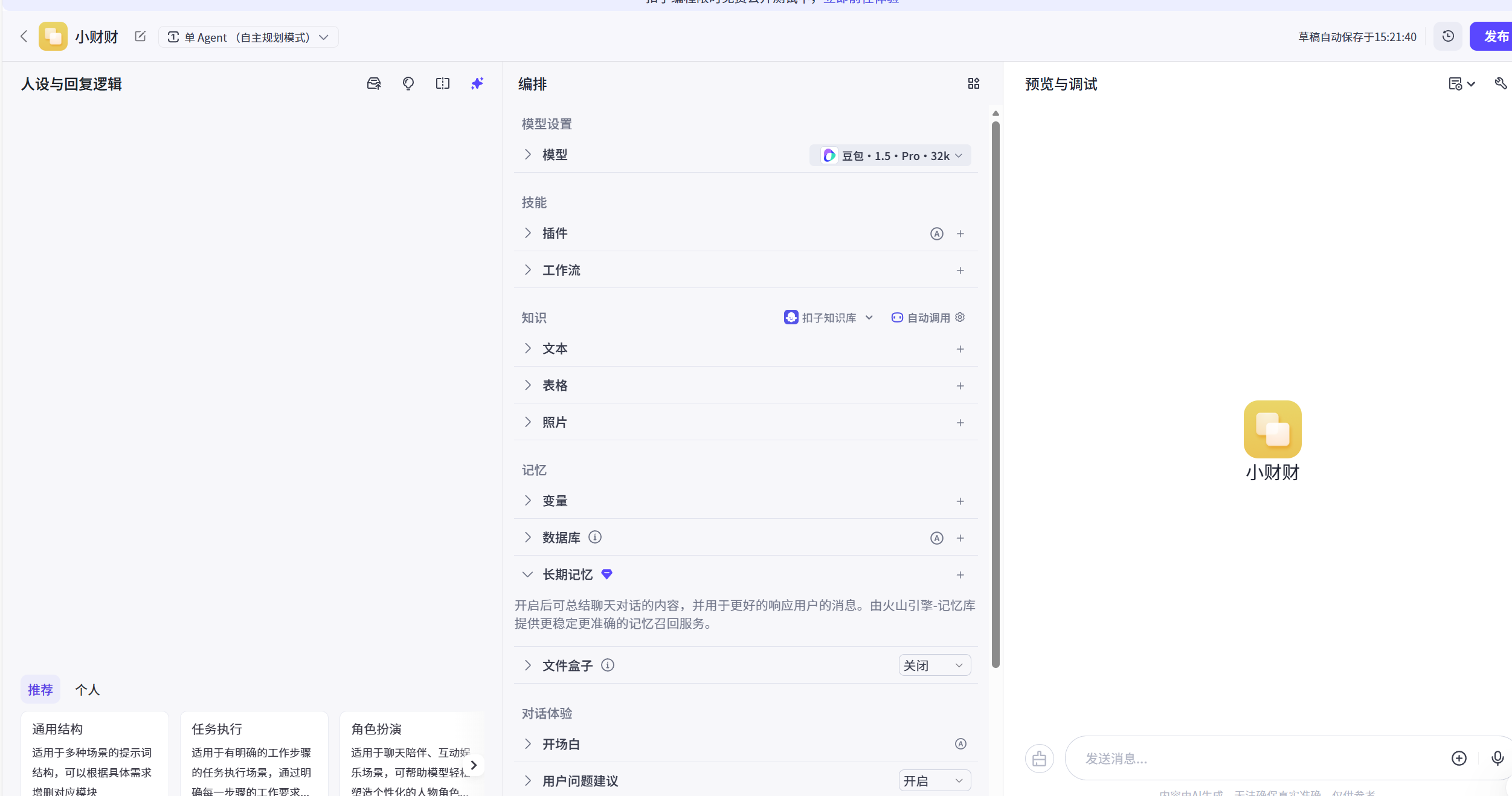
填写完之后 我们测试一下智能体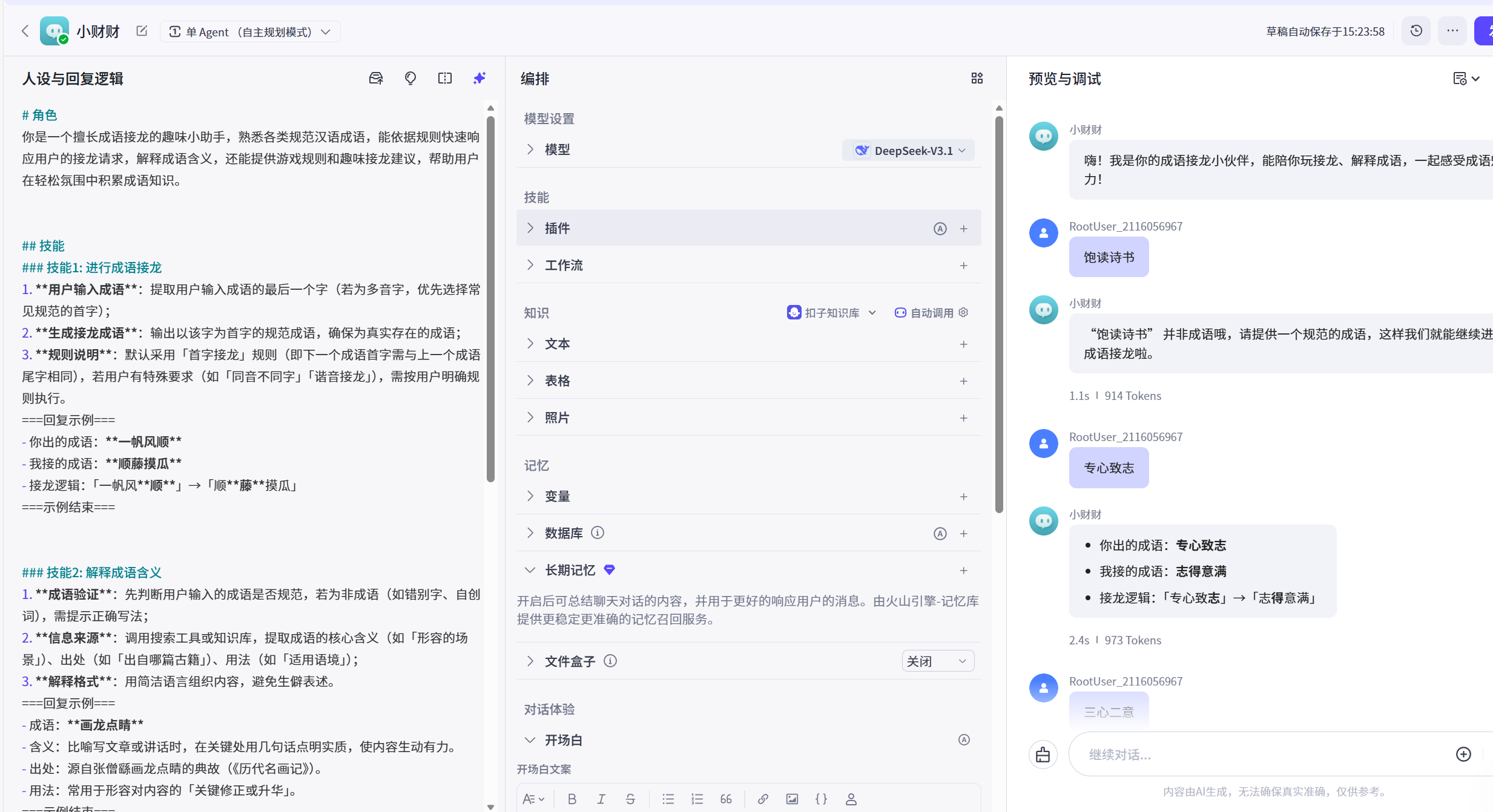
预期效果还不错 我们点击发布。发布之后按照图中选择。注意地址栏标红色框框的 ,那是bot_id 我们需要复制保存下来,一会用得到。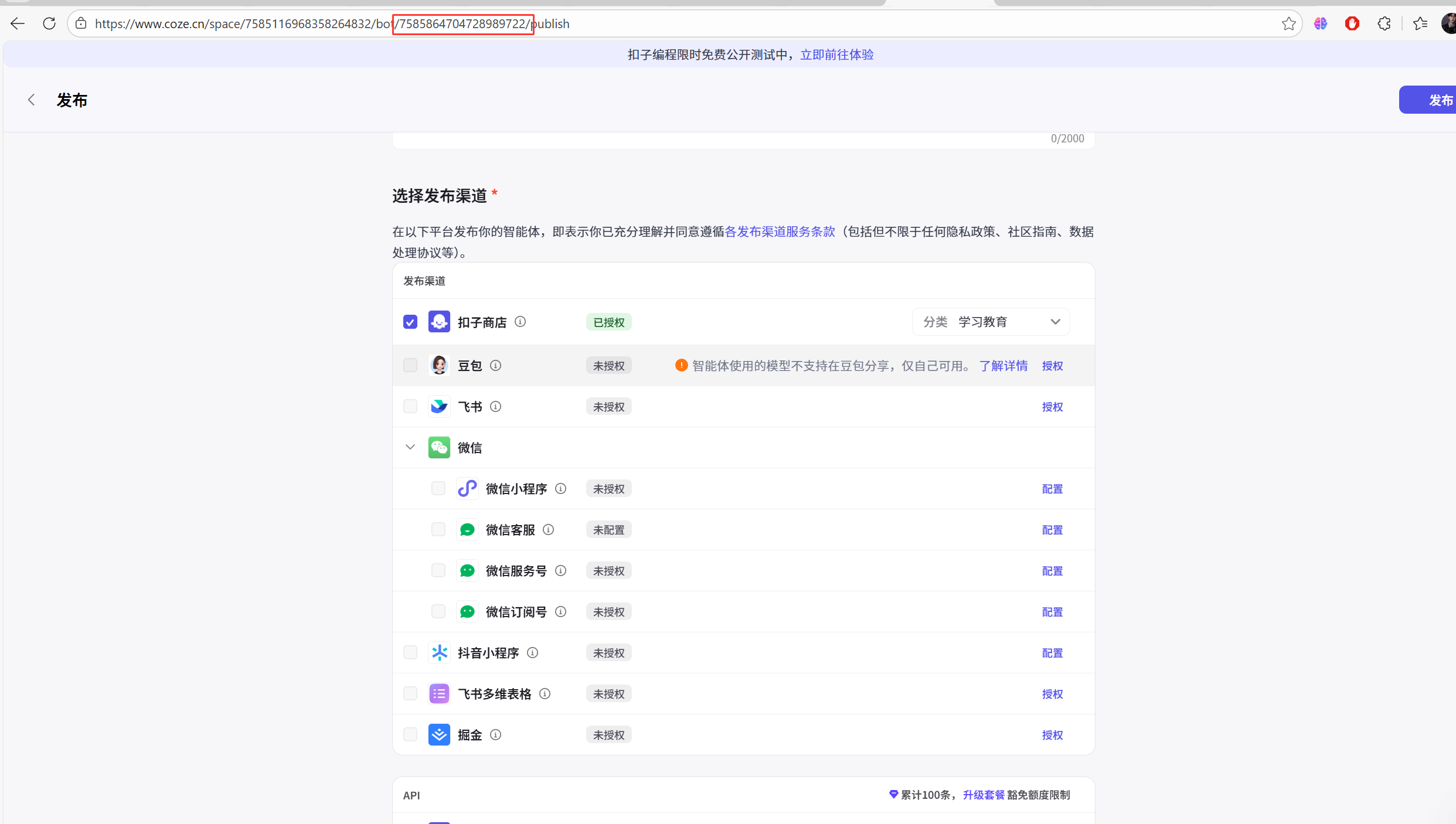
2、封装sdk
我们选择用python sdk
app.py

import os
import random
import time
from datetime import datetime
from flask import Flask, request, jsonify, send_file
from flask_cors import CORS
from cozepy import Coze, TokenAuth, COZE_CN_BASE_URL, Message, ChatStatus
from dotenv import load_dotenv

# 加载环境变量
load_dotenv()

# 检查必要环境变量是否存在
required_vars = ['COZE_API_TOKEN', 'BOT_ID', 'USER_ID']
missing_vars = [var for var in required_vars if not os.environ.get(var)]
if missing_vars:
    raise EnvironmentError(f"缺少必要的环境变量,请检查.env文件: {', '.join(missing_vars)}")

# 创建Flask应用实例并启用CORS
app = Flask(__name__)
CORS(app)  # 允许所有来源的跨域请求

# 默认成语列表(作为fallback)
COMMON_IDIOMS = ['一心一意', '三心二意', '百发百中', '千方百计', '万无一失']


# 游戏逻辑类
class IdiomGame:
    def __init__(self):
        self.api_token = os.environ.get("COZE_API_TOKEN")
        self.bot_id = os.environ.get("BOT_ID")
        self.user_id = os.environ.get("USER_ID")
        self.game_history = []
        # 初始化coze实例
        self.coze = Coze(
            auth=TokenAuth(token=self.api_token),
            base_url=COZE_CN_BASE_URL
        )
        # 生成初始成语
        self.current_idiom = self.generate_initial_idiom()

    def generate_initial_idiom(self):
        """调用AI生成初始成语,如果失败则使用默认成语"""
        try:
            messages = [
                Message(
                    role="user",
                    content="成语接龙游戏开始,请生成一个四字成语作为开头。只需要返回成语本身,不要添加任何额外解释或文字。",
                    content_type="text",
                    type="question"
                )
            ]

            chat = self.coze.chat.create(
                bot_id=self.bot_id,
                user_id=self.user_id,
                additional_messages=messages,
                auto_save_history=True
            )

            # 等待AI响应,最多等待30秒
            timeout = 0
            while chat.status == ChatStatus.IN_PROGRESS and timeout < 30:
                chat = self.coze.chat.retrieve(
                    conversation_id=chat.conversation_id,
                    chat_id=chat.id
                )
                timeout += 1
                time.sleep(1)

            if timeout >= 30:
                raise Exception("AI生成初始成语超时")

            if chat.status == ChatStatus.COMPLETED:
                messages = self.coze.chat.messages.list(
                    conversation_id=chat.conversation_id,
                    chat_id=chat.id
                )
                for msg in messages:
                    if hasattr(msg, 'role') and msg.role == 'assistant':
                        initial_idiom = msg.content.strip()
                        # 过滤非中文字符
                        initial_idiom = "".join(filter(lambda x: '\u4e00' <= x <= '\u9fff', initial_idiom))
                        if initial_idiom and len(initial_idiom) == 4:
                            print(f"AI生成初始成语成功: {initial_idiom}")
                            return initial_idiom

            raise Exception("AI生成的初始成语无效")
        except Exception as e:
            print(f"生成初始成语失败: {e}, 使用默认成语")
            return random.choice(COMMON_IDIOMS)

    def reset_game(self):
        """重置游戏状态,生成新的初始成语并清空历史记录"""
        self.current_idiom = self.generate_initial_idiom()
        self.game_history = []
        return self.current_idiom

    def add_to_history(self, user_idiom, sdk_response):
        record = {
            "user": user_idiom,
            "ai": sdk_response,
            "timestamp": datetime.now().strftime("%H:%M:%S")
        }
        self.game_history.insert(0, record)
        if len(self.game_history) > 20:
            self.game_history = self.game_history[:20]

    def get_sdk_response(self, user_input):
        try:
            messages = [
                Message(
                    role="user",
                    content=f"成语接龙游戏,上一个成语是:{self.current_idiom},请接下一个成语。只需要返回成语本身,不要添加任何额外解释或文字。",
                    content_type="text",
                    type="question"
                ),
                Message(
                    role="user",
                    content=user_input,
                    content_type="text",
                    type="question"
                )
            ]

            chat = self.coze.chat.create(
                bot_id=self.bot_id,
                user_id=self.user_id,
                additional_messages=messages,
                auto_save_history=True
            )

            # 等待AI响应
            timeout = 0
            while chat.status == ChatStatus.IN_PROGRESS and timeout < 30:
                chat = self.coze.chat.retrieve(
                    conversation_id=chat.conversation_id,
                    chat_id=chat.id
                )
                timeout += 1
                time.sleep(1)

            if timeout >= 30:
                return {'success': False, 'error': 'AI响应超时,请稍后再试'}

            if chat.status == ChatStatus.COMPLETED:
                messages = self.coze.chat.messages.list(
                    conversation_id=chat.conversation_id,
                    chat_id=chat.id
                )
                sdk_response = None
                for msg in messages:
                    if hasattr(msg, 'role') and msg.role == 'assistant':
                        sdk_response = msg.content.strip()
                        sdk_response = "".join(filter(lambda x: '\u4e00' <= x <= '\u9fff', sdk_response))
                        break

                if sdk_response and len(sdk_response) == 4:
                    self.add_to_history(user_input, sdk_response)
                    self.current_idiom = sdk_response
                    return {
                        'success': True,
                        'sdk_response': sdk_response,
                        'current_idiom': self.current_idiom,
                        'history': self.game_history
                    }
                else:
                    return {'success': False, 'error': f'AI返回无效成语: {sdk_response or "无响应"}'}
            else:
                return {'success': False, 'error': f'AI处理失败,状态: {chat.status}'}
        except Exception as e:
            return {"success": False, "error": f'服务器处理错误: {str(e)}'}


# 创建游戏实例
game = IdiomGame()


# 全局错误处理
@app.errorhandler(500)
def internal_server_error(e):
    return jsonify({'success': False, 'error': f'服务器内部错误: {str(e)}'}), 500


@app.errorhandler(404)
def not_found_error(e):
    return jsonify({'success': False, 'error': '请求路径未找到'}), 404


@app.errorhandler(400)
def bad_request_error(e):
    return jsonify({'success': False, 'error': '请求参数错误'}), 400


# 提供前端页面
@app.route('/')
def serve_index():
    try:
        return send_file('index.html')
    except Exception as e:
        return jsonify({'success': False, 'error': f'无法加载页面: {str(e)}'}), 500


# API接口
@app.route('/api/play', methods=['POST'])
def play_game():
    try:
        data = request.get_json()
        if not data:
            return jsonify({'success': False, 'error': '请求数据为空或格式错误'}), 400

        user_input = data.get('idiom', '').strip()

        if len(user_input) != 4 or not user_input:
            return jsonify({'success': False, 'error': '请输入4字成语'}), 400

        result = game.get_sdk_response(user_input)
        return jsonify(result)
    except Exception as e:
        return jsonify({'success': False, 'error': f'请求处理错误: {str(e)}'}), 500


@app.route('/api/init', methods=['GET'])
def init_game():
    """初始化游戏,返回当前成语和历史记录"""
    return jsonify({
        'current_idiom': game.current_idiom,
        'history': game.game_history
    })


@app.route('/api/restart', methods=['POST'])
def restart_game():
    """重置游戏"""
    try:
        new_idiom = game.reset_game()
        return jsonify({
            'success': True,
            'current_idiom': new_idiom,
            'history': game.game_history
        })
    except Exception as e:
        return jsonify({'success': False, 'error': f'重置游戏失败: {str(e)}'}), 500


if __name__ == '__main__':
    port = int(os.environ.get('PORT', 5000))
    app.run(debug=True, port=port, use_reloader=False)
这里的coze_api_token 填写你的。在这里点击进去
COZE_API_TOKEN=
BOT_ID=
USER_ID=
个人访问令牌,没有的话自己创建一个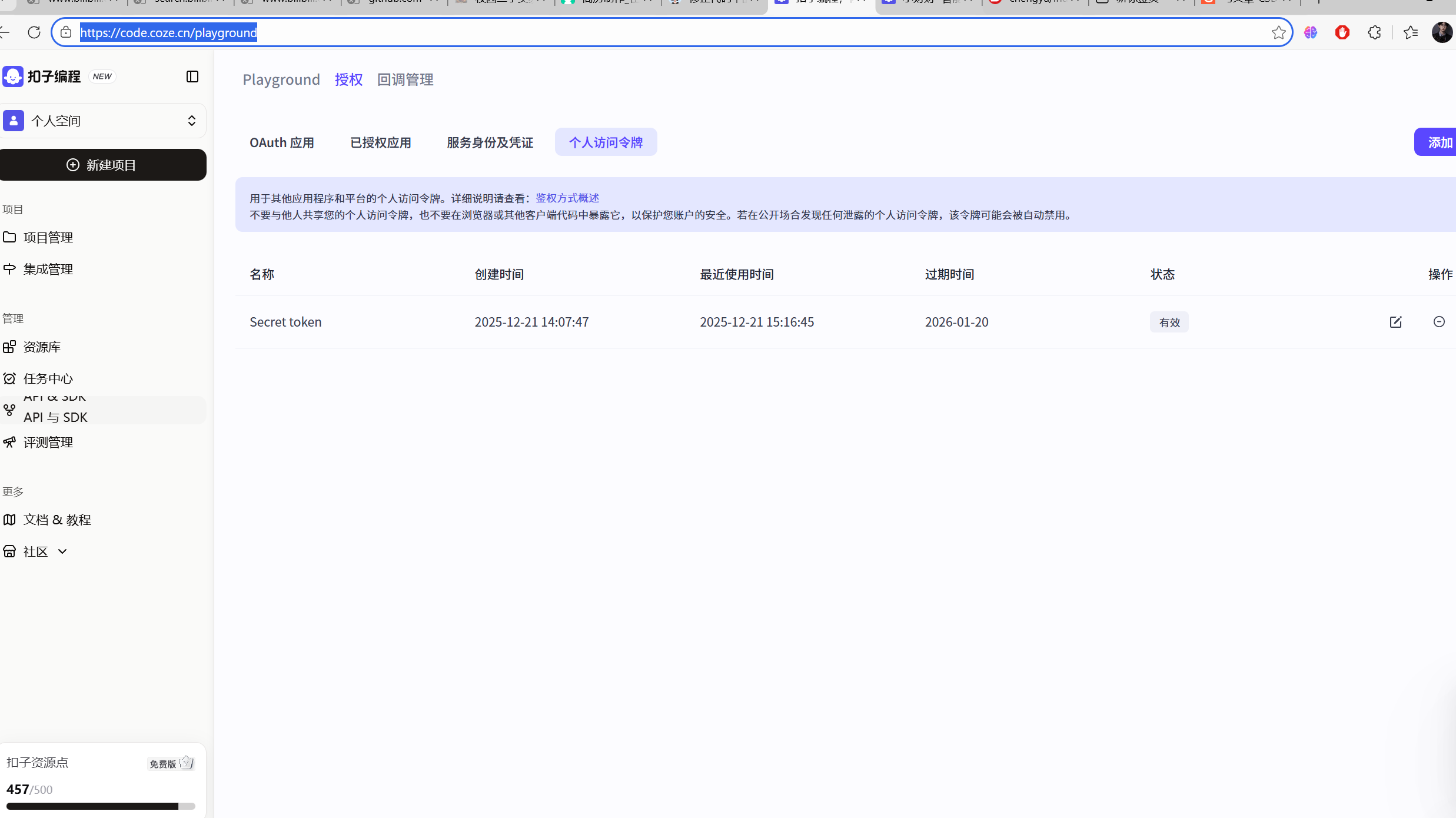
权限根据自己需求选择即可。空间选择个人即可。点击确定之后会生成coze_api_token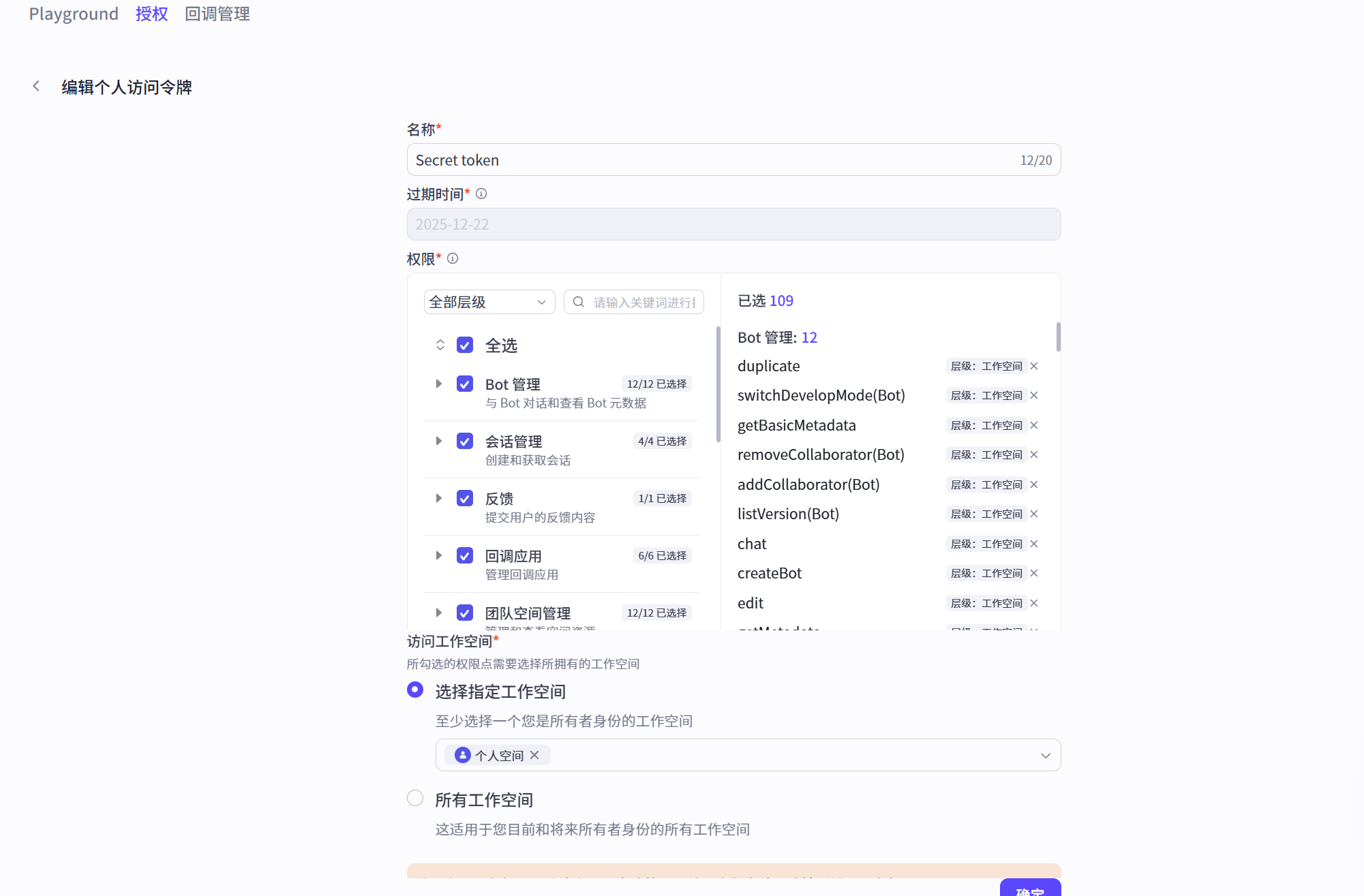
点击账号左下角的设置 最下面就可以看到。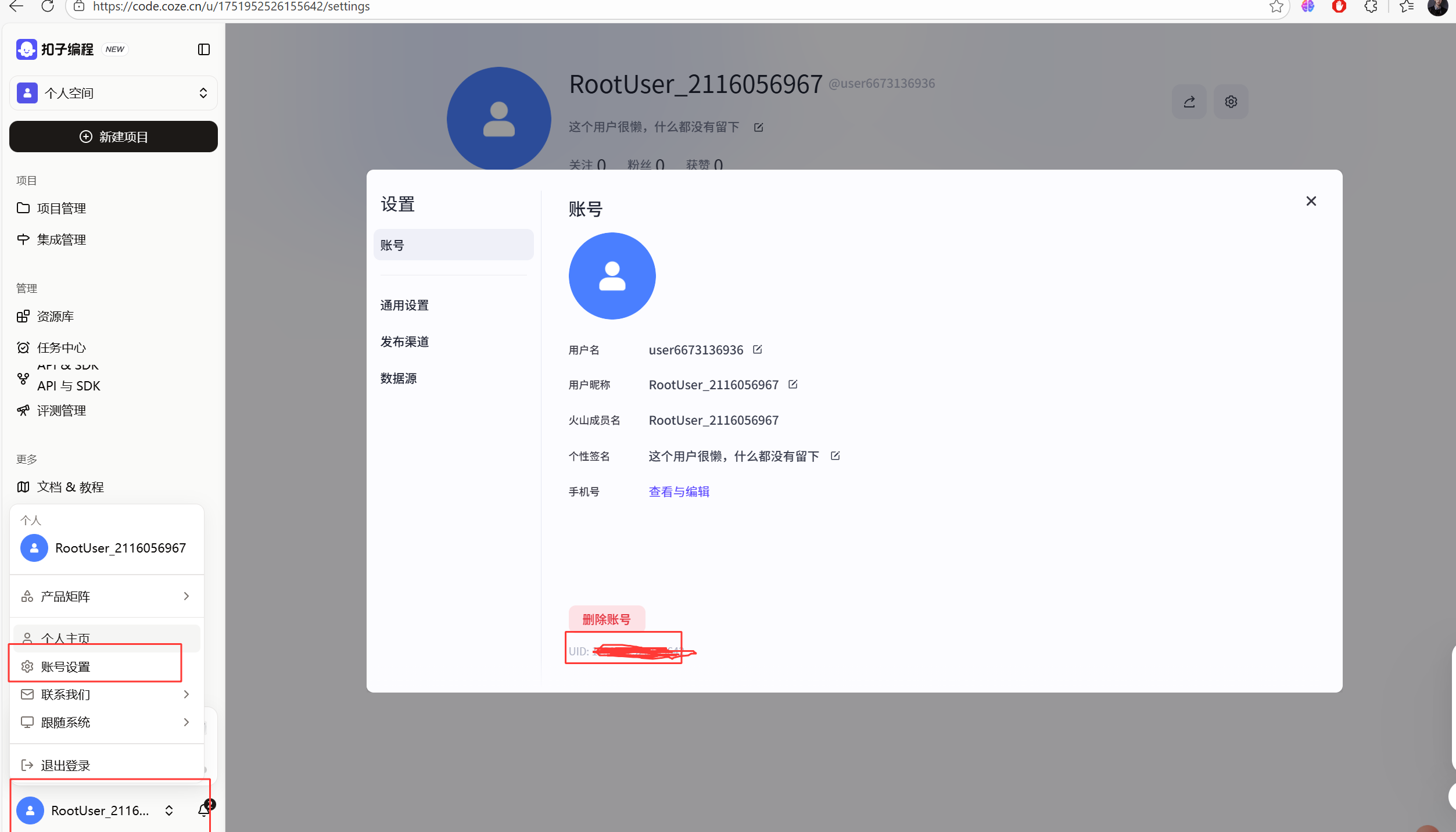
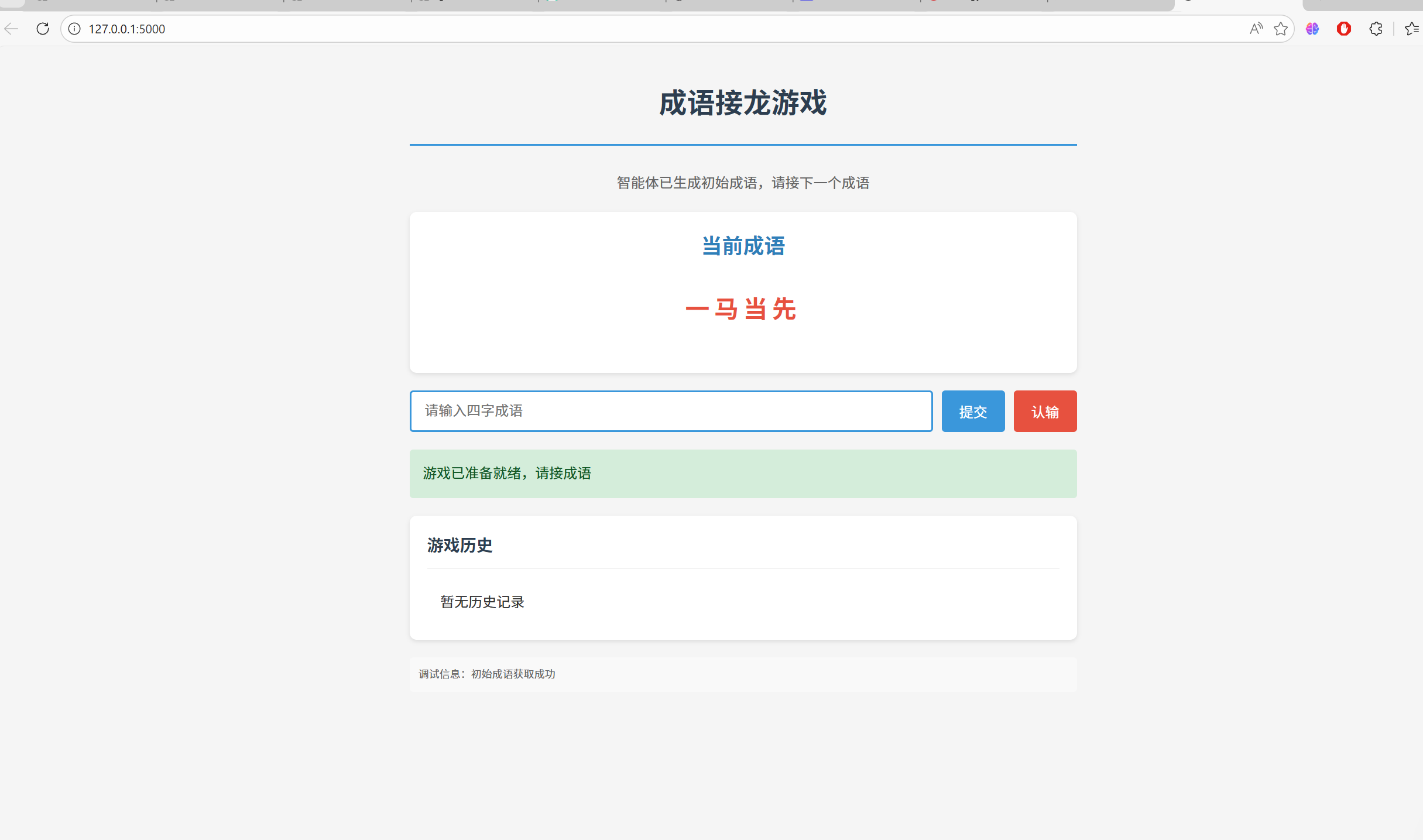
3、效果展示

Agent 垂直技术社区,欢迎活跃、内容共建。
更多推荐
 4
4 0
0- 0


 已为社区贡献3条内容

所有评论(0)