vscode 使用
·
目录
[Settings]
1、vscode显示120字符或者80字符提示线
1、 File -> Preferences -> Settings
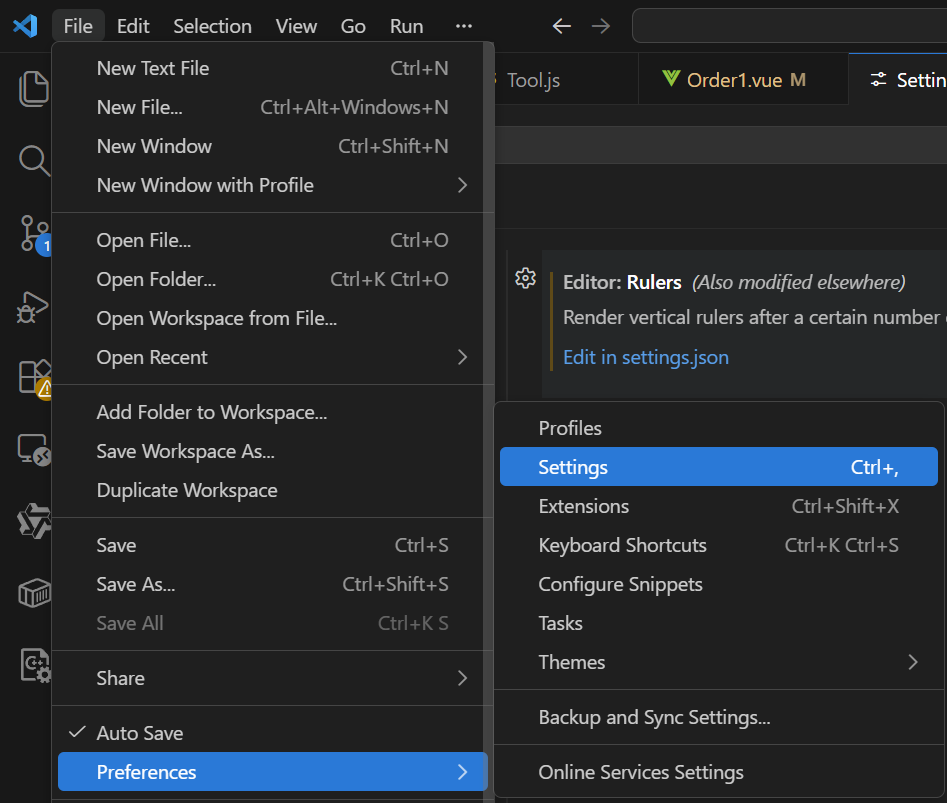
2、 Search settings:editor:rulers
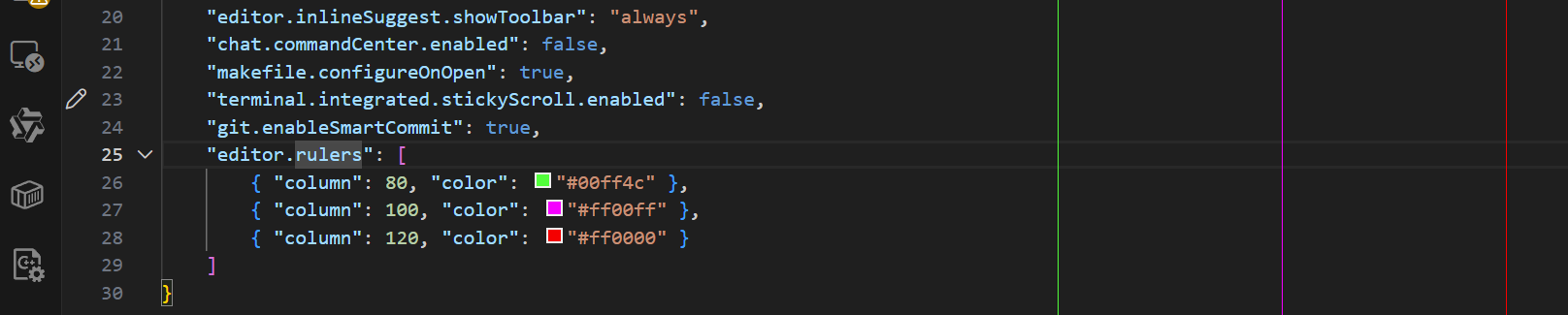
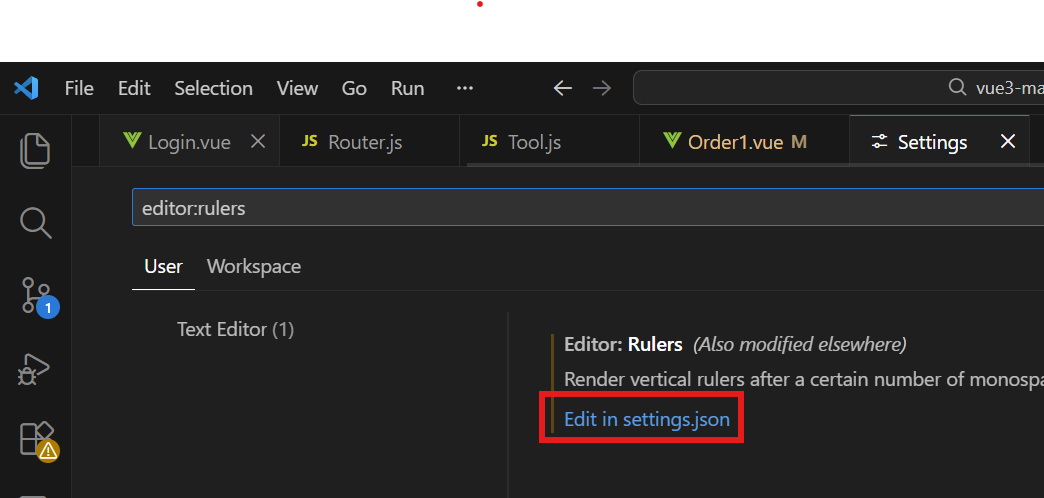 3、setting.json 文件中配置 "editor:rulers"
"editor.rulers": [
    { "column": 80, "color": "#00ff4c" },
    { "column": 100, "color": "#ff00ff" },
    { "column": 120, "color": "#ff0000" }
]
4、语句长度
一条常见但有点过时的规则,就是语句长度应限制在80个字符以内,理由如下。
■ 超过80个字符的语句很难读。
■ 80个字符的限制不鼓励深度嵌套。
■ 长于80字符的语句行在8.5×11英寸规格纸张上放不下,特别是当一面打印
两栏代码时(每张物理输出页面打印两页代码)。
有了大幅面的显示器、窄的字体和横向打印模式,80个字符/行的限制日益显
得武断了。一行上有90个字符常比为避免超出80个字符将其拆分为两行要容易
读得多。
常见的代码行长度限制为 80 或 120 字符,具体根据公司团队、项目类型,可以定制不同编码规范。
[Extensions]
1、 git commit message helper
Git commit message helper - Visual Studio Marketplace
1、install
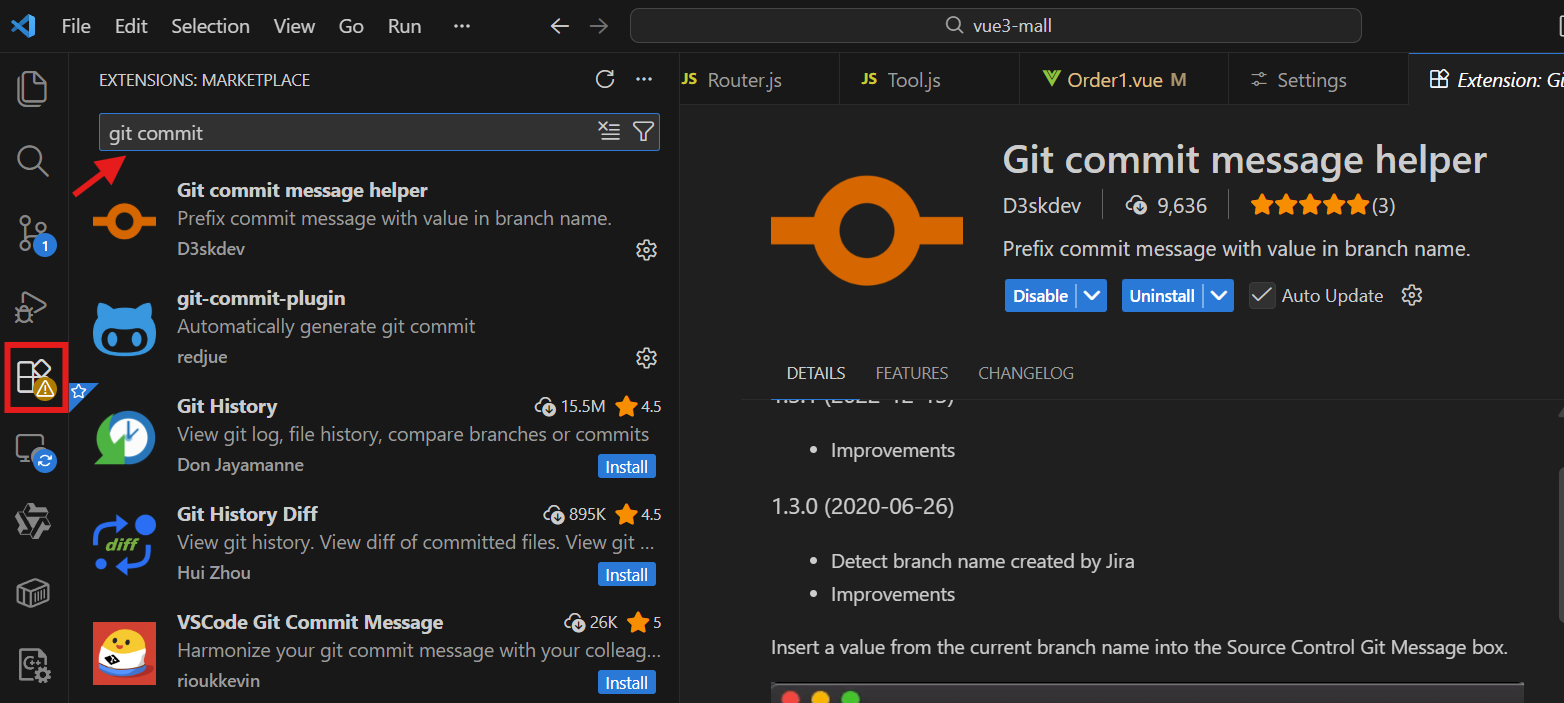
2、使用
使用一:
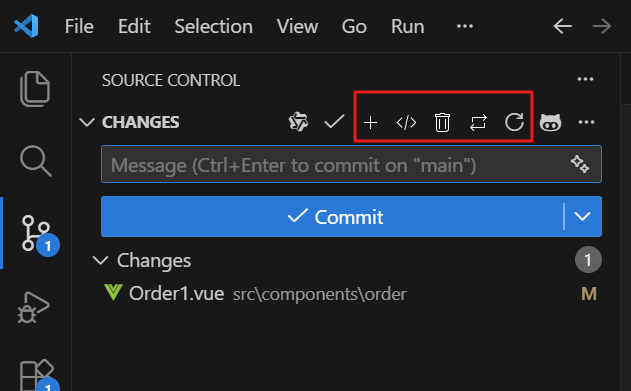
+ main: Added
</> main: Fixed
|| main: Removed
<- -> main: Updated
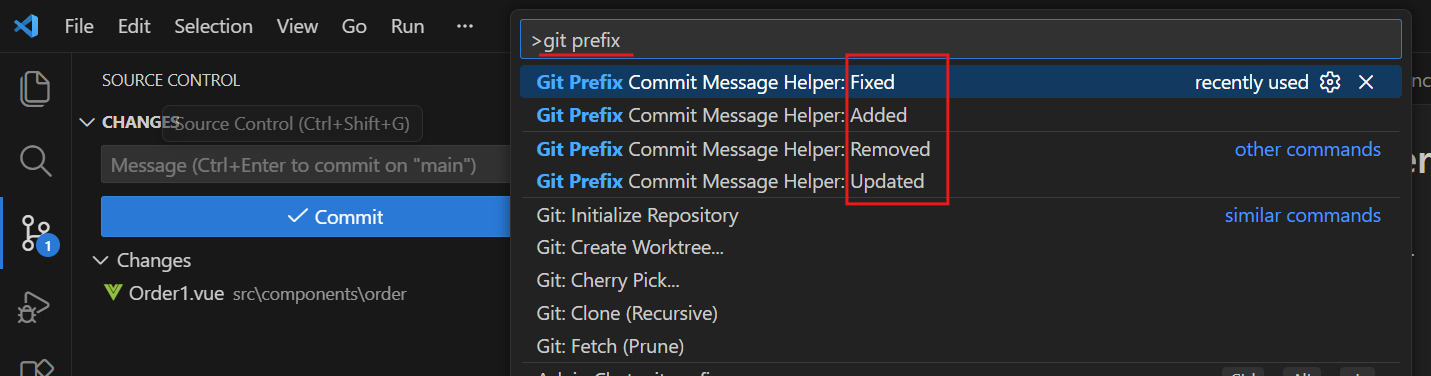
使用二:
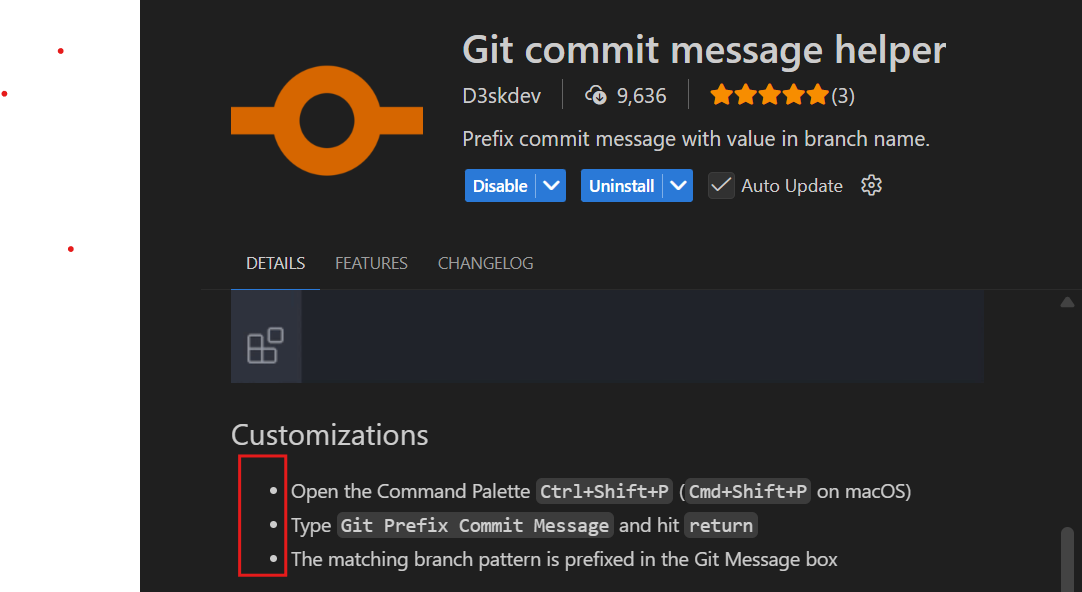
Ctrl + Shift + P 搜索> git prefix
3、Type
| feat | A new feature |
| fix | A bug fix |
| docs | Documentation only changes |
| style | Changes that do not affect the meaning of the code (white-space, formatting, missing semi-colons, etc) |
| refactor | A code change that neither fixes a bug nor adds a feature |
| perf | A code change that improves performance |
| test | Adding missing tests or correcting existing tests |
| build | Changes that affect the build system or external dependencies (example scopes: gulp, broccoli, npm) |
| ci | Changes to our CI configuration files and scripts (example scopes: Travis, Circle, BrowserStack, SauceLabs) |
| chore | Other changes that don't modify src or test files |
| revert | Reverts a previous commit |

Agent 垂直技术社区,欢迎活跃、内容共建。
更多推荐


 3
3 0
0- 0


 已为社区贡献1条内容

所有评论(0)