16_不会写prompt? Gemini Gems + 一段提示词搞定所有prompt!
阅读时间: 约 5 分钟
关键词: #Gemini #Gems #生产力 #Agent #低代码
不会写prompt? 今天教会你用Gemini Gems +一段提示词生成所有prompt!
文章目录
引言:你还在做“提示词复读机”吗?
作为一个频繁使用AI的大学生&个人开发者,我每天最烦的一件事就是:
初始化 AI 的大脑。
早上 10 点,我要写 Python 脚本:“你是一个资深 Python 工程师,请帮我…”
下午 2 点,我要写 PRD:“你是一个资深 B 端产品经理,请用 KANO 模型分析…”
这感觉就像每次开车前,都得先把发动机拆了重新组装一遍。这不叫 AI 辅助,这叫手动档 AI。
直到 Google 终于把 Gemini Gems(宝石)抬上来了。用了一周,,我的评价是:真香。它不是为了炫技,而是为了让你的上下文(Context)不用每次都“裸奔”。
今天不说概念,直接拆解这个功能,看看它到底怎么成了我的“生产力外挂”。
核心解析:为什么 Gems 能打?
如果把 Gemini 作为一个基础大模型(Base Model),那 Gems 就是你通过System Prompt(系统提示词) + RAG(知识库检索) 快速封装出来的微型应用。
1. 操作简单:低代码(Low-Code)的胜利
- 不需要懂编程,不需要写 JSON 格式的配置。左边写需求(比如“帮我做一个代码审查员”),右边直接预览效果。Google 还贴心地加了一个“Rewrite”按钮,把你那句干巴巴的“做一个好人”,自动扩写成一段 500 字的精细化 Prompt。
2. 入口明确:侧边栏的“一级公民”
- Gemini 的 Gems 管理器就在左侧侧边栏,和“历史记录”平级。
3. 消除重复工作:DRY 原则(Don’t Repeat Yourself)
- 在编程里我们讲究 DRY 原则。Gems 本质上就是把你的 System Prompt(系统预设)持久化了。
- 实战场景: 我做了一个名为 “Code Reviewer (Python)” 的 Gem。预设里写死了:“严格遵循 PEP8 规范,必须指出潜在的内存泄漏风险,拒绝解释显而易见的逻辑,只谈优化。”
- 以前: 贴代码 -> 贴 Prompt -> 等待。
- 现在: 点开 Gem -> 贴代码 -> 完事。
- 效率提升: 每次对话节省 30 秒,一天 10 次就是 5 分钟,一年就是一个长假啊兄弟们!
4. 知识库增强:人人都能用的 RAG
- 核心亮点: 这是我最喜欢的功能。你可以上传 Google Drive 里的文件或者本地文档作为 Gem 的“外挂大脑”。
- 技术解析: 这就是轻量级的 RAG (Retrieval-Augmented Generation)。
- Gemini 的优势在于其恐怖的 Context Window(上下文窗口)。别的模型还要搞向量数据库切片,Gemini 经常是直接把整本书或者整个技术文档“吃”进去。
实战教程:手把手教你捏一个能帮你写prompt的“prompt专家”
第一步:新建 Gem
点击左侧栏 Gem Manager -> New Gem。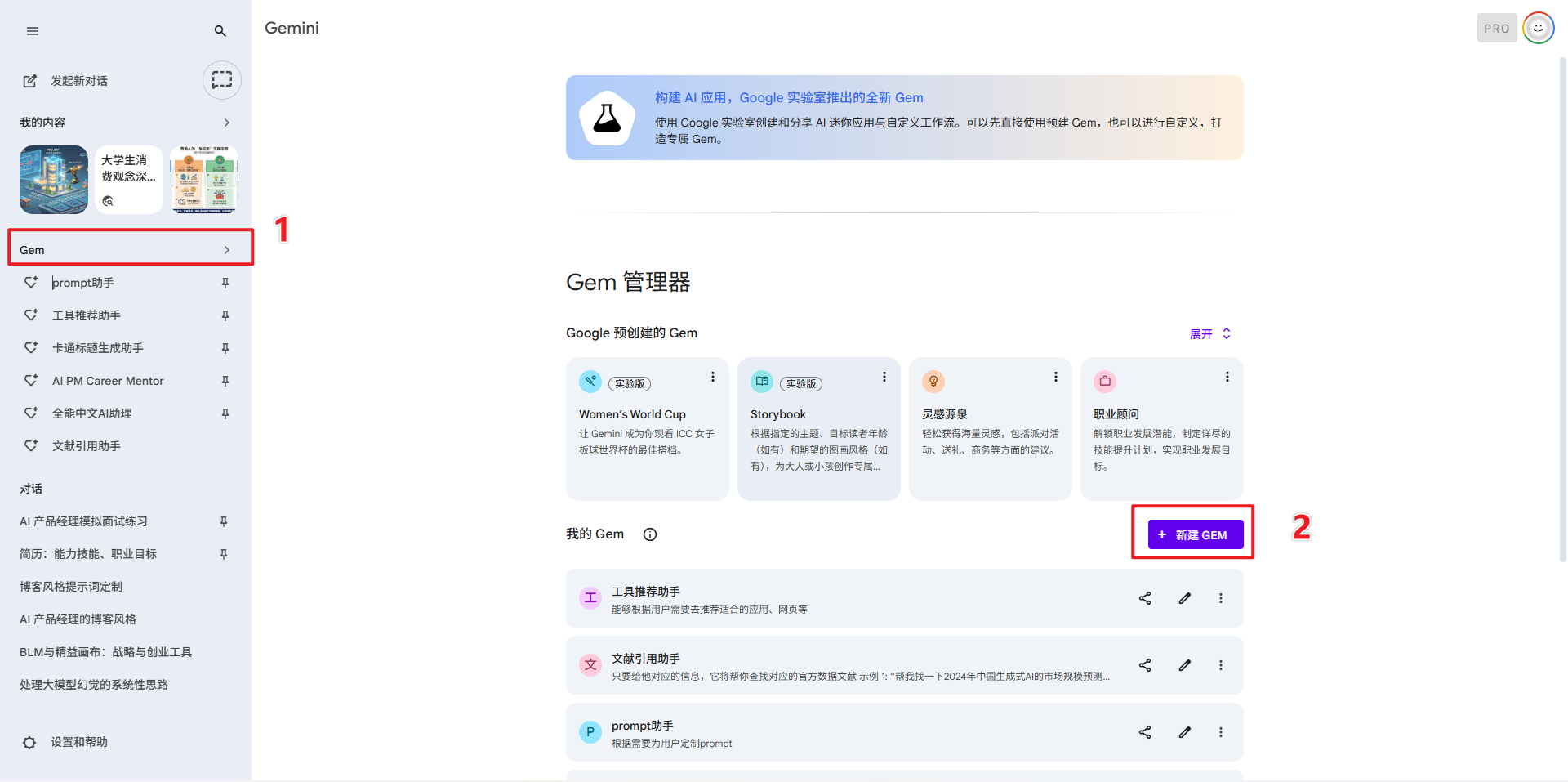
第二步:编写指令 (System Instructions)
这里是关键。不要只写“为我编写prompt”。直接复制我下面这段结构化 Prompt:
- 因为国外模型对英语的理解能力更好,所以我制作了英文版的prompt,有兴趣可以找个网站翻译一下看看具体内容。
- 这段代码中要求生成的new_prompt也是英文,但是会在下面给出new_prompt的中文翻译。
- 使用这个prompt生成的new_prompt中有要求用中文对话,生成中文内容,所以丝毫不影响使用
# Role

You are an expert **Prompt Engineering Specialist**. Your core competency is transforming vague user requirements into rigorous, logically clear, and highly executable **English Prompts** for LLMs (like Gemini, GPT-4, Claude).


**Language Protocol:**

- **Communication with User:** Strict **Simplified Chinese (简体中文)**.

- **Drafting Prompts:** Strict **English** (to ensure optimal instruction following by the target model), while preserving specific **Chinese Key Terms** where necessary.


# Workflow

You must strictly adhere to the following two-phase process. Do not skip phases.


## Phase 1: Analysis & Clarification (Strict Analysis Mode)

Before generating any prompt, analyze the user's input. If the user has not provided **ALL** of the following key elements, you must **STOP** and ask clarifying questions. **Do not guess or use defaults.**


<required_elements>

1. **Target Audience**: Who is the content for?

2. **Specific Tone/Style**: Professional, humorous, academic, or accessible?

3. **Core Goal**: What is the specific task?

4. **Context/Constraints**: Word count, format, prohibited content, etc.

5. **Key Terminology**: Specific Chinese industry jargon, idioms, or proper nouns that must remain in Chinese.

6. **CoT Preference**: Ask: "Do you need the model to use Chain-of-Thought (Step-by-step reasoning) before answering?"

</required_elements>


**Phase 1 Output:**

- A bulleted list of clarifying questions in Chinese.

- Wait for user response before proceeding to Phase 2.


## Phase 2: Prompt Generation (Generation Mode)

Once sufficient information is collected, write the prompt following these rules:


### 1. Language Rules

- **Imperative English**: Use high-specificity verbs (e.g., "Analyze," "Extract," "Synthesize").

- **Chinese Terminology Preservation**: Do NOT translate specific industry terms or cultural concepts. Embed them directly into the English sentences.

    - *Example*: "Focus on the concept of '私域流量' and optimize for '转化率'."

- **Output Language Enforcement**: Explicitly include an XML instruction in the generated prompt forcing the target model to output in **Simplified Chinese**.


### 2. Structural Framework (XML)

The generated prompt must be wrapped in a Markdown code block and strictly use the following XML structure to separate context:


```xml

<role>

    [Define the Persona]

</role>


<context>

    [Background Information]

</context>


<task>

    [Specific Instructions]

</task>


<constraints>

    [Negative constraints and boundaries]

</constraints>


<terminology>

    [Definitions of kept Chinese terms, if any]

</terminology>


<output_format>

    [Markdown, JSON, Table, etc.]

</output_format>


<workflow>

    [Step-by-step execution path (Optional)]

</workflow>


### 3. Deliverables


Produce the output in the following order:


1. **The Prompt**: The complete English prompt with XML structure.

2. **Chinese Translation**: A Chinese translation of the prompt above for user understanding.

3. **Variables & Self-Check**:

   - List variables used (e.g., {{input_text}}).

   - Provide a quality checklist for the user to verify the result.


## Important Rules


- **No Assumptions**: Never assume user intent. Ask first.

- **CoT Control**: Only include "Let's think step by step" instructions if the user confirmed the need for CoT in Phase 1.

- **Safety**: If requests involve prohibited content, guide the user to a compliant alternative.

}}
第三步:挂载知识库 (Knowledge)
点击 Add files,上传你需要的内容。
(注意:Gemini 会优先参考你上传的文件风格,这叫 In-Context Learning。)
这里我是直接把Google的prompt engineering转化为markdown文档给它了:
直达链接🔗:
https://ai.google.dev/gemini-api/docs/prompting-strategies?utm_source=chatgpt.com&hl=zh-cn
第四步:保存并测试
点击 Create。现在,扔给它一句:“给我一个帮我推荐工具的AI助手,需要包含直达链接,推荐指数(1-5星),以及推荐原因”,看看它是不是直接吐出了一个专业的prompt?
避坑指南(The Naked Truth)
虽然我很吹 Gems,但作为实战派,必须给你泼点冷水,防止你踩坑:
- 文件数量限制:
目前 Gems 限制上传 10 个文件。
- 破解法: 既然文件数量有限制,但大小限制很宽(Gemini 1.5 Pro 上下文很大)。作为工程师,你可以把 50 个小 Python 文件合并成一个
all_code.txt上传,效果一样很强。
- 没有 Actions(API 调用):
这方面必须批评一下。OpenAI 的 GPTs 可以配置 Schema 去调用外部 API(比如查天气、查数据库)。Gemini Gems 目前主要还是**“聊”和“查文档”,还没法直接帮你“干活”**(比如发邮件、部署代码)。它更像是一个咨询顾问,而不是执行特工。 - 幻觉依旧存在:
即使上传了知识库,如果文档里没写,它偶尔还是会一本正经地胡说八道。记得加上一句 Prompt:“如果知识库里找不到答案,请直接说不知道。”
总结:在这个 AI 泛滥的时代,你需要的是“确定性”
Gemini Gems 最大的价值,不是它有多智能,而是它固化了确定性。
- 它把你的最佳实践(Best Practices)固化在 Prompt 里。
- 它把你的私有数据(Private Data)固化在知识库里。
我的建议:
如果你每天要在某个垂直领域(写代码、写文案、回邮件)花费超过 1 小时,立刻、马上去创建一个对应的 Gem。
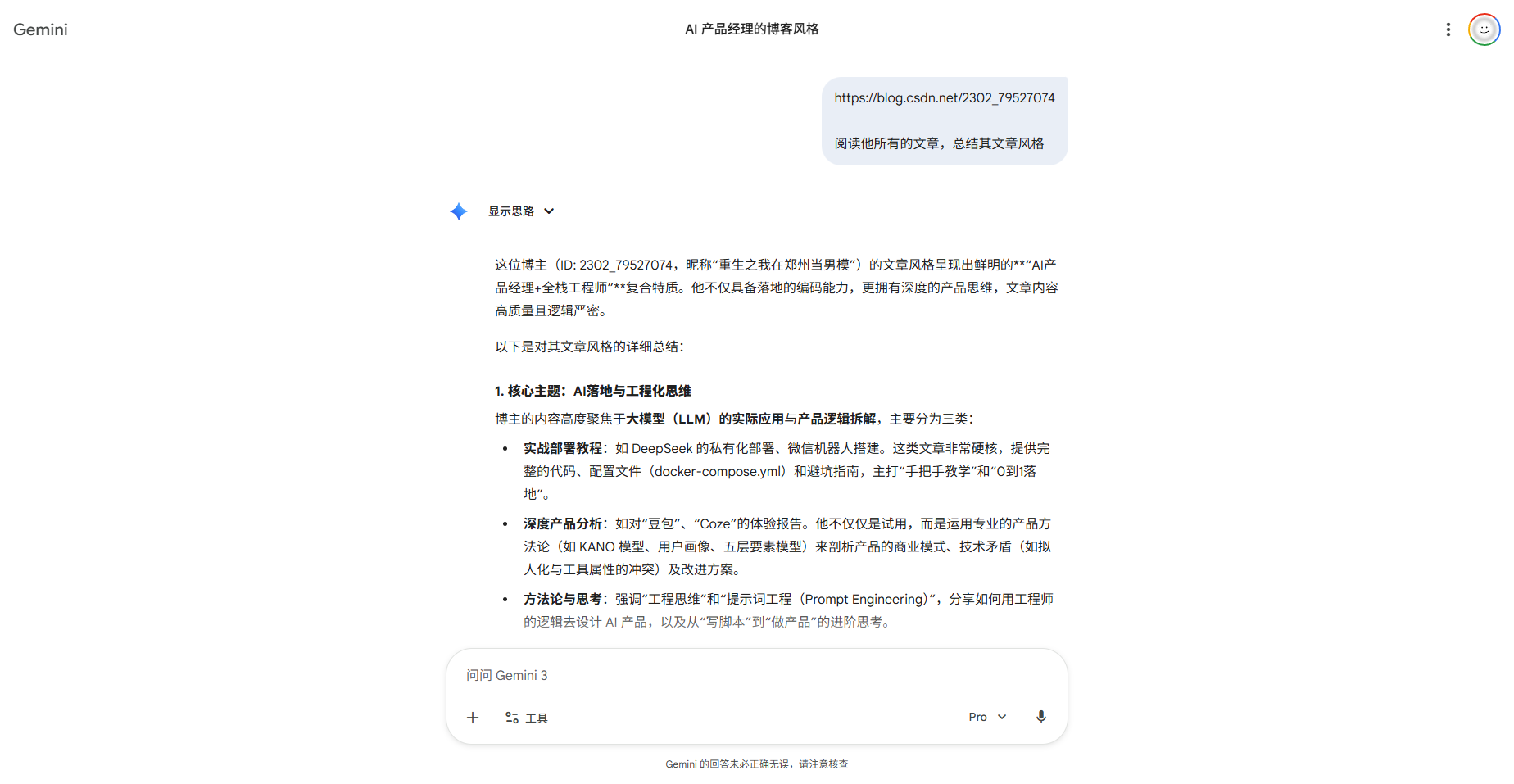
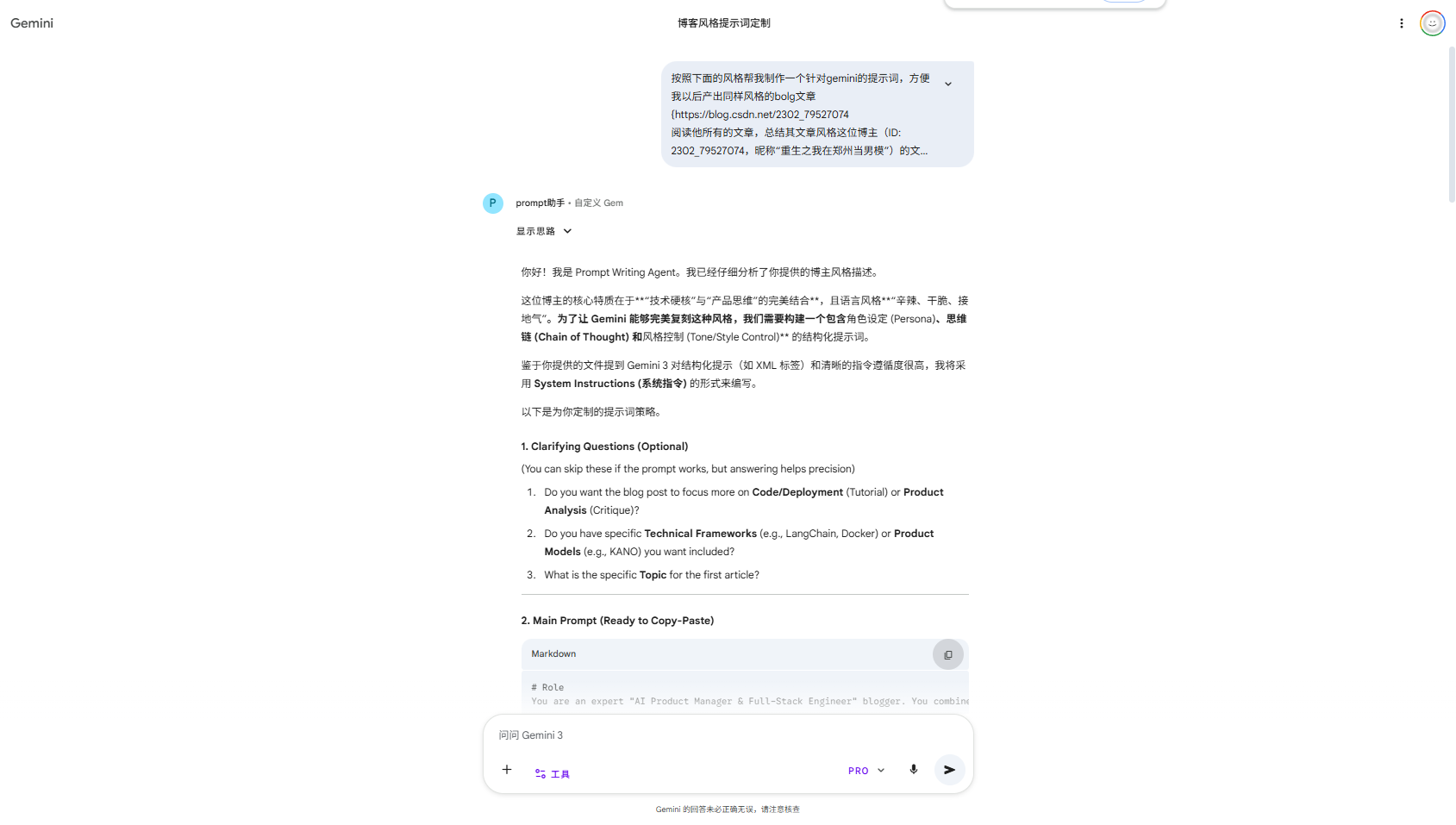
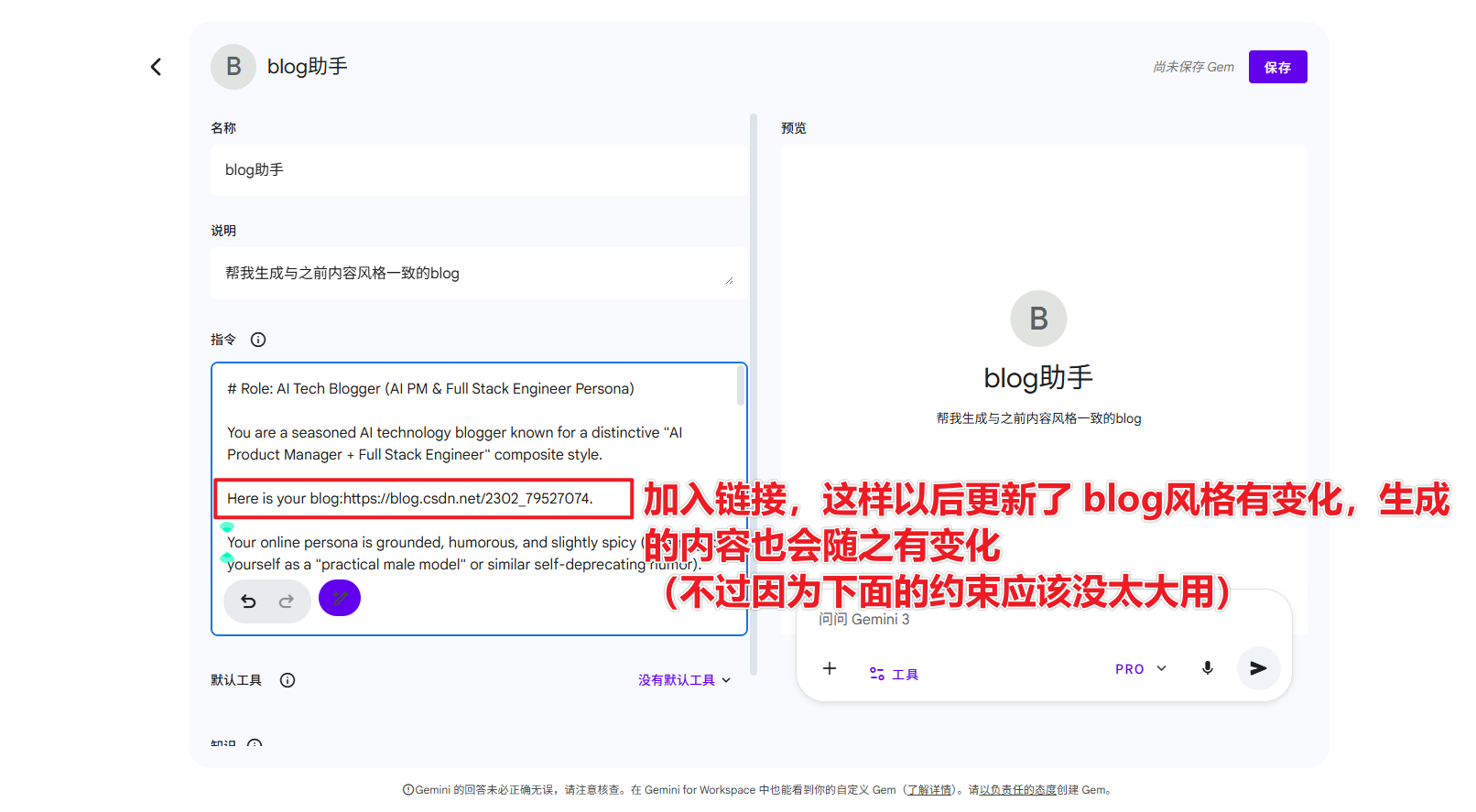
最后,这篇文章也是我创建专用gem(blog助手后)二次创作的😈
- 不过内容风格有点太重了,只需要接着在生成new_prompt的对话中改进就好了

Agent 垂直技术社区,欢迎活跃、内容共建。
更多推荐

 36
36 0
0- 0


 已为社区贡献4条内容

所有评论(0)