openclaw plugins install @soimy/dingtalk配置说明
·
 https://github.com/soimy/openclaw-channel-dingtalk?tab=readme-ov-file
方法 A:通过 npm 包安装 (推荐)
手动通过 npm 包名安装:
openclaw plugins install @soimy/dingtalk
安装后执行配置命令:
# 方式 B:直接配置 channels 部分
openclaw configure --section channels
交互式配置流程:
- 选择插件 — 在插件列表中选择
dingtalk或DingTalk (钉钉) - Client ID — 输入钉钉应用的 AppKey
- Client Secret — 输入钉钉应用的 AppSecret
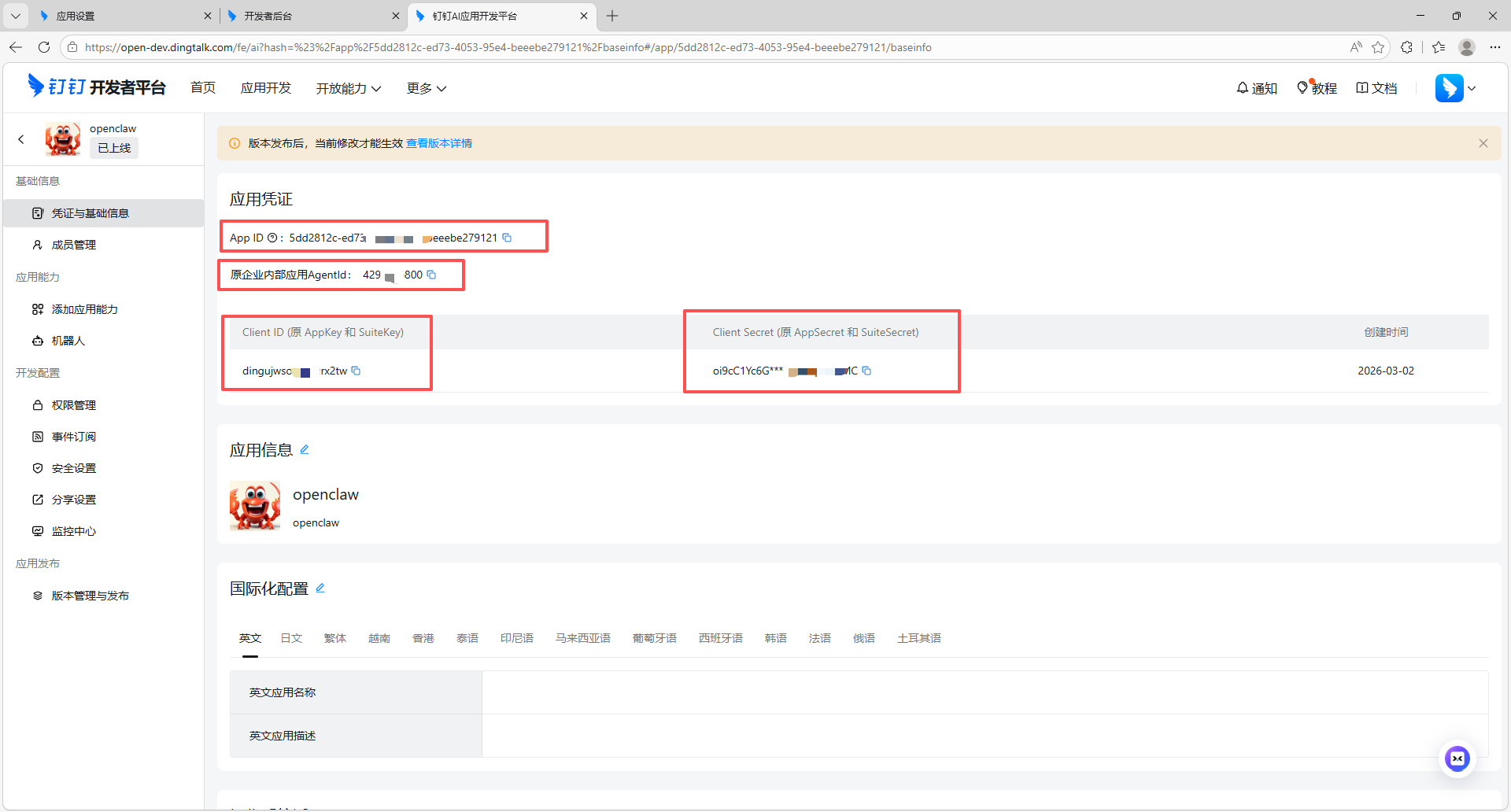
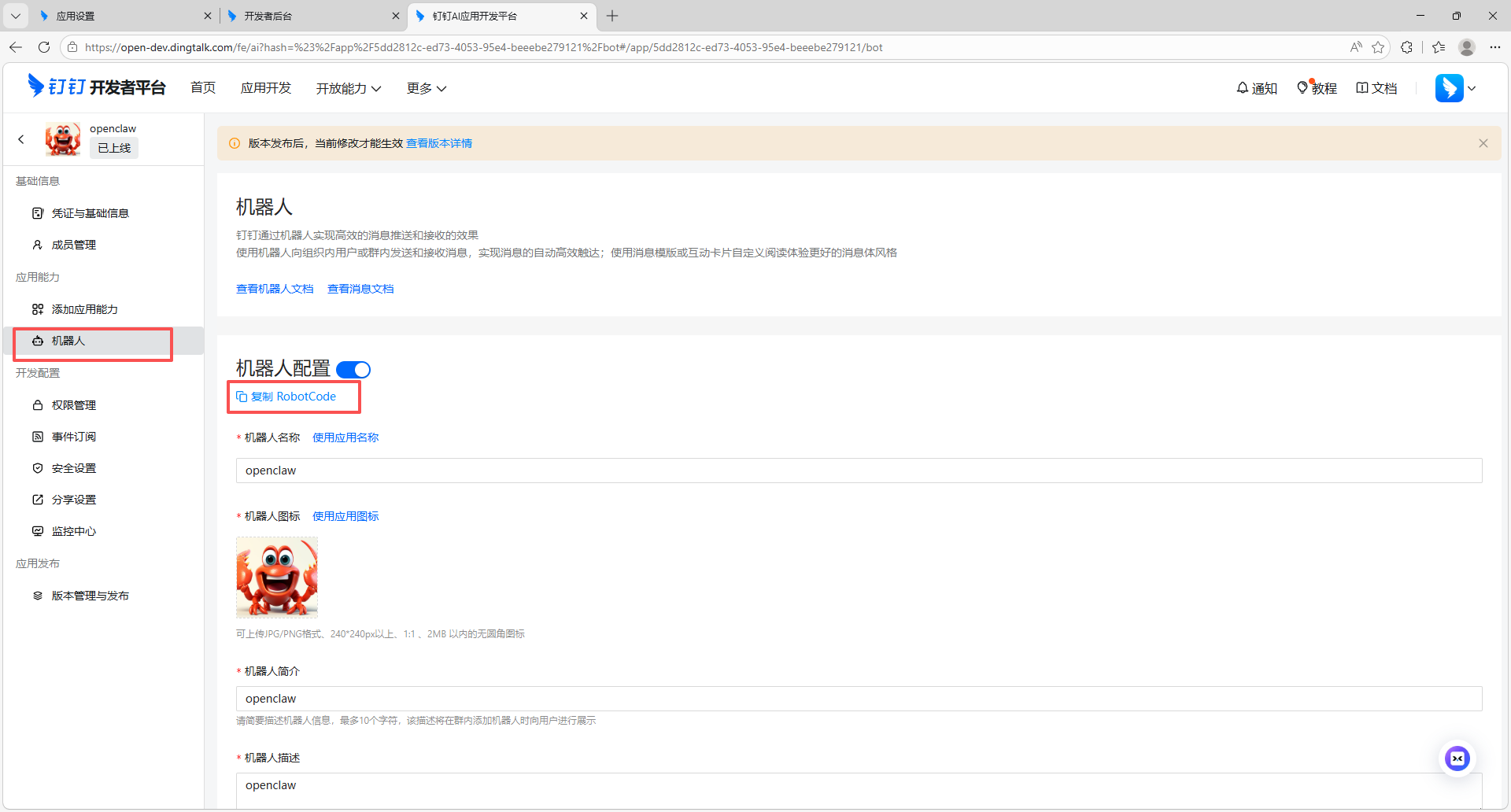
4. 完整配置 — 可选配置 Robot Code、
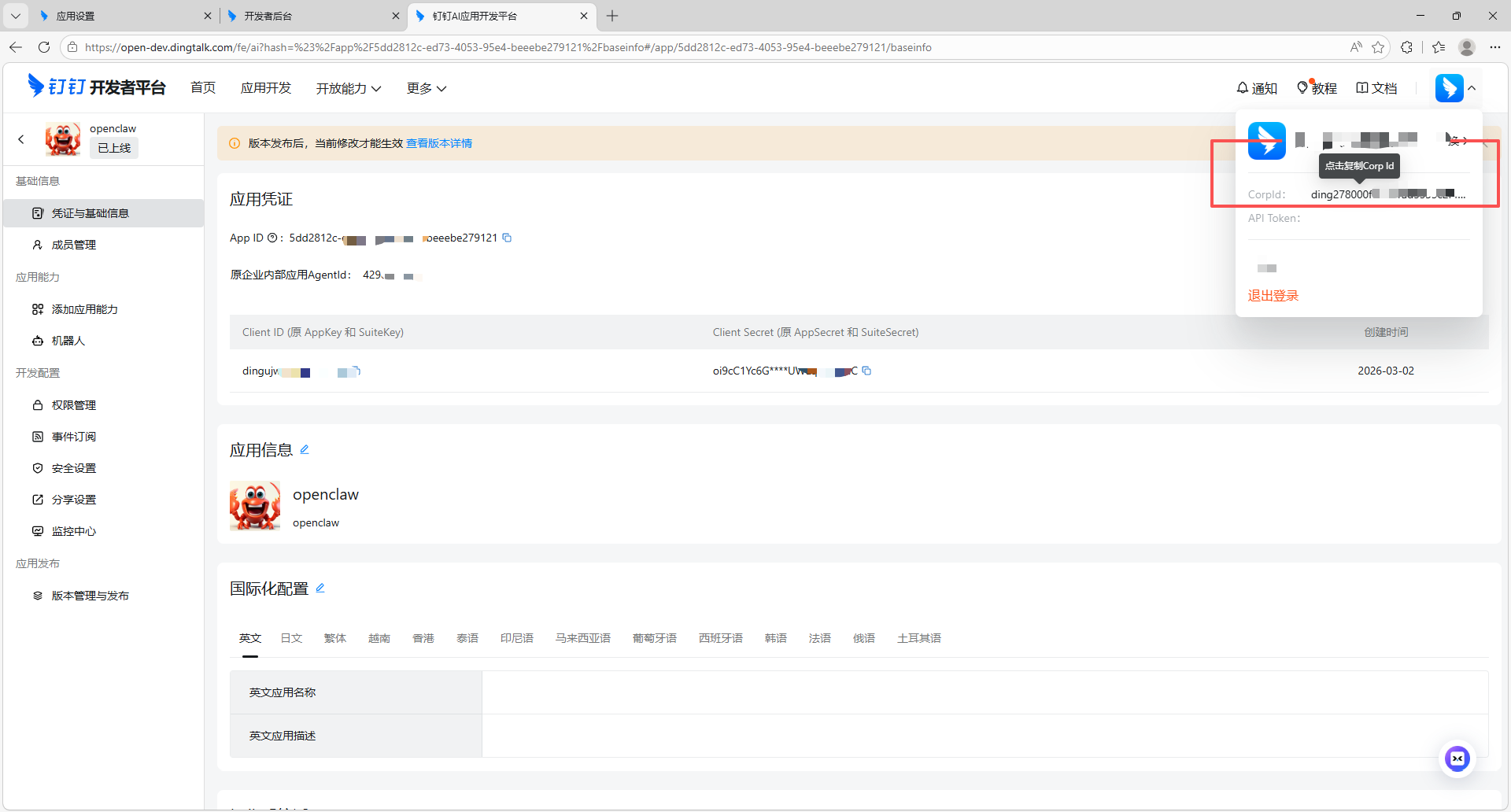
Corp ID、
Agent ID(推荐)
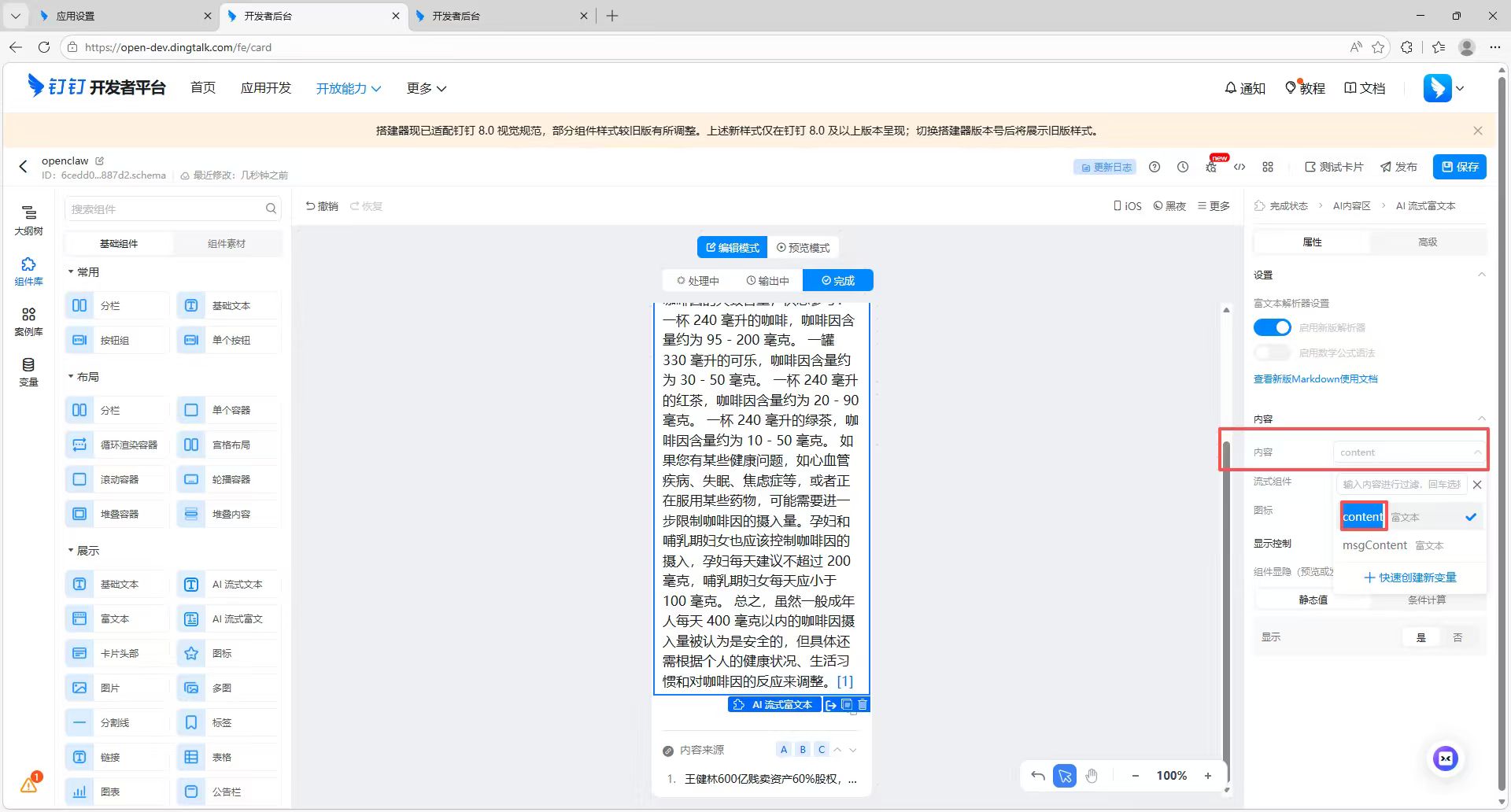
5.卡片模式 — 可选启用 AI 互动卡片模式
如启用,需输入 Card Template ID
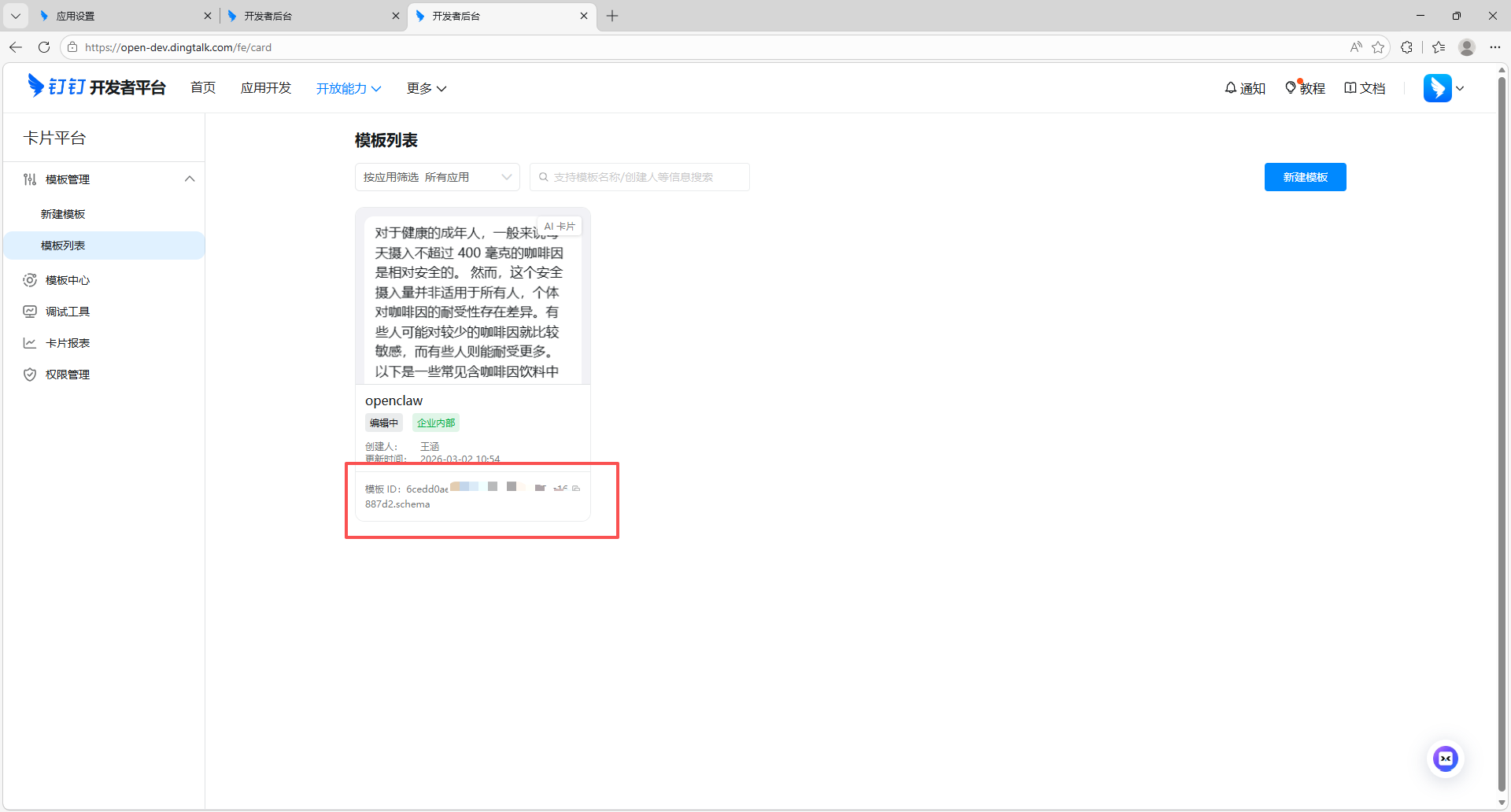
和 Card Template Key
6.私聊策略 — 选择 open(开放)或 allowlist(白名单)
7.群聊策略 — 选择 open(开放)或 allowlist(白名单)
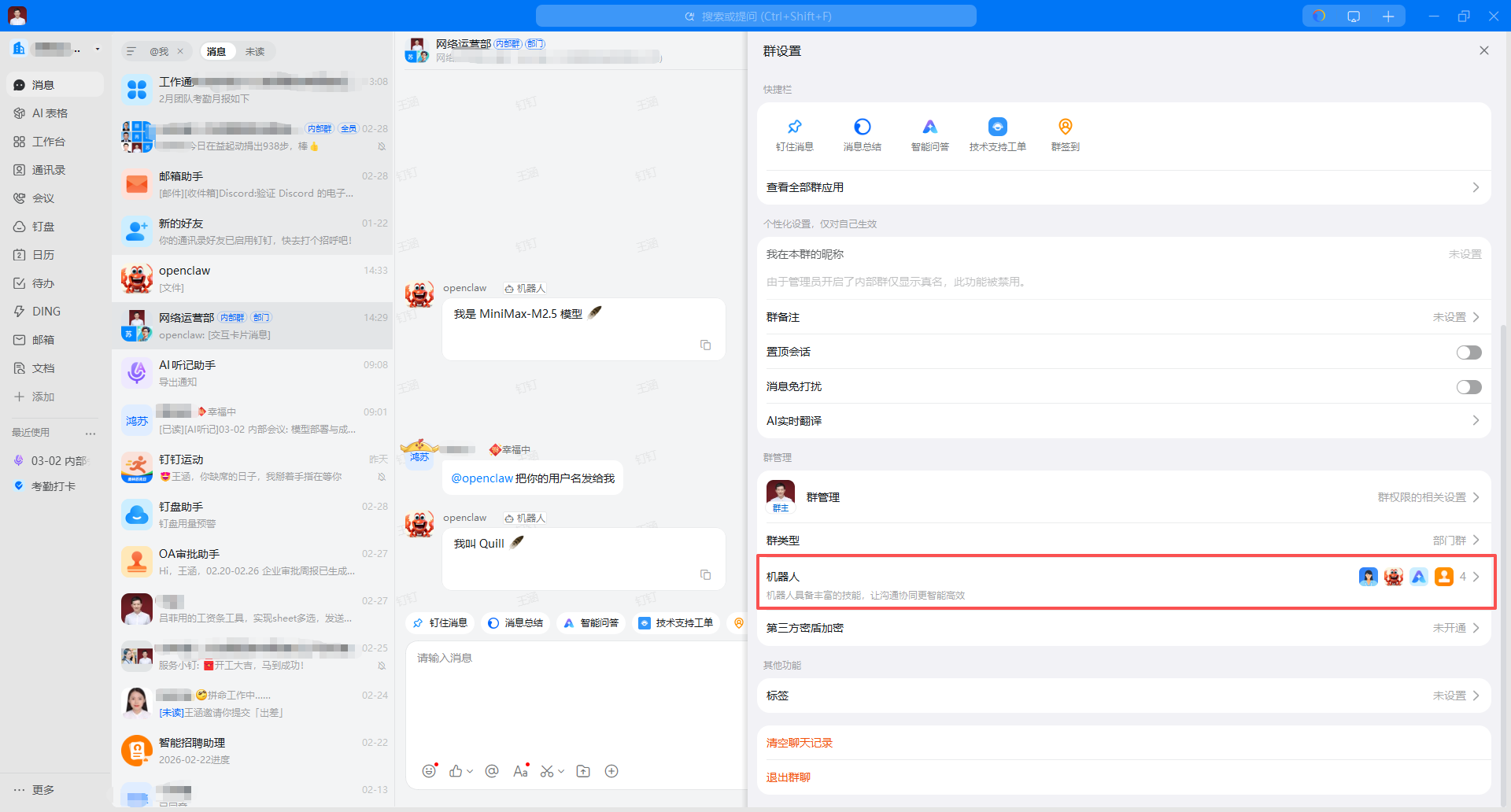
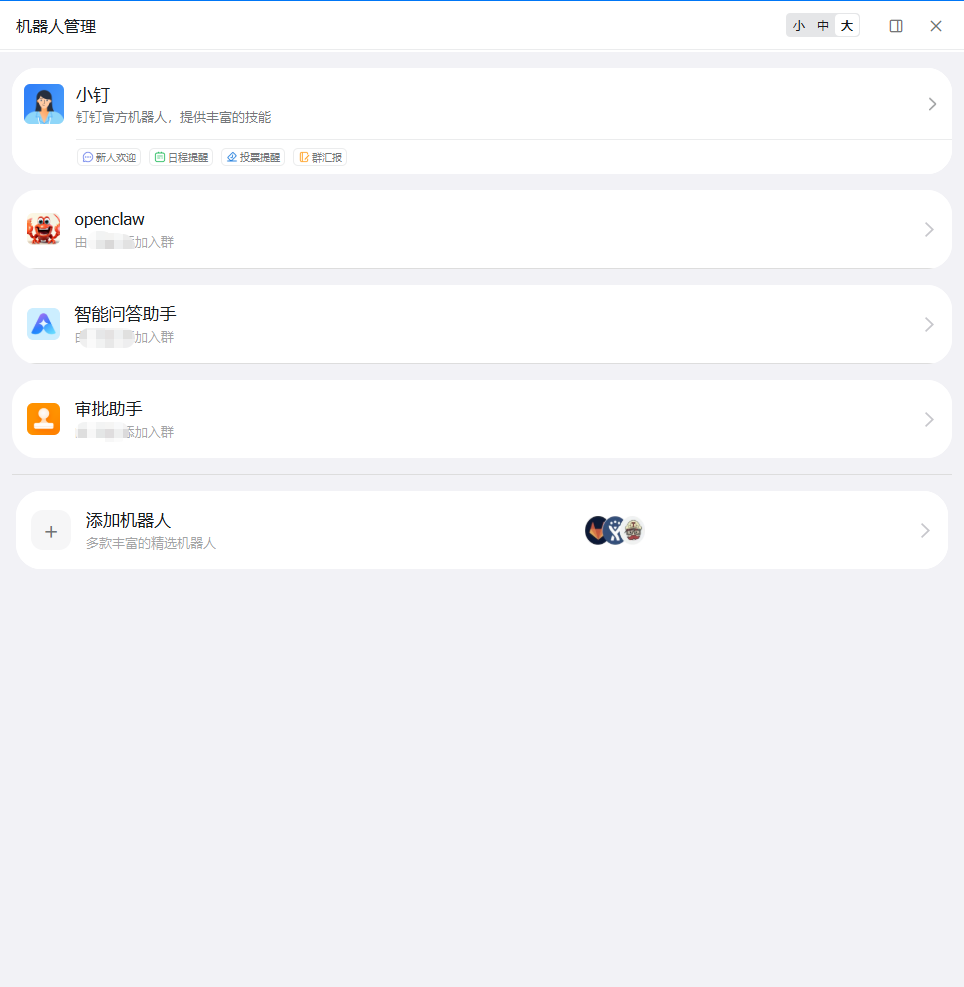
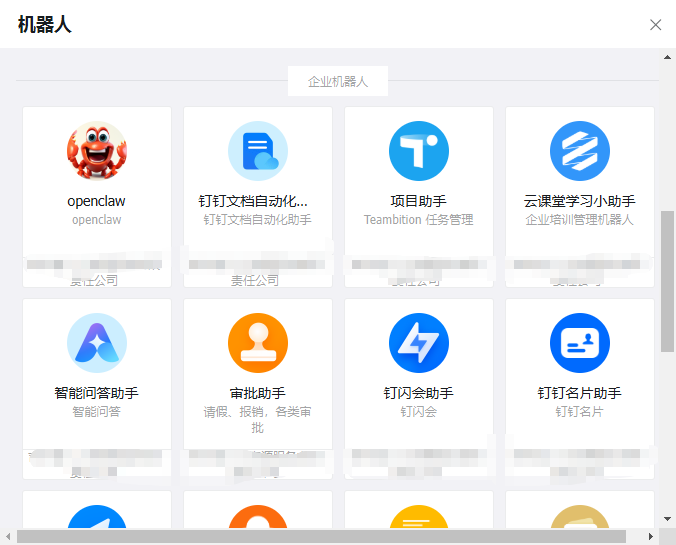
安装后在聊天中配置机器人,找到机器人即可

Agent 垂直技术社区,欢迎活跃、内容共建。
更多推荐

 1
1 0
0- 0


 已为社区贡献2条内容

所有评论(0)