安装openclaw
最近小龙虾有点火,我也试试
先查看node的版本
node -v
如果低于22,需要升级
或者安装指定版本,比如 OpenClaw 要求的 22+
nvm install 22.14.0使用刚安装的版本
nvm use 22.14.0执行
npm install -g openclaw@latest下载最新版openclaw,如果网络比较慢可以指定镜像源执行
npm install -g openclaw@latest --registry=https://registry.npmmirror.com如果上面还是报错
报错内容为:
npm error An unknown git error occurred
npm error command git --no-replace-objects ls-remote ssh://git@github.com/whiskeysockets/libsignal-node.git
npm error git@github.com: Permission denied (publickey).
npm error fatal: Could not read from remote repository.
npm error
npm error Please make sure you have the correct access rights
npm error and the repository exists.
表示npm试图通过ssh协议去git@github.com上面下载依赖包,但是我的电脑里没有配置正确的ssh密钥通过github认证
执行命令
git config --global url."https://github.com/".insteadOf git@github.com:
git config --global url."https://".insteadOf ssh://
之后就可以执行
npm install -g openclaw@latest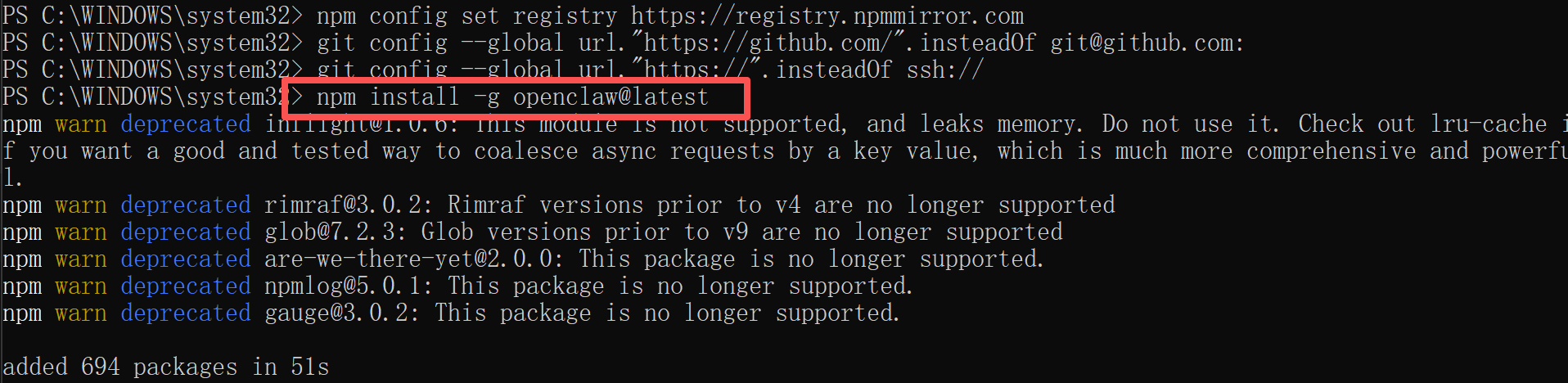
安装完毕
继续执行openclaw onboard打开配置
安装过程,风险告知选择yes
配置模式选择quickstart
如果买了openai的服务,后面可以粘贴自己的openai的apikey
新手可以选择gpt-4o-mini模型
配置技能可以先不选部署完跳转到http://127.0.0.1:18789/chat?session=main
就可以开启对话了
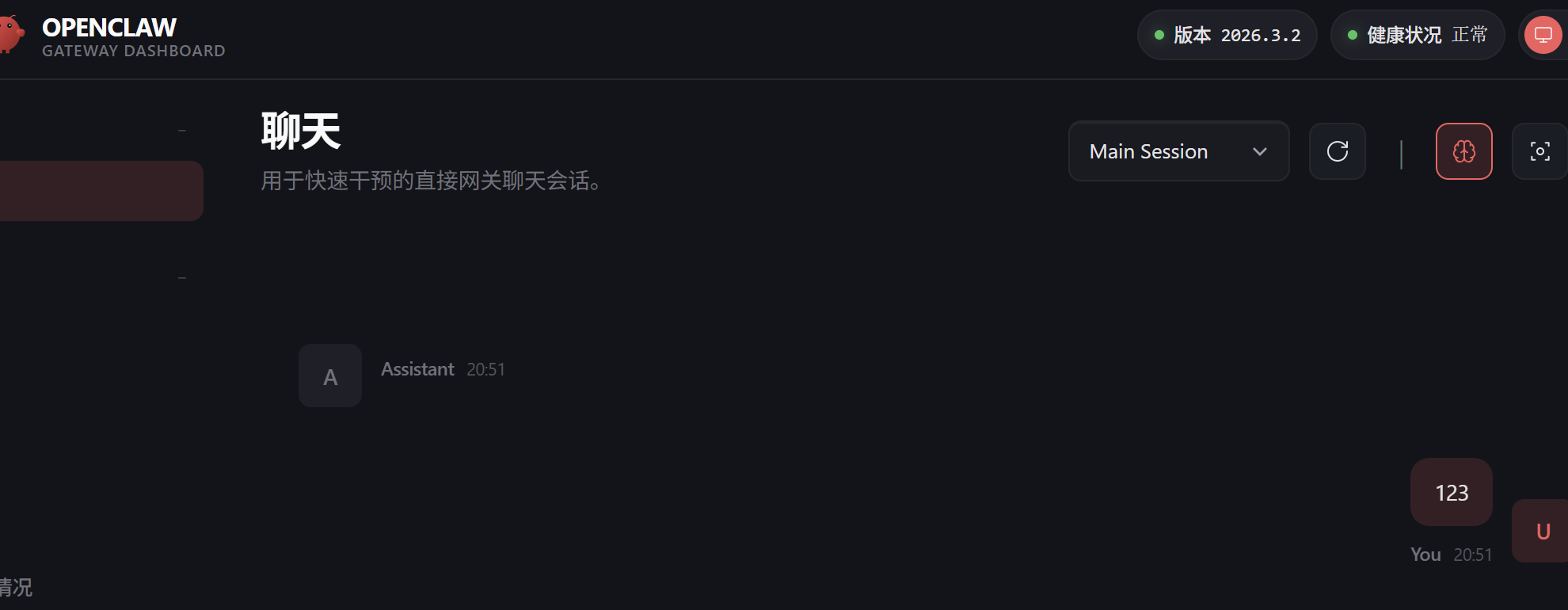
但是为啥特别慢呢,总是显示超时
很慢是因为我买的是deepseek的api,但是里面的模型是选的gpt的
没找到deepseek模型
需要使用openclaw onboard重新配置一下,配置如下
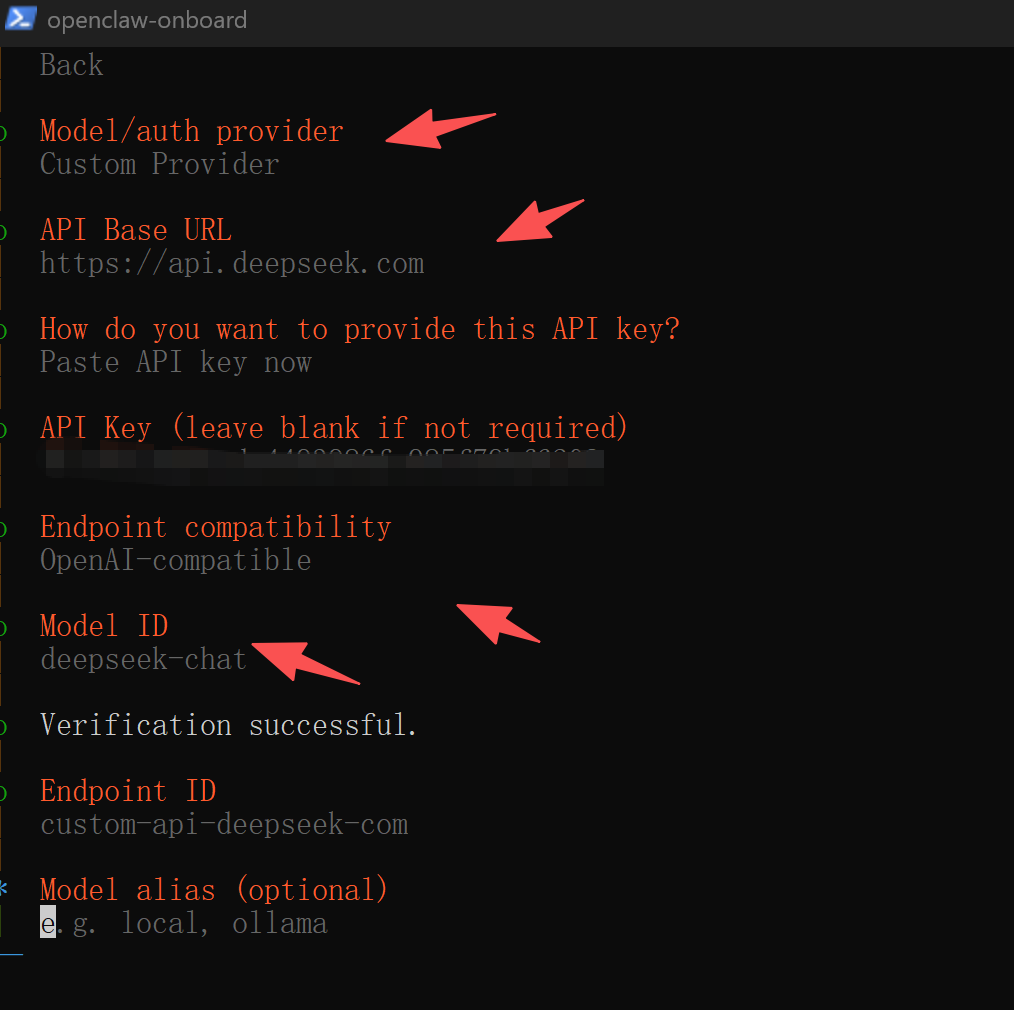
alias可以不填
其他的可以先skip
现在就快了好多
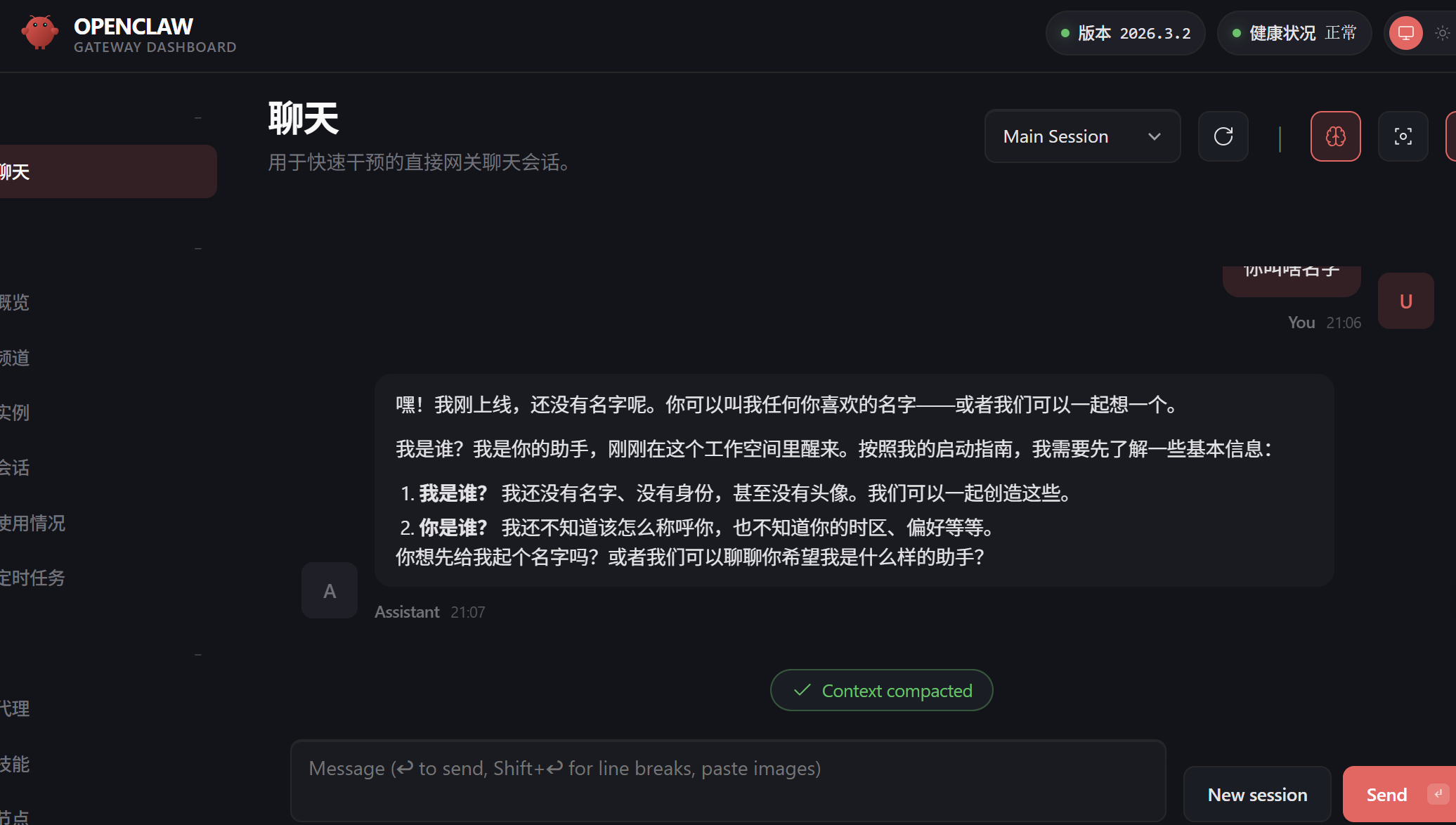
上面安装的因为跳过了skills配置,所以只是基本会话功能,如果想要可以有实际动作,需要使用
openclaw skills install安装技能
eg、
openclaw skills install fs-tools 读写文件但是出现报错
error: too many arguments for 'skills'. Expected 0 arguments but got 2.
使用clawhub工具来安装skill
npm install -g clawhub
clawhub install fs-tools
查看所有skills
openclaw skills list如果安装skills过程出现限制频率的问题
需要登录
clawhub login
clawhub whoami确认登录情况
完事之后在进行下载
但是这会出现会话经常丢失的情况
可以换成npx来下载
差不多就是这些,但是我下载skills过程,总是提示频率过高,得等10来分钟。

Agent 垂直技术社区,欢迎活跃、内容共建。
更多推荐

 8
8 0
0- 0


 已为社区贡献1条内容

所有评论(0)