SSE流式交互在AI智能客服中的实战应用
·
SSE流式交互在AI智能客服中的实战应用
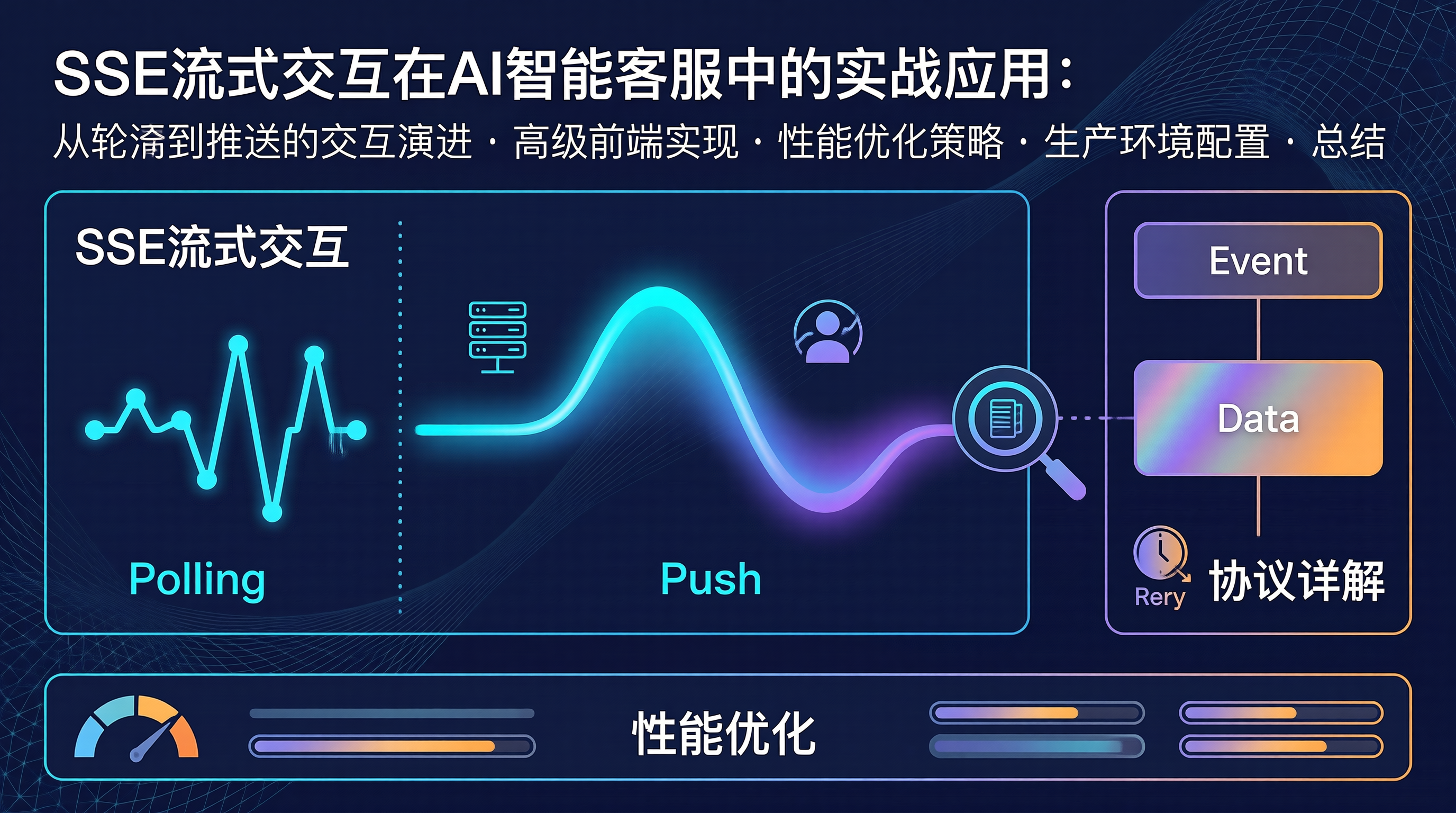
从轮询到推送的交互演进
AI客服的体验瓶颈往往不在模型能力,而在交互反馈的实时性。用户发送问题后,如果等待3-5秒才看到完整回答,焦虑感会急剧上升。打字机效果(逐字显示)利用人类"看到进展"的心理,将等待转化为沉浸式体验。
SSE(Server-Sent Events)以其单向推送、原生HTTP支持、自动重连等特性,成为实现这一效果的最佳底层技术。
SSE协议详解
事件流格式
// SSE 数据格式规范
// 每个事件由若干字段组成,以空行分隔

// 基本格式
data: 这是一条消息\n\n

// 带ID和事件类型
id: 1
event: token
data: {"text": "您好", "index": 0}\n\n

// 多行data
event: done
data: {"fullText": "您好,我是AI助手"}
data: {"tokens": 12, "duration": 1500}\n\n

// 重连时间设置
retry: 3000\n\n
服务端流式架构
const express = require('express');
const { createParser } = require('eventsource-parser');

const app = express();

class SSEStreamManager {
  constructor() {
    this.clients = new Map();
    this.clientId = 0;
  }

  addClient(res) {
    const id = ++this.clientId;
    this.clients.set(id, { res, connectedAt: Date.now() });
    return id;
  }

  removeClient(id) {
    this.clients.delete(id);
  }

  broadcast(event, data) {
    for (const [, client] of this.clients) {
      this.send(client.res, event, data);
    }
  }

  send(res, event, data) {
    res.write(`event: ${event}\n`);
    res.write(`data: ${JSON.stringify(data)}\n\n`);
  }

  getStats() {
    return {
      activeConnections: this.clients.size,
      uptime: Date.now() - (this.clients.values().next().value?.connectedAt || Date.now())
    };
  }
}

const streamManager = new SSEStreamManager();

app.get('/api/ai/stream', async (req, res) => {
  const clientId = streamManager.addClient(res);

  req.on('close', () => {
    streamManager.removeClient(clientId);
    console.log(`客户端 ${clientId} 断开`);
  });

  streamManager.send(res, 'connected', {
    clientId,
    message: '流式连接已建立',
    timestamp: Date.now()
  });
});

app.post('/api/ai/chat', async (req, res) => {
  const { message, sessionId } = req.body;

  res.writeHead(200, {
    'Content-Type': 'text/event-stream',
    'Cache-Control': 'no-cache',
    'Connection': 'keep-alive',
    'X-Accel-Buffering': 'no'
  });

  const streamId = streamManager.addClient(res);

  try {
    const aiStream = await getAIStreamResponse(message, sessionId);

    for await (const chunk of aiStream) {
      if (chunk.choices && chunk.choices[0]?.delta?.content) {
        const text = chunk.choices[0].delta.content;
        streamManager.send(res, 'token', {
          text,
          index: 0,
          timestamp: Date.now()
        });
      }
    }

    streamManager.send(res, 'done', {
      message: '响应完成',
      timestamp: Date.now()
    });
  } catch (error) {
    streamManager.send(res, 'error', {
      code: 'STREAM_ERROR',
      message: 'AI响应流异常',
      retryable: true
    });
  } finally {
    res.end();
    streamManager.removeClient(streamId);
  }
});

async function getAIStreamResponse(message, sessionId) {
  const { OpenAI } = require('openai');
  const openai = new OpenAI({ apiKey: process.env.OPENAI_API_KEY });

  return openai.chat.completions.create({
    model: 'gpt-3.5-turbo',
    messages: [{ role: 'user', content: message }],
    stream: true,
    temperature: 0.7,
    max_tokens: 2048
  });
}

app.listen(3000);
高级前端实现
基于Fetch的流式读取
class FetchStreamClient {
  constructor(options) {
    this.url = options.url;
    this.abortController = null;
  }

  async sendMessage(message) {
    this.abortController = new AbortController();

    const response = await fetch(this.url, {
      method: 'POST',
      headers: {
        'Content-Type': 'application/json',
        'Accept': 'text/event-stream'
      },
      body: JSON.stringify({
        message,
        sessionId: this.getSessionId()
      }),
      signal: this.abortController.signal
    });

    if (!response.ok) {
      throw new Error(`HTTP ${response.status}: ${response.statusText}`);
    }

    await this.processStream(response.body);
  }

  async processStream(body) {
    const reader = body.getReader();
    const decoder = new TextDecoder();
    let buffer = '';

    while (true) {
      const { done, value } = await reader.read();

      if (done) {
        break;
      }

      buffer += decoder.decode(value, { stream: true });
      const events = this.parseEvents(buffer);
      buffer = events.remainder;

      for (const event of events.parsed) {
        this.handleEvent(event);
      }
    }
  }

  parseEvents(buffer) {
    const parsed = [];
    let currentEvent = null;
    const lines = buffer.split('\n');
    const incomplete = [];

    for (const line of lines) {
      if (line.startsWith('event: ')) {
        if (currentEvent) {
          parsed.push(currentEvent);
        }
        currentEvent = { event: line.slice(7).trim(), data: '' };
      } else if (line.startsWith('data: ')) {
        if (!currentEvent) {
          currentEvent = { event: 'message', data: '' };
        }
        currentEvent.data += line.slice(6);
      } else if (line === '') {
        if (currentEvent) {
          parsed.push(currentEvent);
          currentEvent = null;
        }
      }
    }

    let remainder = '';
    if (currentEvent) {
      remainder = `event: ${currentEvent.event}\ndata: ${currentEvent.data}\n`;
    }

    return { parsed, remainder };
  }

  handleEvent(event) {
    const data = JSON.parse(event.data);

    switch (event.event) {
      case 'token':
        this.onToken(data);
        break;
      case 'done':
        this.onDone(data);
        break;
      case 'error':
        this.onError(data);
        break;
      case 'connected':
        this.onConnected(data);
        break;
    }
  }

  abort() {
    if (this.abortController) {
      this.abortController.abort();
      this.abortController = null;
    }
  }

  getSessionId() {
    let id = sessionStorage.getItem('ai_session_id');
    if (!id) {
      id = crypto.randomUUID();
      sessionStorage.setItem('ai_session_id', id);
    }
    return id;
  }
}
React 流式聊天组件
import { useState, useRef, useCallback, useEffect } from 'react';

class StreamingChatStore {
  constructor() {
    this.state = {
      messages: [],
      isStreaming: false,
      currentStream: ''
    };
    this.listeners = new Set();
    this.client = null;
  }

  subscribe(listener) {
    this.listeners.add(listener);
    return () => this.listeners.delete(listener);
  }

  notify() {
    for (const listener of this.listeners) {
      listener(this.state);
    }
  }

  setState(partial) {
    this.state = { ...this.state, ...partial };
    this.notify();
  }

  async initClient() {
    this.client = new FetchStreamClient({
      url: '/api/ai/chat'
    });

    this.client.onConnected = () => {
      console.log('流式客户端已连接');
    };

    this.client.onToken = (data) => {
      this.setState({
        currentStream: this.state.currentStream + data.text
      });
    };

    this.client.onDone = (data) => {
      const newMessage = {
        id: Date.now(),
        role: 'assistant',
        content: this.state.currentStream,
        timestamp: data.timestamp
      };

      this.setState({
        messages: [...this.state.messages, newMessage],
        currentStream: '',
        isStreaming: false
      });
    };

    this.client.onError = (data) => {
      console.error('流式错误:', data);
      if (data.retryable && this.state.isStreaming) {
        this.setState({
          messages: [
            ...this.state.messages,
            {
              id: Date.now(),
              role: 'system',
              content: '响应中断,请重试',
              isError: true
            }
          ],
          currentStream: '',
          isStreaming: false
        });
      }
    };
  }

  async sendMessage(content) {
    const userMessage = {
      id: Date.now(),
      role: 'user',
      content,
      timestamp: Date.now()
    };

    this.setState({
      messages: [...this.state.messages, userMessage],
      isStreaming: true,
      currentStream: ''
    });

    try {
      await this.client.sendMessage(content);
    } catch (error) {
      this.setState({
        isStreaming: false,
        currentStream: ''
      });
    }
  }

  abortStream() {
    if (this.client) {
      this.client.abort();
    }
    this.setState({
      isStreaming: false,
      currentStream: ''
    });
  }
}

const store = new StreamingChatStore();

function useChatStore() {
  const [state, setState] = useState(store.state);

  useEffect(() => {
    return store.subscribe(setState);
  }, []);

  return state;
}

function ChatApp() {
  const { messages, isStreaming, currentStream } = useChatStore();
  const [input, setInput] = useState('');
  const messagesEndRef = useRef(null);

  useEffect(() => {
    store.initClient();
  }, []);

  useEffect(() => {
    messagesEndRef.current?.scrollIntoView({ behavior: 'smooth' });
  }, [messages, currentStream]);

  const handleSend = useCallback(async () => {
    if (!input.trim() || isStreaming) return;
    const content = input;
    setInput('');
    await store.sendMessage(content);
  }, [input, isStreaming]);

  const handleKeyDown = useCallback((e) => {
    if (e.key === 'Enter' && !e.shiftKey) {
      e.preventDefault();
      handleSend();
    }
  }, [handleSend]);

  return (
    <div className="chat-container">
      <div className="messages">
        {messages.map((msg) => (
          <div key={msg.id} className={`message ${msg.role} ${msg.isError ? 'error' : ''}`}>
            <div className="avatar">
              {msg.role === 'user' ? '👤' : '🤖'}
            </div>
            <div className="bubble">
              {msg.content}
            </div>
          </div>
        ))}

        {isStreaming && (
          <div className="message assistant streaming">
            <div className="avatar">🤖</div>
            <div className="bubble">
              {currentStream}
              <span className="cursor">|</span>
            </div>
          </div>
        )}

        <div ref={messagesEndRef} />
      </div>

      <div className="input-area">
        <textarea
          value={input}
          onChange={(e) => setInput(e.target.value)}
          onKeyDown={handleKeyDown}
          placeholder="输入您的问题..."
          disabled={isStreaming}
          rows={2}
        />
        <div className="actions">
          {isStreaming ? (
            <button className="stop-btn" onClick={() => store.abortStream()}>
              停止生成
            </button>
          ) : (
            <button className="send-btn" onClick={handleSend} disabled={!input.trim()}>
              发送
            </button>
          )}
        </div>
      </div>
    </div>
  );
}
性能优化策略
缓冲区控制
class BufferedSSEClient {
  constructor(options) {
    this.options = {
      flushInterval: 50,
      maxBufferSize: 100,
      ...options
    };
    this.buffer = [];
    this.flushTimer = null;
    this.startFlushing();
  }

  addToBuffer(text) {
    this.buffer.push(text);

    if (this.buffer.length >= this.options.maxBufferSize) {
      this.flush();
    }
  }

  flush() {
    if (this.buffer.length === 0) return;

    const combined = this.buffer.join('');
    this.buffer = [];

    requestAnimationFrame(() => {
      this.options.onFlush(combined);
    });
  }

  startFlushing() {
    this.flushTimer = setInterval(() => {
      this.flush();
    }, this.options.flushInterval);
  }

  destroy() {
    if (this.flushTimer) {
      clearInterval(this.flushTimer);
    }
    this.flush();
  }
}
并发控制与队列
class RequestQueue {
  constructor(options = {}) {
    this.maxConcurrent = options.maxConcurrent || 1;
    this.queue = [];
    this.activeCount = 0;
  }

  async enqueue(task) {
    return new Promise((resolve, reject) => {
      this.queue.push({ task, resolve, reject });
      this.processNext();
    });
  }

  async processNext() {
    if (this.activeCount >= this.maxConcurrent || this.queue.length === 0) {
      return;
    }

    this.activeCount++;
    const { task, resolve, reject } = this.queue.shift();

    try {
      const result = await task();
      resolve(result);
    } catch (error) {
      reject(error);
    } finally {
      this.activeCount--;
      this.processNext();
    }
  }

  get pending() {
    return this.queue.length;
  }

  clear() {
    for (const { reject } of this.queue) {
      reject(new Error('队列已清空'));
    }
    this.queue = [];
  }
}
生产环境配置
Nginx反向代理配置
# nginx.conf
upstream ai_service {
    server 127.0.0.1:3000;
    keepalive 64;
}

server {
    listen 443 ssl;
    server_name ai.example.com;

    location /api/ai/chat {
        proxy_pass http://ai_service;
        proxy_http_version 1.1;
        proxy_set_header Connection '';
        proxy_buffering off;
        proxy_cache off;
        proxy_read_timeout 300s;
        proxy_send_timeout 300s;
        chunked_transfer_encoding on;

        proxy_set_header Host $host;
        proxy_set_header X-Real-IP $remote_addr;
        proxy_set_header X-Forwarded-For $proxy_add_x_forwarded_for;
    }
}
总结
| 优势 | 实现方式 | 效果 |
|---|---|---|
| 低延迟 | HTTP长连接 + 流式传输 | token间隔<10ms |
| 轻量级 | 无需WebSocket握手 | 连接建立<50ms |
| 前端友好 | EventSource/Fetch API | 天然浏览器支持 |
| 可靠传输 | 自动重连 + 事件ID | 断线自动恢复 |
| 可扩展 | 自定义事件类型 | 灵活的业务适配 |
SSE流式交互是AI智能客服打字机效果的最佳技术底座。通过合理的架构设计——服务端采用流式数据生产、中间件层做好缓冲控制、前端实现精细的渲染调度——能够在保证低延迟的同时提供流畅的交互体验。对于生产中更高的需求,建议将EventSource替换为Fetch + ReadableStream的方案,以获取更完善的错误控制和中断能力。

Agent 垂直技术社区,欢迎活跃、内容共建。
更多推荐
 3
3 0
0- 0


 已为社区贡献6条内容

所有评论(0)