基于 AI Agent 的童话编剧与绘本生成器(八) 新增AI互动题生成,优化阅读页与创建流程
·
一、AI 互动题(基于页内容生成)
1.功能说明
创作时若选择互动强度「轻」或「中」,系统会在故事生成完成后,为部分页面自动生成亲子共读互动题。
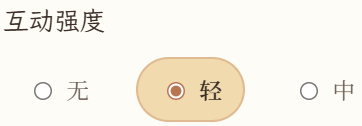
轻:约 30% 页面出题,偏观察、描述类。
中:约 70% 页面出题,可含回忆、因果或开放式问题。
def _interaction_label(payload: CreateStoryRequest) -> str:
    level = payload.interaction_level or "none"
    if level == "light":
        return "轻:观察、描述类问题;全书仅部分页面需要出题(不必每页都有)"
    if level == "medium":
        return "中:可含回忆、因果或「你会怎么做」;全书多数页面需要出题(可跳过个别过渡页)"
    return "无"
每页题目结合该页 “text” / “scene” / “character_action” 由 LLM 生成,避免重复;无 LLM 时回退到模板题。
阅读页与分享页展示“本页互动”面板,家长可点击“查看答案”展开参考答案。
2.后端改动
按页码均匀选取出题页,调用 LLM 填充“page.game”。
def attach_page_quizzes(
    pages: list[StoryPage],
    payload: CreateStoryRequest,
) -> list[StoryPage]:
    """按互动程度为部分页面附加 AI 互动题(none 时不附加)。"""
    level = payload.interaction_level or "none"
    if level == "none" or not pages:
        return pages

    difficulty = "easy" if level == "light" else "normal"
    quiz_indices = _quiz_page_indices(len(pages), level)
    quiz_pages = [p for p in pages if p.index in quiz_indices]
    quiz_map: dict[int, dict[str, str]] | None = None

    if LLMProvider().is_configured() and quiz_pages:
        try:
            quiz_map = _generate_quizzes_llm(quiz_pages, payload)
        except Exception as exc:
            if settings.llm_strict_mode:
                raise RuntimeError(f"Page quiz LLM failed: {exc}") from exc
            logger.warning("page quiz LLM failed: %s; using fallback", exc)

    updated: list[StoryPage] = []
    for page in pages:
        if page.index not in quiz_indices:
            updated.append(page.model_copy(update={"game": None}))
            continue
        if quiz_map and page.index in quiz_map:
            game = quiz_map[page.index]
        else:
            game = _mock_quiz_for_page(page, difficulty=difficulty, level=level)
        updated.append(page.model_copy(update={"game": game}))
    return updated
接入点:
“generation.py”— 完整生成流程结束后附加互动题
“reading_layout.py”— 分步生成阅读页组装时附加互动题
3.前端
“reader.html”— 互动题面板新增“查看答案”按钮
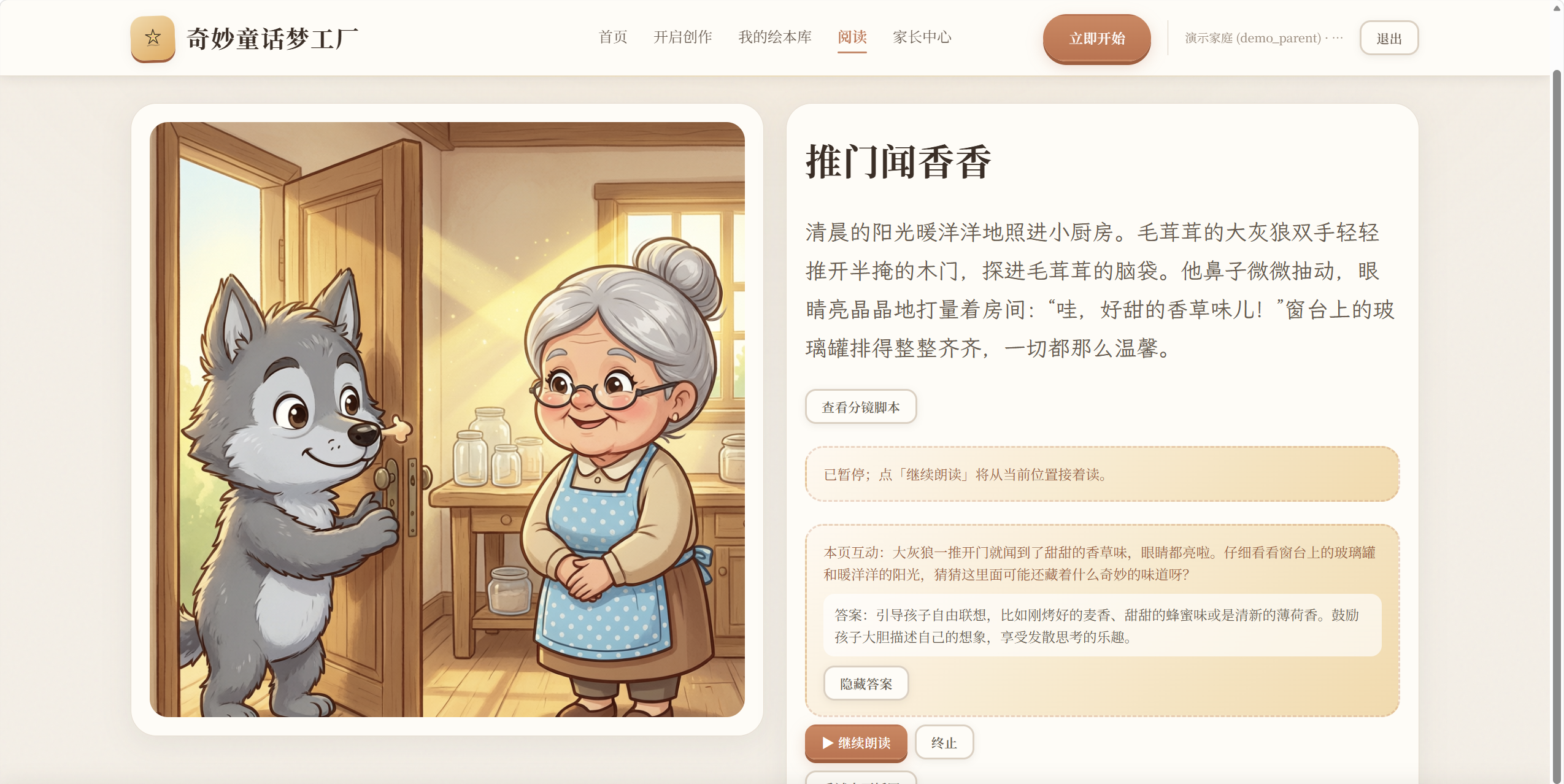
“share.html”— 分享阅读同样支持互动题展示
二、创作页体验优化
1.优化自定义场景与主角
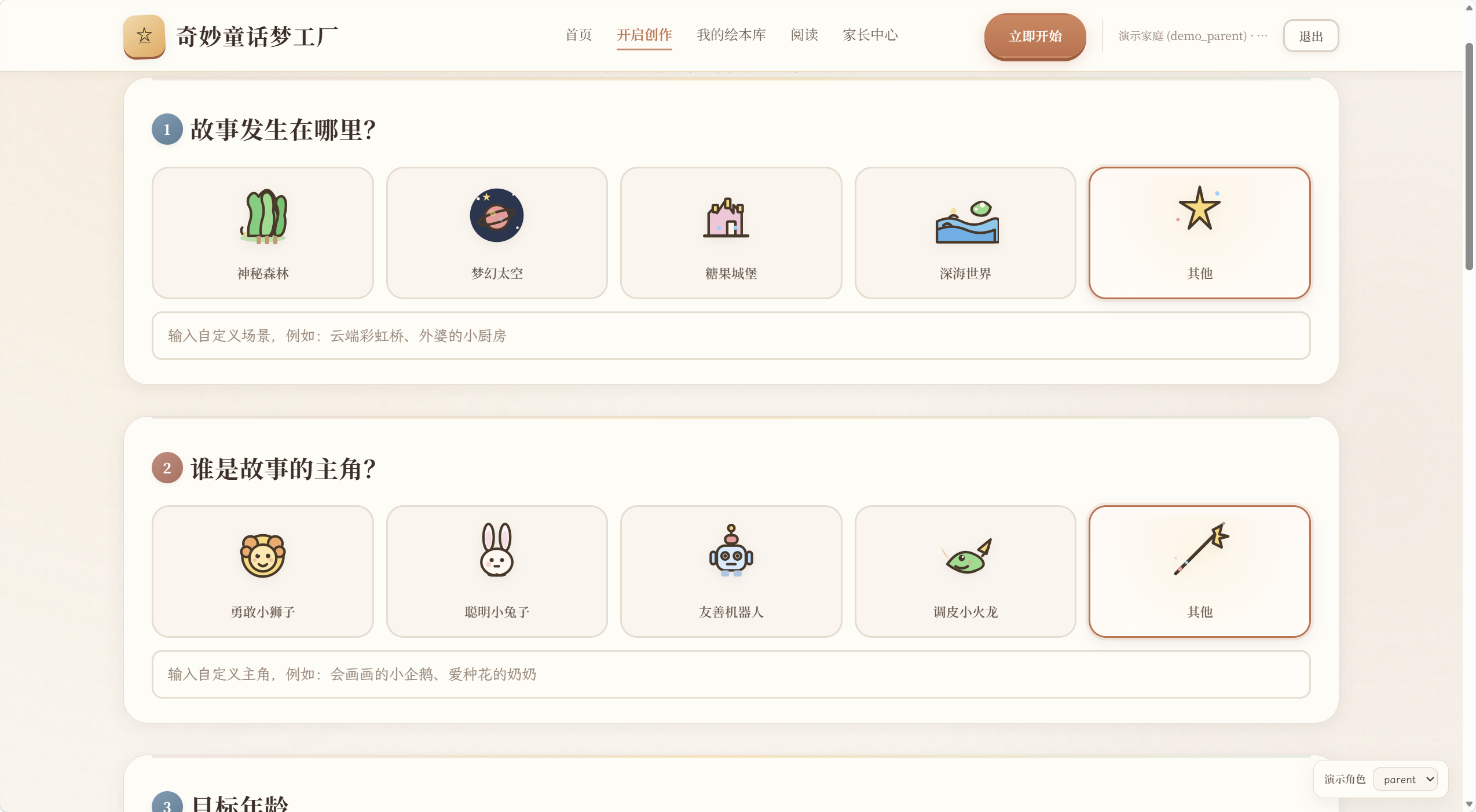
场景、主角选项组各增加“其他”卡片,选中后展开文本输入框,支持自定义内容(最长 64 字)。
2.兴趣标签扩展
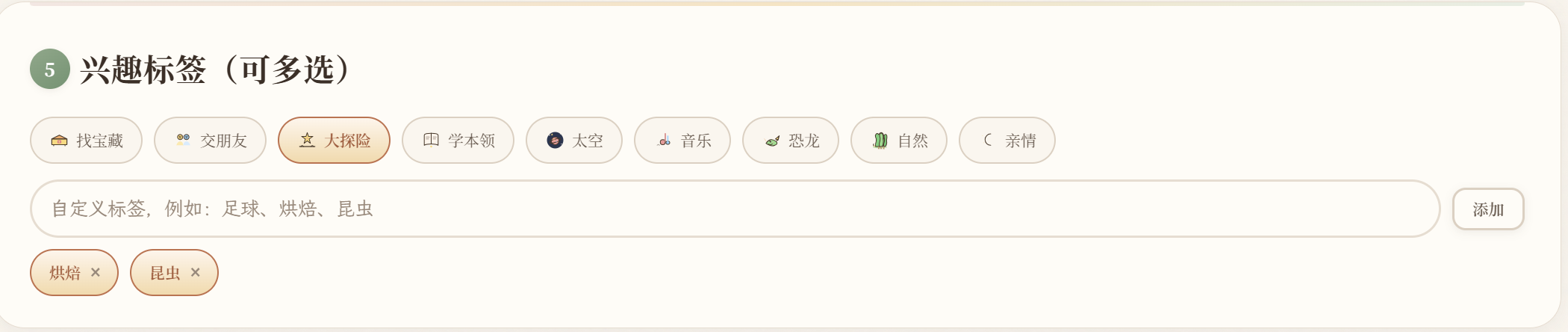
预设标签新增:恐龙、自然、亲情。支持自定义多个标签(最多 6 个,单标签最长 16 字),可动态添加与删除。草稿自动保存包含自定义标签。
三、分步创作优化
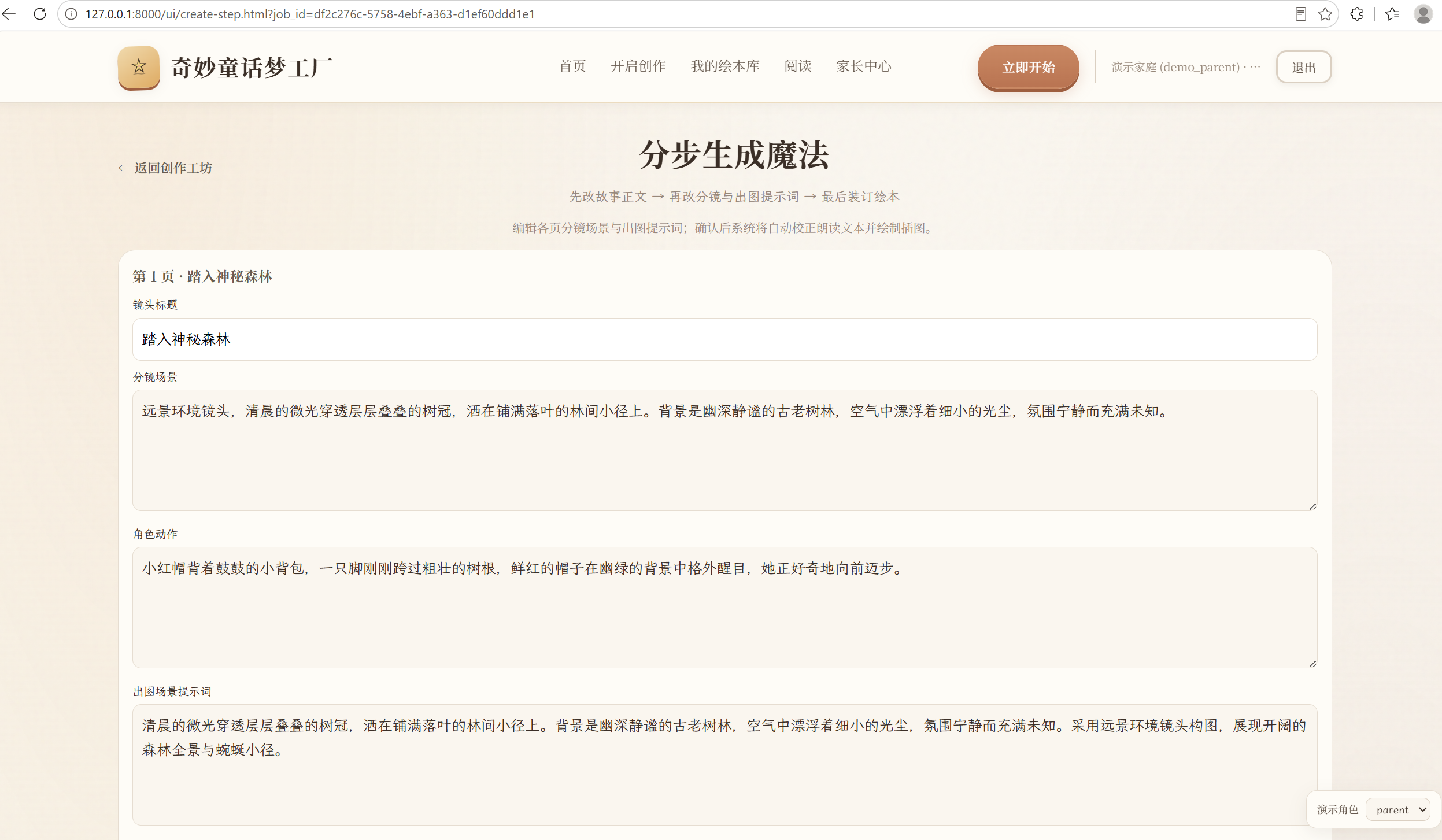
支持通过 URL 参数 “?job_id=...” 恢复未完成任务。
绘本库“library.html”加载列表时并行查询可恢复的分步任务(“GET /jobs?limit=100”)。
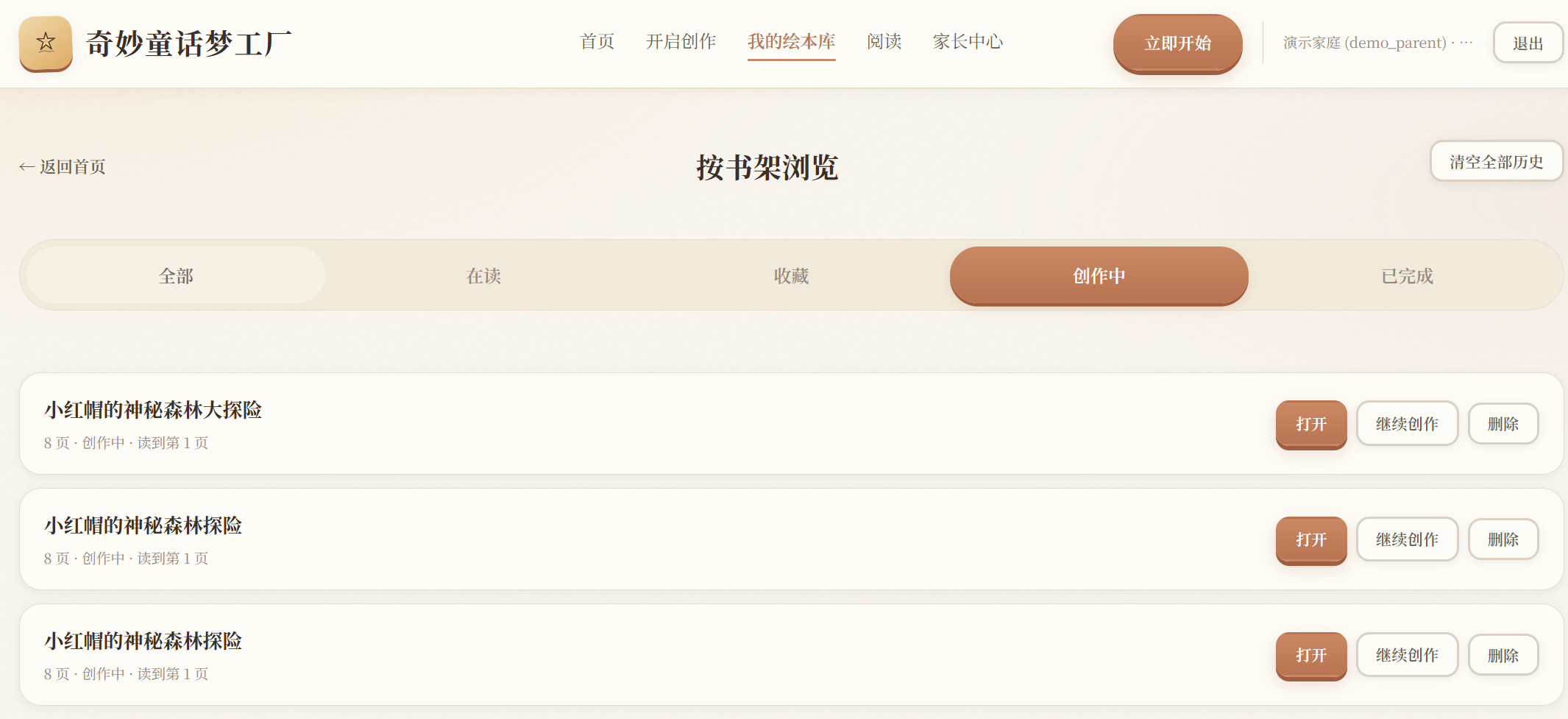
对「创作中」绘本:
若有进行中的分步任务 → 显示“继续创作”,点击可跳转至对应分镜创作“create-step.html?job_id=...”

Agent 垂直技术社区,欢迎活跃、内容共建。
更多推荐

 1
1 0
0- 0


 已为社区贡献4条内容

所有评论(0)