openclaw添加飞书channel
我们应该都知道,openclaw默认是没有飞书的,需要添加飞书。
我们应该都知道,openclaw默认是没有飞书的,需要添加飞书
一、安装飞书
openclaw plugins install @m1heng-clawd/feishu异常情况:
1、没有权限异常
🦞 OpenClaw 2026.3.2 (85377a2)
I'm like tmux: confusing at first, then suddenly you can't live without me.
Downloading @m1heng-clawd/feishu…
npm pack failed: npm error code EACCES
npm error syscall mkdir
npm error path /Users/shine/.npm/_cacache/index-v5/d1/0f
npm error errno -13
npm error
npm error Your cache folder contains root-owned files, due to a bug in
npm error previous versions of npm which has since been addressed.
npm error
npm error To permanently fix this problem, please run:
npm error sudo chown -R 501:20 "/Users/shine/.npm"
npm error A complete log of this run can be found in: /Users/shine/.npm/_logs/2026-03-06T14_59_16_385Z-debug-0.log
原因:
这个报错其实很常见,本质是 npm 缓存目录权限错了。
你的 .npm 目录里有 root 权限的文件,导致当前用户 shine 没法写入。
解决办法:
1、终端输入命令授权
sudo chown -R $(whoami) ~/.npm2、输入你的密码
3、再输入安装命令即可
openclaw plugins install @m1heng-clawd/feishu2)已经安装重复安装异常
Password:
shine@ShinedeMacBook-Pro ~ % openclaw plugins install @m1heng-clawd/feishu
15:04:38 [plugins] plugins.allow is empty; discovered non-bundled plugins may auto-load: feishu (/Users/shine/.openclaw/extensions/feishu/index.ts). Set plugins.allow to explicit trusted ids.
🦞 OpenClaw 2026.3.2 (85377a2)
Gateway online—please keep hands, feet, and appendages inside the shell at all times.
Downloading @m1heng-clawd/feishu…
Extracting /var/folders/8n/svqkl_ld48dd1f9_5sc3n7r00000gn/T/openclaw-npm-pack-K2iIi8/m1heng-clawd-feishu-0.1.15.tgz…
plugin already exists: /Users/shine/.openclaw/extensions/feishu (delete it first)
原因:我们刚刚已经安装,但是失败了,可能会遗留一些依赖
解决办法:
1、删除旧插件
rm -rf ~/.openclaw/extensions/feishu2、重新安装命令
openclaw plugins install @m1heng-clawd/feishu安装成功
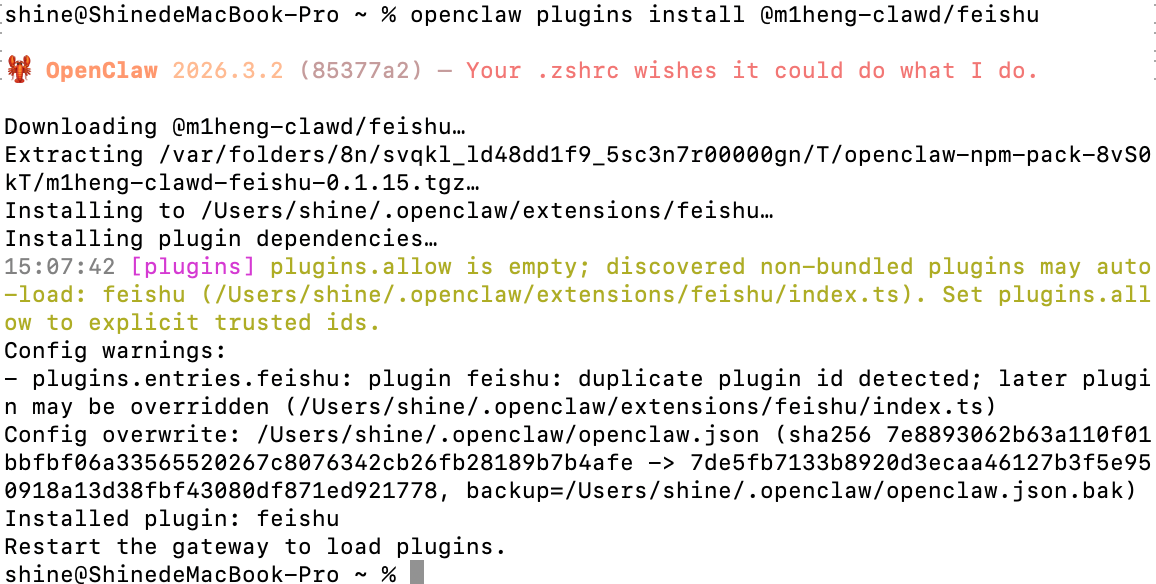
二、添加飞书并配置
openclaw channels add三、channel配置
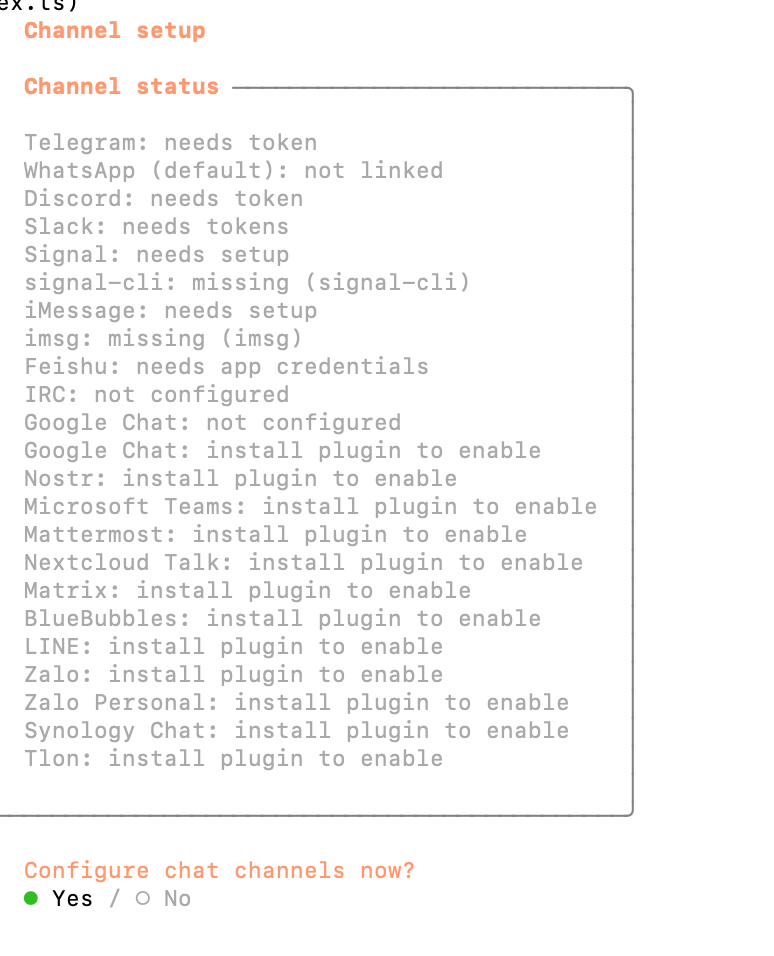
1)选择yes
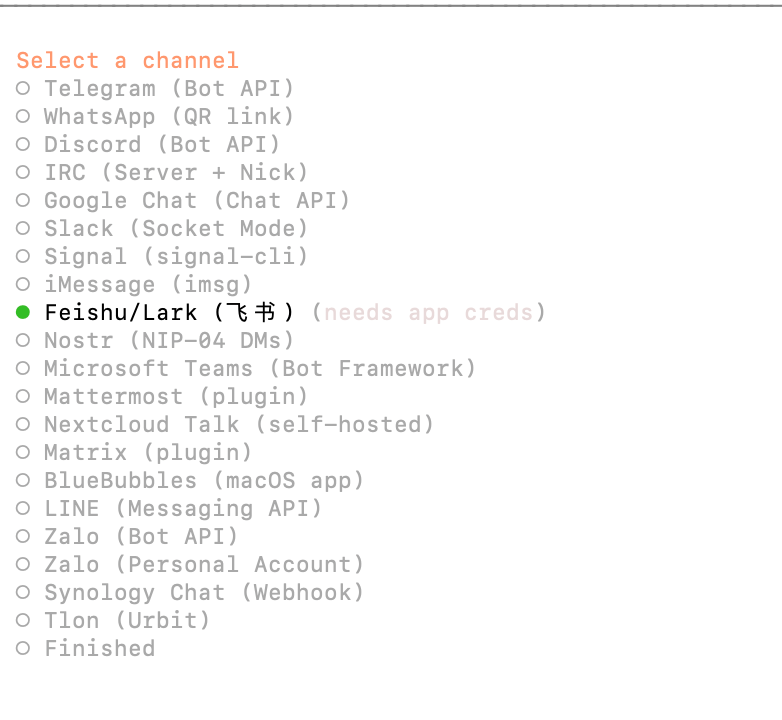
2)选择飞书
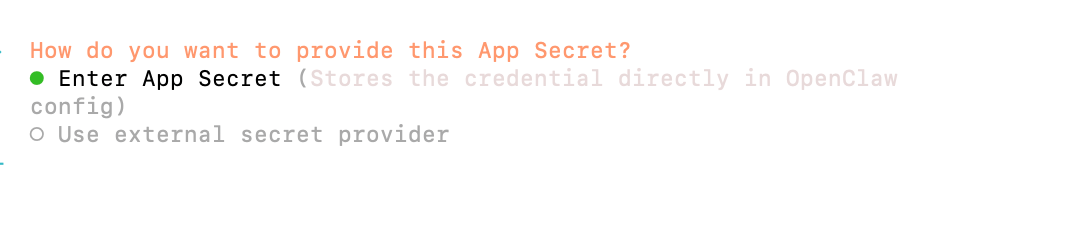
输入密钥
输入API
(略截图)
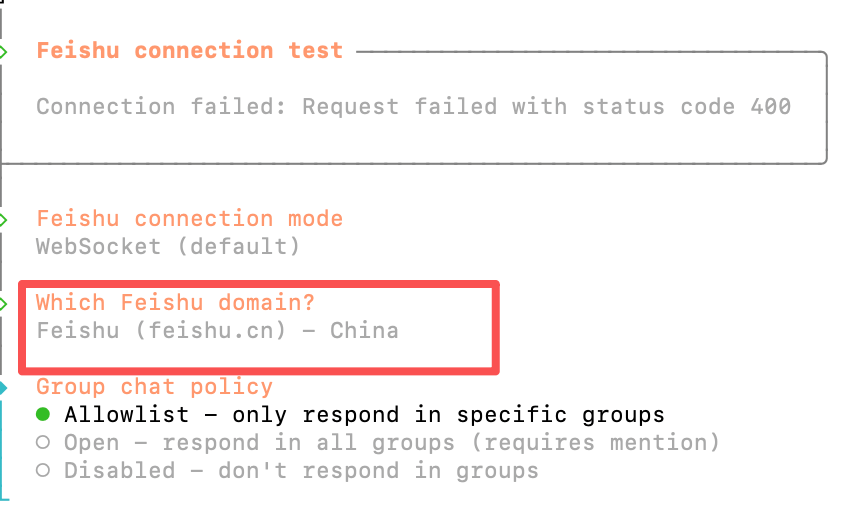
飞书版本(如果是国内,选择CN)
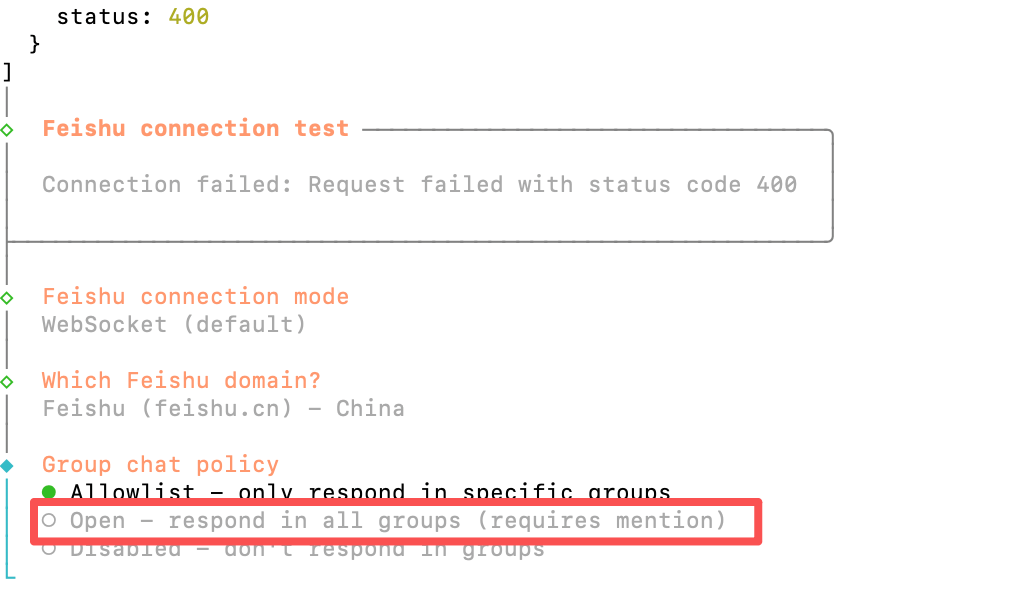
policy配置,选择open

Agent 垂直技术社区,欢迎活跃、内容共建。
更多推荐



 9
9 0
0- 0


 已为社区贡献7条内容

所有评论(0)