Android之Viewpager结合Fragment使用(一)
效果图:加上了位置position后:一、activity_tab_view_pager.xml:ViewPager用于滑动View<?xml version="1.0" encoding="utf-8"?><LinearLayout xmlns:android="http://schemas.android.com/apk/res/android...
·
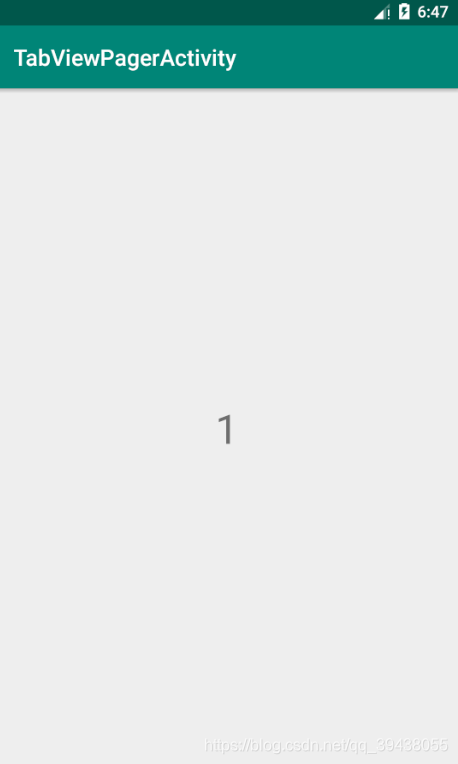
效果图:

加上了位置position后:
一、activity_tab_view_pager.xml:ViewPager用于滑动View
<?xml version="1.0" encoding="utf-8"?>
<LinearLayout xmlns:android="http://schemas.android.com/apk/res/android"
    xmlns:tools="http://schemas.android.com/tools"
    android:layout_width="match_parent"
    android:layout_height="match_parent"
    tools:context=".TabViewPagerActivity">

    <androidx.viewpager.widget.ViewPager
        android:id="@+id/view_pager"
        android:layout_width="match_parent"
        android:layout_height="match_parent"
        />

</LinearLayout>
二、test_fragment.xml:子项(碎片)的布局
<?xml version="1.0" encoding="utf-8"?>
<RelativeLayout xmlns:android="http://schemas.android.com/apk/res/android"
    android:orientation="vertical"
    android:layout_width="match_parent"
    android:layout_height="match_parent">

    <TextView
        android:id="@+id/text_view"
        android:layout_width="match_parent"
        android:layout_height="match_parent"
        android:text="@string/app_name"
        android:textSize="36sp"
        android:gravity="center"
        android:layout_centerInParent="true"
        />

</RelativeLayout>
三、TestFragment
package com.example.viewpager;

import android.os.Bundle;
import android.view.LayoutInflater;
import android.view.View;
import android.view.ViewGroup;
import android.widget.TextView;

import androidx.annotation.NonNull;
import androidx.annotation.Nullable;
import androidx.fragment.app.Fragment;


/**
 * Created by TMJ on 2020-02-05.
 */
public class TestFragment extends Fragment {


    public static final String POSITION = "position";
    private String mPosition;


    public static TestFragment newInstance(int position){

        TestFragment fragment=new TestFragment();

        Bundle bundle=new Bundle();
        bundle.putInt(POSITION,position);

        //传入参数为:Bundle
        fragment.setArguments(bundle);

        return fragment;
    }


    /**
     * 在onCreate里接收
     * @param savedInstanceState
     */
    @Override
    public void onCreate(@Nullable Bundle savedInstanceState) {
        super.onCreate(savedInstanceState);

        //拿到数据
        if (getArguments() != null){
            mPosition = String.valueOf(getArguments().getInt(POSITION));

        }


    }

    @Nullable
    @Override
    public View onCreateView(@NonNull LayoutInflater inflater, @Nullable ViewGroup container, @Nullable Bundle savedInstanceState) {


        View view=inflater.inflate(R.layout.test_fragment,null);

        TextView textView=(TextView)view.findViewById(R.id.text_view);
        textView.setText(mPosition);

        return view;
    }
}
四、TabViewPagerActivity
package com.example.viewpager;

import androidx.annotation.NonNull;
import androidx.appcompat.app.AppCompatActivity;
import androidx.fragment.app.Fragment;
import androidx.fragment.app.FragmentPagerAdapter;
import androidx.viewpager.widget.ViewPager;

import android.os.Bundle;
import android.widget.Toast;

/**
 * ViewPager与Fragment结合使用
 */
public class TabViewPagerActivity extends AppCompatActivity {


    @Override
    protected void onCreate(Bundle savedInstanceState) {
        super.onCreate(savedInstanceState);
        setContentView(R.layout.activity_tab_view_pager);


        //初始化总布局
        ViewPager viewPager=(ViewPager)findViewById(R.id.view_pager);


        //设置adapter:参数为FragmentPagerAdapter
        /*
         * FragmentPagerAdapter构造方法需要传参数:FragmentManager
         * 需要重写两个方法
         */
        viewPager.setAdapter(new FragmentPagerAdapter(getSupportFragmentManager()) {

            @NonNull
            @Override
            public Fragment getItem(int position) {
                return TestFragment.newInstance(position);

            }

            @Override
            public int getCount() {

                return 4;
            }
        });

    }


}

Agent 垂直技术社区,欢迎活跃、内容共建。
更多推荐

 0
0 0
0- 0


 已为社区贡献3条内容

所有评论(0)