pdfparagraph设置间距java_Itext 学习 Paragraph (段)的用法
转自:http://liubl2011.iteye.com/blog/1389092Itext的com.itextpdf.text.Paragraph 类是段落的处理。在一个段落中,你可以设置段落的对齐方式,缩进和间距。例子一代码如下import java.io.FileNotFoundException;import java.io.FileOutputStream;import com.ite
转自:http://liubl2011.iteye.com/blog/1389092
Itext的com.itextpdf.text.Paragraph 类是段落的处理。在一个段落中,你可以设置段落的对齐方式,缩进和间距。
例子一代码如下
import java.io.FileNotFoundException;
import java.io.FileOutputStream;
import com.itextpdf.text.Chunk;
import com.itextpdf.text.Document;
import com.itextpdf.text.DocumentException;
import com.itextpdf.text.Paragraph;
import com.itextpdf.text.pdf.PdfWriter;
public class DocumentExample {
public static void main(String[] args) {
//创建文本
Document document = new Document();
try {
//写入文本到文件中
PdfWriter.getInstance(document, new FileOutputStream("Paragraph.pdf"));
//打开文本
document.open();
//定义段落
Paragraph paragraph = new Paragraph();
//插入十条文本块到段落中
int i=0;
for(i=0; i<10; i++){
Chunk chunk = new Chunk("This is a sentence which is long " + i + ". ");
paragraph.add(chunk);
}
//添加段落
document.add(paragraph);
//关闭文本
document.close();
} catch (DocumentException e) {
e.printStackTrace();
} catch (FileNotFoundException e) {
e.printStackTrace();
}
}
}
运行结果如下:
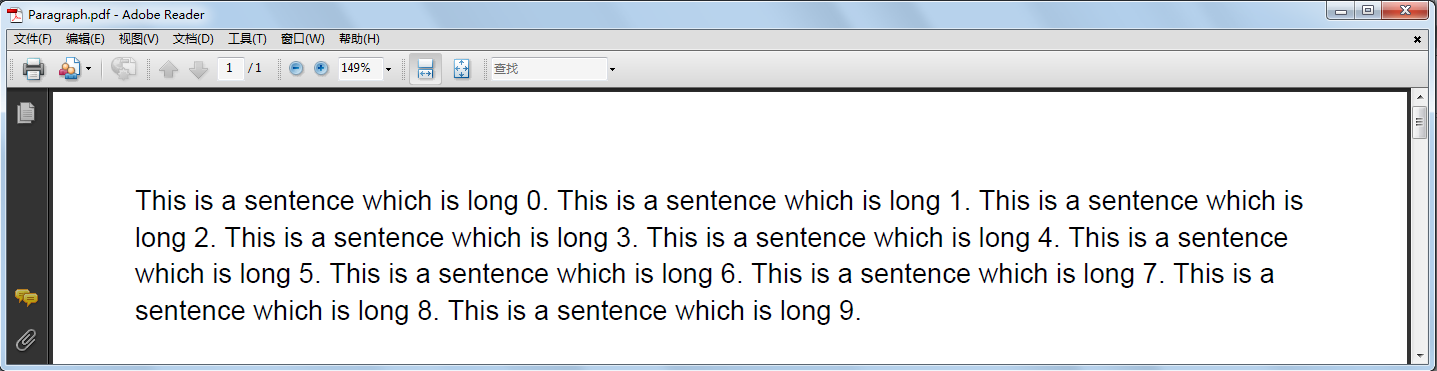
暂时看来和短句的运行效果差不多,每句都在自己的行。 所添加的文本超过的文档的右边缘,段对象知道如何添加行距。行距是用单位来衡量。每英寸有72个单位。默认间距是字体高度的1.5倍。您可以更改行距间距作为参数传递给段落构造方法。
Paragraph paragraph =newParagraph(50);
您可以设置一个段落前后的间距。
paragraph.setSpacingAfter(50);
paragraph.setSpacingBefore(50);
您可以设置使用setAlignment()方法的段落的对齐方式。
paragraph.setAlignment(Element.ALIGN_LEFT);
paragraph.setAlignment(Element.ALIGN_CENTER);
paragraph.setAlignment(Element.ALIGN_RIGHT);
您可以设置该段左,右缩进。
paragraph.setIndentationLeft(50);
paragraph.setIndentationRight(50);
例子二设置完属性的段落
import java.io.FileNotFoundException;
import java.io.FileOutputStream;
import com.itextpdf.text.Chunk;
import com.itextpdf.text.Document;
import com.itextpdf.text.DocumentException;
import com.itextpdf.text.Element;
import com.itextpdf.text.Paragraph;
import com.itextpdf.text.pdf.PdfWriter;
public class DocumentExample {
public static void main(String[] args) {
//创建文本
Document document = new Document();
try {
//写入文本到文件中
PdfWriter.getInstance(document, new FileOutputStream("Paragraph.pdf"));
//打开文本
document.open();
//定义段落
Paragraph paragraph = new Paragraph();
//设置段落前后间距
paragraph.setSpacingAfter(25);
paragraph.setSpacingBefore(25);
//设置段段落居中
paragraph.setAlignment(Element.ALIGN_CENTER);
//设置缩进
paragraph.setIndentationLeft(50);
paragraph.setIndentationRight(50);
//插入十条文本块到段落中
int i=0;
for(i=0; i<10; i++){
Chunk chunk = new Chunk("This is a sentence which is long " + i + ". ");
paragraph.add(chunk);
}
//添加段落
document.add(paragraph);
//关闭文本
document.close();
} catch (DocumentException e) {
e.printStackTrace();
} catch (FileNotFoundException e) {
e.printStackTrace();
}
}
}
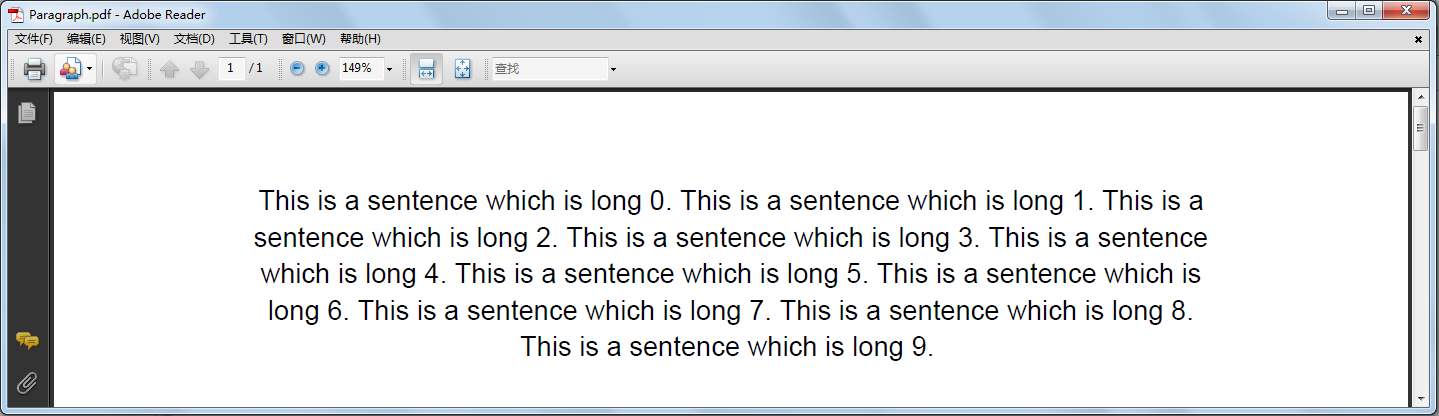
中心对齐,并使用左,右缩进50个用户单位。
效果如下

Agent 垂直技术社区,欢迎活跃、内容共建。
更多推荐

 0
0 0
0- 0


 已为社区贡献1条内容

所有评论(0)