

以往的应用程序我们大多都是使用MessageBox来给用户以反馈,不免显得有点呆板,使用MSAgent来改善客户端的用户体验:
传统的提示方法: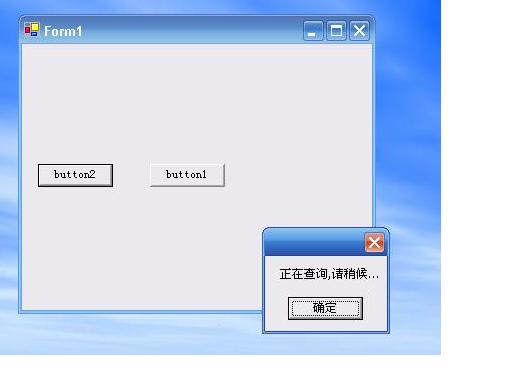
使用MSAgent的提示方法: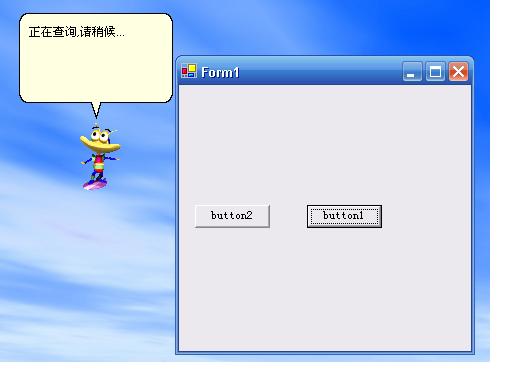
代码:
 axAgent2.Characters.Load( " Role " ,Application.StartupPath + " \\Assistant\\ " + " earl.acs " ); axAgent2.Characters[ " Role " ].Show( null ); axAgent2.Characters[ " Role " ].Activate( null ); axAgent2.Characters[ " Role " ].SoundEffectsOn = true ; axAgent2.Characters[ " Role " ].Top = 200 ; axAgent2.Characters[ " Role " ].Left = 300 ; axAgent2.Characters[ " Role " ].Balloon.FontSize = 11 ; axAgent2.Characters[ " Role " ].Balloon.Style = 0x4160001 ; axAgent2.Characters[ " Role " ].Speak( " 正在查询,请稍候
 " , null ); axAgent2.Characters[ " Role " ].Listen( true );



 已为社区贡献1条内容

所有评论(0)